aaP_rtenido
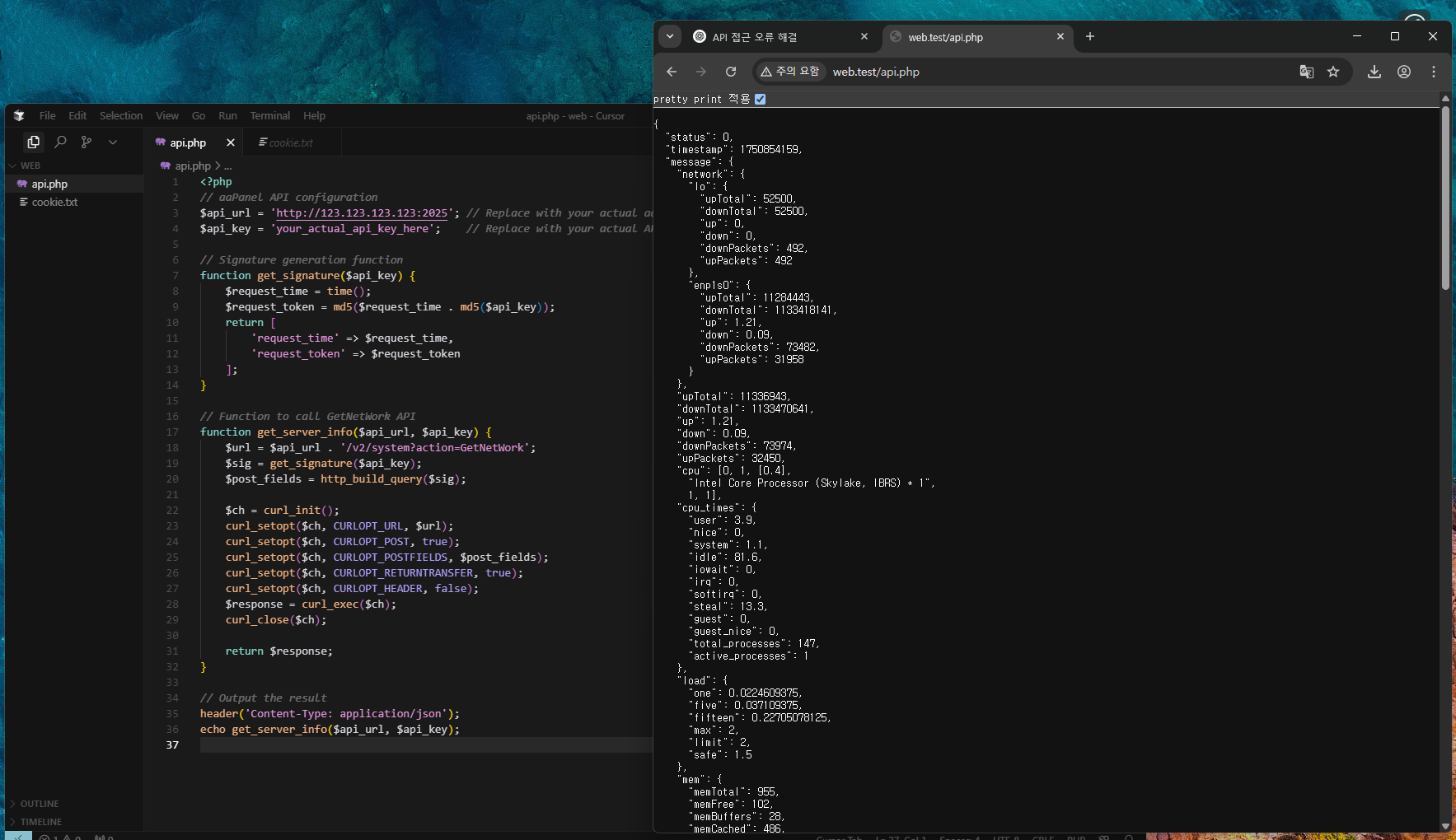
I tested this myself and was able to successfully call the aaPanel API using the following PHP code:
<?php
// aaPanel API configuration
$api_url = 'http://123.123.123.123:2025'; // Replace with your actual aaPanel server IP and port
$api_key = 'your_actual_api_key_here'; // Replace with your actual API key
// Signature generation function
function get_signature($api_key) {
$request_time = time();
$request_token = md5($request_time . md5($api_key));
return [
'request_time' => $request_time,
'request_token' => $request_token
];
}
// Function to call GetNetWork API
function get_server_info($api_url, $api_key) {
$url = $api_url . '/v2/system?action=GetNetWork';
$sig = get_signature($api_key);
$post_fields = http_build_query($sig);
$ch = curl_init();
curl_setopt($ch, CURLOPT_URL, $url);
curl_setopt($ch, CURLOPT_POST, true);
curl_setopt($ch, CURLOPT_POSTFIELDS, $post_fields);
curl_setopt($ch, CURLOPT_RETURNTRANSFER, true);
curl_setopt($ch, CURLOPT_HEADER, false);
$response = curl_exec($ch);
curl_close($ch);
return $response;
}
// Output the result
header('Content-Type: application/json');
echo get_server_info($api_url, $api_key);
Important notes:
You can't just send the API key. You must generate and send both request_time and a hashed request_token, calculated as md5(request_time + md5(api_key)). This is a time-based token verification mechanism that aaPanel uses to validate requests.
If either of these is missing or incorrect, the server will respond with: HTTP 404 Not Found
If you try using https, you might run into certificate mismatch errors unless your domain has a valid SSL certificate installed. In that case:
- Use
http instead, or
- Set up a valid external SSL certificate for the domain you're using.
Ensure that the IP address you're sending the request from is included in the API IP whitelist in aaPanel.
Official aaPanel API Interface Tutorial: https://https://www.aapanel.com/forum/d/482-api-interface-tutorial
Hope this helps anyone running into similar issues!