Hello,
I’m running Rspamd under aaPanel and in general it works fine. However, I’m facing an issue with the “Scan suspected message” function in the WebUI.
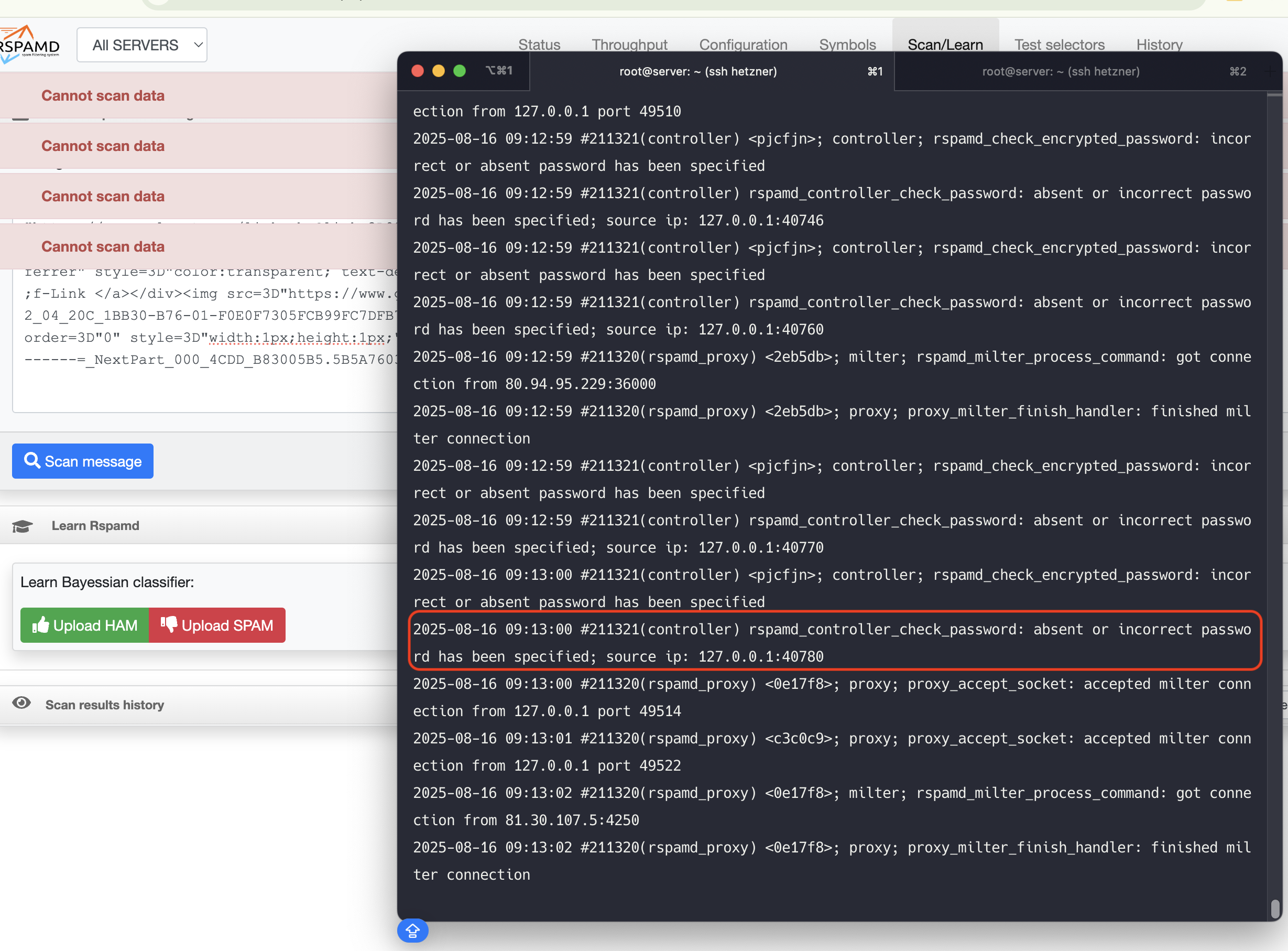
Whenever I paste the full raw source of an email and try to scan it, I get the error:
Cannot scan data
At the same time, the Rspamd logs show messages like:
controller; rspamd_check_encrypted_password: incorrect or absent password has been specified
rspamd_controller_check_password: absent or incorrect password has been specified; source ip: 127.0.0.1:xxxxx
My current setup:
• aaPanel with Rspamd integration
• client_max_body_size 50m; set globally in the proxy
• Rspamd running locally with proxy through port 31675
• File /etc/rspamd/local.d/worker-controller.inc currently only has a simple password defined, no enable_password
Questions:
1. Do I need to configure hashed passwords (using rspamadm pw) for both password and enable_password in order for scanning and “Learn” functions in the UI to work?
2. Is setting bind_socket = "127.0.0.1:11334"; sufficient, or are there other mandatory directives I should add?
3. Are there any additional settings required to scan larger emails (>10MB) via the UI?
Has anyone run into the same issue with Rspamd on aaPanel and found a working solution?
Thanks in advance!