Hello aaPanel community,
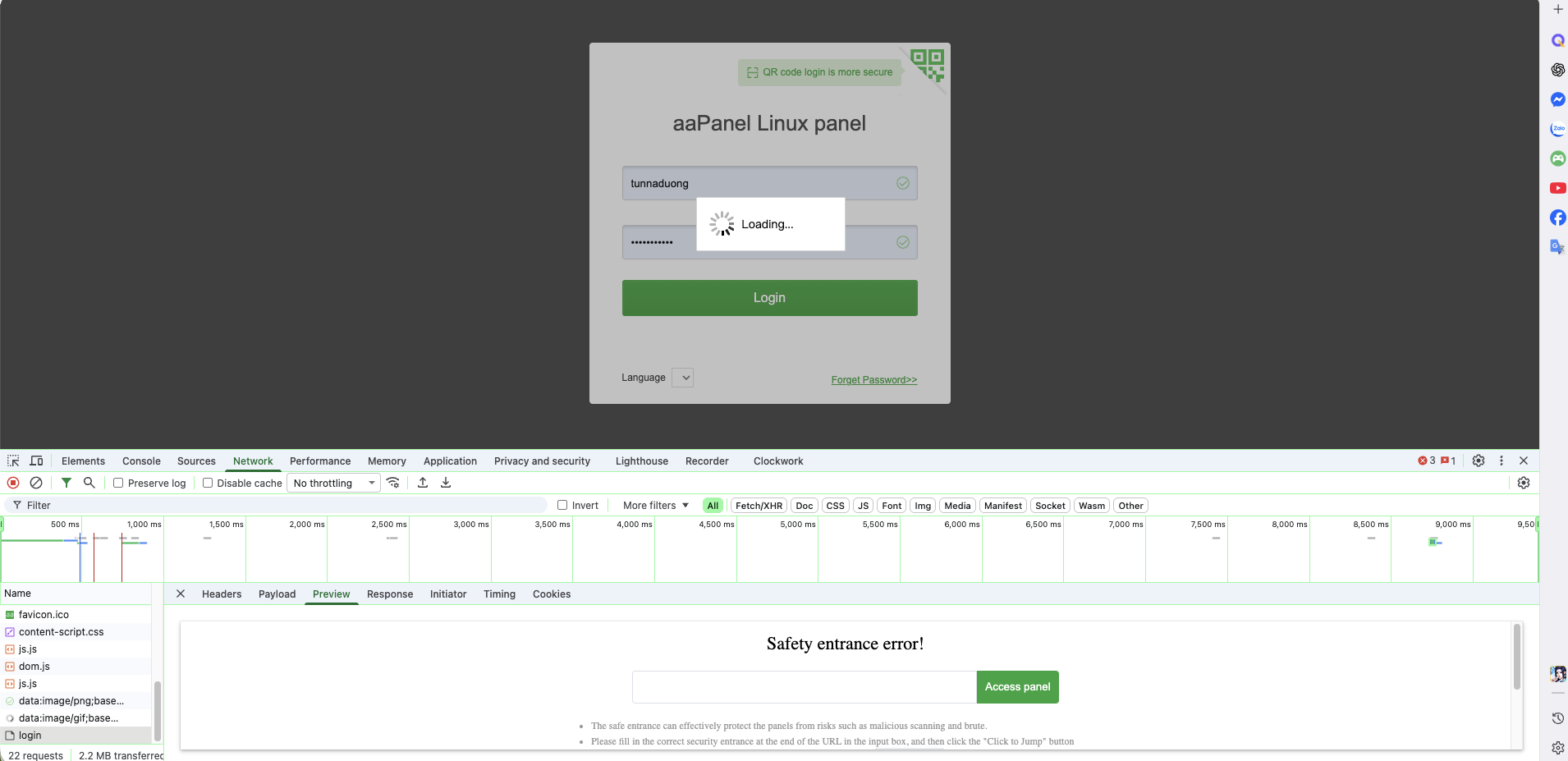
I'm experiencing issues accessing aaPanel via HTTP on a local IP address (192.168.1.169:2111) after attempting to disable SSL. Here's my situation:
Problem:
• When accessing aaPanel via HTTPS through a Cloudflare tunnel with a domain, it works fine
• When accessing via HTTP using the local IP address (http://192.168.1.169:2111), I get:
◦ 502 Bad Gateway errors
◦ JSON parsing errors ("Unexpected token '<'")
◦ Login request returns HTML instead of JSON response
◦ "Safety entrance error" messages
What I've tried:
- Removed /www/server/panel/data/ssl.pl to disable SSL
- Modified /www/server/panel/webserver/conf/webserver.conf to remove SSL directives
- Added X-Forwarded-Proto header to nginx configuration
- Attempted to fix GetClientIp() function to handle None remote_addr when connecting via Unix socket
Current Status:
After these modifications, the panel became unstable and I had to run sudo bt 16 to restore it. However, the core issue remains: the panel seems to enforce SSL/HTTPS and doesn't properly handle HTTP connections on local IPs.
Questions:
- Is it possible to safely disable SSL on aaPanel while maintaining functionality?
- Why does the panel redirect HTTP to HTTPS even after removing the SSL flag?
- What's the correct way to allow HTTP access on local networks?
- Are there configuration files I'm missing that enforce HTTPS?
System Information:
• OS: Debian GNU/Linux
• aaPanel Version: 7.0.29
• Access Method: Local IP (192.168.1.169:2111) and Cloudflare Tunnel with domain
Any guidance would be greatly appreciated!


