Dear aaPanel Support Team,
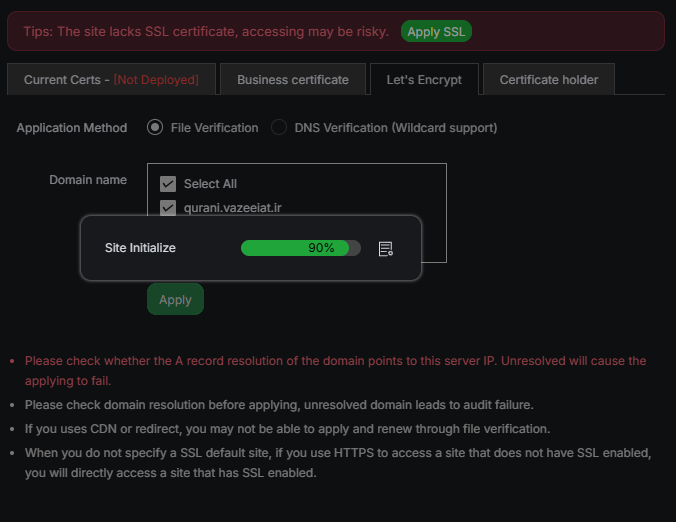
I am experiencing a critical issue while trying to apply a Let's Encrypt SSL certificate for my subdomain through aaPanel. The process freezes at 90% and completely locks up the panel, forcing me to perform a hard server restart to regain access.
Here’s what happens step-by-step:
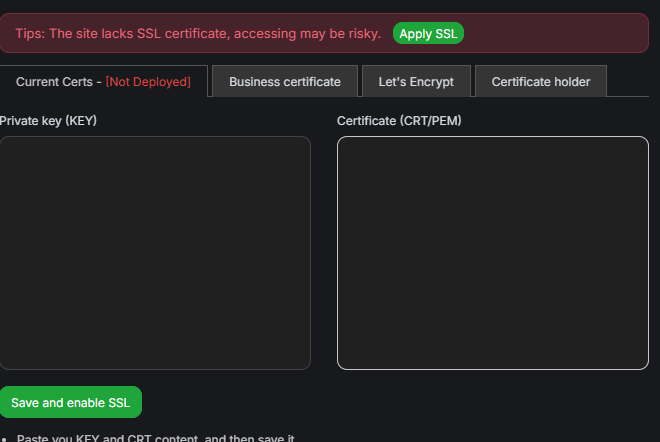
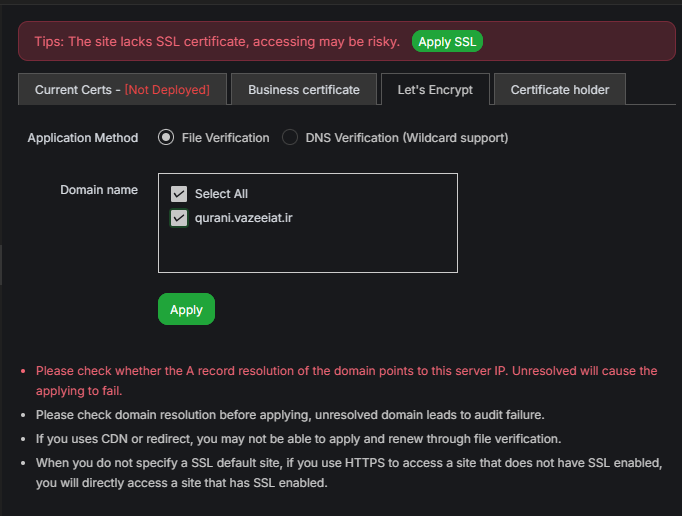
I go to the SSL section and select Let's Encrypt.
I choose the domain (qurani.vazeeiat.ir), select DNS verification, and click Apply.
The progress reaches about 90%, then the entire aaPanel interface becomes unresponsive.
The panel does not recover even after waiting for 30 minutes.
Refreshing the page does not help—the panel fails to load entirely.
The only way to restore functionality is to perform a hardware restart of the server.
Important notes about my setup:
The subdomain (qurani.vazeeiat.ir) is configured in Cloudflare with an A record pointing directly to the server IP (without proxy).
I am not using CDN or redirects that might interfere with file-based verification.
The domain resolution is properly set and confirmed.
This issue is severely impacting my server management and website security. I urgently need assistance to resolve this so I can enable SSL without crashing the panel.
Could the aaPanel team please investigate this? It appears to be a significant bug in the SSL application process. If logs or additional information are needed, I’m happy to provide them.
Thank you for your attention and support.
Best regards,