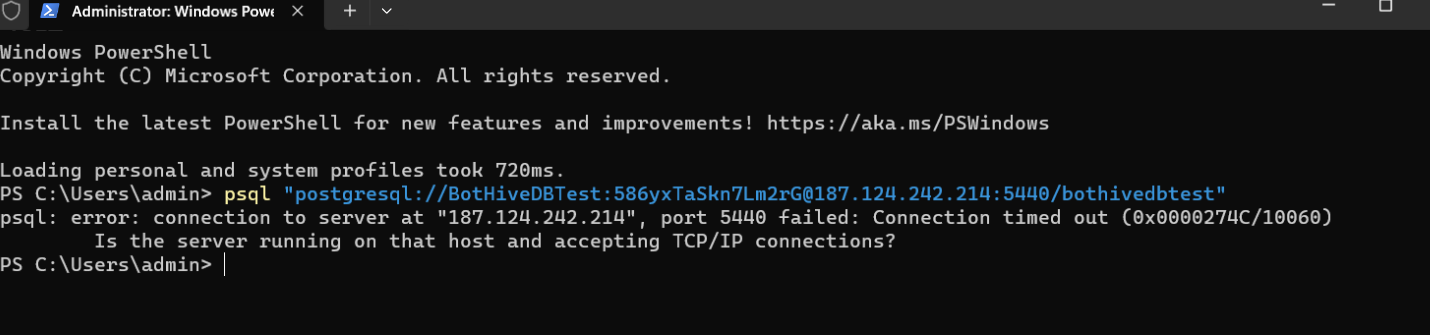
I found this solution:
If you are getting a connection timed out (0x0000274C/10060) error when trying to connect to your aaPanel PostgreSQL database remotely, the server is likely ignoring outside requests.
To fix this, you need to open the port and correctly configure two separate PostgreSQL files. Here is the step-by-step fix:
- Open the Port in Your Firewalls
Go to the Security tab in aaPanel and add a TCP rule for your PostgreSQL port (default is 5432, but if you are using a custom port like 5440, open that instead).
Important: If you are using a cloud provider (AWS, Google Cloud, DigitalOcean, etc.), you must also open this port in their external firewall/Security Group settings.
- Configure postgresql.conf (Allow External Listening)
By default, PostgreSQL only listens to local traffic.
In aaPanel, go to App Store > PostgreSQL > Setting.
Open the postgresql.conf file.
Find this line: #listen_addresses = 'localhost'
Remove the # and change it to: listen_addresses = '*'
- Configure pg_hba.conf (Allow Your IP)
Now you need to tell PostgreSQL to accept your specific connection.
In the same PostgreSQL Setting window, open the pg_hba.conf file.
Scroll to the very bottom and add this line to allow access:
host all all 0.0.0.0/0 md5
(Note: 0.0.0.0/0 allows any IP. For better security, replace it with your specific static IP address, e.g., 192.168.1.50/32).
- Restart the Service
These changes will not take effect until the service restarts.
Go to the Service tab inside the PostgreSQL settings in aaPanel.
Click Restart.
Once restarted, your local psql or pgAdmin connection should go through successfully :