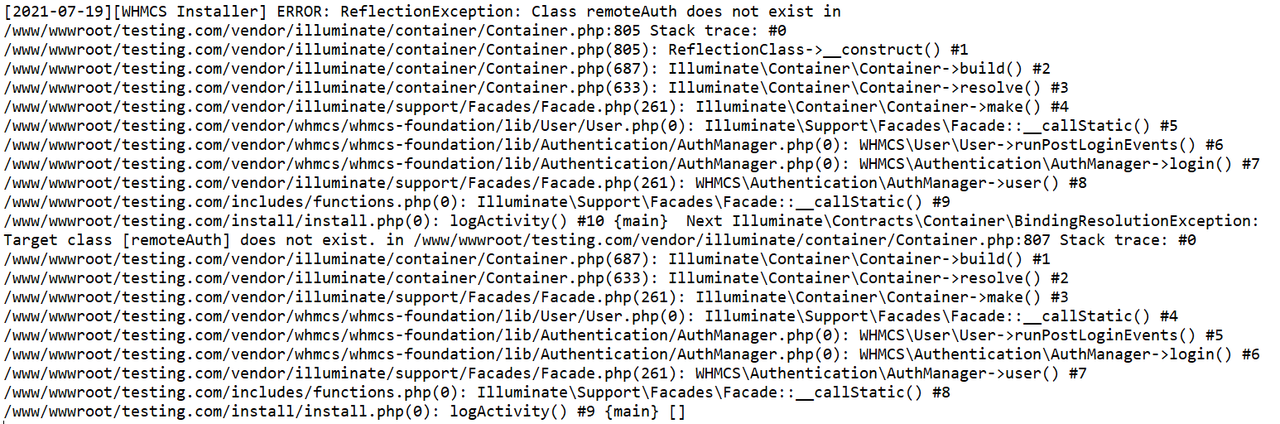
Hi adonix,
What version of WHMCS you have and to which you're updating?
What is the underlying OS?
I suggest you do the following:
make sure the files and folders have the correct ownership (www:www) and permissions (folders 755 and files 644)
you can run the following commands:
sudo chown -R www:www /www/wwwroot/testing.com/
sudo find /www/wwwroot/ -type d -exec chmod 755 {} \;
sudo find /www/wwwroot/ -type f -exec chmod 644 {} \;
it will take care of ownership and permissions, and is the correct security you should have in place.
Make a backup of the full folder.
I'm assuming you're using the root user so I suggest you run your commands with runuser -u www -- so the files and stuff you edit come out with the correct ownership as if you create files or download and unpack using root they'll belong to root.
Create a temporary folder under /www/wwwroot and go there using:
runuser -u www -- mkdir /www/wwwroot/tmp && cd /www/wwwroot/tmp
download the latest version of WHMCS full and put it on that temporary folder
runuser -u www -- curl -OL http//link_to_whmcs_full
or upload it and change ownership to www:www (sudo chmod www:www whmcs_v821_full.zip)
unzip it:
runuser -u www -- unzip whmcs_v821_full.zip
it will unpack the full contents to a whmcs folder. the folder and files will already belong to the correct user.
Next use rsync to update the contents of your existing whmcs installation:
runuser -u www -- rsync -auv /www/wwwroot/tmp/ www/wwwroot/testing.com/
I believe that way you'll be able to fully update your WHMCS and get everything working. I remember somewhere from version 7 to version 8 I had some issue as well and what solves it is restoring from a full backup.
Also, save your configuration.php as it has the access to your database etc, but since the WHMCS only ships a sample it's not likely it gets overriden.