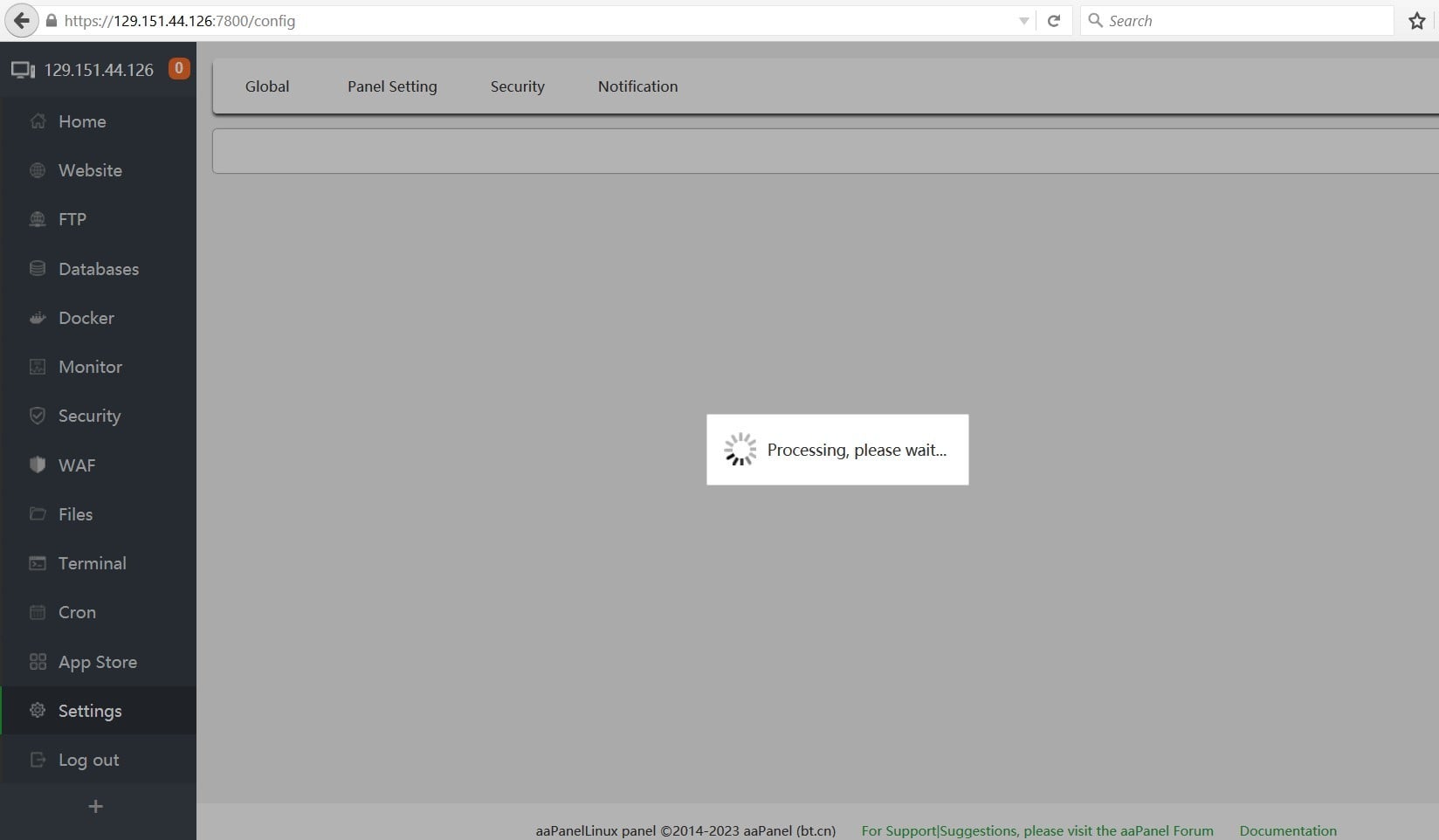
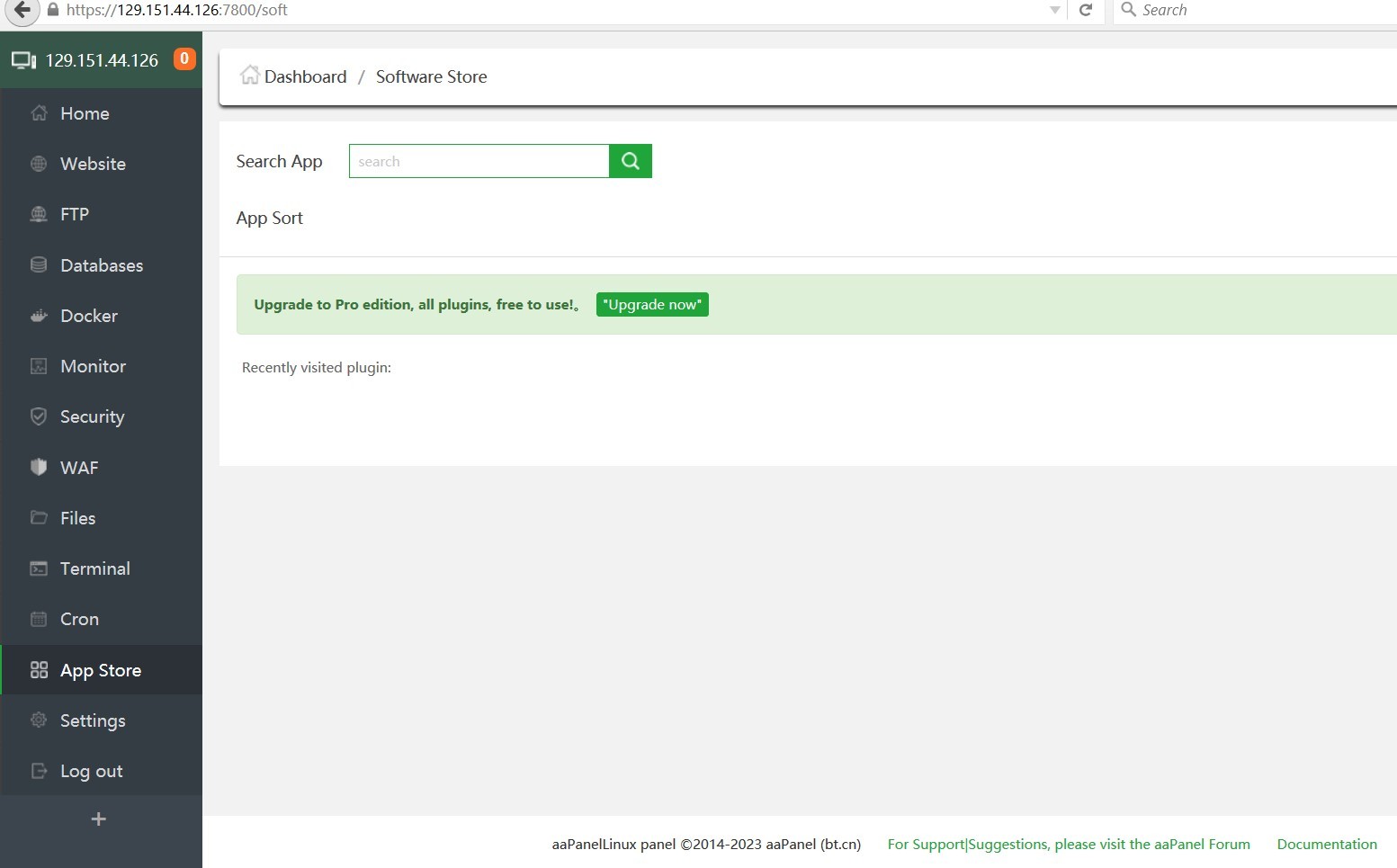
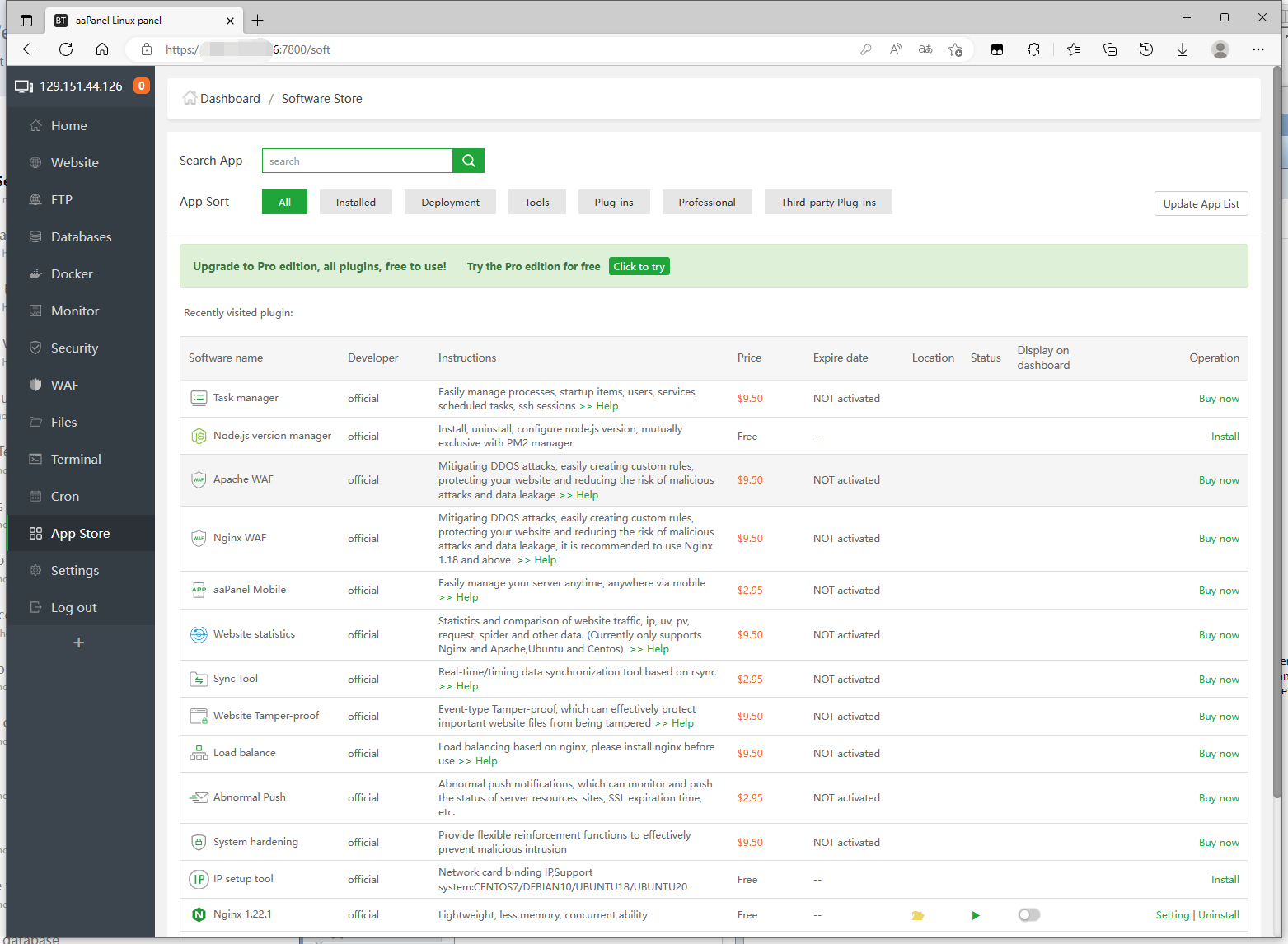
aaP_admin165 I have done a fresh installation of aaPanel ver 6.8.27. But, it is showing progress message while opening security Tab. phpMyadmin it is asking to install but on Apps tab it is not showing any apps install. Please help further.
aaP_admin165 No log is getting created for setting tab or even for phpmyadmin For phpmyadmin it says, "Please install phpMyadmin" and it is taking to apps page, which no app has been shown
aaPanel_Kern aaP_admin165 The panel display is abnormal. Is the server status normal? Use the top command to view Can you connect to our server? curl -v https://node.aapanel.com curl -v https://brandnew.aapanel.com ping brandnew.aapanel.com -c 5 ping google.com -c 5
aaP_admin165 Trying 172.67.171.7:443... TCP_NODELAY set Connected to node.aapanel.com (172.67.171.7) port 443 (#0) ALPN, offering h2 ALPN, offering http/1.1 successfully set certificate verify locations: CAfile: /etc/ssl/certs/ca-certificates.crt CApath: /etc/ssl/certs TLSv1.3 (OUT), TLS handshake, Client hello (1): TLSv1.3 (IN), TLS handshake, Server hello (2): TLSv1.3 (IN), TLS handshake, Encrypted Extensions (8): TLSv1.3 (IN), TLS handshake, Certificate (11): TLSv1.3 (IN), TLS handshake, CERT verify (15): TLSv1.3 (IN), TLS handshake, Finished (20): TLSv1.3 (OUT), TLS change cipher, Change cipher spec (1): TLSv1.3 (OUT), TLS handshake, Finished (20): SSL connection using TLSv1.3 / TLS_AES_256_GCM_SHA384 ALPN, server accepted to use h2 Server certificate: subject: C=US; ST=California; L=San Francisco; O=Cloudflare, Inc.; CN=sni.cloudflaressl.com start date: Jun 13 00:00:00 2022 GMT expire date: Jun 13 23:59:59 2023 GMT subjectAltName: host "node.aapanel.com" matched cert's "*.aapanel.com" issuer: C=US; O=Cloudflare, Inc.; CN=Cloudflare Inc ECC CA-3 SSL certificate verify ok. Using HTTP2, server supports multi-use Connection state changed (HTTP/2 confirmed) Copying HTTP/2 data in stream buffer to connection buffer after upgrade: len=0 Using Stream ID: 1 (easy handle 0xaaab02fac690) GET / HTTP/2 Host: node.aapanel.com user-agent: curl/7.68.0 accept: / TLSv1.3 (IN), TLS handshake, Newsession Ticket (4): TLSv1.3 (IN), TLS handshake, Newsession Ticket (4): old SSL session ID is stale, removing Connection state changed (MAX_CONCURRENT_STREAMS == 256)! < HTTP/2 200 < date: Tue, 21 Feb 2023 09:35:34 GMT < content-type: text/html < last-modified: Sat, 08 Aug 2020 07:05:51 GMT < cache-control: max-age=14400 < cf-cache-status: MISS < accept-ranges: bytes < report-to: {"endpoints":[{"url":"https:\/\/a.nel.cloudflare.com\/report\/v3?s=t0xcjQzOB0lcOYTwVPUxARadBeDTtxRkSbuiLAhLLK5ZEzpgmtH4EanAuPIHroGkh%2BWhIqsi3ucUMrKIRfNRx6vmQxNHAGk3Gb1E4FmoFGHlR4jvP0gBug%2FXUqN4h1f7V84G"}],"group":"cf-nel","max_age":604800} < nel: {"success_fraction":0,"report_to":"cf-nel","max_age":604800} < server: cloudflare < cf-ray: 79ce7e1e4ce54834-SIN < alt-svc: h3=":443"; ma=86400, h3-29=":443"; ma=86400 < <!doctype html> <html> <head> <meta charset="utf-8"> <title>恭喜,站点创建成功!</title> <link rel="stylesheet" href="//cdn.bootcss.com/bootstrap/3.3.4/css/bootstrap.min.css"> <script src="//cdn.bootcss.com/jquery/1.11.2/jquery.min.js"></script> <script src="//cdn.bootcss.com/bootstrap/3.3.4/js/bootstrap.min.js"></script> </head> <body> <div class="container" style="margin-top:9%;"> <div class="jumbotron"> <div class="panel panel-success"> <div class="panel-heading"><h1>恭喜, 站点创建成功!</h1></div> </div> <p><h3>站点创建成功,本页面由系统自动生成。</h3></p> <p><li>本页面在FTP根目录下的index.html</li></p> <p><li>您可以删除或覆盖本页面</li></p> <p><li>我们为您提供了完善的数据备份功能,请到后台进行相关设置</li></p> </div> </div> </body> Connection #0 to host node.aapanel.com left intact
aaP_admin165 </html>root@website:~# curl -v https://brandnew.aapanel.com Trying 172.67.171.7:443... TCP_NODELAY set Connected to brandnew.aapanel.com (172.67.171.7) port 443 (#0) ALPN, offering h2 ALPN, offering http/1.1 successfully set certificate verify locations: CAfile: /etc/ssl/certs/ca-certificates.crt CApath: /etc/ssl/certs TLSv1.3 (OUT), TLS handshake, Client hello (1): TLSv1.3 (IN), TLS handshake, Server hello (2): TLSv1.3 (IN), TLS handshake, Encrypted Extensions (8): TLSv1.3 (IN), TLS handshake, Certificate (11): TLSv1.3 (IN), TLS handshake, CERT verify (15): TLSv1.3 (IN), TLS handshake, Finished (20): TLSv1.3 (OUT), TLS change cipher, Change cipher spec (1): TLSv1.3 (OUT), TLS handshake, Finished (20): SSL connection using TLSv1.3 / TLS_AES_256_GCM_SHA384 ALPN, server accepted to use h2 Server certificate: subject: C=US; ST=California; L=San Francisco; O=Cloudflare, Inc.; CN=sni.cloudflaressl.com start date: Jun 13 00:00:00 2022 GMT expire date: Jun 13 23:59:59 2023 GMT subjectAltName: host "brandnew.aapanel.com" matched cert's "*.aapanel.com" issuer: C=US; O=Cloudflare, Inc.; CN=Cloudflare Inc ECC CA-3 SSL certificate verify ok. Using HTTP2, server supports multi-use Connection state changed (HTTP/2 confirmed) Copying HTTP/2 data in stream buffer to connection buffer after upgrade: len=0 Using Stream ID: 1 (easy handle 0xaaaae8b67690) GET / HTTP/2 Host: brandnew.aapanel.com user-agent: curl/7.68.0 accept: / TLSv1.3 (IN), TLS handshake, Newsession Ticket (4): TLSv1.3 (IN), TLS handshake, Newsession Ticket (4): old SSL session ID is stale, removing Connection state changed (MAX_CONCURRENT_STREAMS == 256)! < HTTP/2 302 < date: Tue, 21 Feb 2023 09:35:53 GMT < content-type: text/html; charset=UTF-8 < location: /new/index.html < cache-control: no-cache, private < set-cookie: XSRF-TOKEN=eyJpdiI6IkE1TllJYXlVcnZZUEZuTHkvY1B4MHc9PSIsInZhbHVlIjoiRjZZK2dhYlNqUHJML29yeDFuaGp0cnVGUXdrdGJjN0o1TTlYTGdUc2VRc09GMjdwbHE4ZGhnSkRURW0rTnJiVml0a1luWUg3ZkVEcDBCck5sSEdiRWU5eHZjaTRkRkxQUVU5WUpzem16SXN5T0tMVEpyTVUrODNYKzd4dEp0REUiLCJtYWMiOiJiZmNjN2EyOTYxNmFhYTE5NDY5N2FiZTlkNzRjY2U0NWU4YTZjOGNjMjVmODg5OTI1OGRhMjQ4YjQwMDg2Y2QwIn0%3D; expires=Tue, 21-Feb-2023 11:36:01 GMT; Max-Age=7200; path=/; samesite=lax < set-cookie: aapanel_session=eyJpdiI6IkUyaVdsSllLaVI5c1J0K2pLSHdnclE9PSIsInZhbHVlIjoiOWtTZVV4QTdUTkJWWTREV0x4M2tWSEk0NG1zNVNWa0F6cUIwZHZZckVKenNDYWdYdDc1ODRxY1BRR2w2Ly81d2xNT092bXE5ajNNQnhZalBiM3hiSi9peXRsRG4vaWJlZHlSMm53UEkxeVF4TlNqSjJWbVJraDBia1ZYd2VyeDYiLCJtYWMiOiJiYjJiYjVjNjkyMGNjNGRjNmU1ZGZhYzc1MzRlZTAyMmVjNWVkMjU0OWQ4ZDY4ZTlhMTNjZTNlOGE0NzQ2N2MzIn0%3D; expires=Tue, 21-Feb-2023 11:36:01 GMT; Max-Age=7200; path=/; httponly; samesite=lax < strict-transport-security: max-age=63072000 < cf-cache-status: DYNAMIC < report-to: {"endpoints":[{"url":"https:\/\/a.nel.cloudflare.com\/report\/v3?s=lm9zj4YwjddOTAiGKRfTG3F0IHNS2NmxJkAse6kSj11XOkfGJInHHJ9C5nQblQ4vP5K0aZpjb9Qq93QCfVHZHbJQw%2FzVn8R7YcWJMqDLm6UxReb9pYmyf6wrsh0b2Hjzkq0pcHAP1Q%3D%3D"}],"group":"cf-nel","max_age":604800} < nel: {"success_fraction":0,"report_to":"cf-nel","max_age":604800} < server: cloudflare < cf-ray: 79ce7e828a644a95-SIN < alt-svc: h3=":443"; ma=86400, h3-29=":443"; ma=86400 < Connection #0 to host brandnew.aapanel.com left intact root@website:~# ping brandnew.aapanel.com -c 5 PING brandnew.aapanel.com (104.21.79.196) 56(84) bytes of data. 64 bytes from 104.21.79.196 (104.21.79.196): icmp_seq=1 ttl=61 time=1.25 ms 64 bytes from 104.21.79.196 (104.21.79.196): icmp_seq=2 ttl=61 time=1.33 ms 64 bytes from 104.21.79.196 (104.21.79.196): icmp_seq=3 ttl=61 time=1.31 ms C --- brandnew.aapanel.com ping statistics --- 3 packets transmitted, 3 received, 0% packet loss, time 2003ms rtt min/avg/max/mdev = 1.251/1.298/1.333/0.034 ms root@website:~# ping google.com -c 5 PING google.com (142.250.67.206) 56(84) bytes of data. 64 bytes from bom12s08-in-f14.1e100.net (142.250.67.206): icmp_seq=1 ttl=121 time=19.3 ms 64 bytes from bom12s08-in-f14.1e100.net (142.250.67.206): icmp_seq=2 ttl=121 time=19.4 ms 64 bytes from bom12s08-in-f14.1e100.net (142.250.67.206): icmp_seq=3 ttl=121 time=19.4 ms 64 bytes from bom12s08-in-f14.1e100.net (142.250.67.206): icmp_seq=4 ttl=121 time=19.3 ms 64 bytes from bom12s08-in-f14.1e100.net (142.250.67.206): icmp_seq=5 ttl=121 time=19.4 ms --- google.com ping statistics --- 5 packets transmitted, 5 received, 0% packet loss, time 4006ms rtt min/avg/max/mdev = 19.336/19.361/19.414/0.027 ms
aaPanel_Kern aaP_admin165 Is it normal to use the incognito mode of the browser to access? Did you try to fix the panel with the command: bt 16
aaPanel_Kern aaP_admin165 Hi, can you give us your aapanel information? The server makes a snapshot backup first, if possible, please send it to kern@aapanel.com. It is recommended to fill in the following Post link: SSH IP address, account password and port: aapanel login link address and account password: No post link will not be able to know which user's information is