aaPanel_Kern It is recommended that you check the website configuration and website program configuration. Please also check whether the domain name and SSL certificate are consistent? aaP_md_kamolnoman
aaP_md_kamolnoman All of my domain and sub domain via cloudflare. look at the site link in photo. this is with http "s" and without.
aaPanel_Kern Hello, it is recommended that you press F12 on your browser to enter developer mode, click on the network interface, refresh the website and check the reason. aaP_md_kamolnoman
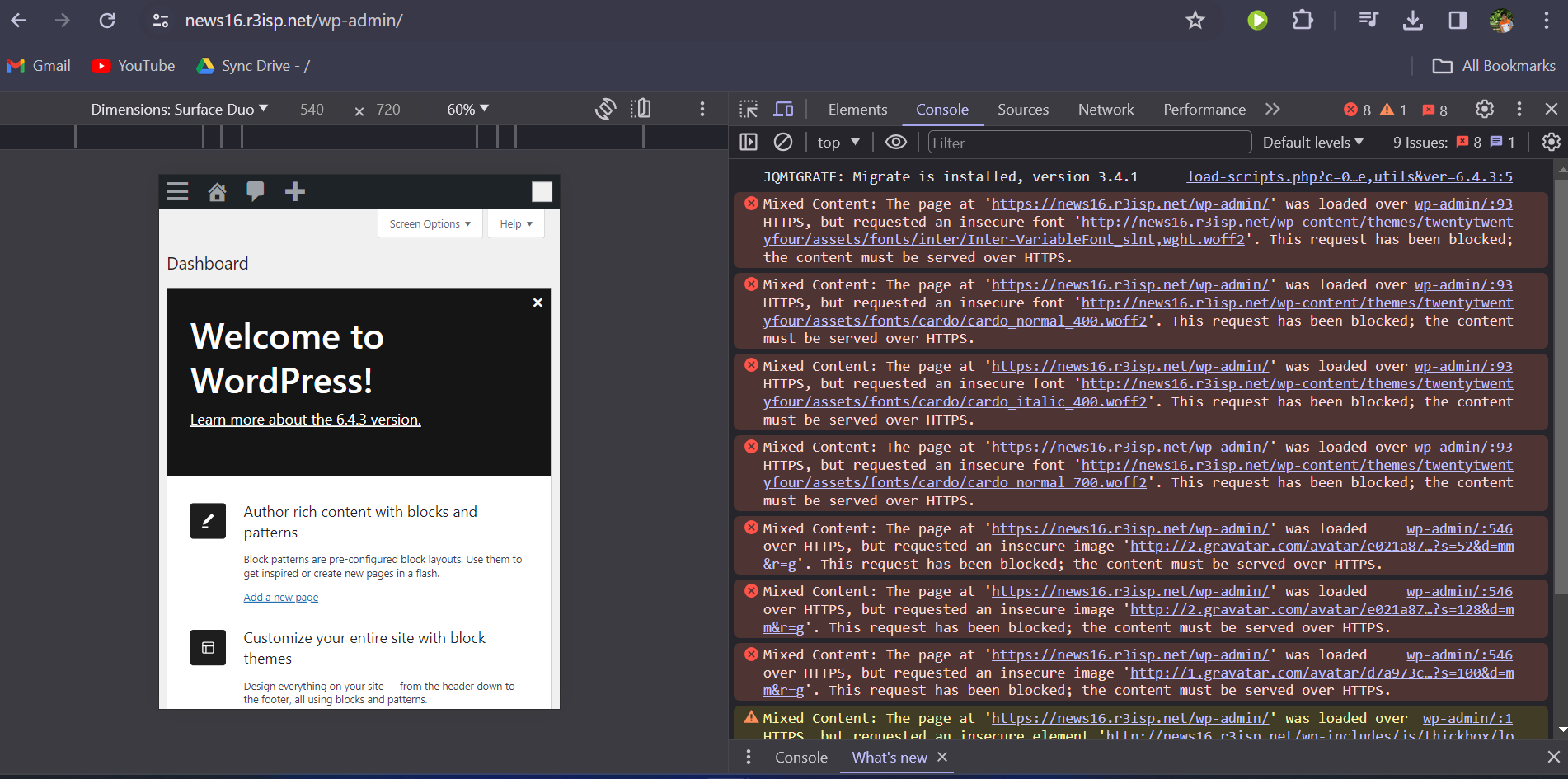
aaPanel_Kern aaP_md_kamolnoman Hello, you can see from the picture that the deployment link uses http. It is recommended that you use https for all links.
aaP_md_kamolnoman that all the picture are from tmdb directly. this is not the case even i deploy site on https that is unable to fetch any photo or resource from database coz it is https.
aaPanel_Kern When using https, you can also use developer mode to see what is causing the problem. aaP_md_kamolnoman
aaP_md_kamolnoman i am 1000% sure that this is the problem off ssl between site and myphpadmin. i am not able to find this. every site is showing same. even a newly installed wordpress site.
aaP_md_kamolnoman i have tried to setup mariadb multiple time. it is showing successfully execution but now showing. its not showing also in database section. 🫤🫤🫤🫤🫤
aaP_md_kamolnoman i have install this site now. i have ssl on my domain. but look i ain't even change anything to install wordpress.
aaPanel_Kern aaP_md_kamolnoman Hello, it is recommended that you check whether the link between the theme and background settings is https? From the screenshot, I have told you that it is caused by using http.
aaP_md_kamolnoman i am using https every where. how could it send request by http. if i am using force https it is unable to login.
aaPanel_Kern Hello, I cannot log in. Please check the information that appears in developer mode. Also try to use the browser to access in incognito mode aaP_md_kamolnoman