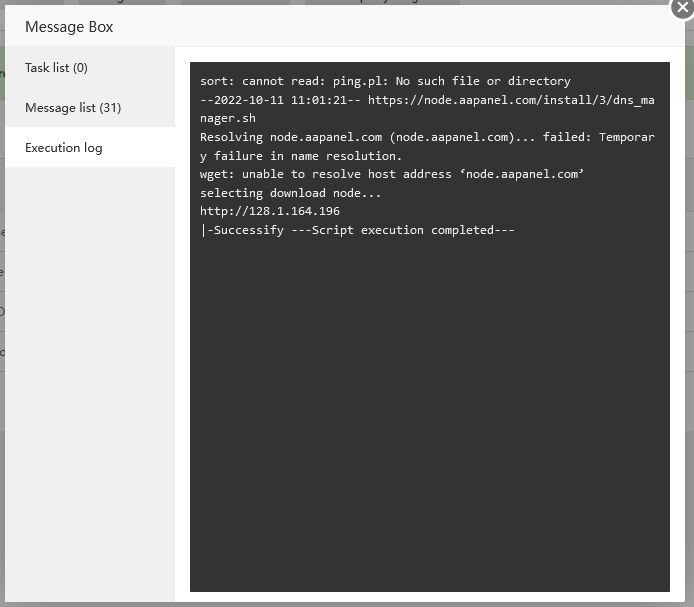
aaPanel_Kern alfanur_rizal Hello, check whether the network of the server is normal. It is recommended to consult a server provider. Or replace the available nameserver
alfanur_rizal Now i can ping,, and try this script, ping brandnew.aapanel.com curl -v https://brandnew.aapanel.com and show the message: ========================= Trying 128.1.164.230:443... Connected to brandnew.aapanel.com (128.1.164.230) port 443 (#0) ALPN, offering h2 ALPN, offering http/1.1 CAfile: /etc/ssl/certs/ca-certificates.crt CApath: /etc/ssl/certs TLSv1.0 (OUT), TLS header, Certificate Status (22): TLSv1.3 (OUT), TLS handshake, Client hello (1): TLSv1.2 (IN), TLS header, Certificate Status (22): TLSv1.3 (IN), TLS handshake, Server hello (2): TLSv1.2 (IN), TLS header, Finished (20): TLSv1.2 (IN), TLS header, Supplemental data (23): TLSv1.3 (IN), TLS handshake, Encrypted Extensions (8): TLSv1.2 (IN), TLS header, Supplemental data (23): TLSv1.3 (IN), TLS handshake, Certificate (11): TLSv1.2 (IN), TLS header, Supplemental data (23): TLSv1.3 (IN), TLS handshake, CERT verify (15): TLSv1.2 (IN), TLS header, Supplemental data (23): TLSv1.3 (IN), TLS handshake, Finished (20): TLSv1.2 (OUT), TLS header, Finished (20): TLSv1.3 (OUT), TLS change cipher, Change cipher spec (1): TLSv1.2 (OUT), TLS header, Supplemental data (23): TLSv1.3 (OUT), TLS handshake, Finished (20): SSL connection using TLSv1.3 / TLS_AES_256_GCM_SHA384 ALPN, server accepted to use h2 Server certificate: subject: C=CN; ST=\U5E7F\U4E1C\U7701; O=\U5E7F\U4E1C\U5821\U5854\U5B89\U5168\U6280\U672F\U6709\U9650\U516C\U53F8; CN=*.aapanel.com start date: Sep 7 00:00:00 2022 GMT expire date: Oct 8 23:59:59 2023 GMT subjectAltName: host "brandnew.aapanel.com" matched cert's "*.aapanel.com" issuer: C=CN; O=sslTrus; CN=sslTrus (RSA) OV CA SSL certificate verify ok. Using HTTP2, server supports multiplexing Connection state changed (HTTP/2 confirmed) Copying HTTP/2 data in stream buffer to connection buffer after upgrade: len=0 TLSv1.2 (OUT), TLS header, Supplemental data (23): TLSv1.2 (OUT), TLS header, Supplemental data (23): TLSv1.2 (OUT), TLS header, Supplemental data (23): Using Stream ID: 1 (easy handle 0x56355c1a9960) TLSv1.2 (OUT), TLS header, Supplemental data (23): GET / HTTP/2 Host: brandnew.aapanel.com user-agent: curl/7.81.0 accept: / TLSv1.2 (IN), TLS header, Supplemental data (23): TLSv1.3 (IN), TLS handshake, Newsession Ticket (4): TLSv1.2 (IN), TLS header, Supplemental data (23): TLSv1.3 (IN), TLS handshake, Newsession Ticket (4): old SSL session ID is stale, removing TLSv1.2 (IN), TLS header, Supplemental data (23): Connection state changed (MAX_CONCURRENT_STREAMS == 128)! TLSv1.2 (OUT), TLS header, Supplemental data (23): TLSv1.2 (IN), TLS header, Supplemental data (23): TLSv1.2 (IN), TLS header, Supplemental data (23): < HTTP/2 302 < server: nginx < content-type: text/html; charset=UTF-8 < location: /new/index.html < cache-control: no-cache, private < date: Mon, 10 Oct 2022 04:52:52 GMT < set-cookie: XSRF-TOKEN=eyJpdiI6IjhsWFo4MzhMdXJpc2l1SlF4VVd2OUE9PSIsInZhbHVlIjoiNGhyZnU2MVpXQUkzM0pBYmZlWFVCWjlwV1ppMXZlMHNTa1NEcWU3blNwSDMydmNPWHpNcXpWWjFjNEM2eXBCbEhrUnFWY1RIRVpIWks2YVRKY1hRaUFDUzA4MVNISTZ0S2NLbFZmVXkzajdxZHJ5am5MRitOaTdtRVNvNzdkVWciLCJtYWMiOiJiYzE1ZWJlMTI2Zjg1YzYwZGIwYjNmZmMwMDk5MDM2OWE0YzFjZjMxMTJlZDQ1ZjgyMTY3YWEzMzc4ZGFjYmMxIn0%3D; expires=Mon, 10-Oct-2022 06:52:52 GMT; Max-Age=7200; path=/; samesite=lax < set-cookie: aapanel_session=eyJpdiI6IjBuS2NXWThScEZDZHFXeXFPem94WGc9PSIsInZhbHVlIjoiNzkzVjlDQlJtODE5aHE0M2RTa2JkNzVTOTNUUWxqek9BSzF0dHFybFFsWVhybGs3VVdOd3lLb2RMR1Zqb2NrZmh0Nmw0VDliMW9wbnBlanlqZnR5aGt5T3gxbFA4bXM5WDVFM0hkVlZFc2E5RlRreXRGbk5GdGVqQUk5bWhJVTIiLCJtYWMiOiJhMGRmNWJjNmUzNDMxNzU5YWYxNjhhNTcyZDMxNGI0NDI0YmVlMTllZTFkZGQxYzk3YzBkZTk3OGNjODI5MmZlIn0%3D; expires=Mon, 10-Oct-2022 06:52:52 GMT; Max-Age=7200; path=/; httponly; samesite=lax < strict-transport-security: max-age=63072000 < Connection #0 to host brandnew.aapanel.com left intact ==================== what should i do next?
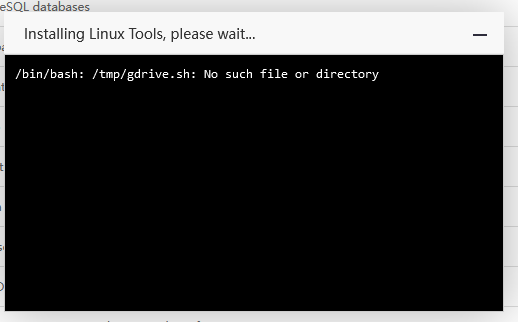
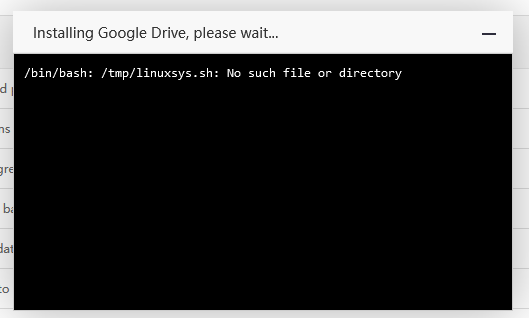
alfanur_rizal aaPanel_Kern panel still show error message like above, cannot install app dns manager, cannot install app linux tools, cannot install app google drive,
alfanur_rizal aaPanel_Kern Execute the command to view ls -al /usr/bin/sh and show this lrwxrwxrwx 1 root root 4 Oct 4 15:19 /usr/bin/sh -> bash
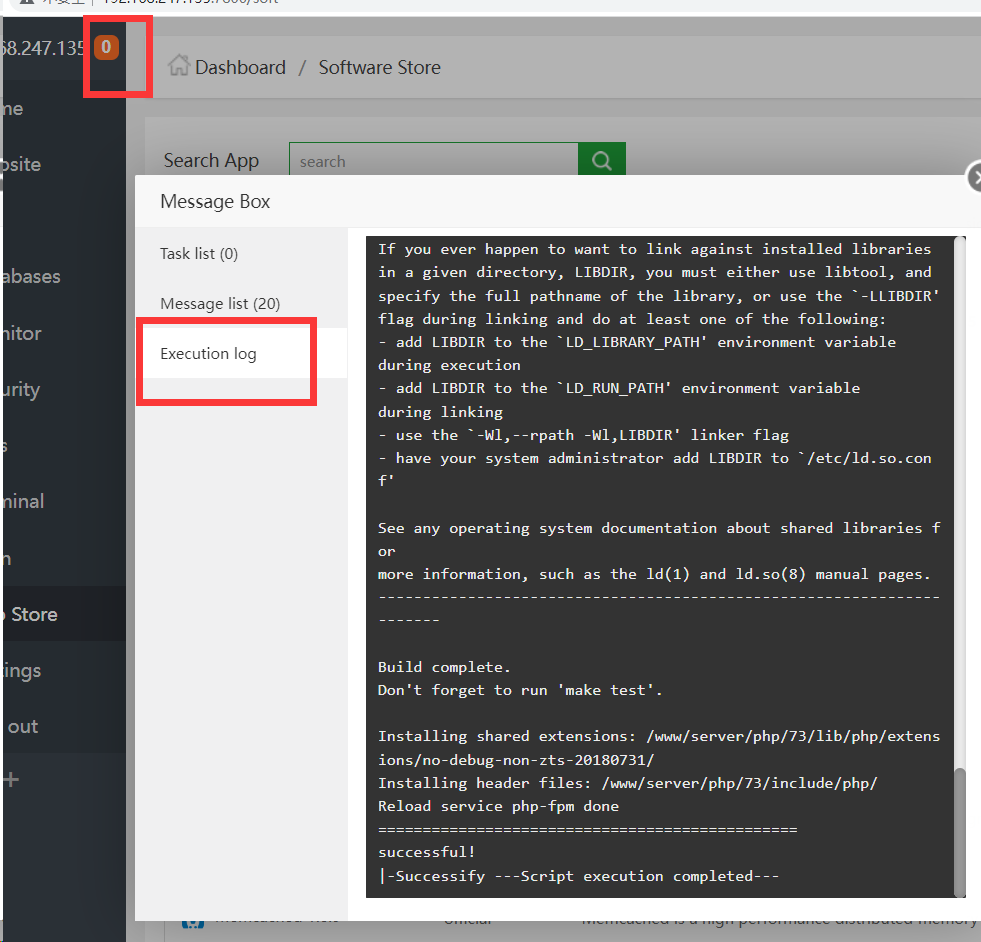
aaPanel_Kern alfanur_rizal View the installation log prompt what the content causes the installation to be unable to install
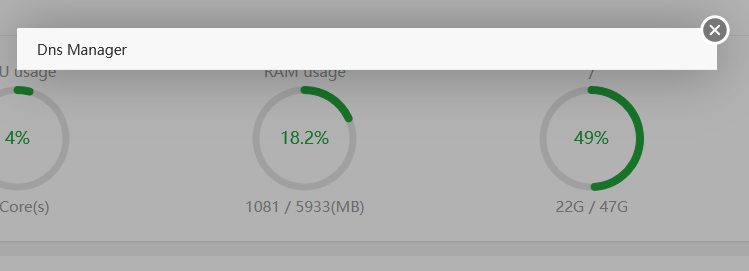
alfanur_rizal i cannot see execution log, but i just saw this when install linux tools install dns mangaer ok, but when i open app, show message like this when install google drive
aaPanel_Kern alfanur_rizal This shows that it is not successfully installed. Check the installation log. Or install it again and then check the installation log /tmp/panelShell.pl
aaPanel_Kern alfanur_rizal Hello, there is still a problem with nameServer. Are you buying VPS? If it is recommended to consult a server provider ping node.aapanel.com curl -v node.aapanel.com