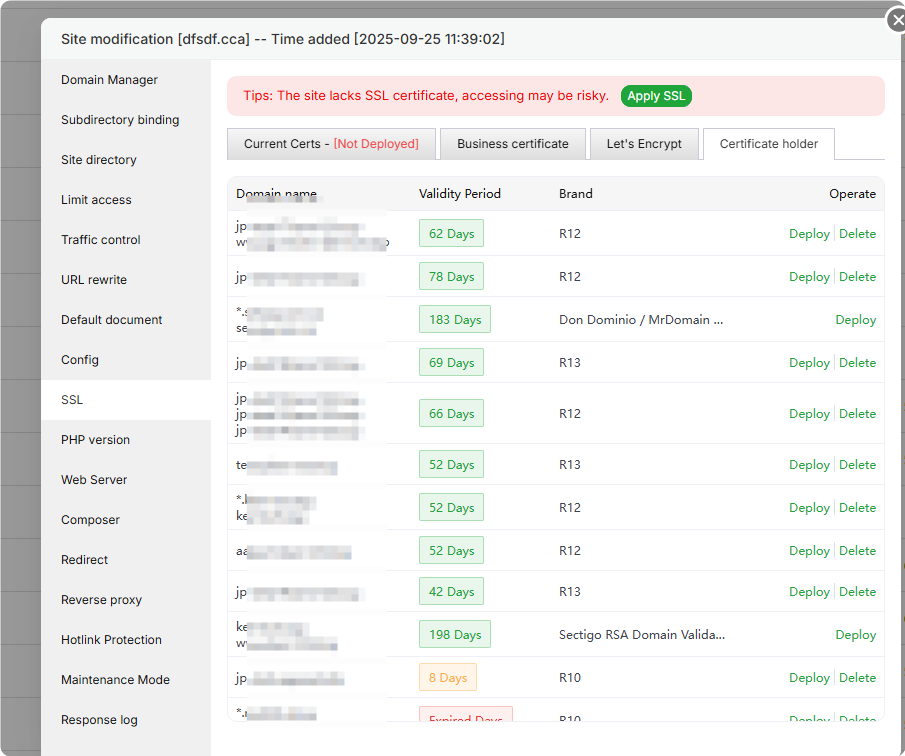
I’m new to aaPanel and using OpenLiteSpeed on Ubuntu 22.04. All my websites are behind Cloudflare with proxy enabled (orange cloud).
The problem I’m facing:
When Cloudflare is proxying a domain, aaPanel does not automatically issue SSL for the origin.
I have to manually install SSL for each domain.
If no SSL is installed, port 443 doesn’t work, even though Cloudflare already provides HTTPS (Full/Strict).
In WHM/cPanel, port 443 works by default even without SSL. I want something similar in aaPanel — a way to either keep 443 always active or auto-install SSL/origin certificates.
All my sites will always use Cloudflare proxy. I’d really appreciate it if anyone can suggest a working solution, workaround, or script to make port 443 work automatically without manually installing SSL for every domain.
Thanks in advance!