API Docs
Introduction
Through the aaPanel API, you can fully control all the functions of the aaPanel Linux panel.
In fact, all the functions used after the user logs in to the panel are also connected through the same interface, which means that if you are familiar with the browser debugger, you can easily complete a third-party front-end integration based on the operational parameters of the aaPanel Linux panel.
API documentation (unfinished): https://www.aapanel.com/Document/api.pdf
PHP-Demo: api_demo_php.zip
Python-Demo: api_demo_python.zip
API List
Turn on the API in aaPanel
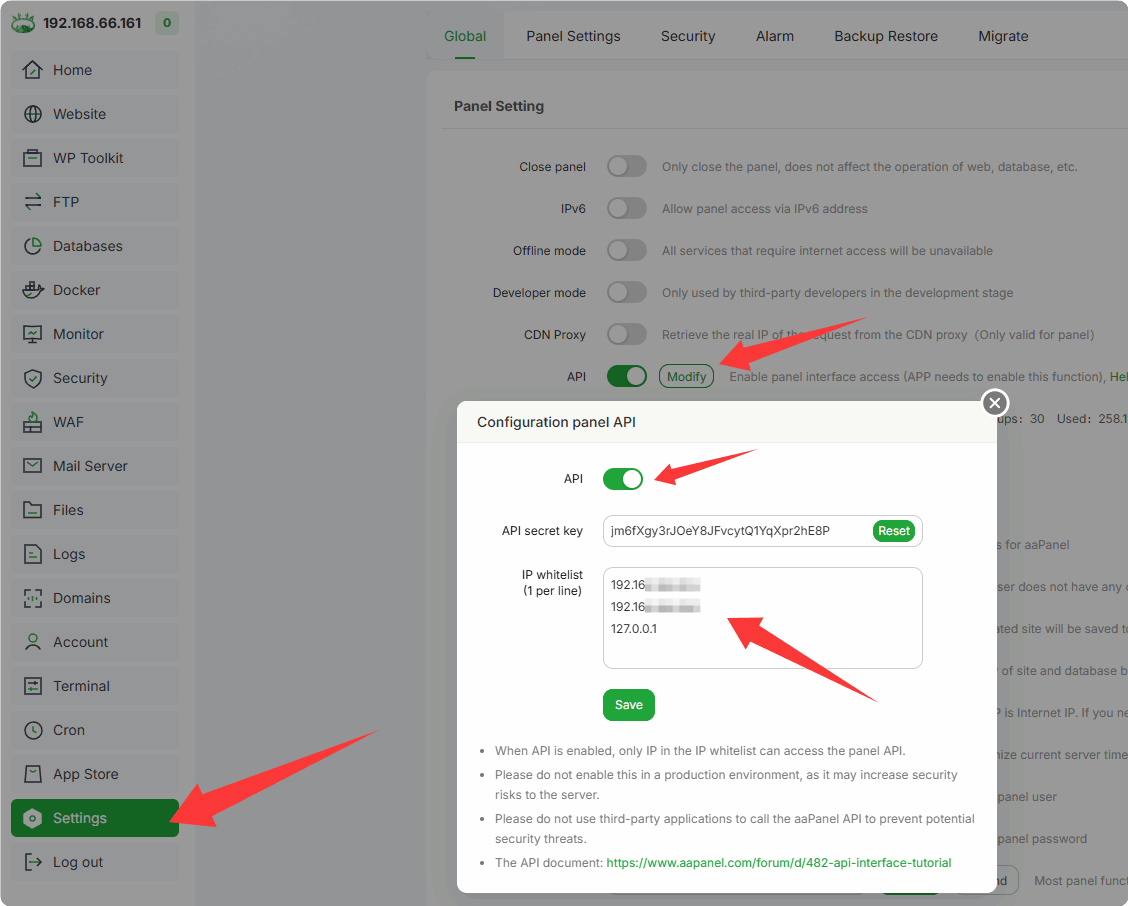
Find API in Settings and enable it
Settings --> API --> Modify
Enter your IP address (the IP of the computer using the API to access aaPanel) into the
IP whitelist- Access will be denied if the entered IP is incorrect
Using API in Postman
First, enable the API in aaPanel, add the IP to the
IP whitelist, and obtain theAPI secret keyDownload and install Postman, and register an account
Add a
Blank collectionnamedaaPanel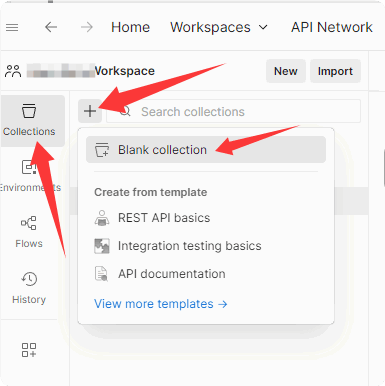
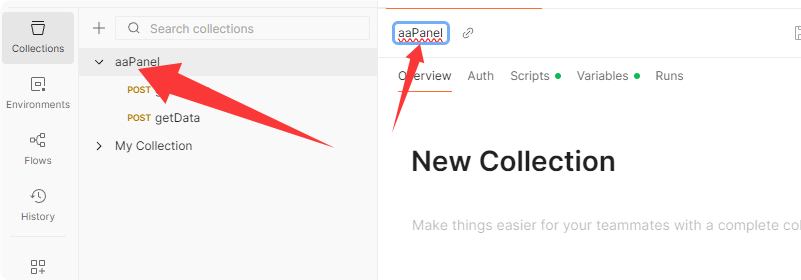
Add the following script content to Pre-request under the Script of
aaPanel:var now = Date.now(); API_secret_key = pm.collectionVariables.get("API_secret_key"); request_token = CryptoJS.MD5(now+CryptoJS.MD5(API_secret_key)); pm.request.addQueryParams("request_time="+now); pm.request.addQueryParams("request_token="+request_token.toString());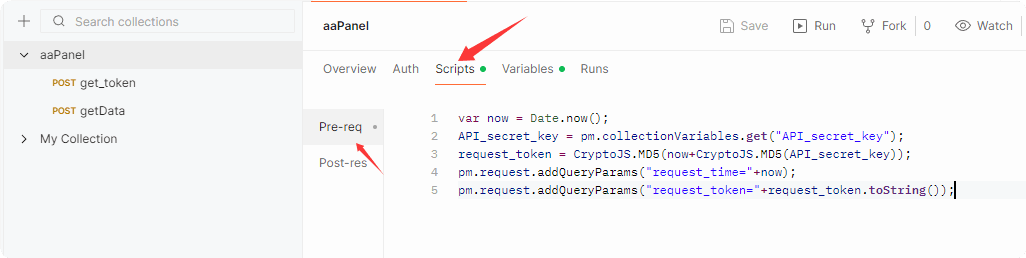
Add preset environment variables with the following names:
API_secret_key: The API secret key of aaPanel, which must be set.panel_address: The access address of aaPanel, optional. It is convenient for multiple interfaces to reference the same port.panel_port: The access port of aaPanel, optional. It is convenient for multiple interfaces to reference the same port.
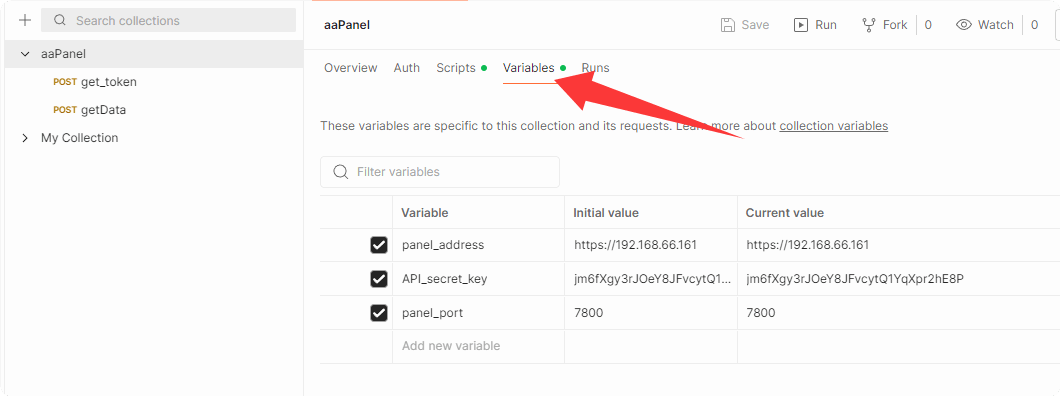
Create a request for testing:
- Get token
{{panel_address}}:{{panel_port}}/config?action=get_token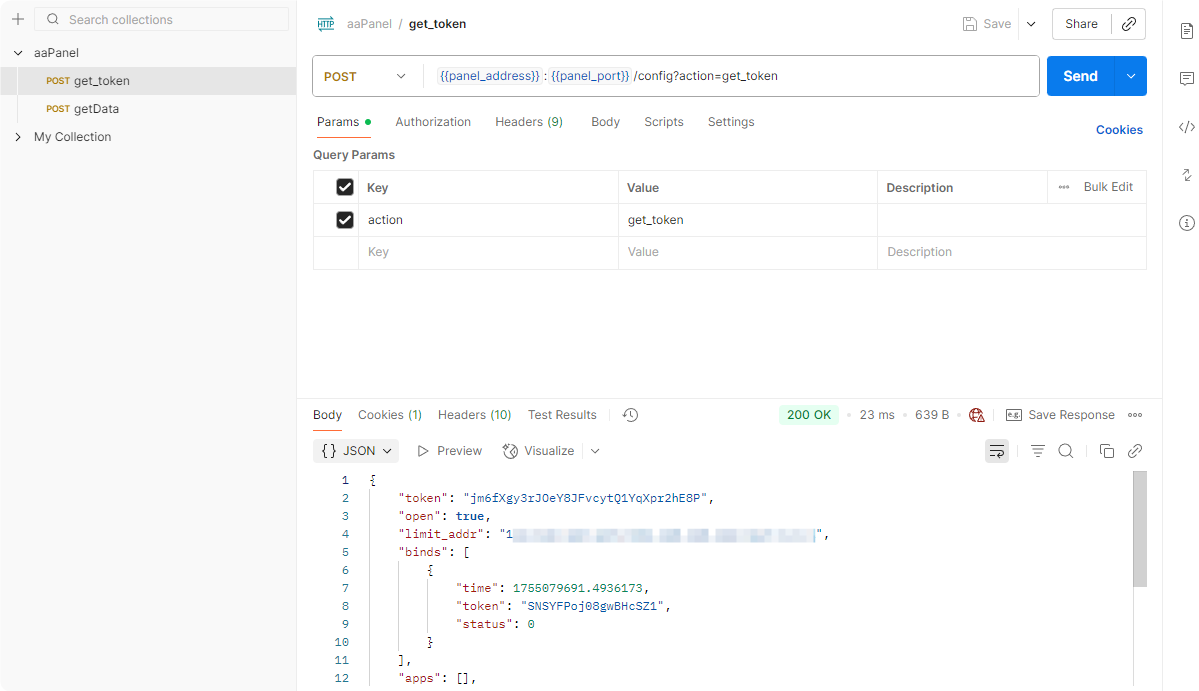
- Get 50 pieces of data of PHP Projects
{{panel_address}}:{{panel_port}}/v2/data?action=getData&p=1&limit=50&table=sites&search=&order=&type=-1
How to obtain API in Browser
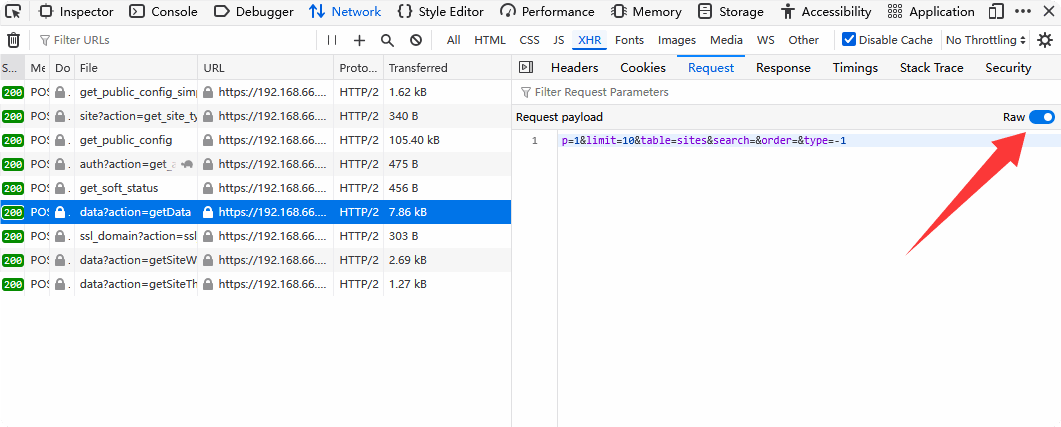
Browser's developer mode (F12) --> Network --> XHR (Fetch/XHR) --> Requests and Parameters
For example, to get the website list of PHP Projects in Website:
Parsing result (Form-data): 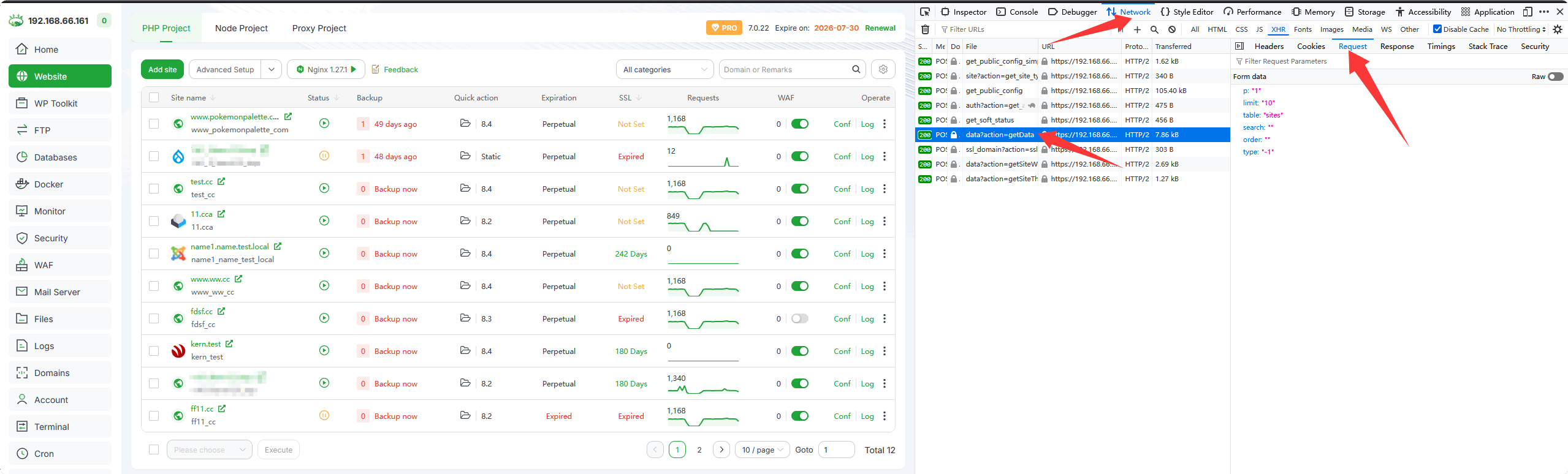
Request source code (Raw):