Plenty of website owners start with Amazon Web Services because the name feels safe. Then the surprises show up. The big bill, a cluttered console, idle services humming along that you never meant to turn on. If you’re searching for an AWS alternative that’s simpler to manage and, for most run-of-the-mill websites, often faster try aaPanel. It’s not a hyperscale cloud with tons of options. It’s a hosting control panel you install on your own VPS, letting you manage sites, SSL, databases, and cache from one place with an easy to use interface. For blogs, shops, testing, and small SaaS apps, that kind of no-fuss setup usually wins over everything in a full AWS account.
AWS still shines for sprawling, tangled systems with moving parts everywhere. Most sites don’t need that. They need steady CPU, a region nearby, snappy TLS, and a dashboard regular people are willing to open. That’s exactly the gap these alternatives aim to fill.
Why Admins Move From AWS
AWS delivers great performance if you master the setup but the process comes with its own cost. The bill isn’t just the instance. Add disks, IPs, load balancers, snapshots, and outbound traffic, and a simple WordPress site that seemed cheap in AWS’s calculator can give you a headache once bandwidth and backups pile up.
Then there’s overhead of the human kind. New users get lost in the swarm of settings. That random test server someone forgot keeps running. Configuration mistakes pile up. None of it speeds up your site. It just makes your setup feel heavier than your workload. That’s when an AWS alternative makes sense when your job is closer to “make and maintain good sites” than “build a private cloud.” You keep what matters: compute near users, quick disks, reliable backups.
What Better Performance Really Means
“Faster” isn’t just a target number. For public sites, it’s time to first byte, CPU that keeps up when visitors spike, and a database that doesn’t choke. For admins, it’s quick restarts, and not having to dig fifteen layers deep to find logs.
The right VPS in the right city can outpace an ill-selected EC2 tucked away on another continent. A tidy panel that turns on Gzip, PHP, and SSL in seconds can beat a well-architected but unfinished AWS install. Care about the user experience, not the logo.
Short checklist before the jump:
- Choose a region close to your actual users
- Make sure the database has fast disk and enough RAM
- Cache right on the server when possible
- Test restoring from a backup, not just making one
- Don’t ignore bandwidth fees right away
These steps are intentionally boring. Routine is how websites stay up.
Top 12 AWS Alternatives Compared
This isn’t just a List of Web Hosting Panels. It’s an honest list of cloud hosts and tools people actually use once they leave AWS. I’ve put aaPanel on top because, for most site owners, having a server that works is more valuable than another menu of cloud services. The rest include affordable European VPS options, reliable US clouds, and lighter hosting control panels. Look at the notes and then pick the tool that fits your real needs.
1. aaPanel

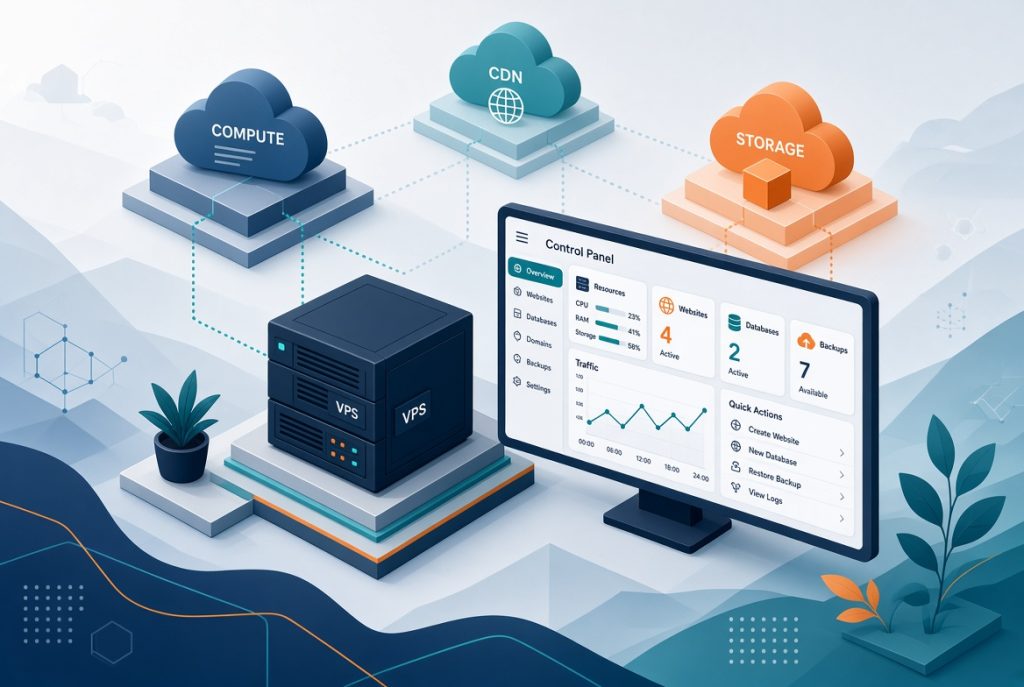
When you just want to run a site with AWS-level control without drowning in AWS tools, aaPanel hits a sweet spot. Rent a VPS, install the panel, and manage everything from websites and databases to SSL, cron, and firewalls right in your browser. Speed comes from picking the right box and flipping on server cache without hand-writing Nginx configs. For WordPress, PHP apps, and test environments, it’s simple and unobtrusive. You own the machine, and you’re not tied to Amazon’s product labyrinth. People who only needed EC2 plus a database often get better speeds here, with less in the way.
Pros: Minimal overhead, straightforward site tools, great for VPS SEO setups.
Cons: You’re still in charge of VPS choices and maintenance; not a global cloud.
2. DigitalOcean

DigitalOcean is the classic stepping stone for developers leaving AWS but who still want a clean API and an easy way to spin up servers. The control panel is sane, regions are obvious. Launch a WordPress site or custom app in minutes. Performance works if you pick the right RAM and SSD. You don’t get everything AWS has. Thankfully, you don’t need to learn VPCs just to get started. Pair a droplet with a panel if you want a GUI. Just keep an eye on bandwidth and add-on backup costs; small fees can stack up.
Pros: Simple interface, solid documentation, quick droplets.
Cons: Fewer pro features, extras become pricey.
3. Hetzner Cloud
If it’s pure bang-for-the-buck you’re after, Hetzner is the go-to, especially in Europe. Get more CPU and disk space per dollar or euro. A box in Falkenstein or Helsinki feels quick if your users are nearby. While they offer auctioned servers, most ex-AWSers go for the cloud VPS line. Performance excels when you keep the specs right. But there’s less hand-holding when you handle backups, updates, and panels. For raw speed per euro, you’ll have trouble beating it.
Pros: Great value, strong European network.
Cons: Support isn’t global; regions are limited.
4. Linode (Akamai)

Linode held onto loyal users by being plain and approachable, and under Akamai you still get simple VPS flavors. Plus a bigger edge global network if you add CDN. Good alternative when you want known plans and steady RAM, without AWS’s product glut. What you get is predictable, but you’ll need to manage your cache for best performance. Won’t cover every AWS database service, but runs a web stack well. For teams who already think in “Nanode vs. dedicated CPU,” it’s less of a jump than learning a dozen Amazon product names.
Pros: Familiar pricing and plans, reasonable global presence.
Cons: Not Europe’s cheapest, doesn’t replace AWS feature-for-feature.
5. Vultr

Vultr’s strength is its diversity of city choices. Want a server near a specific audience? Vultr can probably do it better than AWS’s standard regions, and offers bare metal and optimized instances if needed. For performance, choose NVMe storage and a server near your traffic, and don’t clutter it up. The UI is solid, but it’s easy to get carried away with too many small servers “just to test.” One well-sized instance with a good panel usually beats a fleet of forgotten machines.
Pros: Tons of locations, flexible plans.
Cons: Easy to overbuy; OS maintenance is up to you.
6. OVHcloud

A veteran European host with VPS, dedicated, and cloud lines. People stick with OVHcloud for price, DDoS protection, and keeping data inside the EU. Good performance on dedicated servers or sizable VPS; less so if you pinch pennies and overstuff sites. The admin surfaces take a little learning but provide production-level stability once set up. Read network and disk specs carefully.
Pros: Strong European presence, network options.
Cons: Interface can feel dense, support is hit or miss.
7. Google Cloud

If you still want a big cloud platform (just not from Amazon), Google Cloud is the natural AWS twin. Their networking and data tools are excellent; a smart VM plus Cloud CDN can be truly quick. But you inherit their complexity like IAM, detailed billing, dormant services you never wanted. Great if you live inside BigQuery or Google Workspace. For most agencies with five sites, it’s simply too much. For data-driven products, it can outperform a single VPS.
Pros: Excellent network, top-shelf data tools.
Cons: Pricing and management complexity rival AWS.
8. Microsoft Azure
If your company runs on Windows, Active Directory, or has invested in Microsoft 365, Azure carries its weight. Performance is there if you pick the right VM. Their portal feels vast and can get overwhelming, but hybrid setups are the selling point. If you need identity management and easy Windows licensing, Azure’s a contender. Just don’t put a vanilla Linux WordPress site here unless there’s a clear benefit on that, it’s overkill. Disk selection matters and a slow disk makes any VM feel laggy.
Pros: Deep Microsoft integration, solid for enterprise.
Cons: Steep learning curve, easy to overspend.
9. Oracle Cloud
Oracle draws users in with a free tier and discounted compute, luring away experimenters and small always-on boxes from AWS. When you get access, performance on their Ampere and flexible shapes is excellent. But getting an account and quota takes patience, and the user interface isn’t as welcoming as DigitalOcean. Good choice if you’re staying within free tiers or budgeted shapes and don’t mind paperwork. But don’t count on “free forever” for real production know the limits.
Pros: Great price on some options, generous free tier.
Cons: Approval headaches, quotas, policies can trip you up.
10. CloudPanel

CloudPanel is a no-nonsense, Nginx-first panel for straightforward hosting. If AWS felt like needless bloat, this will feel like a breath of fresh air. Optimized for modern PHP and Node sites, it keeps things uncluttered. Ultimately, server and Nginx power set your performance here; the panel just saves you weeks in config files. It pairs well with hosts like Hetzner or DigitalOcean, but it’s just a panel not a complete cloud alternative.
Pros: Light, fast, easy to learn.
Cons: Smaller community, fewer features.
11. CyberPanel

Built on LiteSpeed, CyberPanel markets speed. For WordPress, LiteSpeed cache outperforms most plug-and-play setups. You still need a good server beneath, but the panel makes vhosts, mail, and cache management easy. Versus AWS, you lose managed services and pick up more responsibility to maintain your box. For content-heavy sites where speed rules, it’s a popular stack. Make sure you keep license keys and LSCache settings documented for the next admin.
Pros: LiteSpeed cache, WordPress performance.
Cons: Geared to single-server setups; license details must be managed.
12. Coolify

Coolify is for those who used AWS as an app deploy target, not for managed products. Aim it at your own VPS, deploy apps as with a PaaS without surrendering control. Performance depends on your server and Docker management. If AWS’s ECS or pipelines were the pain point, this is a good switch. If you just need shared hosting, this is not the right fit. Get ready to manage containers and handle your updates.
Pros: self hosted PaaS feel, app deploys.
Cons: more moving parts; not a beginner panel.
AWS Alternatives Comparisons Chart
| Option | Best for | Ops weight | Typical speed lever |
|---|---|---|---|
| aaPanel | Sites on one VPS | Low | Cache, SSL, PHP on a sized box |
| DO / Vultr / Linode | Simple cloud VMs | Medium | Region + plan size |
| Hetzner / OVH | Cost and EU latency | Medium | Hardware near users |
| GCP / Azure / Oracle | Already in that ecosystem | High | Network and VM SKU |
| CloudPanel / CyberPanel / Coolify | App or WP on your metal | Low to medium | Nginx, LiteSpeed, or containers |
How to Pick Without Overbuying
Start with your workload, not a brand name. A simple WordPress site and a staging copy don’t need AWS. A product spread across three regions, with queues and object storage, might. Write down who your users are, how big the database gets, and who’s actually updating things on Tuesday when a patch drops. Using Control Panel in Web Hosting is often the real upgrade webmasters want when they say they are leaving AWS.. They want to launch a site, get a certificate, see their RAM in one spot without playing hopscotch across twelve consoles. aaPanel checks those boxes. If nobody on your team loves the command line, a raw VPS with no panel is just extra friction.
Do the math for your first year, counting every snapshot, every gig of traffic. Sometimes a cheap instance becomes expensive on outbound traffic alone. Sometimes “free” clouds bolt on limits that bite. Run your site as a test for a week. Load it up, then check TTFB at peak.
A No-Nonsense Cutover Plan
Clone your site. Point a test domain to the new box. Configure SSL and caching. Compare logs and try common actions: checkout, forms, admin. Only then move DNS. Keep the old AWS resources untouched for a week until you’re certain. Delete on purpose—not because you’re exhausted.
If you’re moving to aaPanel on a VPS, record your PHP version, paths, and backup routines. If settling into another cloud, jot down VM size and disk selections. Your future self will thank you. Amazon Web Services is still a great choice for companies who need the whole kit. For the rest, choosing an AWS alternative can make your pages load faster, and your weeks less stressful. Go with aaPanel if your main job is hosting good sites. Pick a sharp VPS host if you just need a reliable server. And only pick another hyperscaler if you actually need what those clouds do best. Performance follows . It never comes just from having the biggest cloud menu.