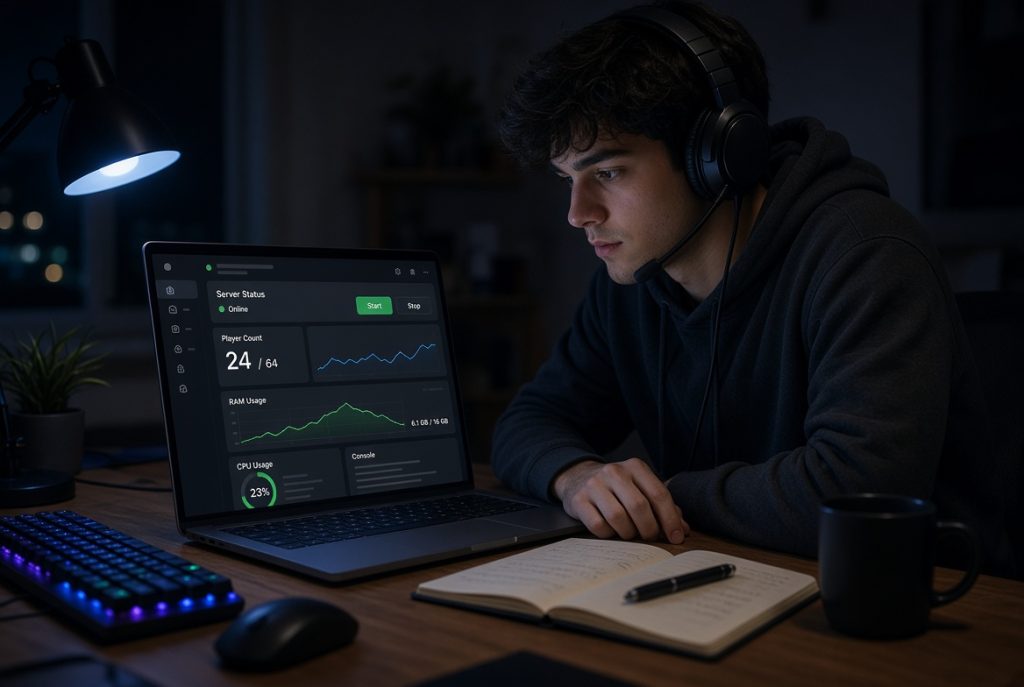
On the surface, running a game server looks easy. Players connect, the world loads, everyone hopes things just work. But if you’re the admin, you know it’s a mess of moving parts. You start and stop servers, patch updates, watch memory, protect worlds, and deal with the guy who added a plugin at 1 a.m. That’s what a game server management panel really tackles. It won’t turn your budget VPS into a supercomputer, but it does keep you from digging through folders and half-remembered commands just to get through your to-do list.
Whether you’re hosting a Minecraft realm, a FiveM city for friends, or a private ARK server, the panel’s the difference between a relaxing hobby and a side gig you didn’t sign up for. The right game server panel keeps all your routine work like restarts, backups, player slots in one place. The wrong panel? Just one more login to resent.
Why the Panel Matters More Than the Brand
People love logos. It’s natural. Nobody wants to trust their world to software they’ve never heard of. But honestly, the brand tells you almost nothing about whether the panel fits your server. A panel aimed at big hosting companies might look sleek but bog down a modest VPS. A bland, lightweight tool can still take care of exactly what you need, no fuss.
Look at your actual week, not the feature checklist. How often do you need to reboot after a crash? How regularly do you roll back the world? Do you get whitelist requests while you’re away from your desk or SSH session? That’s where a panel helps or gets in the way. A good game server management panel makes those jobs quick. A bad one hides them behind extra menus, services, and more RAM usage.
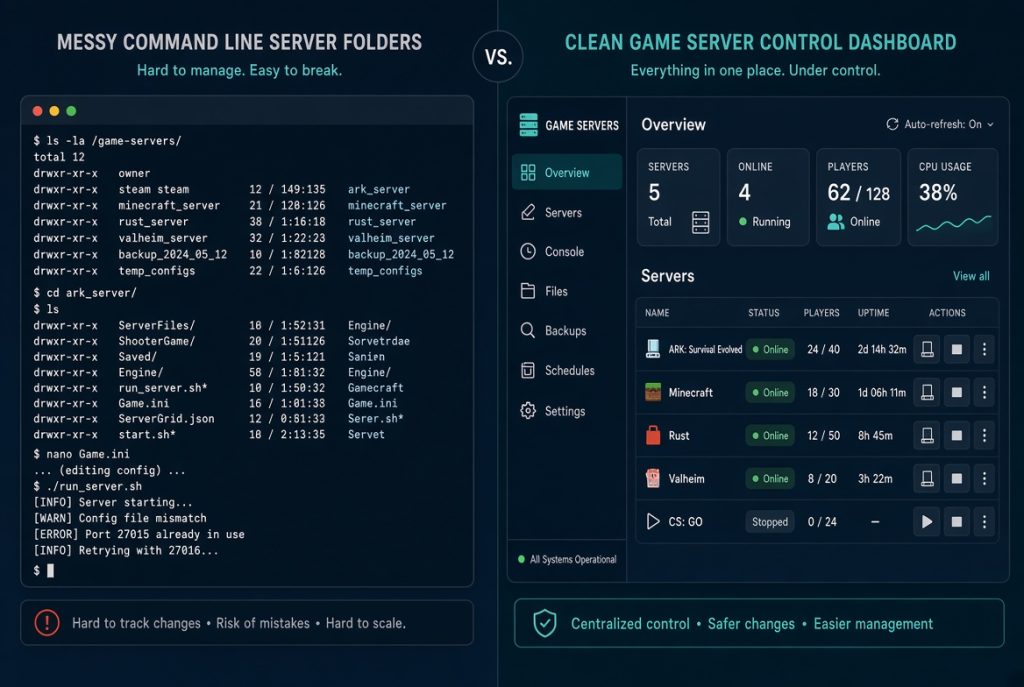
Knowing the command line is still handy. You should read logs and restart a crashed server if the panel freezes. But really, you want the game server panel to make those moments rare and not erase your skill.
Core Features That Make a Difference
It’s not flashy, but the basics are what save you time. You want a clear way to spin up a server, pick the right game mode, set ports, and start or stop things without wondering where you clicked. Easy file access comes next combining world saves, config files, mods, plugins+. You shouldn’t have to open a separate SFTP app just to tweak a setting. You need live console output you can actually trust. When a server crashes on boot, you want the error in front of you, not buried in a log you’ll find later. Scheduling is clutch, too. Automate restarts, backups, and updates so you’re not attached to your screen all night.
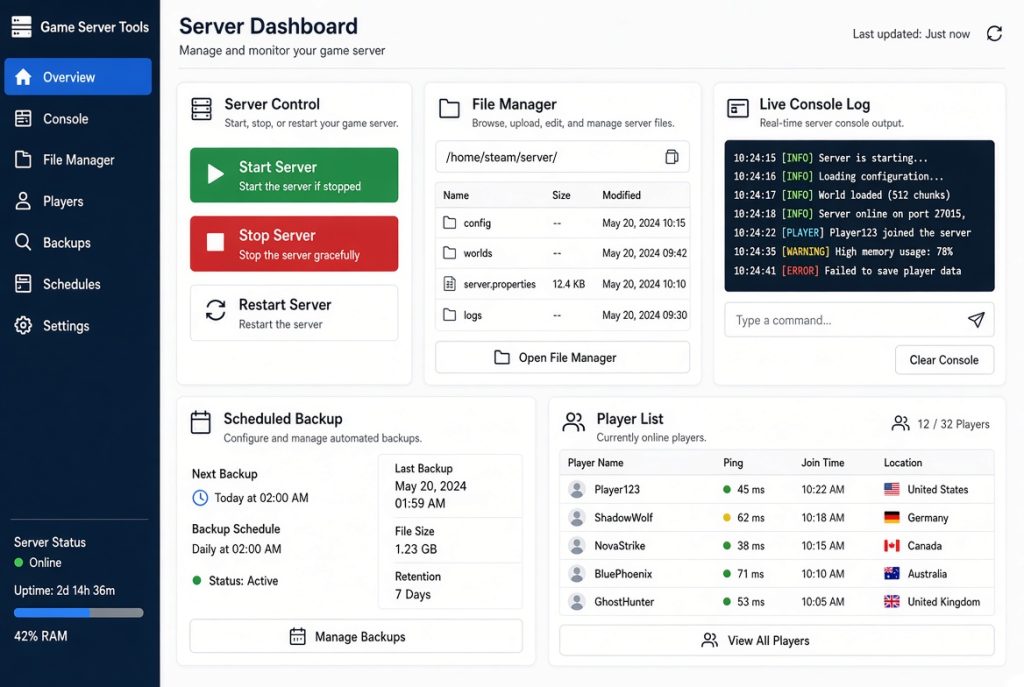
Player tools depend on the game, but the principle never changes. See who’s online, kick or ban if you must, and change settings without editing a pile of config files. If the panel streamlines common game installs, that’s great—but if that’s all it does, move on.
Performance and Resource Visibility
Game servers chew up resources in wild ways. A quiet server can spike and lag if a bunch of people log in, or a rogue plugin goes haywire. You need to see CPU, RAM, disk, and network stats live, not after things already go sideways. Game server management panels that put those graphs right next to the server are worth far more than a slick home screen.
Watch out for memory usage, not just at the start, but under load. Some panels feel light until you run the actual server, plus Java, backups, maybe a database. On compact VPS plans, that overhead makes all the difference. If just running the panel leaves you scraping for RAM before the game starts, it’s overkill. Don’t lack on disk space, either. Worlds only grow, backups pile up, logs never clean themselves out. The panel should tell you what’s used and make cleaning up old files simple. If you only know you’re out of space during a crash, you’ve already blown it(GAME OVER).
Game Support, Mods, and Plugin Control
Support for your actual game is non-negotiable. A panel can list a hundred titles, but if your pick is awkward to update, it’s useless. Check how it handles new releases. Can you pin a version, test an update safely, roll back if you need to? Real-world workflow is worth more than a list of supported games.
Minecraft admins run into this a lot. Worlds, datapacks, plugin stacks they all change fast. You want a MC Server Control Panel only if it keeps file access, logs, and updates simple. The same for other games. Mods should be easy to install, easy to disable. If a broken mod takes down the whole server, you need to isolate it without reinstalling everything. Running multiple servers on one box is common. Friends want creative and survival worlds; a club wants test and live instances. Your game server panel should keep them separate and one restart shouldn’t wipe out everything. Beware of sharing ports, folders, or using vague names. That’s how setups spiral out of control.
Access, Backups, and Security
- A public-facing server’s still a server. Lock down your panel login like you do SSH with a real password, with two-factor authentication if it’s there, and with tight admin access. Only give out roles people really need. Sharing the root password works until it doesn’t.
- Backups aren’t optional but they’re what save you from regret after a bad update or world corruption. Schedule them, keep more than one, and store one off your main disk. Have you ever tried restoring one on purpose? If not, you’re hoping, not planning.
- Use an interface you’ll actually stick to. Some people want a big desktop suite. Others are happier with a plain web panel they can use from their phone. Neither is wrong, but a cluttered mess that nobody understands will trip everyone up.
- Firewall rules and update logs seem boring until they aren’t. If you can see who changed what and when the last update hit, you spend less time chasing ghosts. Close any unused ports, ditch unneeded services. A small server for friends doesn’t need every fancy module enabled.
Choosing Without Overbuying
Fit the panel to your community and your hardware. A private server for a few players doesn’t need fancy reseller tools or billing modules. Those features just burn memory and focus. If your project grows, add what you need later. Look for life in the project. Check for recent updates, honest user feedback, bug fixes, added game support, plain documentation. Screenshots can stay pretty long after a project’s abandoned; actual momentum is what counts.
Test before migrating everything. Make a server, back it up, change a setting, read the logs after a crash. If it annoys you on a quiet test run, it’ll drive you nuts on a busy night. The best game server panels disappear when you need them. You sign in, do your job, and get back to playing.
Price and license terms absolutely matter, but pick for fit first. A free panel you dread is more costly than a paid one that saves you real time each week. If paid means you need to rent a more powerful server than your group needs, that’s also a waste. Honestly, just ask: does the panel make your top three jobs easier? If yes, good. If it’s only loaded with features you won’t use, keep searching.

At the end of the day, you don’t need a perfect dashboard. You need a stable server, quick restarts, and backups that actually work. Look for panels with clear controls, honest resource graphs, easy file access, and backup tools you prove out. Keep it streamlined. Reserve resources for gaming, not management overhead. Give access only where it’s needed. Update when you mean to, not by accident. If your panel nails those basics, that’s all you need. If it adds complications, strip it back. Players notice uptime and performance, not your dashboard widgets. A real game server management panel earns its keep by keeping your server running and letting you get back to the game.