Hello WordPress enthusiast! If you’re looking for a WordPress hosting control panel that is simple, free, and will not drive you mad, let me show you aaPanel. Consider this: you’re creating your blog or e-store, and rather than wrestling with obscure server setup, you’ve got a script in place that’s akin to having a wizard-in-residence guide you through it. That’s aaPanel—a free, open-source web hosting control panel utilized by over 3.6 million servers worldwide. With its WP Toolkit demystified and one-click WordPress magic, aaPanel is the ultimate WordPress web hosting control panel of 2025, without a doubt. So let’s dive into why it’s so groundbreaking for developers, small business owners, and bloggers like you, and why it’s better than costlier alternatives such as cPanel or Plesk.

Why You Need a Hosting Control Panel for WordPress
WordPress site management is like cooking your favorite recipe—it’s fun, even though there’s prep, cleanup after, and one or two not-so-easy steps. A WordPress hosting control panel is somewhat similar to a sous chef who does the grunt work (server install, backups, security) while you focus on the creative work (posting content, page design). If you’re a new blogger or a traditional developer, you need something which is intuitive, bulletproof, and will not break the bank. That’s where aaPanel enters the scene—it’s an open-source hosting control panel that will make WordPress management easy peasy, no matter your level.
What Makes a Great WordPress Hosting Control Panel?
Easy Peasy: Host and install WordPress without a tech degree.
Safe and Sound: Secure your site from hackers or downtime.
Wallet-Friendly: Enjoy pro-level features without the bill of pricey subscriptions.
Grow with You: Host a blog or a dozen sites with ease.
How aaPanel Makes WordPress Management a Piece of Cake
Imagine having a control panel that’s a Swiss Army knife for your WordPress site. aaPanel’s got your back with stress and time-saving features. Here’s why it’s the ideal WordPress hosting control panel for 2025:
1. One-Click WordPress Installation—Like Magic
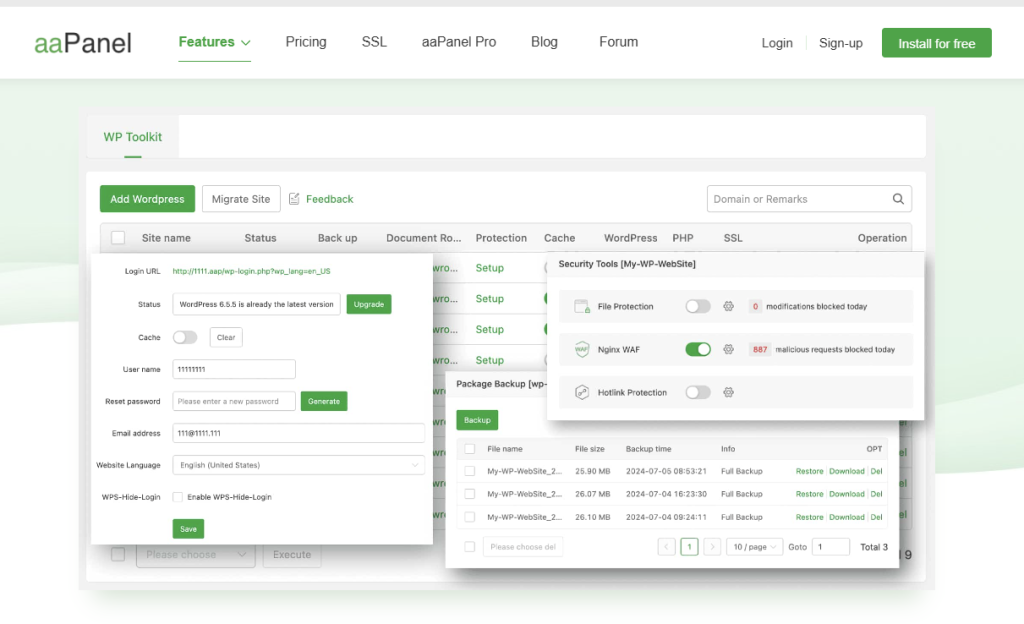
Wish you could install a WordPress site as easily as ordering takeout? aaPanel’s WP Toolkit does just that. One-click install WordPress, one-click install themes, or one-click update plugins. Moving your blog to a new server? aaPanel clone and migration features are like putting your site in a suitcase and dumping it out in seconds.
What You’ll Love: Install a WordPress site faster than you’re able to brew coffee.
Real-Life Win: My blogger buddy used aaPanel and had her travel blog up and running in under 10 minutes without touching any code. Have a try with WP Toolkit.
2. Backups That Save Your Bacon
The worst case: the night before you launch a new product, your WordPress site crashes. Ahh! With aaPanel, you can configure one-click backups so that your content, themes, and settings are saved. In case of disaster, restore your site with an “undo” button click. It’s a blog time machine.
Why It’s Awesome: Automate backups and sleep peacefully.
Pro Tip: Confirm your backups through aaPanel’s file manager—it’s very user-friendly.
3. Security That’s Got Your Back
WordPress websites are catnip to hackers, but have no fear, aaPanel is here. It comes with free security apps such as Fail2ban, and Nginx WAF, to keep the bad guys at bay. It also scans one click for 16 server vulnerabilities that are most likely to occur (a sort of health check on your site). Concerned about the default port? aaPanel marks it and recommends solutions.
What You Get: Free proactive firewall and protection, no extra fee.
Why It’s Better: Other panels charge you for add-ons related to security, but aaPanel offers you all that in the free version.
4. Monitor Your Server’s Pulse
Nobody likes a slow website—it’s just as annoying as waiting for a snail to get off the road. aaPanel live monitoring enables you to see your server CPU, memory, and bandwidth usage, making your WordPress site responsive even during traffic spikes. It’s like having a dashboard to warn you when your website is slow.
Why It Helps: Detect performance problems before your visitors bounce.
Explore More: Do it yourself at aaPanel’s Monitoring Tools.
5. Open-Source and Free of Cost—Your Wallet Appreciates
In contrast to cPanel’s $15-$50 monthly fee, or Plesk, where features are packaged into paid plans, the free version of aaPanel is feature-loaded: MySQL, FTP, file manager, etc. Open source hosting control panel software that it is, it is adaptable for the tech-savvy, and with 200+ updates since 2017, it’s as stable as your favorite pair of jeans. More than 3.6 million servers can’t be wrong!
Save Money: Skip expensive licenses and save the ad budget or coffee.
Community Support: Be part of millions of users counting on aaPanel’s long-term support.
aaPanel vs. WordPress cPanel and Plesk: The Smarter Competitor
Let’s pit aaPanel against the titans of WordPress hosting control panel:
| Feature | aaPanel (Free) | cPanel | Plesk |
|---|---|---|---|
| Cost | Free (Pro trial available) | $15-$50/month | $10-$30/month |
| WordPress Tools | One-click setup, backups | Basic plans lack WP tools | Paid WP toolkit |
| Security | Free Fail2ban, Nginx WAF | Pay for advanced security | Pay for advanced security |
| Ease of Use | Installs in 2 minutes | Can feel overwhelming | Moderately complex |
| Open-Source | Yes, fully customizable | Nope, proprietary | Nope, proprietary |
- Why aaPanel is Awesome: It’s an open-source WordPress cPanel alternative offering pro features for free. Its open-source and 2-minute install make it perfect for anyone looking for control without complexity.
- cPanel’s Flaw: Expensive and limited WordPress tools in lower plans.
- Plesk’s Downside: You’ll pay extra for WordPress-specific tools.
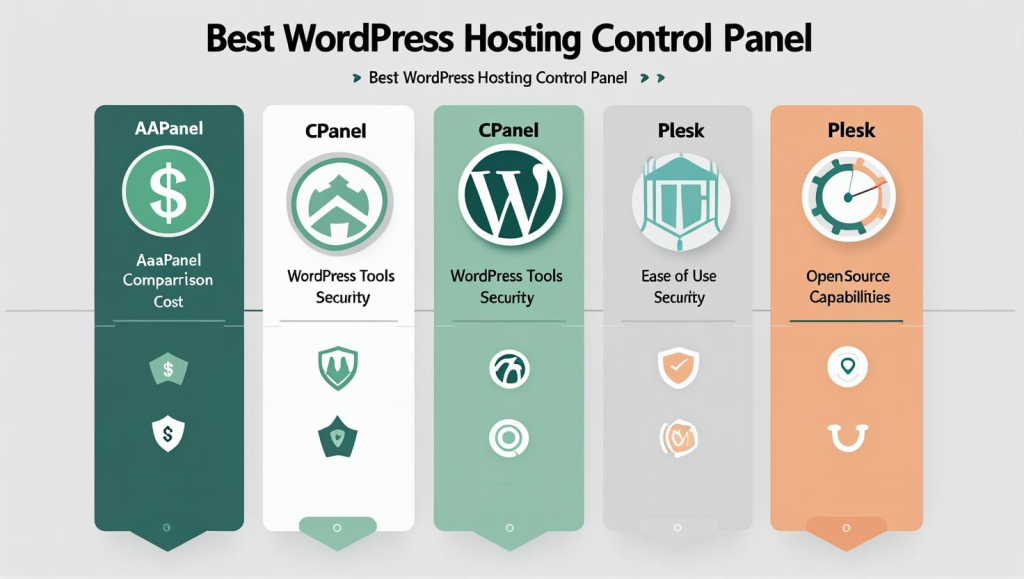
Want a side-by-side comparison? See Cpanel Alternatives and Plesk Alternatives for more detailed comparison.
Why WordPress Users Are Obsessed with aaPanel
Here’s why aaPanel is a no-brainer for your WordPress site:
- Lightning-Fast Setup: Get a LAMP or LEMP environment up and running in minutes, ready for WordPress.
- File Management Made Fun: Edit code online or manage files like you’re organizing your desktop.
- Grow Without Limits: Run one blog or a dozen sites—aaPanel handles it all.
- Community Vibes: Tap into a user base of 3.6 million around the globe for tricks, tips, and plugins.
Want to give it a try? Download aaPanel or test the 14-day Pro Trial for extra features such as bulk email tools and increased analytics.
How to Get Your WordPress Site Off to a Flying Start with aaPanel
It’s a breeze to get aaPanel up and running versus booting up a new phone. Here’s your list:
- Install aaPanel: Follow the 2-minute quick guide on aaPanel’s Setup Page.
- Launch WordPress: Install WordPress in one click via the WP Toolkit.
- Lock It Down: Switch on Fail2ban and Nginx WAF to repel hackers.
- Check Performance: Utilize aaPanel to ensure your site’s lightning-fast.
- Go Pro (Optional): Experiment with the Pro version for additional features like multi-user accounts.
Need more hosting suggestions? Check out Web Hosting Review or Hosting Advice for the best industry news.
Frequently Asked Questions Regarding aaPanel as Your WordPress Host Control Panel
- Is aaPanel totally free for WordPress hosting?
Yes, aaPanel free edition provides you with everything WordPress needs: WP Toolkit, MySQL, FTP, etc. It’s a real free hosting control panel. Want add-ons such as a web application firewall? Try the Pro version out on a 14-day trial. - How is aaPanel different from cPanel for WordPress?
aaPanel is a great cPanel replacement for WordPress that’s just as user-friendly for WordPress one-click solutions but costs $0. It’s open source, deploys in a flash, and contains free security add-ons which cPanel will charge you for. - Does aaPanel support multi-WordPress sites?
Piece of cake! aaPanel’s control panel makes it a breeze to host multiple WordPress sites, domains, and SSL certificates. Perfect for bloggers or agencies with grand plans.
Wrap-Up: Make WordPress Hosting a Breeze with aaPanel
In 2025, aaPanel is your secret weapon for WordPress hosting. As a hosting control panel, it’s free, easy to use, and packed with features like one-click WordPress setup, rock-solid security, and real-time monitoring. Whether you’re starting a blog, running an online store, or managing client sites, aa