Looking for the best good server monitoring tools? Honestly, Site24x7 is the go-to for most people. It wraps uptime checks, server health stats, and alerts into a single dashboard, so you spend less time chasing issues and more time making sure everything runs smoothly.
Why server monitoring matters
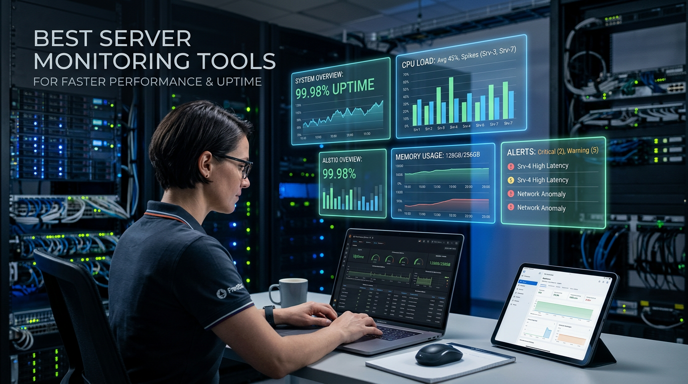
Why bother with server monitoring? It’s not just about quick page loads. You want to catch things like CPU spikes or memory bottlenecks or even disk failures before your visitors notice anything’s off. Whether you’re running a website, app, or online store, monitoring tools is your safety net.
A crashed server isn’t just a tech mishap. You lose traffic, trust, and income fast. That’s why keeping an eye on your system lets you shut down little problems before they mess up your day.
Best Server Monitoring Tools to consider
You hear the same names in most reviews: Site24x7, Zabbix, Checkmk, PRTG, Nagios, NinjaOne. They all hit different needs. Some are better for basic alerting, others for full control over your infrastructure.
Take Site24x7. It’s easy to set up and covers a ton: uptime, server resources, applications, the whole infrastructure. That mix is perfect if your setup’s a little messy or spread across different server monitoring tools.
Want something more hands-on? Zabbix and Checkmk let you dig deep. Both let you customize dashboards, alerts, and integrations exactly how you want. Zabbix is great for tinkerers, while Checkmk shines with its flexible monitoring and discovery.
Then there’s Nagios and PRTG. Nagios has a loyal crowd thanks to its massive plugins and proven reliability. PRTG’s friendlier, with a nice interface and good real-time stats. Both are solid server monitoring tools if you’re after reliable alerts and a steady track record.
How to choose the right tool
Picking the right tool depends on your team, your tech know-how, and your budget. Set up fast? Go for a cloud platform. Want more control and cut costs? Open-source tools are your best bet.
- If your team’s cloud-focused: Try Site24x7 or NinjaOne.
- If you love open-source: Zabbix, Checkmk, Nagios are all solid.
- Small business? Look for easy alerts, sensible pricing, and simplicity.
- Linux-heavy setups? Choose tools that dig into system and service metrics.
And if you use aaPanel, their Understanding Website Hosting Control Panel Resource Monitoring Tools is handy. It lines up nicely with server monitoring.
Features that improve uptime
Now, what features actually make a difference? The best platforms all check uptime, send alerts, and help you spot trends. Good dashboards are very important. They let you quickly figure out if the problem’s in the server, network, or app.
| Feature | Why it matters |
|---|---|
| Uptime checks | Confirms whether a server or service is reachable. |
| Resource tracking | Helps identify CPU, RAM, and disk bottlenecks. |
| Alerting | Notifies you before users notice the issue. |
| Dashboards | Makes performance trends easier to understand. |
| Integrations | Sends alerts into email, Slack, or ticketing tools. |
Basically, tools that just tell you a server went down are useful, but it’s way better when you get early warnings about memory or flaky services.
For more details, this VPS server management tools connects monitoring with server management.
Server Monitoring Tools For Linux
If you’re running Linux, you need deeper monitoring since loads and services can swing unexpectedly. Zabbix, Checkmk, Netdata they all give you a clear picture of your system. On smaller VPS setups, lighter dashboards do the trick, but always track the stuff that matters.
Managing more than one site on a VPS? Managing Multiple Websites on One VPS
that links up nicely with server monitoring and management.
Practical setup tips
Start simple. Monitor uptime, CPU, memory, disk space, and the most critical services. Once you have a baseline, add alerts or dashboards that fit your real needs.
Don’t drown in notifications. Too many alerts are just noise. You’ll miss the stuff that actually matters. Set fewer, smarter alerts instead.
If you want to compare features or prices, check out Site24x7’s guide, The CTO Club’s review, or UptimeRobot’s comparison.
Final recommendation
Bottom line? If you want one clear answer, Site24x7 fits most teams well. It nails uptime, server health, and alerting all in one place. If you prefer open-source or want deeper customization, try Zabbix or Checkmk.
In the end, server monitoring tools do more than keep an eye on things. It helps you solve problems fast, prevent outages, and keep performance steady. That’s why choosing the right tool actually matters.