Still don’t have SSL on your site in 2026? You’re not just taking a risk but you’re probably losing visitors and search ranking. Google flags non-HTTPS sites as “Not Secure,” which scares people off fast. The good news: you can get solid SSL protection at zero cost and set it up in hardly any time. Here’s how you can install SSL easily, no matter your web host.
Let’s be honest, the idea of SSL trips up a lot of newcomers. They think it’s tough or pricey. Not anymore. Free SSL options are now so good, most sites never need to pay for a certificate. I’ll show you how to do it, step by step, with nothing left to guess.
Why SSL Isn’t Optional Anymore
Think of SSL as a shield encrypting everything sent between your website and your visitors. Without it, anything from passwords to emails can get swiped by snoops. There’s more, too: SSL gives you a boost in Google’s rankings and makes your site load better in new browsers. People trust HTTPS sites more, period. If you’re trying to build your site, skipping SSL isn’t really a choice anymore.
Best Free SSL Certificate Choices
Let’s Encrypt is the top pick today. It’s run by a non-profit, trusted everywhere, fully automated, and obviously free. You can dive into the details on their official site if you want.
Some folks still buy “cheap SSL certificates” for extra features, but Let’s Encrypt works just fine for 95% of websites out there. Then there’s Cloudflare: if you route your site through them, SSL turns on automatically, plus you get added speed and security. Cloudflare even has easy SSL guides if you want to learn more.
Installing SSL Certificate
Most panels make SSL easy now.
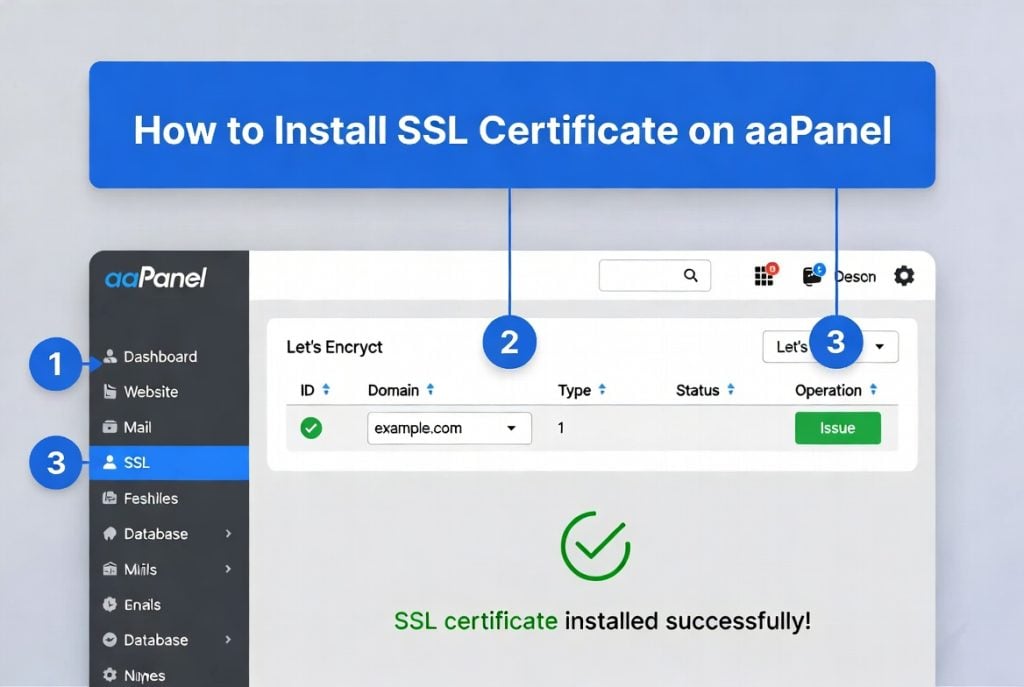
Using aaPanel? Go to the SSL section, pick “Let’s Encrypt,” choose your domain, and click “Issue.” It’s all automated.
Running CloudPanel, Nginx, or your own VPS? Certbot (the official Let’s Encrypt tool) is your friend. Run a few commands in the terminal, and Certbot handles both setup and automatic renewal for you.
If you use a CDN Website Hosting, you can often turn on SSL from the CDN’s dashboard with no server changes needed. The CDN takes care of certificates and keeps your whole site protected.
What to Do if SSL Installation Goes Wrong
Sometimes things hit a snag. The most common problems are:
- The system can’t validate your domain (usually because DNS changes haven’t finished yet)
- You get “mixed content” warnings from lingering http:// links
- Your certificate misses either the www or non-www version of your domain
Most fixes are quick. Wait a bit for DNS changes, clear your browser cache, or, for WordPress users, run a “Search and Replace” plugin to update old links. Many hosts even have a one-click “Fix SSL” button now.
Keeping SSL Running Smoothly
Don’t just set up SSL and forget it. Turn on auto-renewal so your certificate never expires. Use tools like “Why No Padlock” or “SSL Labs” to check for issues. Most importantly, test your site on a phone too—that’s where a lot of your traffic comes from.
Getting SSL right from the start saves a ton of hassle down the road. Whether you’re new to websites or a seasoned pro, there’s no excuse to skip these free, easy options.
So take ten minutes. Use the steps above, switch your site to HTTPS, and you’ll gain more trust, better search rankings, and the peace of mind that your visitors are safe.