Server management isn’t some unreachable skill for tech geniuses. It’s actually pretty easy to pick up once you know where to start. If you’re a high school or university student who likes messing around with computers, but servers feel like a mysterious, tangled mess, I get it. I’ve been there, sitting in front of a blank terminal window, absolutely confused about how anyone gets a website live or keeps an app running for real users. Here’s the truth: with the right steps, you can go from clueless to confident, and the projects you build will seriously set you apart from your classmates and future bosses.
Managing servers opens all kinds of doors. Want to host your own blog or set up a Minecraft server for your friends? Dream of making a sleek portfolio site for that college application? It all starts here. Best of all, you don’t need fancy gear or a computer science degree. Just a laptop and a bit of curiosity works just fine.
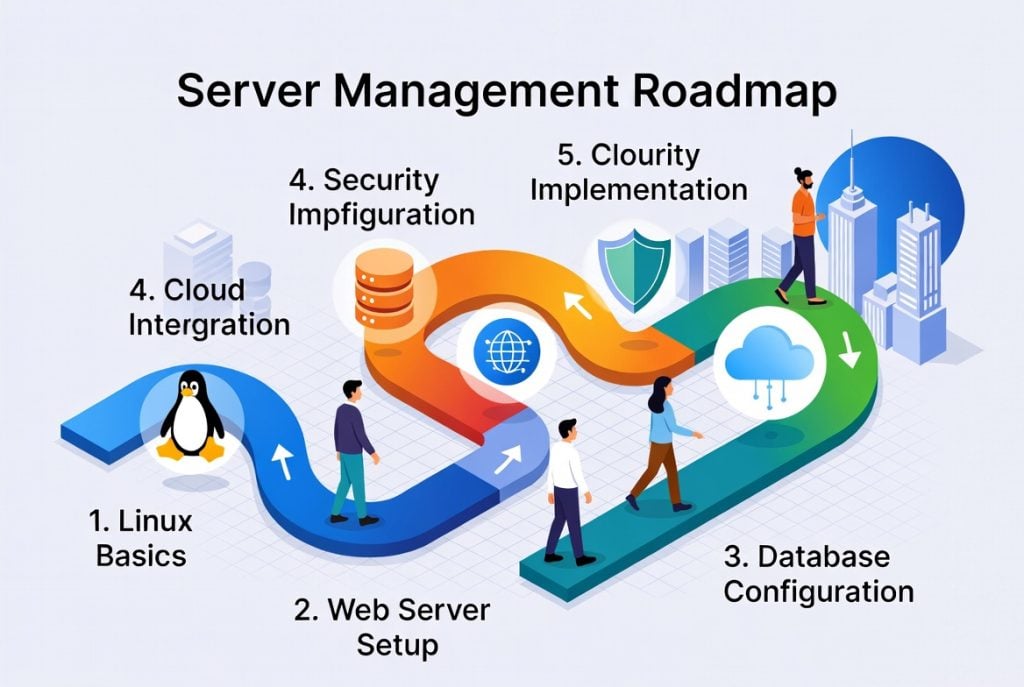
Why Server Management Matters for Students Right Now
Server Management for High School and University Students focus a lot of theory, but employers and cool side gigs want people who know how to actually build and fix things. When you understand how servers work, you get why websites stay online 24/7 and how to make them secure. It’s way more like actually driving a car than just reading a book about how cars work.
Plus, this stuff connects directly to the hottest fields: web development, cybersecurity, data science, game design. Students who learn this early land internships faster and start cool side projects that sometimes turn into real businesses. Everything’s more digital and remote now, so running your own server means collaborating with friends near and far on your terms, not stuck with whatever limits Google Drive or a school-provided tool throws at you.
What you actually need to start
You don’t need a monster PC. You don’t need to spend a dime. Here’s the super short checklist:
- Laptop or desktop with at least 4GB RAM (8GB feels nicer, but isn’t a deal breaker)
- Decent WiFi
- Free GitHub account and a student-friendly cloud account (try Oracle Cloud or Google Cloud — they both give out free resources)
- Curiosity and patience (seriously, you’ll get stuck and that’s totally normal)
If you’ve never coded before, no worries. We’ll start with the easy stuff. All you need is a willingness to break things and figure them out.
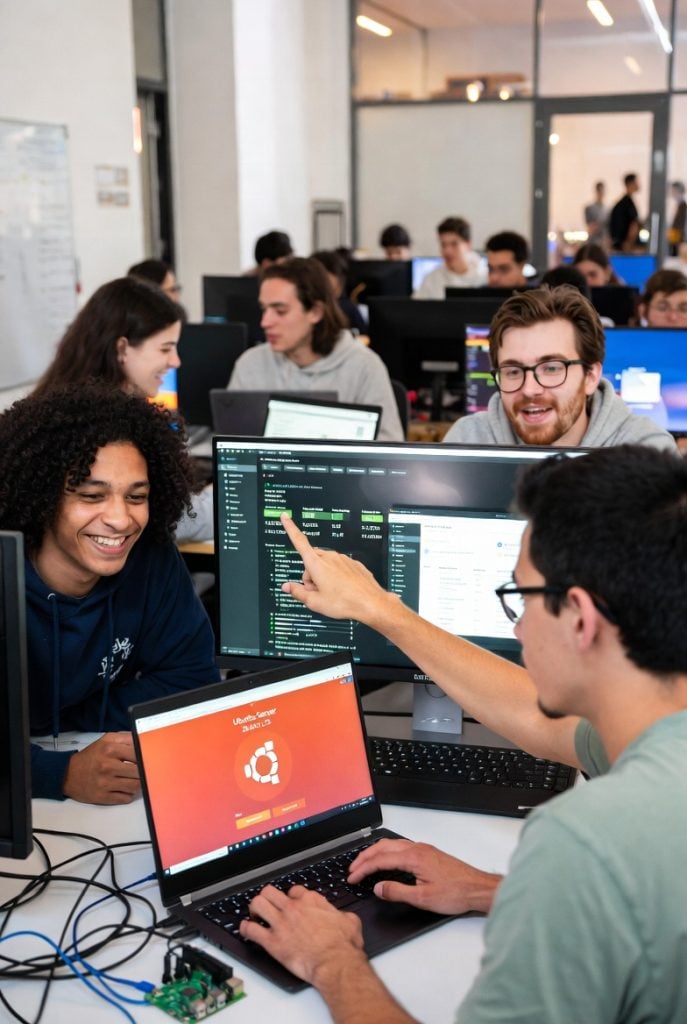
Step-by-Step Roadmap to Server Management for High School and University Students
Ready? Let’s go from “what’s a server?” to “I can run my own app” all in just a few weeks if you practice a little every day.
Step 1: Figure out what a server really is
Forget the jargon. A server is just a computer that gives services or files to other computers. That’s it. You’ll hear about two main types:
- Physical servers (old laptop, Raspberry Pi, or any spare computer you have lying around)
- Virtual servers (lives on the cloud — you can make one on Google Cloud or Oracle Cloud in minutes, no hardware needed)
Spend one night watching a short YouTube video about client-server architecture. That single hour makes everything else make sense.
Step 2: Set up your own local server
Time to get your hands dirty. Download VirtualBox (free) and then grab Ubuntu Server (also free). Use VirtualBox to spin up Ubuntu on your own laptop. This acts like your own mini server, and if you mess up, you can just reset it.
Why Ubuntu? It’s popular with beginners but powerful enough for professionals. Boot it up, and get ready to see the command line.
Step 3: Learn the basic Linux commands
All the action happens in the terminal looks scary at first, but you’ll get the hang of it fast. Here are some foundation commands:
ls(lists files)cd(change directories)sudo apt update(makes sure your server has the latest software)ssh(lets you connect remotely to other servers — super useful)
Practice creating folders, moving around, and installing simple programs like curl or nano. Do this every day for a week and you’ll feel a real shift.
Related reading: Top 10 Linux Distributions for Developers
Step 4: Install your first web server
Now it gets fun. Install Nginx or Apache (they’re free and tons of real companies use them). Run a couple of terminal commands and suddenly your laptop serves web pages just like Facebook or Google (on a much smaller scale, of course). Upload a basic HTML file and see your own site live in your browser. It feels like magic the first time.
Step 5: Add a database for real projects
Most cool apps need somewhere to store user data. Install MySQL or PostgreSQL and make a simple database. Plug it into your web server. For a small project, try making a basic to-do app or a shared class schedule that actually works online. It’s super impressive when you show friends or teachers.
Step 6: Learn enough security to keep things safe
Security isn’t optional. The sooner you make it a habit, the fewer headaches later. Change the default passwords, set up a firewall with ufw, and turn on automatic updates. Even if you’re just hosting little school projects right now, you’ll protect everyone’s info.
Beginner student projects you can finish in a weekend

Theory is fine, but tech skills stick when you build stuff. Here are some small projects you can finish in a weekend:
- Personal portfolio: Show off your resume, schoolwork, and coding projects in one place.
- Discord bot host: Keep your own bot running 24/7 without leaving your main computer on.
- Study group cloud: Make a private server where classmates share notes and assignments.
Each one teaches you skills that look great on LinkedIn and university applications.
Easy mistakes beginners always make
Everybody breaks their first server. You might lock yourself out or mess up a config file. It’s part of learning but seriously, don’t get discouraged. Take screenshots as you go so you can backtrack, and always save backups. You’re not alone, either: jump in a Discord server or Reddit group for beginners. You’ll learn faster, get help, and maybe even give advice to others soon.
Go cloud, go pro
Once you’re comfortable on your laptop, try spinning up a cloud server. Oracle Cloud gives students a free VM for life. When you’re ready, package your app with Docker so it runs anywhere without fuss. Try basic automation with Ansible. These are exactly the skills that land you cool internships or let you freelance.
Best resources for learning (no money needed)
There’s endless free stuff online, but stick with quality over quantity. Some top picks:
- YouTube: NetworkChuck, freeCodeCamp
- Book: “The Linux Command Line”
- Just keep getting your hands dirty for 30 minutes every day — that’s the secret
- Tech Education & Online Learning by aaPanel.
Final Thoughts: Your Future Starts with One Command

Server management isn’t just a tech skill. It’s proof you can solve real problems. Once you run your first server, you’ll know you actually built something. That confidence? It goes a long way.
Every whiz on campus started lost and frustrated what makes a difference is not quitting. Celebrate even the little wins. Pretty soon you’ll be the one classmates and even teachers go to for help.
Knowing server management makes your applications shine and recruiters notice real projects much more than just grades. So honestly, what are you waiting for? Open up your laptop, grab a notebook, and just start.
You won’t just “learn” server management but you’ll own it. And who knows? Maybe the server you build this weekend kicks off your whole career.