
Server
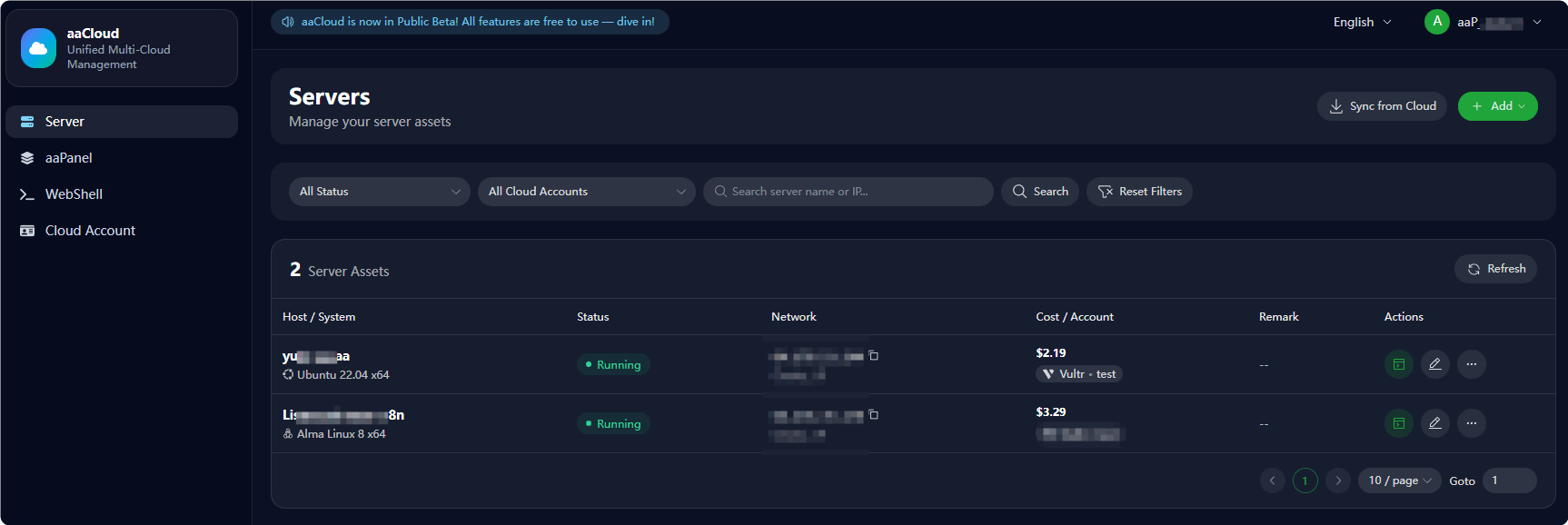
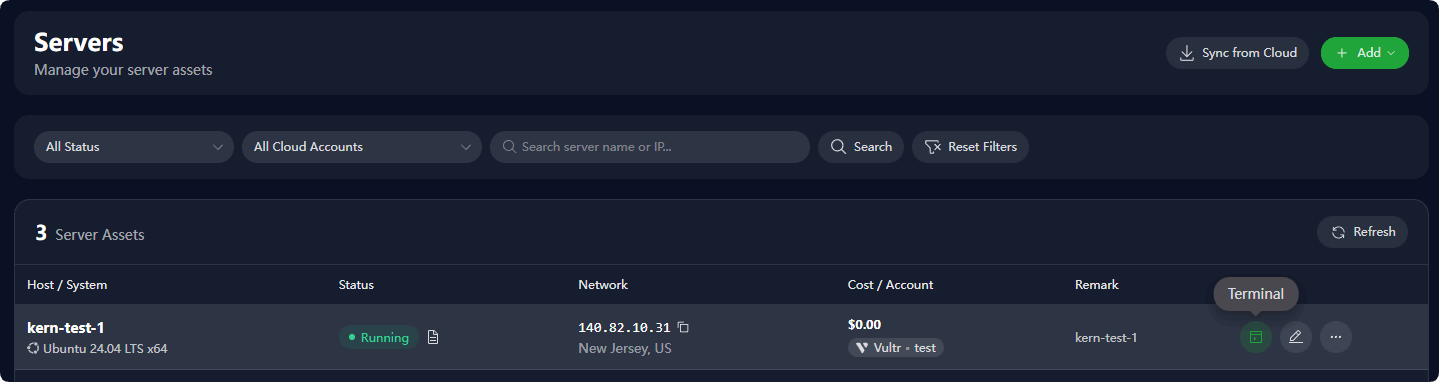
Centrally and quickly create servers via aaCloud, manage server startup, restart, shutdown and destruction, and support logging in to servers through Terminal to execute commands.
One-click server management with Terminal
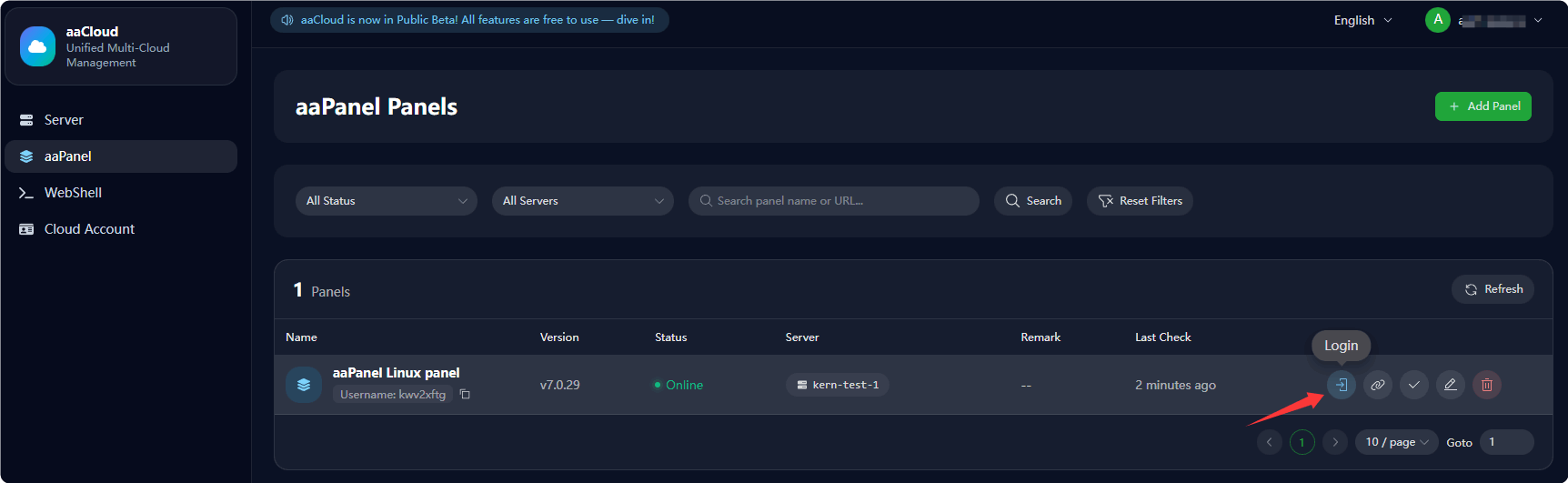
One-click password-free access to aaPanel
How to Add Servers to aaCloud
Add a server provider in
Cloud Account- Sync from CloudAdd a server provider in
Cloud Account- Create ServerFor existing servers, add SSH credentials to aaCloud - Manually Add Server
Sync from Cloud
- Sync existing servers from the cloud via the server provider added in
Cloud Account

Select the server provider to perform synchronization 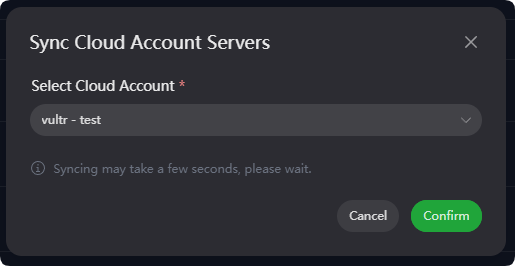
Create Server
- Create and manage a new server via the server provider added in
Cloud Account
Add a server provider in
Cloud AccountIn the
Serverinterface, clickAddand selectCreate Server
In the
Create New Serverinterface, select a server according to your requirements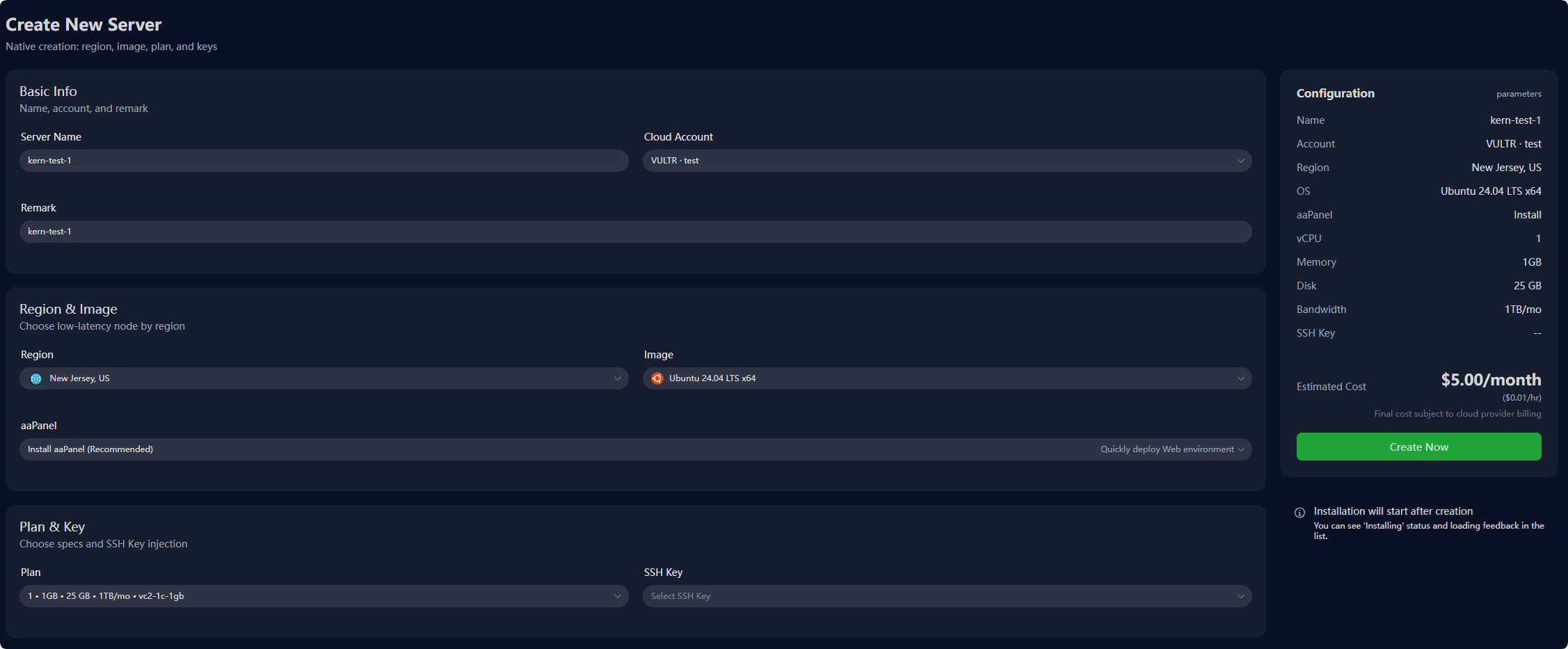
Server created successfully
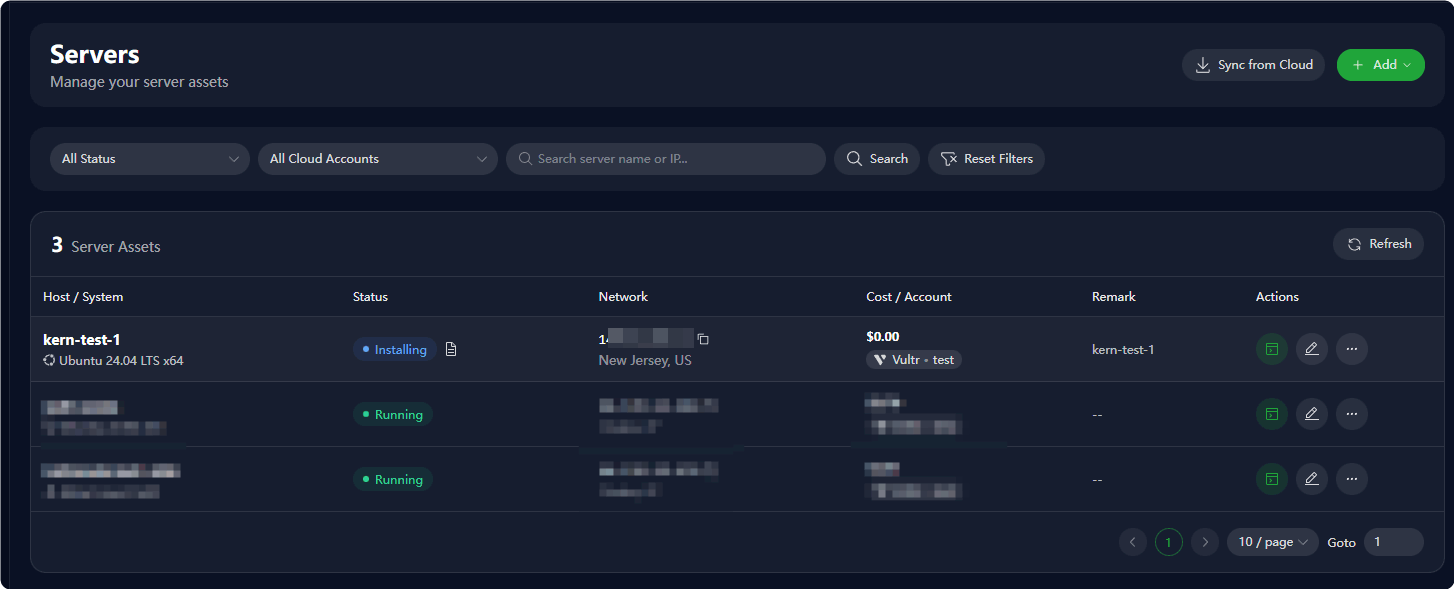
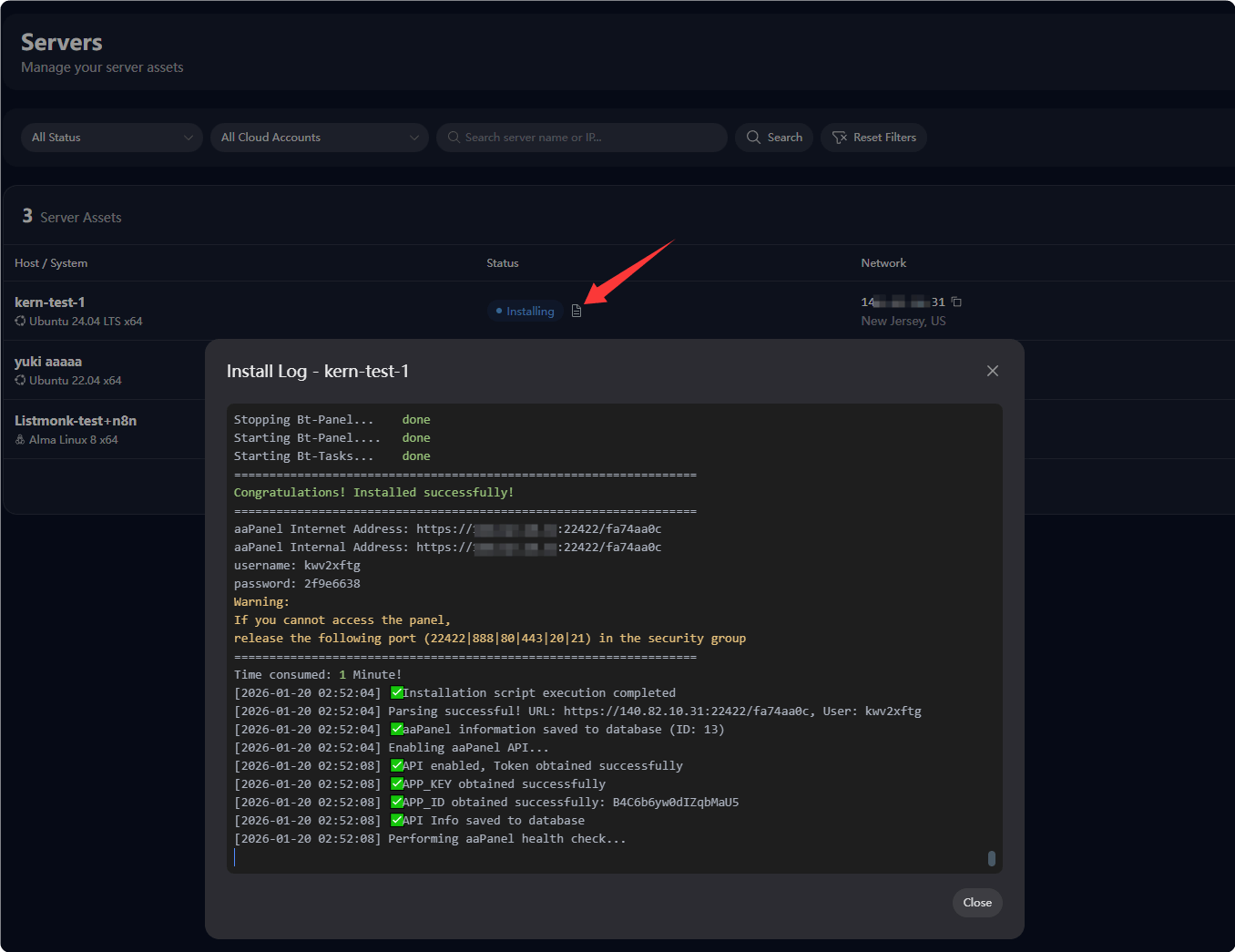
After the server starts, connect to it to automatically install aaPanel and enable the panel API
Manually Add Server
- For existing servers, manually add SSH credentials of the server for management
Prerequisite: You already have the server's SSH credentials, such as IP address, SSH port, username, password/key, and SSH access is allowed from all IP addresses.
In the
Serverinterface, clickAddand selectManually Add Server
Enter your server's SSH credentials as required, and
Verify SSHto check if the information is correct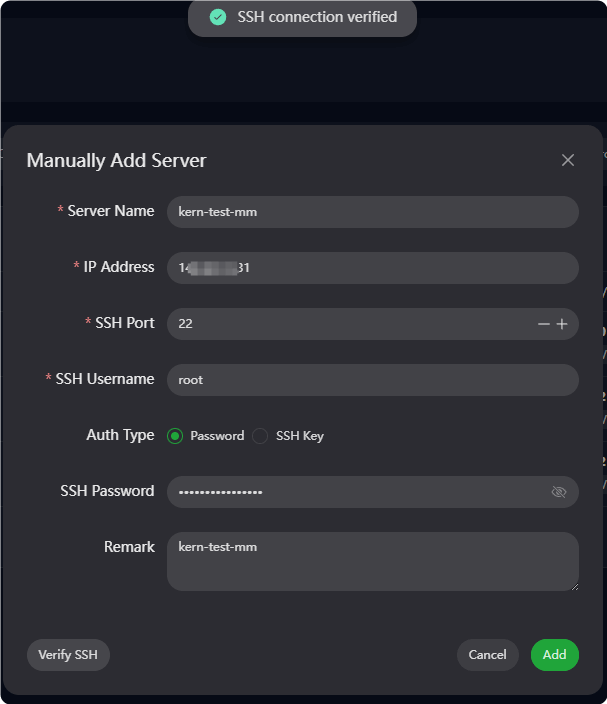
After successful verification, click
Addto complete the addition process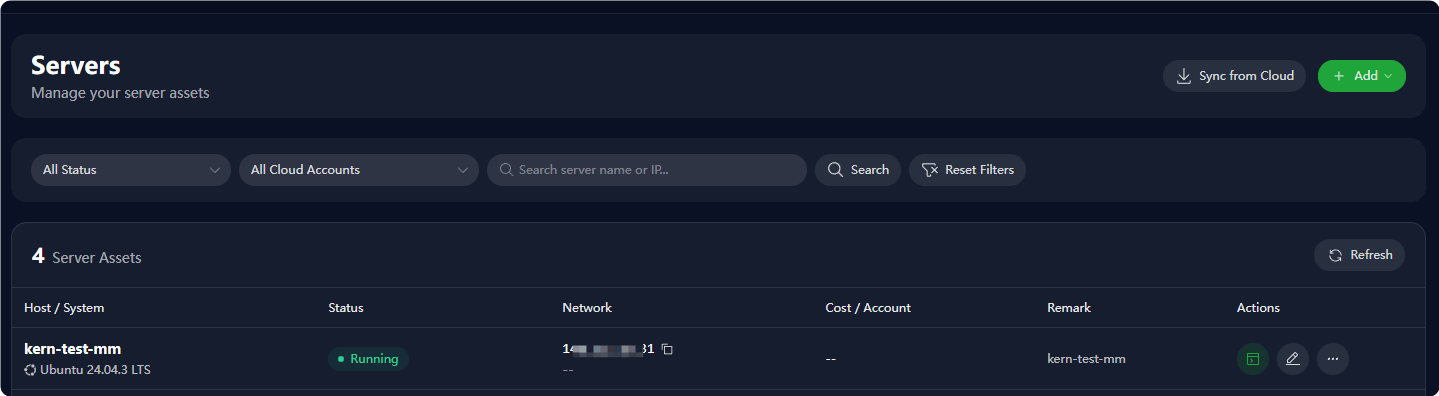
After successful addition, the system will automatically check aaPanel information and enable the panel API