
Cron
Cron overview

| Function | Describe |
|---|---|
| Add Task | Add a scheduled task |
| Name | Display scheduled task name |
| Status | Display task status, click to Disabled or Running scheduled tasks |
| Execution cycle | Display the execution cycle of scheduled tasks |
Final execution time | Display the last execution time of scheduled tasks |
| Remarks | Display and modify notes of scheduled tasks |
| Execute | Click to execution this task now |
| Edit | Edit specified tasks |
| Log | View the execution log in this task, can check the task execution results |
| Delete | Delete the specified task |
Add Task or Edit
Website Backup
Backup this user's website
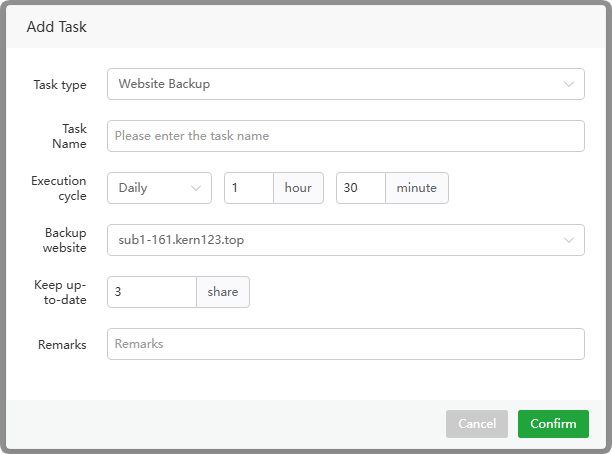
Task type : choose
Website BackupTask Name : The name of the scheduled task
Execution cycle : time support
Daily,N Days,Hourly,N Hours,N Minutes,Weekly,Monthly.Backup website :
Selectthe website to backupKeep up-to-date : Keep the
latest copies, old ones will bedeletedRemarks :
Remarkson scheduled tasks
Database backup
Backup this user's database
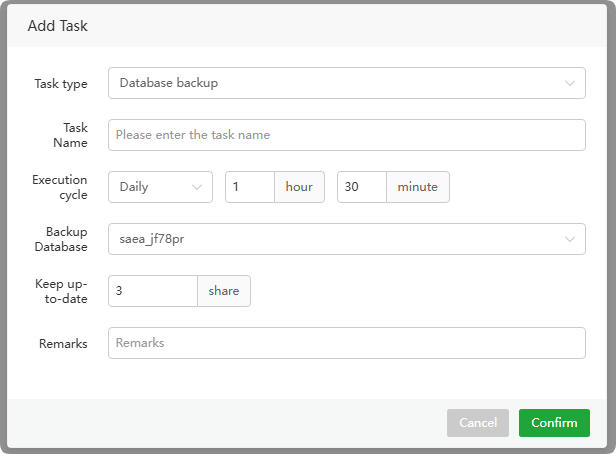
Task type : choose
Database backupTask Name : The name of the scheduled task
Execution cycle : time support
Daily,N Days,Hourly,N Hours,N Minutes,Weekly,Monthly.Backup Database :
Selectthe database to backupKeep up-to-date : Keep the
latest copies, old ones will bedeletedRemarks :
Remarkson scheduled tasks
Log cutting
Make backup copies of this user's
website logs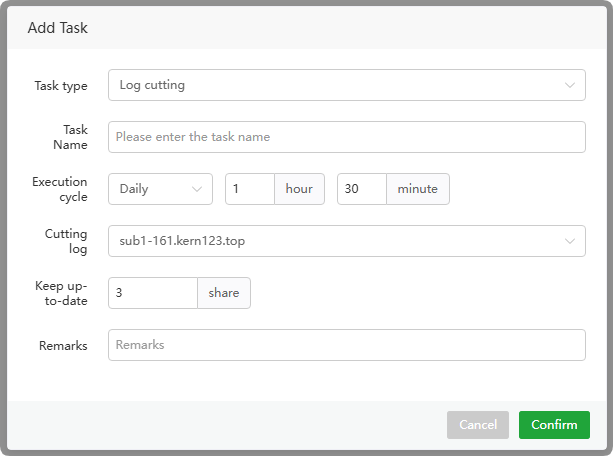
Task type : choose
Log cuttingTask Name : The name of the scheduled task
Execution cycle : time support
Daily,N Days,Hourly,N Hours,N Minutes,Weekly,Monthly.Cutting log :
Selectthe website to cut logs fromKeep up-to-date : Keep the
latest copies, old ones will bedeletedRemarks :
Remarkson scheduled tasks
GET
Use
GET methodto send a request to access the specified URL address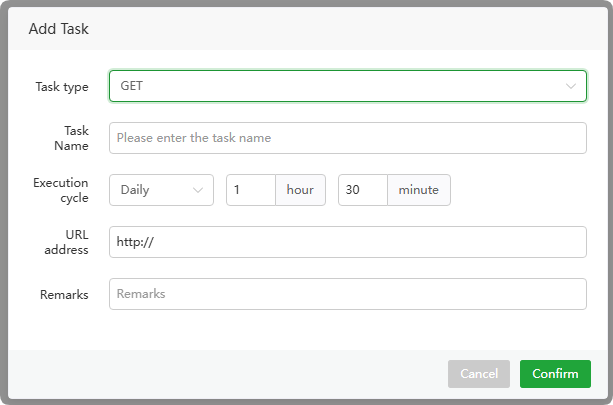
Task type : choose
GETTask Name : The name of the scheduled task
Execution cycle : time support
Daily,N Days,Hourly,N Hours,N Minutes,Weekly,Monthly.URL address : Enter the
URL addresswant to accessRemarks :
Remarkson scheduled tasks
POST
Use
POST methodto send a request to access the specified URL address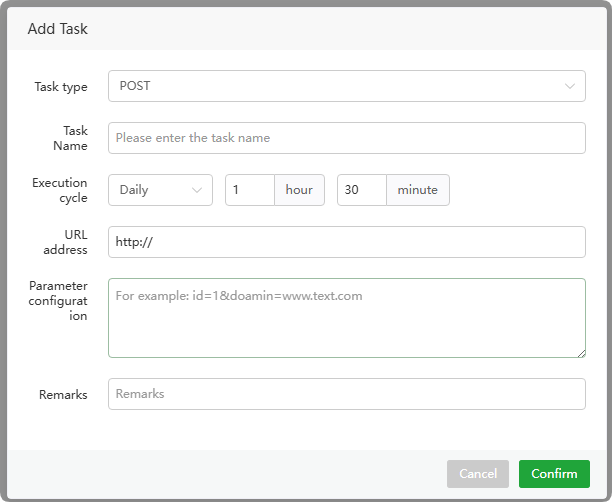
Task type : choose
POSTTask Name : The name of the scheduled task
Execution cycle : time support
Daily,N Days,Hourly,N Hours,N Minutes,Weekly,Monthly.URL address : Enter the
URL addresswant to accessParameter configuration : Enter the
parametersto be sentRemarks :
Remarkson scheduled tasks
Execution cycle
Time support Daily, N Days, Hourly, N Hours, N Minutes, Weekly, Monthly.
Daily : Executed at the specified time
every dayN Days : Executed at the specified time
every N daysHourly : Execute at the specified time
every hourN Hours : Executed at the specified time
every N hoursN Minutes : Executed at the specified time
every N minutesWeekly : Execute at specified time
every weekMonthly : Executed at the specified time
every month
Log
Check the scheduled task execution log and view the execution results based on the log.
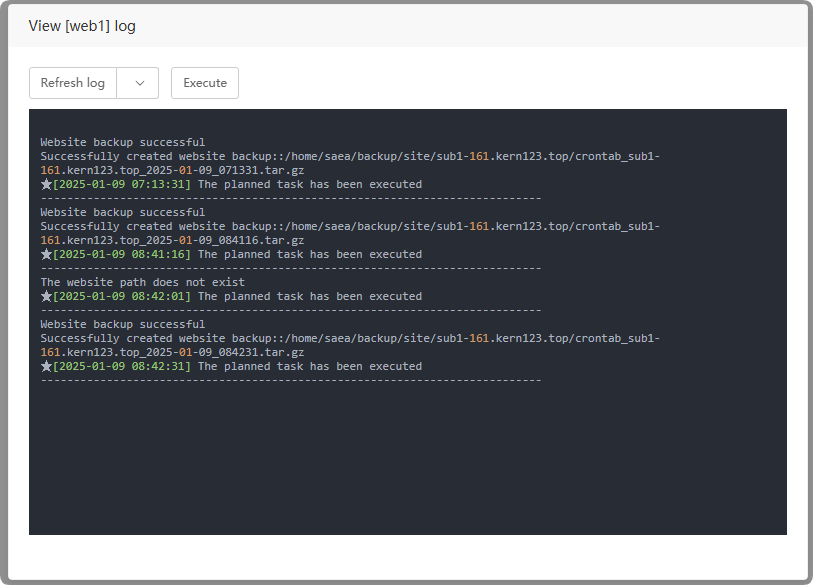
Refresh log : Get the latest log, or
refresh automaticallyExecute : Execute task immediately