SSL
Configure encrypted access to the website, that is, use https to access the website
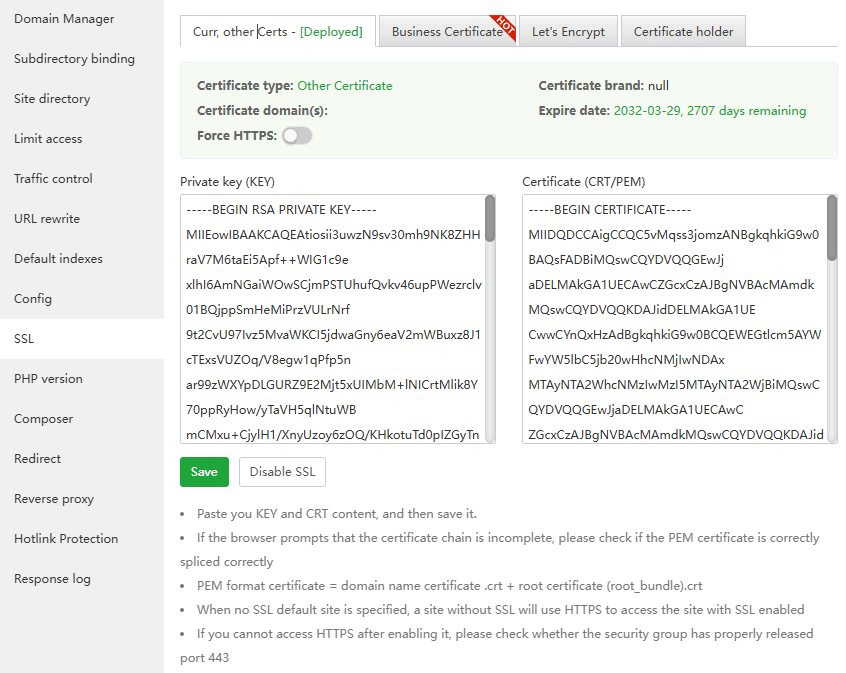
Curr, other Certs: View, disable, save (enable) the SSL certificate of the current site, or paste the SSL certificate content settings
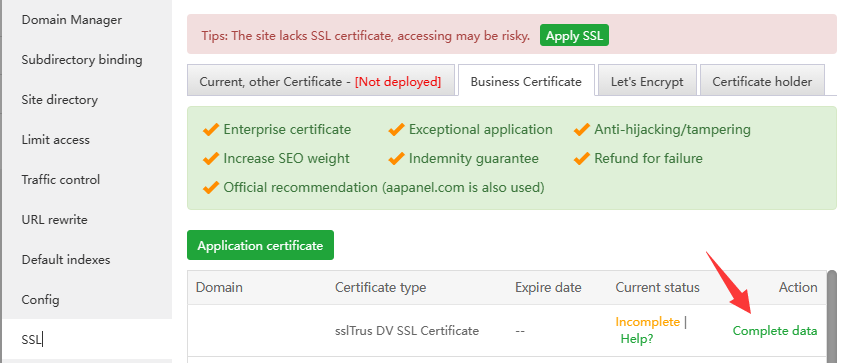
Business Certificate: aaPanel commercial certificates for cooperation with SSL providers
If purchased Business Certificate, can check out this tutorial on how to verify it:
Let's Encrypt:
File verification: Let's Encrypt servers verify domain ownership by accessing this
website's files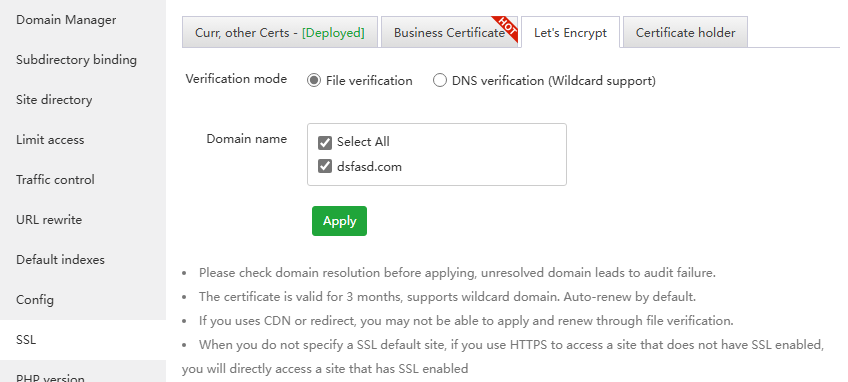
If an error occurs, please troubleshoot first and then verify. Multiple errors will be limited Let's Encrypt Rate Limits.
If you encounter verification failure, please troubleshoot according to the prompts
- Maybe the domain name resolution has not taken effect and no resolution has been added.
- Let's Encrypt cannot access your website. You can check redirection and proxy issues. Try to access and see if the display is normal. Apply again after it is normal.
If file verification is not available, use DNS verification
If restrictions appear, use third-party website SSL
DNS verification (Wildcard support): Let's Encrypt server verifies domain name ownership by parsing
DNS records. If DNS records are added manually, they will not be automatically renewed.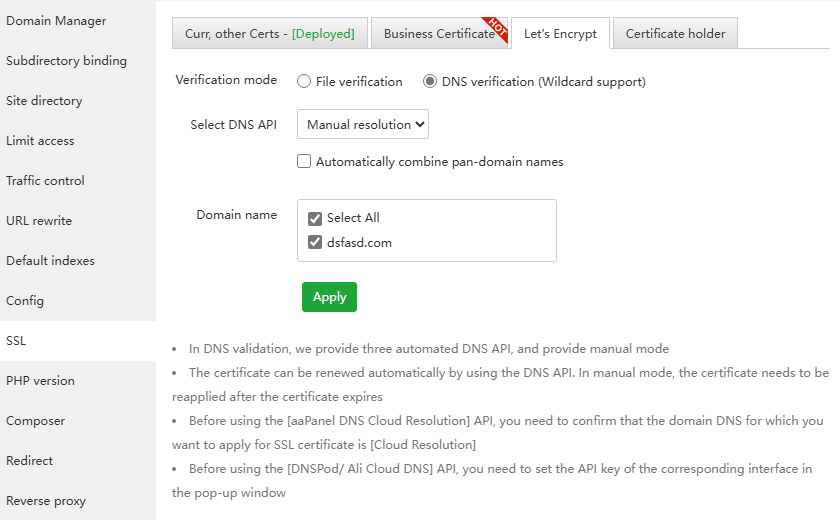
If the domain name is in
CloudFlare, you can use theDNS API, otherwise you can only manually add theTXT recordaccording to the prompts.Adding a txt record takes a certain amount of time to take effect. During this period, do not close the txt recording window prompted by aapanel
Manually adding a txt record will not automatically renew the Let's Encrypt SSL certificate.
Click to view How to apply for a pan-domain name certificate
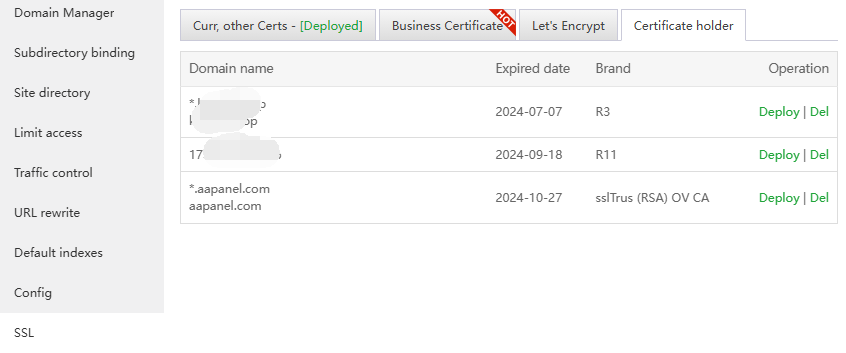
Certificate holder: The SSL certificate that has been set will be saved here