
Databases Related FAQs
Mysql root or user password is incorrect, please try to reset!
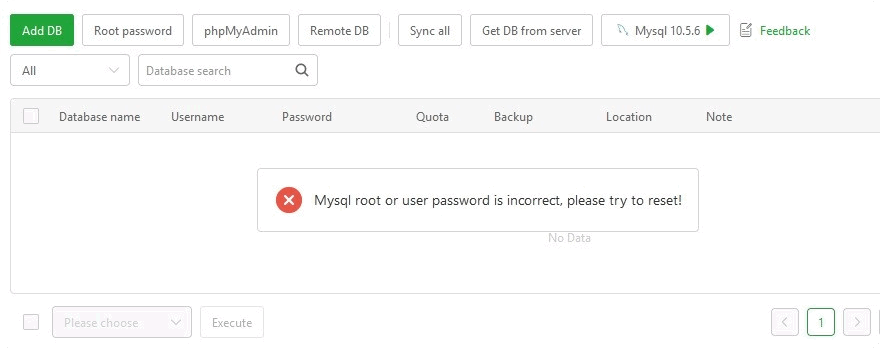
Tip: The MySQL password by aaPanel is wrong. Please try to reset the password using:
Databases --> MySQL --> Root Password.
Error establishing a database connection
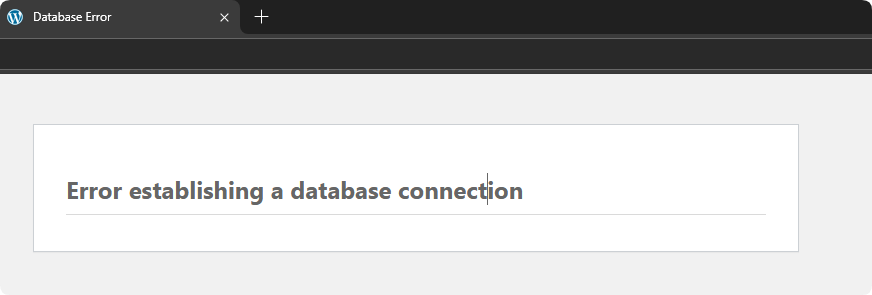
Please check if the MySQL server is
started?App Store --> Installed --> MySQLPlease check if the
database nameis correct?Databases --> MySQL --> Database NamePlease check if the
user nameof the database is correct?Databases --> MySQL --> UsernameCan try to log in usingphpMyAdminPlease check if the
database passwordis correct?Databases --> MySQL --> PasswordCan try to log in usingphpMyAdminPlease check whether the database host connected to the
website configurationfile is correct? If it is localhost, try changing it to 127.0.0.1
mysqli::real_connect(): (HY000/1045): Access denied for user 'root'@'localhost' (using password: YES)
Please check if the
database nameis correct?Databases --> MySQL --> Database NamePlease check if the
Usernameof the database is correct?Databases --> MySQL --> UsernamePlease check if the
database passwordis correct?Databases --> MySQL --> Password / Root PasswordYou can try to reset the passwordPlease check whether the
permissionsof the database to allow connection are correct?Databases --> MySQL --> Permission
Mysql/Mariadb Innodb Storage Engine Damage Solution
forcing-innodb-recovery
innodb_force_recovery
Please check out the tutorial Mysql/Mariadb Innodb Storage Engine Damage Solution
Failed to open log (file './mysql-bin.000004', errno 2)
mysql-bin.000004 is an example, please handle it based on your error message
2024-12-24T05:23:57.738940Z 0 [Note] InnoDB: Buffer pool(s) load completed at 241224 7:23:57
mysqld: File './mysql-bin.000004' not found (Errcode: 2 - No such file or directory)
2024-12-24T05:23:57.739719Z 0 [ERROR] Failed to open log (file './mysql-bin.000004', errno 2)
2024-12-24T05:23:57.739723Z 0 [ERROR] Could not open log file
2024-12-24T05:23:57.739726Z 0 [ERROR] Can't init tc log
2024-12-24T05:23:57.739728Z 0 [ERROR] Aborting
Operation after server
snapshot backupRemove./mysql-bin.000004from the contents of the/www/server/data/mysql-bin.indexfileIf there are still prompts such as
./mysql-bin.000003, they also need to be deleted from the contents of the mysql-bin.index file.Restart mysqland check whether it is running normally. If there arestill errors, please check thelogsto resolve them.
How to view MySQL error log?
View from the aaPanel interface:
App Store --> MySQL --> LogUse the command line to view:
cat /www/server/data/*.err|grep -i -C 10 errorFeedback or Suggestions
If you encounter problems or suggestions during use, please contact us through the following methods:
- (Please describe in
detailor providescreenshots)
Email: [email protected]
Discord: https://discord.gg/Tya5yceBpd
Telegram: https://aapanel.com/tg
GitHub: https://github.com/aapanel/aapanel
If you like aaPanel, please give it a Star