
Panel Related FAQs
Panel’s bt command
- Panel command is used to manage some settings of Panel from the command line, such as account number, password, access address, etc.
- Use the
SSH toolto log in to the server and execute the bt command withroot privilegesto see all commands.
Incorrect account / username or password
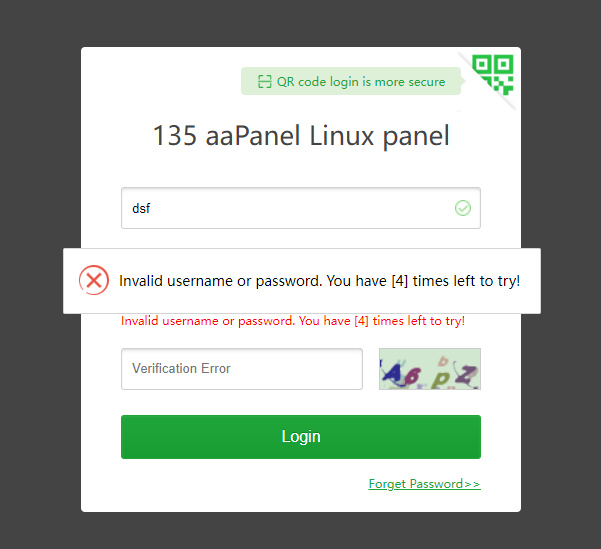
Solution: Use the correct account to log in. If you forget to execute the following command on the server to view the default panel account
bt 14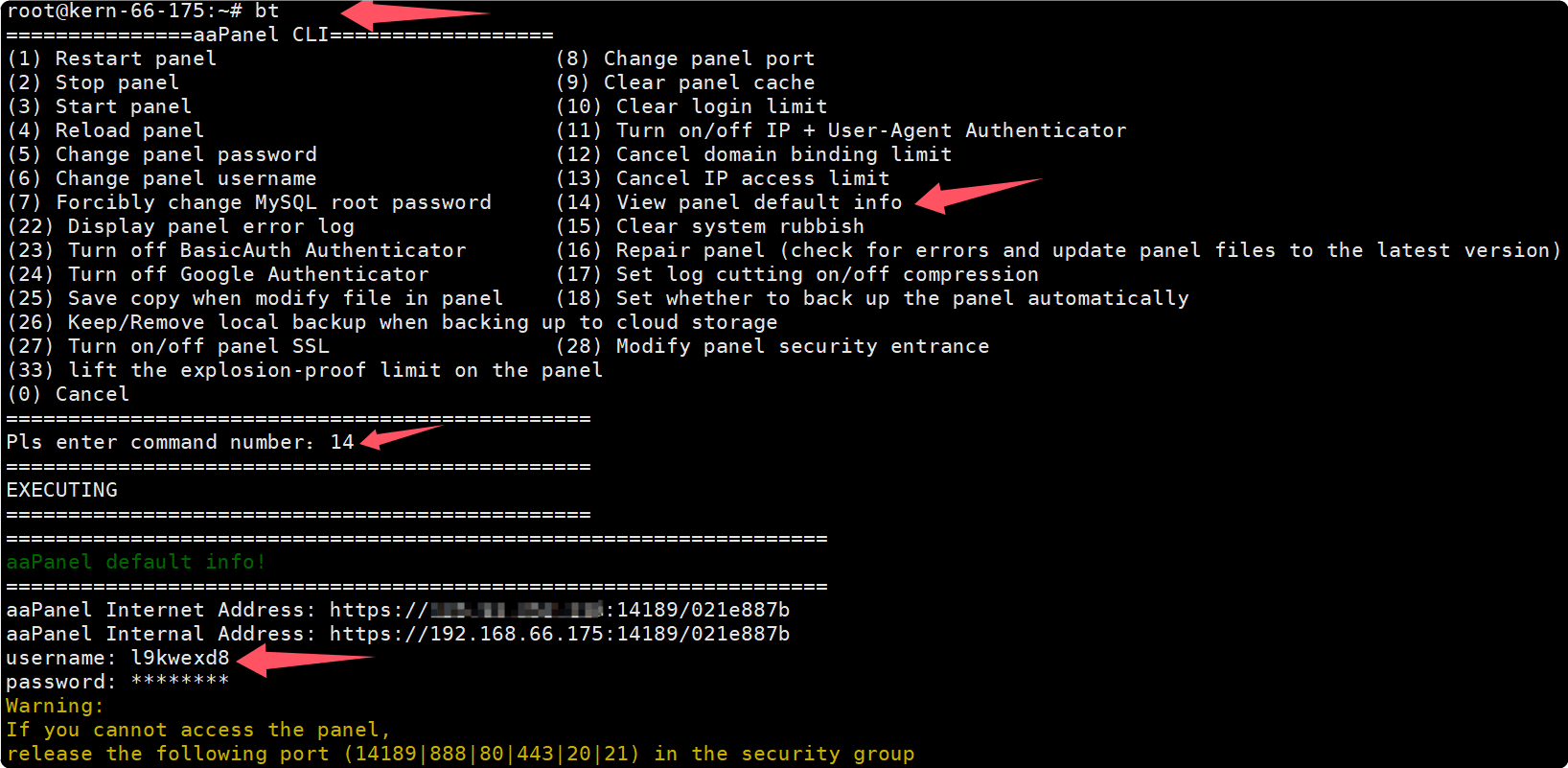
If the
panel password is forgotten, execute the following command to modify, and then use the new password to log in to the panelbt 5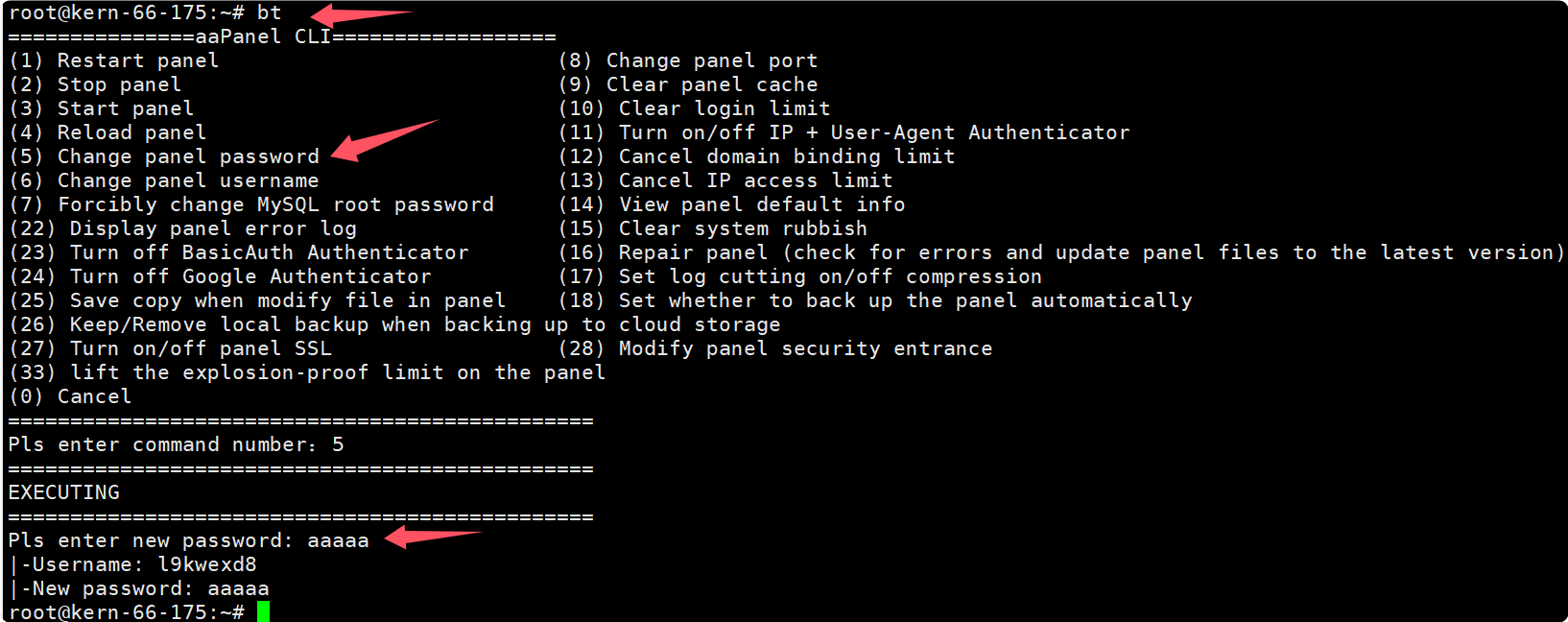
Can't access panel after binding domain

- Solution: Use the
bound domainto access, or the server executes the following command to cancel the domain name bindingbt 12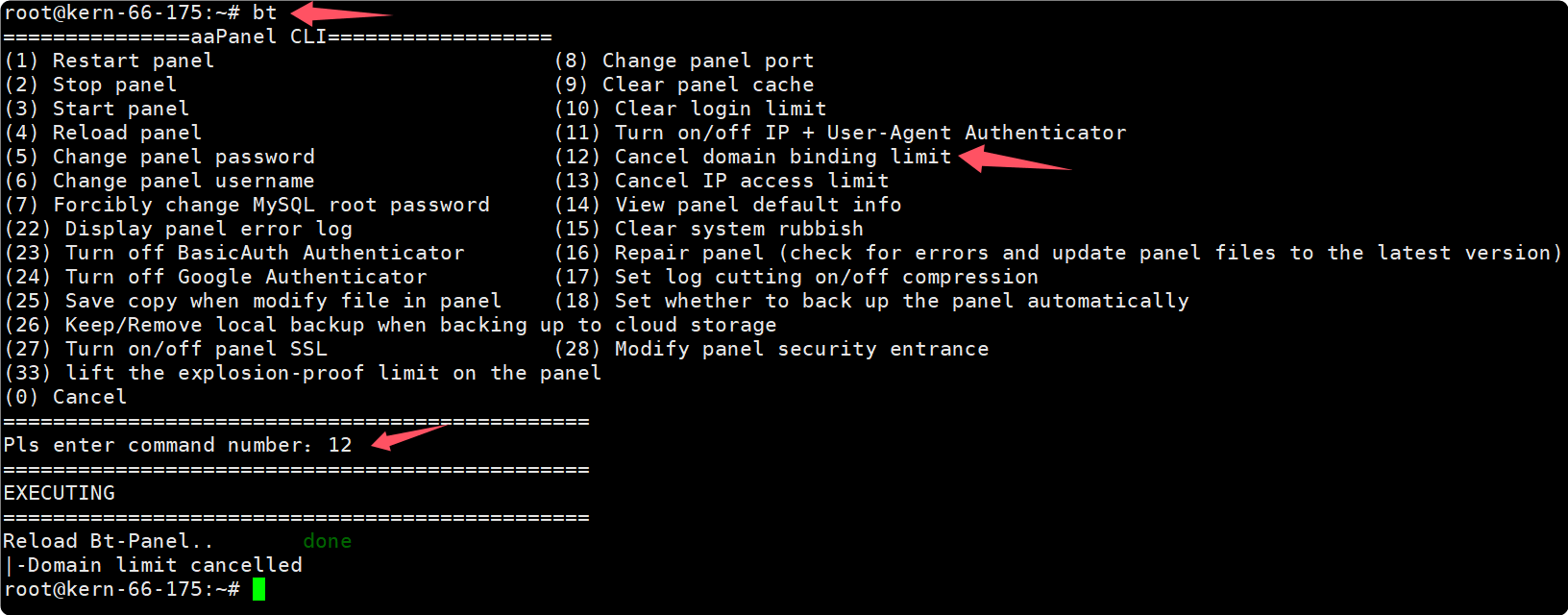
After the authorized ip is set, the panel cannot be accessed
Solution: Use the
authorized IPto access the panel, or the server executes the following command to close the authorized IPbt 13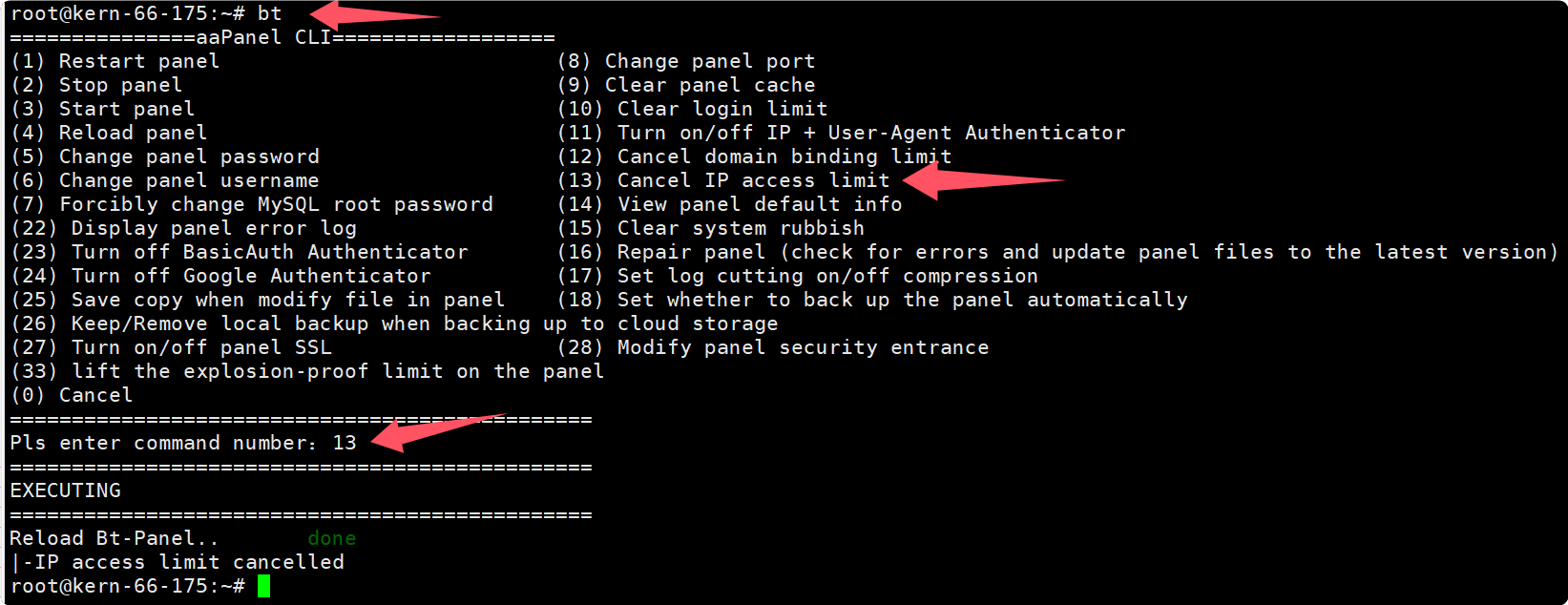
The access panel security entry error is shown in the figure
Not using the
complete linkaccess shows404 Not Found
- Solution: Use the correct security entry to access, if you don't remember, you can use the following command to view
bt 14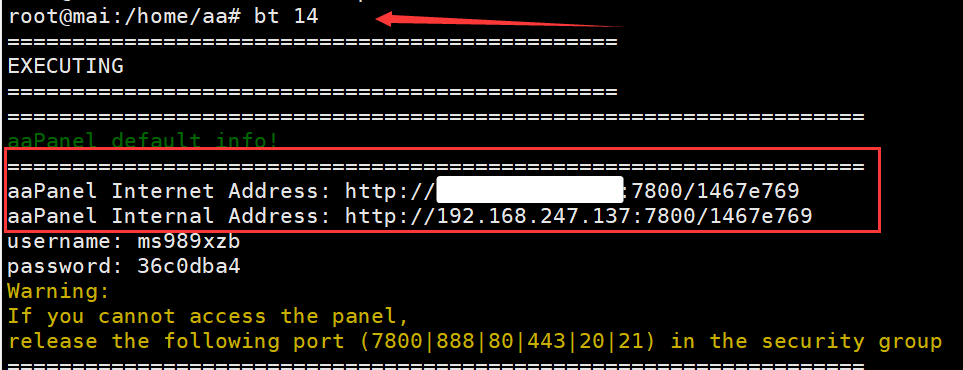
Panel users are not displayed and an error is prompted.
When the panel clicks on the Website list, the Databases prompts an error.
Executing bt 14 displays the following:
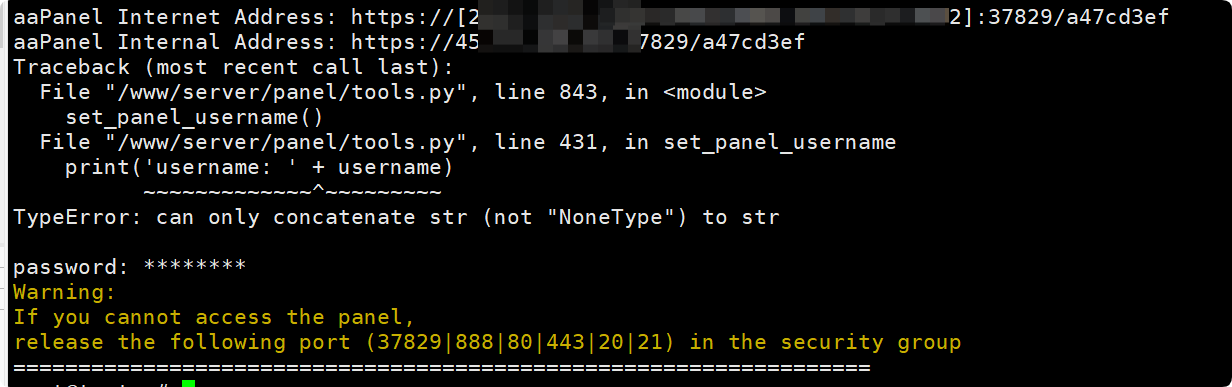
Solution:
Server does snapshot backup first.
Go to the
/www/backup/panel/directory to find the backup compressed package of theprevious dayor thedate that can be used normally.Extract the compressed file to find the
data/default.dbfileBack up/www/server/panel/data/default.dbCopy the data/default.dbfile to the/www/server/panel/data/directory
For example, the decompressed file is stored in /www/backup/panel/2024-12-03/data/default.db
Note: Please
replacewith yourown datecp /www/server/panel/data/default.db /www/server/panel/data/default.db_20241205 cd /www/backup/panel/ unzip 2024-12-03.zip \cp -arpf 2024-12-03/data/default.db /www/server/panel/data/default.db bt restart- If it still cannot be solved, please contact us
Update / repair the aaPanel
- Click
Update,Fixin the upper right corner of the aaPanel homepage
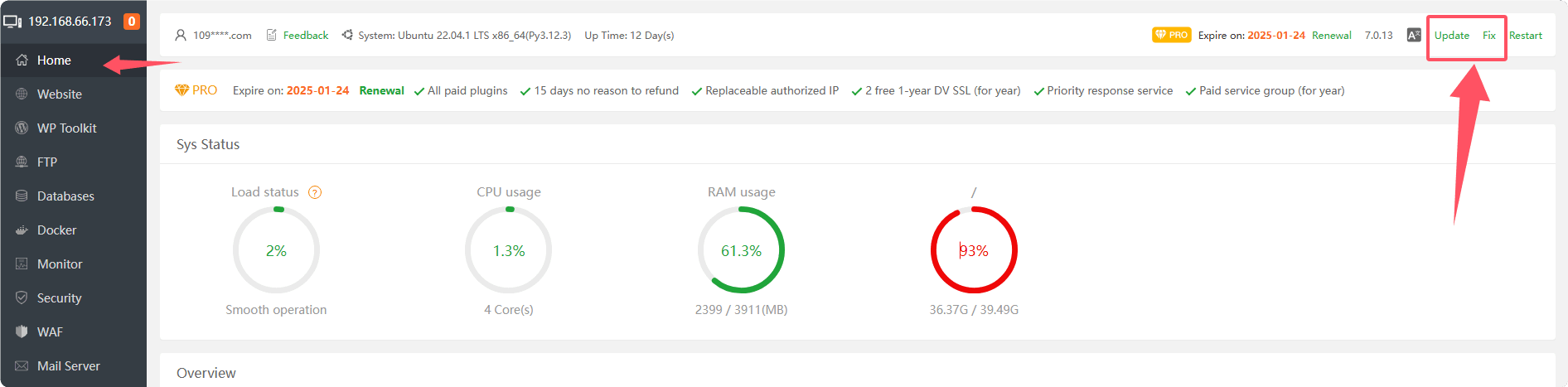
- Use the
SSH toolto log in to the server and execute withroot privilegesbt 16Order.
Please do not use the terminal of the panel to execute the command
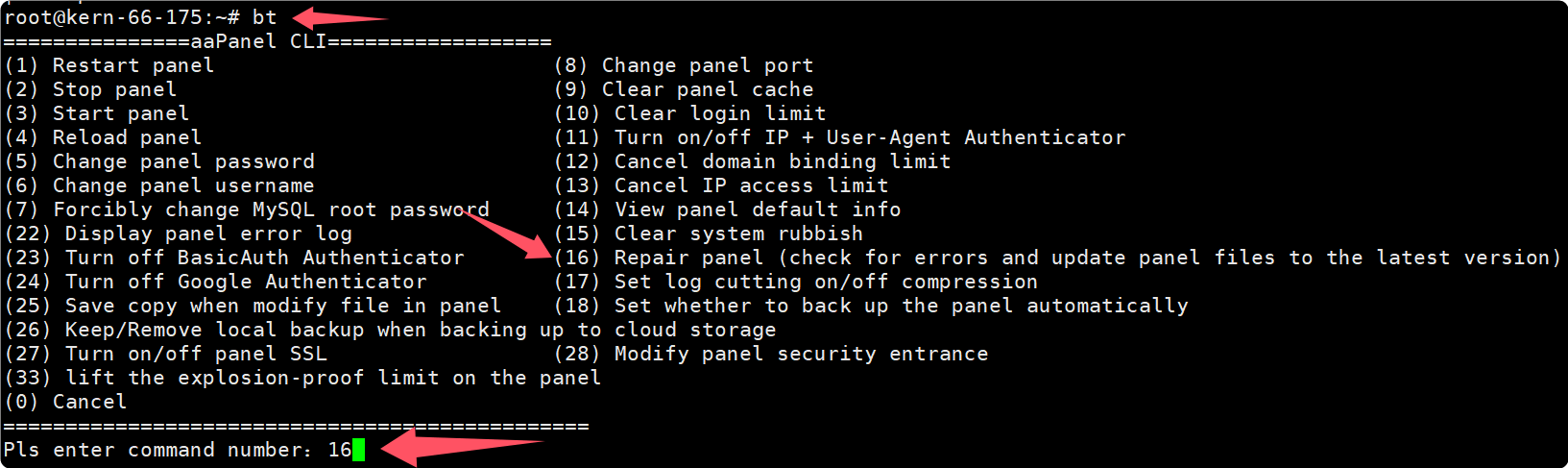
- Use the SSH tool to log in to the server and execute the following command with
root privileges:
Please do not use the terminal of the panel to execute the command
rm -f /tmp/update_to7.pl && curl -k https://node.aapanel.com/install/update_panel_en.sh | bash- It may be caused by abnormal running environment. Please use
SSH tool, useroot privileges, and execute the following command to repair:
Please do not use the terminal of the panel to execute the command
mv /www/server/panel/pyenv /www/server/panel/pyenv_bak
rm -f /tmp/update_to7.pl && curl -k https://node.aapanel.com/install/update_panel_en.sh | bash
bt command
Please do
not use the panel terminaltoexecutecommands. After stopping the panel, Will not be able to connect to the panel.
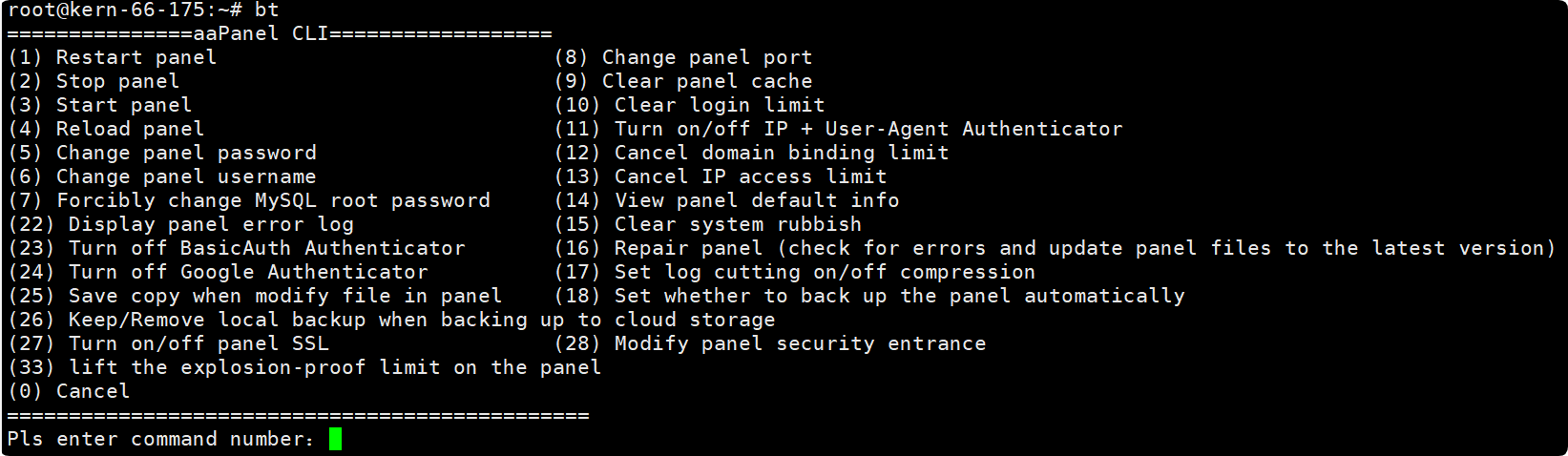
bt 1: Restart panelbt 2: Stop panelbt 3: Start panelbt 4: Reload panelbt 5: Changepanel passwordbt 6: Changepanel usernamebt 7: Forciblychange MySQL root passwordbt 8:Change panel port, Note: The server provider's security group also needs to open the corresponding port.bt 9: Clear panel cachebt 10: Clear login limitbt 11: Turn on/off IP + User-Agent Authenticatorbt 12:Cancel domain binding limitbt 13:Cancel IP access limitbt 14: View panel default info, viewlogin information.bt 15: Clear system rubbishbt 16:Repair panel(check for errors andupdate panelfiles to the latest version)bt 17: Set log cutting on/off compressionbt 18: Set whether toback up the panelautomatically, It is not recommended to close it. If there is a problem with the database used by the panel, it will not be restored.bt 22: Displaypanel error logbt 23: Turn offBasicAuthAuthenticatorbt 24: Turn offGoogle Authenticatorbt 25: Save copy when modify file in panelbt 26: Keep/Remove local backup when backing up to cloud storagebt 27: Turn on/off panel SSLbt 28: Modify panel security entrancebt 33: lift the explosion-proof limit on the panelbt 0: Cancel
Site Configuration location
/www/server/panel/vhost
Nginx: /www/server/panel/vhost/nginx
Apache: /www/server/panel/vhost/apache
openlitespeed: /www/server/panel/vhost/openlitespeed
Site default directory
/www/wwwroot
Database backup directory
/www/backup/database
Site backup directory
/www/backup/site
Site logs
/www/wwwlogs
MySQL data storage location
MySQL / MariaDB data is stored in: /www/server/data
How to use the domain access panel
Panel access using domain: Panel access using domain
Feedback or Suggestions
If you encounter problems or suggestions during use, please contact us through the following methods:
- (Please describe in
detailor providescreenshots)
Email: [email protected]
Discord: https://discord.gg/Tya5yceBpd
Telegram: https://aapanel.com/tg
GitHub: https://github.com/aapanel/aapanel
If you like aaPanel, please give it a Star