
Proxy Project
A proxy server that allows you to connect to a remote server or other services on this server. Currently only supports Nginx
The Proxy server does not process user access. It is only responsible for forwarding user requests to the target server and then returning the results to the user.
📹 Proxy Project Video Tutorial
Proxy Project Overview
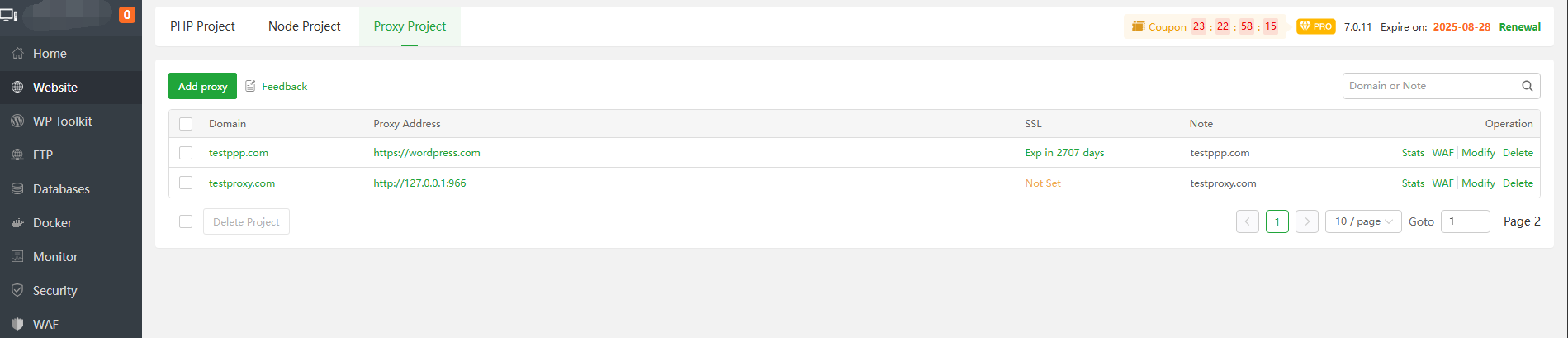
| Function | Describe |
|---|---|
| Domain | The domain name bound to the site. Click the site name of the current site to configure and modify the current site. |
Proxy Address | Proxy target address for the current site |
| SSL | Displays the SSL status of the current site, click to bind SSL Certificate to the current site |
| Note | Remarks about the current site |
| Stats | Use Website statistics-v2 to view the current site’s traffic, connections, etc. |
| WAF | Set the WAF configuration of the current site |
| Modify | Set the configuration of the current site |
| Delete | Delete current site |
Domain or Modify
When clicking Domain or Modify, can modify the site configuration, SSL, log, etc.
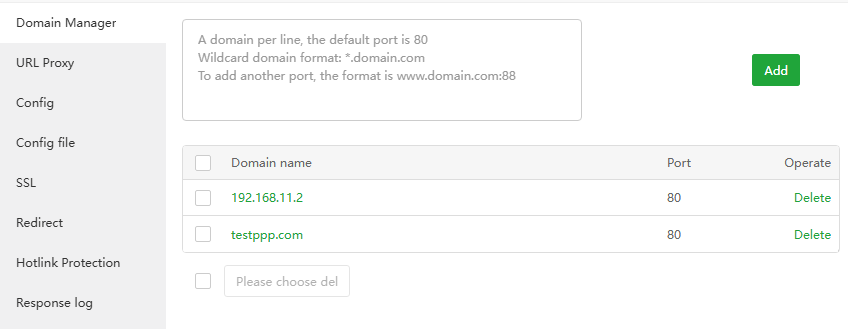
Domain Manager
Add, delete domain/IP
URL Proxy
Set domain name
forwarding rulesfor the current site
Add reverse proxy
Add proxy to the entire site
/or specify the directory/test/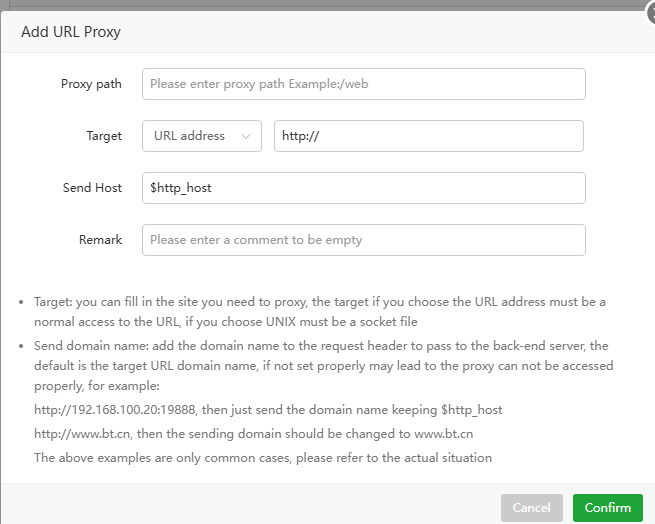
Modify: Modify proxy directory configuration
Reverse proxy
Modify the
target address,sending host, timeout, etc.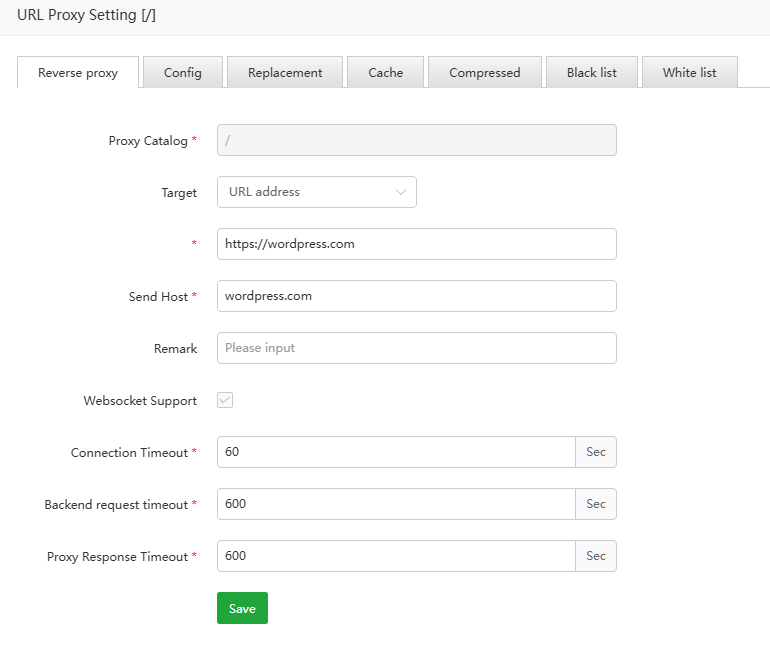
Config
Custom parameterscan be set, such as: proxy_set_header Cookie "cookie_name=cookie_value";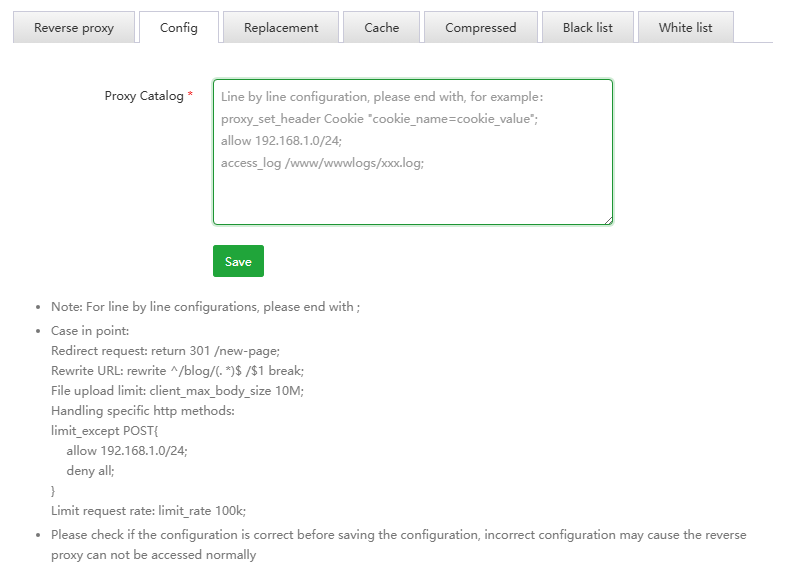
Replacement
Replacethe content of the site with thespecified content, such as 'http://' with 'https://'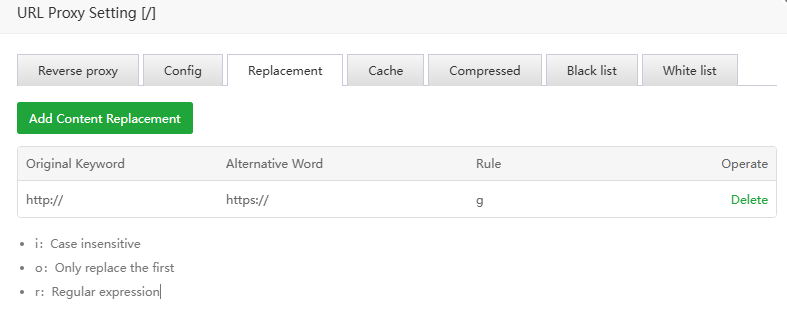
Cache
Cacheis used to accelerate website performance and improve user experience. Please turn it off if it affects website access.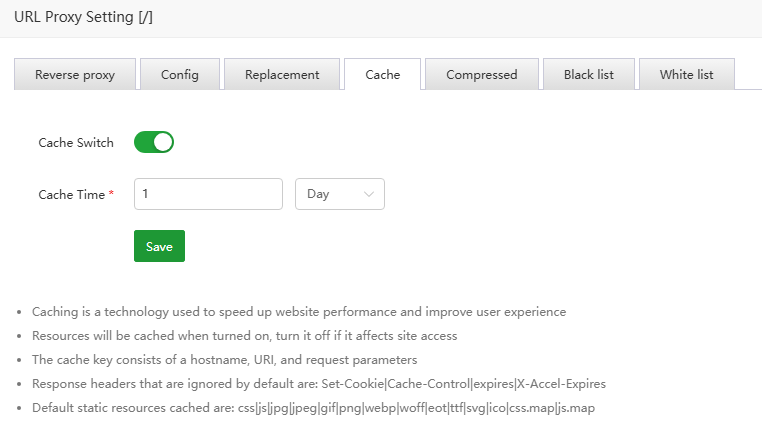
Compressed
Use
gzipto compress files of specified types to improve website performance and loading speed. If turning on gzip affects normal access to the website, please turn off this function.
Black list
Prohibitspecified IP or IP range from accessing thisproxy directory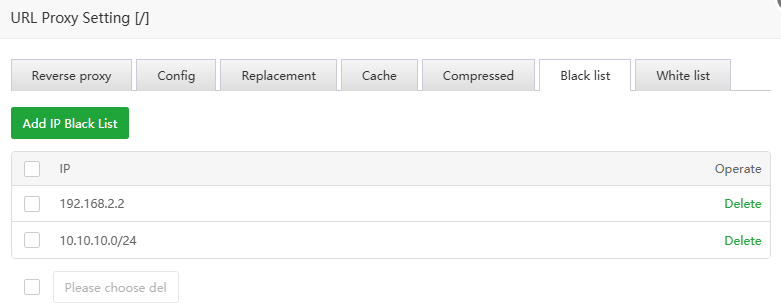
White list
Only the specified IP or IP segment is
allowedto access thisproxy directory.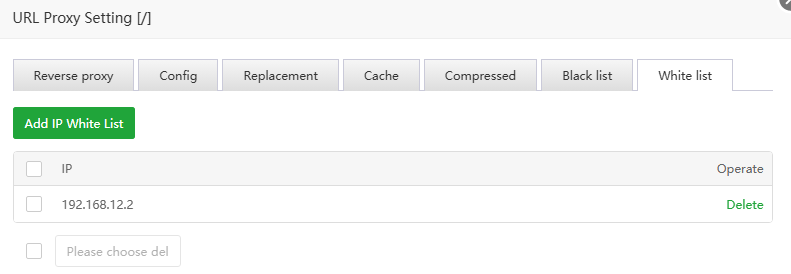
Delete: Delete the agent directory. Deletion is not allowed when there is only one agent directory.
- Config: Set the
global configurationof the current websiteCache
Cacheis used to accelerate website performance and improve user experience. Please turn it off if it affects website access.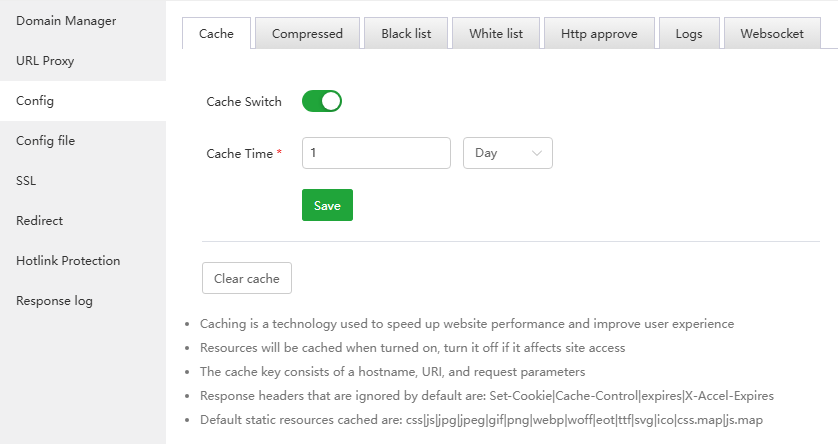
Compressed
Use
gzipto compress files of specified types to improve website performance and loading speed. If turning on gzip affects normal access to the website, please turn off this function.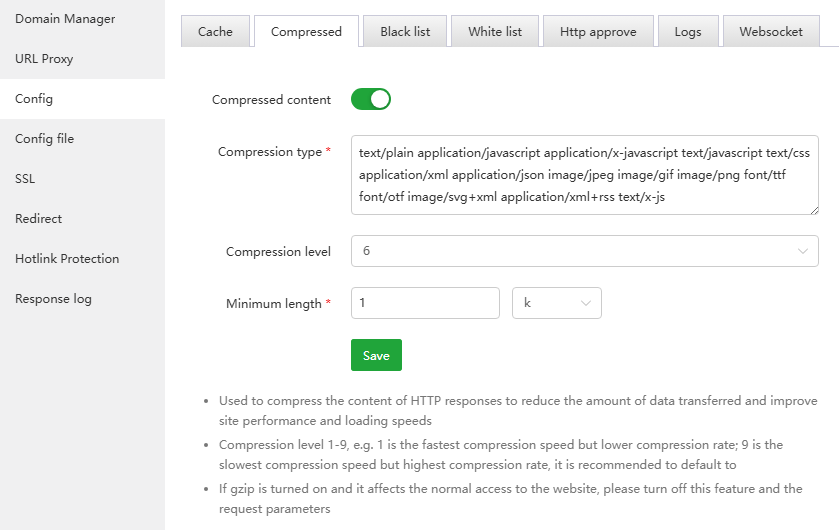
Black list
Prohibitspecified IP or IP range from accessing thecurrent site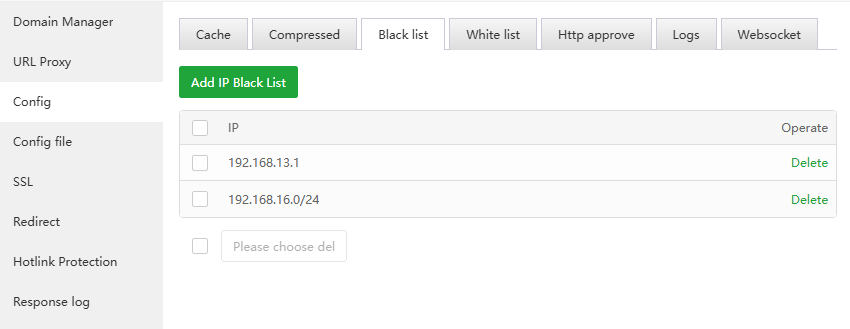
White list
Only allow specified IP or IP range to
accessthecurrent site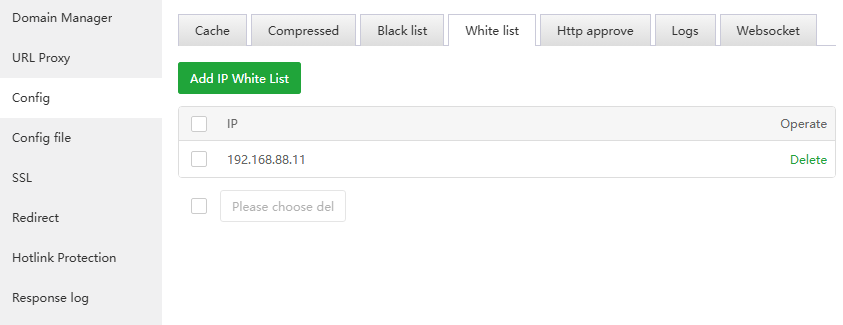
Http approve
When accessing some directories, need to enter your
accountandpassword before accessing.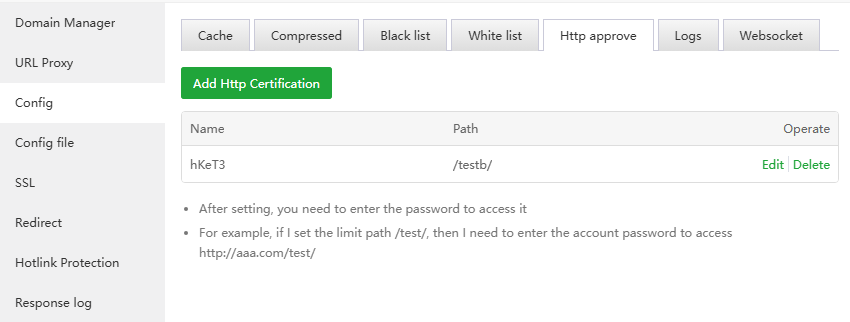
Logs
Configure the logsof the current site, support turning off logging, specify the log storage directory, and send logs to the log server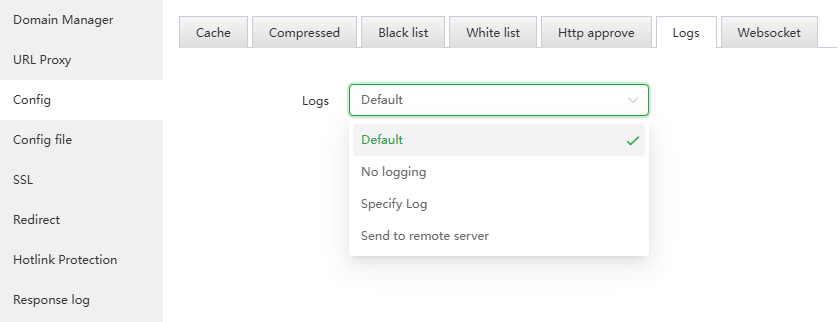
Websocket
Turn on/off the
websocketfunction of the current site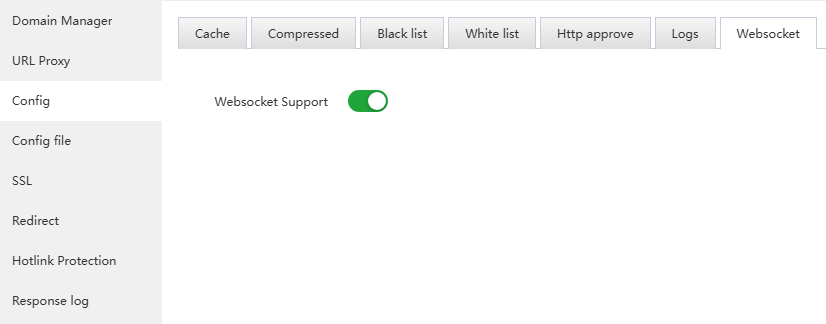
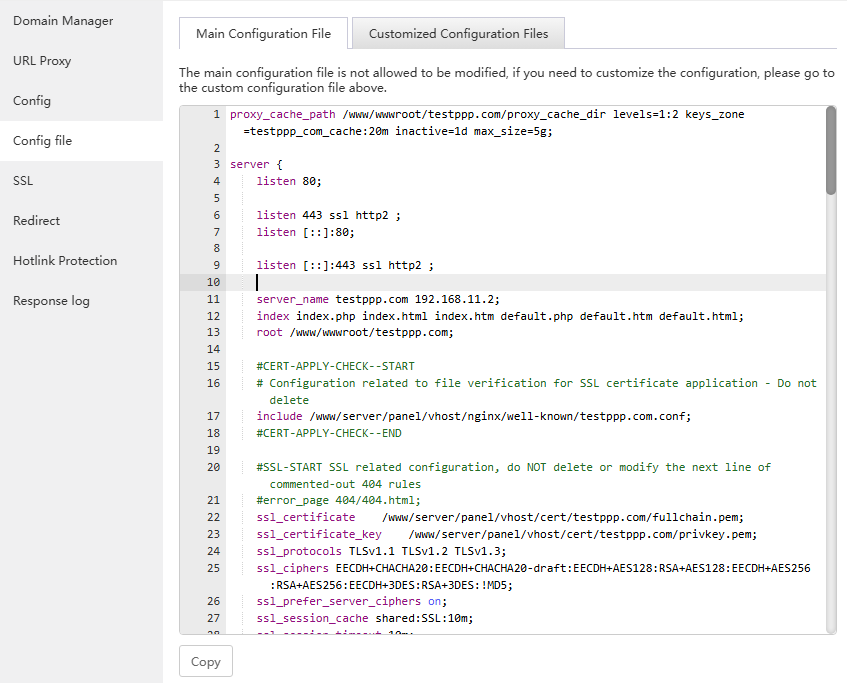
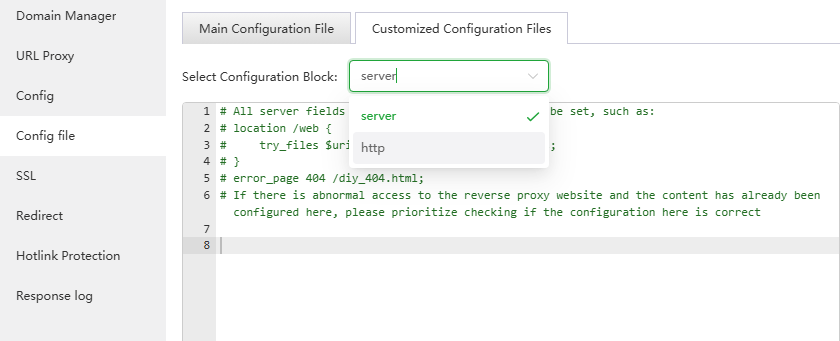
- Config file:
Main Configuration File: View the configuration of the current site
Customized Configuration Files: Customize server and http configuration files
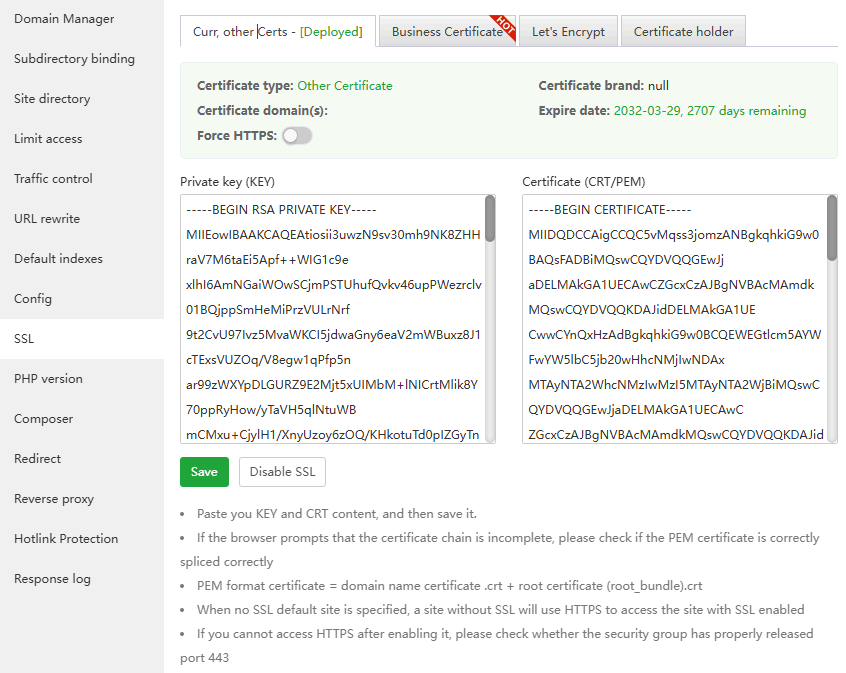
SSL
Configure encrypted access to the website, that is, use
httpsto access the websiteCurr, other Certs: View, disable, save (enable) the SSL certificate of the current site, or paste the SSL certificate content settings
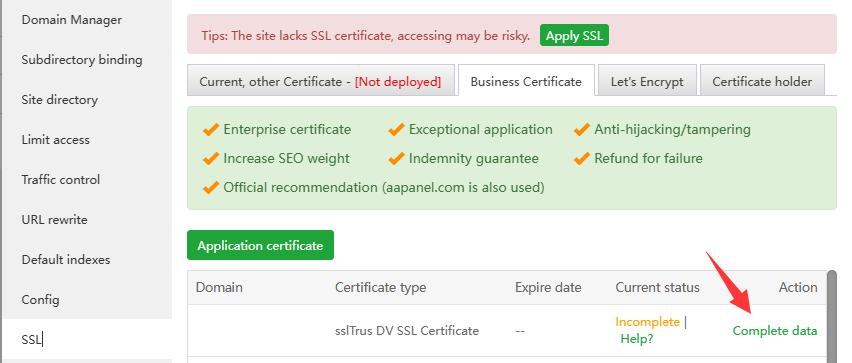
Business Certificate: aaPanel commercial certificates for cooperation with SSL providers
If purchased Business Certificate, can check out this tutorial on how to verify it:
Let's Encrypt:
File verification: Let's Encrypt servers verify domain ownership by accessing this
website's files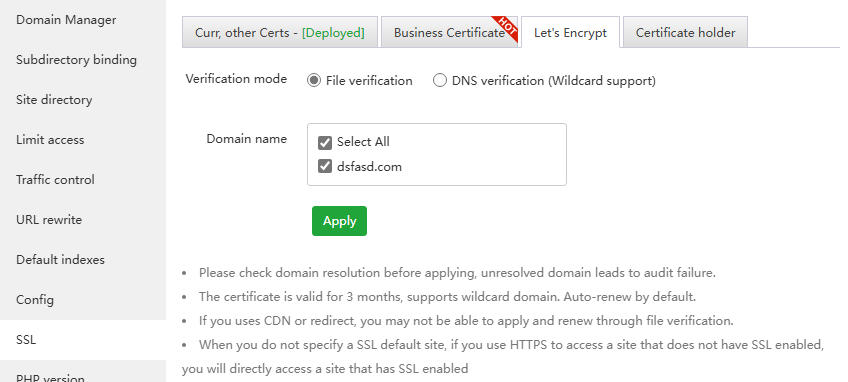
If an error occurs, please troubleshoot first and then verify. Multiple errors will be limited Let's Encrypt Rate Limits.
If you encounter verification failure, please troubleshoot according to the prompts
- Maybe the domain name resolution has not taken effect and no resolution has been added.
- Let's Encrypt cannot access your website. You can check redirection and proxy issues. Try to access and see if the display is normal. Apply again after it is normal.
If file verification is not available, use DNS verification
If restrictions appear, use third-party website SSL
DNS verification (Wildcard support): Let's Encrypt server verifies domain name ownership by parsing
DNS records. If DNS records are added manually, they will not be automatically renewed.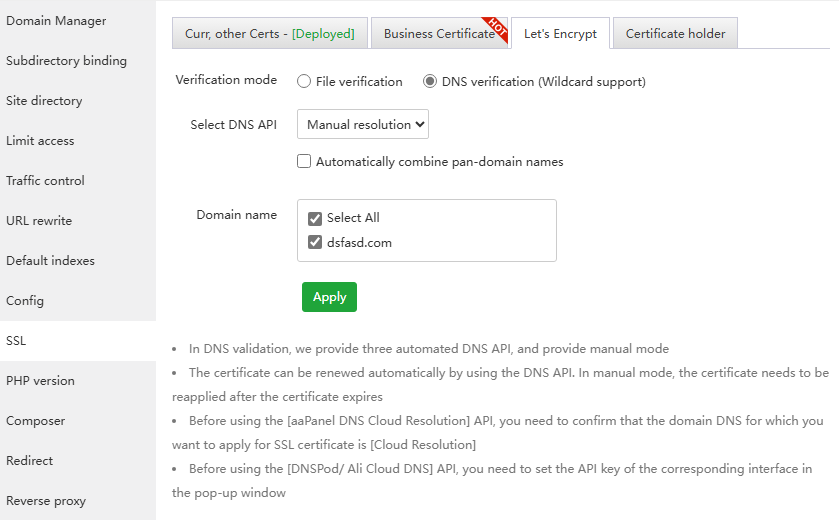
If the domain name is in
CloudFlare, you can use theDNS API, otherwise you can only manually add theTXT recordaccording to the prompts.Adding a txt record takes a certain amount of time to take effect. During this period, do not close the txt recording window prompted by aapanel
Manually adding a txt record will not automatically renew the Let's Encrypt SSL certificate.
Click to view How to apply for a pan-domain name certificate
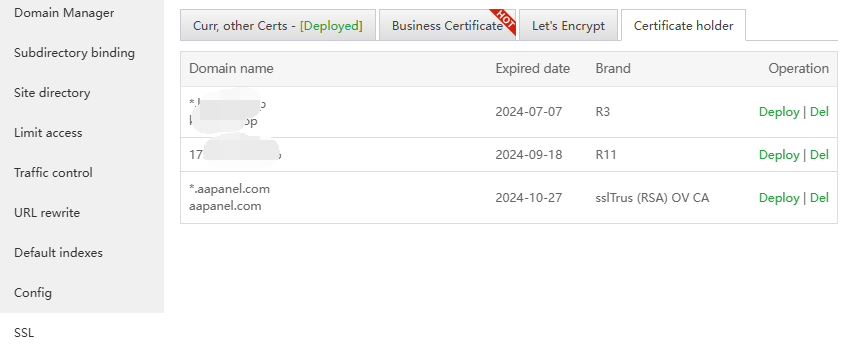
Certificate holder: The SSL certificate that has been set will be saved here
Redirect
Set the current site's specified domain name or directory
301/302jump specified address
Hotlink Protection
Only the
specified domainname can be used toaccess the resourcesof the current site. If it is not the specified domain name, an error will be returned.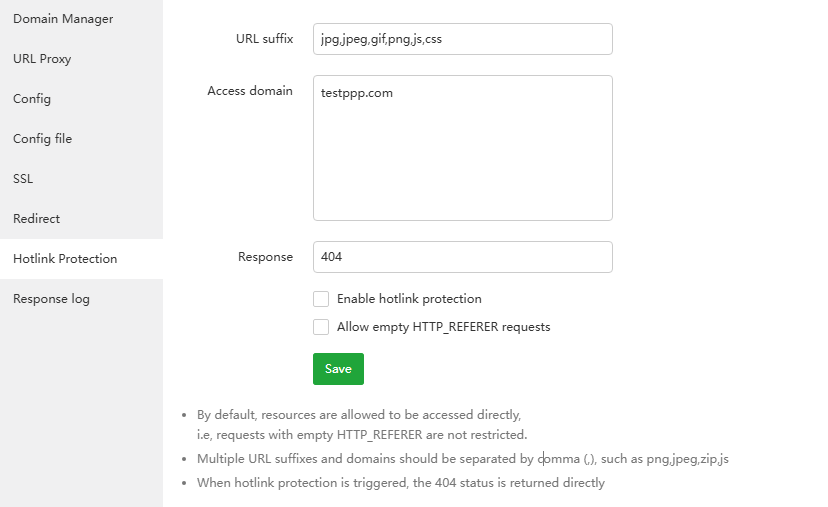
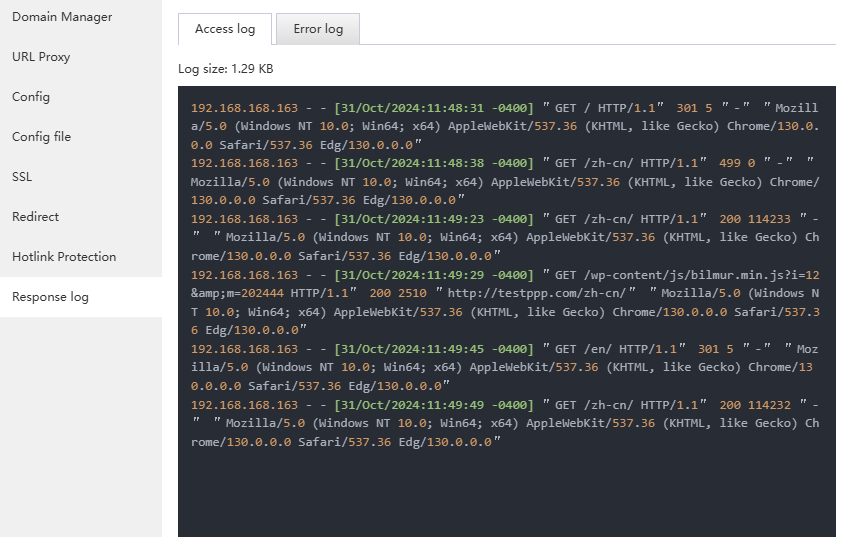
- Response log:
Access log: Access log of current site
Error log:
Error logfor current site, if there is anerroron the website, you can view this log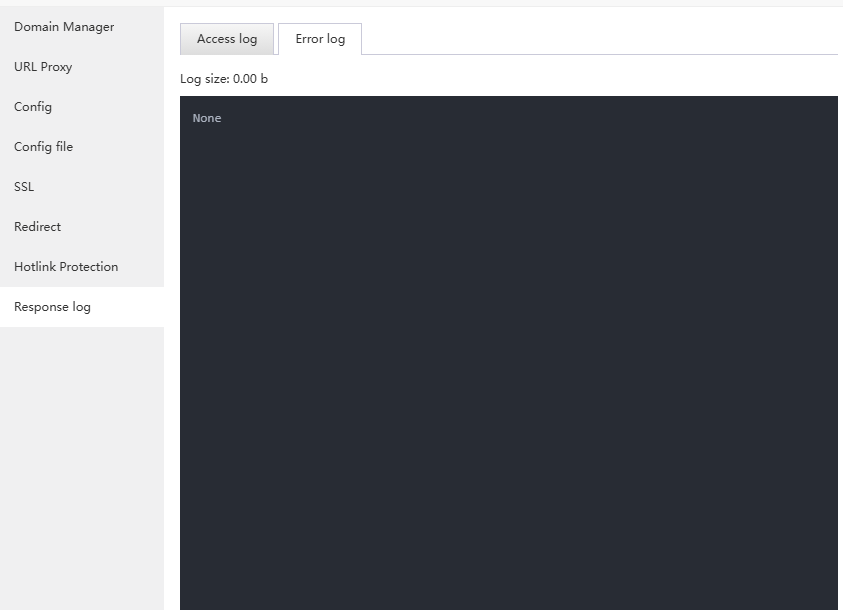
Search box
- Quickly find websites through Domain or Note
Usage example
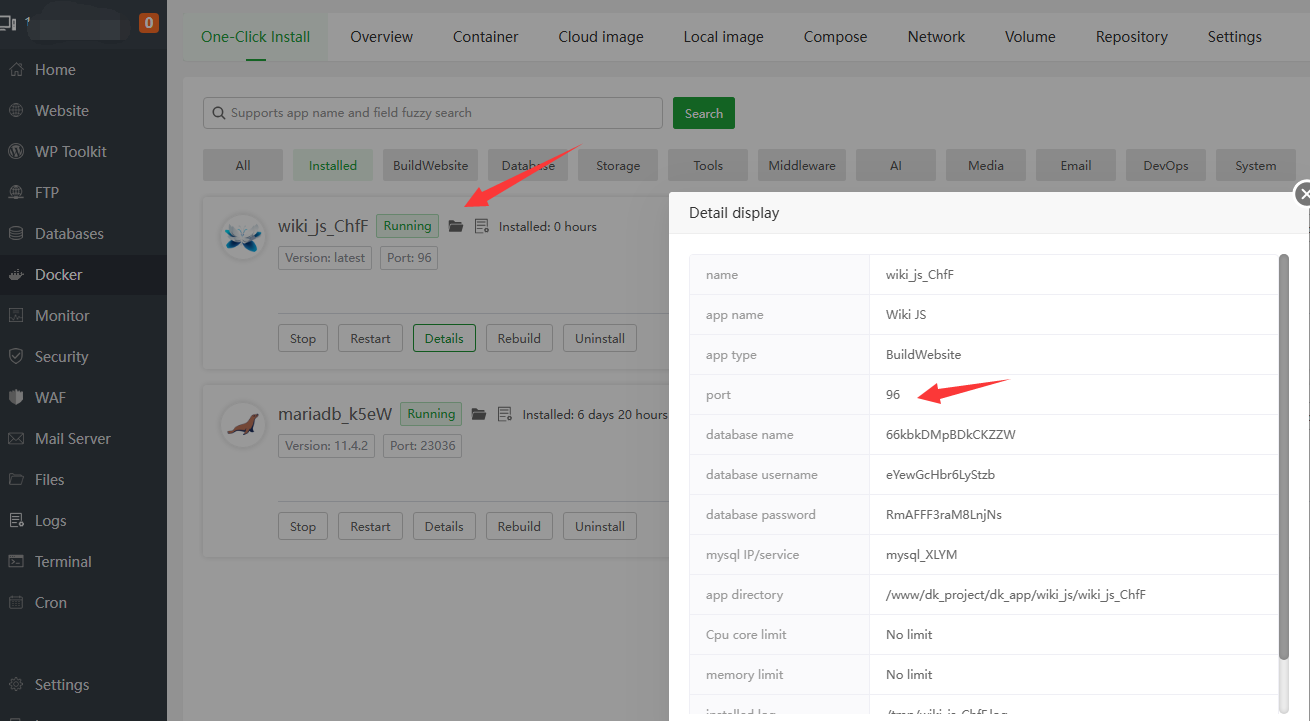
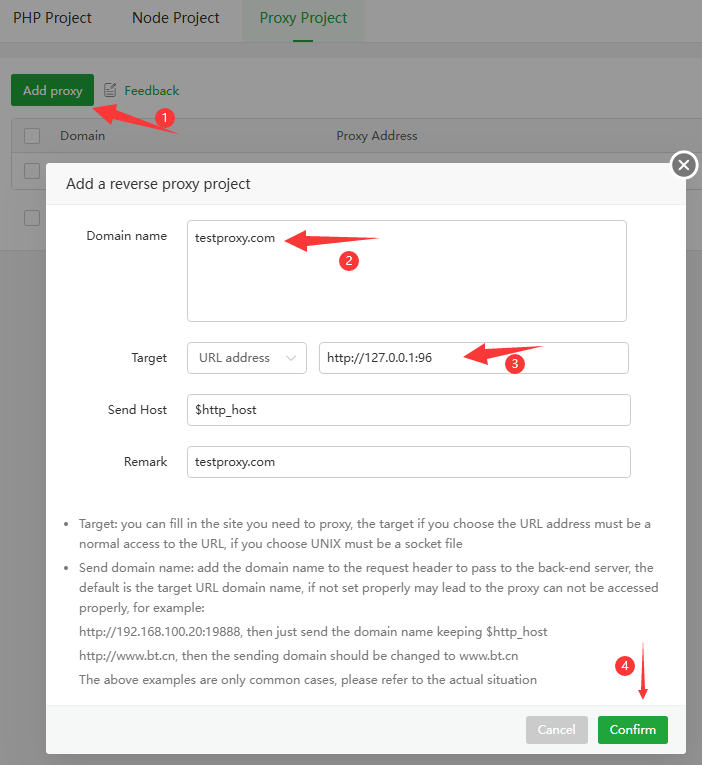
- If own the
testproxy.comdomain and need it to proxy to port96of the same server, where port 96 runs the docker container website. How to set it up?First make sure the docker container website is running and what port it is using. Mine is running fine and the port is 96.
Add a website to the proxy project with the domain name testproxy.com and proxy the entire website to port 96 of the local port (127.0.0.1:96).
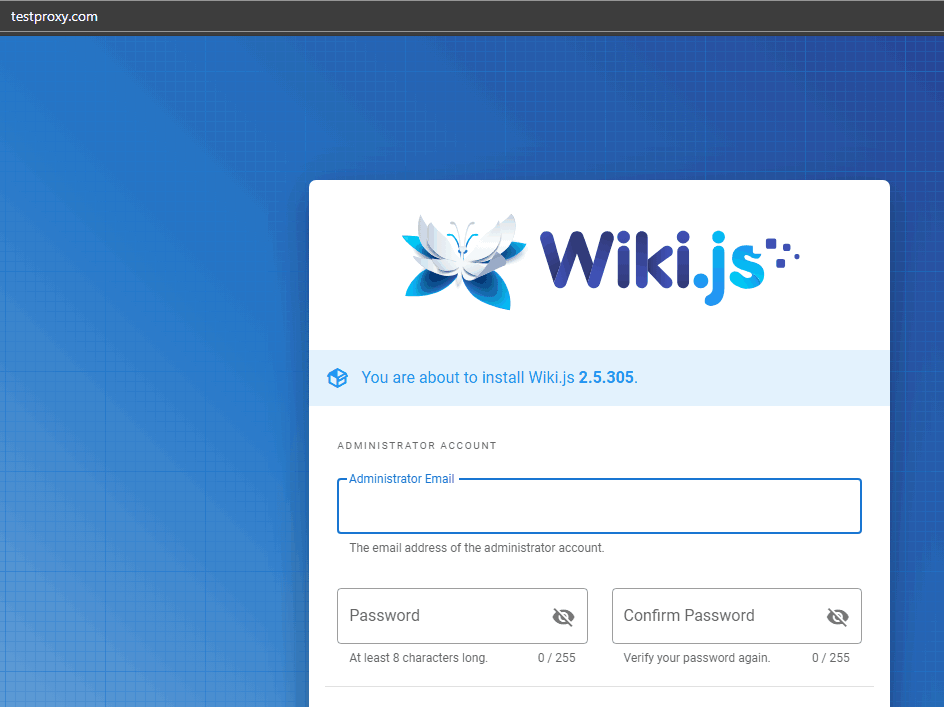
Use the browser test to access testproxy.com, that is, access the 96 port listened by the docker container.
Feedback or Suggestions
If you encounter problems or suggestions during use, please contact us through the following methods:
- (Please describe in
detailor providescreenshots)
Email: [email protected]
Discord: https://discord.gg/Tya5yceBpd
Telegram: https://aapanel.com/tg
GitHub: https://github.com/aapanel/aapanel
If you like aaPanel, please give it a Star