
Get DNS API Tutorial
CloudFlare -- Global
When using
Global,do not enable API-Limitoption
Log in to your
CloudFlare accountClick on
Profilein the top-right cornerSelect the
API TokenstabClick to view
Global API Key, and complete verification prompt
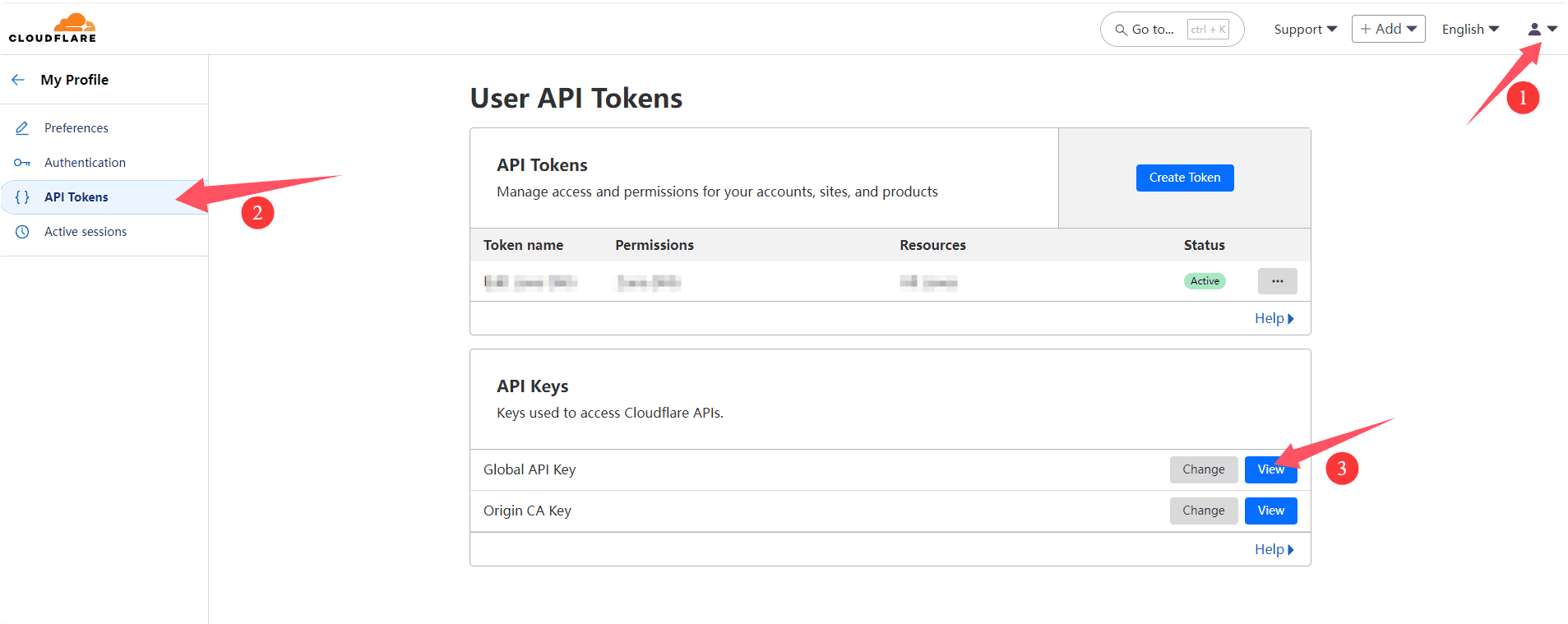
For more details, refer to CloudFlare Global API Key
CloudFlare -- API-Limit
When using
Create Token,enable API-Limitoption
Log in to your
CloudFlare accountClick on
Profilein the top-right cornerSelect the
API TokenstabClick the
Create Tokenbutton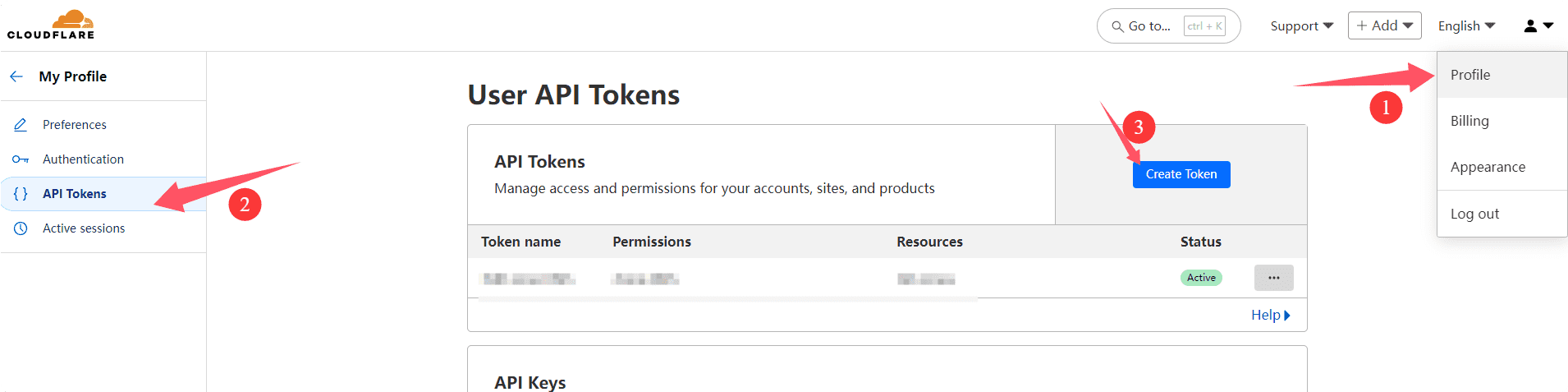
Select template:
Edit zone DNS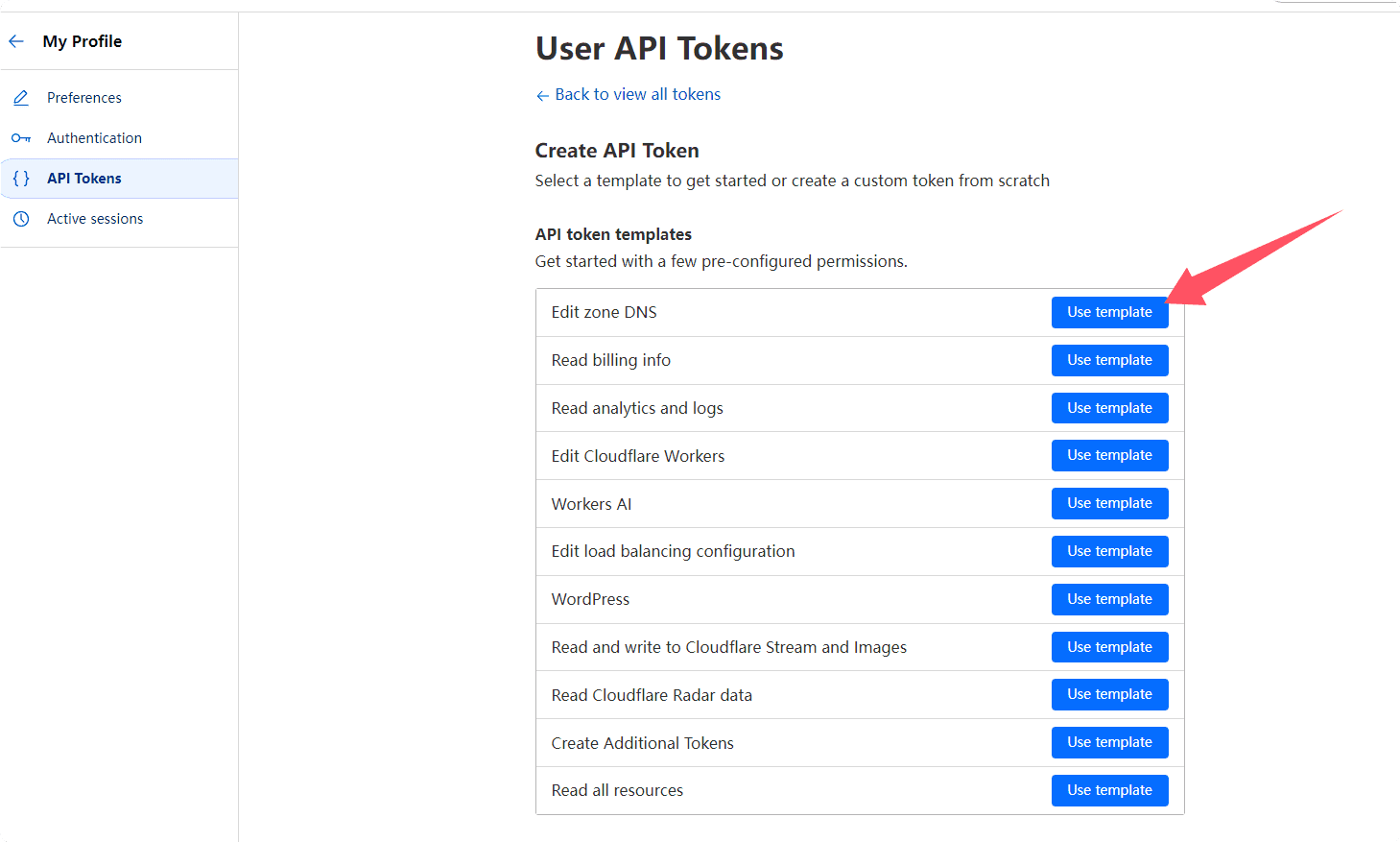
In
Zone Resources- SelectAll Zones, then clickContinue to summary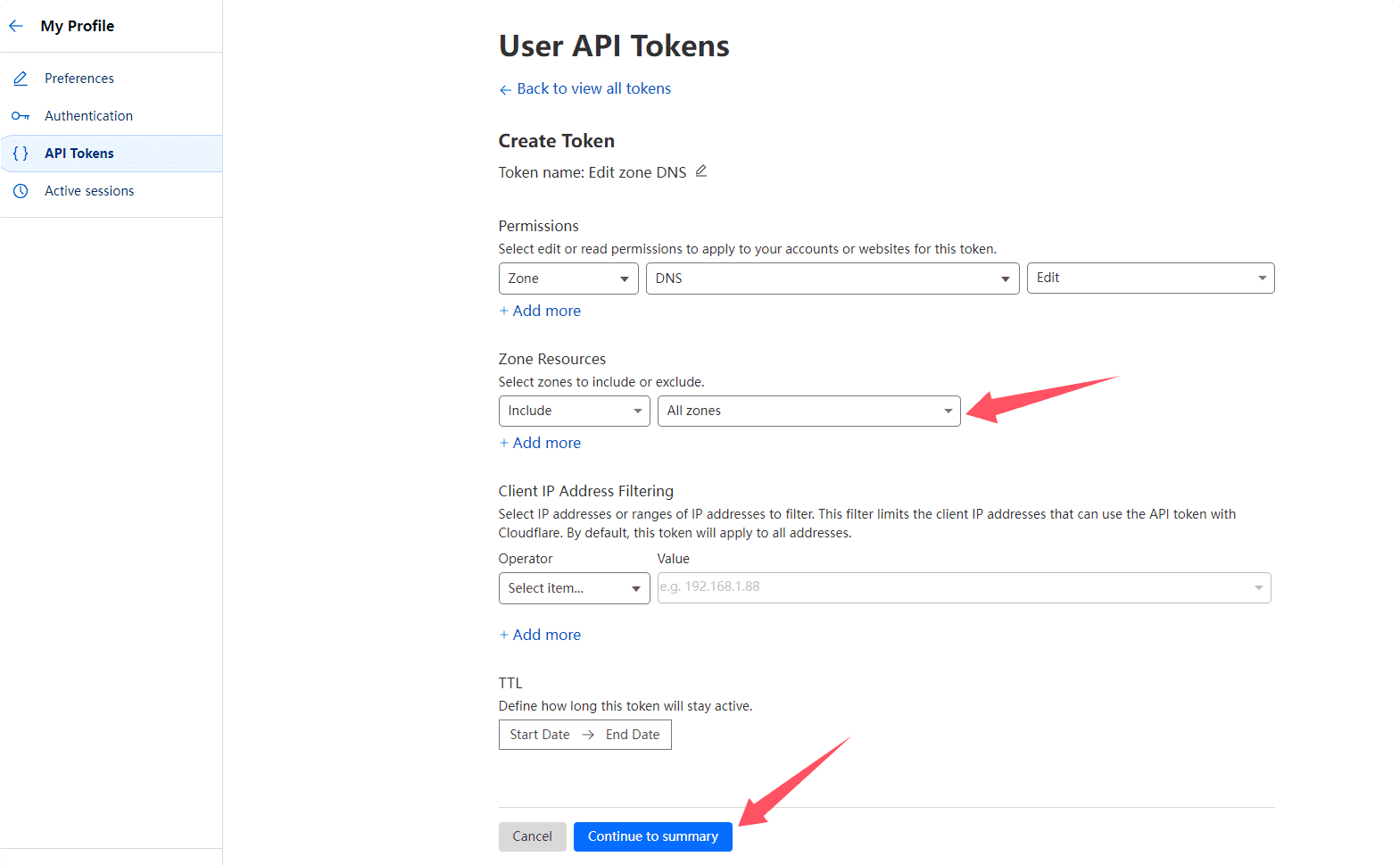
Click
Create Token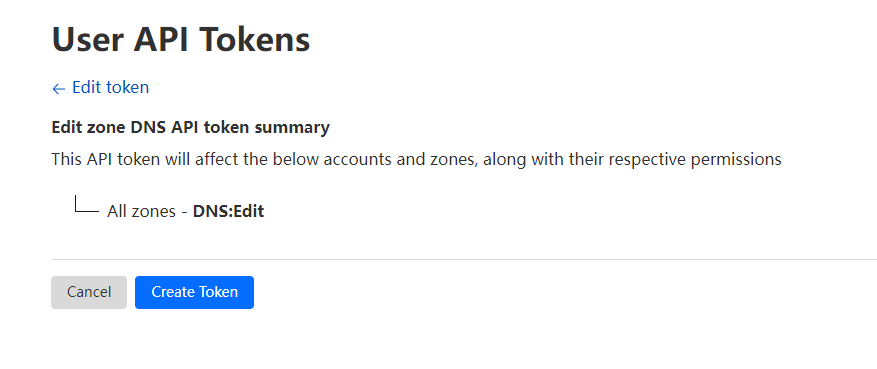
Note: The token is displayed only once. Please
copythe token andsaveit securely.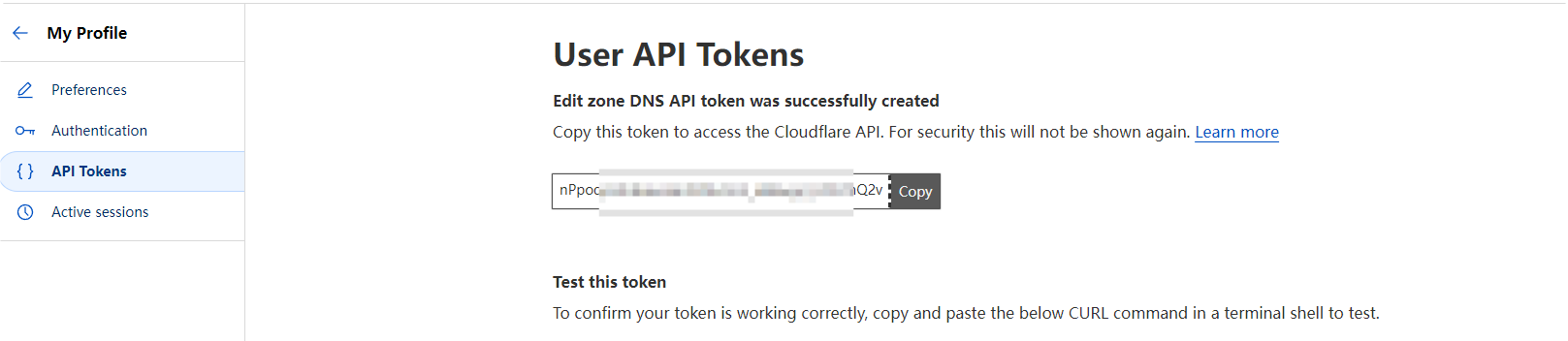
When using
Create Token,enable API-Limitoption
For more details, refer to CloudFlare Create API token
NameCheap
Currently NameCheap only supports
IPv4access
Log in to your
NameCheap accountNavigate to:
Profile-->Tools-->Namecheap API Access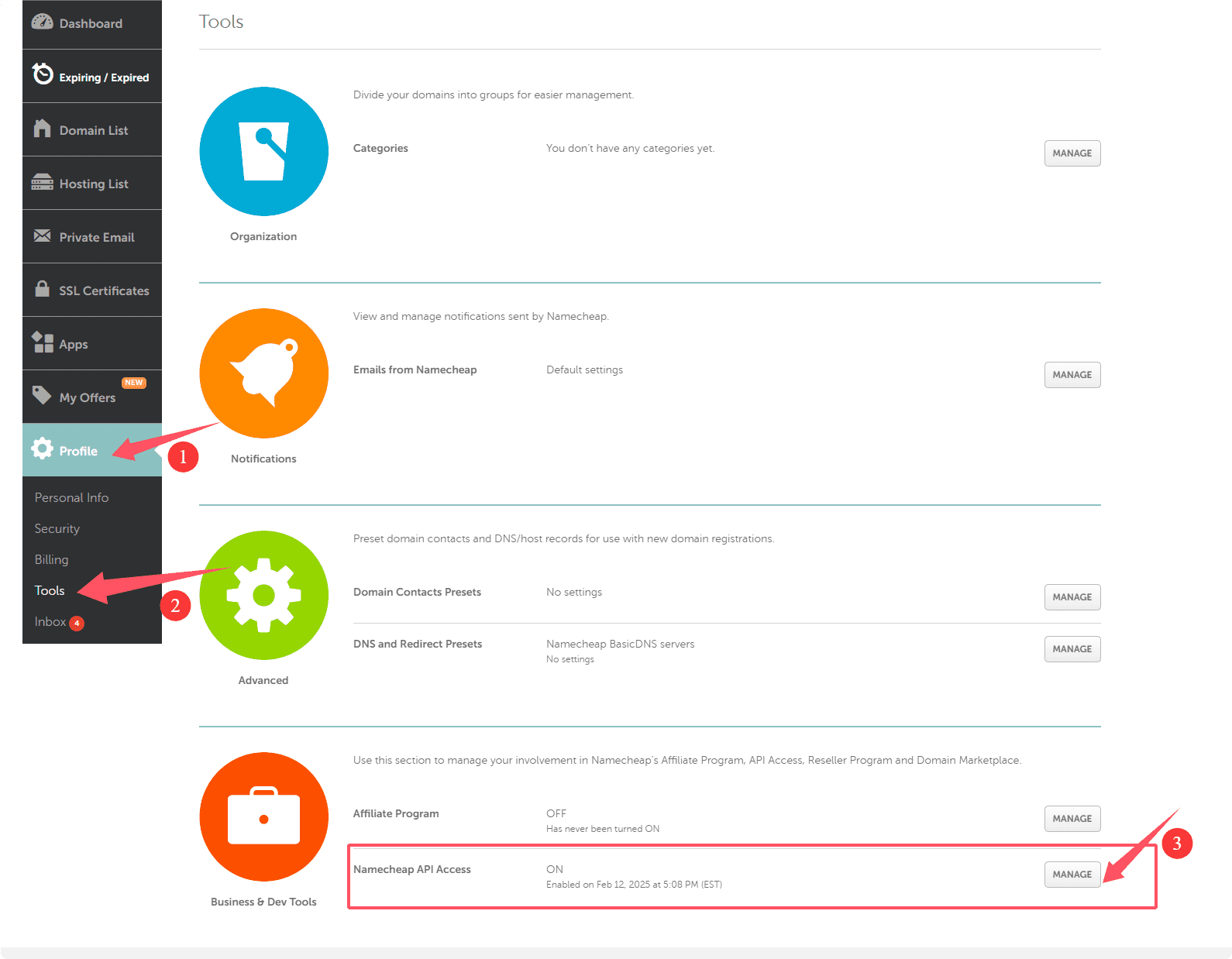
Enable API Accessand add yourserver's IPv4address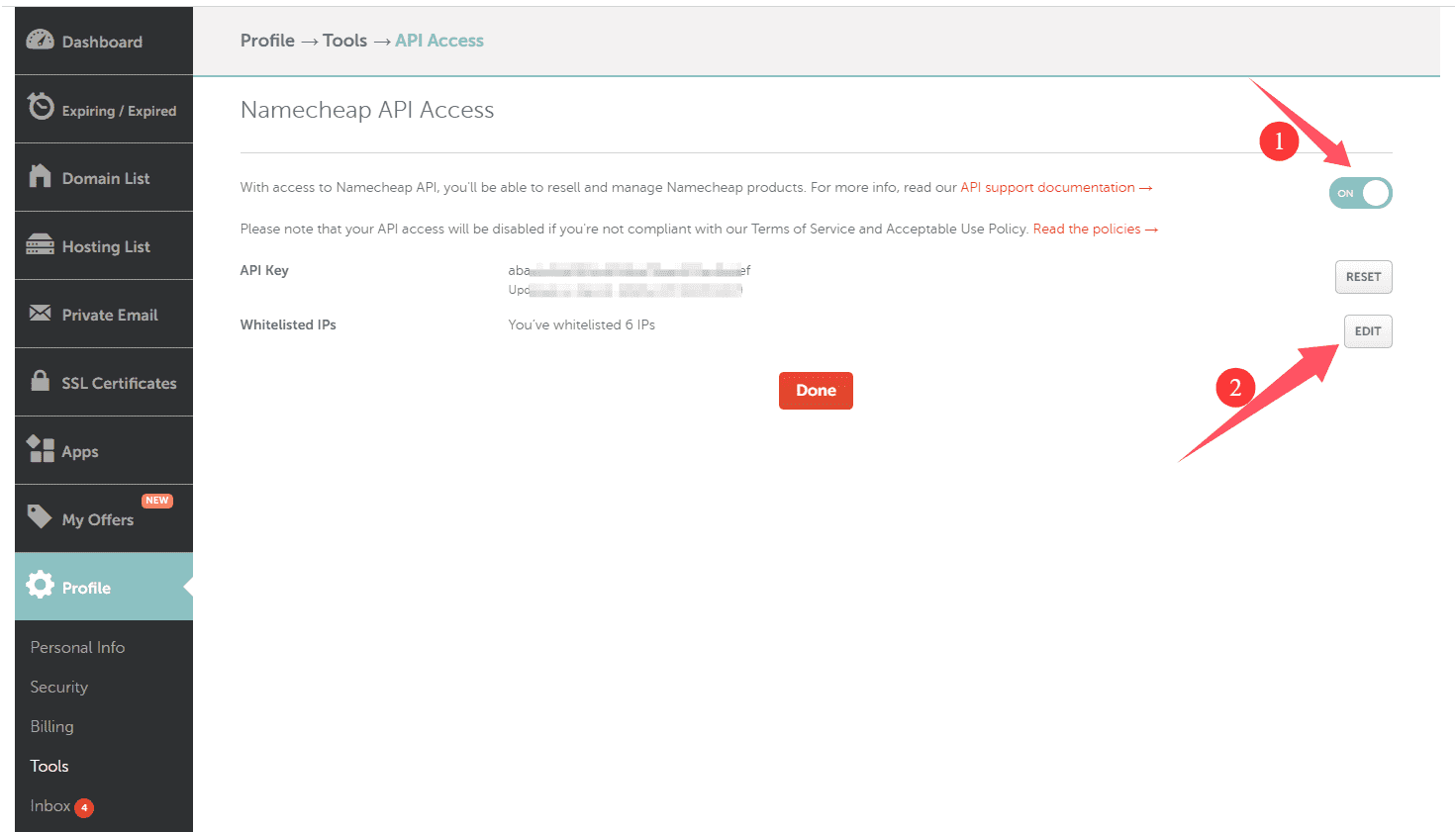
For more details, refer to NameCheap API