
Node.js Project
Previously known as: Node Project
Manage Node.js and PM2 projects. Manage Node versions, configure domain binding with reverse proxy, deploy SSL certificates, and monitor project status.
📹 Node.js Project Video Tutorial
Node.js Project Overview
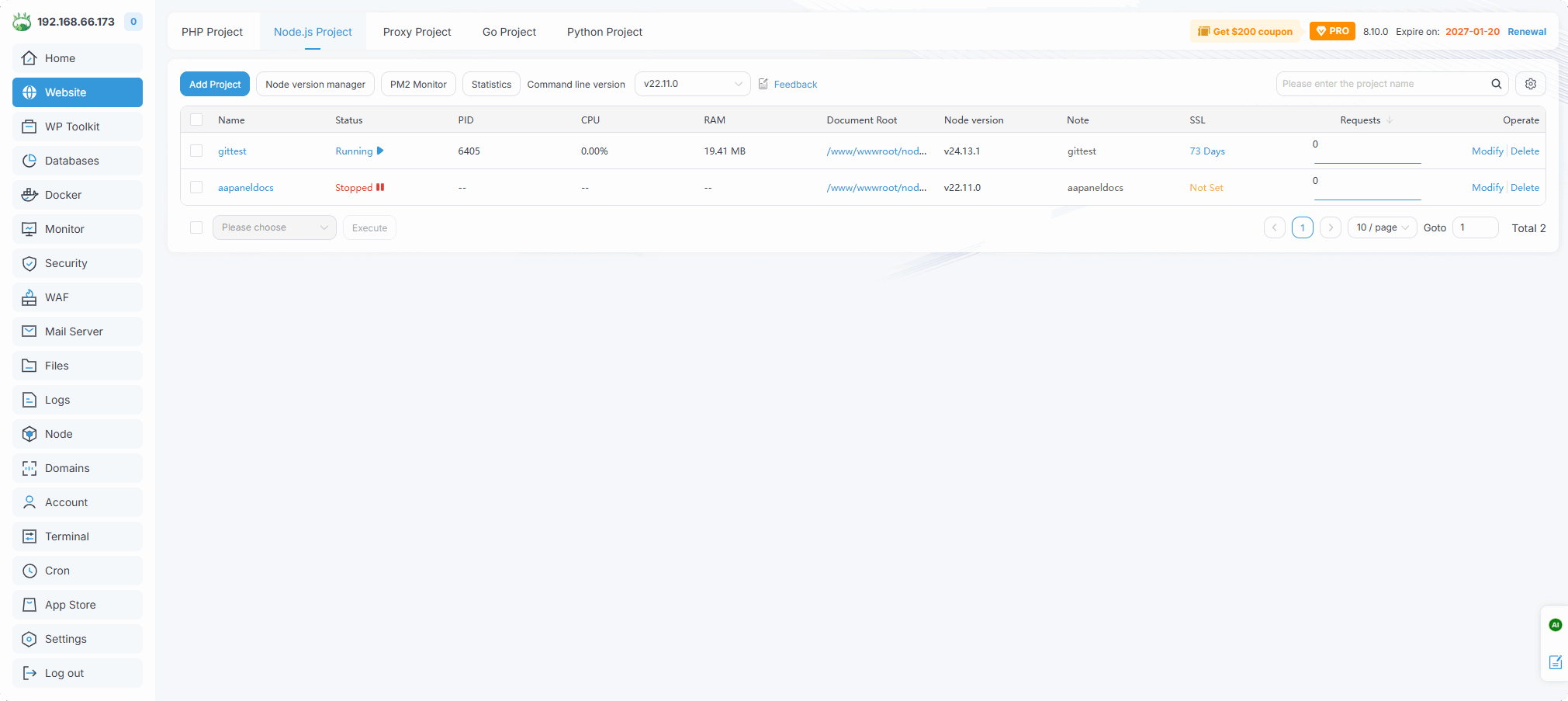
| Function | Describe |
|---|---|
| add new Node.js Project or PM2 project | |
| Install,uninstall, upgrade Node module | |
| PM2 Monitor | Check PM2 process status |
| Name | The name of the Node.js Project, click to manage |
| Status | Node.js Project running status, click to stop or start |
| PID | Node.js Project process ID |
| CPU | Display the CPU percentage used by this project |
| RAM | Display the memory used by this project |
Document Root | Displays the root directory of this project, click to proceedFilesManager |
| Node version | Display the Node version used by this project |
| Note | Notes on the project |
| SSL | Display the SSL certificate status, click to enter the setting SSL certificate |
| Modify | Modify this project configuration |
| Delete | Delete this project |
Add project -- Default Project
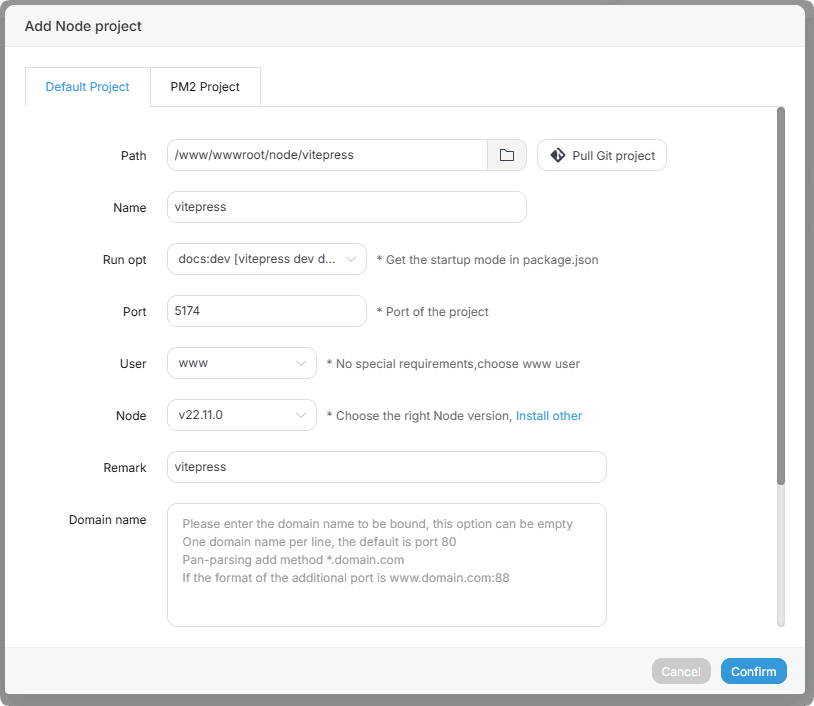
| Function | Example | Describe |
|---|---|---|
| Path | /www/wwwroot/node/vitepress/ | Select the directory where the project is located |
Pull Git project | -- | Pull project files from the Git repository to the specified directory, and the project can be automatically updated later |
| Name | vitepress | Enter project name |
| Run opt | docs:dev [vitepress dev docs] | Select the command in package.json or a custom command to start the project |
| Port | 5174 | Enter the project port. Generally, projects have fixed ports, please fill in according to the project |
| User | www | Select project running user: root, www |
Node version | v22.11.0 | Select the Node version used by the project, if not, click Install other install |
| Remark | vitepress | Enter project notes |
Domain name | vitepress.dev | Enter the domain name bound to the project |
Add project -- PM2 Project
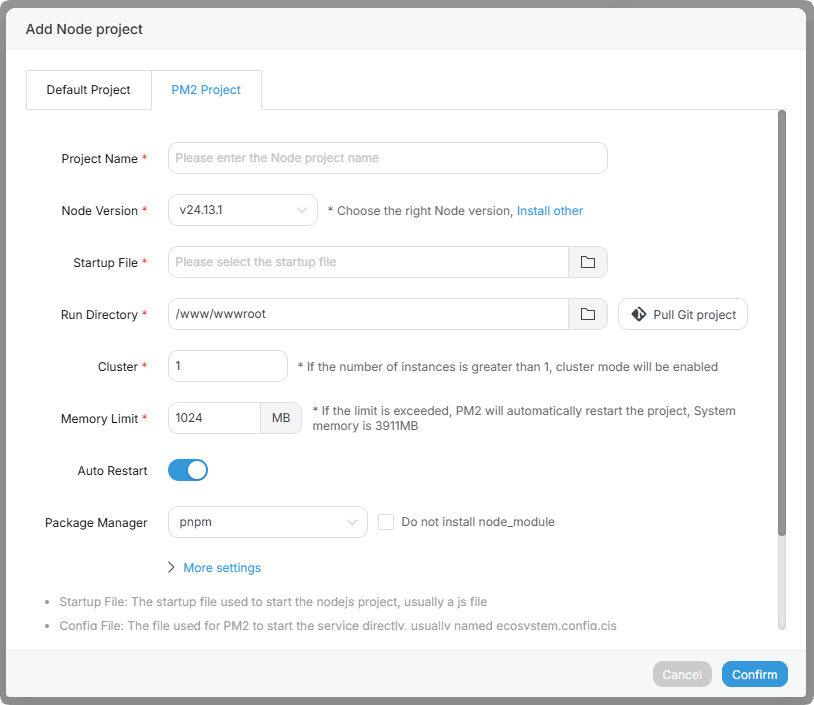
| Function | Example | Describe |
|---|---|---|
| Project Name | pm233 | Enter project name |
| Node Version | v22.11.0 | Select the Node version used by the project |
| Startup File | /www/wwwroot/node/33.js | Select the startup file to launch the project |
| Run Directory | /www/wwwroot/node/ | Set the working directory where PM2 will run the project |
Pull Git project | -- | Pull project files from the Git repository to the specified directory, and the project can be automatically updated later |
| Cluster | 1 | Set the number of cluster instances |
| Memory Limit | 1024M | Set the maximum memory limit for the project. Restart automatically when exceeded |
| Package Manager | pnpm | Select package manager: npm or yarn |
| Run User | www | Select project running user |
Node version manager
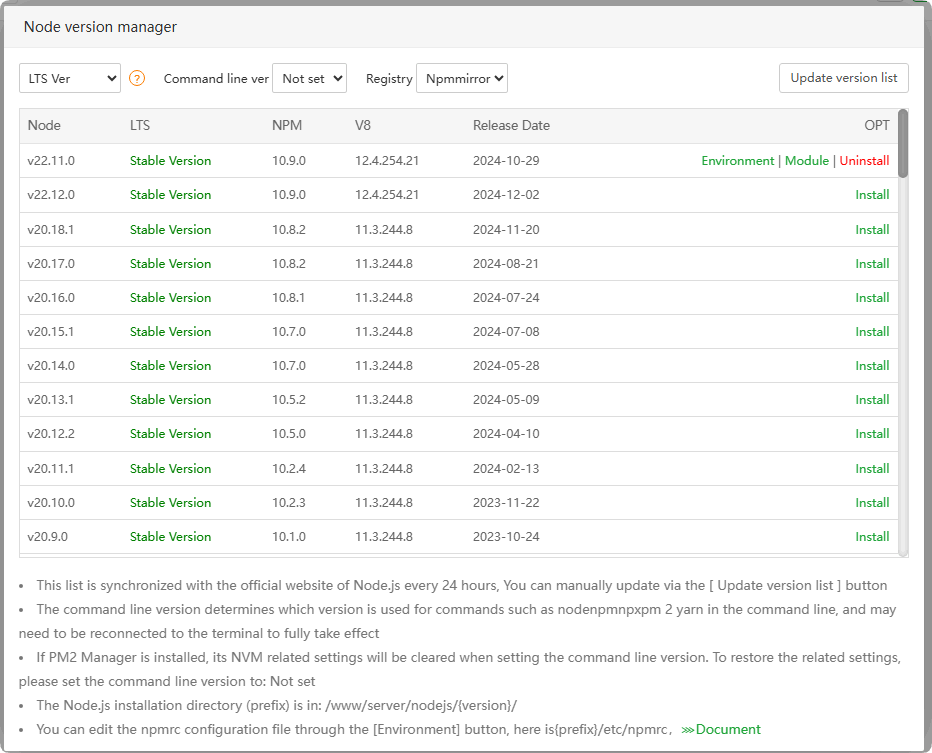
Command line ver : Set the version executed on the command line. If not set, the
node command will not be found.Registry : Set up
npm mirrorwarehouseUpdate version list : Update Node version list
Node : Node version
LTS : Display
current Node version informationNPM : npm version
V8 : V8 version
Release Date : Node
release timeInstall : Click to
installthe Node versionEnvironment : Node
environment variablesModule : Install, Uninstall, upgrade Node module
Uninstall :
DeleteNode version
Name or Modify
Project config
Viewandadjustprojectconfiguration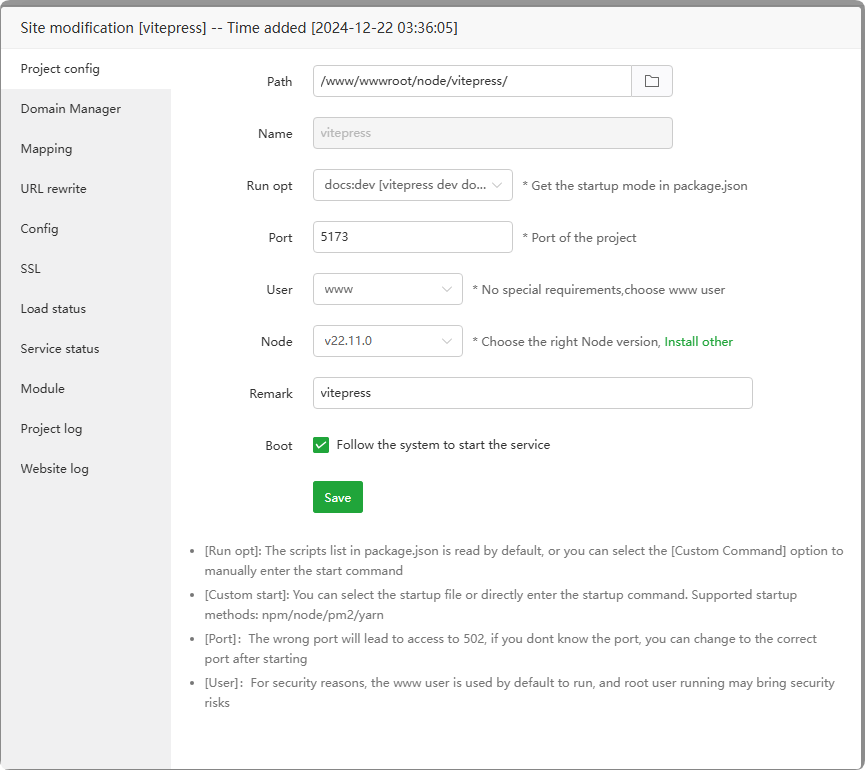
Domain Manager
Management domain name, used for web service
reverse proxy(Mapping) to this project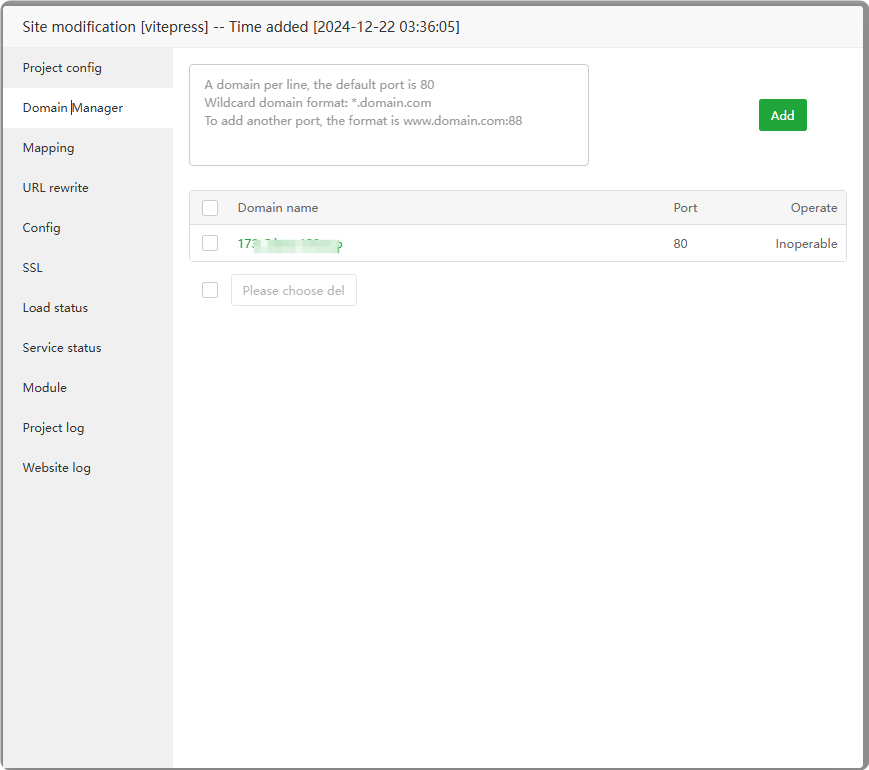
Mapping
When enabled, a static website of a domain will be created in the PHP project and
reverse-proxyedto the current project. Currently only supportsNginxandApache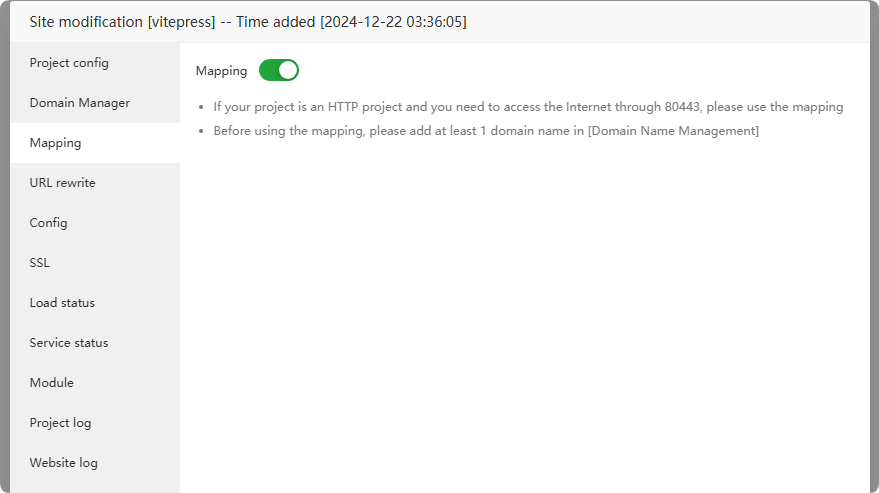
URL rewrite
Configure the
URL rewriting rulesof the project. Available after Mapping is turned on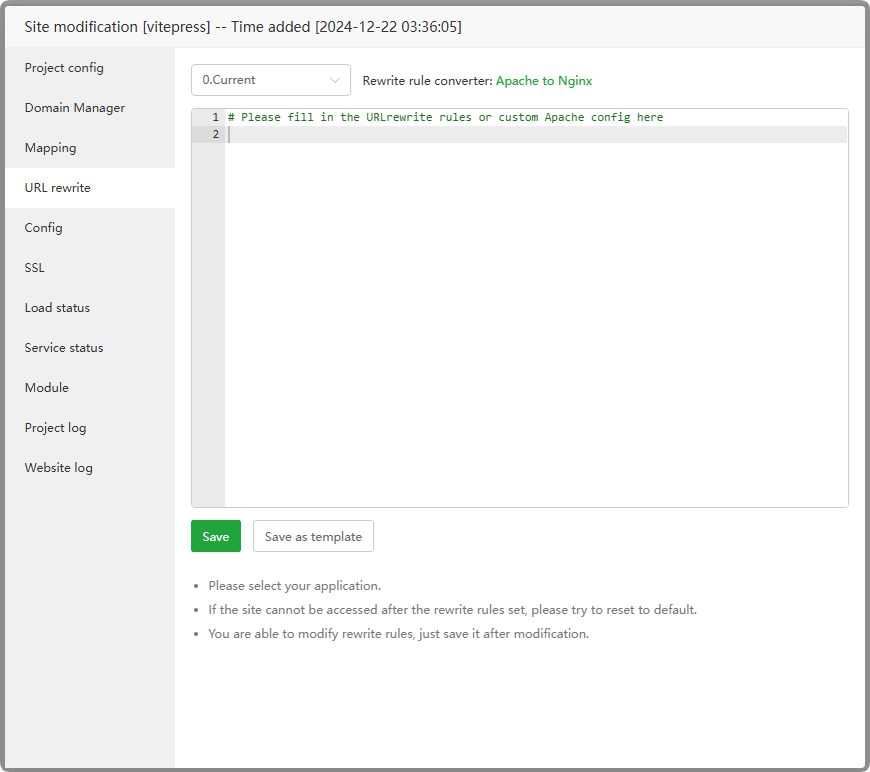
Config
View and manage the
configuration filesof web services. Available after turning on Mapping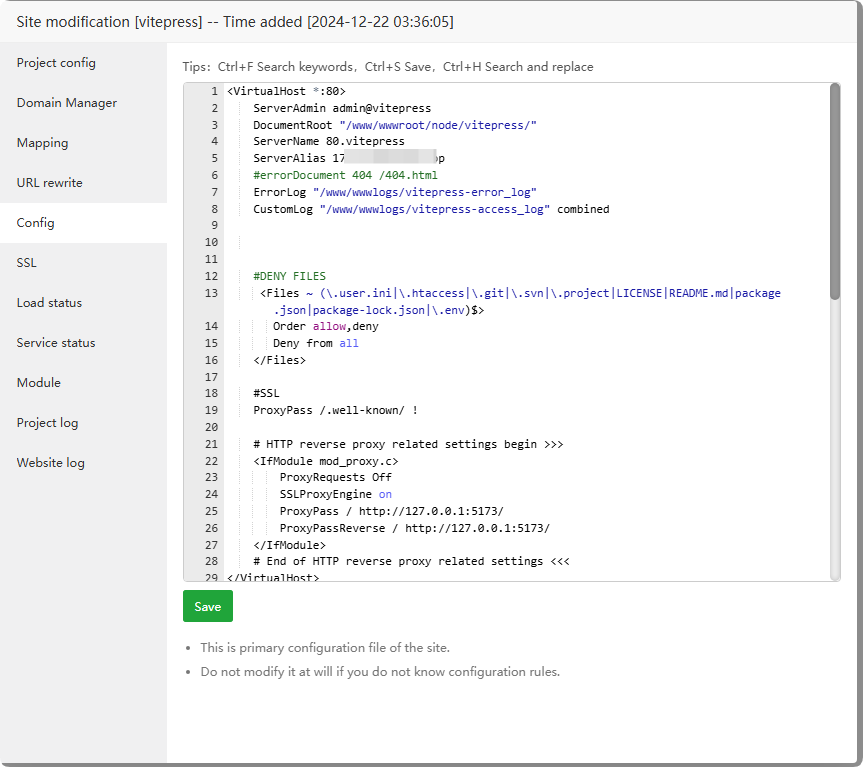
SSL
Manage
SSL certificates. Available after turning on Mapping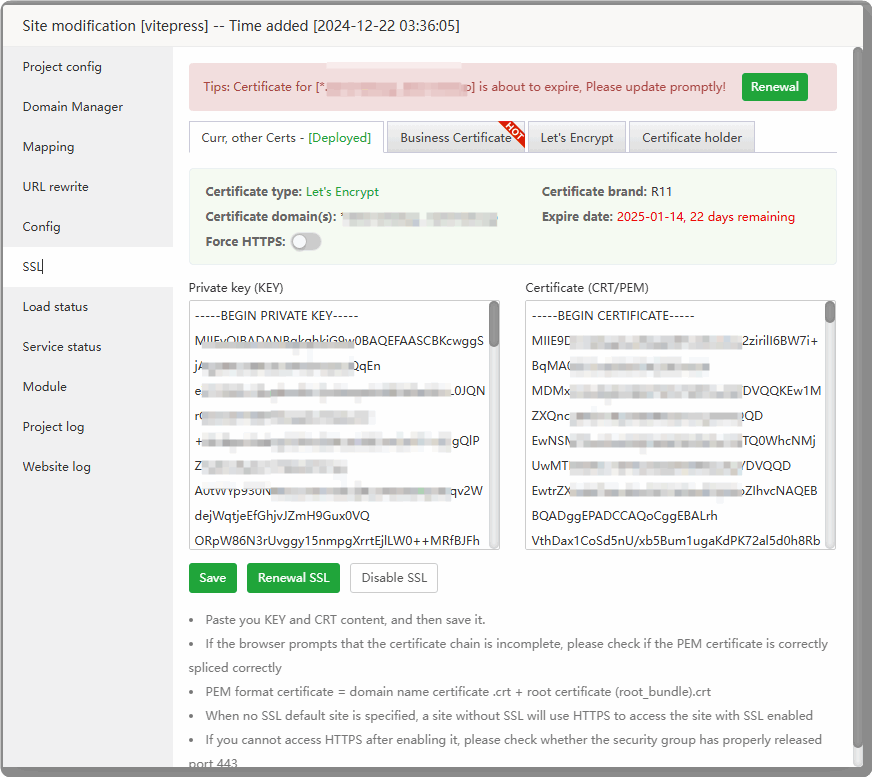
Load status
View the
running informationof the project specified process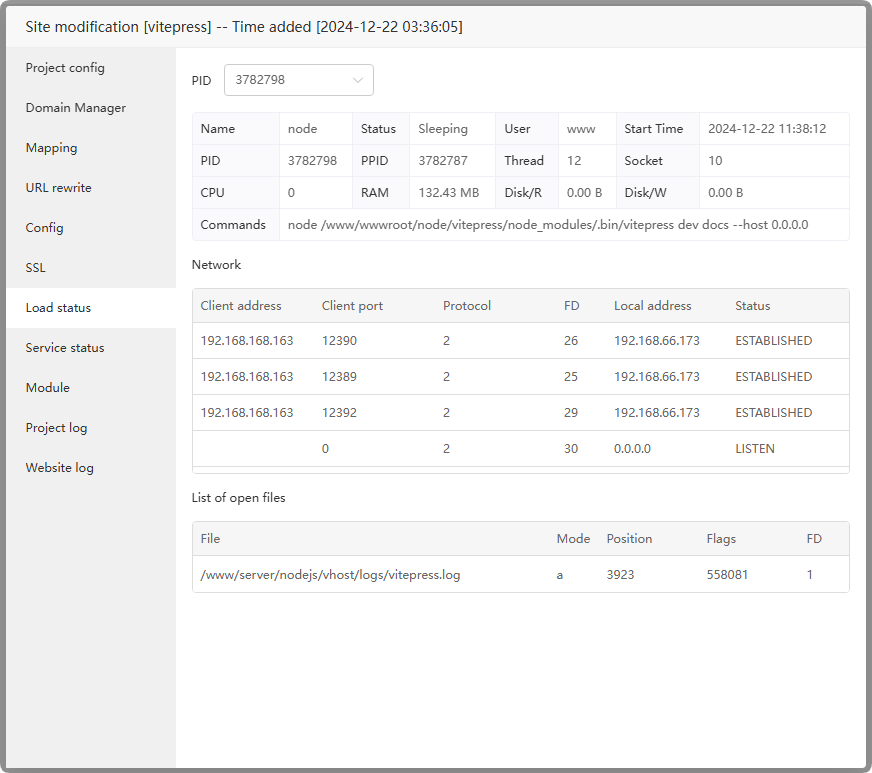
Service status
Start,stop,restartthis project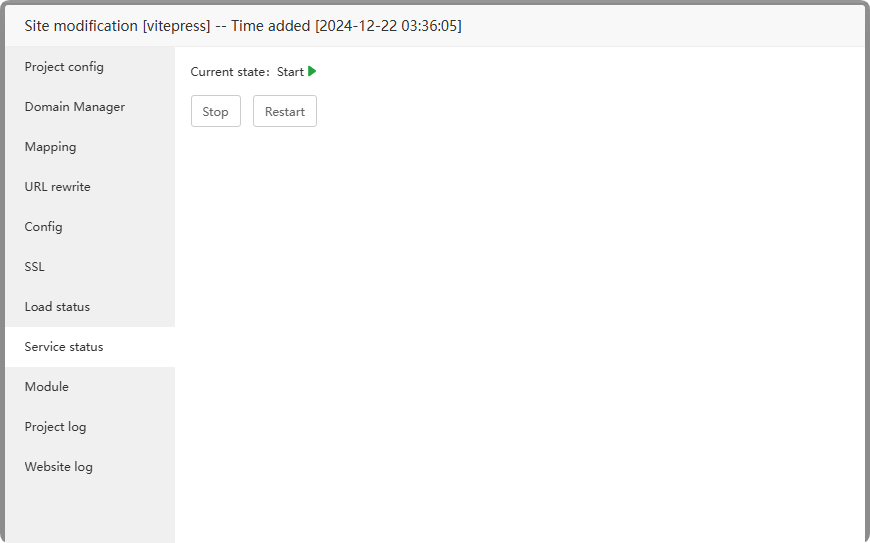
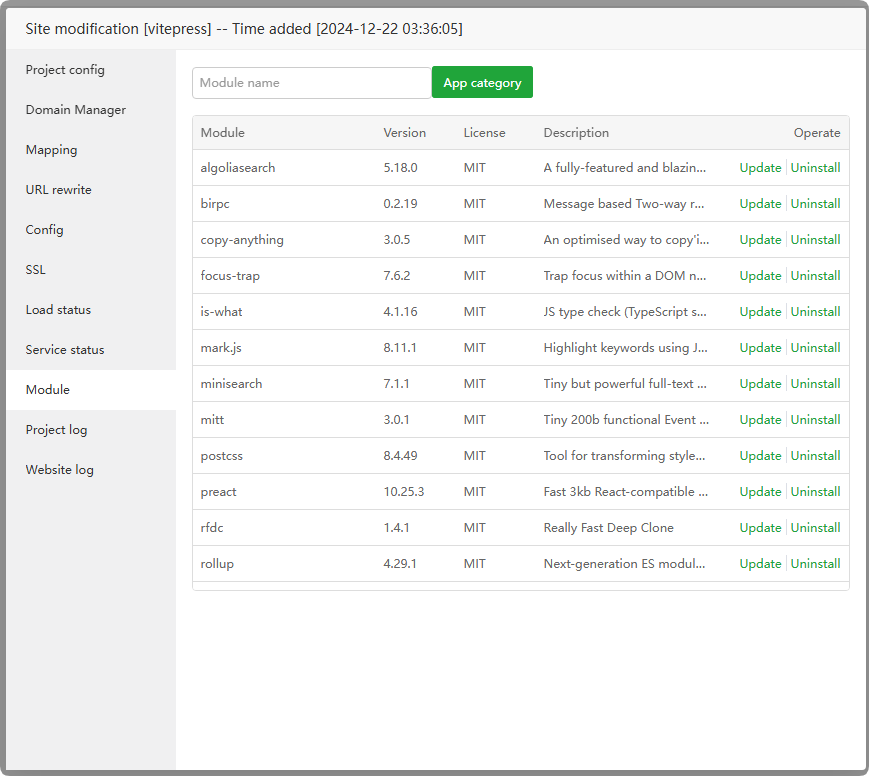
Module
Node module that manages this project
Project log
Check the project log and
troubleshoot problemsbased on the project log.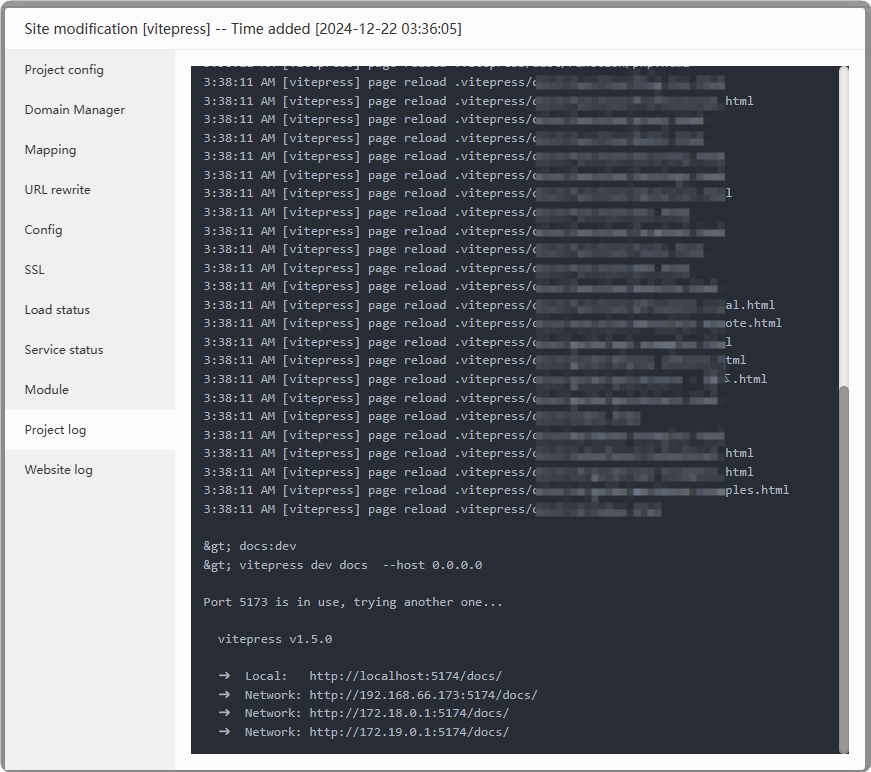
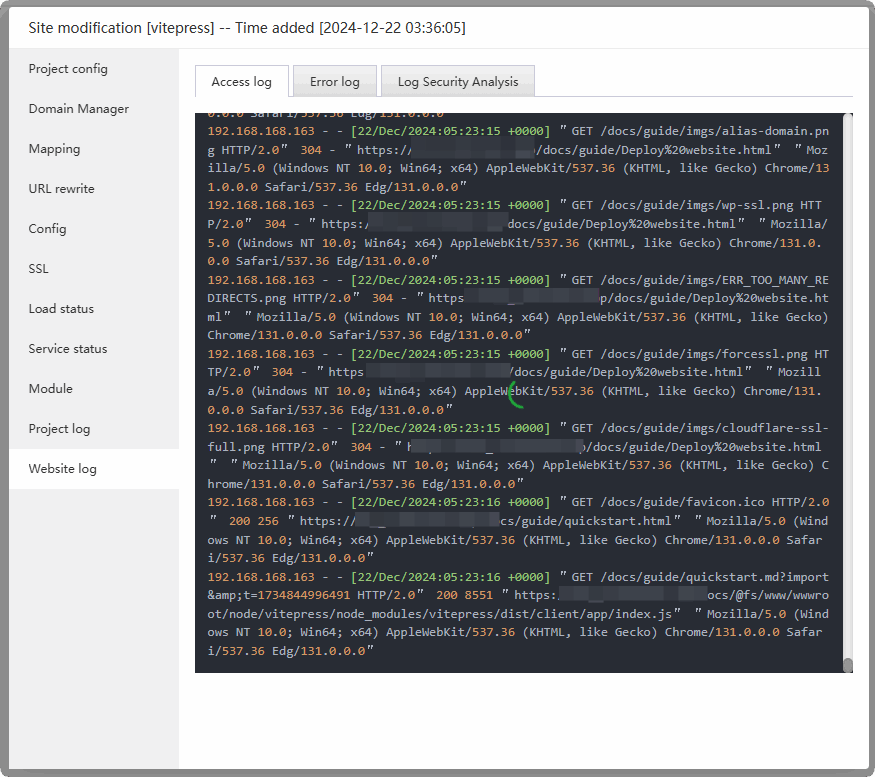
Website log
Check the website's access log, error log, and scan log check. Available after turning on Mapping
Feedback or Suggestions
If you encounter problems or suggestions during use, please contact us through the following methods:
- (Please describe in
detailor providescreenshots)
Email: [email protected]
Discord: https://discord.gg/Tya5yceBpd
Telegram: https://aapanel.com/tg
GitHub: https://github.com/aapanel/aapanel
If you like aaPanel, please give it a Star