
Python Project
Here you can manage Python projects, Python versions, and virtual environments in aaPanel.
Python Project is suitable for deploying frameworks such as
Django,Flask, andFastAPI, and supportsuWSGI,Gunicorn, and custom startup commands.
Python Project Overview
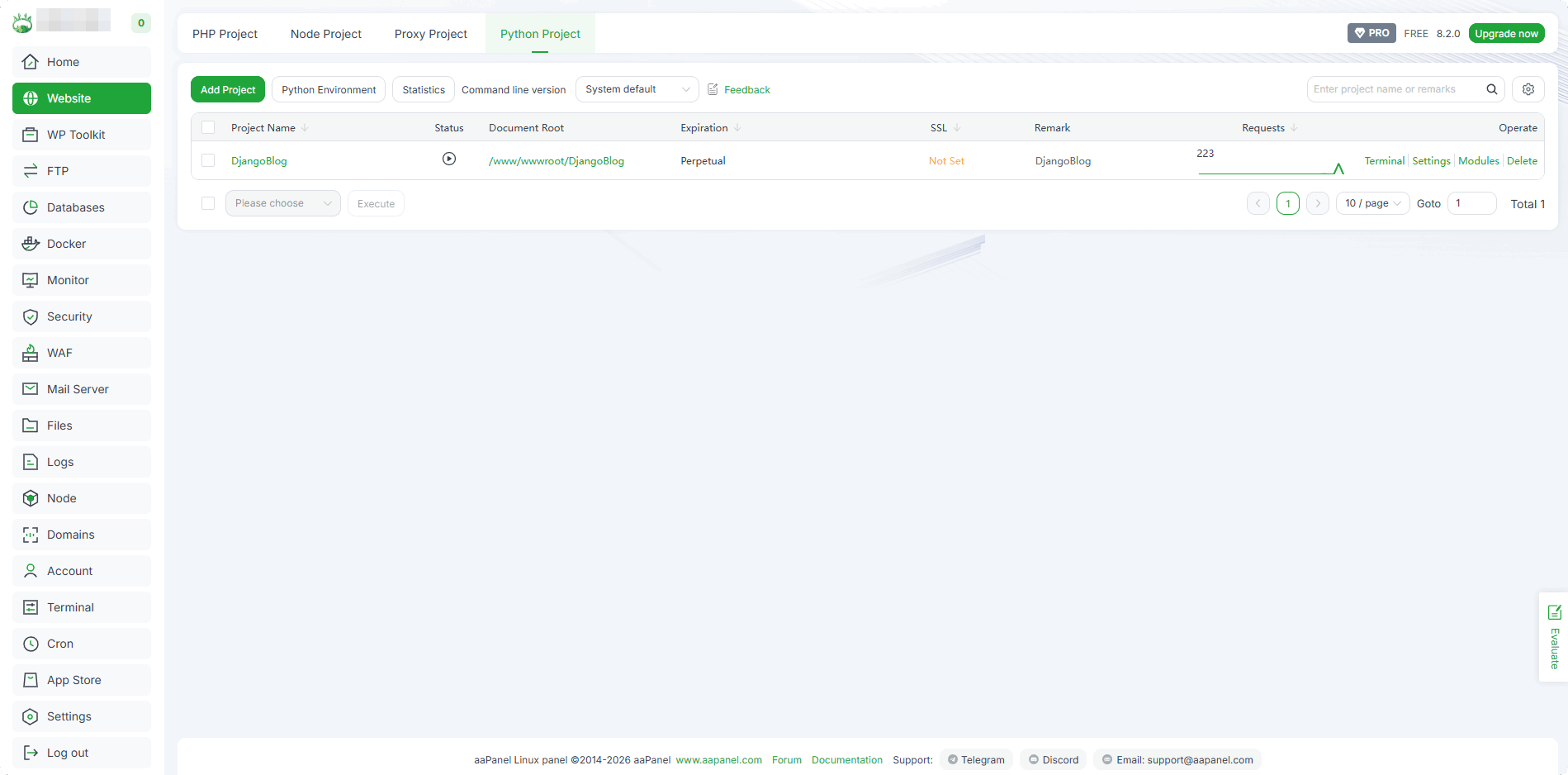
How to Install Python
Python Environment->Version management->All version
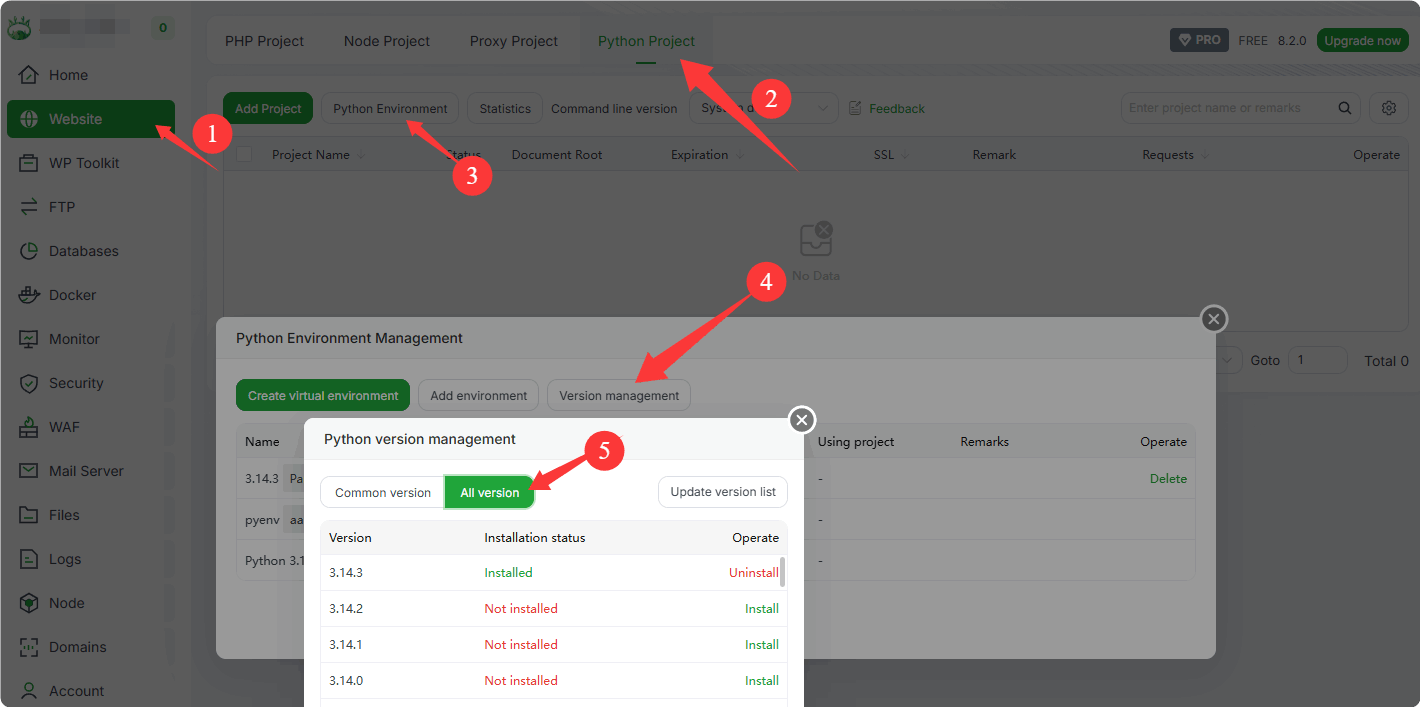
- Select the version to install (installation process omitted here)
- If the install fails, please check the install log:
/tmp/panelExec.log. Or view the Detail: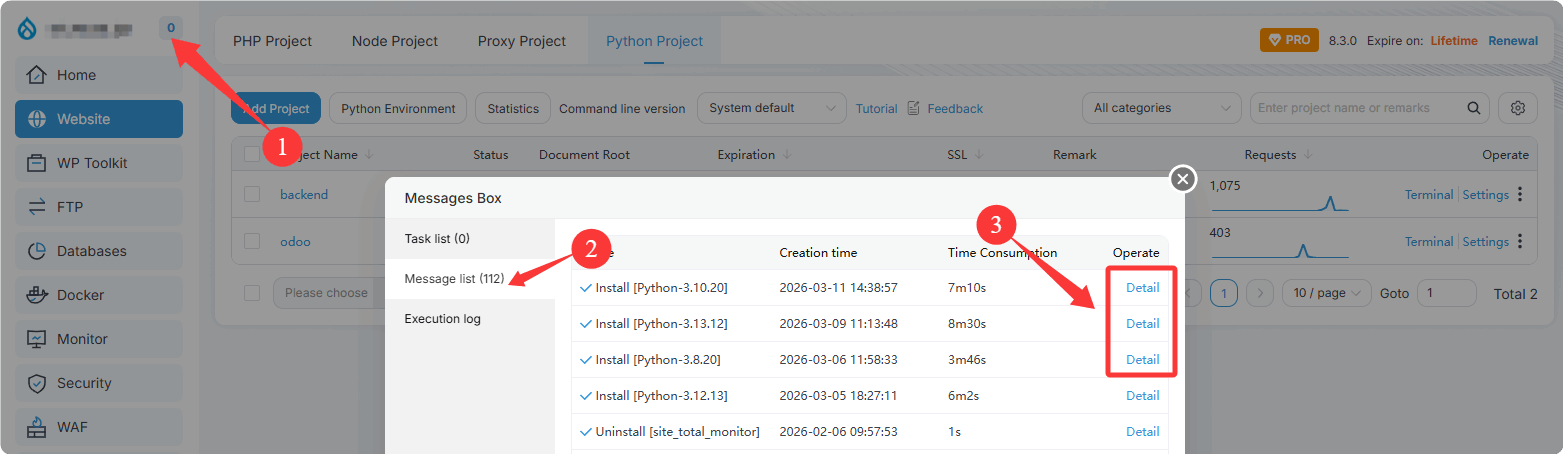
How to Create Virtual Environment
Use an existing Python version to create virtual environment
Python Environment->Create virtual environment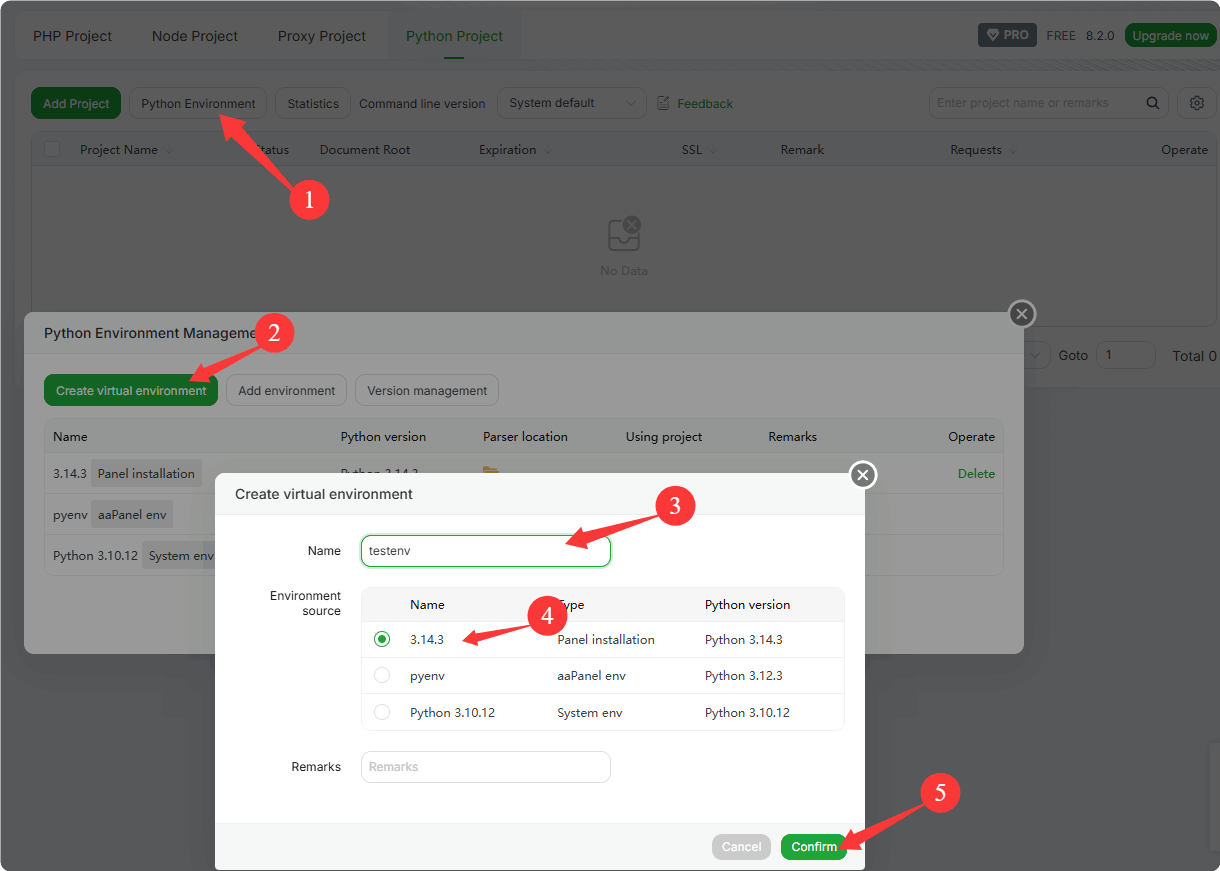
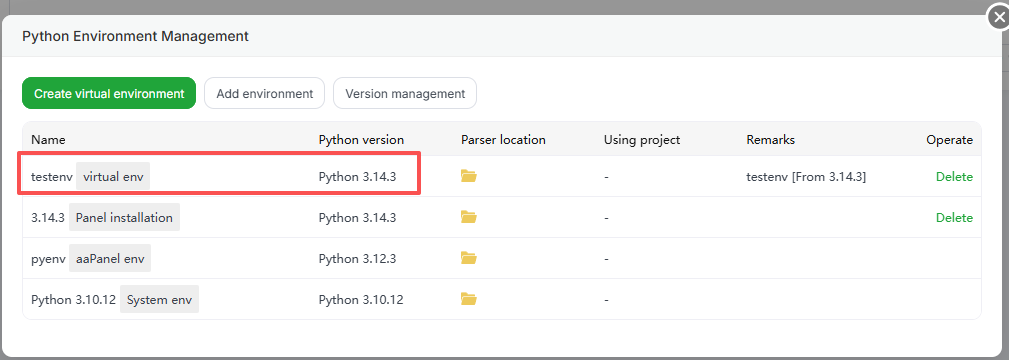
Select Python
3.14.3to create a virtual environment named:testenv
Virtual environment provides an isolated Python environment for the current project.
It helps avoid dependency conflicts and makes package management easier.
Add Python Project
WebSite->Python Project->Add Project
Please add the project according to your application and fill in the relevant information.
Reference DjangoBlog project: How to Python Project Deploy Djangoblog uWSGI mode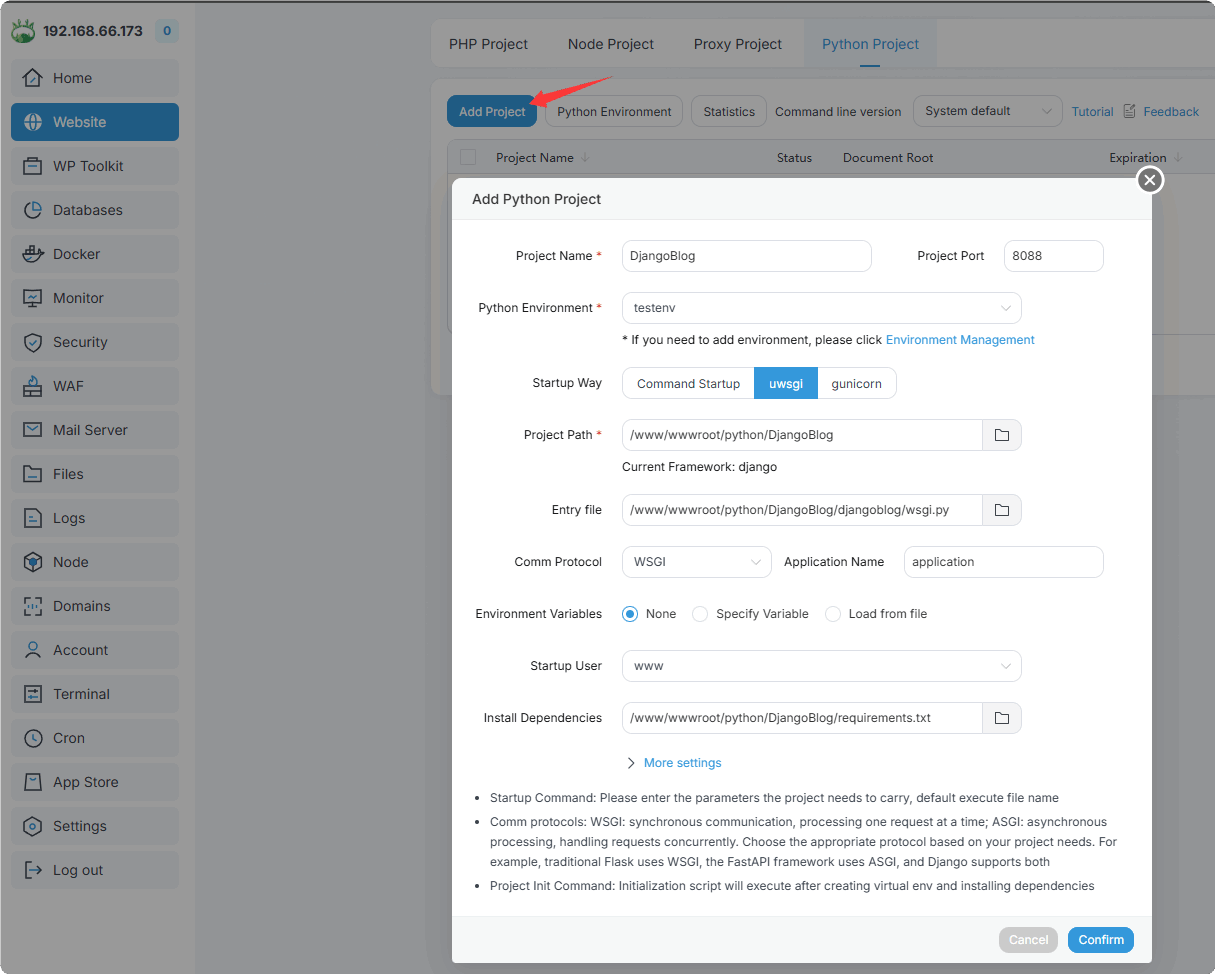
How to Enter the Virtual Environment
Method 1: Directly enter through the project
Terminal
Method 2: Get the Python virtual environment path and manually enter it in the terminal
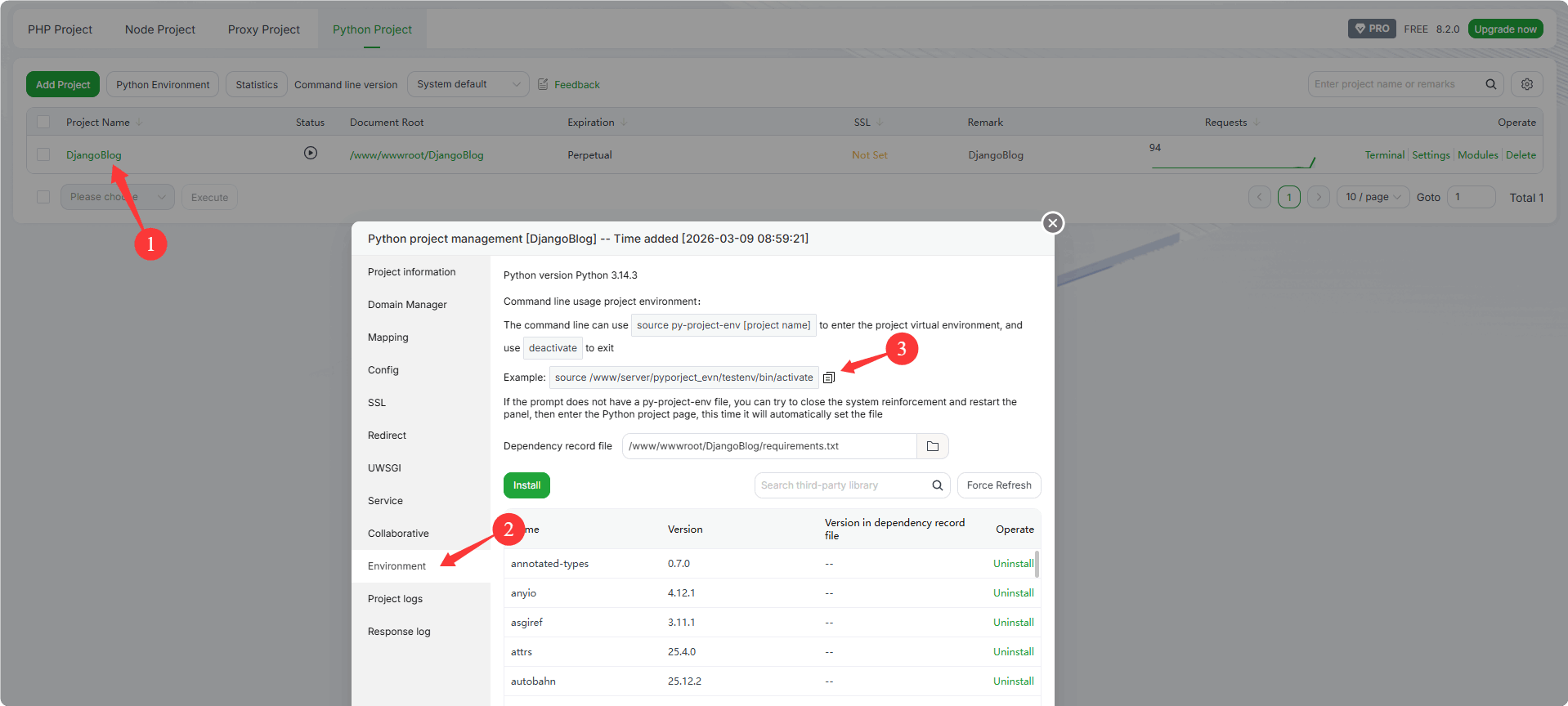 Example: Replace the virtual environment path with your own
source /www/server/pyporject_evn/testenv/bin/activate
Verify whether the Python version in the virtual environment matches the Python version used by the project:
python -VHow to Install Dependencies in the Virtual Environment
Enter the project's Environment -> Install
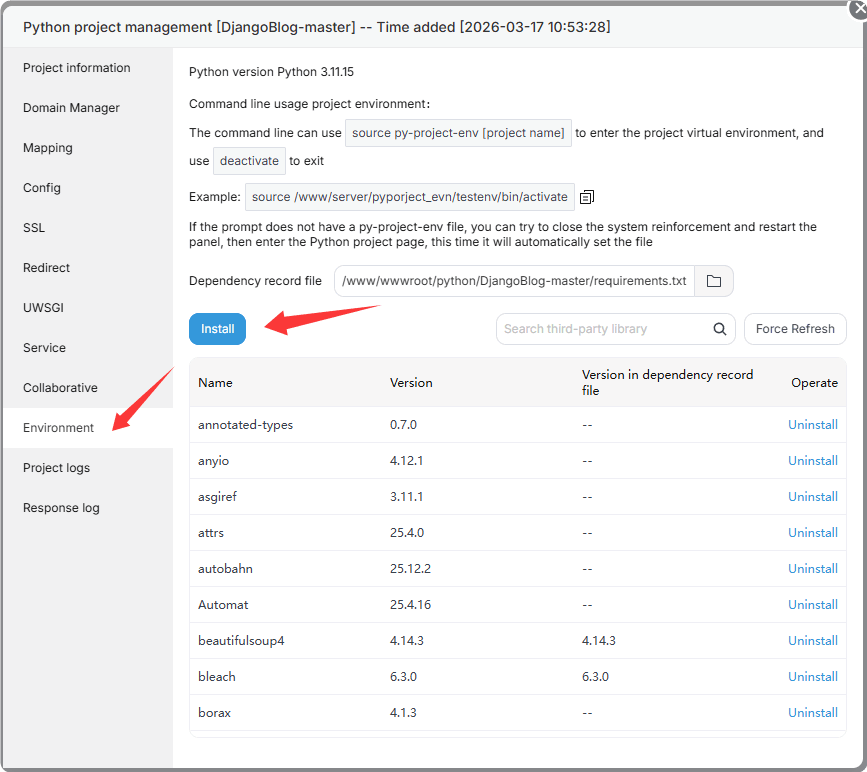
Install a single dependency package
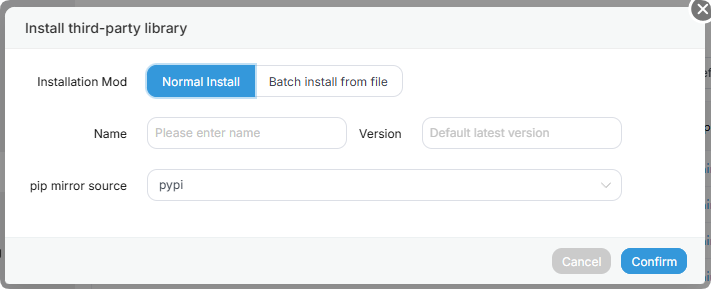
NOTE
Equivalent command:
pip install package_name. If you install by command line, please enter the virtual environment first.Batch install according to the
requirements.txtfile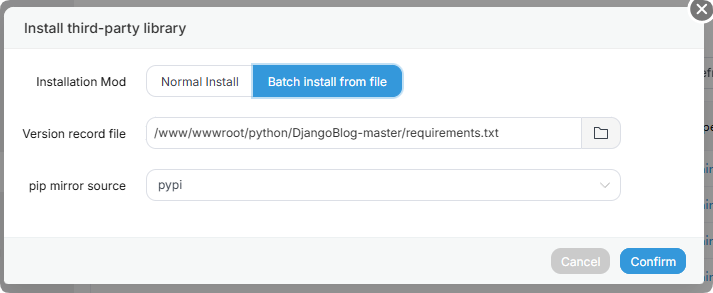
requirements.txtis a commonly used dependency list file in Python projects. It records the Python packages required by the project and their version information, making it easier to install and manage dependencies in a unified way.NOTE
Equivalent command:
pip install -r requirements.txt. If you install by command line, please enter the virtual environment first.
How to Access Python Project via Ports 80/443
Add a domain in the
Domain Managerinterface, and point the domain's A record to your server IP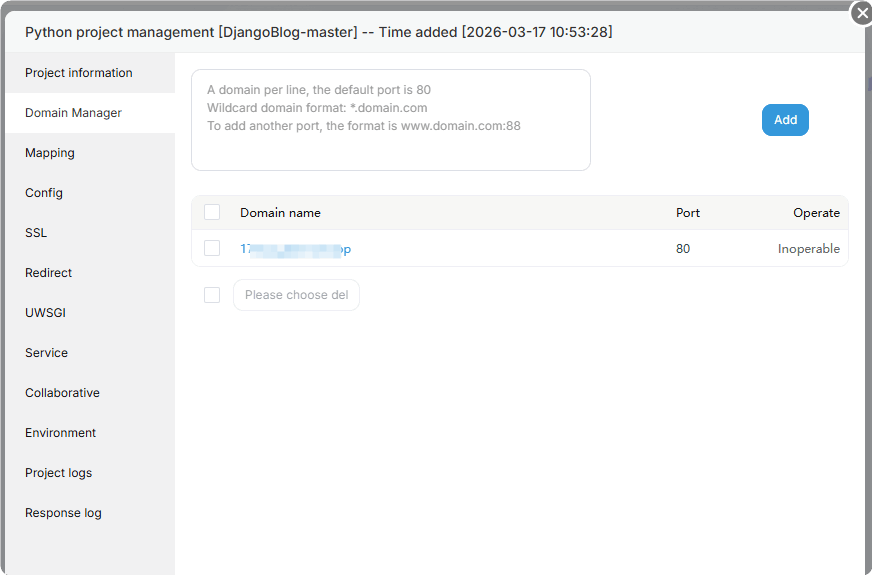
Enable mapping in the
Mappinginterface. After it is enabled, the web service will reverse proxy the project's port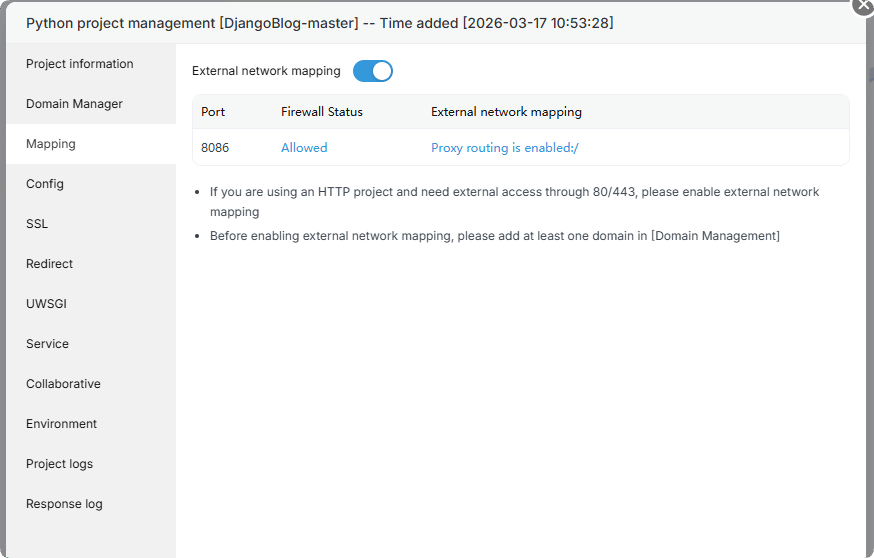
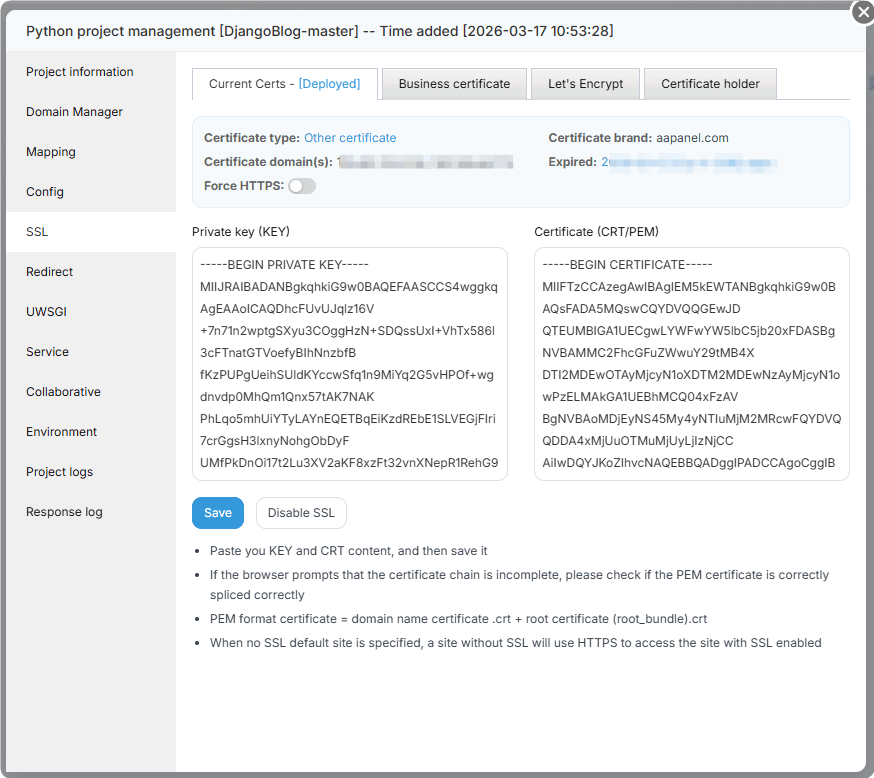
Add an SSL certificate and access the project via HTTPS
Project logs
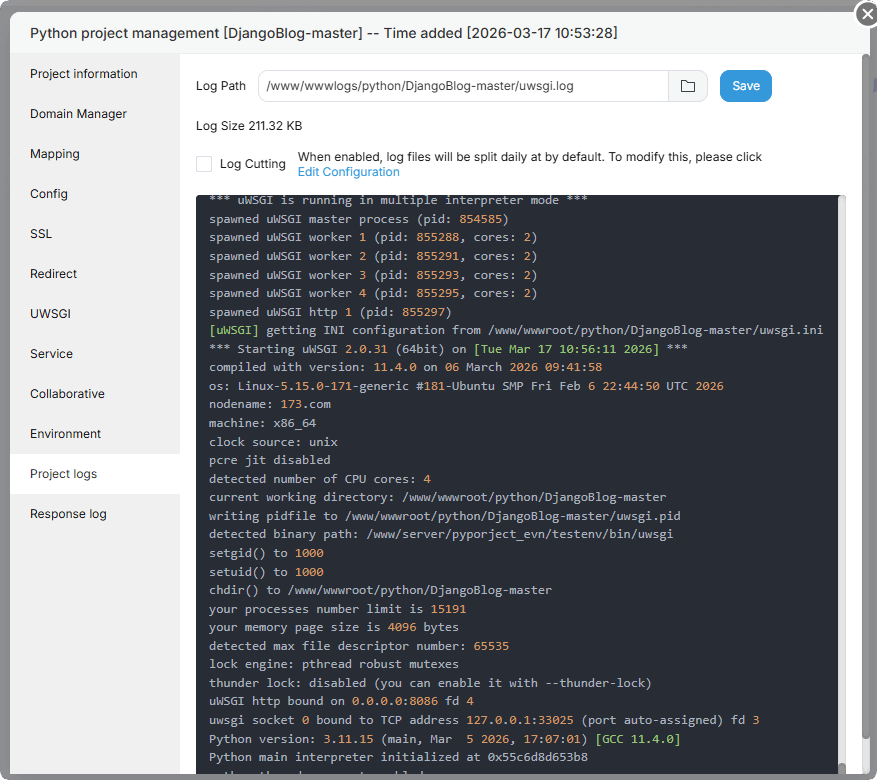
You can view the project runtime logs through Project logs, and use them to troubleshoot and resolve errors
Python Project Usage example
Feedback or Suggestions
If you encounter problems or suggestions during use, please contact us through the following methods:
- (Please describe in
detailor providescreenshots)
Email: [email protected]
Discord: https://discord.gg/Tya5yceBpd
Telegram: https://aapanel.com/tg
GitHub: https://github.com/aapanel/aapanel
If you like aaPanel, please give it a Star