
Deploy Website
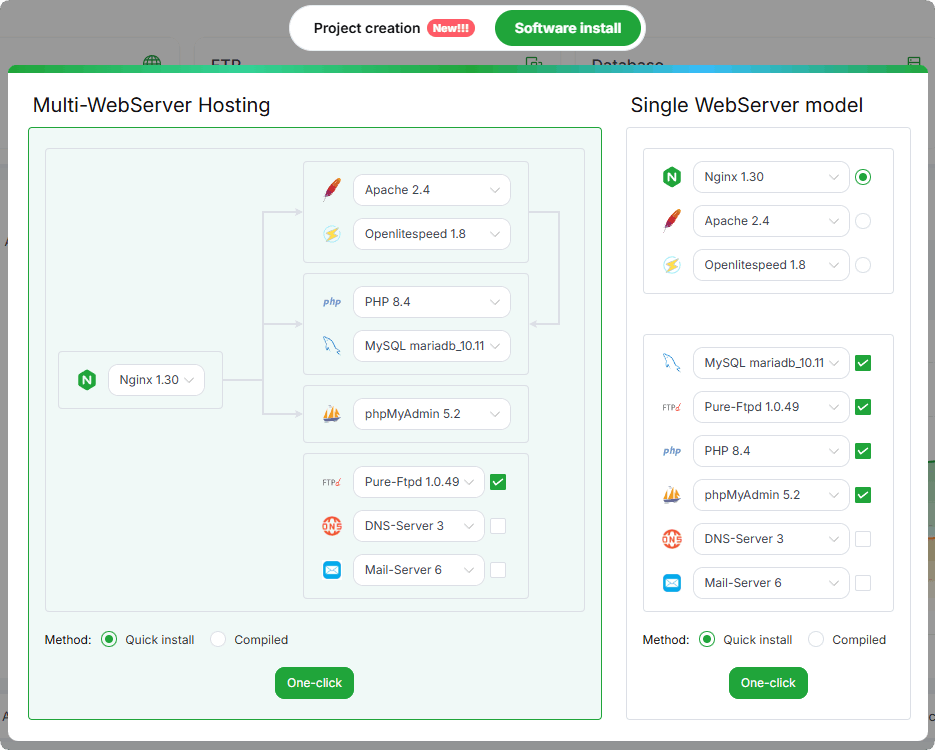
Initialize the environment
We recommend that you use the LNMP environment. If your server is mainly used to run WordPress, we recommend that you use Mysql as your database.
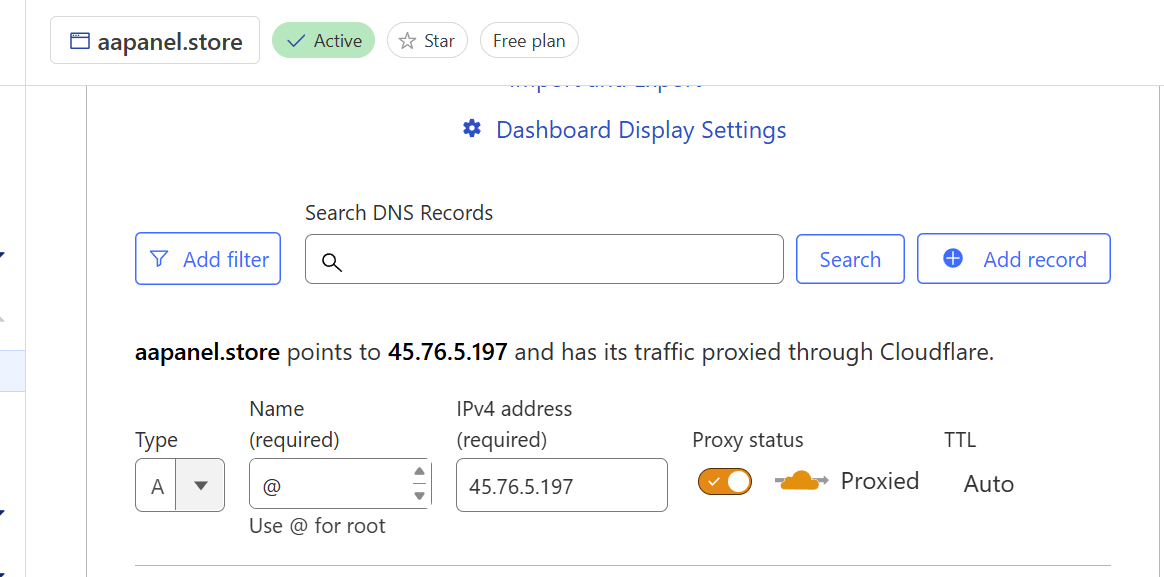
Add resolution for your domain
Resolve domain names through cloudflare and enable proxy Generally, we need to resolve www. and the main domain name, such as aapanel.com, www.aapanel.com
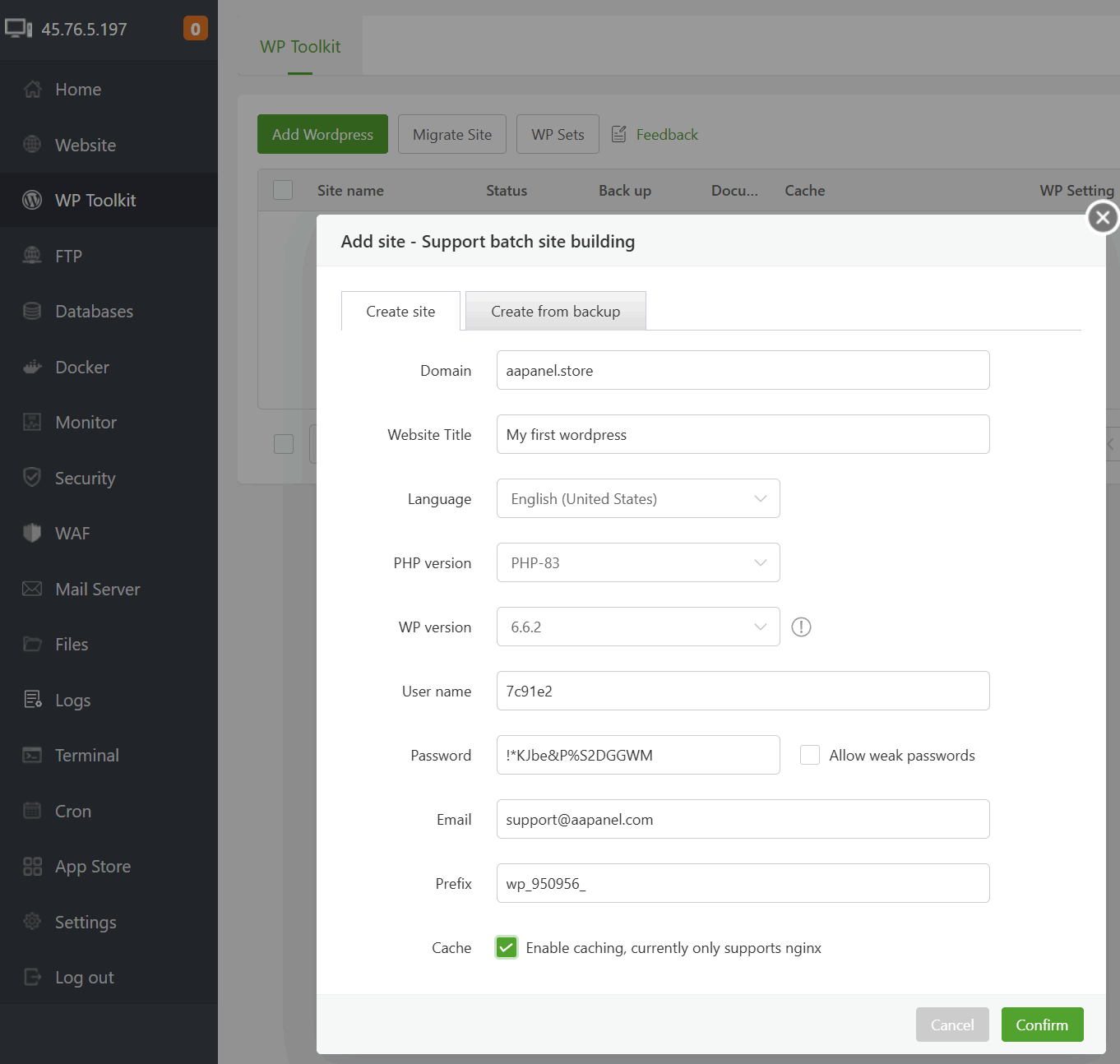
Install WordPress using WP Toolkit
It should be noted that we need to log in to the aapanel account to use WordPress Toolkit. The registration process is very simple
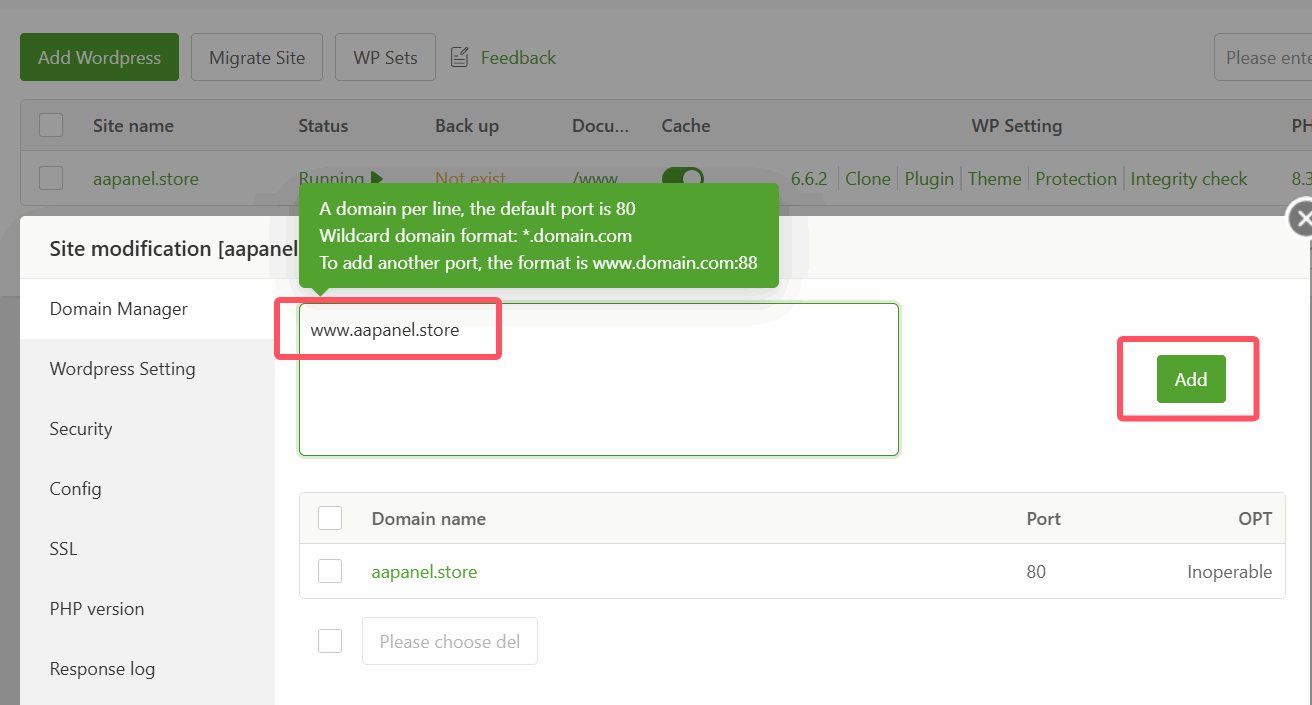
Add a domain alias to our wordpress website
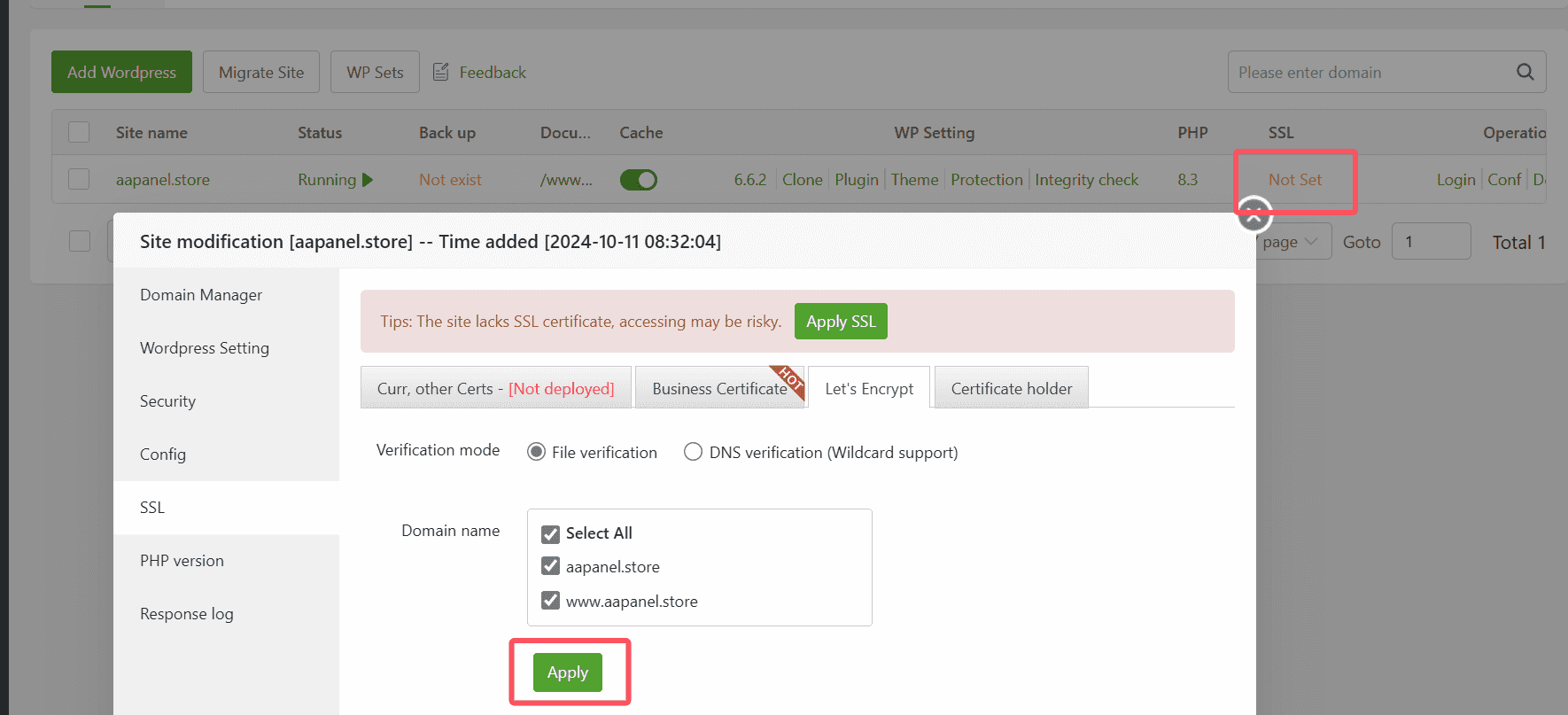
Don't forget to apply for a free SSL certificate for your WordPress
Error resolution
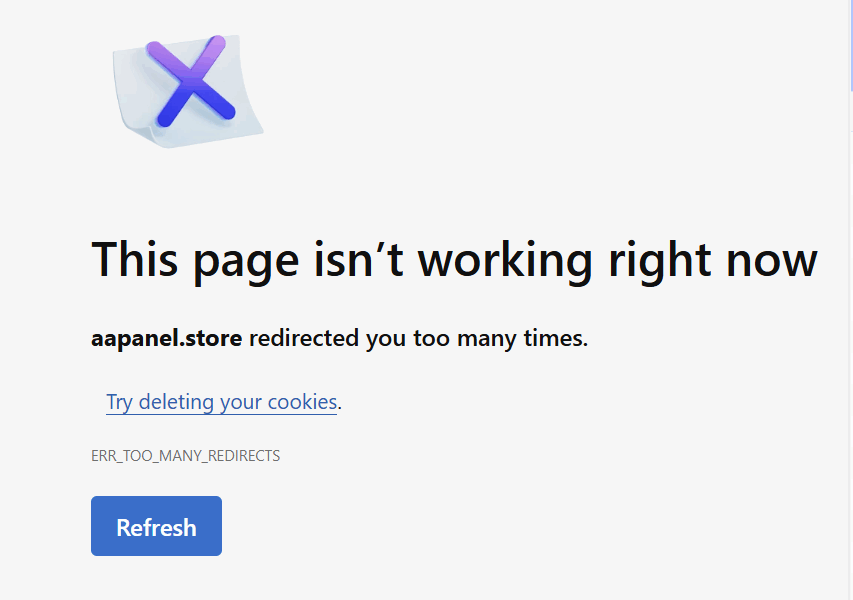
TOO MANY REDIRECTS
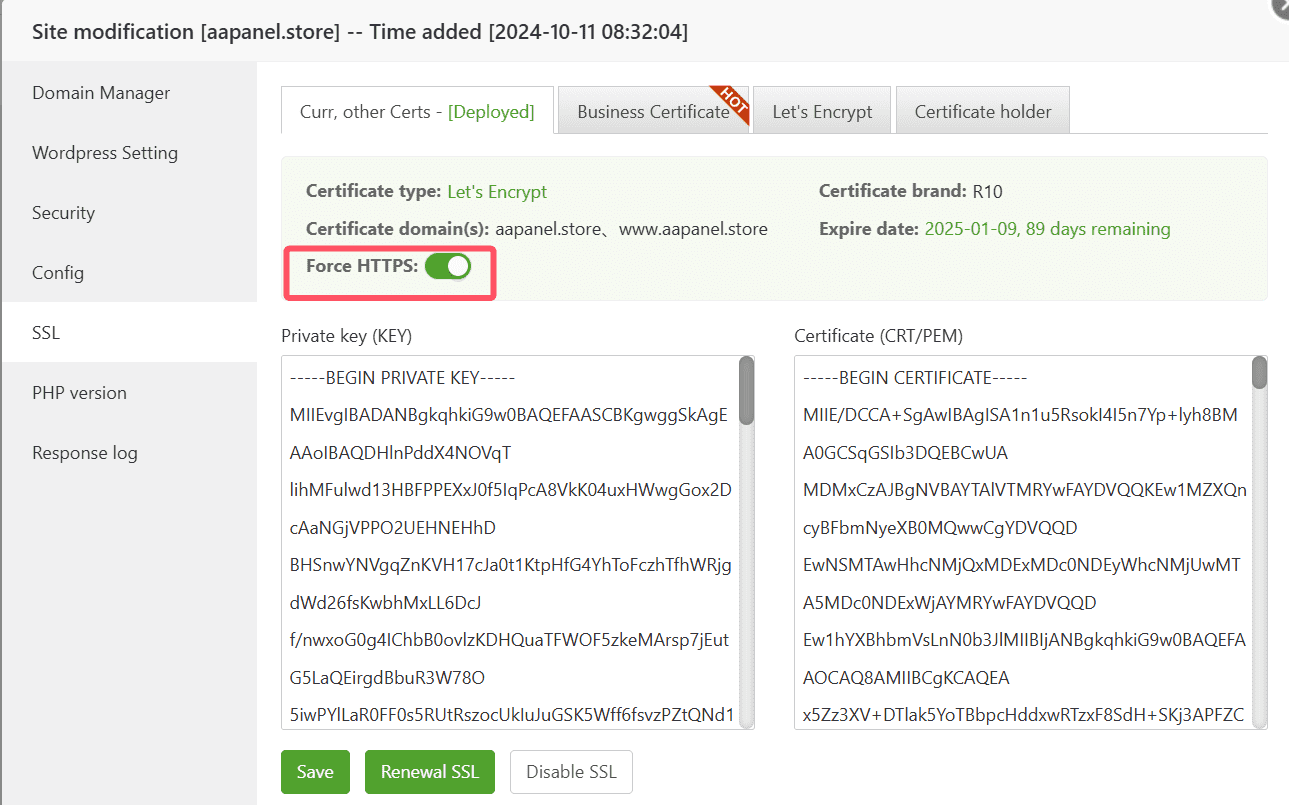
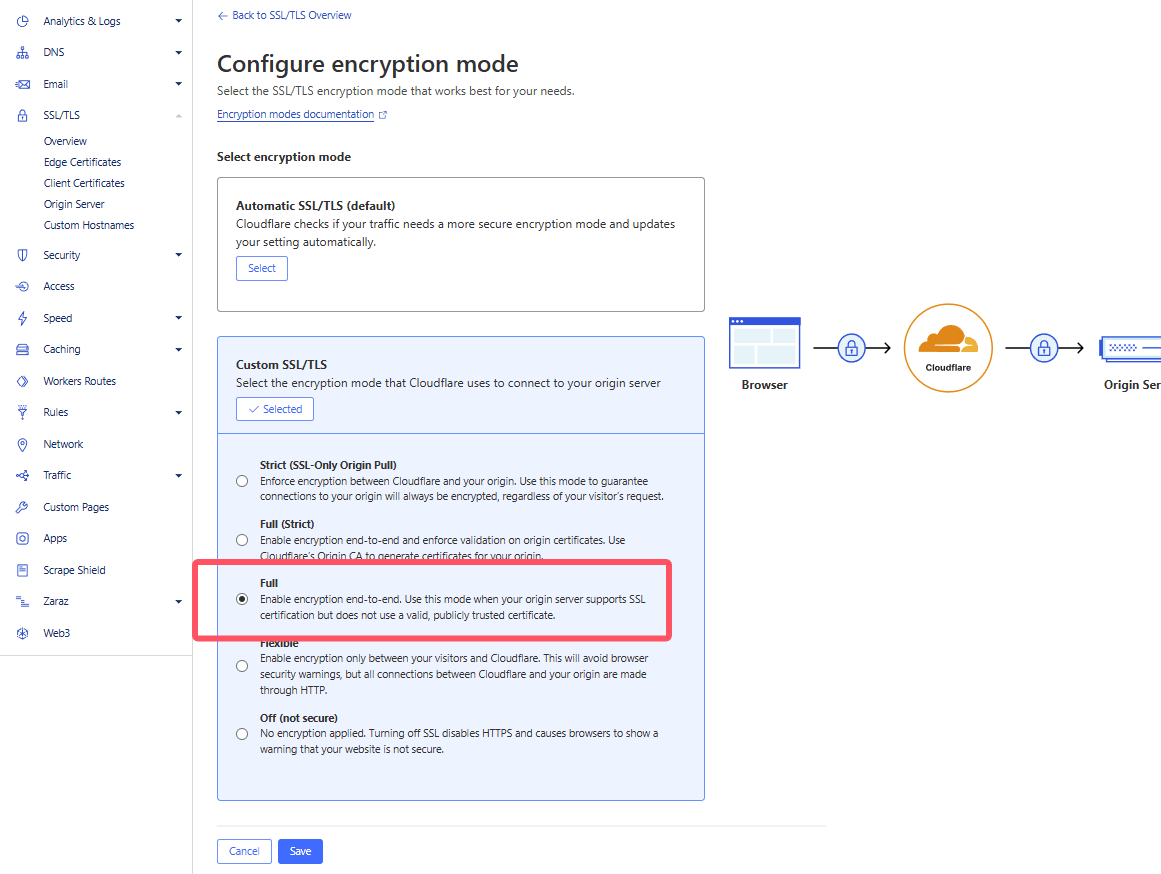
Enabling Force https on a website using Cloudflare proxy may result in an error of too many redirects
Solution1: Turn off forced https of the website
Solution2: Set CloudFlare's encryption mode to FULL
Congratulations, you have successfully set up your WordPress! Continue exploring the aaPanel features, and feel free to reach out to our support team for any assistance. email: [email protected]