
FTP
Use PureFTPd as the FTP server, and the server's files can be managed through the FTP client. Such as
upload,download,deleteand other operations.
FTP (File Transfer Protocol) a standard protocol for file transfer on the network
FTP defaults to passive mode: control connections use port
21, data transmission uses random ports:39000-40000 range. Active data connections use port20
FTP Overview
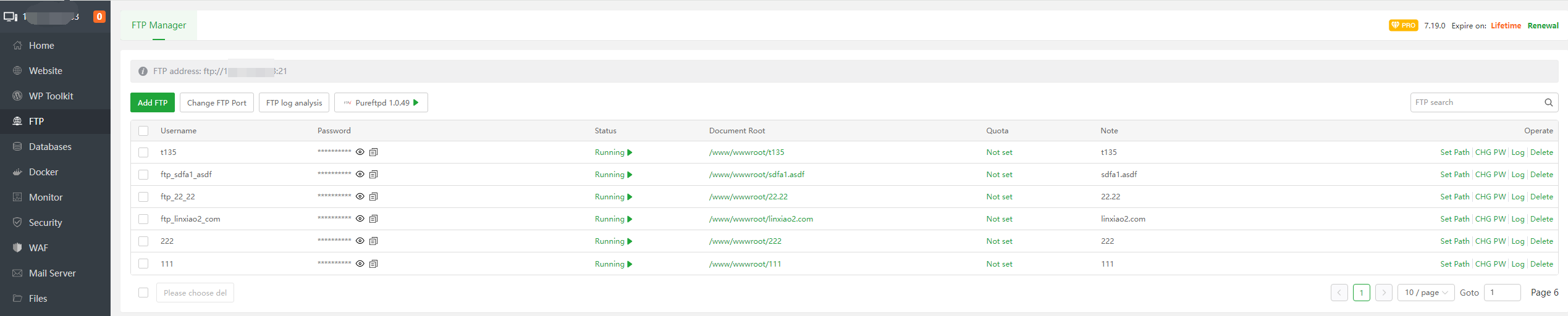
| Function | Describe |
|---|---|
| Add FTP | Add a FTP account |
| Change FTP Port | Change the FTP service port |
| FTP log analysis | Analysis the FTP service logs |
| Username | The user name of the FTP account |
| Password | The password of the FTP account |
| Status | Disabled, enabled FTP account |
| Document Root | The document root of the FTP account, click to use File to manage files |
| Quota | Displays, Modify the FTP account quota. (Only supports XFS filesystem) |
| Note | The note of the FTP account. |
| Set Path | Set the document root of the FTP account |
| CHG PW | Change the password of the FTP account. |
| Log | View the FTP logs. |
| Delete | Delete the FTP account. |
Add FTP
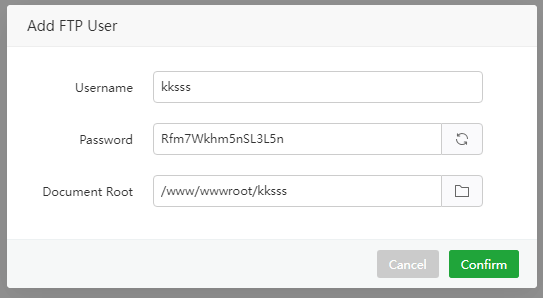
Add a FTP account
| Function | Example | Describe |
|---|---|---|
| Username | kksss | The user name of the FTP account |
| Password | Rfm7Wkhm5nSL3L5n | The password of the FTP account |
| Document Root | /www/wwwroot/kksss | The document root of the FTP account. |
Change FTP Port
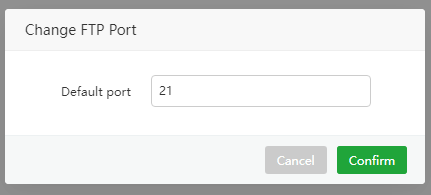
Modify the FTP service port, the default is: 21
After modification, please open the corresponding ports in the system firewall and the server provider's
security group.
FTP log analysis
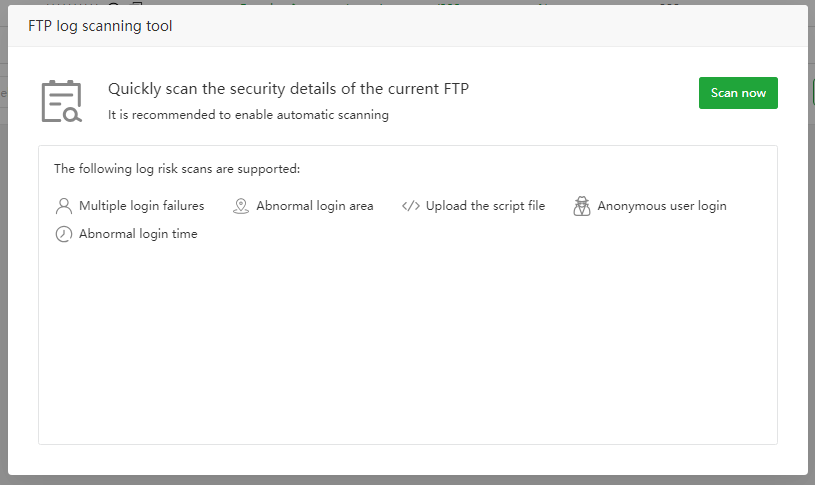
Quickly scan the logs of FTP services to check for security risks
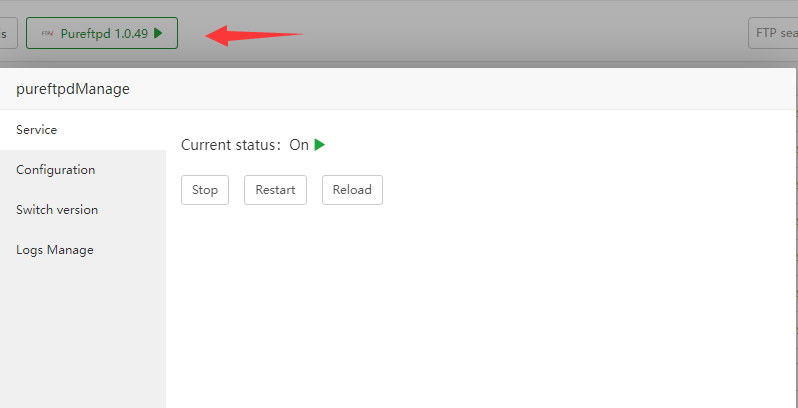
FTP service management
FTP service management, configuration modification, Logs Manage
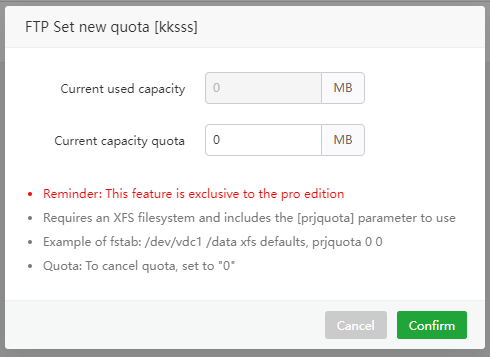
Quota
View and modify the space quota of the specified FTP account. (Only supports XFS filesystem)
Set Path
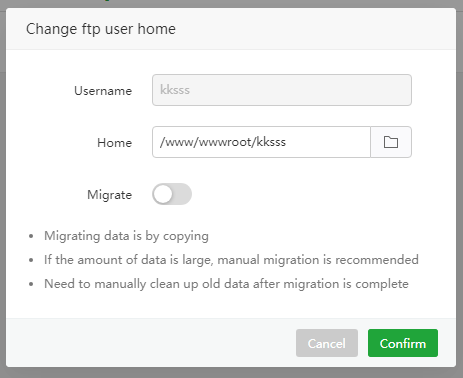
- Username : The user name of the directory that needs to be modified
- Home :
Enterorselecta new directory - Migrate : Copy data to the new directory, the old directory data will not be deleted
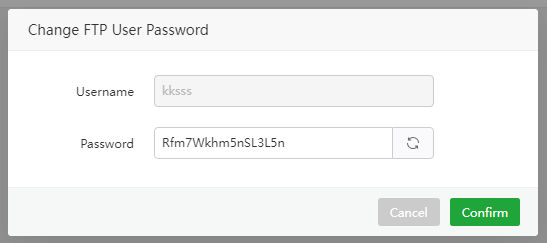
CHG PW
View and modify FTP account password
Log
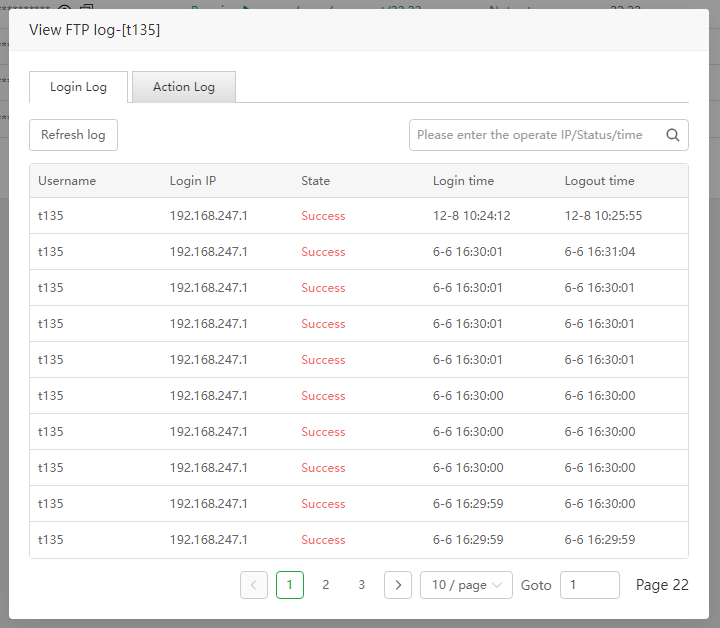
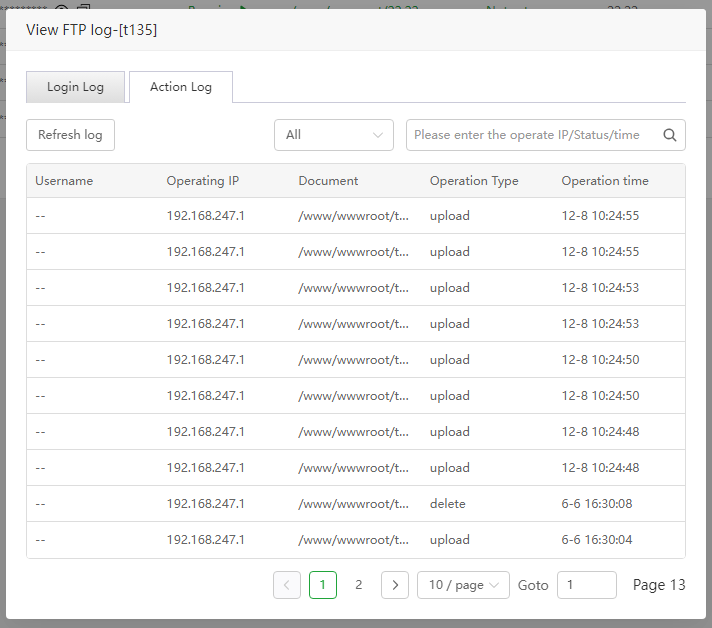
View FTP Login and Action logs
Login Log
Action Log
Usage example
Use FileZilla to connect to the FTP server and upload files
Go to FileZilla to
downloadandinstallFileZilla ClientIn the FTP interface,
vieworcreatean FTP account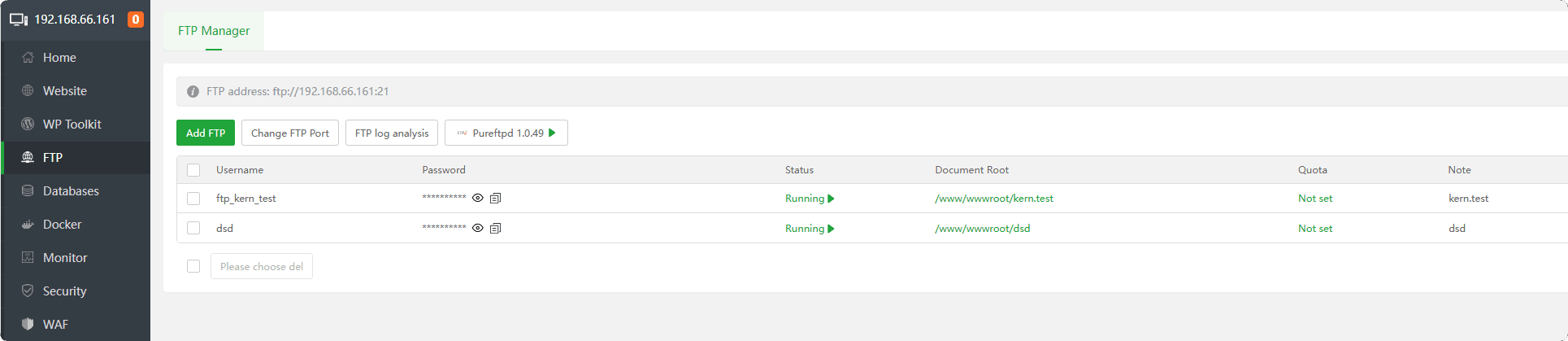
Connect to FTP server: will
FTP address,Username,PasswordInformation, copy and paste into FileZilla to connectReference picture below
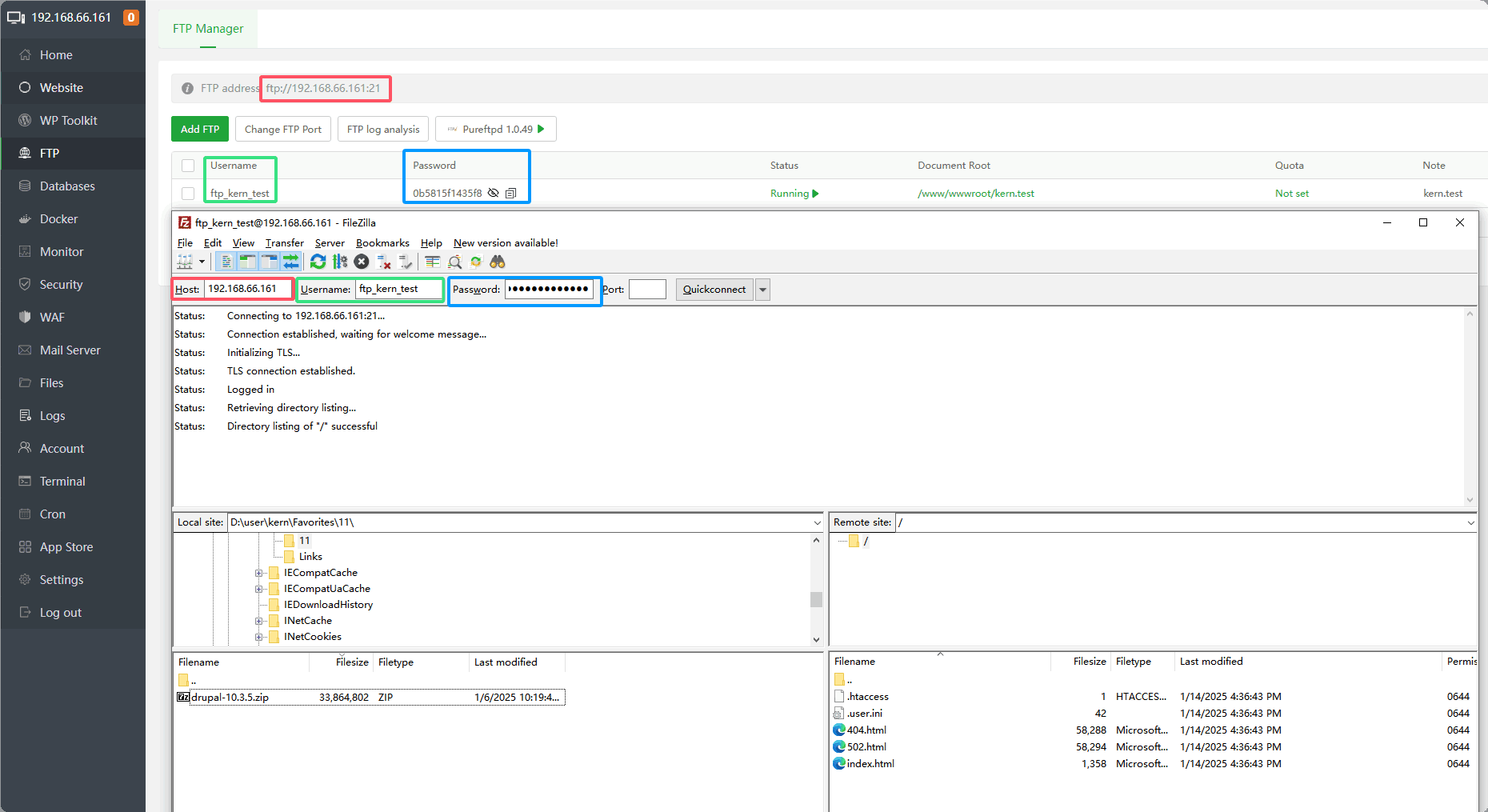
The FTP connection is successful.
Note that if the server provider has a security group, the port needs to be opened:
20,21,39000-40000 range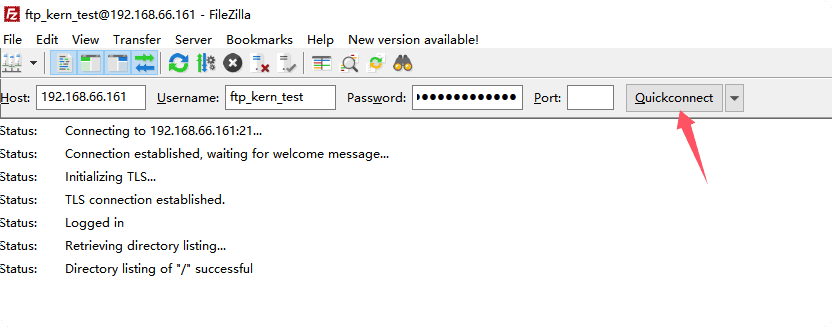
Find the corresponding file and
right-clickto upload it. You can alsodrag and dropthe file to upload it.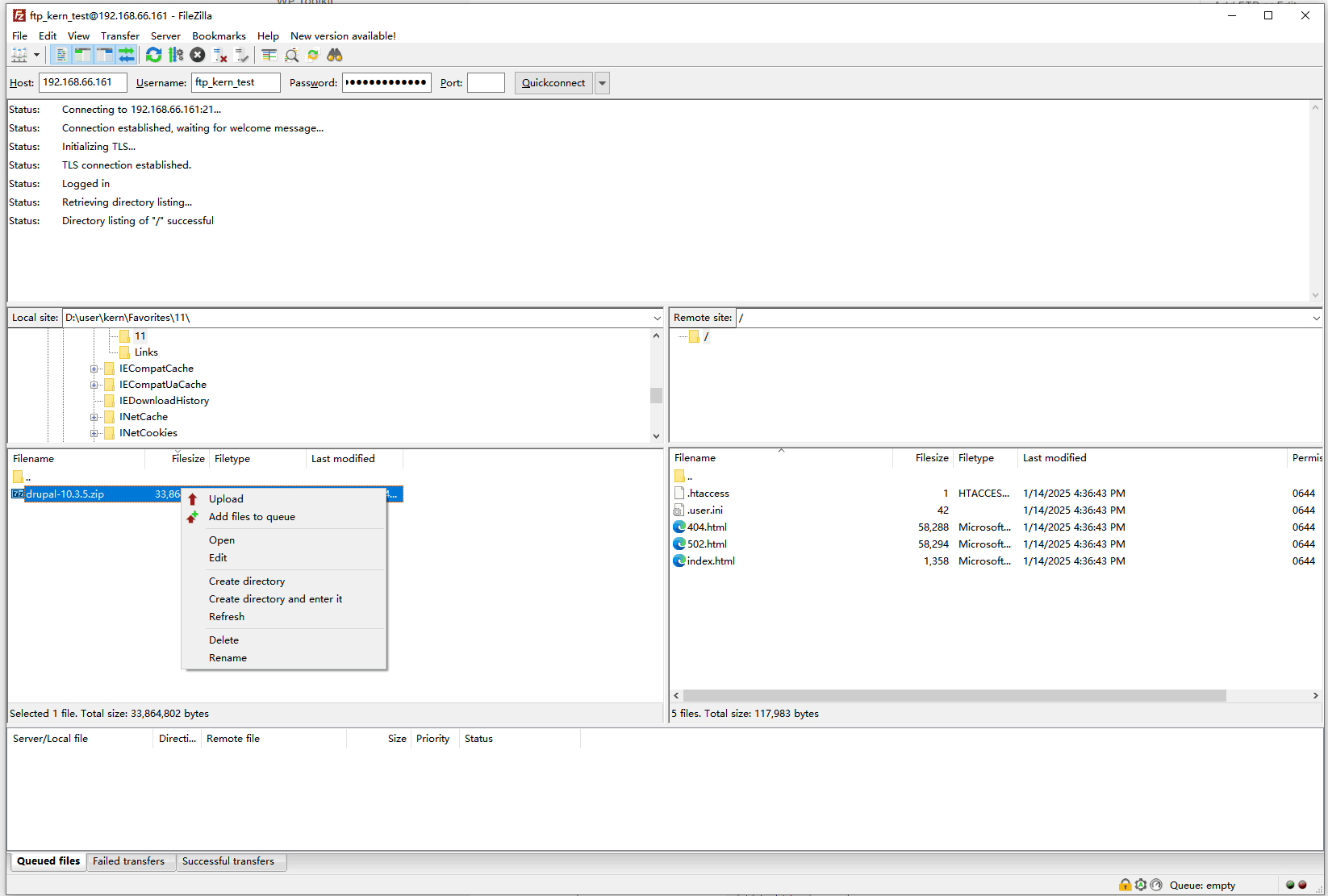
Feedback or Suggestions
If you encounter problems or suggestions during use, please contact us through the following methods:
- (Please describe in
detailor providescreenshots)
Email: [email protected]
Discord: https://discord.gg/Tya5yceBpd
Telegram: https://aapanel.com/tg
GitHub: https://github.com/aapanel/aapanel
If you like aaPanel, please give it a Star