
Go Project
Go Project only supports deployment using compiled binary files and does not support source code deployment.
Go Project Overview
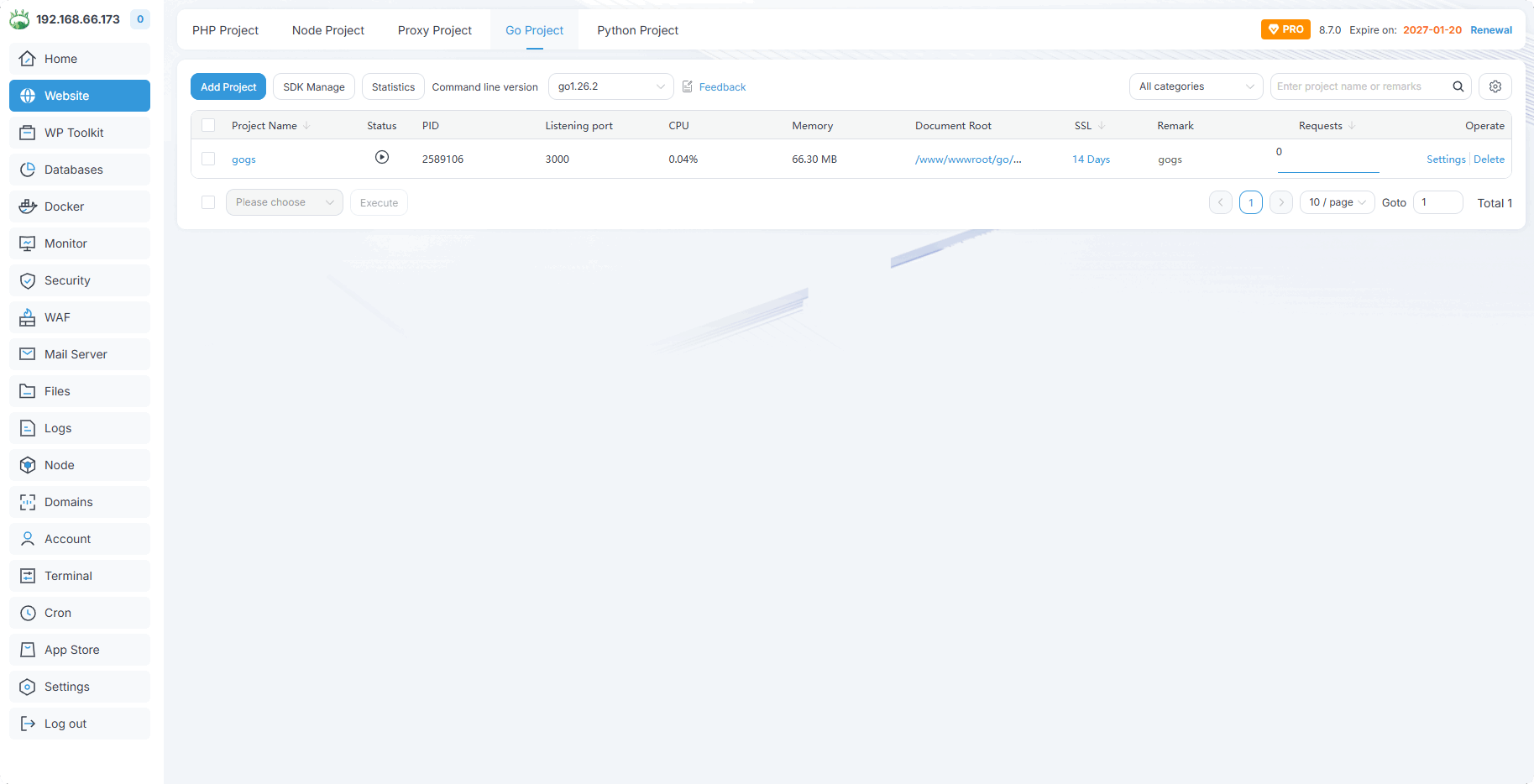
Add Project
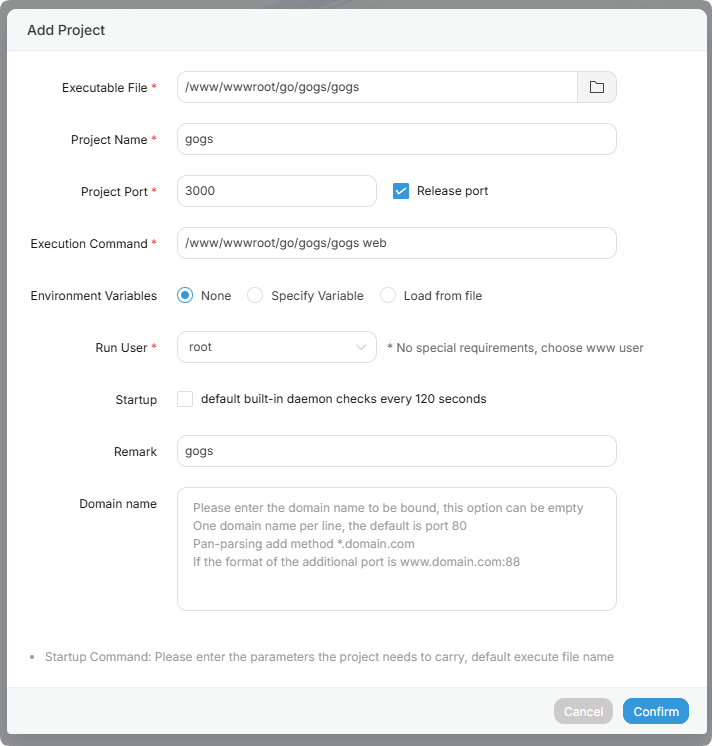
| Parameter | Description |
|---|---|
| Executable File | Select executable file |
| Project Name | Project name |
| Project Port | Project port, fill in according to the program port |
| Release port | Whether to open the port |
| Execution Command | Execution command, fill in according to the program startup command |
| Run User | Run user |
| Domain name | Bind domain, you can enable mapping for port-free access |
Reference: How to Go Project Deploy Gogs
How to Access Go Project via Ports 80/443
Add a domain name in the project's
Domain Manager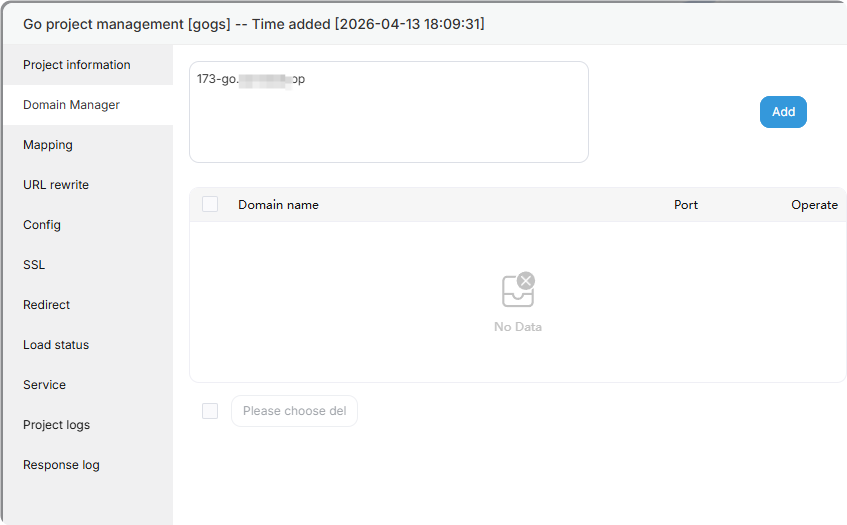
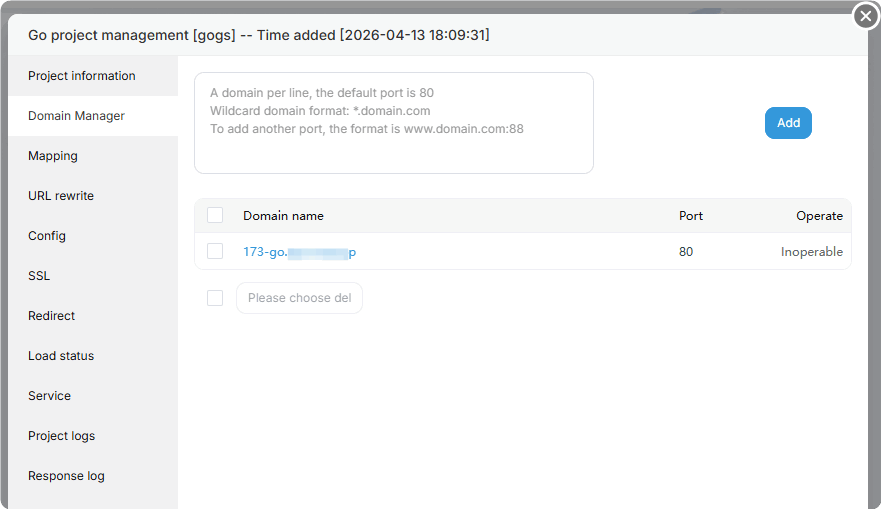
Enable
External network mappingin theMappinginterface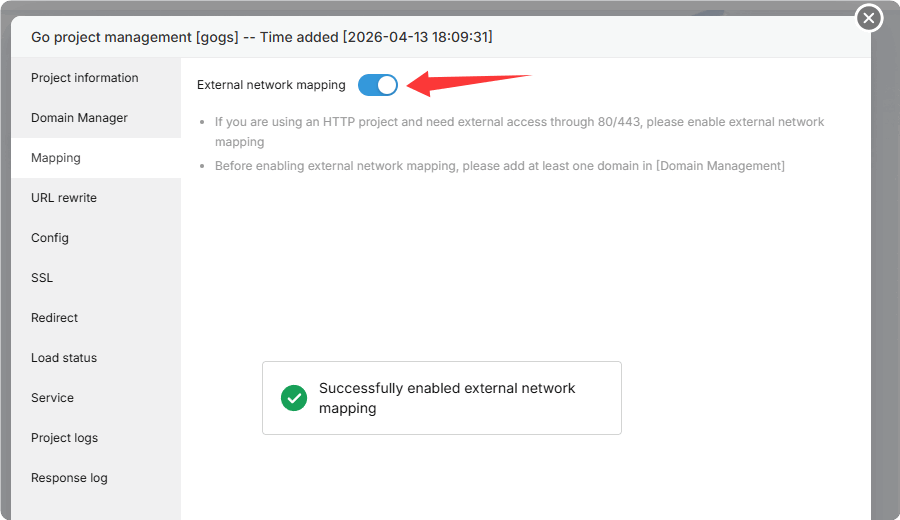
Deploy SSL certificate in the
SSLinterface
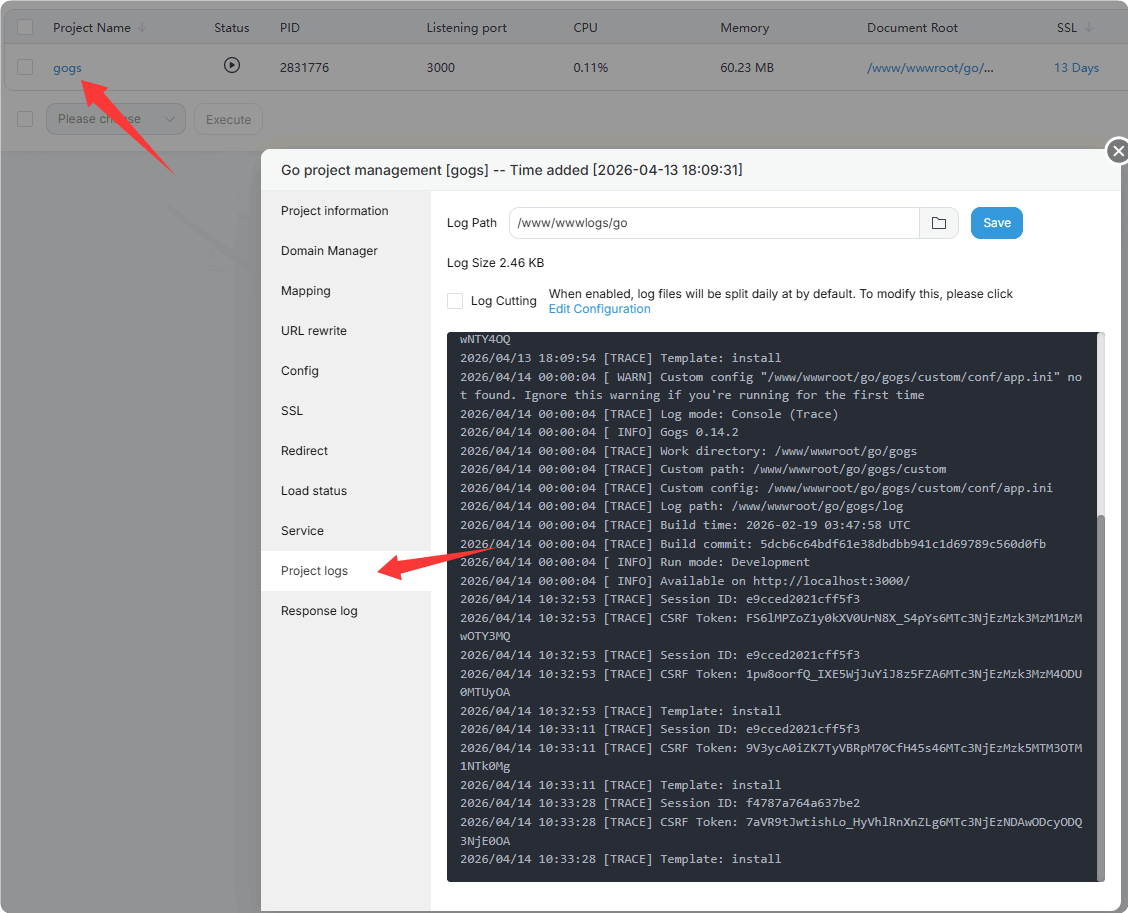
Project logs
You can view the project runtime logs through Project logs, and use them to troubleshoot and resolve errors
Use go commands in the terminal
- First install Go and select the version you want to install
SDK Manage -> All version -> Install
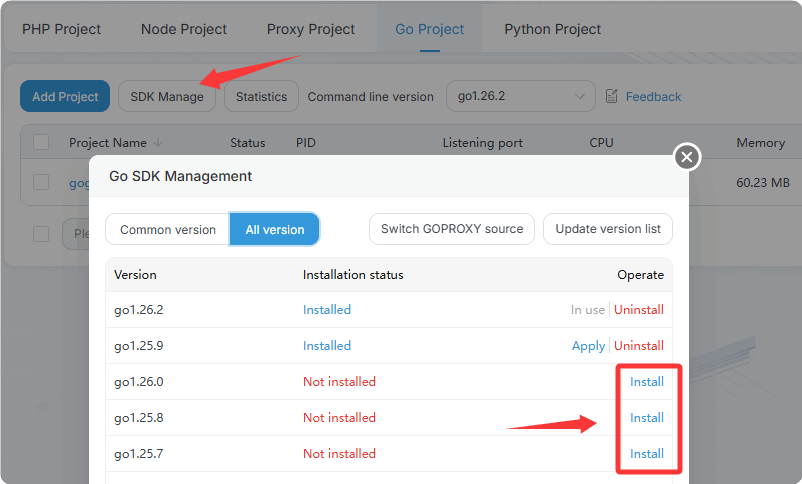
- After successful installation, reopen the terminal and enter the command to verify
go version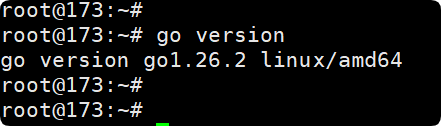
If the installation fails, please view the installation log:
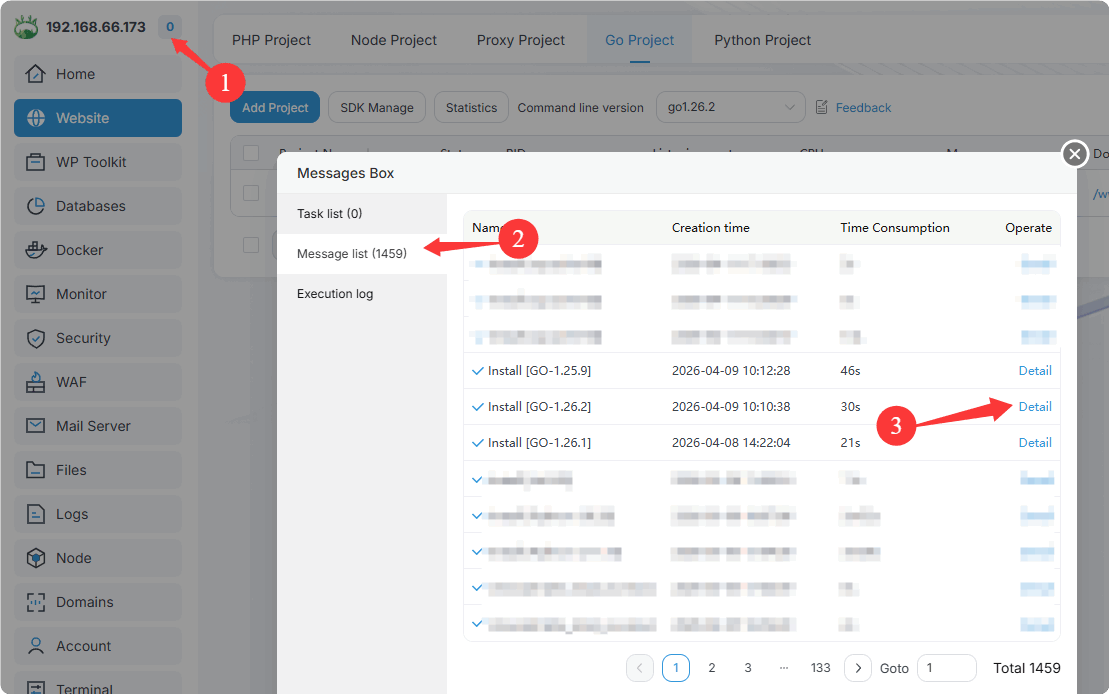
Or view the file:
/tmp/panelExec.log
Go Project Usage example
Feedback or Suggestions
If you encounter problems or suggestions during use, please contact us through the following methods:
- (Please describe in
detailor providescreenshots)
Email: [email protected]
Discord: https://discord.gg/Tya5yceBpd
Telegram: https://aapanel.com/tg
GitHub: https://github.com/aapanel/aapanel
If you like aaPanel, please give it a Star