
WAF
Mitigating DDOS attacks, easily creating custom rules, protecting your website and reducing the risk of malicious attacks and data leakage
Overview
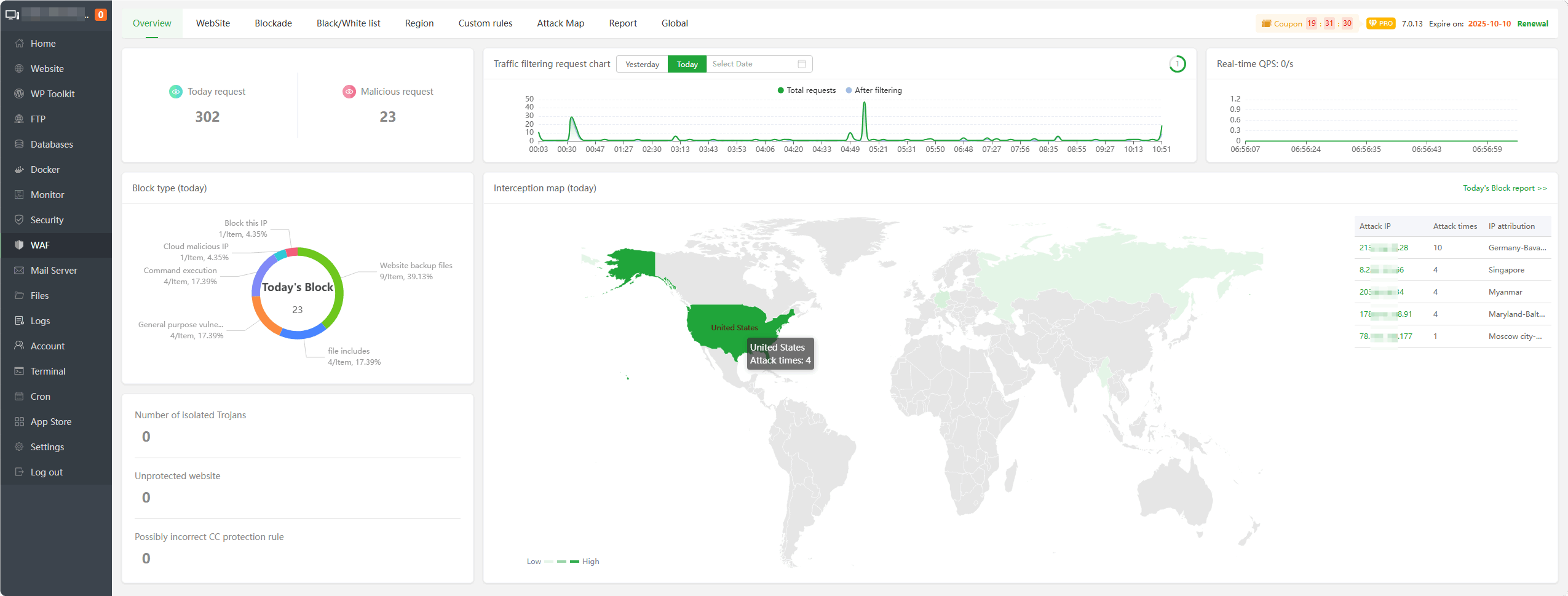
Today request : Display the
total numberof requests todayMalicious request : Displays the number of
intercepted malicious requestsTraffic filtering request chart : Graph showing
all traffic requestsandfiltered requestsReal-time QPS : Displays the number of
requests per secondBlock type (today) : Displays the types of
malicious requests interceptedtodayInterception map (today) : Displays the IP address of intercepted malicious requests, number of attacks, IP attribution and create a
map displayNumber of isolated Trojans : Displays intercepted malicious requests by isolated
Unprotected website : Displays
unprotectedwebsitesPossibly incorrect CC protection rule : Displays
CC rulesthat may beincorrectToday's Block report : Click to view today’s
interception report
WebSite
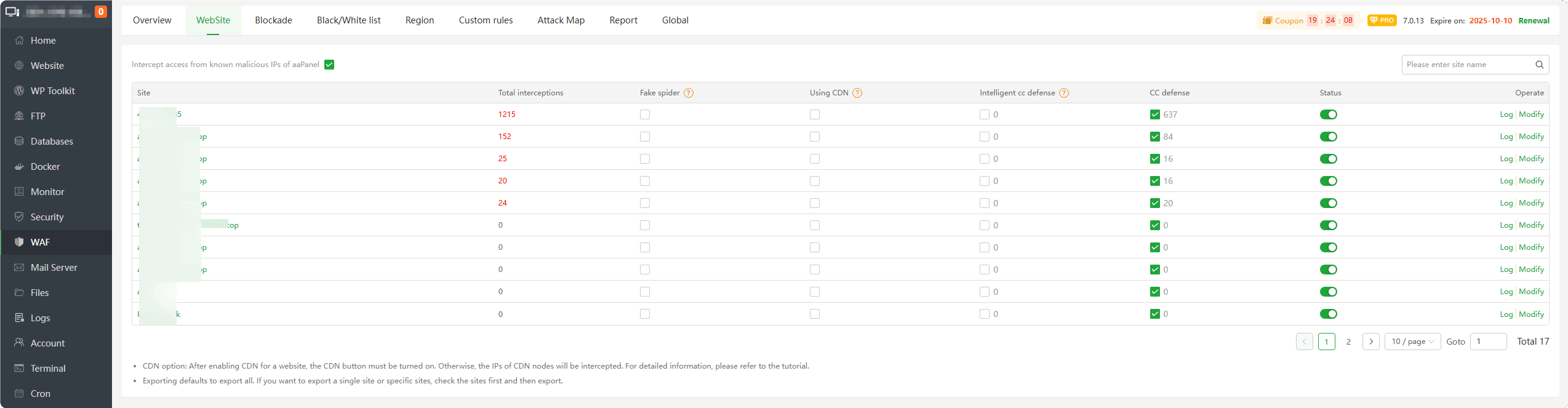
Intercept access from known malicious IPs of aaPanel : Enable or disable blocking of
known malicious IPsbased on aaPanelSite/Modify : Display the name of the website. Click to manage the
protection managementof asingle site.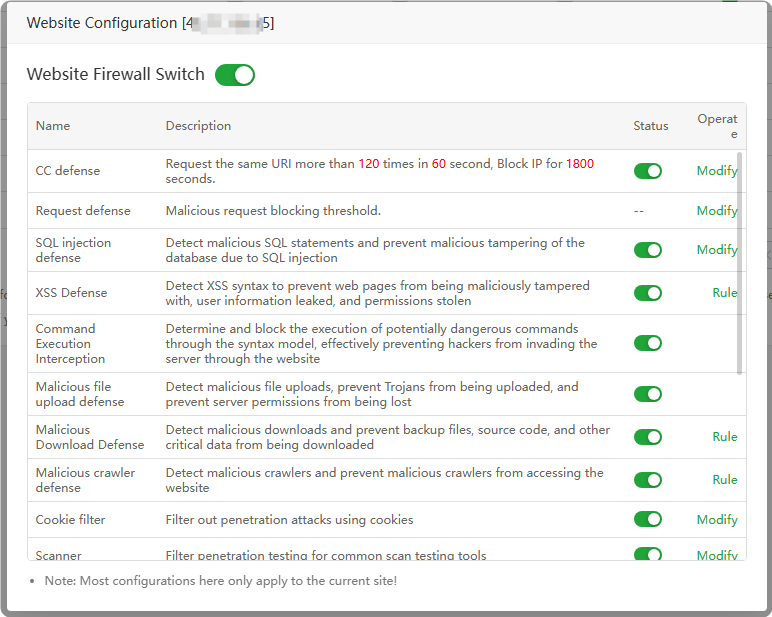
Total interceptions : Displays the total number of
malicious requests interceptedby this site. Click to view the interceptiondetails type.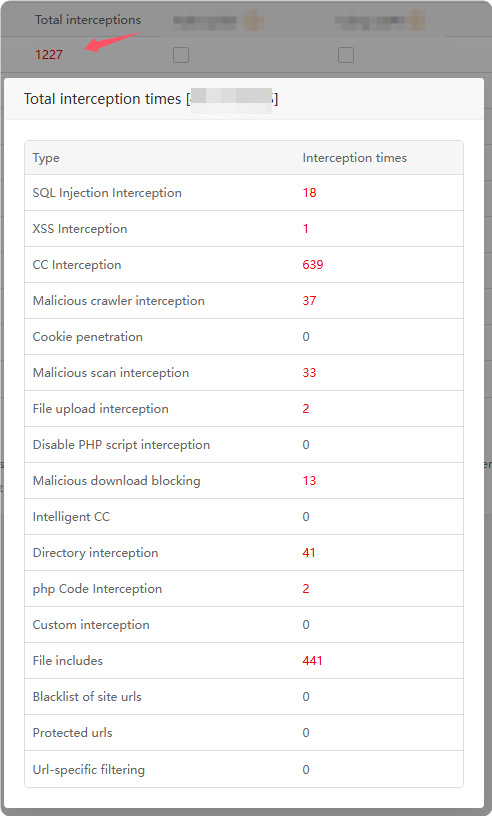
Fake spider : When enabled, requests from
fake search engineswill be intercepted.Using CDN : If the website uses CDN (
reverse proxy, Cloudflare etc.), pleaseenableit.Intelligent cc defense : Automatically adjust blocking rules based on website
load conditionsandhistorical accessconditions.CC defense : Enable or disable CC defense. It is not recommended to disable it. After disabling it, a large number of malicious access requests will
not be intercepted.Status : Turn website protection
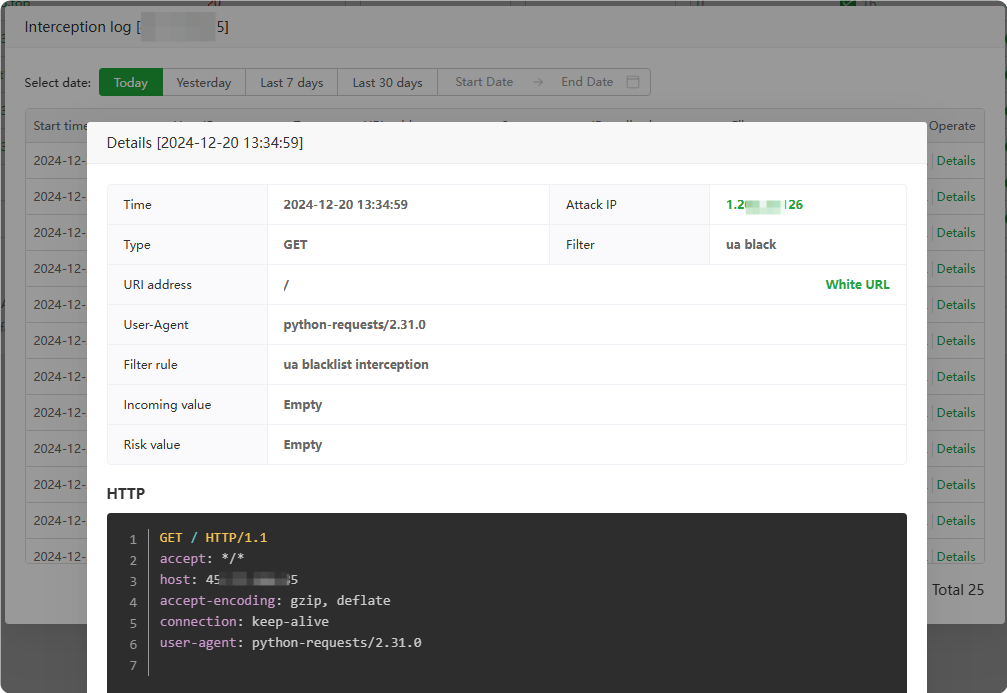
onoroffLog : View the interception log of this website and view the
interception details. Add mistakenly intercepted requests toWhite URL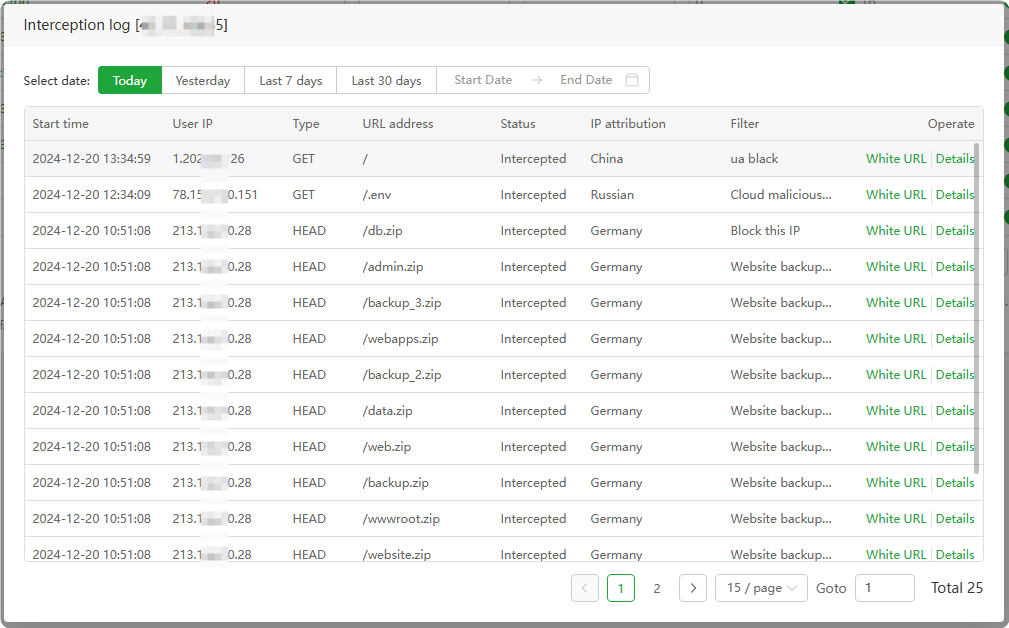
Blockade
Interception record : View and manage
all interception records. Based on theinterception details, Can add them to theIP blacklistorURL whitelist.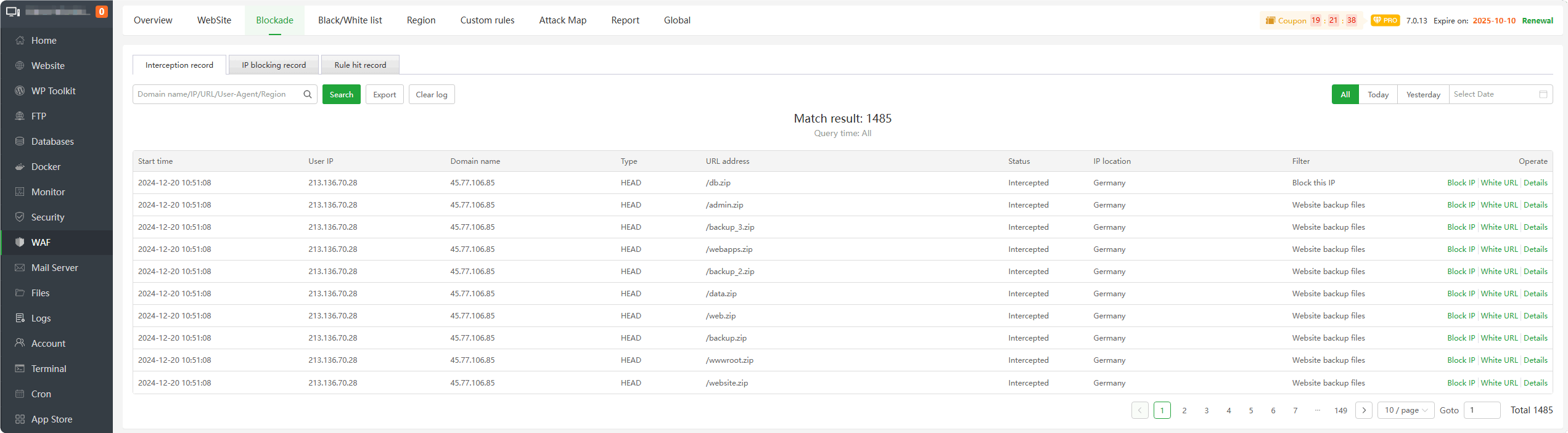
IP blocking record : View and manage the IP addresses intercepted by WAF. According to the
interception details, canWhite URL,Block IP,Unblock IP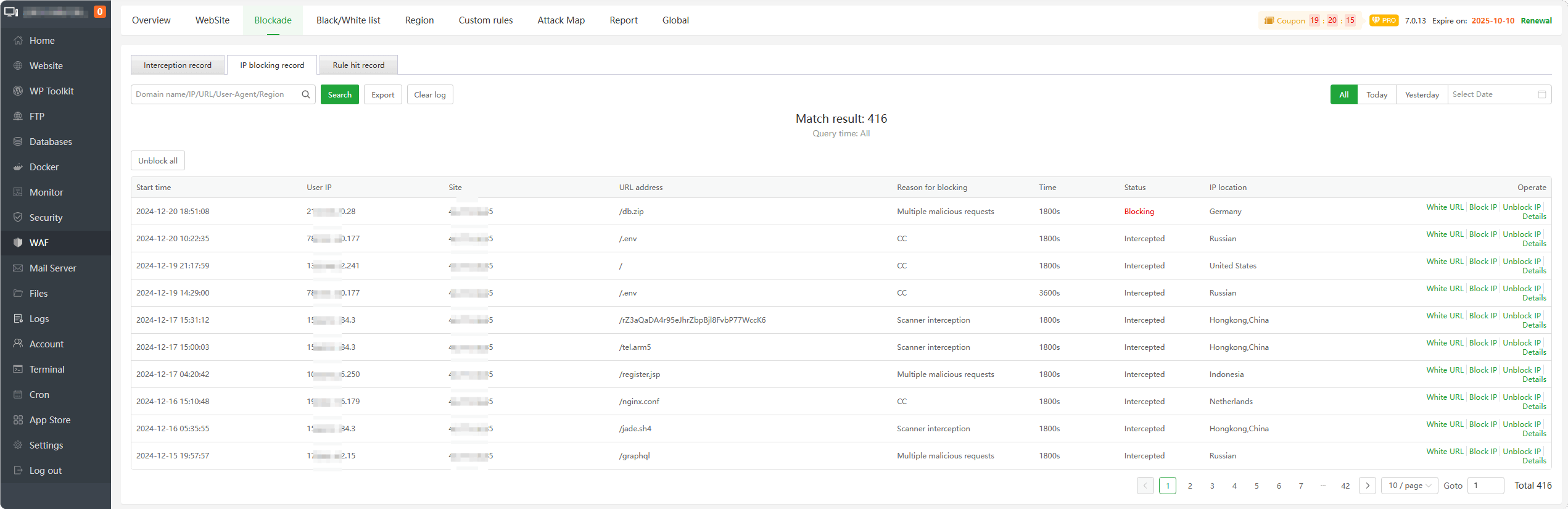
Rule hit record : View the
rule recordsof IP address hits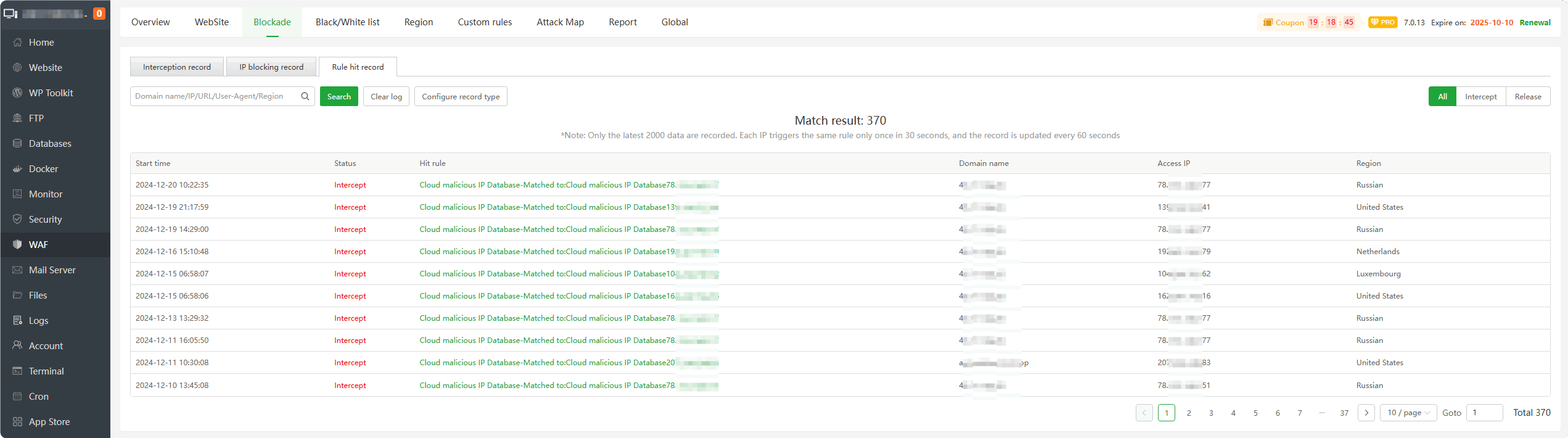
Black/White list
IP whitelist : Add IP to the whitelist.
IPsadded to this list willnot be blocked. This is thehighest priority rule.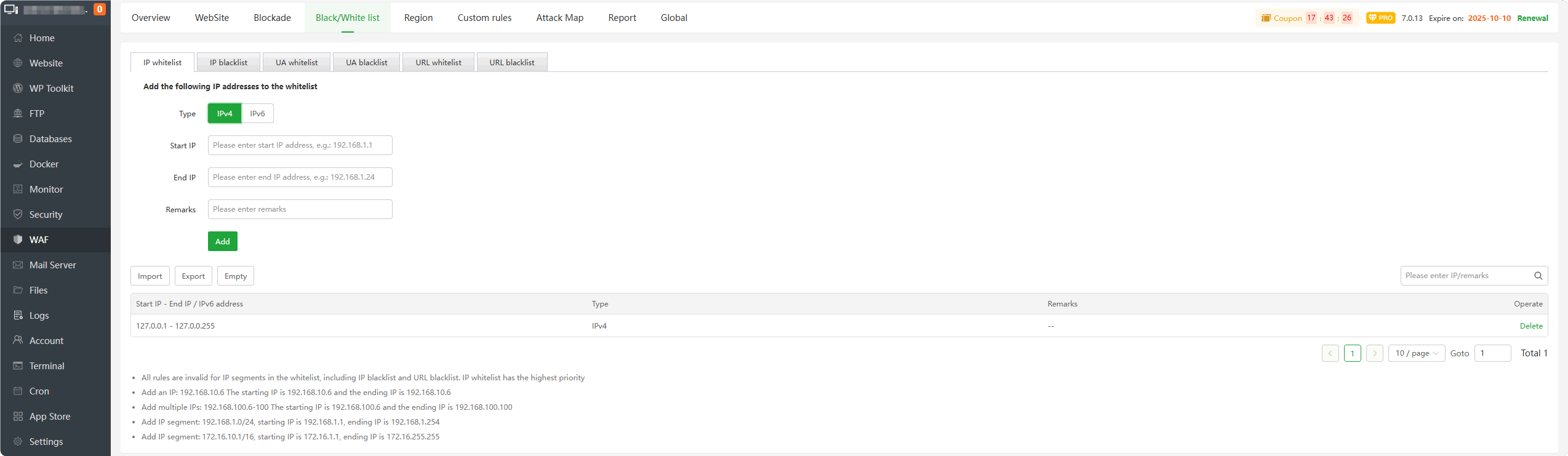
IP blacklist : Add IP to the blacklist.
IPsadded to this list willblock all requests.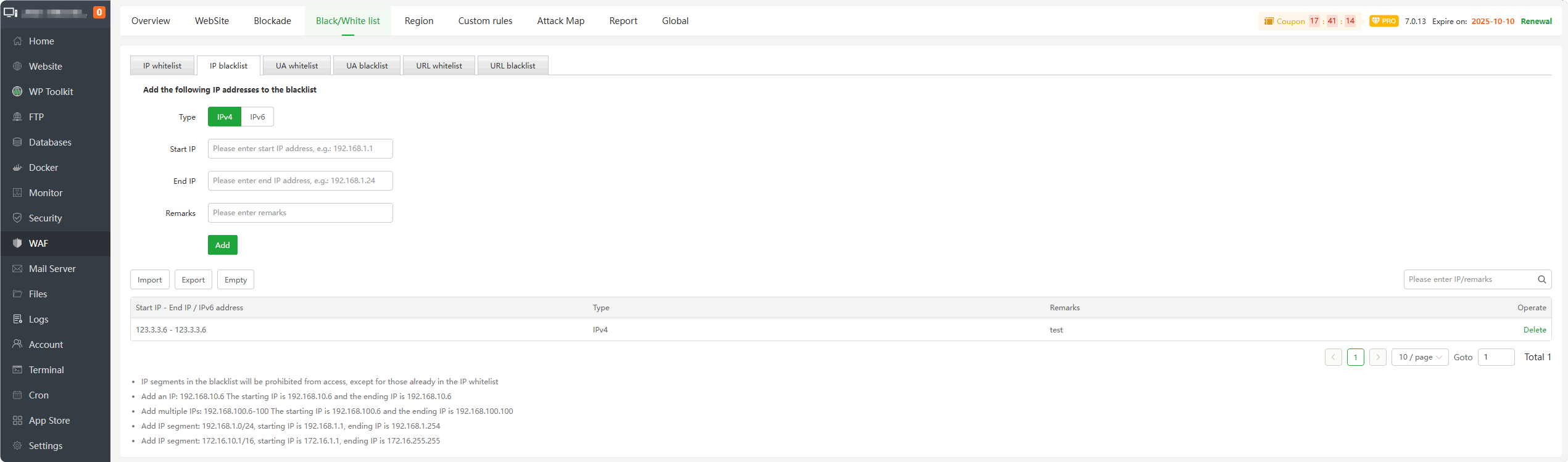
UA whitelist : Add UA to the whitelist.
User-Agentadded to this list willnot be intercepted.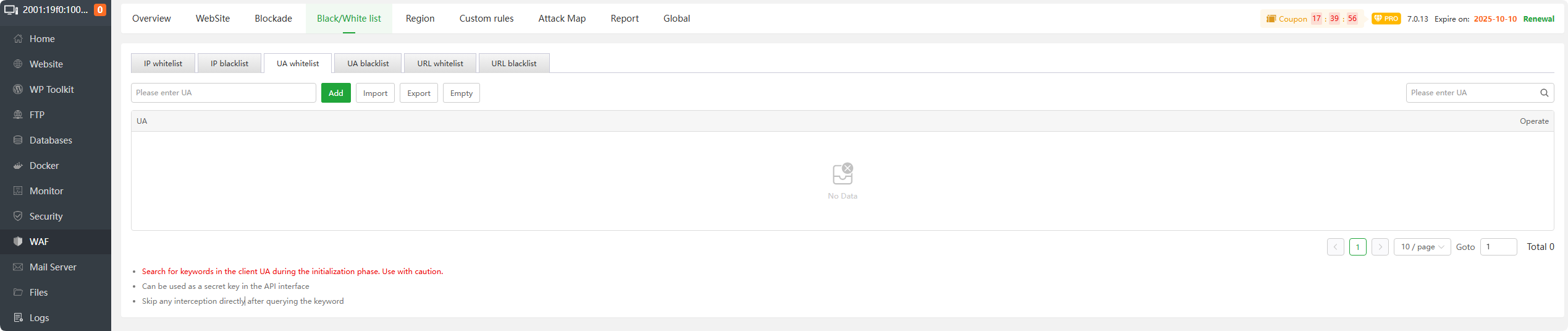
UA blacklist : Add UA to the blacklist.
User-Agentadded to this list willintercept all requests.
URL whitelist : Add URLs to the whitelist.
URLsadded to this list willnot be blocked.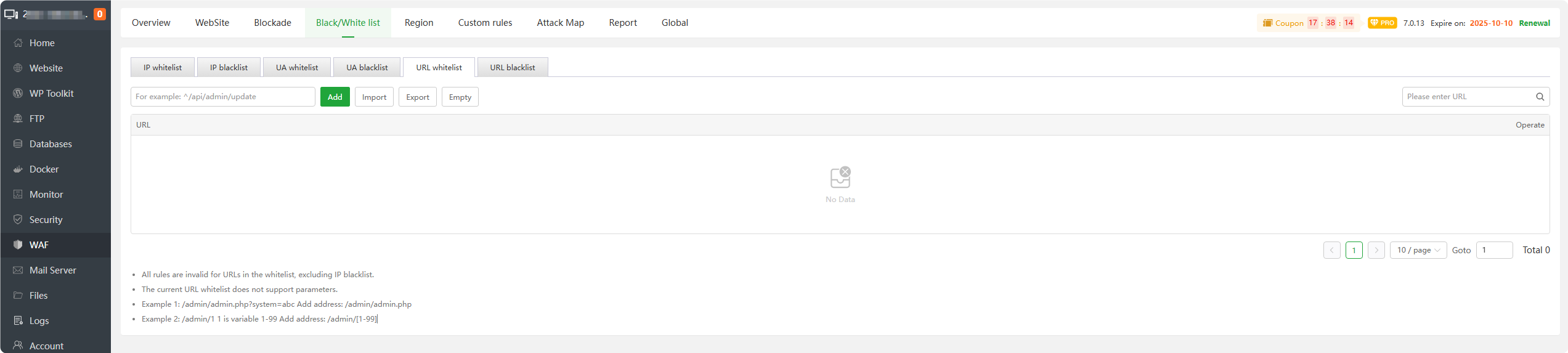
URL blacklist : Add URL to the blacklist.
URLsadded to this list willintercept all requests.
Region

- Add Region Restriction : Add a
regiontointerceptorallowaccess requests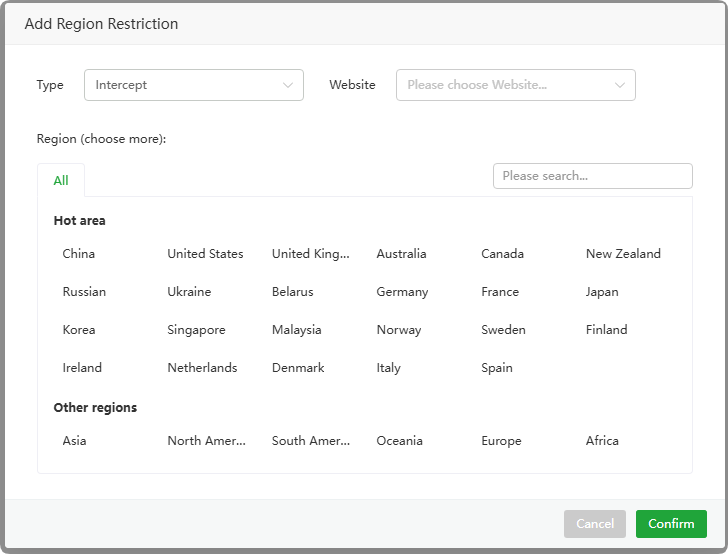
Custom rules

- Add custom interception
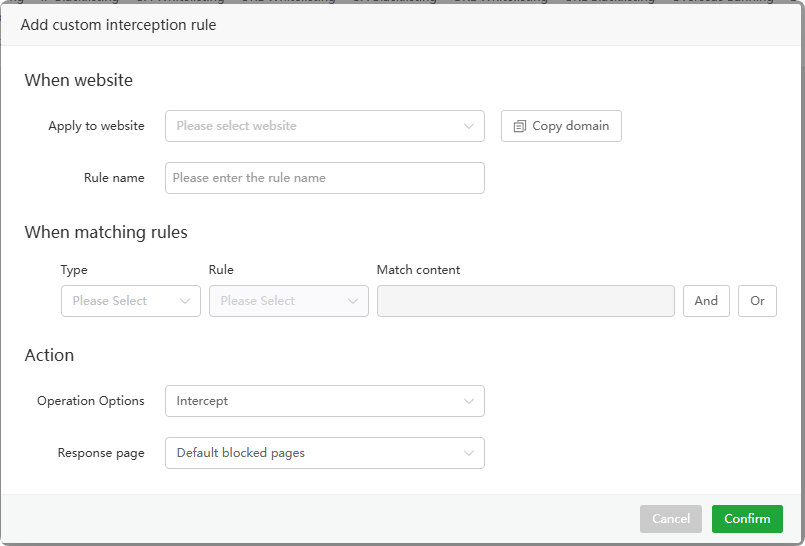
Add custom interception rules to intercept or allow access requests based on the following rules:
- Client lP address
- Country
- IP range
- Method
- URl(Without parameters)
- URl(With parameters)
- URl parameter name
- URl param
- Request header
- User Agent
- Referer
- Request header name
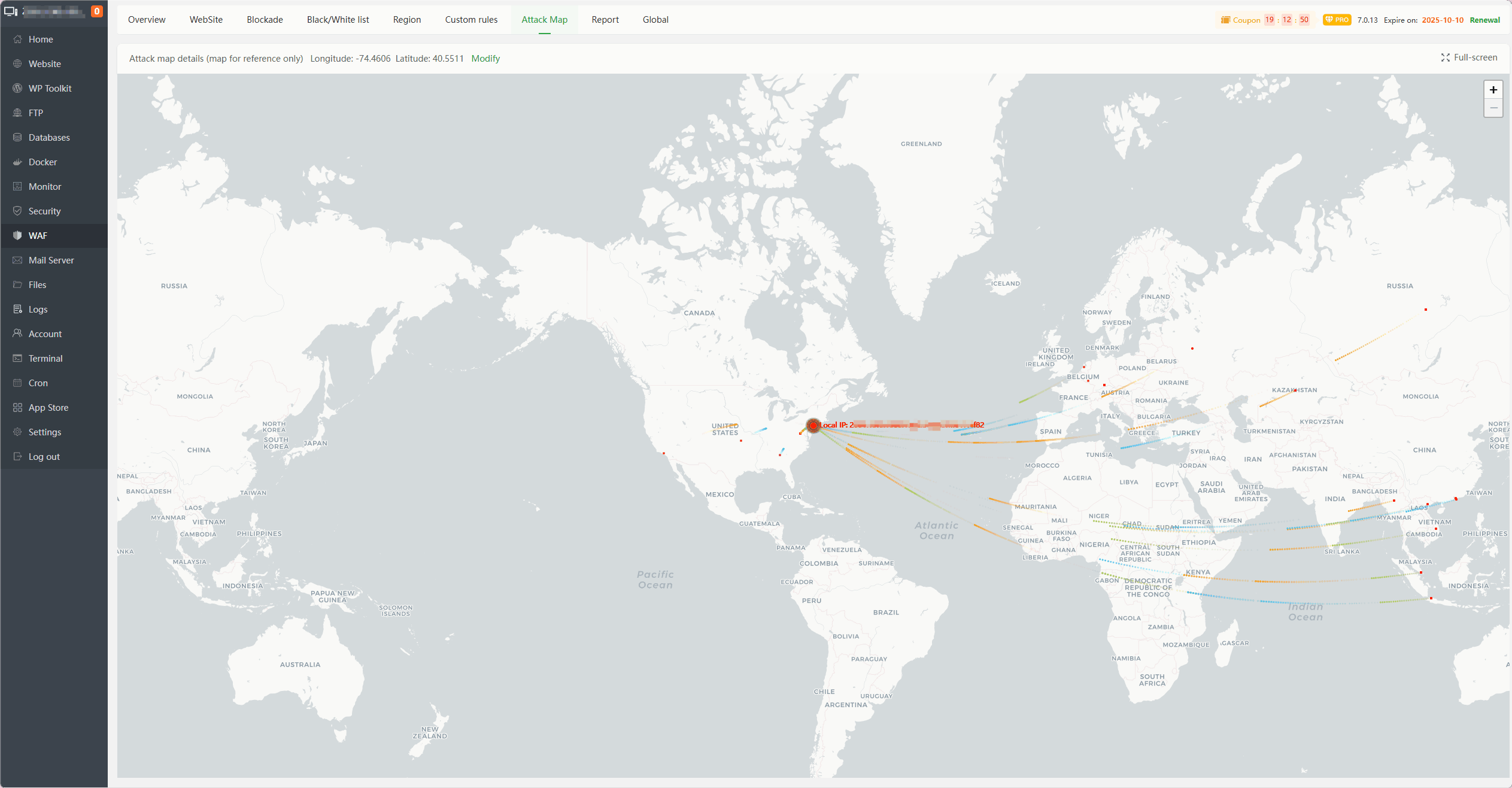
Attack Map
An attack map based on IP geographical location statistics
Report
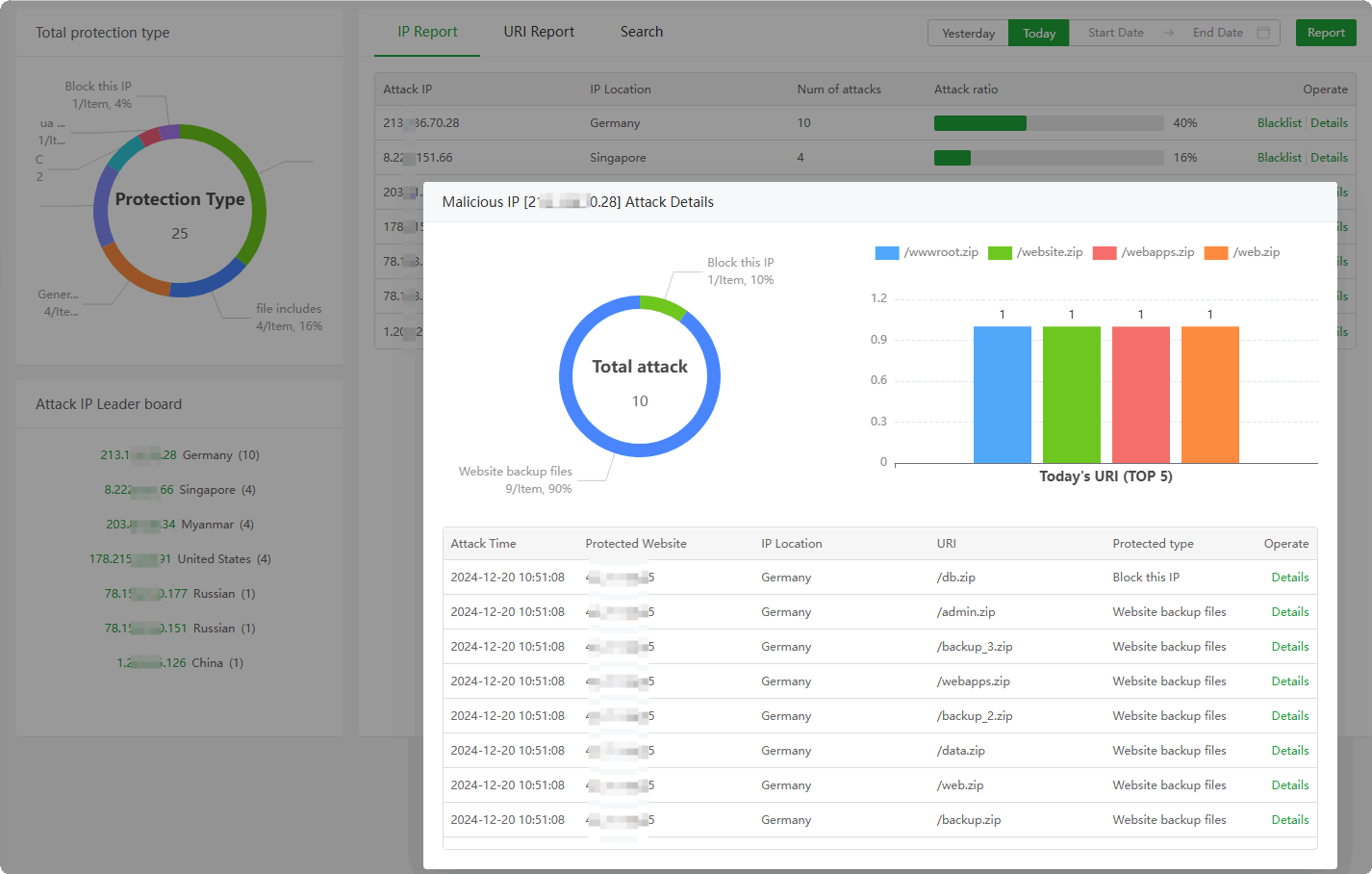
IP Report : View and manage
IP interception. Can permanently block or release this IP according to theaccess detailsof the IP.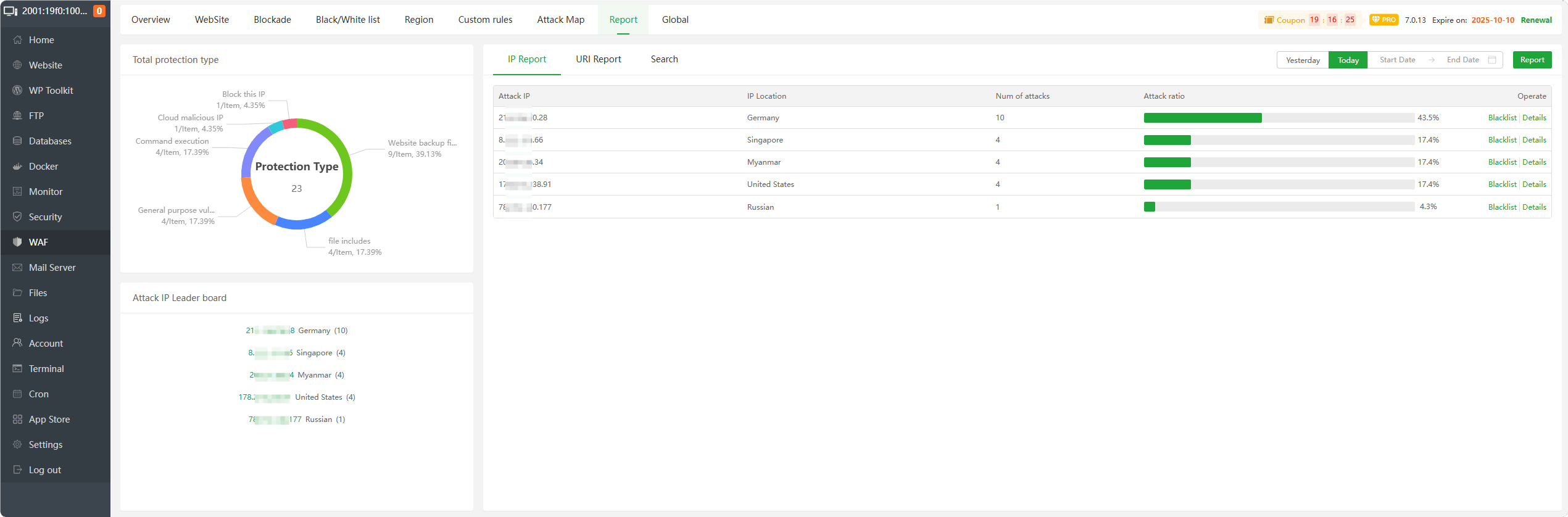
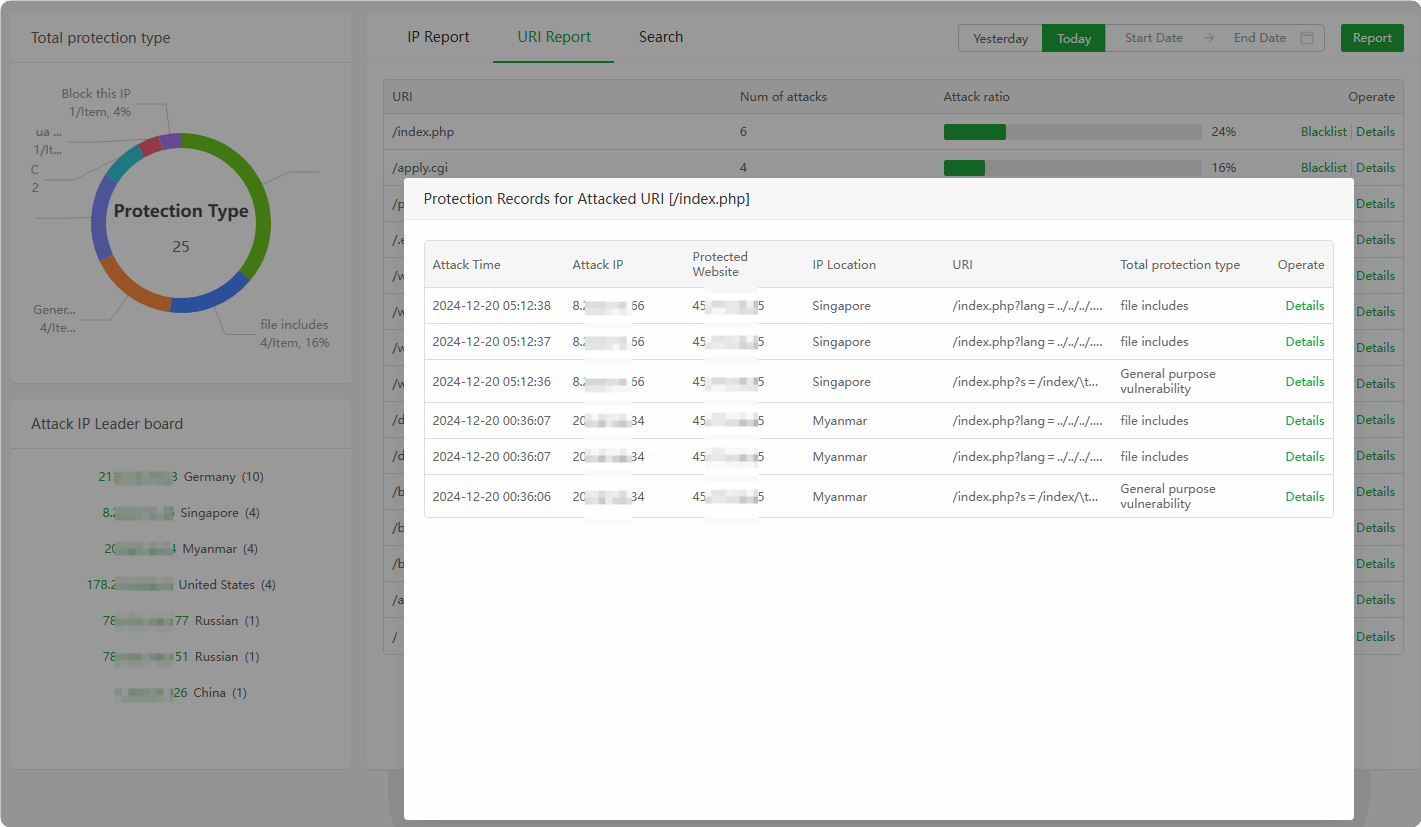
URI Report : View and manage
URI interception. Can permanently block or release this URI according to theaccess detailsof the URI.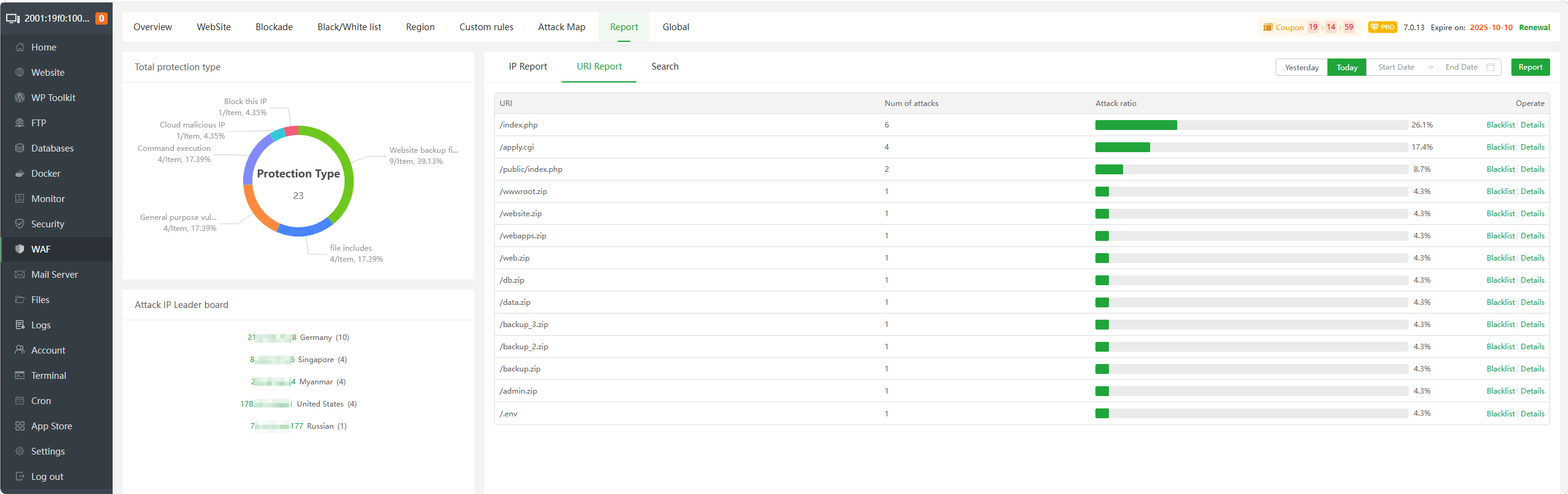
Search : Search the
interception logof the website, Can searchIP,URI,URL,Time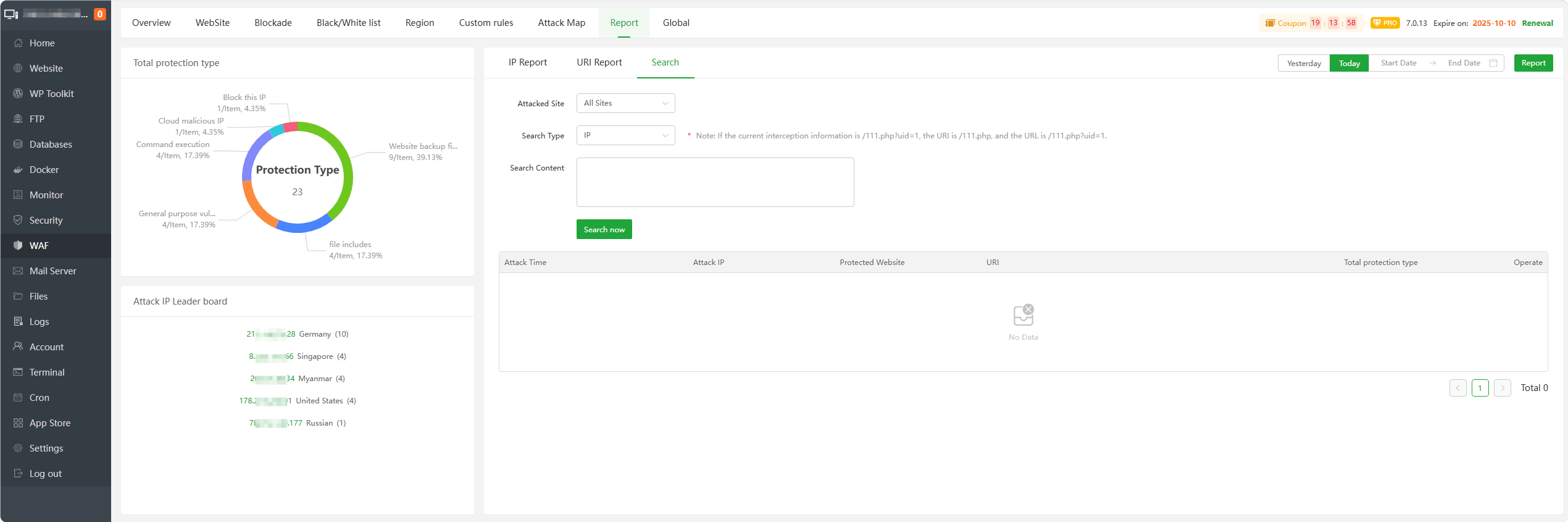
Global
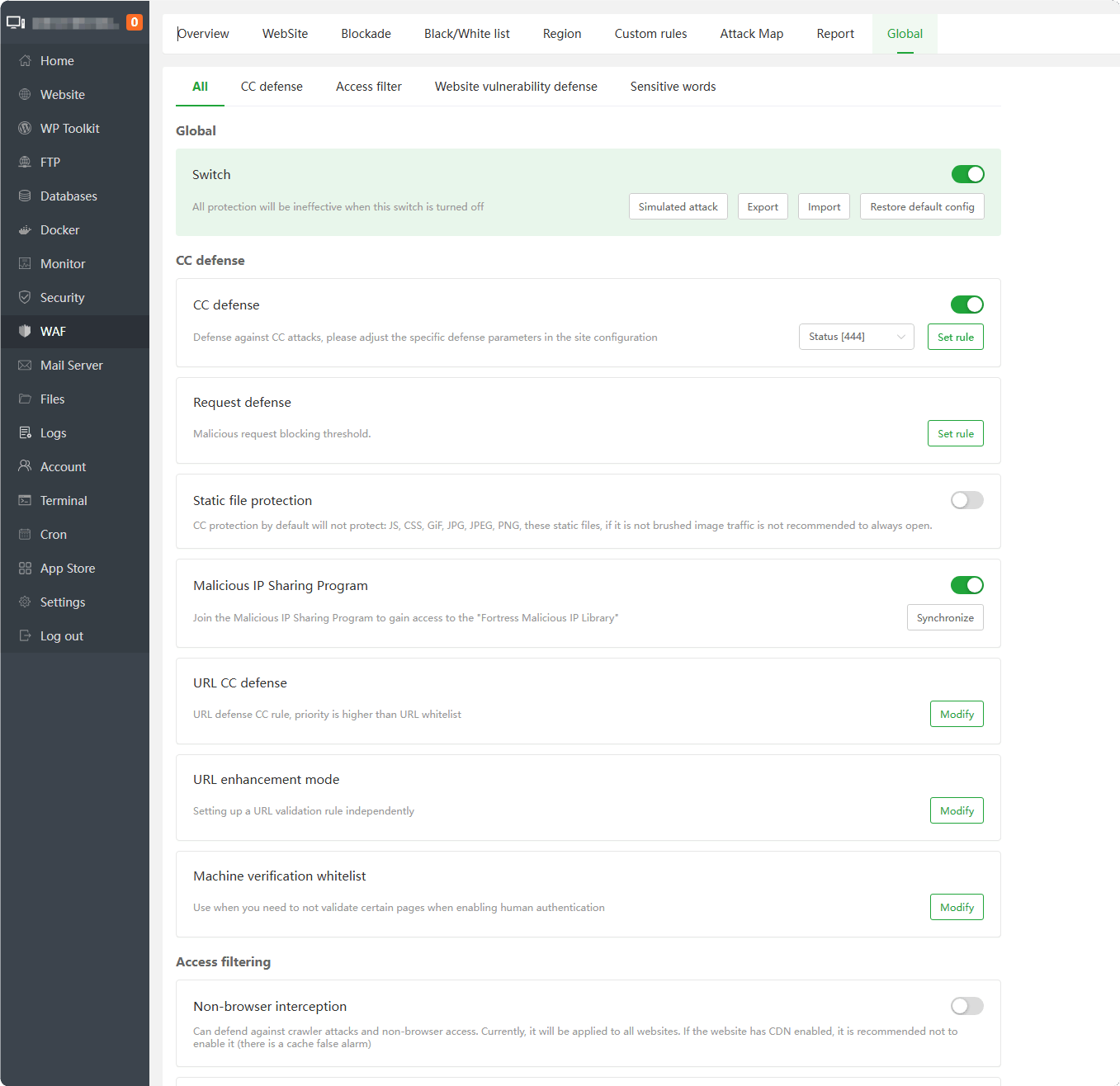
Manage the global configuration of WAF. Please see the instructions for modification.
Inheritance: The global setting will automatically inherit the default value in the site configuration
Priority:
IP whitelist> IP blacklist > UA whitelist > UA blacklist > URL keyword interception > URL CC defense > URL whitelist > URL blacklist > Non-browser > User-Agent > CC defense > Cookie > URI filter > URL parameter > POST > Website custom defense
Simulated attack : Simulate attack to
check whether WAF is effectiveExport : Export WAF configuration
Import : Import WAF configuration
Restore default config : Will restore the default configuration of WAF and
delete all configurationsadded by users.CC defense : Defense against CC attacks, please adjust the specific defense parameters in the
site configurationRequest defense : Malicious request blocking threshold.
Static file protection : CC protection by default will
not protect: JS, CSS, GiF, JPG, JPEG, PNG, thesestatic files, if it is not brushed image traffic is not recommended to always open.Malicious IP Sharing Program : Join the Malicious IP Sharing Program to gain access to the "Fortress Malicious IP Library"
URL CC defense : URL defense CC rule, priority is
higher than URL whitelistURL enhancement mode : Setting up a URL validation rule independently
Machine verification whitelist : Use when you need to
not validate certain pageswhen enabling human authenticationNon-browser interception : Can defend
against crawler attacksandnon-browser access. Currently, it will be applied to all websites. If the website hasCDN enabled, it is recommendednot to enableit (there is a cache false alarm)HTTP request filtering : HTTP request type filtering/request header filtering/semantic analysis switch
URL request type interception : Set URL interception request type separately
API interface defense : When some interfaces are in the
whitelist, one of them needs to be used under CC defenseSpider pond : By default, all major
search engine spiders are allowedto crawlSQL injection defense : Detect
malicious SQL statementsandprevent malicious tamperingof the database due to SQL injectionNote: If the content published on your website contains SQL statements (such as
database-relatedtutorial articles), enabling this defense may cause the publication of related content to be blockedXSS Defense : Detect
XSS syntaxto prevent web pages from being maliciously tampered with,user informationleaked, andpermissions stolenNote: If the content published on your website contains tutorials on malicious use of
javascript, enabling this defense may result in the publication of related content being blockedCommand Execution Interception : Determine and block the
executionofpotentially dangerous commandsthrough the syntax model, effectively preventing hackers from invading the server through the websiteWeak password defense : Real-time detection of
weak password loginandinterceptionSensitive information detection : Intercept sensitive
informationinerror messages, includingSQL errors,PHP errors, etc.Malicious file upload defense : Detect
malicious file uploads, prevent Trojans from being uploaded, and prevent server permissions from being lostNote: If you upload a file with the keyword php in the file name, enabling this defense may result in the IP being blocked
Malicious Download Defense : Detect
malicious downloadsandprevent backup files,source code, and other critical data from being downloadedNote: If you need to download backup files from a website, and if the compressed file contains the website name, enabling this defense may cause the download file to be intercepted. You can download it through the panel
Custom rule interception : Detect
php codeexecution, detectdirectorydetection, detectSSRFdetection, andcustomdetectionNote: The current rules can be edited, and the default is that both GET/POST request methods will take effect.
Malicious crawler defense : Detect
malicious crawlersand prevent malicious crawlers from accessing the websiteNote: If your website needs to be included in the search engine, be sure not to add the search engine features
Malicious Cookie Defense : Detect whether the cookie contains malicious code,
SQL injection,XSS attackMalicious Scanner Defense: Detect malicious scanners, prevent all kinds of scanners,
Trojanconnection tools, and access to thewebsite.Note: If your website is undergoing
security testing, it may be blocked.Directory Scan Defense : Prevent directory/file scanning, and perform statistical interception through the
404status code of the access.Note: If your webpage has many
404images, it may cause access to be blockedTrojan detection : Webshell inspection is
performedthrough real-time accessfiles. The results are on the isolation box page. It is recommended not to turn off this function.Note: If your normal files are pulled into the isolation box, please add white in the isolation box.
Logging : The
defaultfirewall only records HTTP intercepteddata packetswithin1M. If you need to record larger data packets, turn on this function.Sensitive text replacement :
Replacethe set sensitivetext. If the Baota website acceleration is installed, this function will be invalid.URL keyword interception : Intercept
keywordsfrom URLBanned words :
Banned wordsorphrasesin text
Feedback or Suggestions
If you encounter problems or suggestions during use, please contact us through the following methods:
- (Please describe in
detailor providescreenshots)
Email: [email protected]
Discord: https://discord.gg/Tya5yceBpd
Telegram: https://aapanel.com/tg
GitHub: https://github.com/aapanel/aapanel
If you like aaPanel, please give it a Star