
Professional
Nginx WAF
App Store --> Professional --> Nginx WAF
Mitigating DDOS attacks, easily creating custom rules, protecting your website and reducing the risk of malicious attacks and data leakage.
If your server is
ARM(aarch64) architecture, please replace Nginx withOpenResty
Home : View and manage the
statusandconfigurationof Nginx WAF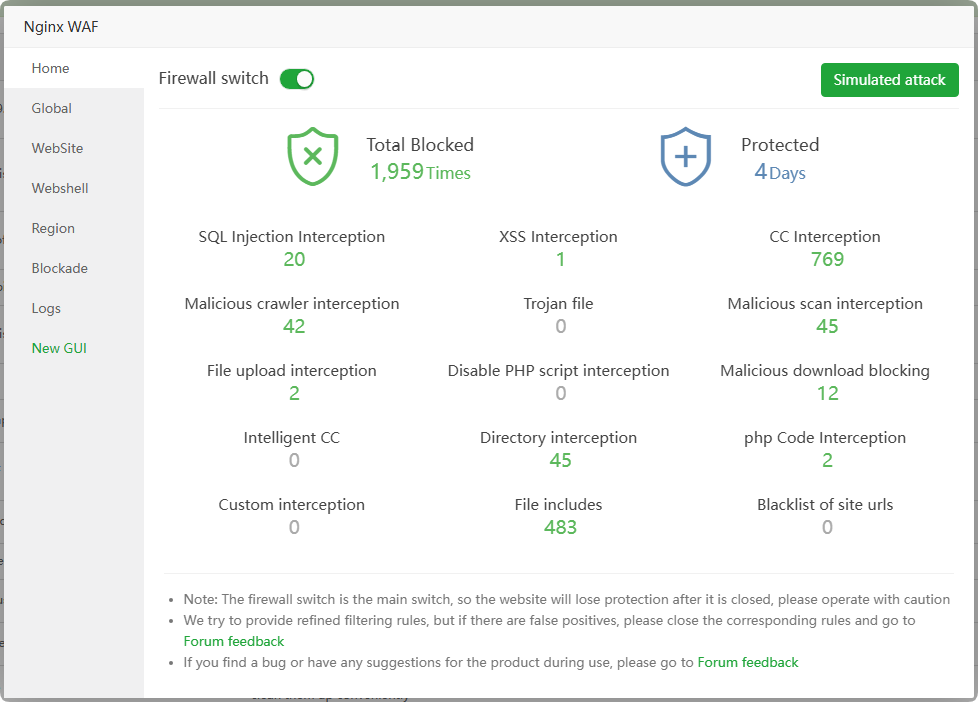
Global : View and manage Nginx WAF
global configuration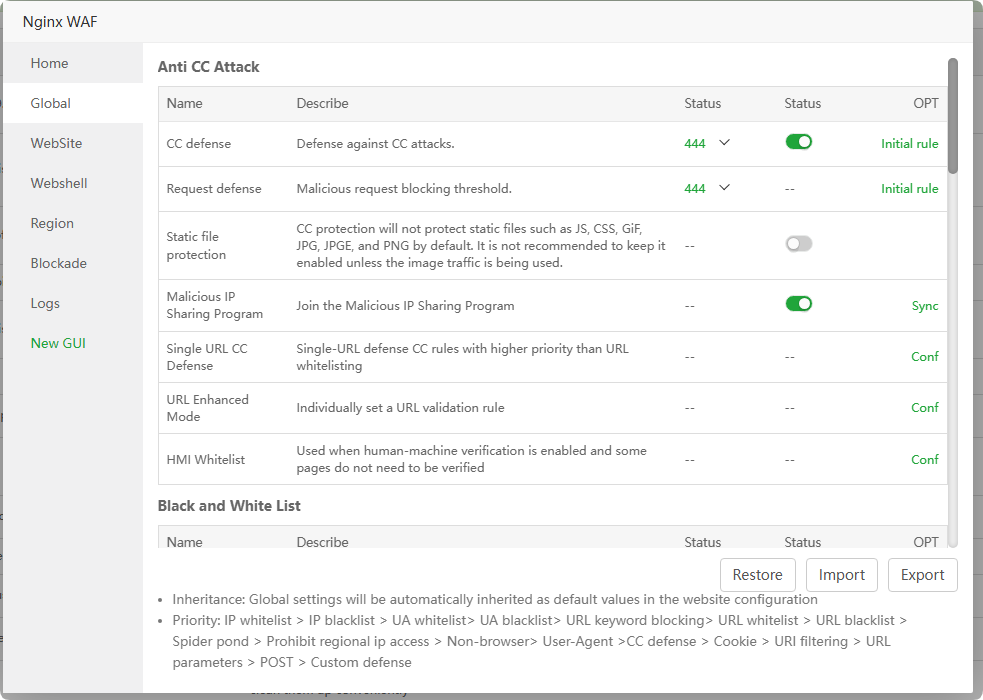
WebSite : View and manage the
interception dataandconfigurationof asingle site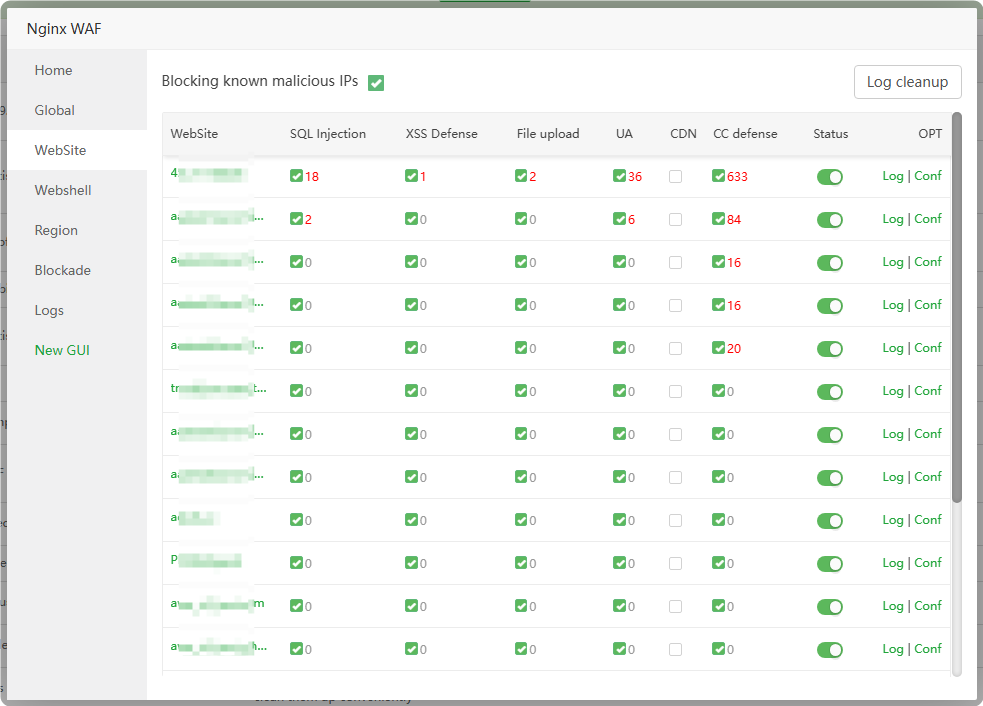
Webshell : View and manage information intercepted by Webshell
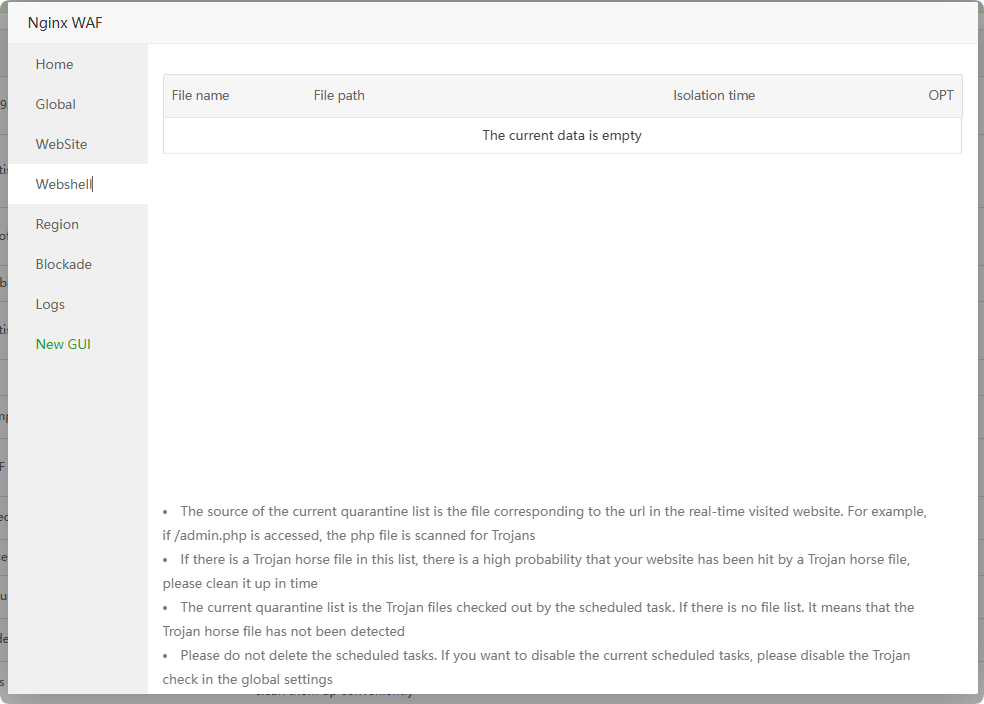
Region : View and manage areas where
access to websites is Region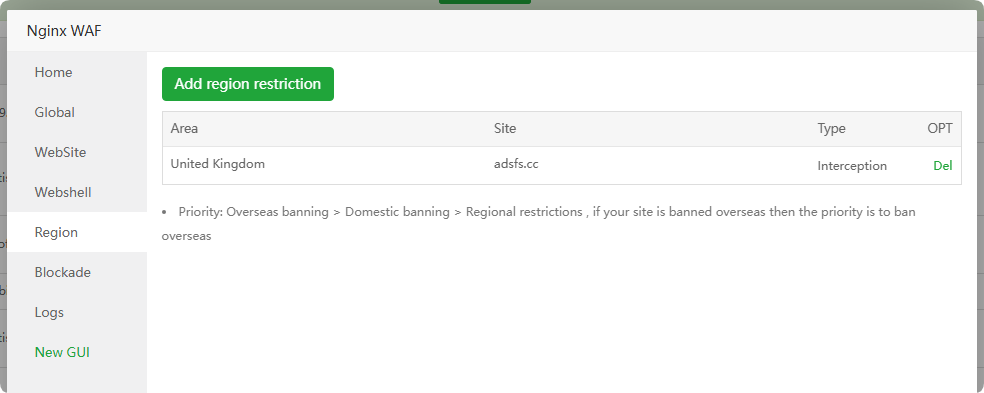
Blockade : View and manage
IPs interceptedby Nginx WAF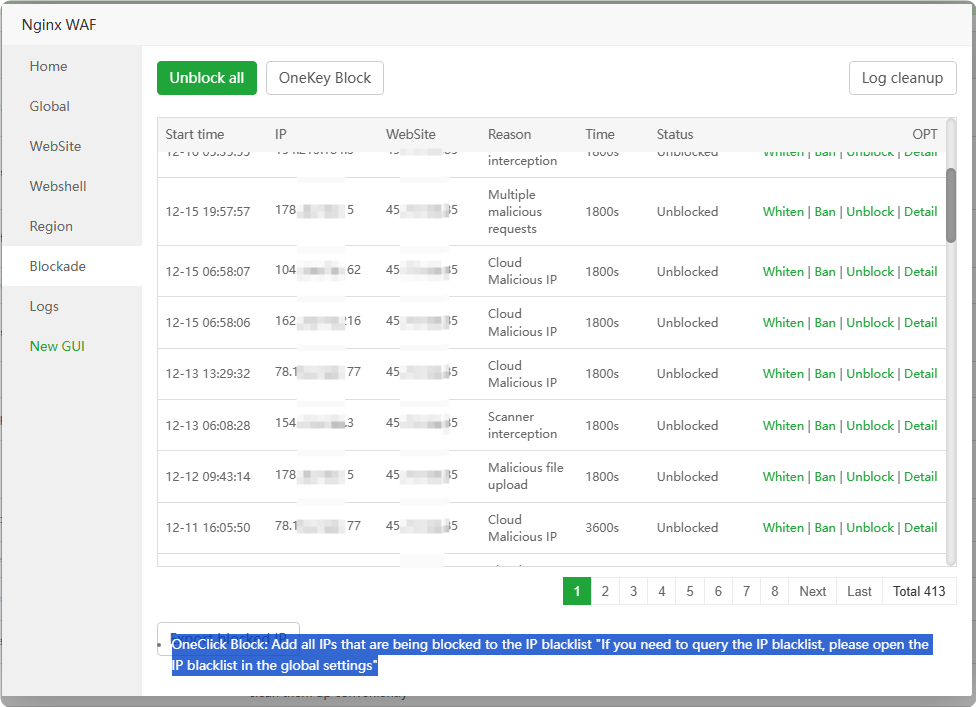
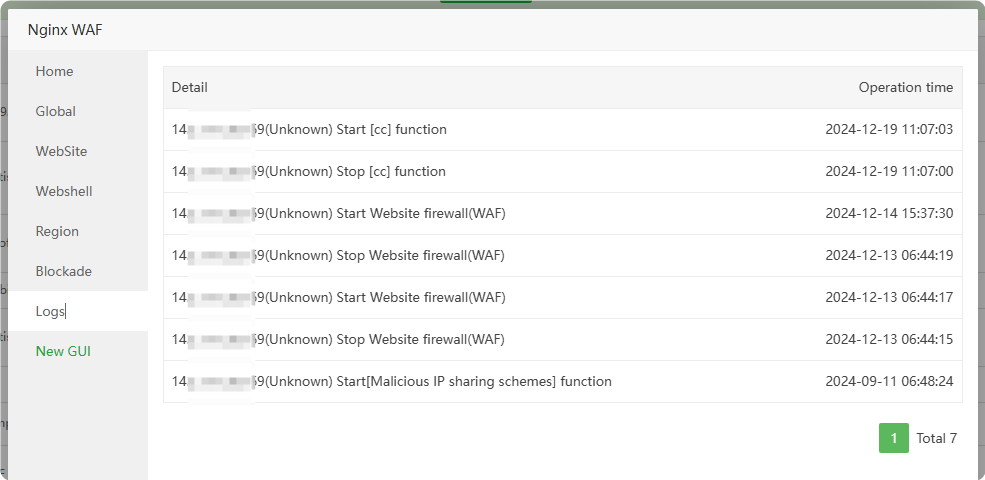
Logs : View the operation log of Nginx WAF
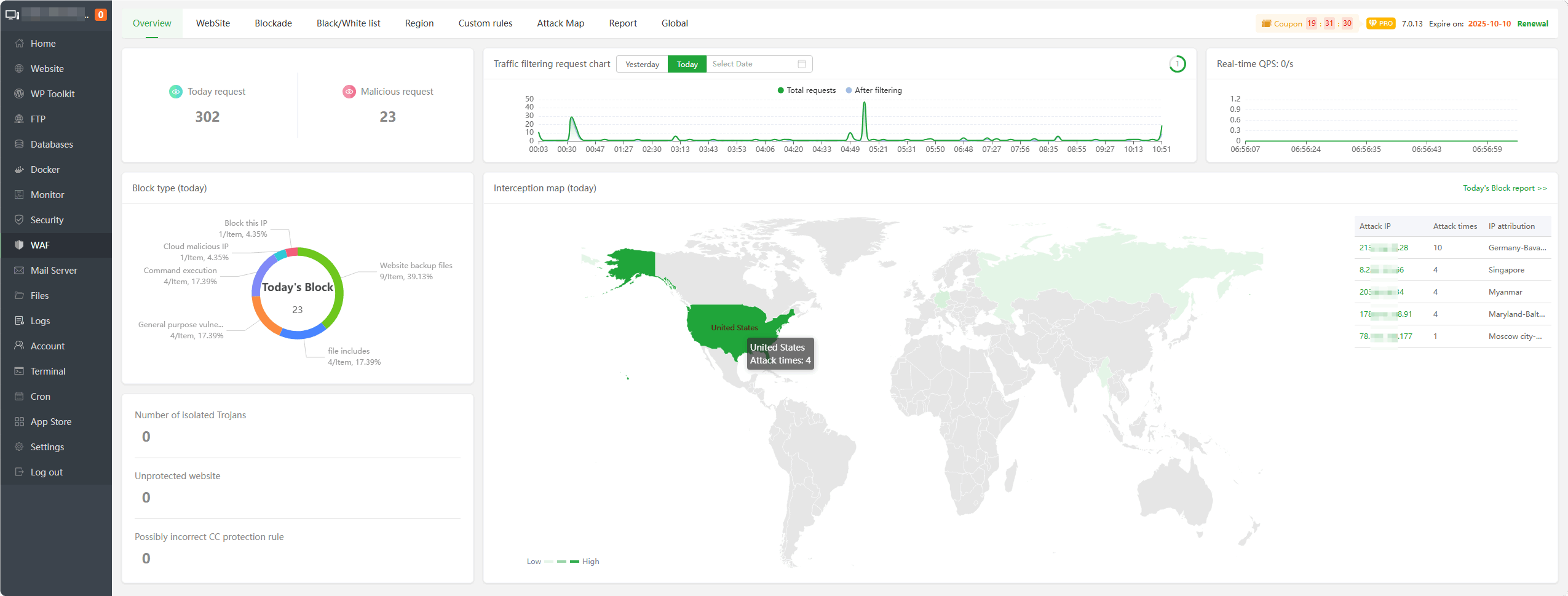
New GUI : Using the new GUI WAF
Website statistics-v2
App Store --> Professional --> Website statistics-v2
Real-time analysis of website operating users and access status, accurate statistics of website traffic, IP, UV, PV, requests, spiders and other data to provide data support for website operation; supports nginx and apache
Overview : Check the
real-timePV,UV,IP,Request,Traffic,QPSand other information of the specified website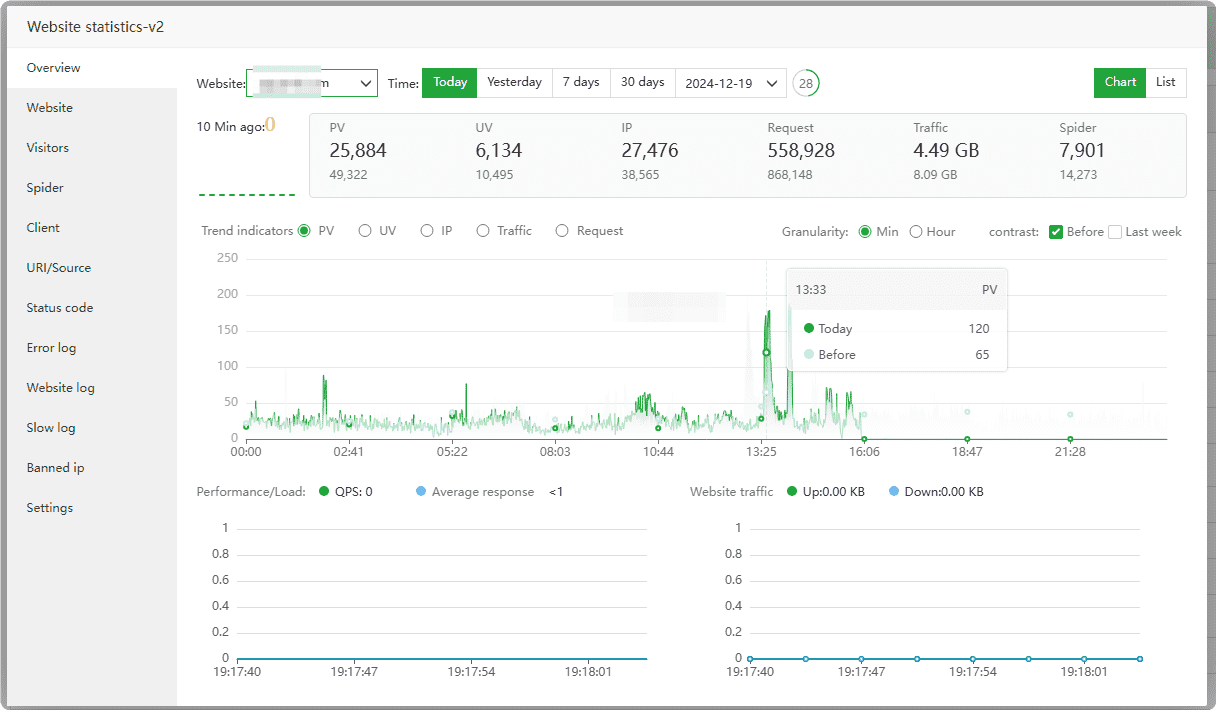
Website : View PV, UV, IP, Request, Traffic, QPS and other information of
all websites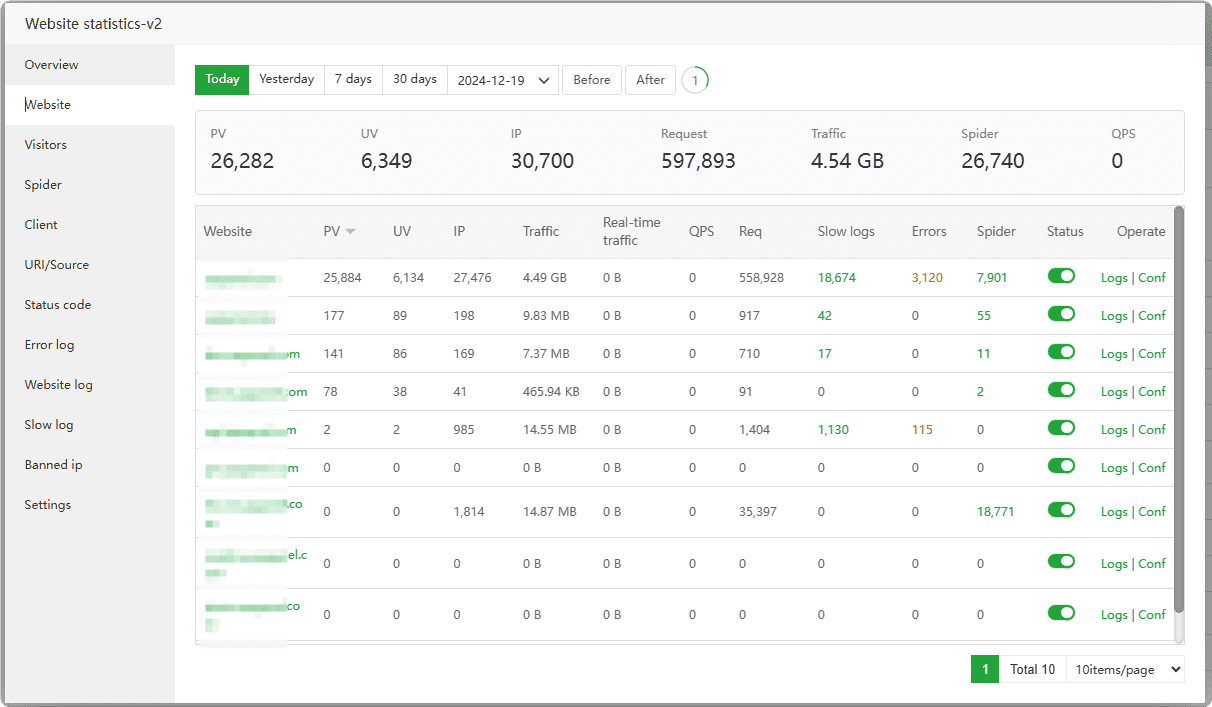
Visitors : View and analyze website user
access status
Spider : Check the access status of
website spiders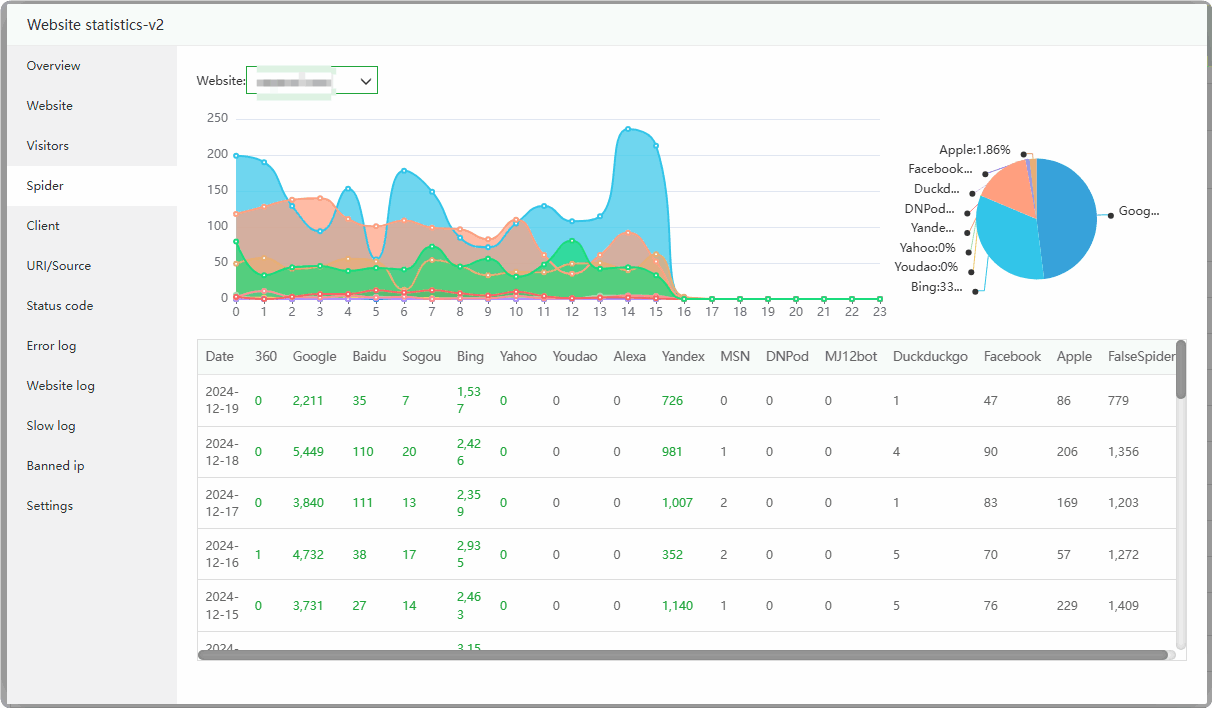
Client : Check the
client informationof the user accessing the website
URI/Source : Analyze
website linksandaccess sources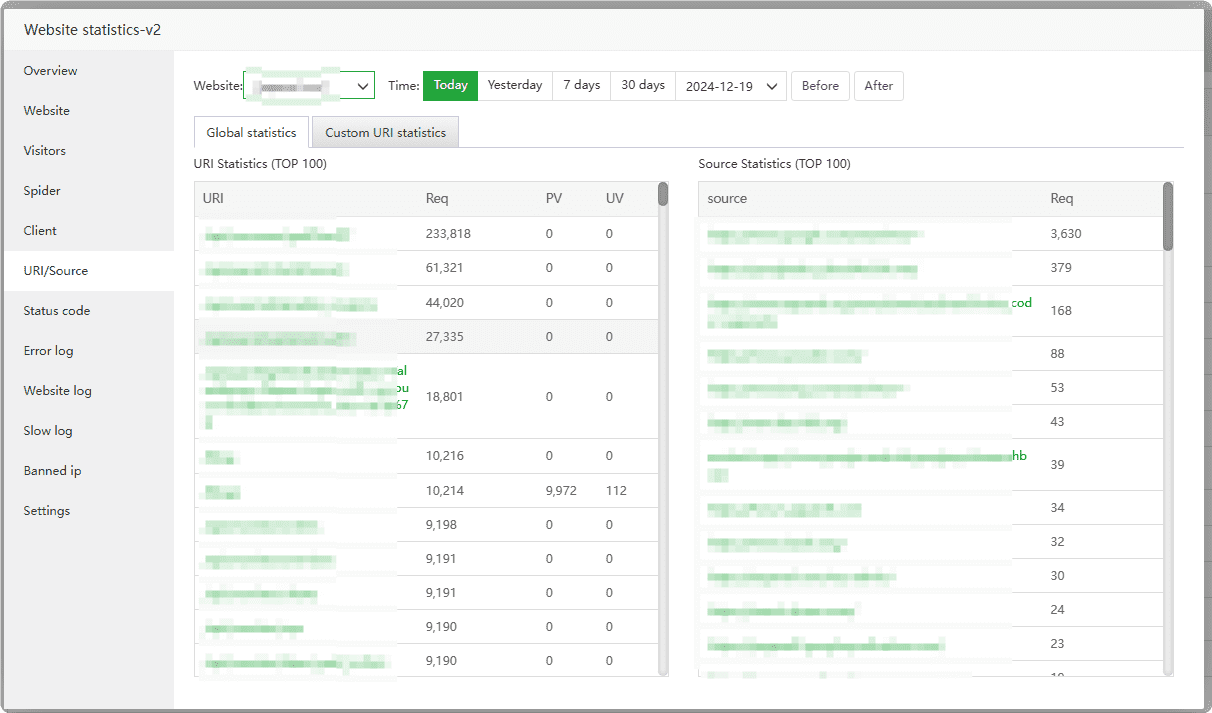
Status code : Check the status code of the website to determine whether the
request statusof the website is normal.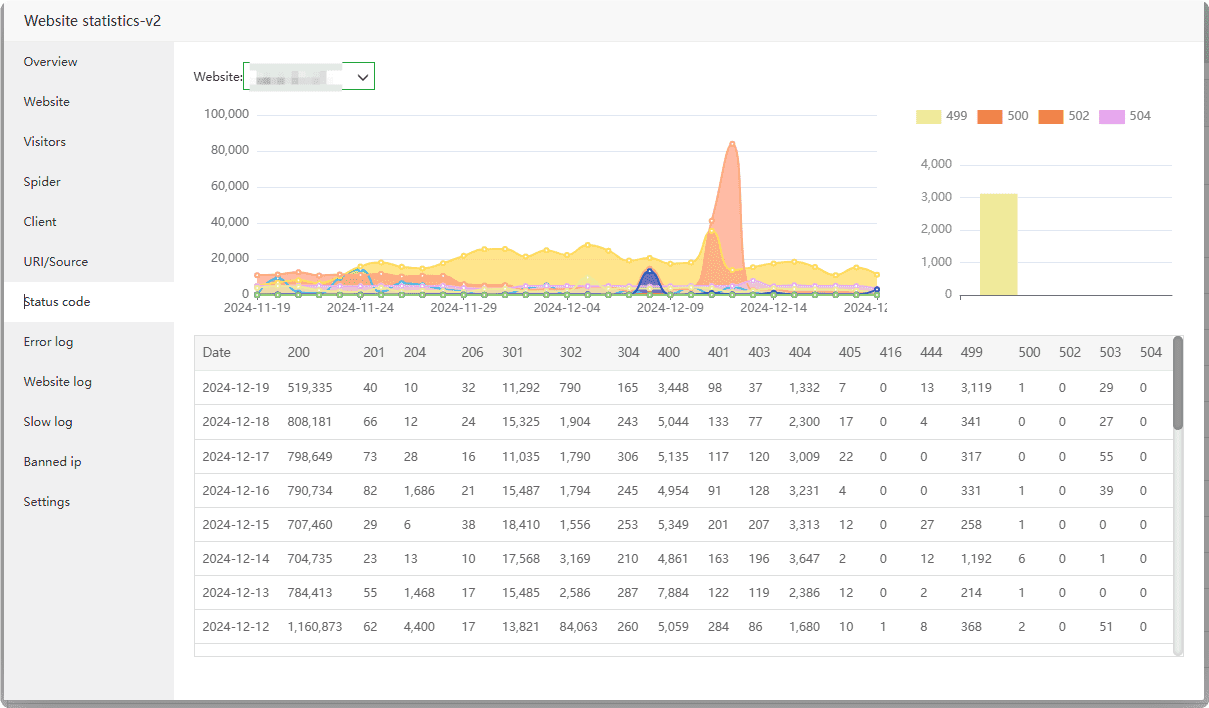
Error log :
Check analyzethe website’s error log to determine whether the website’s request is normal.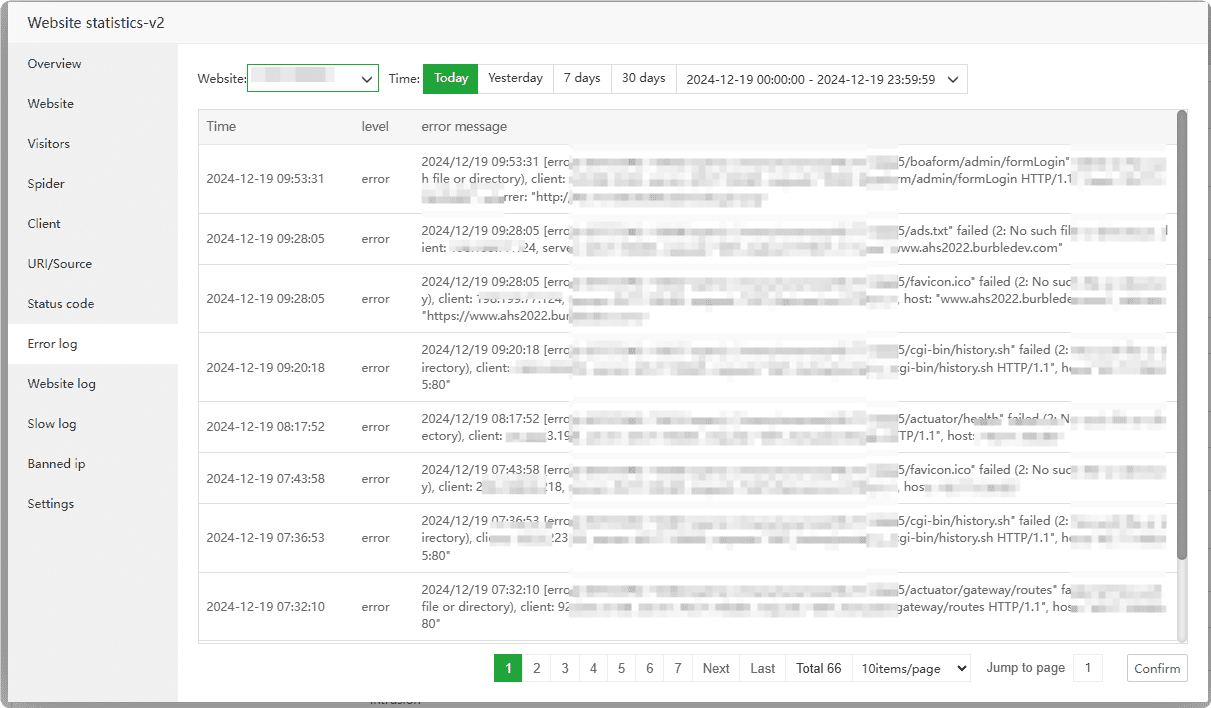
Website log :
Check analyzethe website's logs to determine whether the website's requests are normal. If there are abnormal accesses, access can be prohibited.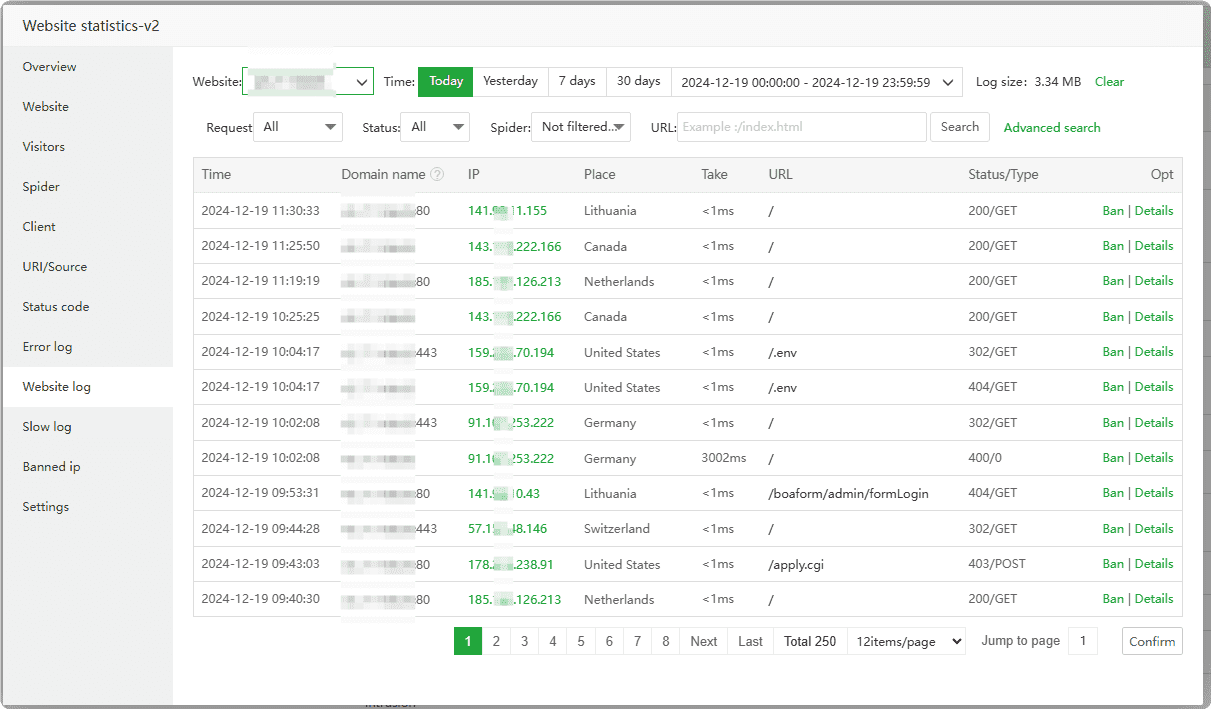
Slow log : Check the slow log of the website, Can follow
Slow logTroubleshoot website requests that take too long
Banned ip : To prohibit access to the specified IP, Can pass
Webite logInterface added, if the website uses CDN, please use WAF to prohibit it.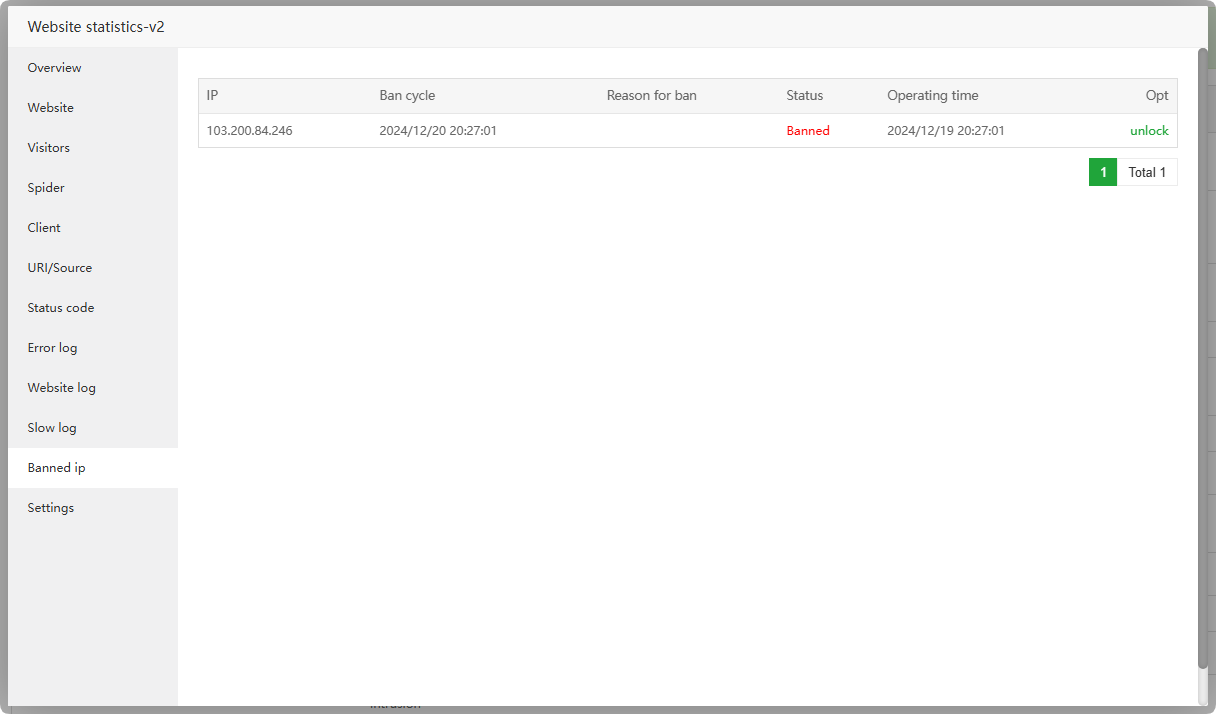
Settings : View and manage the
configurationandrunning statusof Website statistics-v2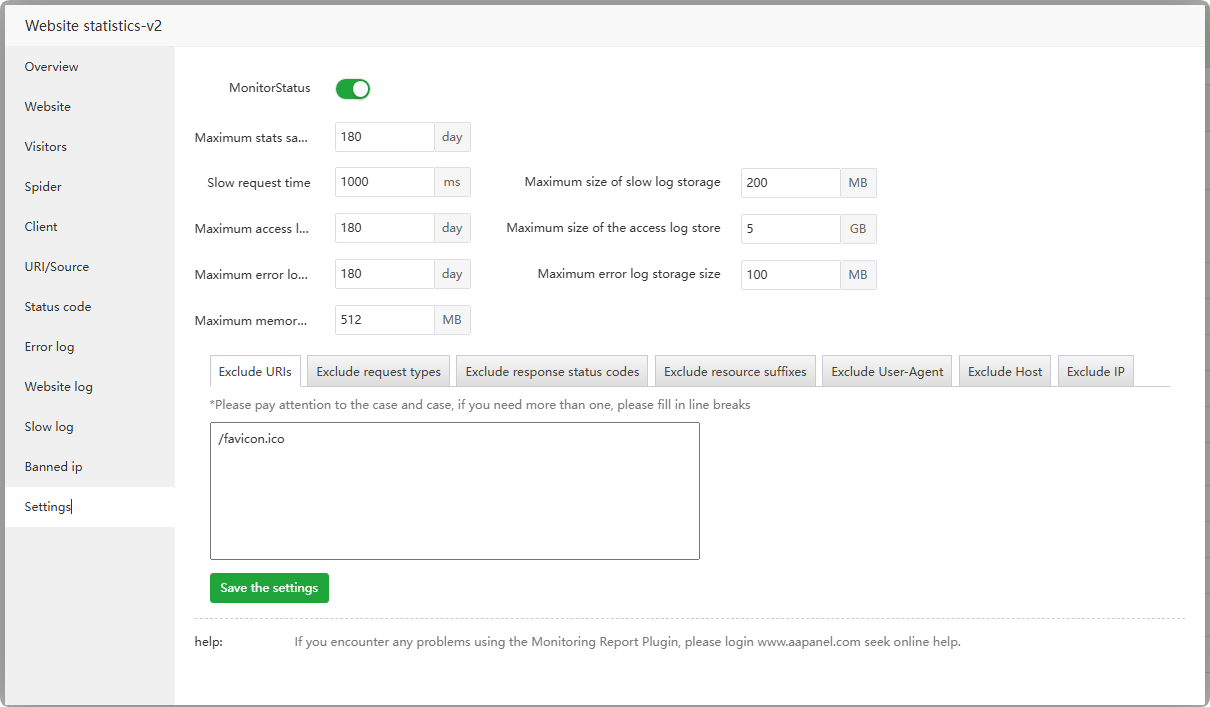
Tamper-proof for Enterprise
App Store --> Professional --> Tamper-proof for Enterprise
Effectively intercept 99.9% of illegal modification of web pages, tampering of files, etc. Note: Cannot be used with other anti-tamper software.
Click to view How to use Tamper-proof for Enterprise
Overview : View total interception information, manage the
status and configurationof Tamper-proof for Enterprise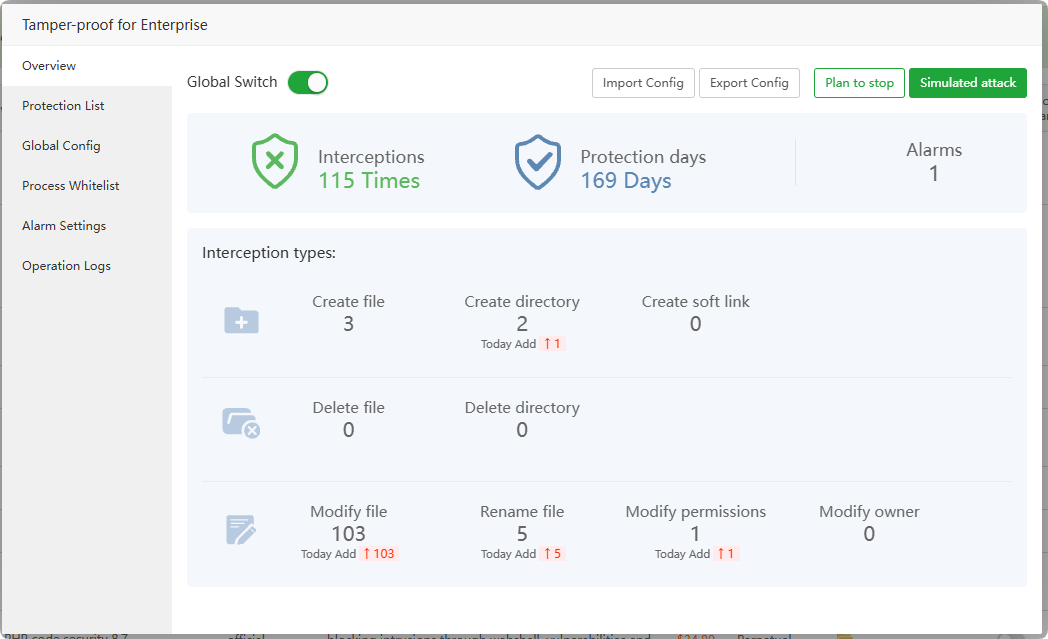
Protection List :
Viewandmanageprotected directory lists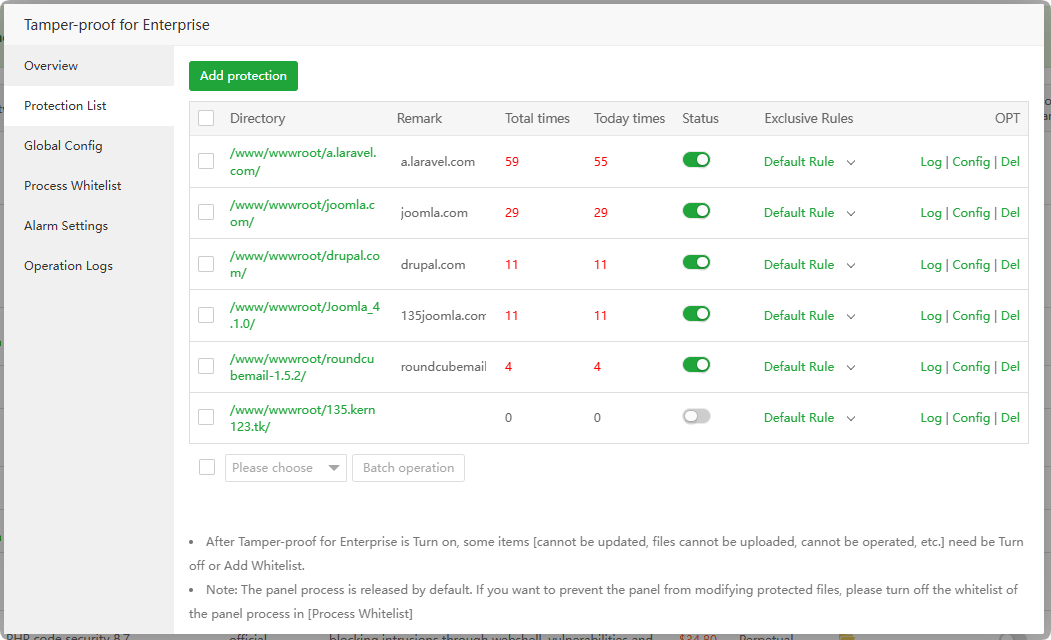
Global Config : Set
default rules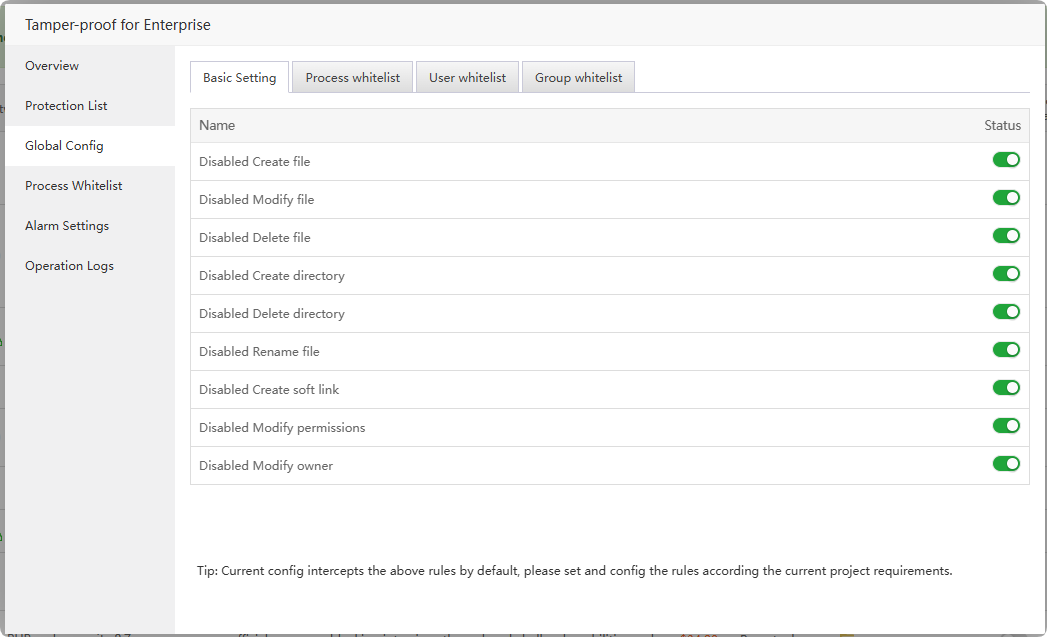
Process Whitelist : Set the
allowed processes. When enabled, the operations of the process will not be intercepted.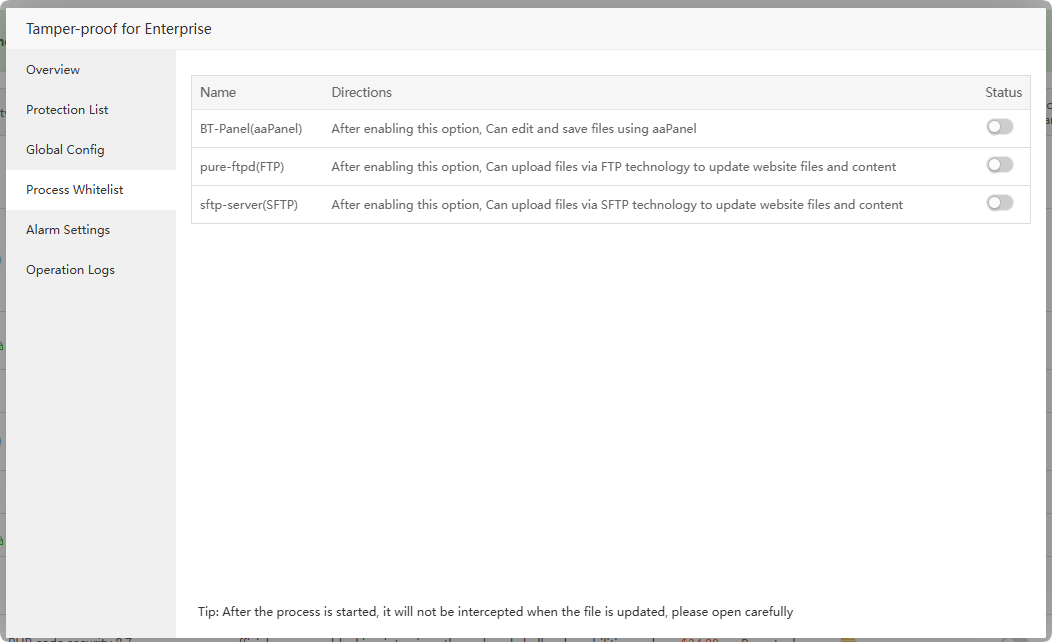
Alarm Settings : Set
interception alarm, and a notification will be sent if there is interception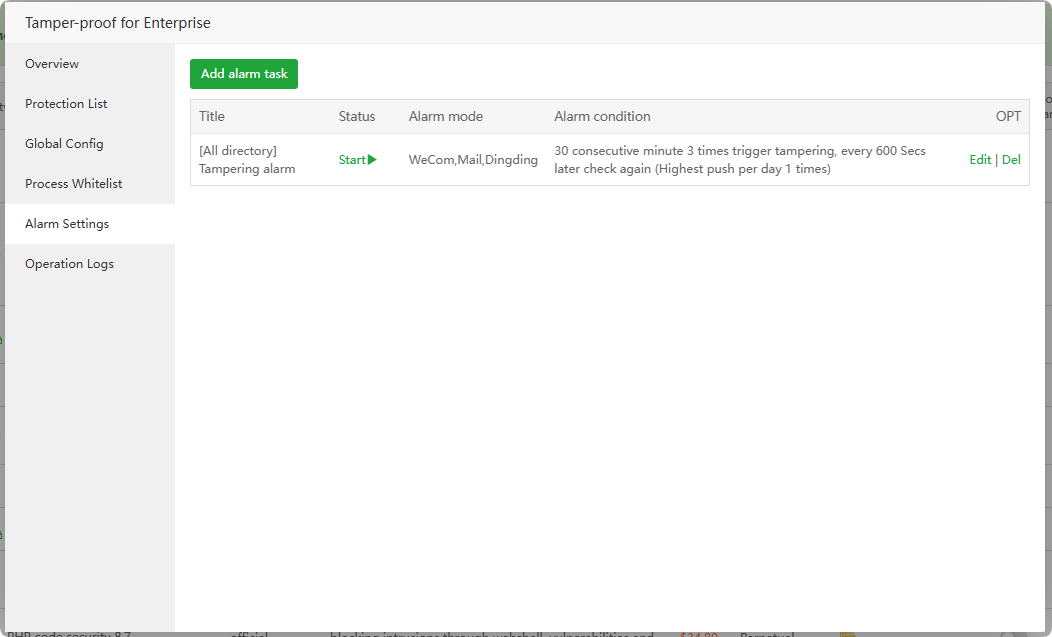
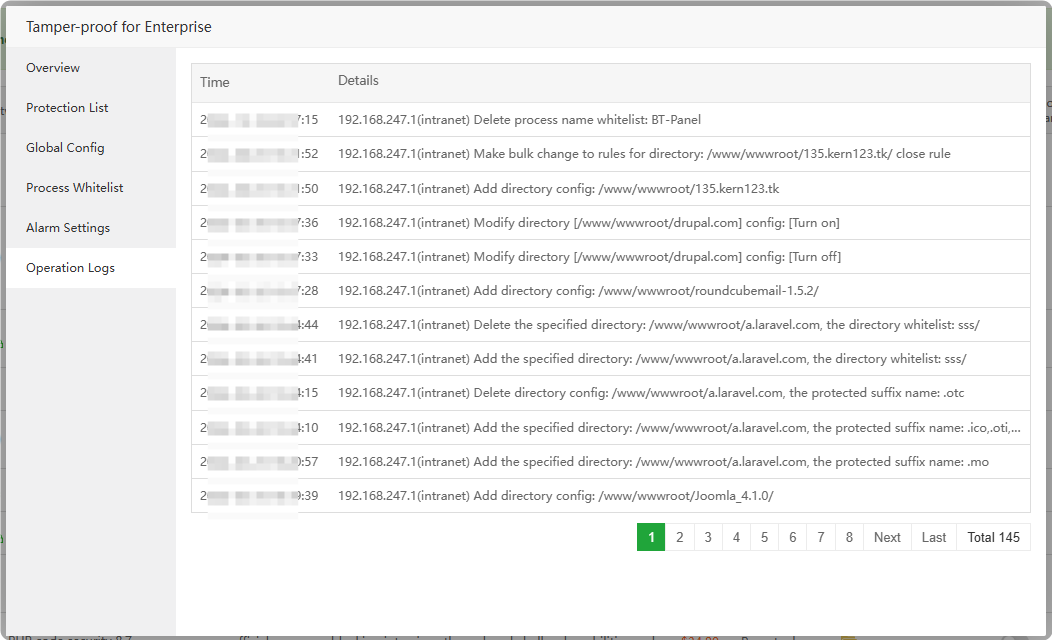
Operation Logs : View Tamper-proof for Enterprise operation logs
Website Analytics
App Store --> Professional --> Website Analytics
A lightweight, self-hosted website traffic analytics system. A small front-end JS snippet reports only real visitors (crawlers and JS-disabled clients excluded) to a Go + DuckDB collector on your own server — cookie-less and GDPR-friendly. Covers traffic, source and visitor analysis, page performance (Web Vitals), heatmaps, conversion funnels, session replay and a live dashboard.
- Click to view How to use Website Analytics
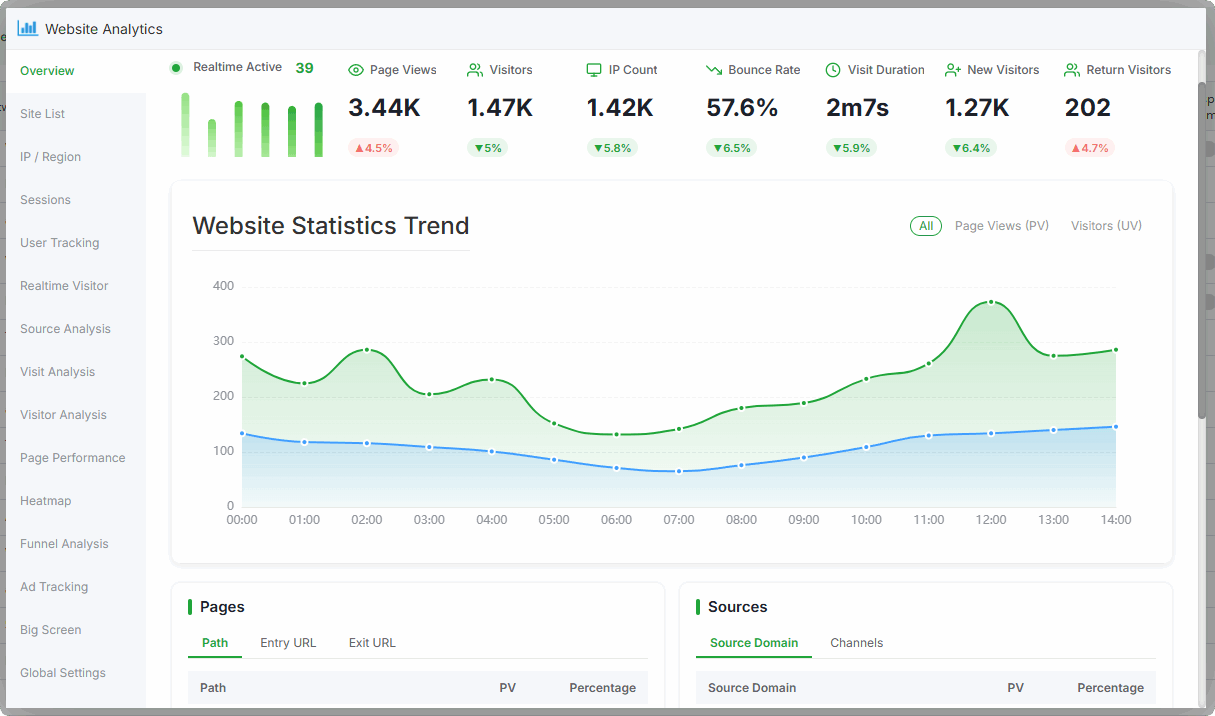
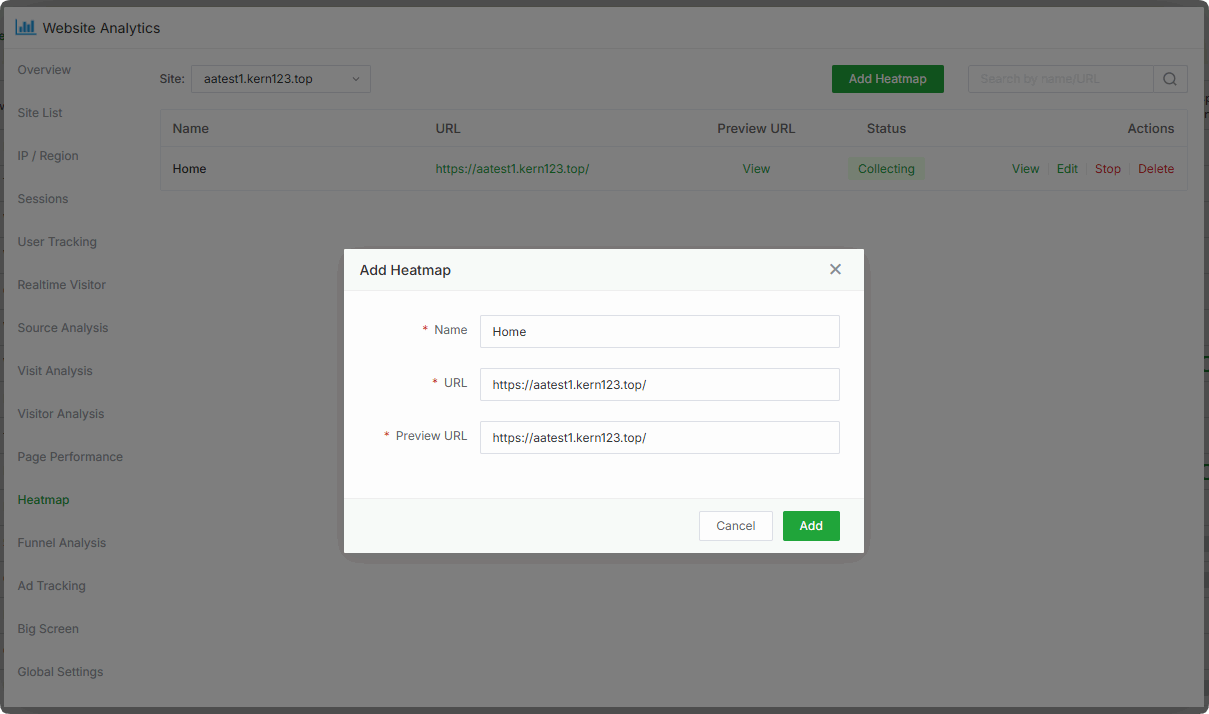
Heatmap : Visualise visitor click heat per page, with per-page configuration
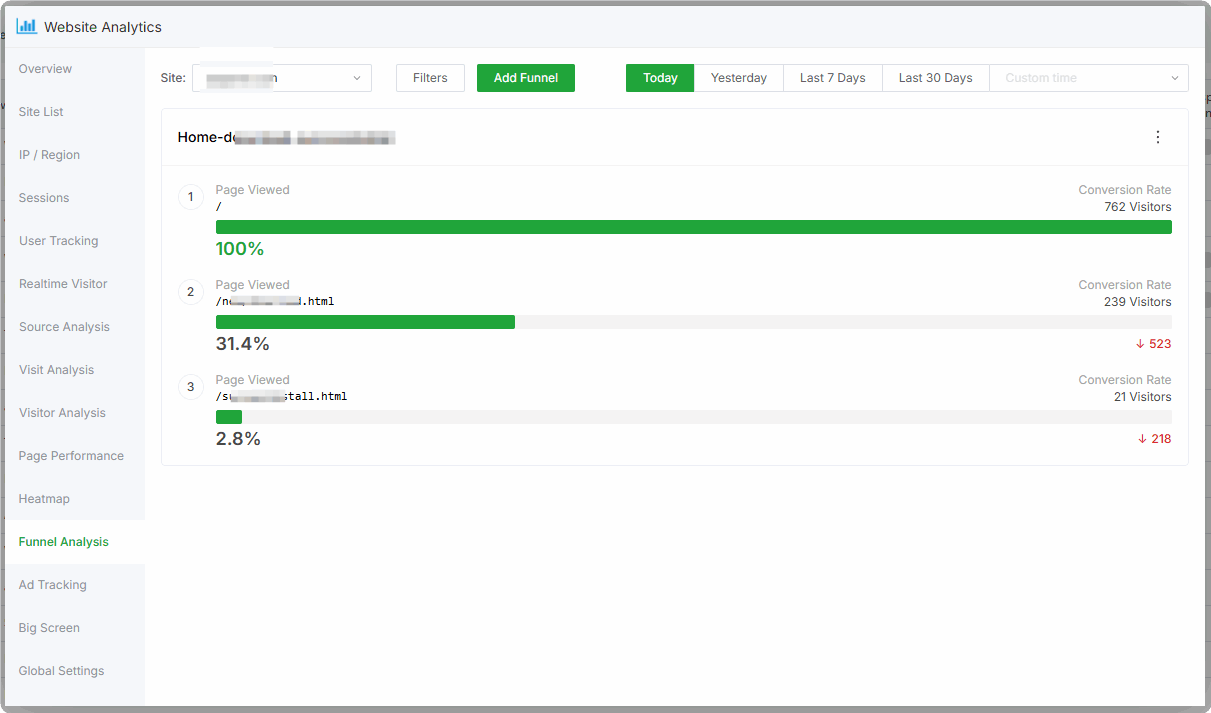
Funnel : Build custom conversion funnels and locate the step with the heaviest drop-off
Files Sync
App Store --> Professional --> Files Sync
Used for real-time / scheduled file sync between servers, as well as syncing between two local directories. Suitable for load balancing, cluster deployments, offsite backup and other file sync scenarios.
Click to view How to use Files Sync
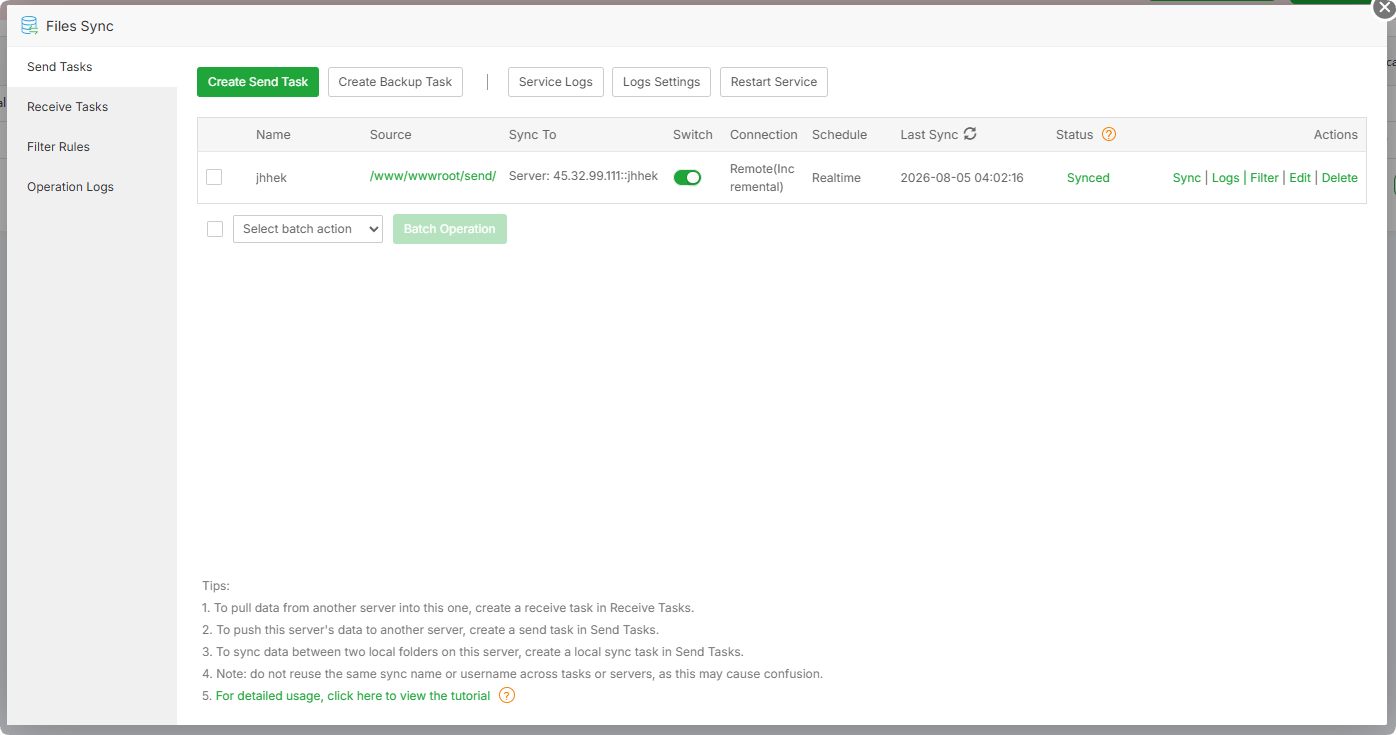
Send Tasks : Push (sync) a local directory to other servers or to another local directory
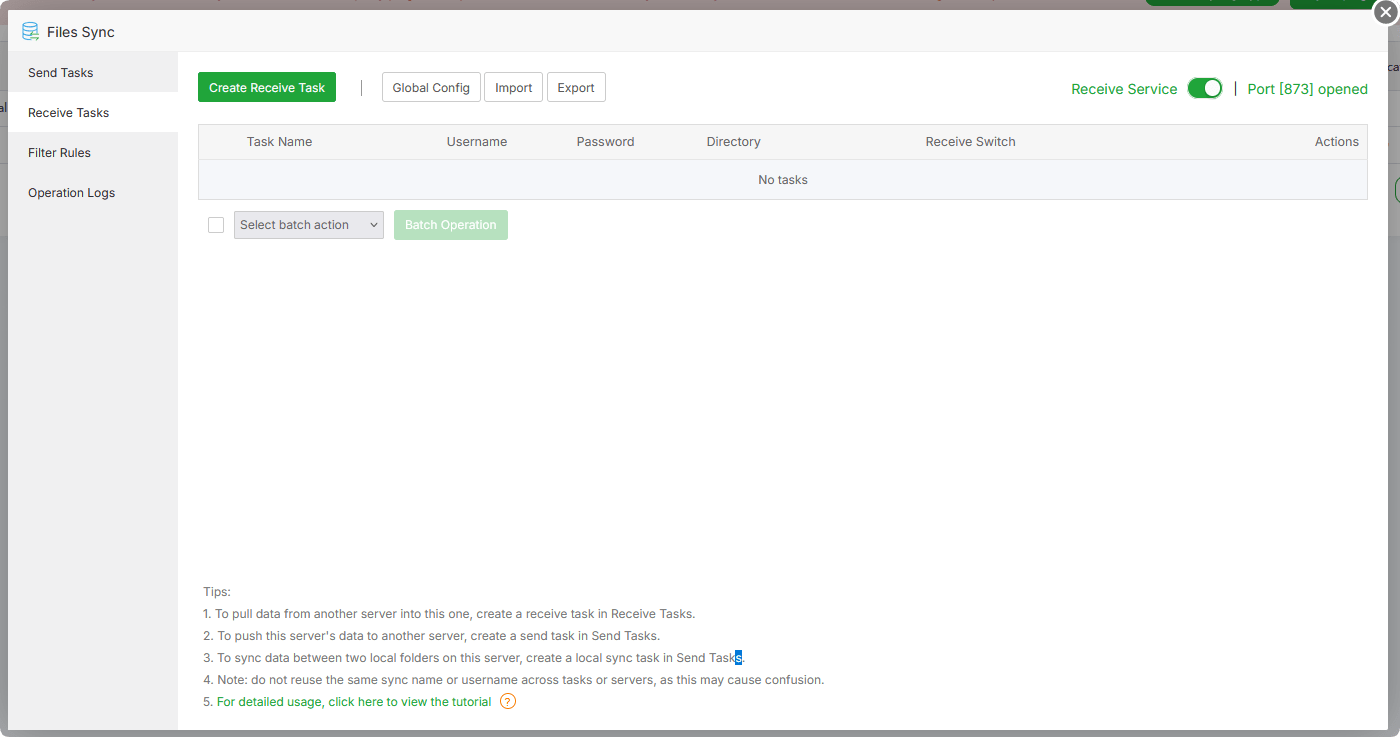
Receive Tasks : Receive files pushed from other servers and write them to a local directory
Filter Rules : Manage reusable exclude / include filter templates
Operation Logs : View this plugin's operation records
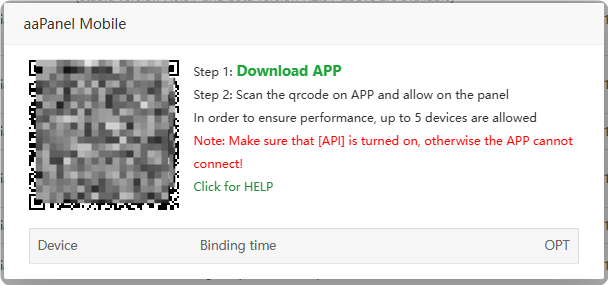
aaPanel Mobile
App Store --> Professional --> aaPanel Mobile
Easily manage your server anytime, anywhere via mobile
- Click to view How to use aaPanel Mobile
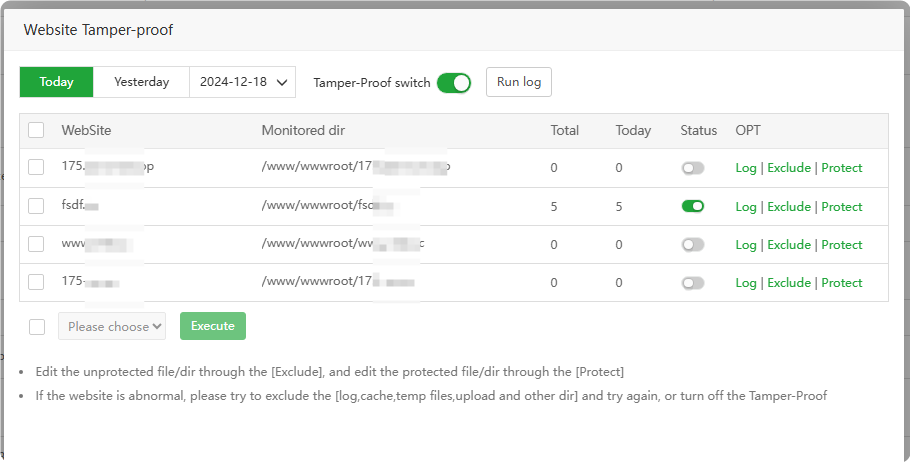
Website Tamper-proof
App Store --> Professional --> Website Tamper-proof
Event-type Tamper-proof, which can effectively protect important website files from being tampered.
if Tamper-proof for Enterprise Support your operating system
Please give priority to using the one with stronger functions Tamper-proof for Enterprise
Click to view How to use Website Tamper-proof
Apache WAF
App Store --> Professional --> Apache WAF
Mitigating DDOS attacks, easily creating custom rules, protecting your website and reducing the risk of malicious attacks and data leakage .
Home : Check the
statusof Apache WAFinterception information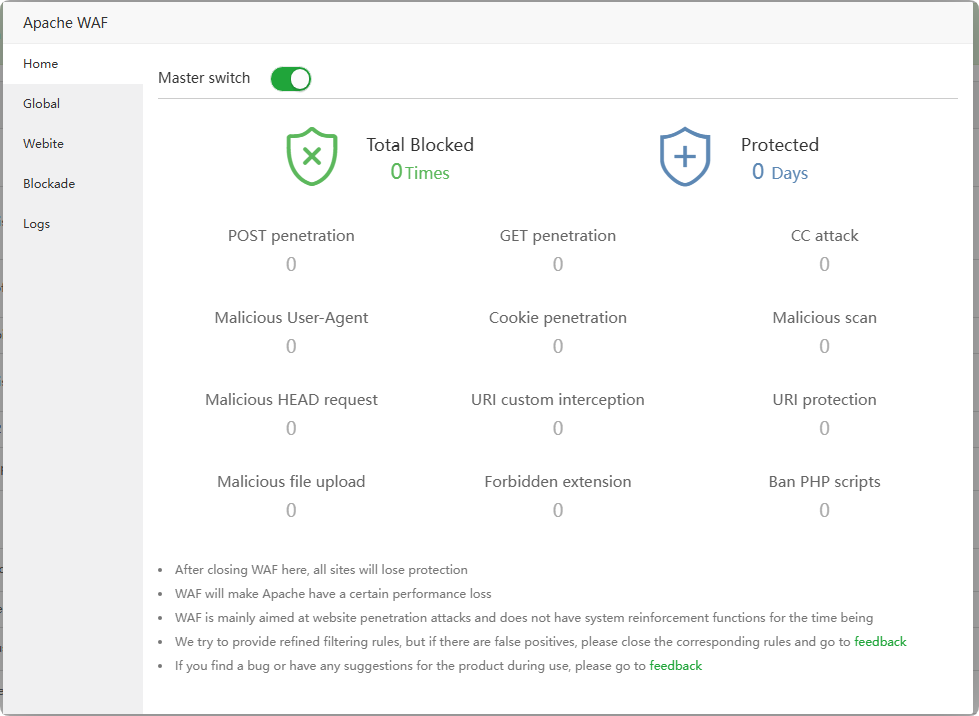
Global : Manage
global settingsfor Apache WAF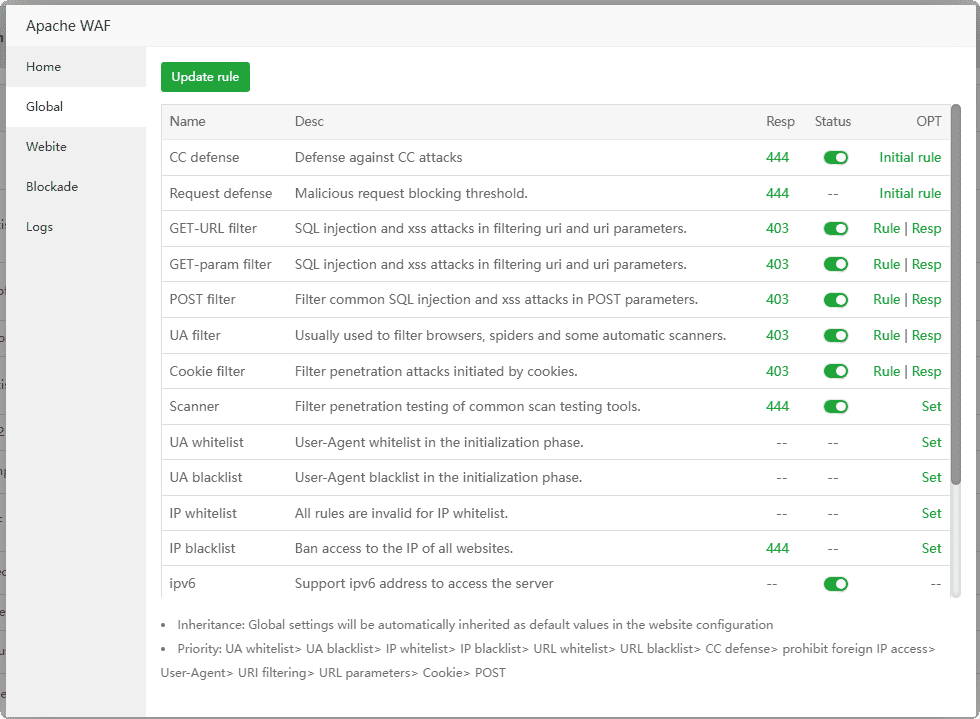
Webite : Manage
singlewebsite configuration for Apache WAF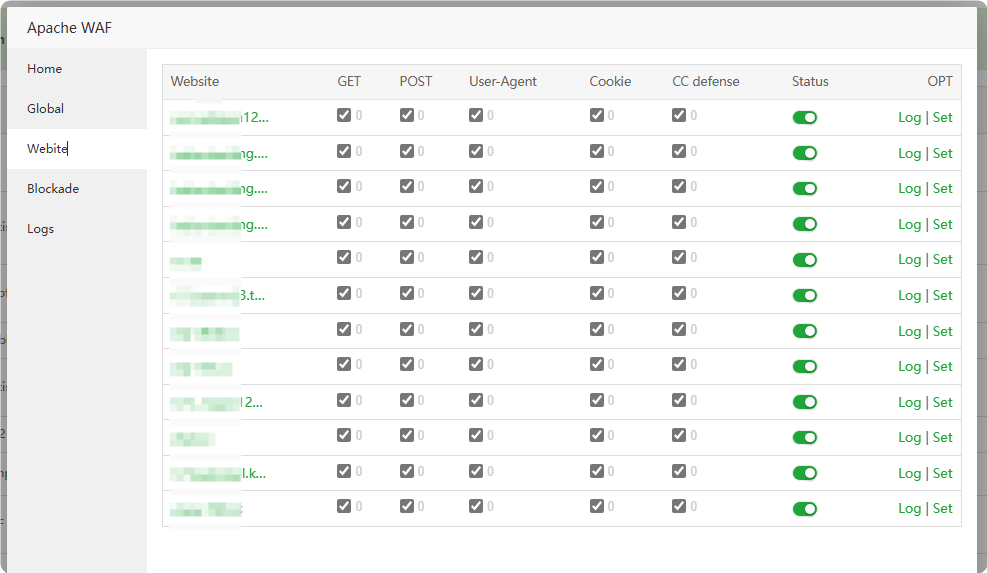
Blockade : View and manage
blocked IPs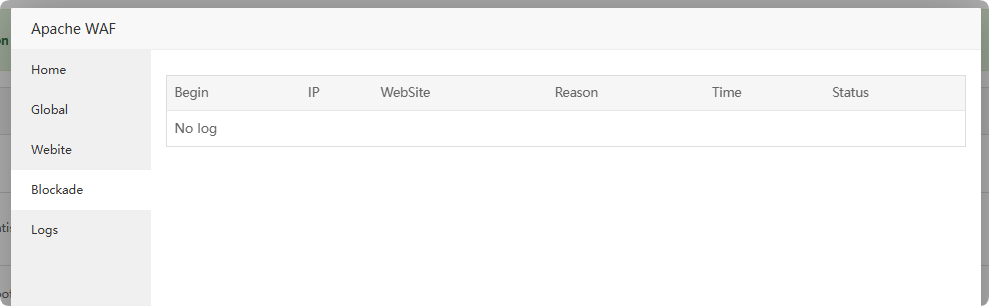
Logs : View Apache WAF operation logs
PHP code security
App Store --> Professional --> PHP code security
PHP kernel-level code behavior security detection, blocking intrusions through webshell, vulnerabilities and other intrusions
Overview : View PHP code security protection overview, whether the
simulated attack testis effective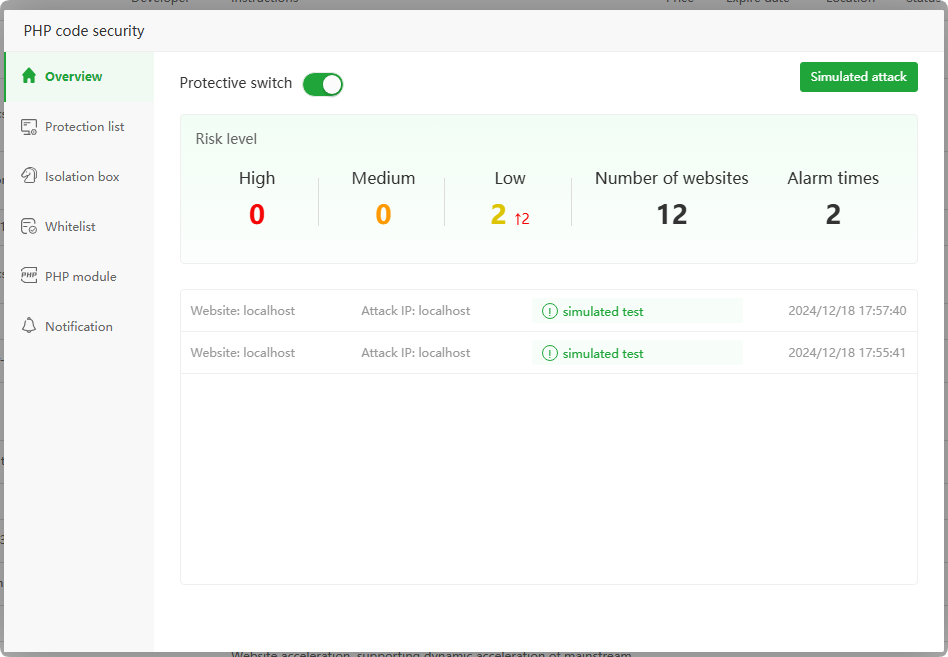
Protection list : View and manage PHP code security protected website list , view interception
log information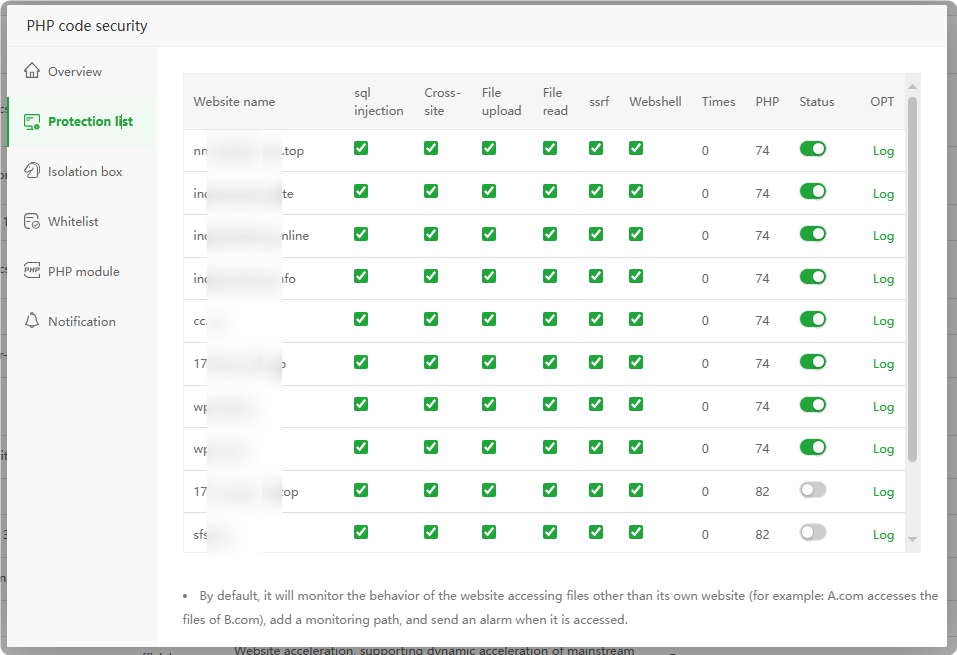
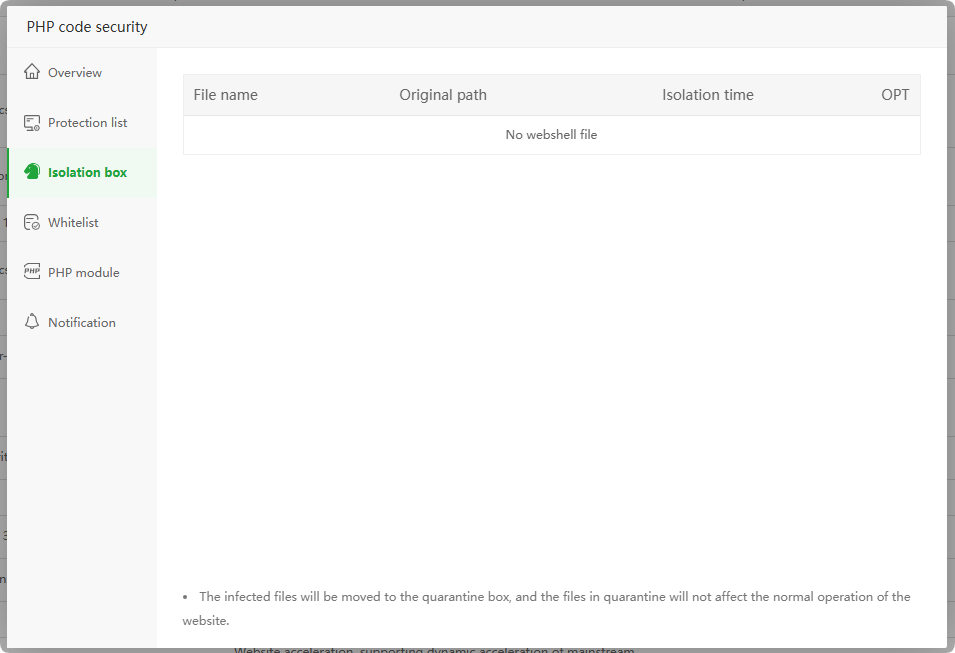
Isolation box : Check the status of the Isolation box. If there are intercepted Isolation files, they will be displayed here.
Whitelist : Management
URL,IP whitelist, URLs and IPs in the whitelist will not be blocked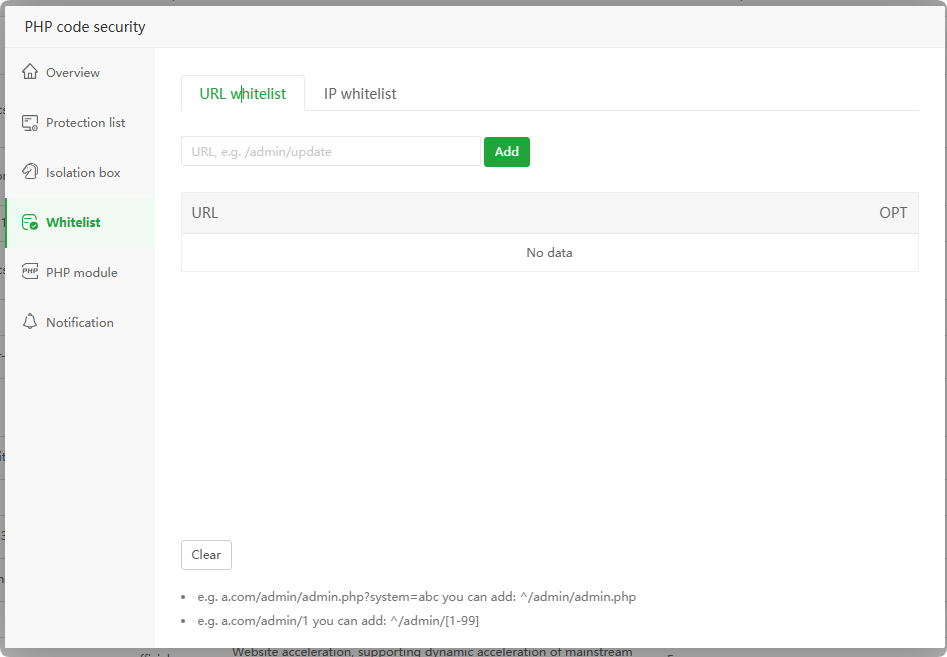
PHP module : View and manage
PHP versionprotectionstatus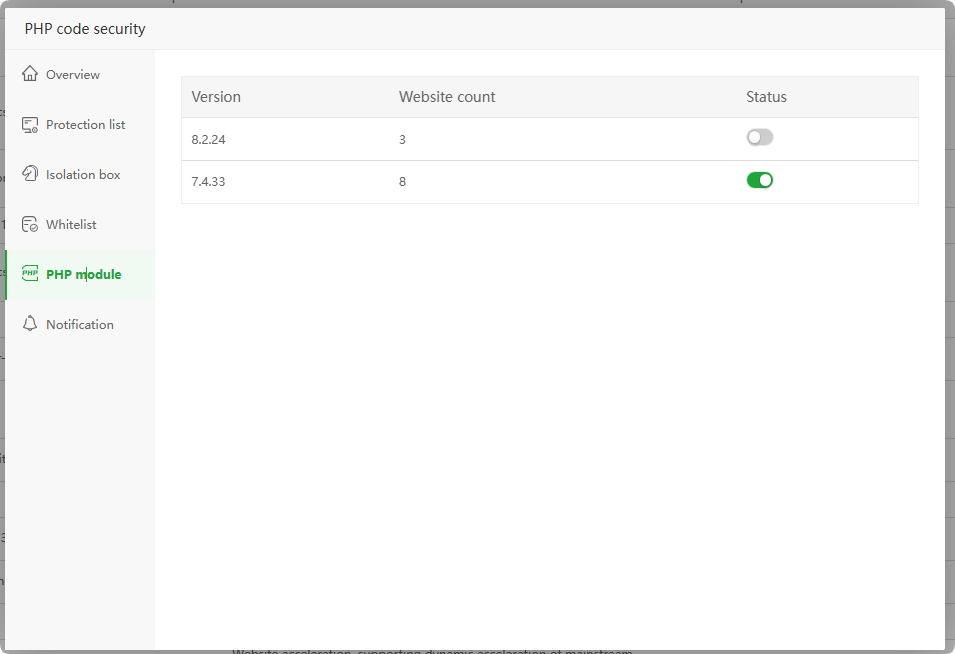
Notification : Set
interception notification. If there is interception, notification information will be sent.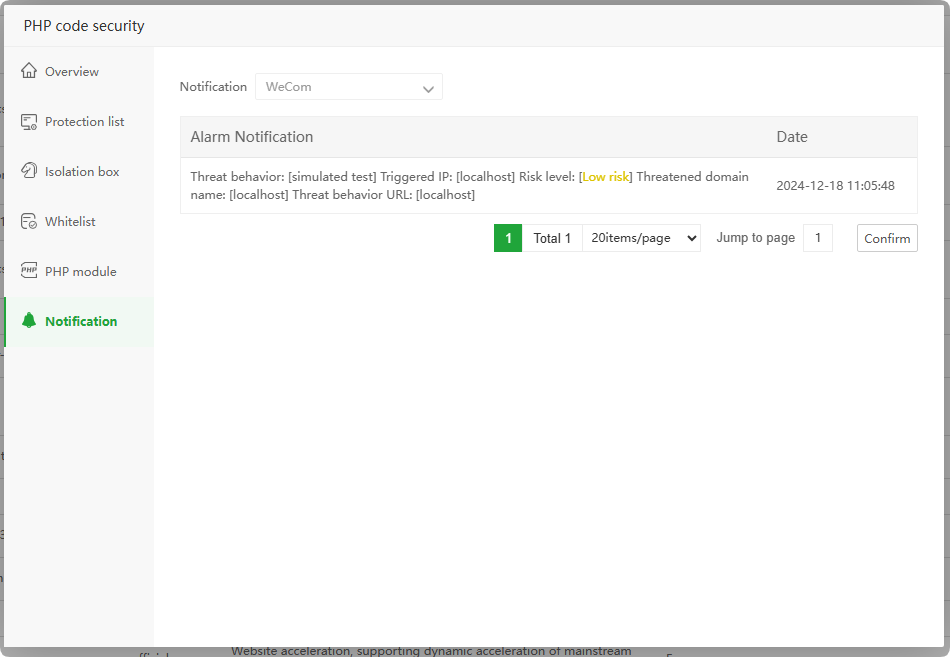
Load balance
App Store --> Professional --> Load balance
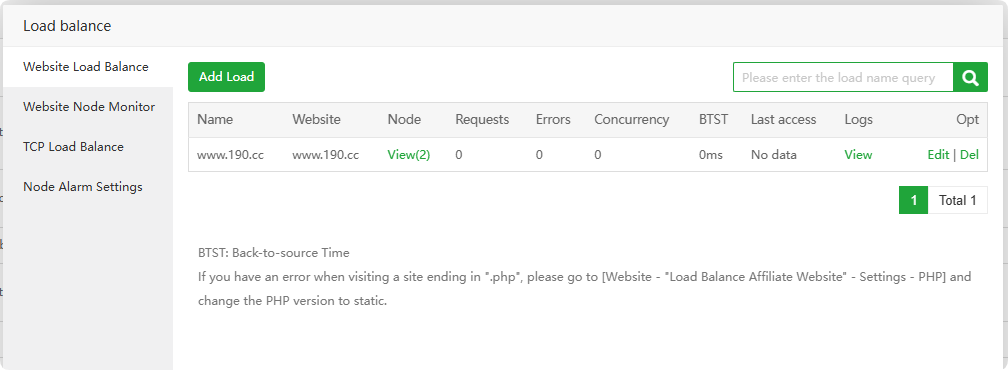
Load balancing based on nginx, please install
nginx 1.22and below use
Click to view How to use Load balance
Website Load Balance : View and manage website load balancing list
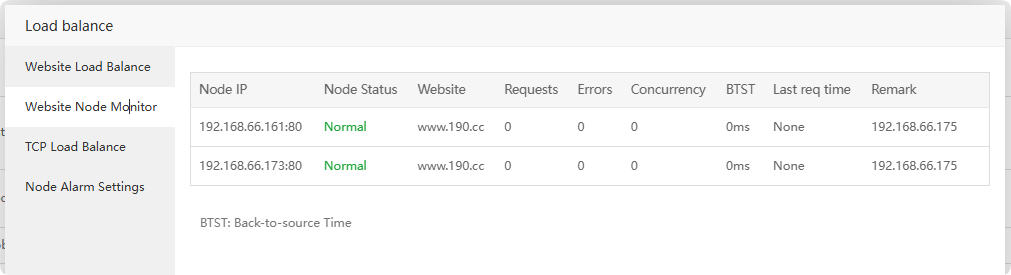
Website Node Monitor : View and manage node monitoring list
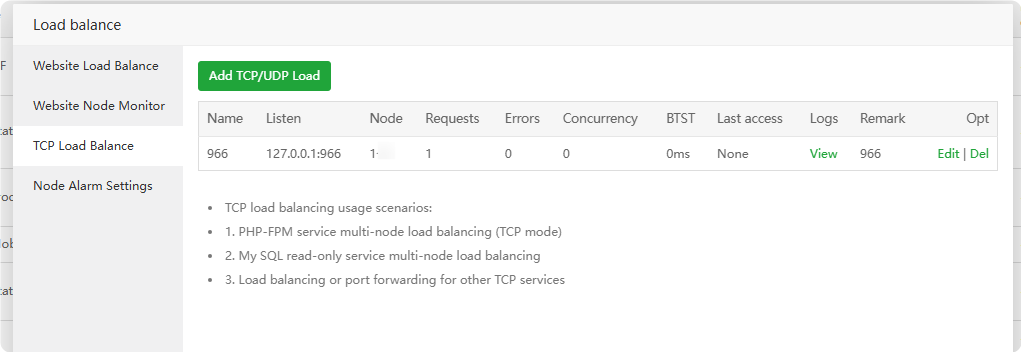
TCP Load Balance : View and manage TCP load balancing list
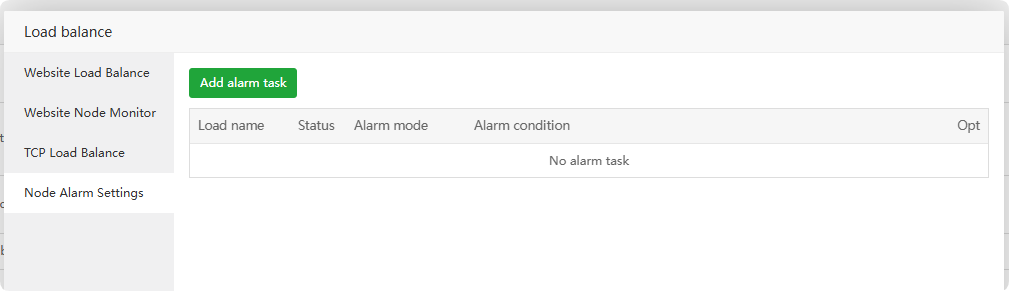
Node Alarm Settings : View and manage node alarm settings
aaPanel user Manager
App Store --> Professional --> aaPanel user Manager
Management panel users, support creating multiple users, support menu permission allocation!, Only supports beta 7.20.0, PRO 2.2.0, 7.0.13 and above versions
User Manager : View and manage
user lists, modify userpasswordsandpermissions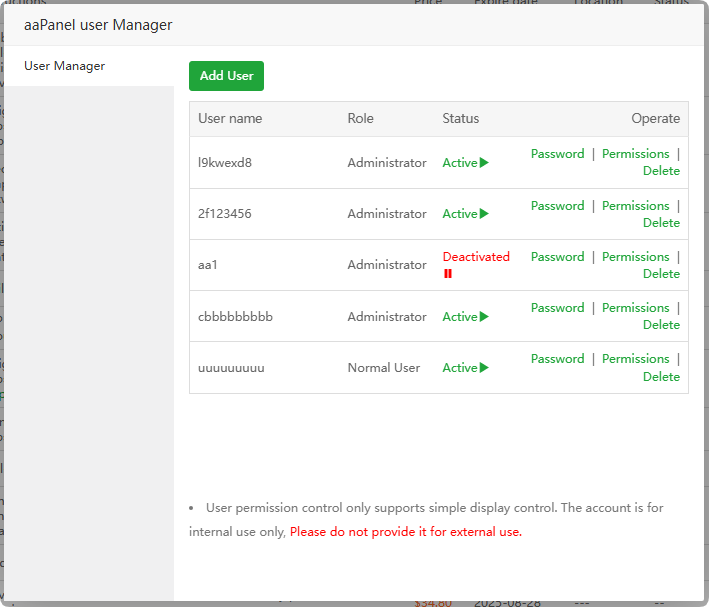
Add User : Add ordinary
useroradministratoruser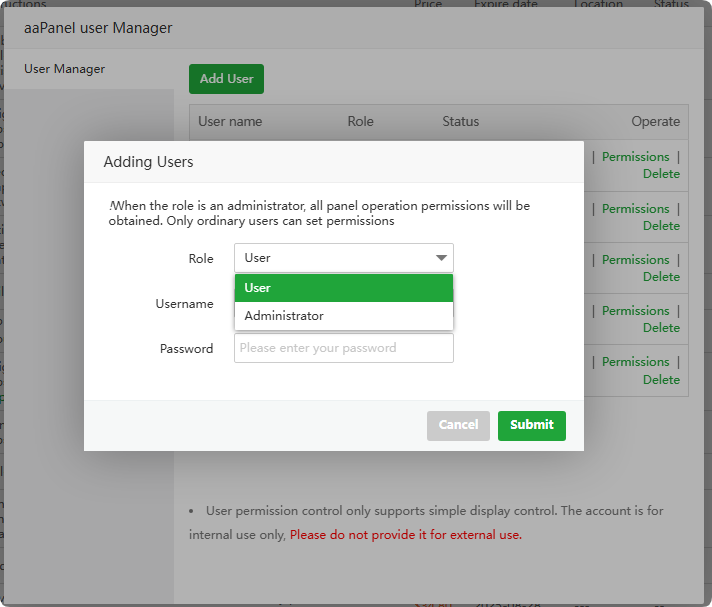
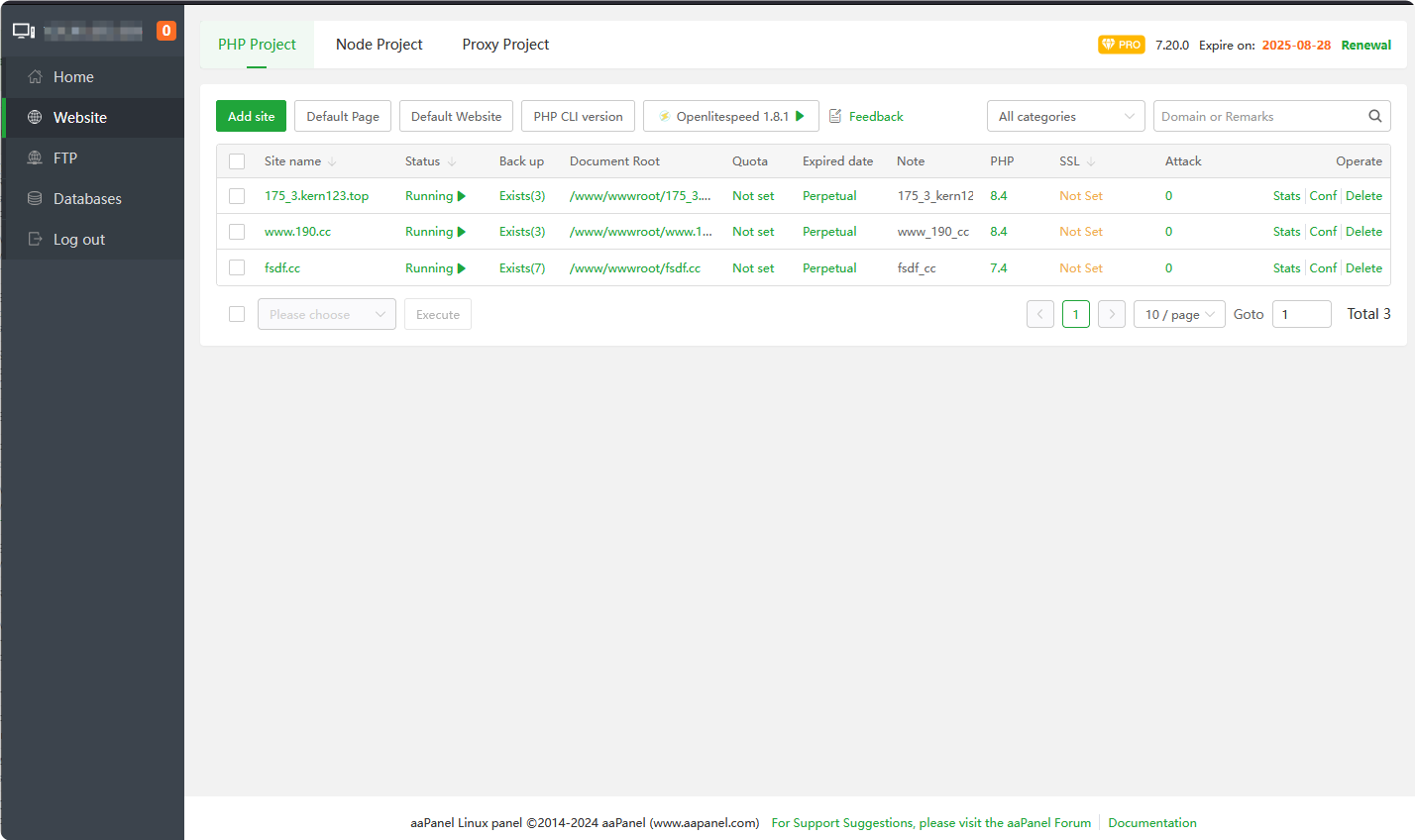
Menu permission overview
Abnormal Push
App Store --> Professional --> Abnormal Push
Abnormal push notifications, which can monitor and push the status of server resources, sites, SSL expiration time, etc.
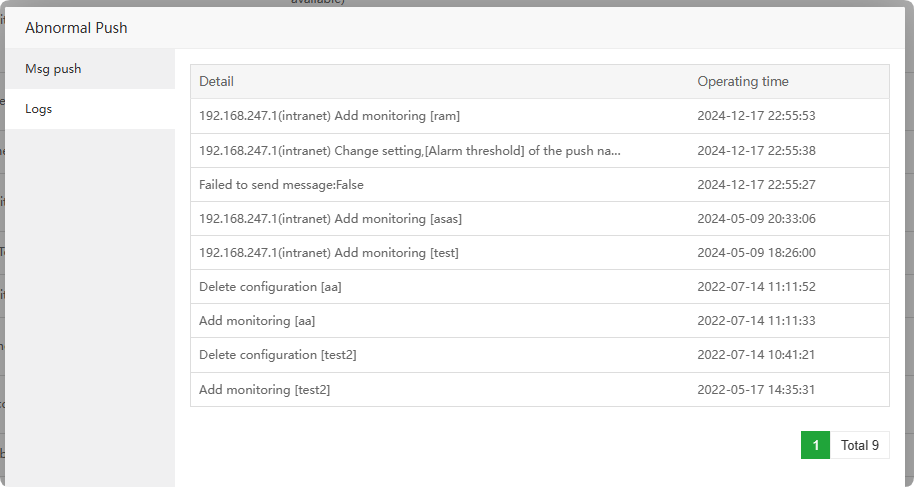
Msg push : View and manage
monitoring items. If the threshold is exceeded, corresponding reminders will be automatically sent.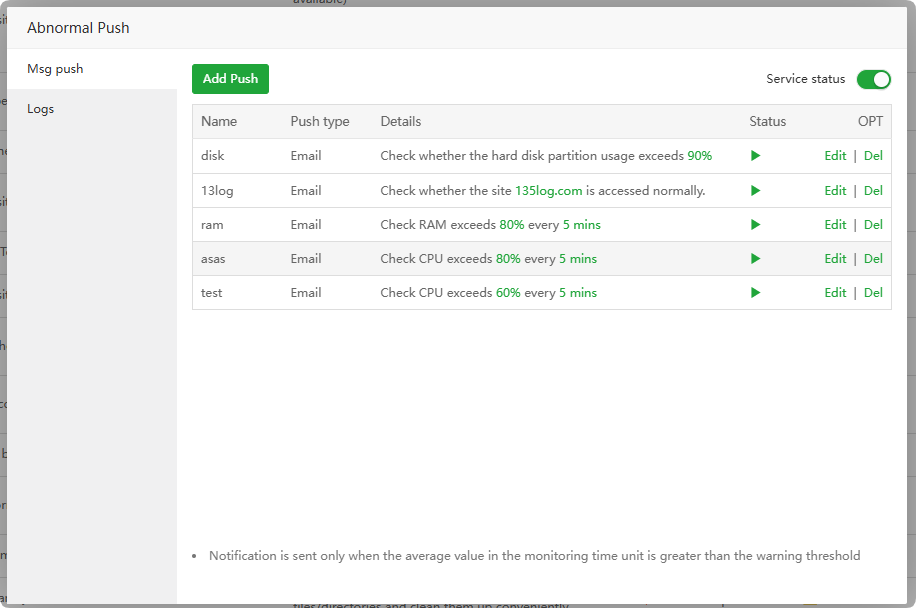
Logs : View the Abnormal Push operation log
System hardening
App Store --> Professional --> System hardening
Provide flexible reinforcement functions to effectively prevent malicious intrusion
After turning on System hardening, you will not be able to
install software, configure startup, etc. If it is affected, please close it temporarily.Protection : View and manage System hardening
protection policies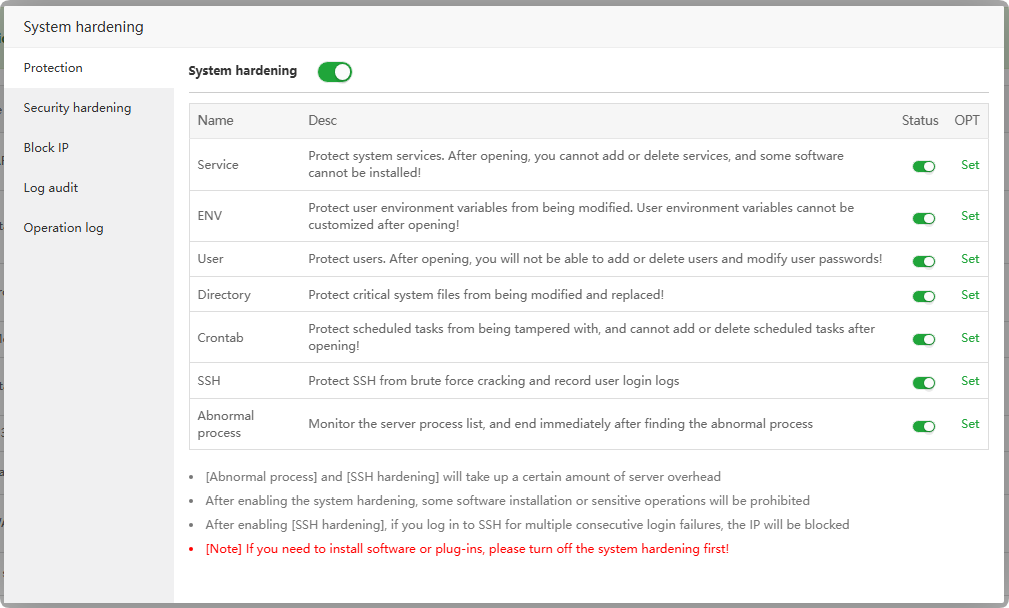
Security hardening : Set up policies such as
authentication,access control, andauditingthat comply with the MLA regulations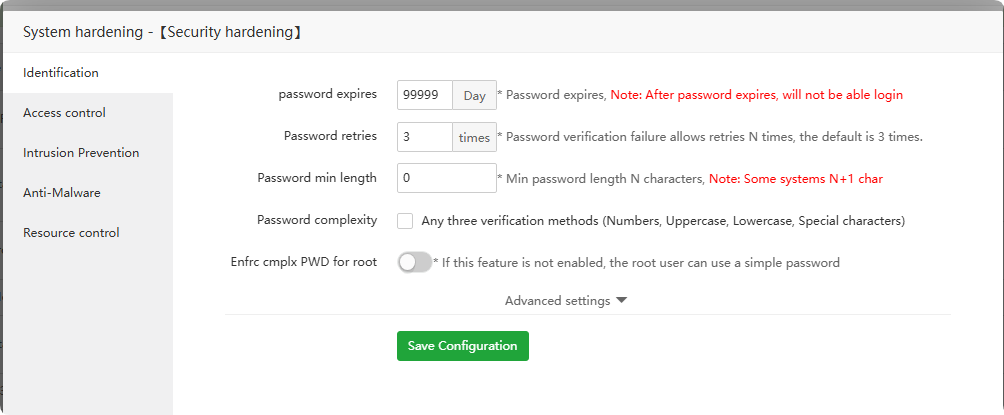
Block IP : IP addresses that are
prohibitedfrom beingused by SSHservices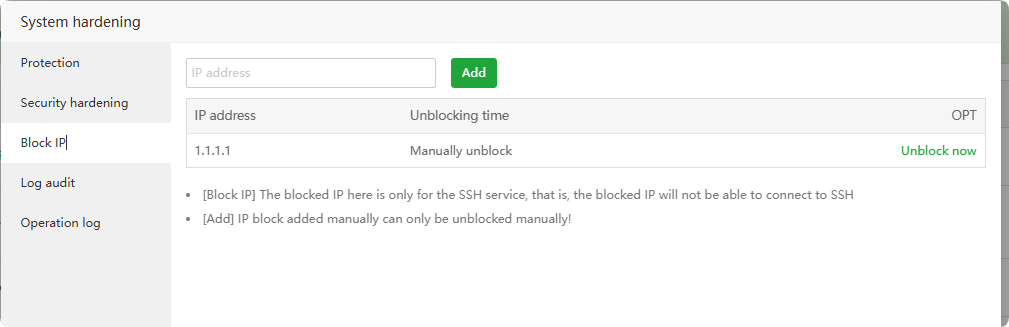
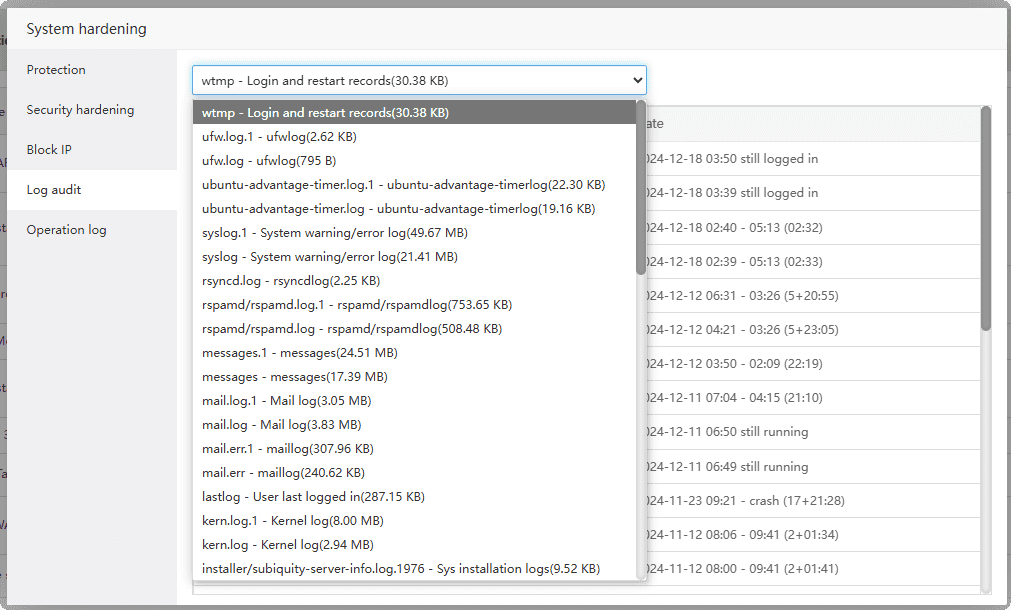
Log audit : View operating system logs for auditing
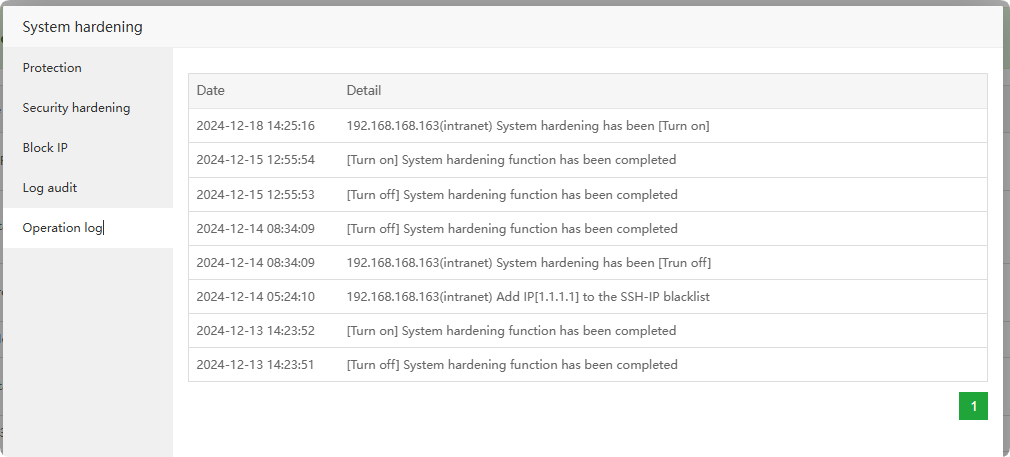
Operation log : View System Hardening operation log
Disk analysis
App Store --> Professional --> Disk analysis
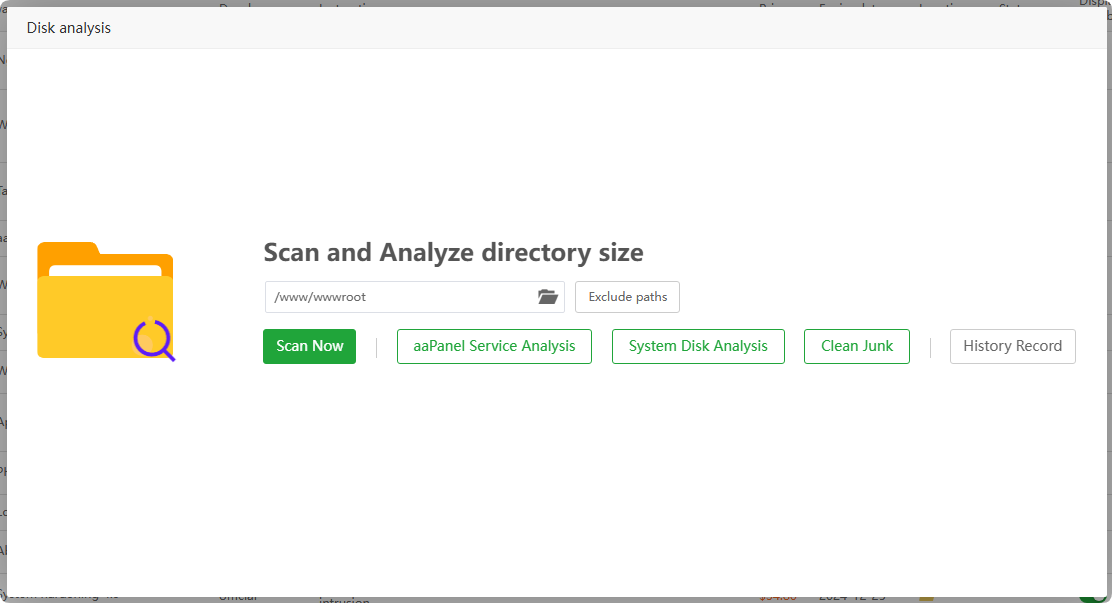
Quickly analyze disk/hard disk usage, find out large files/directories and clean them up conveniently
- Note:
Before deleting files, please make a serversnapshot backupto avoid system abnormalities caused by deletion.
Anti-intrusion
App Store --> Professional --> Anti-intrusion
Effective defense against intrusion into the system through processes such as websites, redis, mysql, etc.
Click to view How to use Anti-intrusion
Overview : View and manage Anti-intrusion, click
Test Attackto test whether it takes effect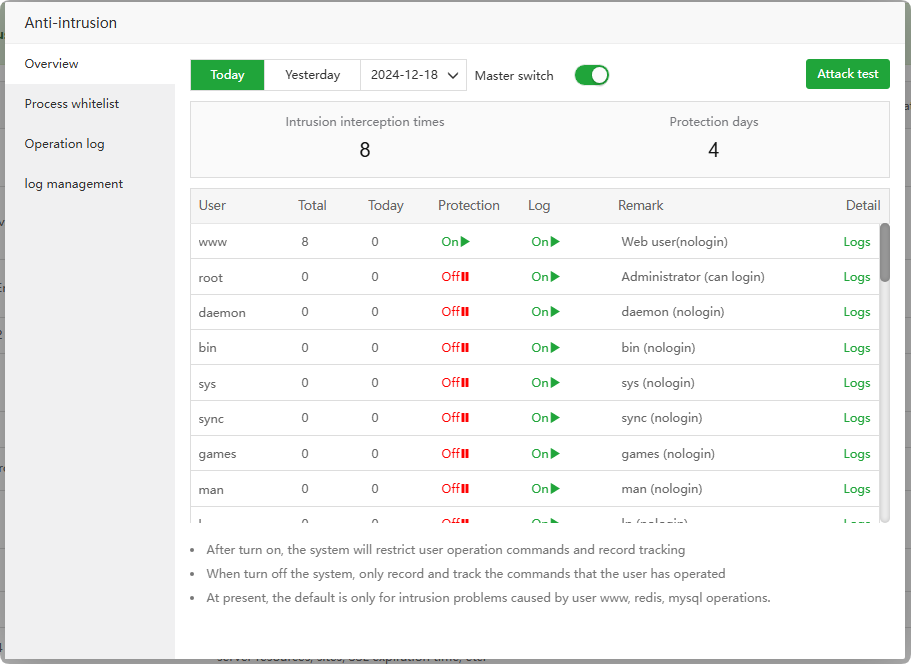
Process whitelist : Add process whitelist,
protection is invalid for this process.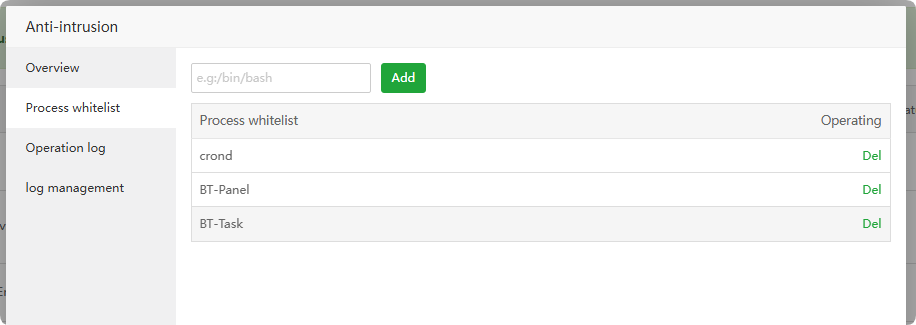
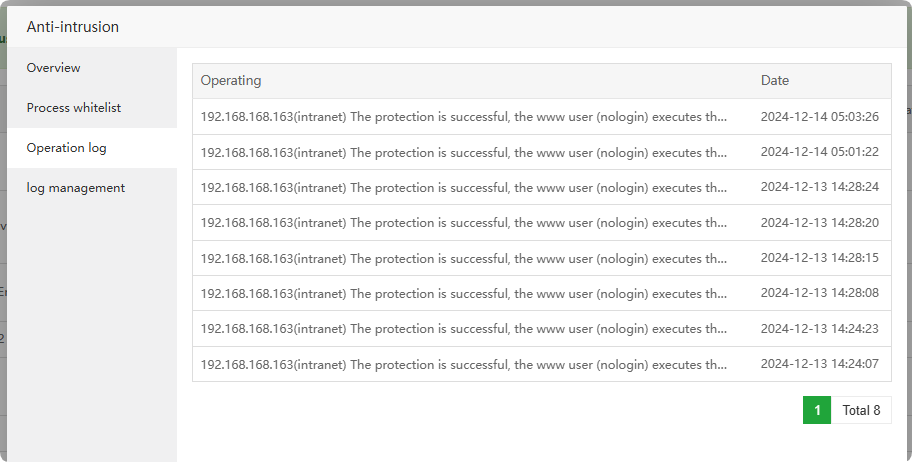
Operation log : View Anti-intrusion operation log
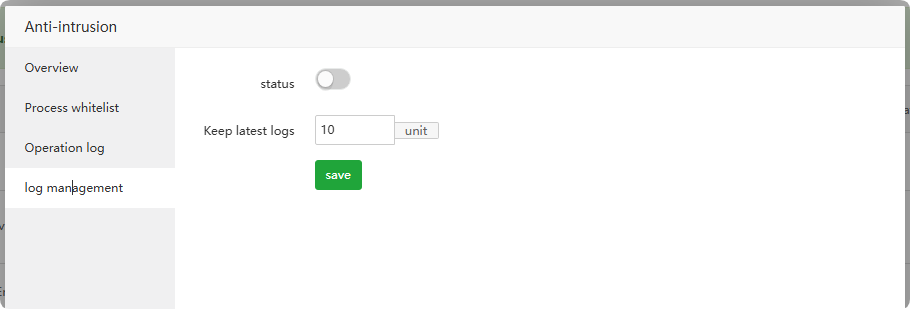
log management : View Anti-intrusion log management
Task manager
App Store --> Professional --> Task manager
Easily manage processes, startup items, users, services, scheduled tasks, ssh sessions
Click to view How to use Task manager
Process : View and manage
operating system processes. Please close them carefully as it may cause service abnormalities.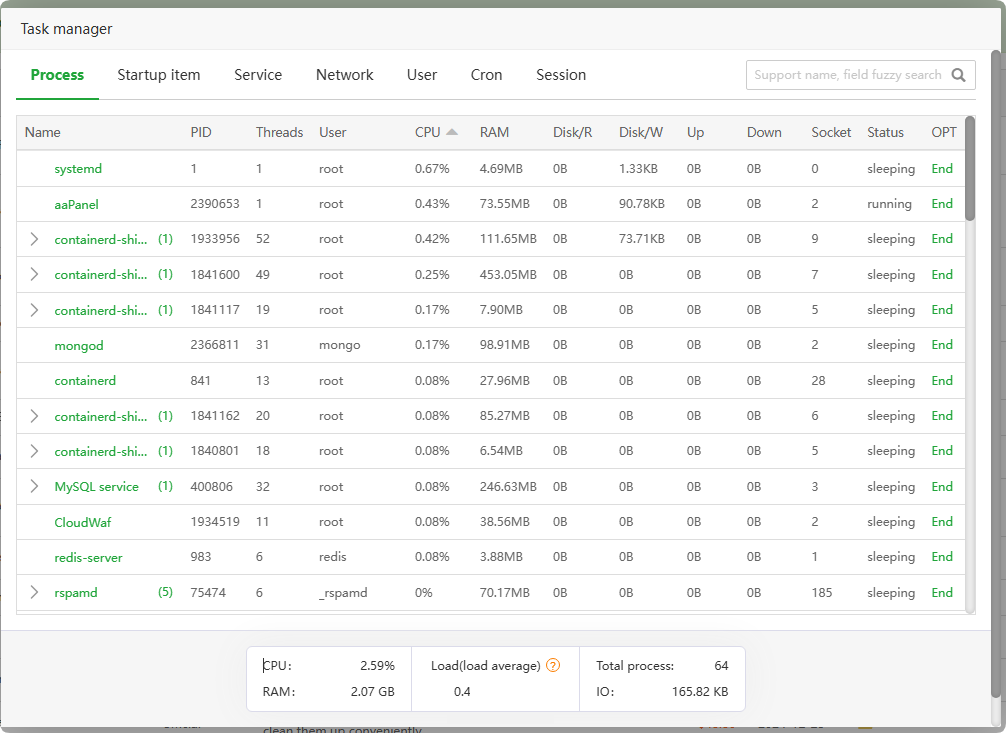
Startup item : Check the service startup items under
/etc/init.d/. Please modify them with caution, as they may affect the startup of the service.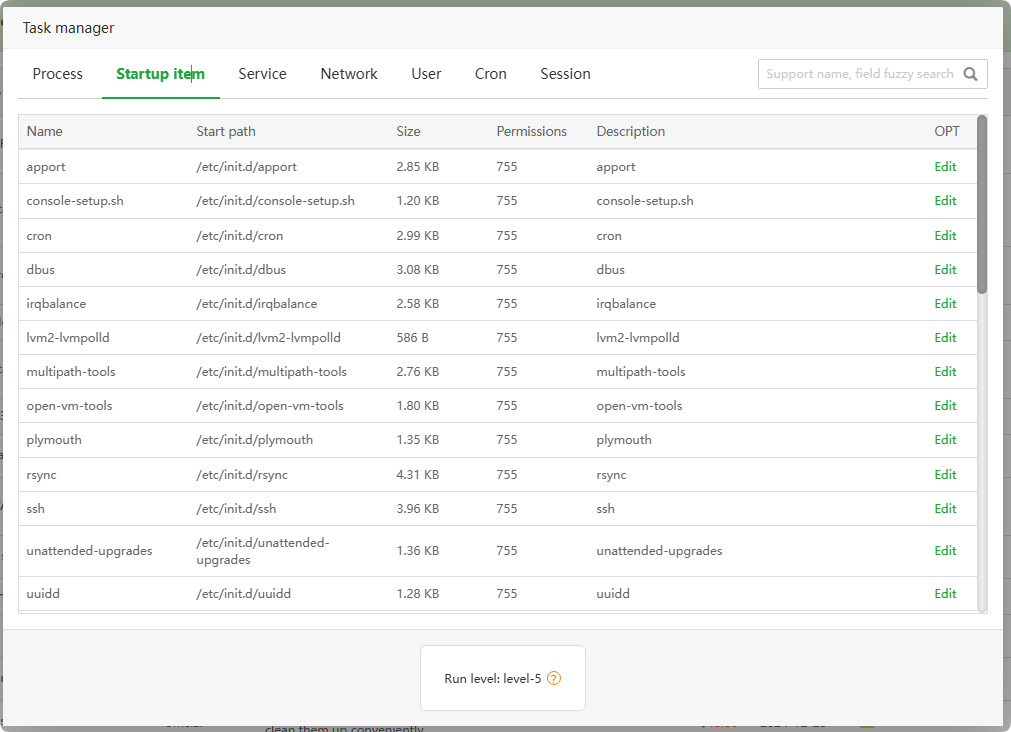
Service : Check the
service startup informationof the operating system. Please modify it with caution, as it may affect the startup of the service.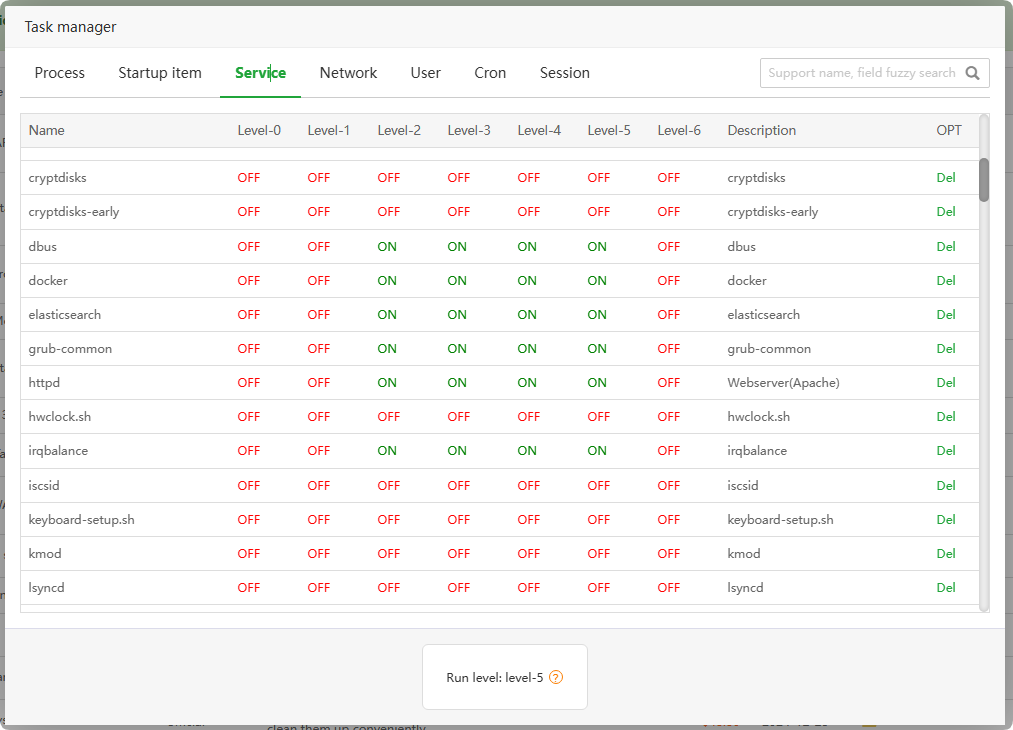
Network : Check the
network statusof the operating system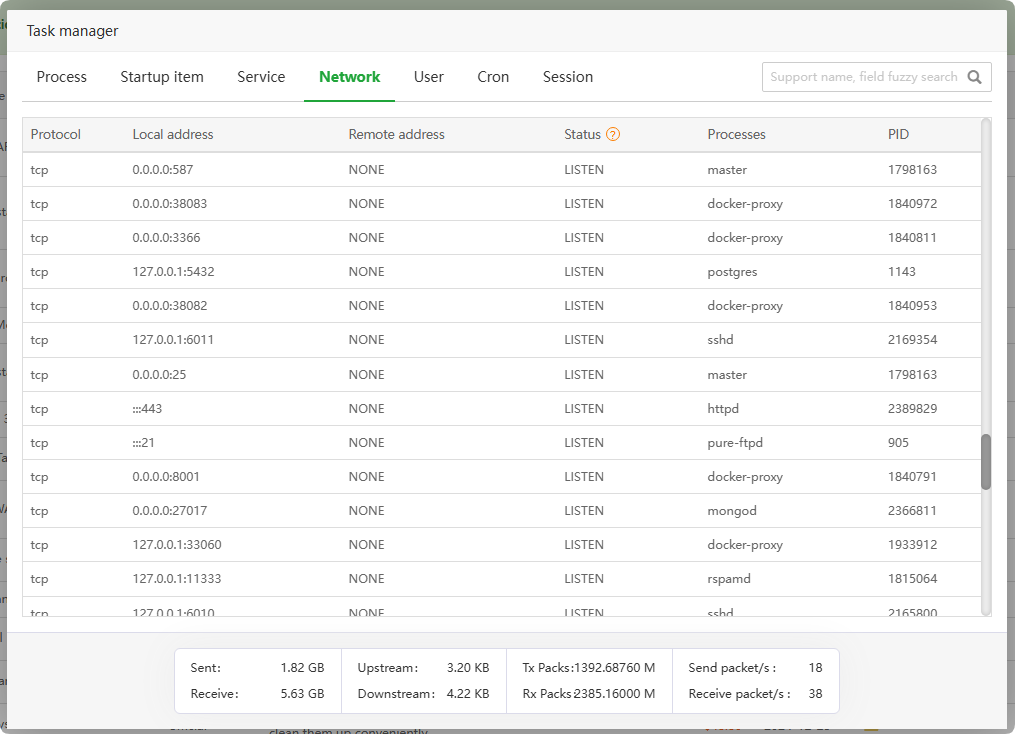
User :
View all usersof the operating system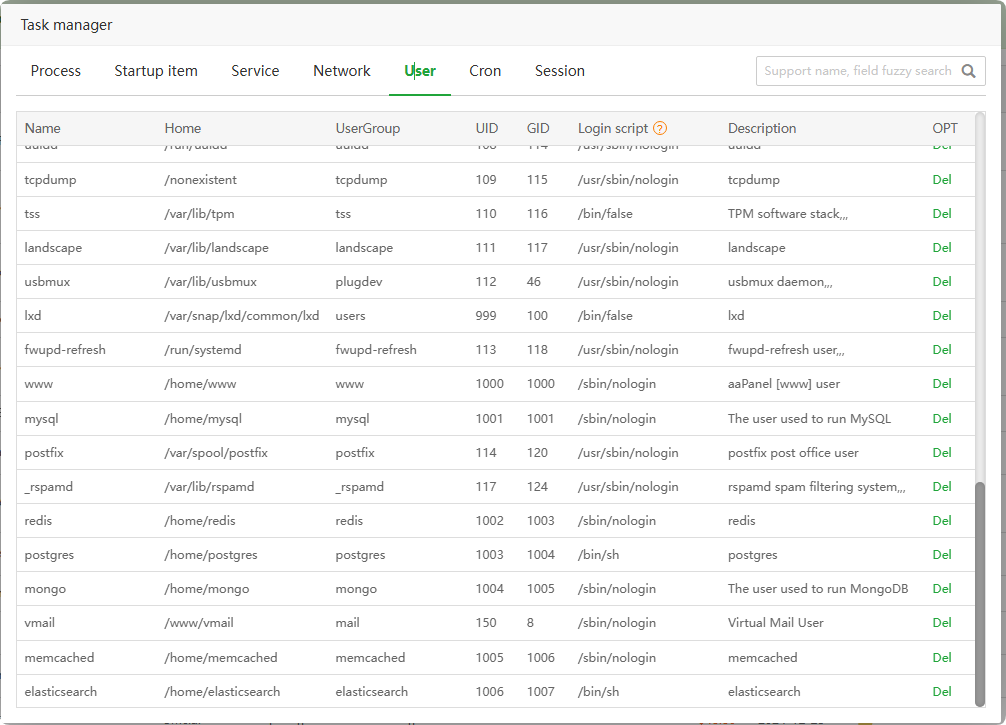
Cron : View Cron scheduled tasks, click
Executeto view the file content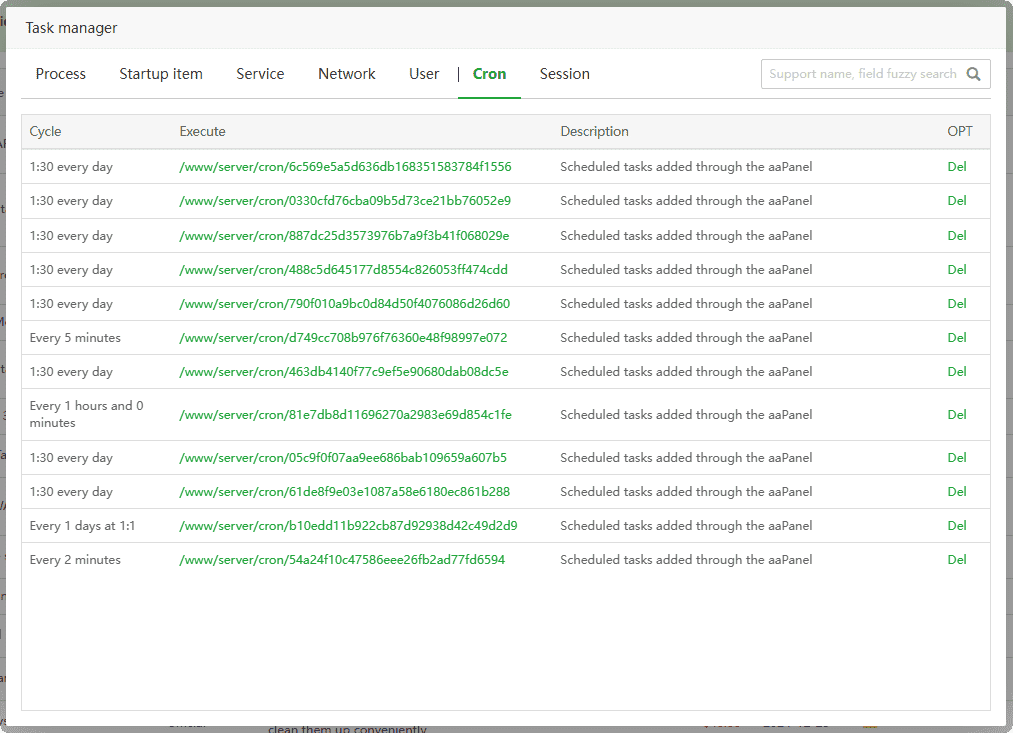
Session : View and manage
logged-in SSH users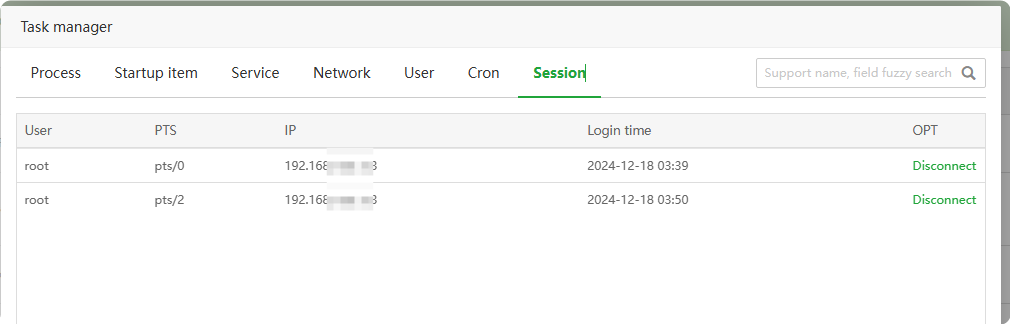
Platform Ops
App Store --> Professional --> Platform Ops
Provide operation and maintenance task orchestration, script library, batch operation and maintenance of multiple servers, etc., suitable for users with multiple servers
Click to view How to use Platform Ops
Ops Choreography : View and manage
orchestration tasksandtrigger events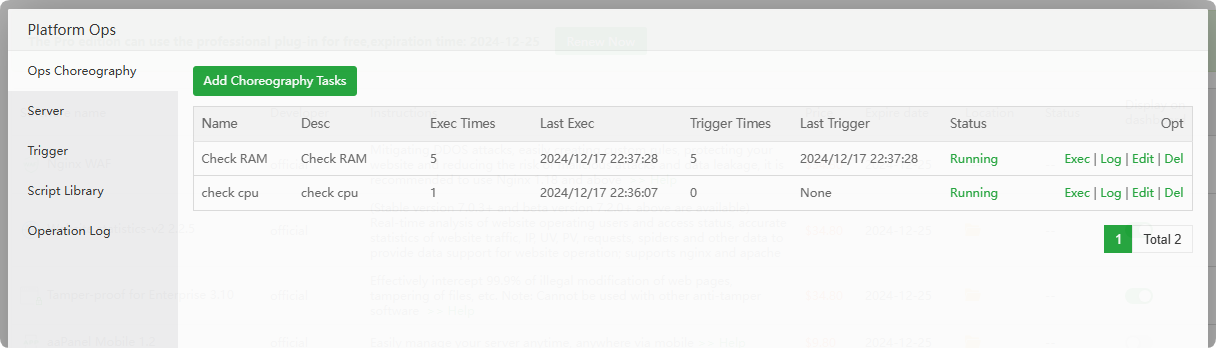
Server :
Add a serverto run the script when an event is triggered.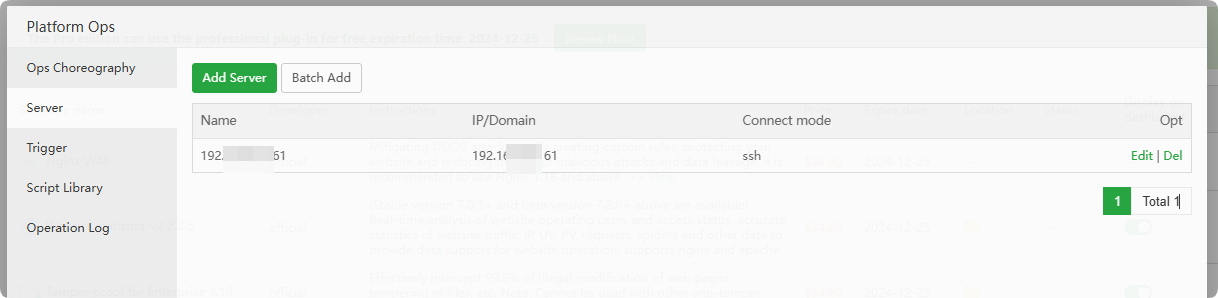
Trigger : The
script executedwhen the event istriggered. You can add the script yourself.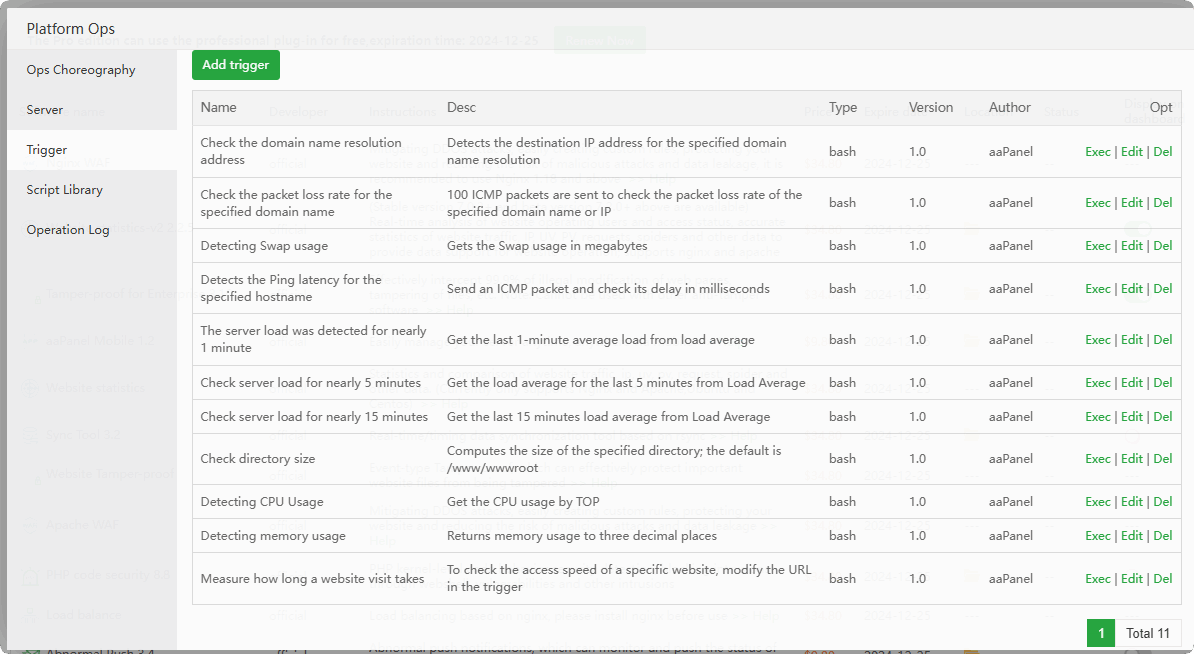
Script Library : Platform Ops
built-in script library, you can add scripts yourself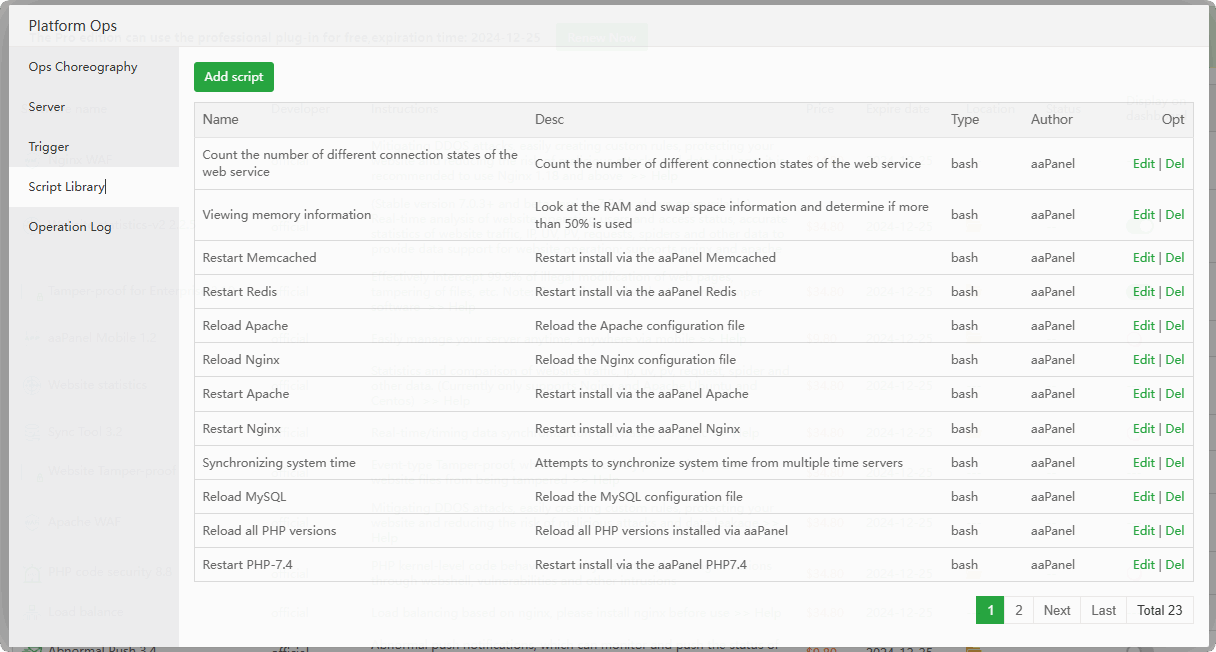
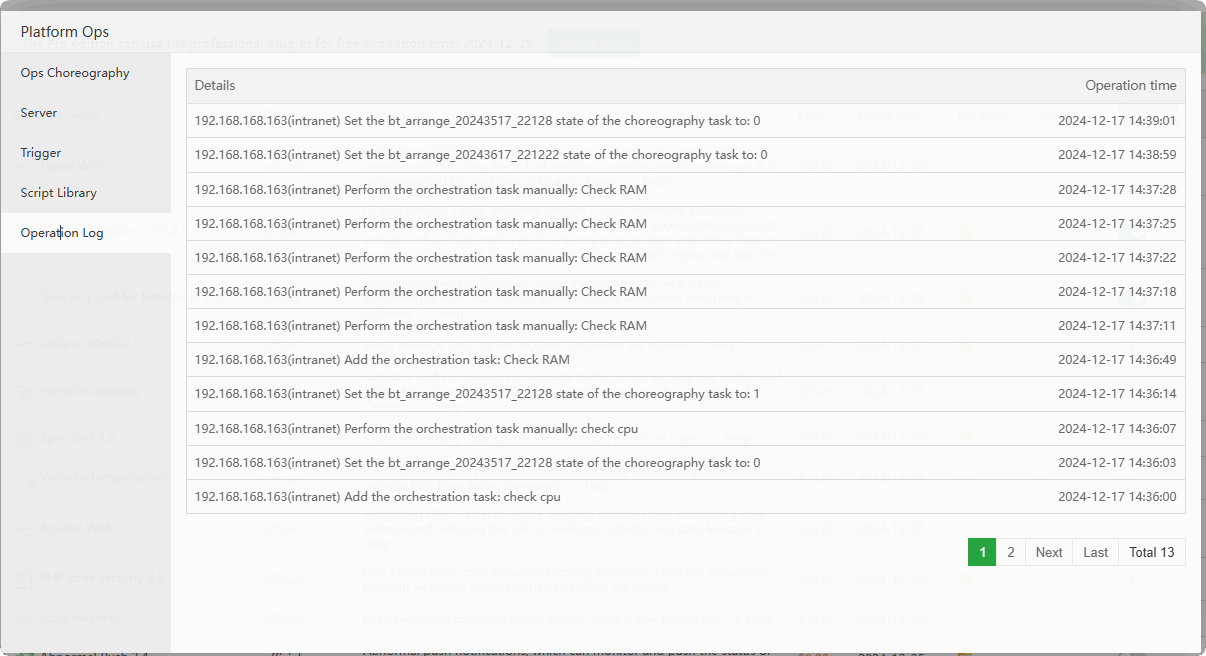
Operation Log : View Platform Ops operation logs
File monitor
App Store --> Professional --> File monitor
Monitor file changes and record logs, including automatic backup, automatic Trojan horse detection and other functions
Monitor list : View and manage
file monitoring lists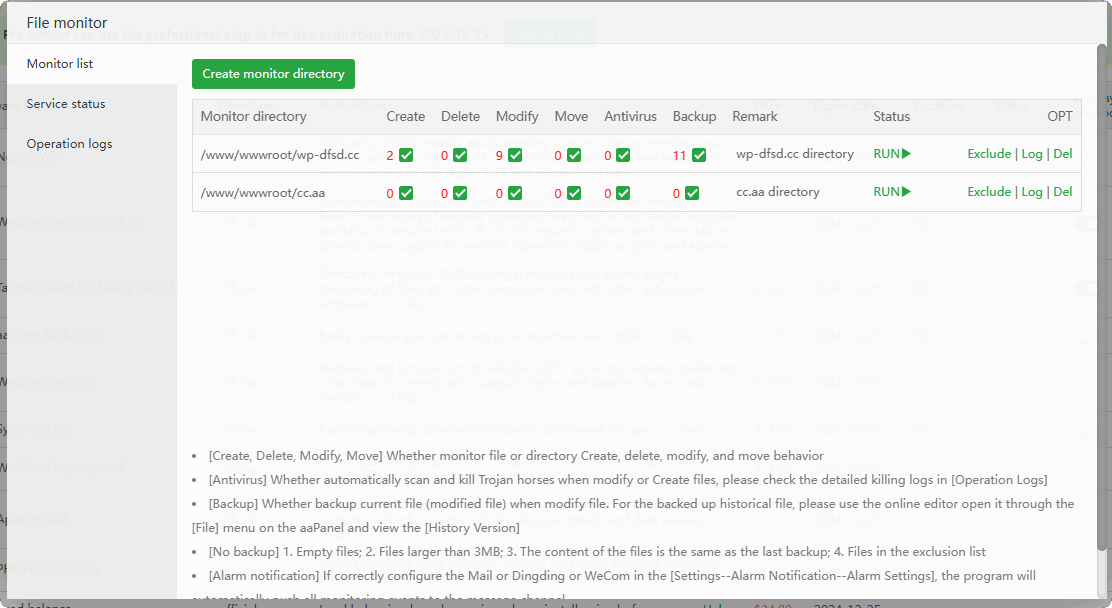
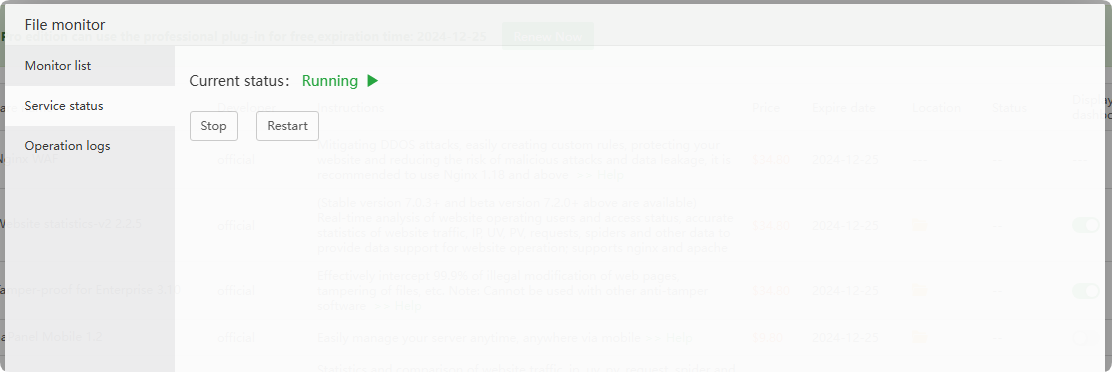
Service status : View and manage File monitor service status
Operation logs : View File monitor operation log
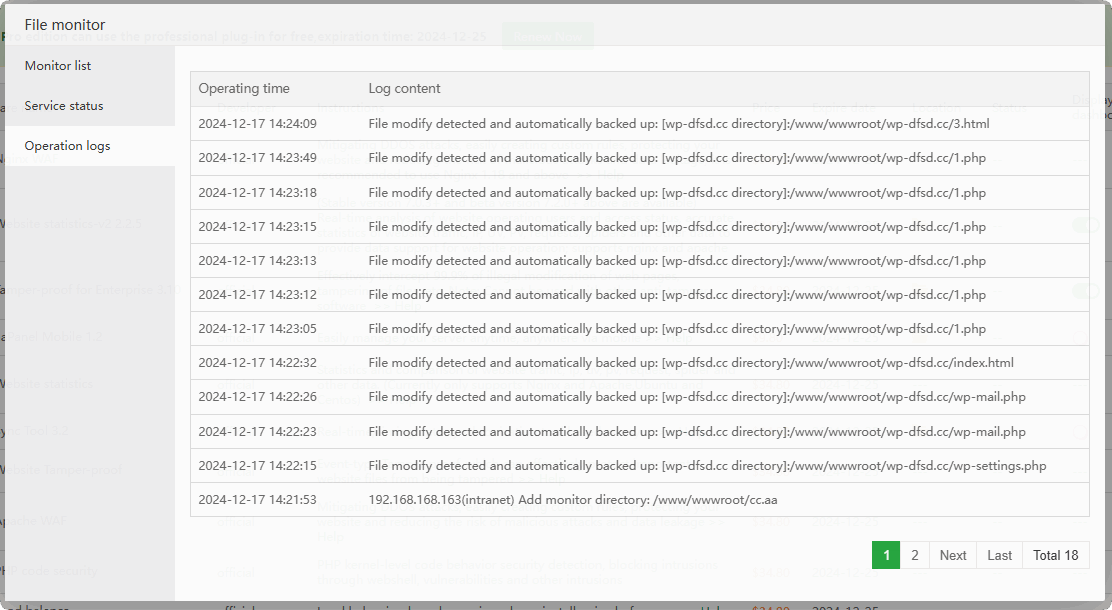
Default backup directory: /www/server/panel/plugin/file_hash_check/backup/
Can it be deleted? If the files inside are no longer useful, it is recommended to take a server snapshot backup and then delete them.
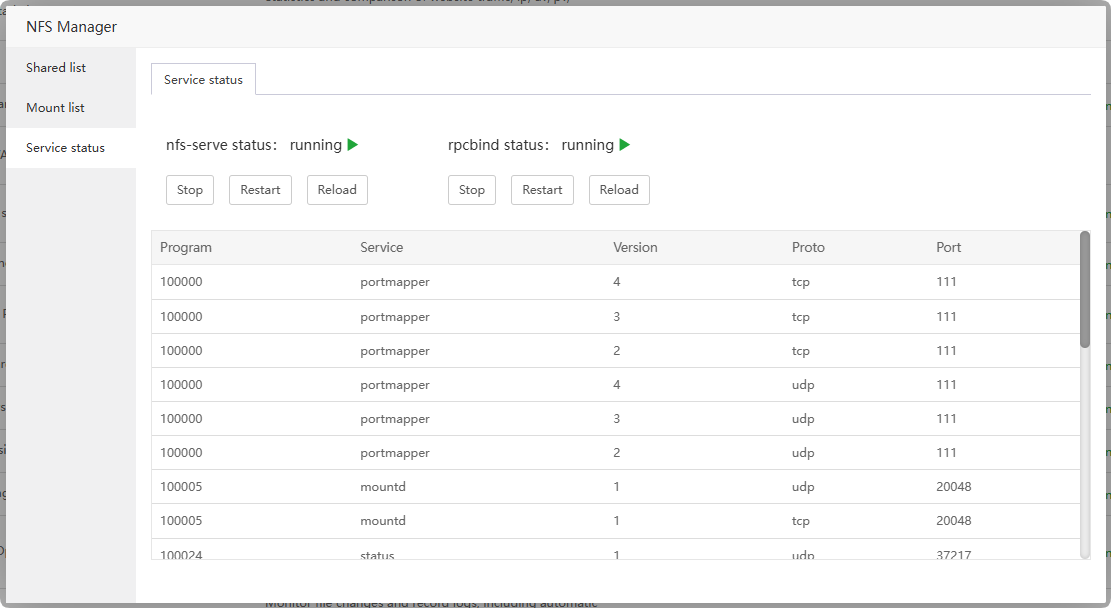
NFS Manager
App Store --> Professional --> NFS Manager
File sharing based on NFS service, including creating shares and mounting remote NFS
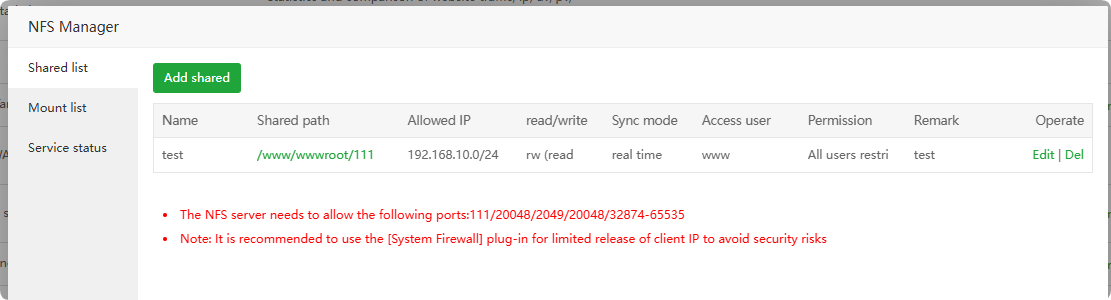
Shared list : View the shared list created by this machine
Mount list : View and manage the NFS list
mountedto thelocal server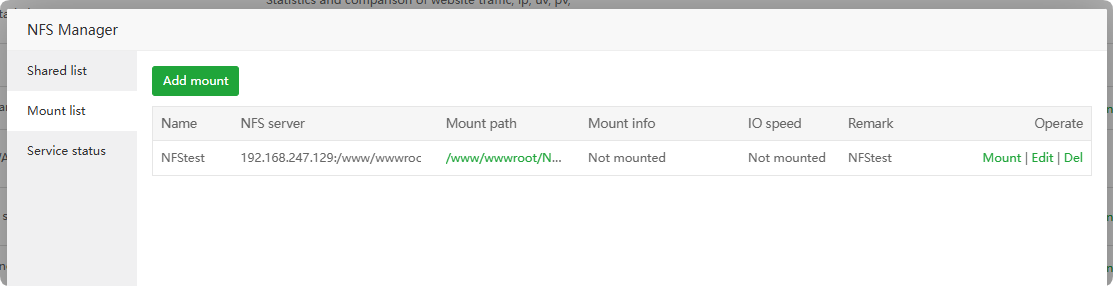
Service status : View and manage NFS service status
Website statistics
App Store --> Professional --> Website statistics
WARNING
Maintenance has been stopped and may be removed from the shelves at any time, please use Website statistics-v2
Sync Tool
App Store --> Professional --> Sync Tool
File synchronization tool supports real-time and incremental synchronization of files between servers.
WARNING
Sync Tool is no longer maintained. Please use Files Sync instead.