
WP Toolkit -- Remote Manage
Remotely manage WordPress sites on other servers via aaPanel
Remote Manage Overview
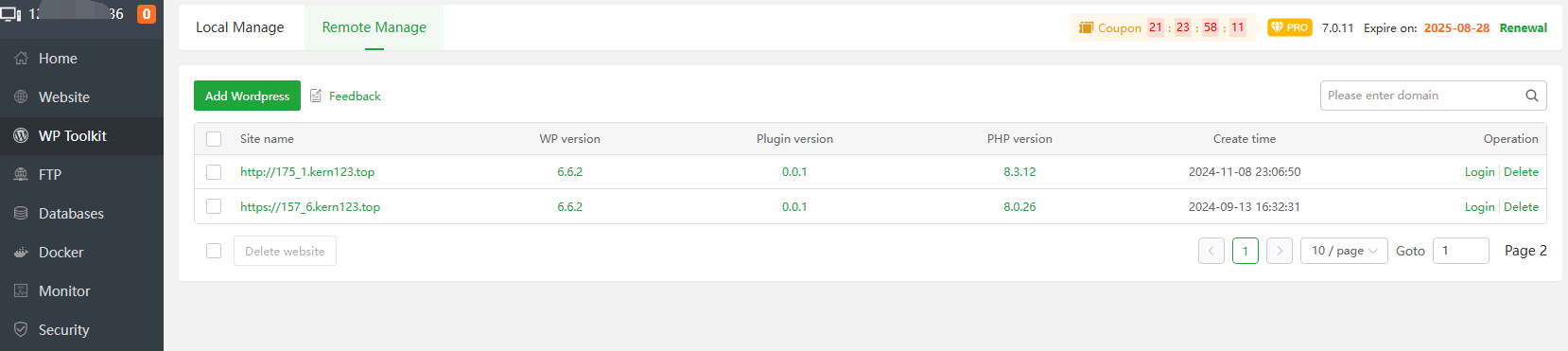
| Function | Describe |
|---|---|
| Site name | Show the added site domain name |
| WP version | WordPress version used by the remote site |
| Plugin version | The version of the aapanel WP Toolkit plugin used by the remote site |
| PHP version | PHP version used by the remote site |
| Create time | Time to add remote management site |
| Login | Login to the current remote site |
| Delete | Delete the current remote site |
Add WordPress
Credential:
Use the administrator account and password to log in to the remote site
Function Describe Login URL Log in to the URL of the remote site management backend User name Username to log in to the remote site management backend Password Password for logging into the remote site management backend 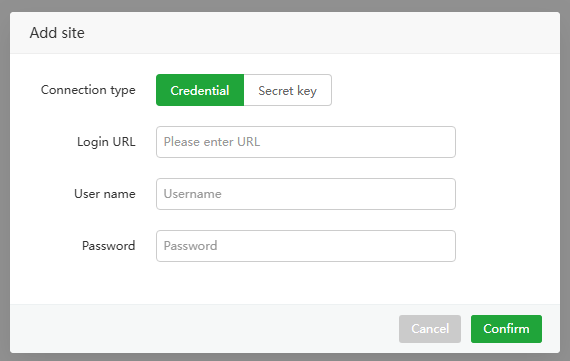
- Secret key:
Use the remote management
aapanel WP Toolkitplug-in developed by aaPanel to authenticate login
| Function | Describe |
|---|---|
| Login URL | Log in to the URL of the remote site management backend |
| Security Key | Security Key for the aapanel WP Toolkit plugin for the remote site |
| Security Token | Security Token for the aapanel WP Toolkit plugin for the remote site |
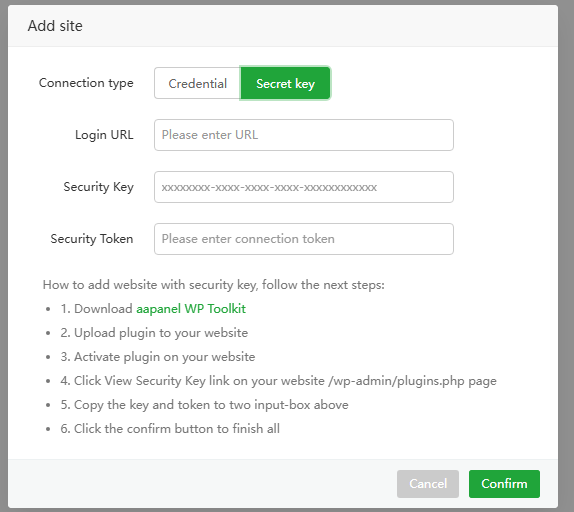
Site name
- Click to view information about the current remote Worepress website
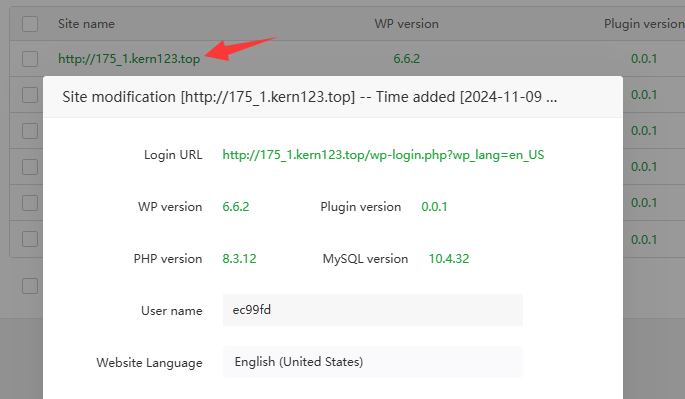
| Function | WordPress Site info | Describe |
|---|---|---|
| Login URL | http://175_1.kern123.top/wp-login.php?wp_lang=en_US | Management backend login address |
| WP version | 6.6.2 | The current WordPress version of the remote site |
| Plugin version | 0.0.1 | The aapanel WP Toolkit version of the current remote site |
| PHP version | 8.3.12 | The current PHP version of the remote site |
| MySQL version | 10.4.32 | The MySQL version of the current remote site |
| User name | ec99fd | The administrator account of the current remote site |
Website Language | English (United States) | The website language of the current remote site |
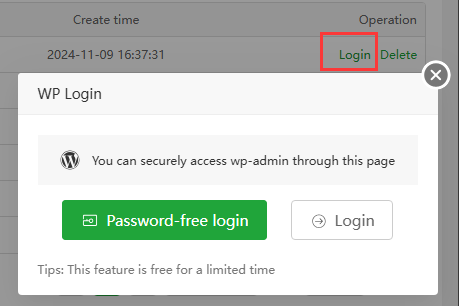
Login
Password-free login : Log in to the current site management backend without a password
Login : Open the current site management background login interface, and you need to enter your account and password information.
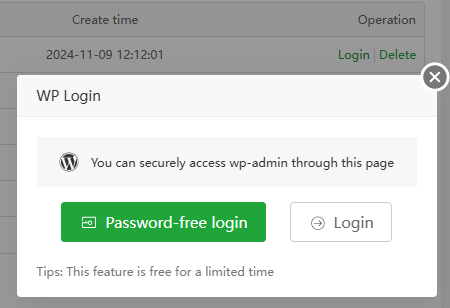
Usage example
- Use the
aapanel WP Toolkitplugin to remotely manage WordPress sites on other servers.
Download the
aapanel WP Toolkitplugin- Download link: aapanel WP Toolkit
Log in to the management backend of the remote WordPress site and install the aapanel WP Toolkit
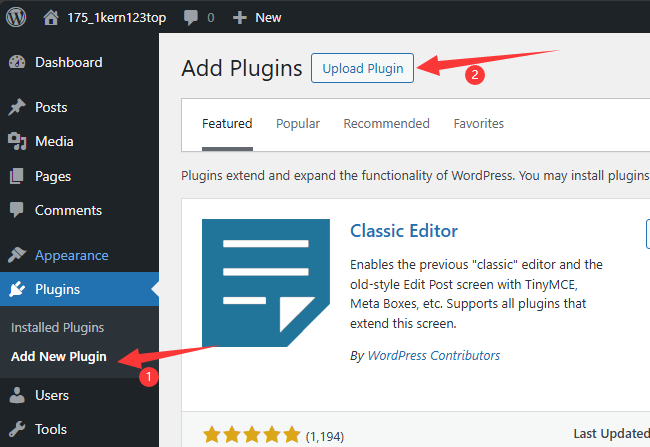
Upload files and install

Activatethe plugin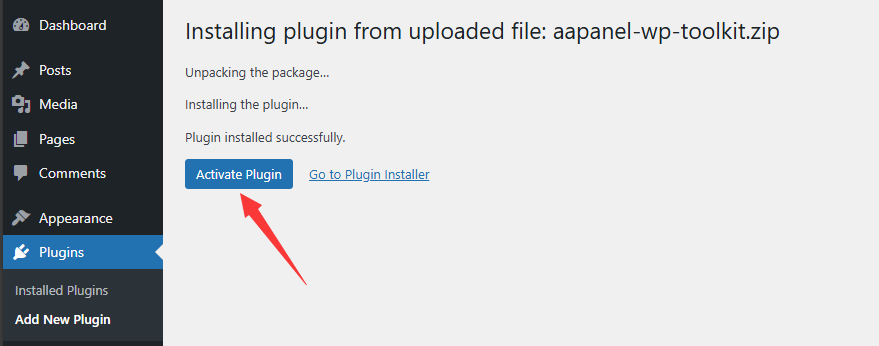
View Security Keyand Security Token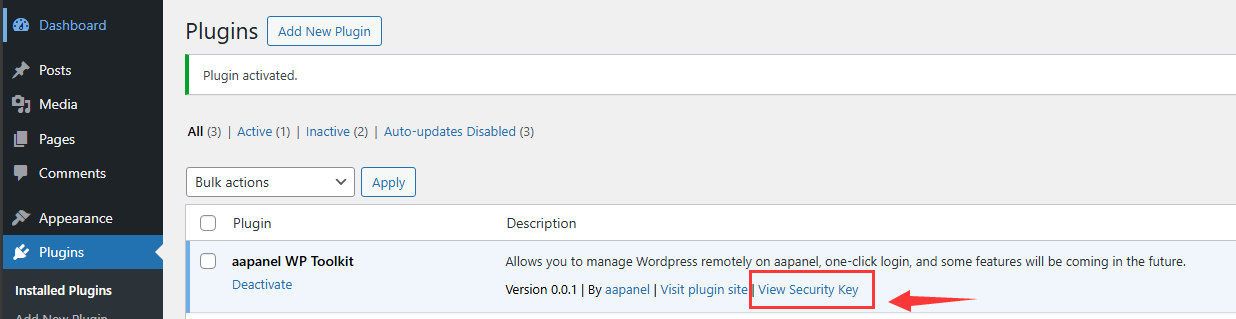
CopySecurity Key and Security Token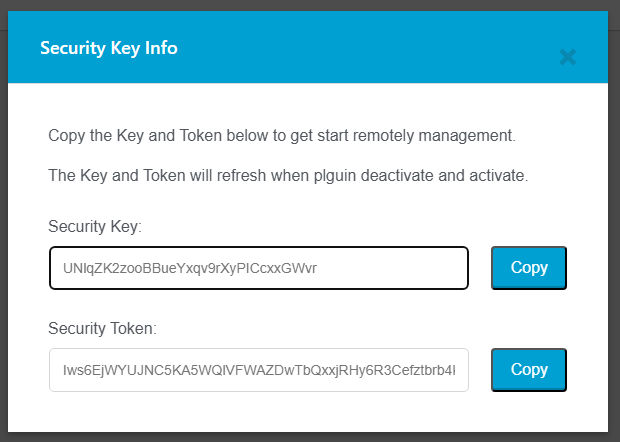
Go to aaPanel and add a remote WordPress site Enter your management background
Login URL, and paste theSecurity KeyandSecurity Token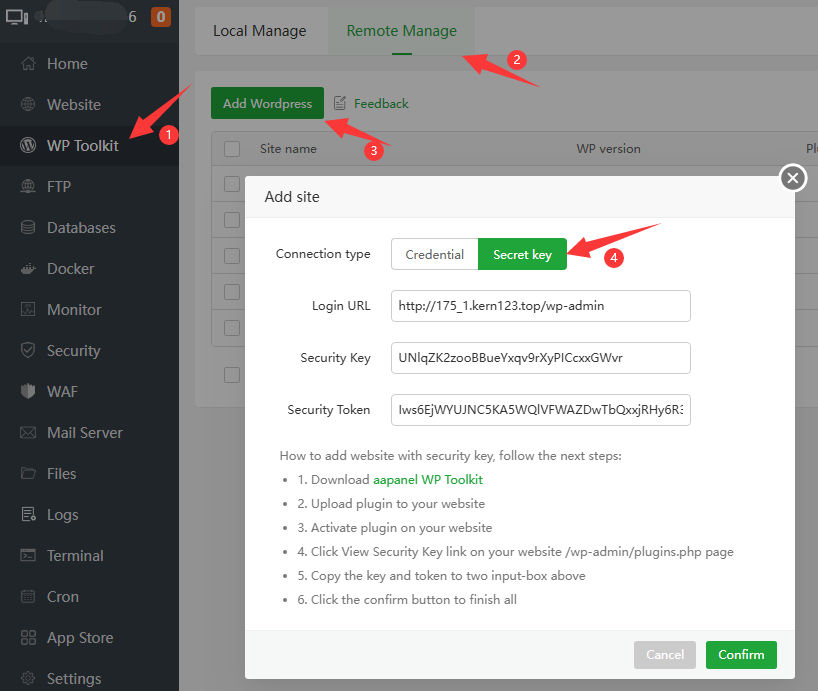
After successful addition, you can manage the remote WordPress site in aapanel.

Feedback or Suggestions
If you encounter problems or suggestions during use, please contact us through the following methods:
- (Please describe in
detailor providescreenshots)
Email: [email protected]
Discord: https://discord.gg/Tya5yceBpd
Telegram: https://aapanel.com/tg
GitHub: https://github.com/aapanel/aapanel
If you like aaPanel, please give it a Star