
Multi-WebServer Hosting
Overview
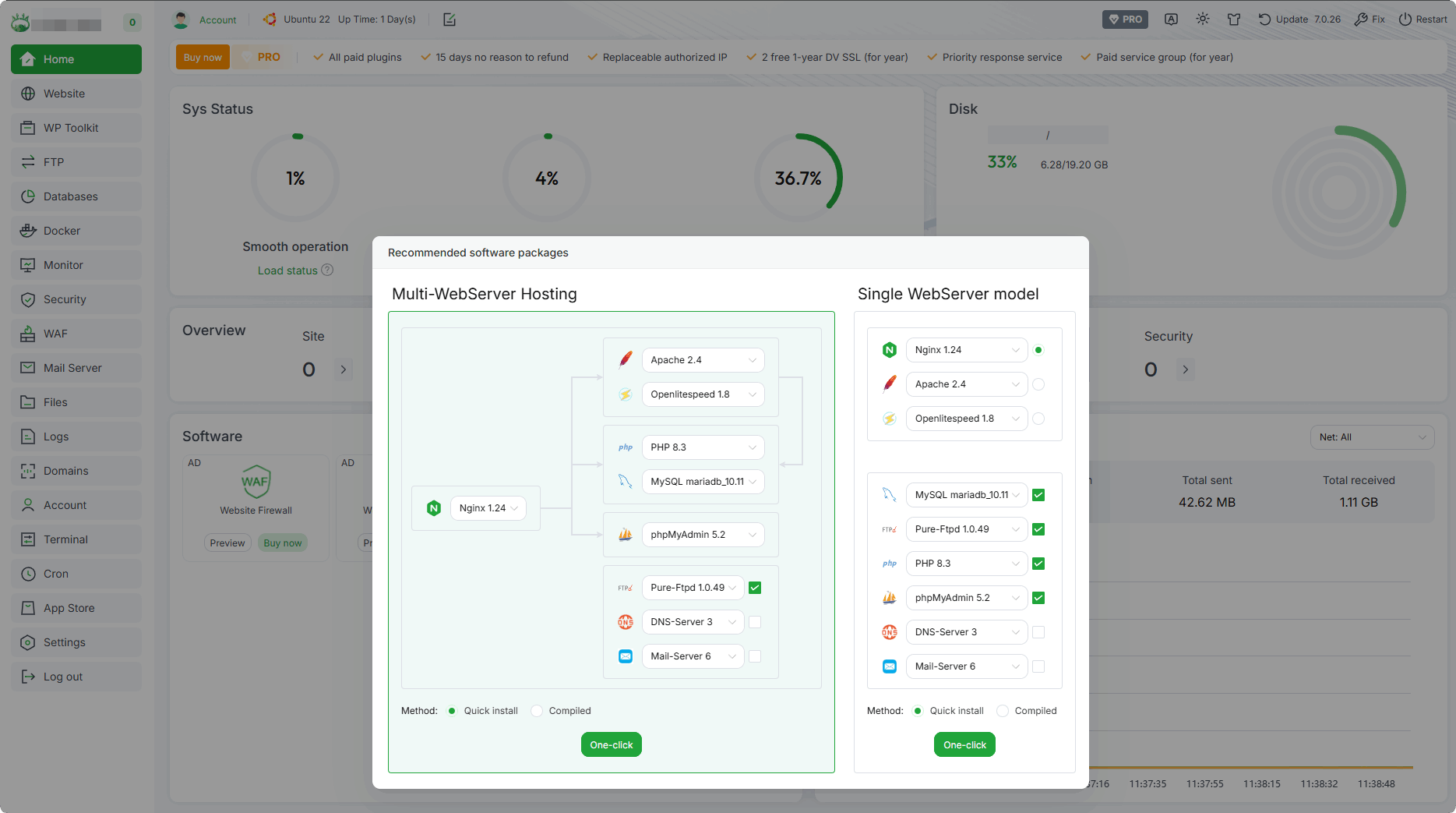
Home page pop-up installation:
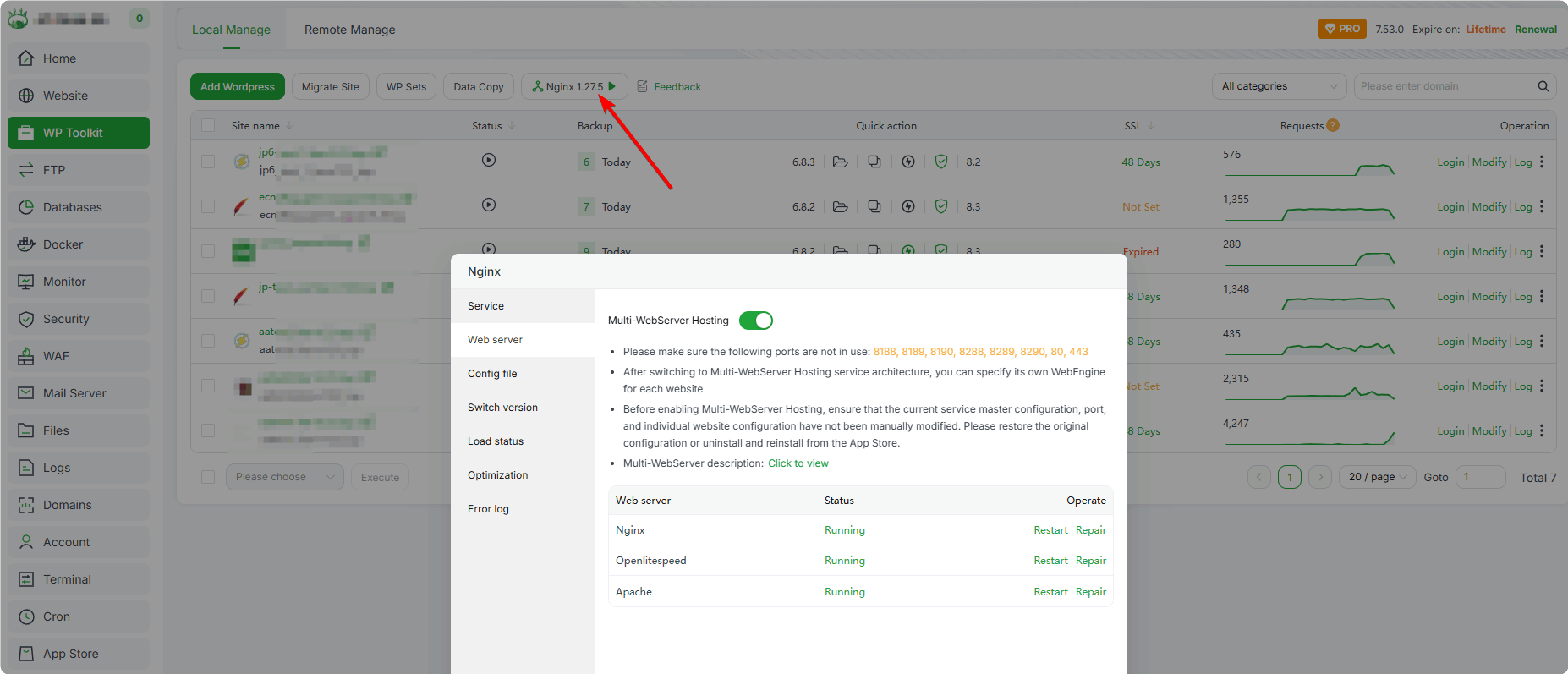
Enable Multi-WebServer Hosting:
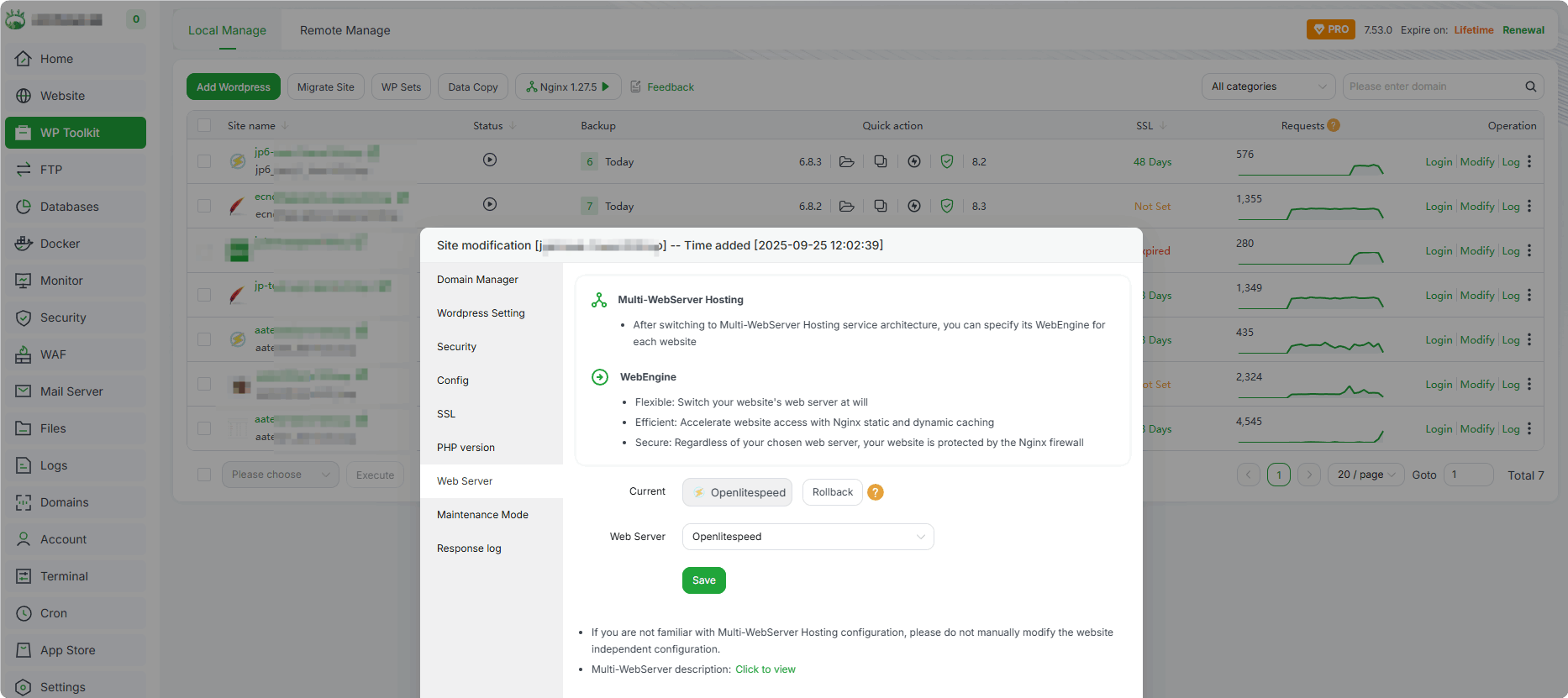
Site switching Web Server:
Multi-WebServer User Guide
Supports selecting three individual services: Nginx, Apache, and Openlitespeed. It also supports proxy modes:
Nginx+ApacheandNginx+Openlitespeed.Allows you to set a specific WebServer for a particular website.
After enabling Multi-WebServer Hosting, when using the
Add WordPressfunction inWP Toolkit, the combination ofNginx+Openlitespeedis adopted by default to provide faster access speed.
Automatic Operations of Multi-WebServer Hosting
Automatically installs three WebServers: Nginx, Apache, and Openlitespeed.
After the installation is completed, aaPanel will automatically detect and resolve port conflict issues.
Service Architecture Details
Differences in service architectures:
Type Service Architecture Port Scenarios Single Nginx 80/443 Static websites, file download sites, and lightweight dynamic applications in high-concurrency scenarios Apache 80/443 Complex PHP applications (Magento), applications dependent on Apache modules Openlitespeed 80/443 WordPress Multi-WebServerNginx (Proxy) -> ApacheNginx: 80/443 Apache: 8288, 8290 Complex PHP applications (Magento), applications dependent on Apache modulesNginx (Proxy) -> OpenlitespeedNginx: 80/443 Openlitespeed: 8188 WordPress Multi-Services and Corresponding Port Numbers
Service Name HTTP HTTPS phpMyAdmin Management Nginx 80 443 888, 887 - Apache 8288 8290 8289 - Openlitespeed 8188 8190 - 7080
PHP Management for Multi-WebServer
Nginx/Apache PHP Management
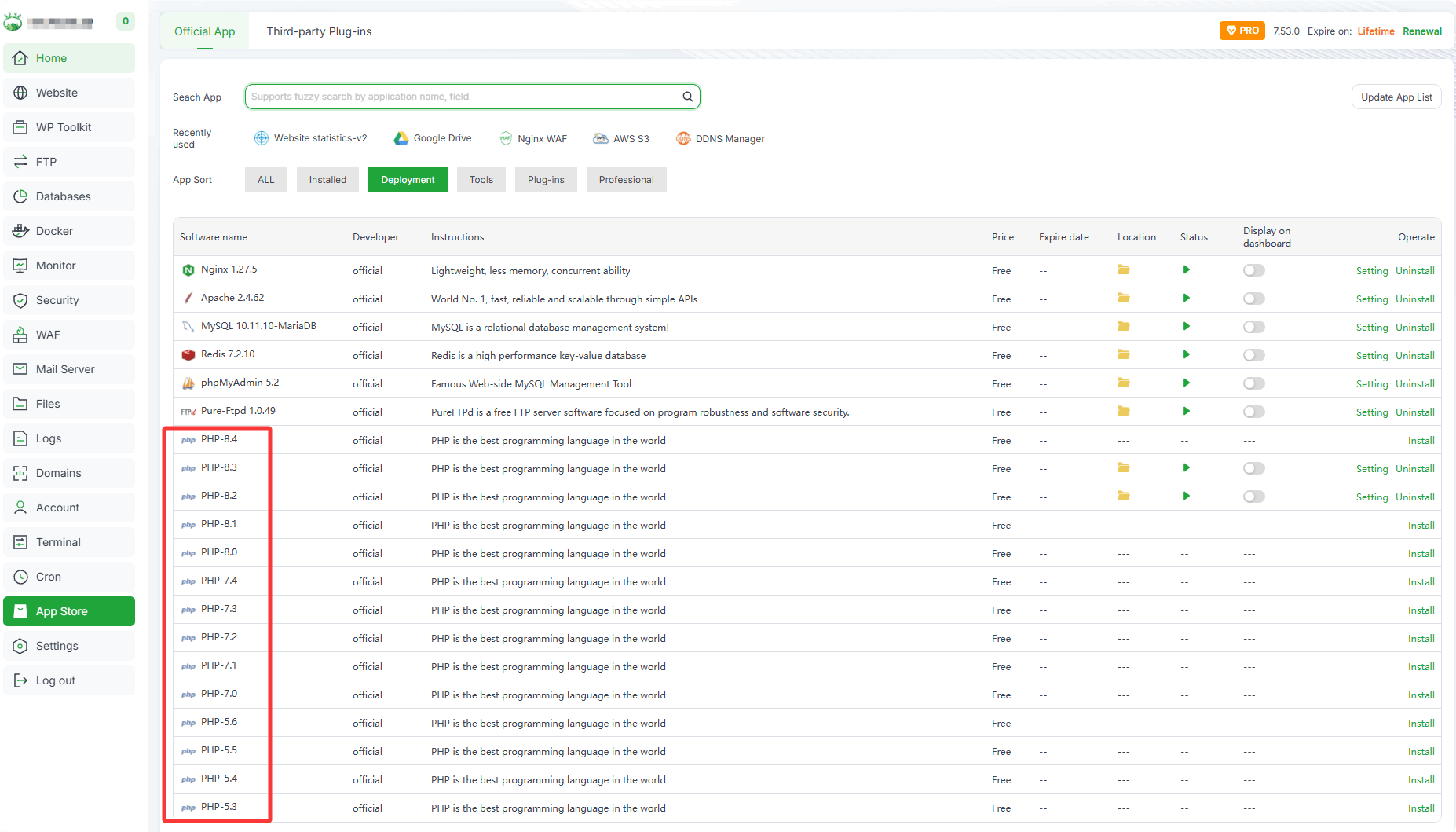
The PHP used by Nginx/Apache, e.g., for php83:
/www/server/php/83/bin/phpConfigure and manage PHP (such as modifying configurations, installing extensions, etc.) through the
PHP-8.3management interface in theApp Store.
Openlitespeed PHP Management
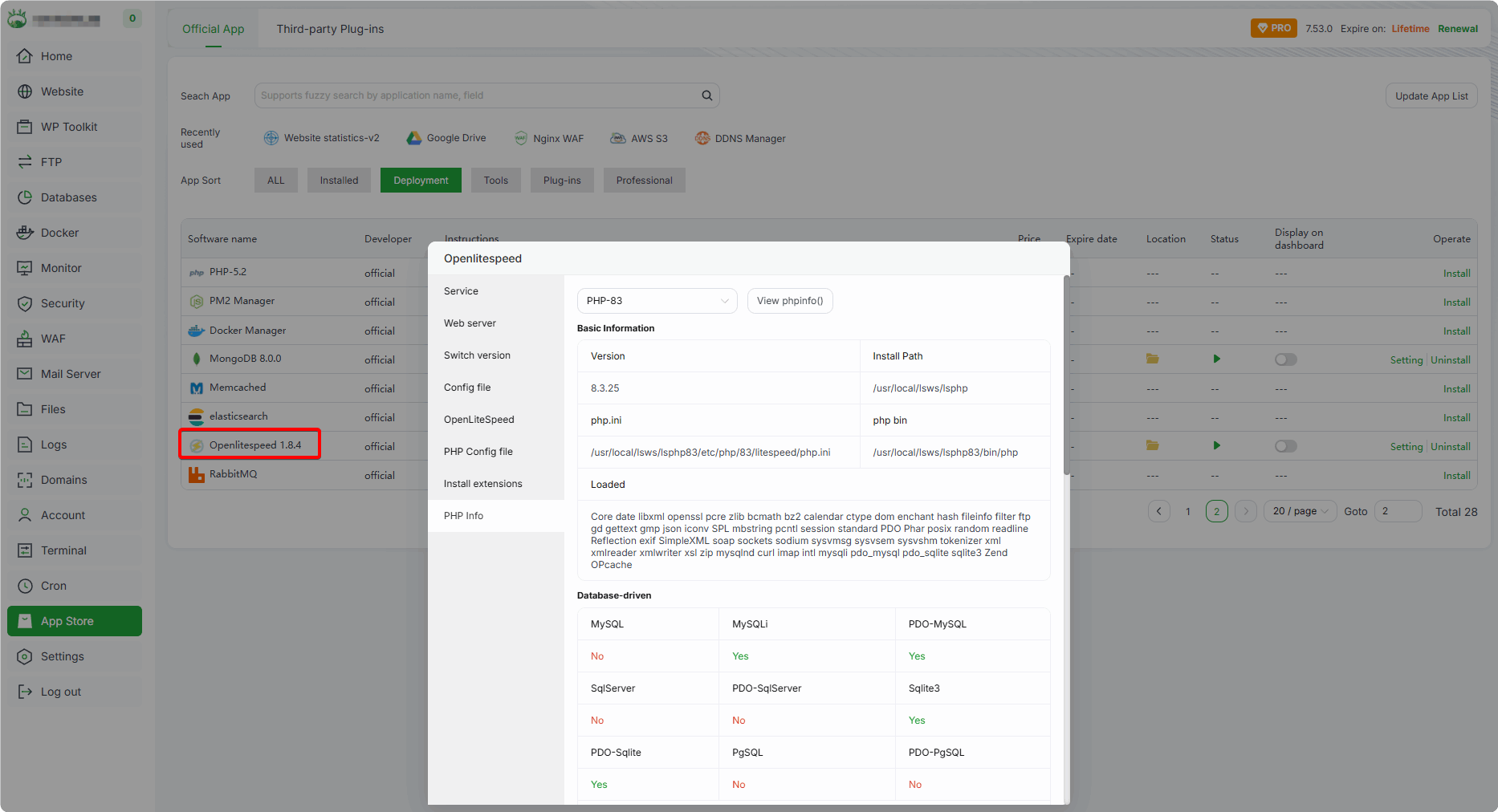
The default PHP used by Openlitespeed is
lsphp; for example php83:/usr/local/lsws/lsphp83/bin/phpConfigure and manage PHP (lsphp) (such as modifying configurations, installing extensions, etc.) through the
Openlitespeedmanagement interface in theApp Store.PHP extensions for Openlitespeed can also be installed using the
apt/yumcommands. For the list of supported PHP extensions, please visit: http://rpms.litespeedtech.com/
Notes
Failure to Enable Multi-WebServer Hosting
Please check if the configurations of Nginx/Apache/Openlitespeed are normal.
If enabling Multi-WebServer Hosting fails, the installed services will be automatically uninstalled.
Please check the installation log to see if there is a failure in installing Nginx/Apache/Openlitespeed. Error log file:
/tmp/panelExec.log(It is normal to see a prompt indicating port conflicts under regular circumstances).The panel log records the reasons for the startup failure of Nginx/Apache/Openlitespeed. Please view the log via:
Logs-->Panel Logs-->Operation LogsAre other ports (excluding ports 80, 443, 887, and 888) being used repeatedly?
If after turning on Multi-WebServer Hosting, one of the services fails to start, you can try to click
Repairto repair it.
Modifying the Running Service of Site
When modifying the Web Server currently used by a site, it is recommended to back up the site configuration file first to avoid configuration loss or errors during the modification process.
If the identifier in the site configuration (starting with
#) has been manually deleted, do not modify the Web Server.After the modification is completed, be sure to check whether the website can be accessed normally.
Using a Single WebServer (Nginx/Apache/Openlitespeed)
- First, disable the Multi-WebServer Hosting function, then select the single service (Nginx, Apache, or Openlitespeed) you want to keep.
After changing the Web Server, please check whether the website is running normally.
Performance testing
Test environment configuration
- System: Debian 12
- Website type: Wordpress
- PHP version: PHP 8.2
Test results

PS: The test environment is based on the default Settings created by the aapanel panel and excludes network latency factors.
Note: Each item will be tested three times respectively, and the average of the test results will be taken.
In concurrent scenarios, caching is a key influencing factor for the performance of Web servers. Multi-WebServer Hosting has added support for apache cache, enabling it to better handle concurrent scenarios.
Feedback or Suggestions
If you encounter problems or suggestions during use, please contact us through the following methods:
- (Please describe in
detailor providescreenshots)
Email: [email protected]
Discord: https://discord.gg/Tya5yceBpd
Telegram: https://aapanel.com/tg
GitHub: https://github.com/aapanel/aapanel
If you like aaPanel, please give it a Star