
Files
Full-featured file manager, set file and directory permissions, and edit text files online. Provides recycle bin functionality.
Files Overview
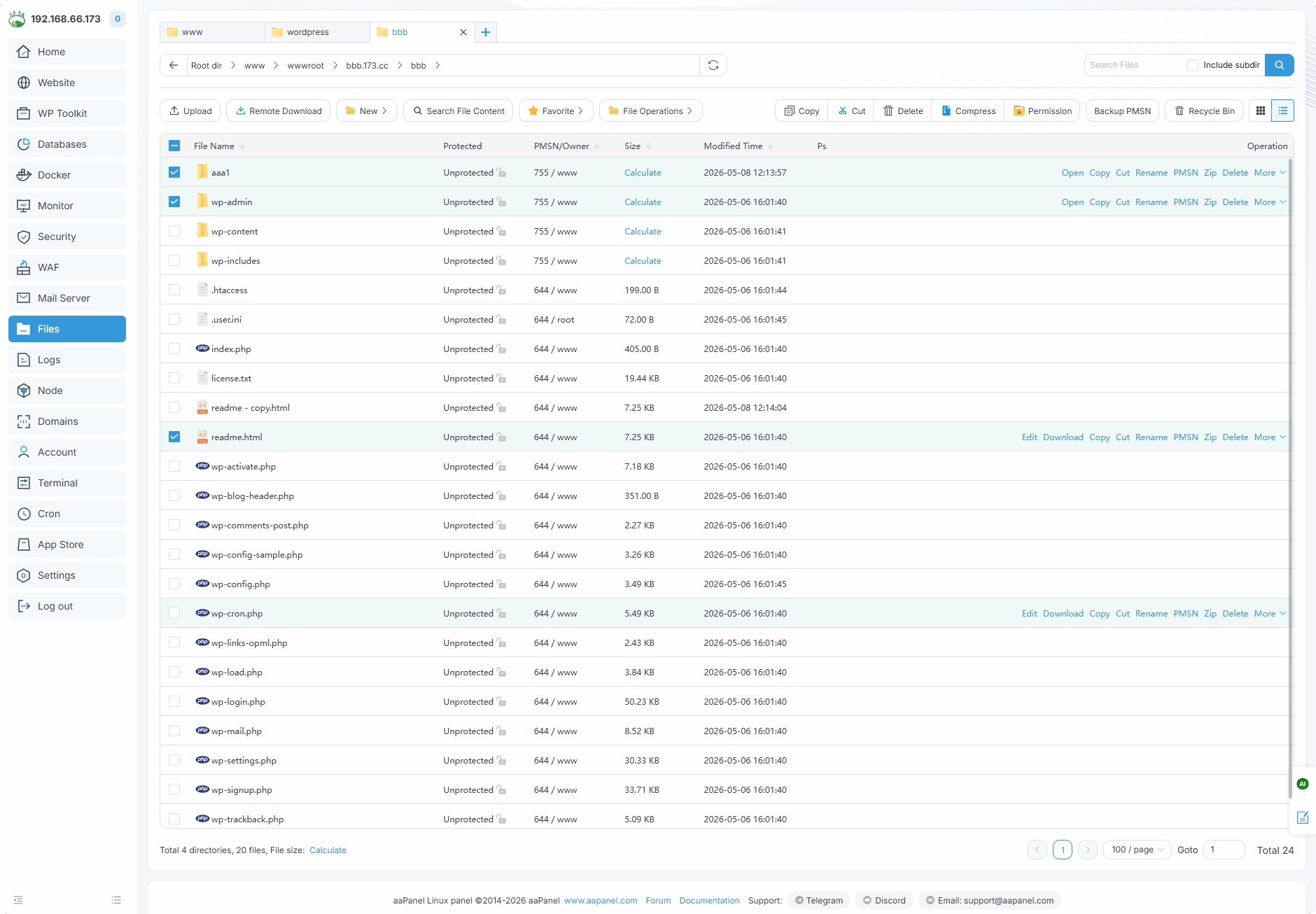
File name : File or directory name. Click to
sortProtection : based on
Tamper-proof for EnterpriseThe status of file or directory protection of the plug-in.PMSN/Owner : The owner and permissions of the file or directory. The permissions of the file or directory are
755and the owner iswww.Size : The size of the file or directory. Click
Calculateto view the directory. Click tosortModification time : The last modification time of the file or directory. Click to
sortPs :
Descriptionof the file or directory.Upload
Upload filesor directories to this directoryIn the
Filesinterface, can also upload files by dragging them here from outside the browser.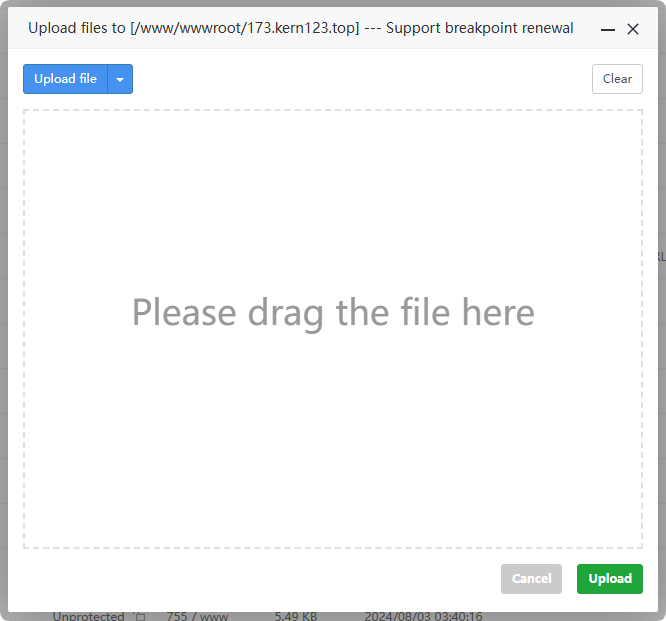
Remote download
Download filesfrom a remote server into a directory.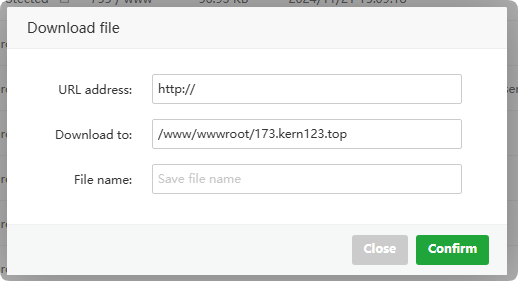
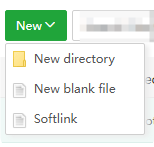
New
Create new
directoryCreate new
fileCreate new
soft link
Search Files Content :
Search contentfrom specified Suffix file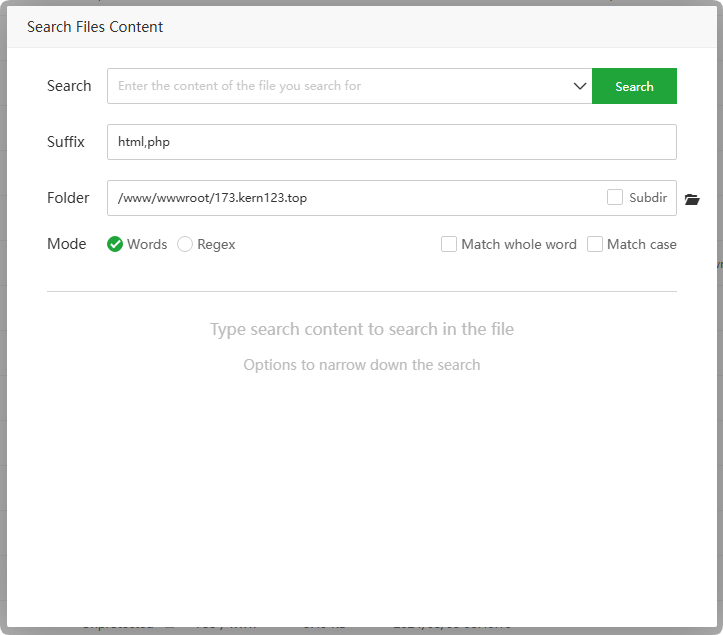
Favorites
Manage
favorite files or directories. Note that collection refers topath, not copy of file or directory.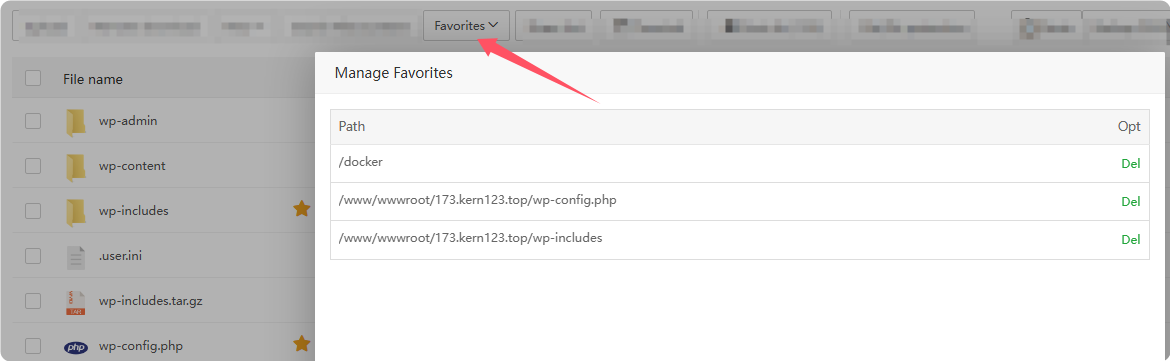
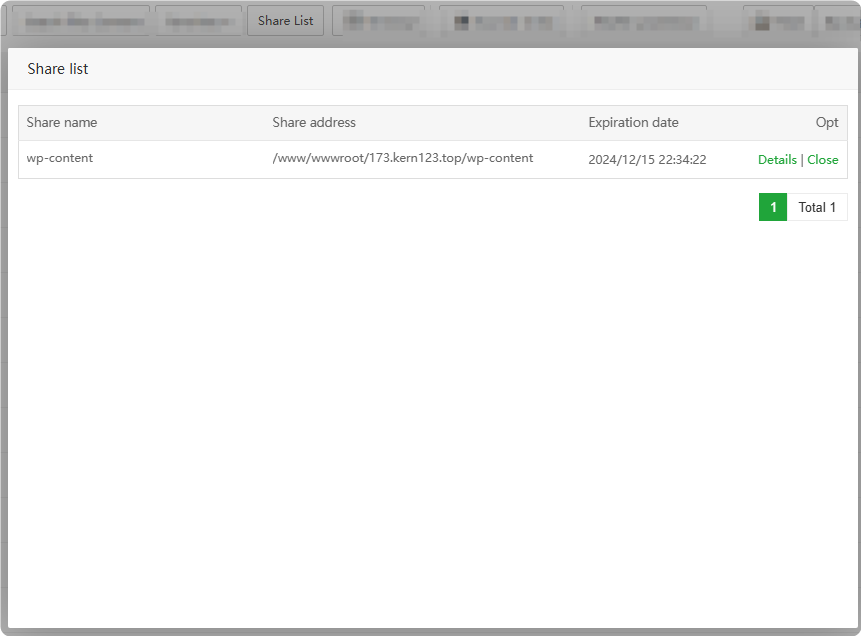
Share List :
Through this function, can
sharefiles or directories with others.Manage the list of shared files or directories.
Terminal : Enter the
terminal interfaceand automatically enter thecurrent directory.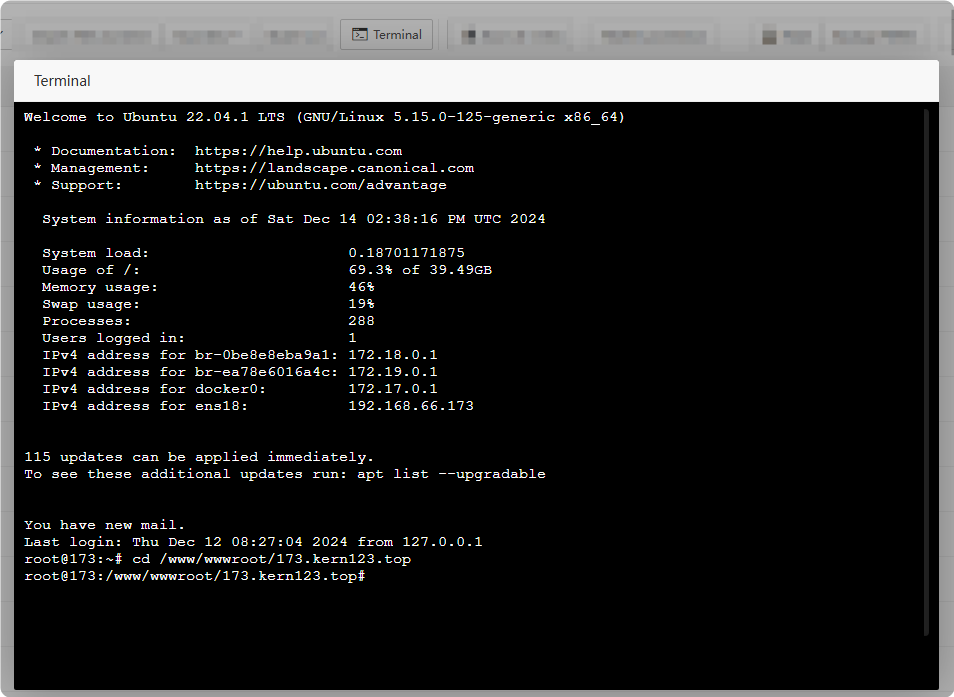
Root dir (13G) : Display the
remaining spaceof the/directory. Click to enter theroot directory.File/Dir protection : Click to enter
Tamper-proof for Enterpriseplug-inCopy : To
copy file or directory, select the file or directory and click Copy. Shortcut keys availableCtrl+C.Cut : To
cut file or directory, select the file or directory and click Cut. Shortcut keys availableCtrl+X.Paste : After
copyingorcutting, canpastefiles or directories. Shortcut keys availableCtrl+V.Compress / ZIP : To
compress files or directories, select multiple files or directories and click Compress.Uncompress / UNZIP : To
unzip file, select the compressed file and click Unzip.Del : Delete file or directory. After deletion, it will enter the
recycle binby default.Rename : Rename file or directory.
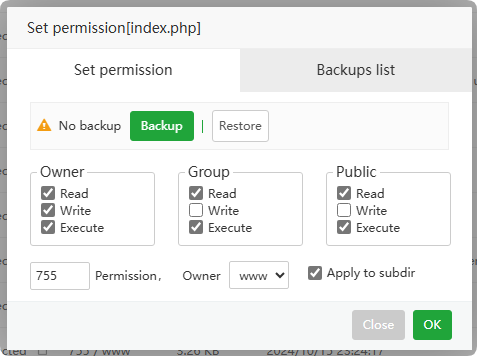
Permission / PMSN
Set the permissions and owners of files or directories.
Permission: The default value of aaPanel
website fileis755or644, that is, rwxr-xr-x, except for.user.inifileOwner: The owner of the file or directory, the directory of the website file, the default is
www.Apply to subdir: Apply to all
subdirectoriesunder this directory.755/www: The
permissionof the file or directory is755, and the owner iswww.
Properties
View propertiesof a file or directory.- Select the file or directory, then click
Moreto see the Properties function.
Right-clickthe specified file or directory to see the Properties function.
General : View
basic informationof file or directory.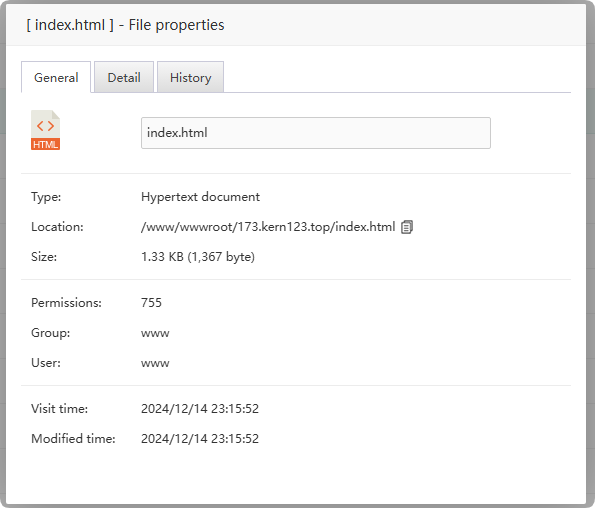
Detail :View
detailed informationabout file or directory.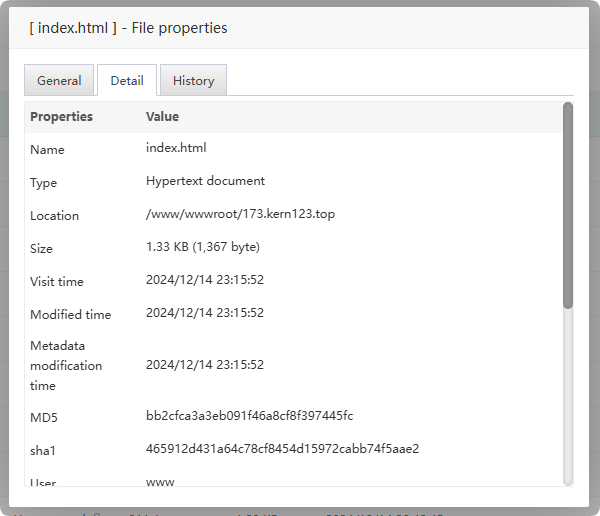
History : Manage
historical versionsof this file.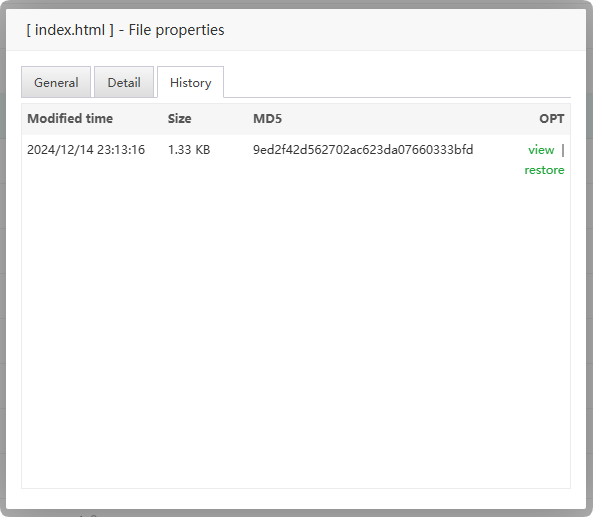
- Select the file or directory, then click
Backup PMSN
Backup permissionsupports files or directories.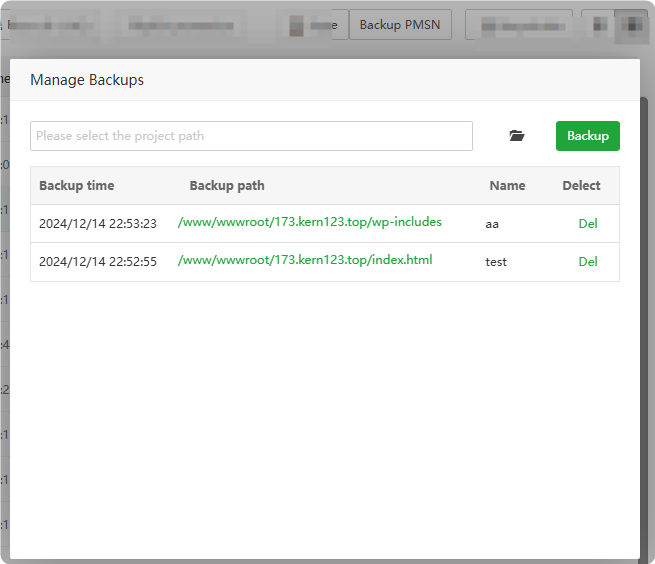
File editor
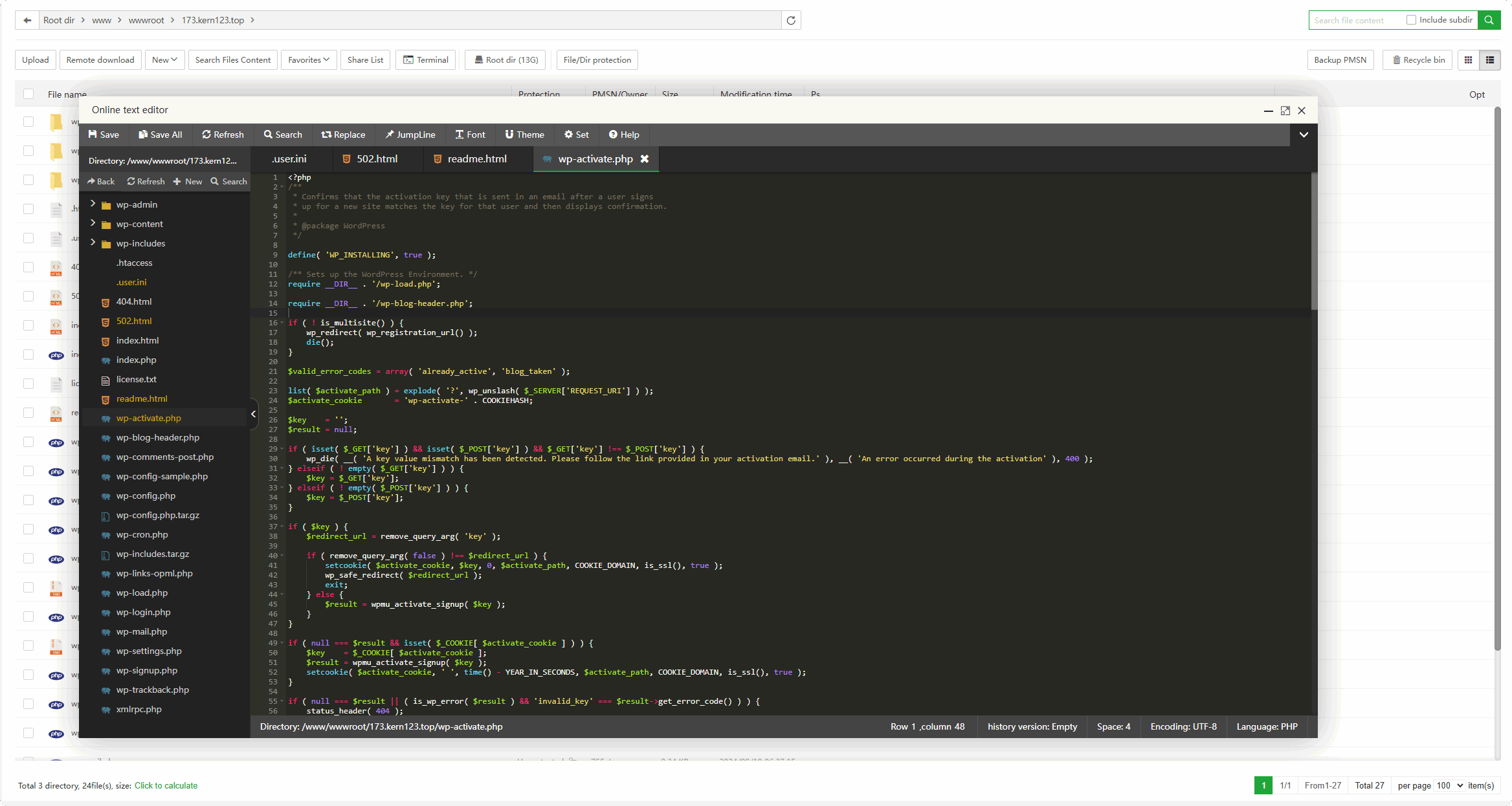
aaPanel supports
online editingand viewing of text files.Double-clicka supported file toview,editandsaveit online.The online editor supports
file historical versions, through which old versions of files can berestored.Support code highlighting, syntax highlighting, and syntax prompts.
Recycle bin
Manage deleted files and directories
The
website directories deletedby default will also be in the Recycle bin, and theMySQLdatabase needs to beopened manually.
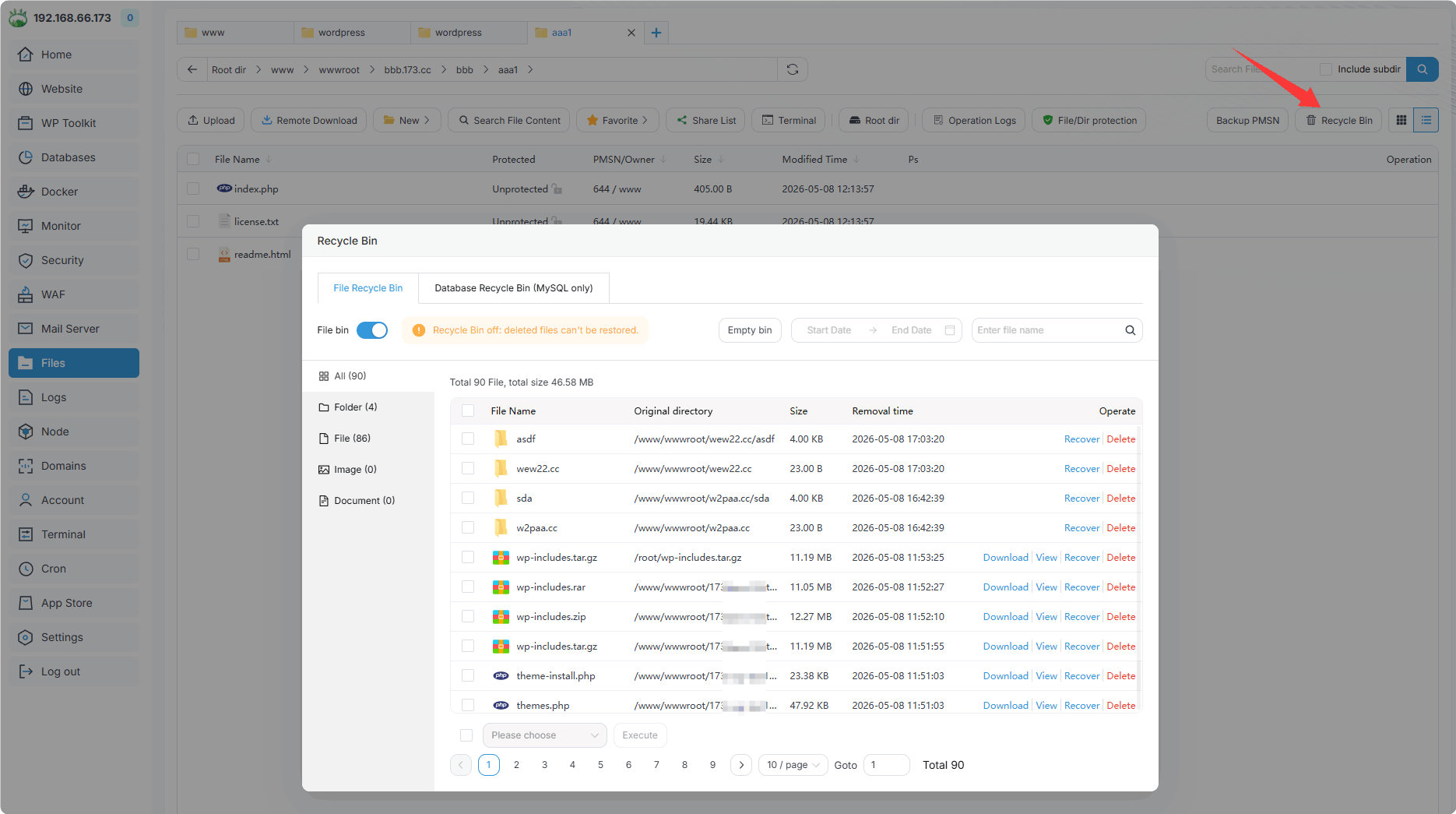
File recycle bin : Turn on or off the recovery function of files and directories. It is
not recommended to turn offthe recovery function of deleted files. will be difficult to recover after accidental deletion.Database recycle bin : Turn on or off the recycling function of the database. Currently, it
only supports MySQL. It is recommended to turn it on. After turning it on, it will be deleted from the database MySQL interface. It willonly markthe deletion and will not actually delete it from MySQL.File name : Directory or file name. There may be duplicates and need to be searched accurately.
Original directory : The
directorywhere it wasbeforedeletion.Size :
File size, the directory will not be actually displayed.Removal time : Time of deletion.
Empty recycle bin : Empty the Recycle Bin,
please operate with caution.Recover : Restore deleted files or directories.
Delete Permanently : Permanently delete file or directory.
File navigation bar
Clickorenterthe directory path to quickly navigate to thedirectory.

Feedback or Suggestions
If you encounter problems or suggestions during use, please contact us through the following methods:
- (Please describe in
detailor providescreenshots)
Email: [email protected]
Discord: https://discord.gg/Tya5yceBpd
Telegram: https://aapanel.com/tg
GitHub: https://github.com/aapanel/aapanel
If you like aaPanel, please give it a Star