
How to use Voucher or License
Buy the Professional edition or a paid plug-in on the official website, then redeem the
VoucherorLicensefrom the aaPanel panel.
Overview
| Type | Description | Where to use it |
|---|---|---|
Voucher | Prepaid credit bought on the official website | The PRO window in the panel, or the purchase window in the App Store |
License | Authorization for the purchased product, bound to a server once it is used | PRO window → Voucher tab → License |
Use Pro Voucher
Click PRO in the upper-right corner and log in with your aaPanel account — the account you registered on aapanel.com, not your panel password.
- Switch to the
Vouchertab, and chooseVoucheras theVoucher Type. - Select the
Product Type(for exampleProfessional Edition) and the target voucher in theVoucher List, then clickUse.
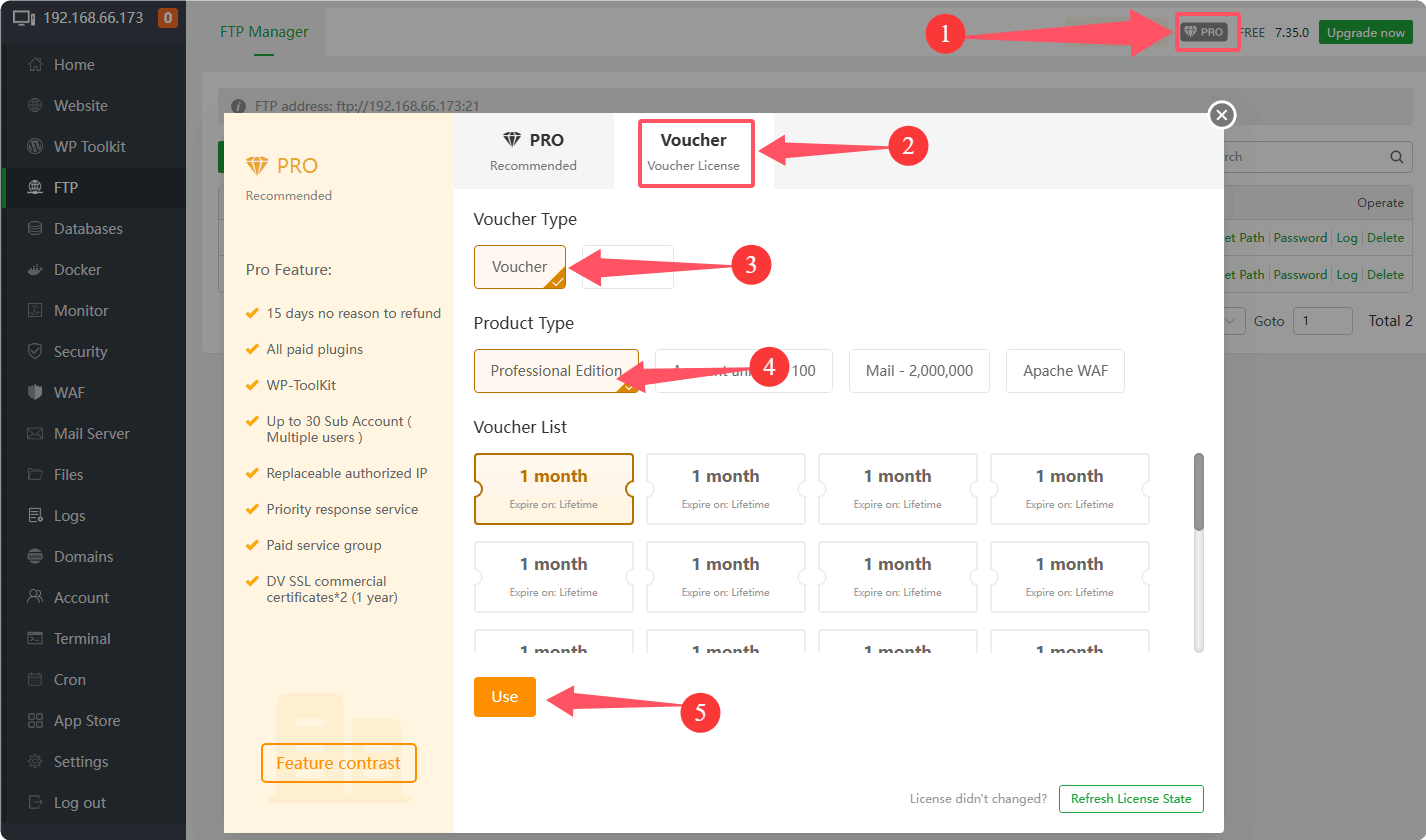
Distinguish the payment platform account from the aaPanel account
- The payment platform account is only used when making a payment, and it can be different from your aaPanel account.
- After a successful purchase, log in to the
PROwindow with your aaPanel account.
Use Plug-in Voucher
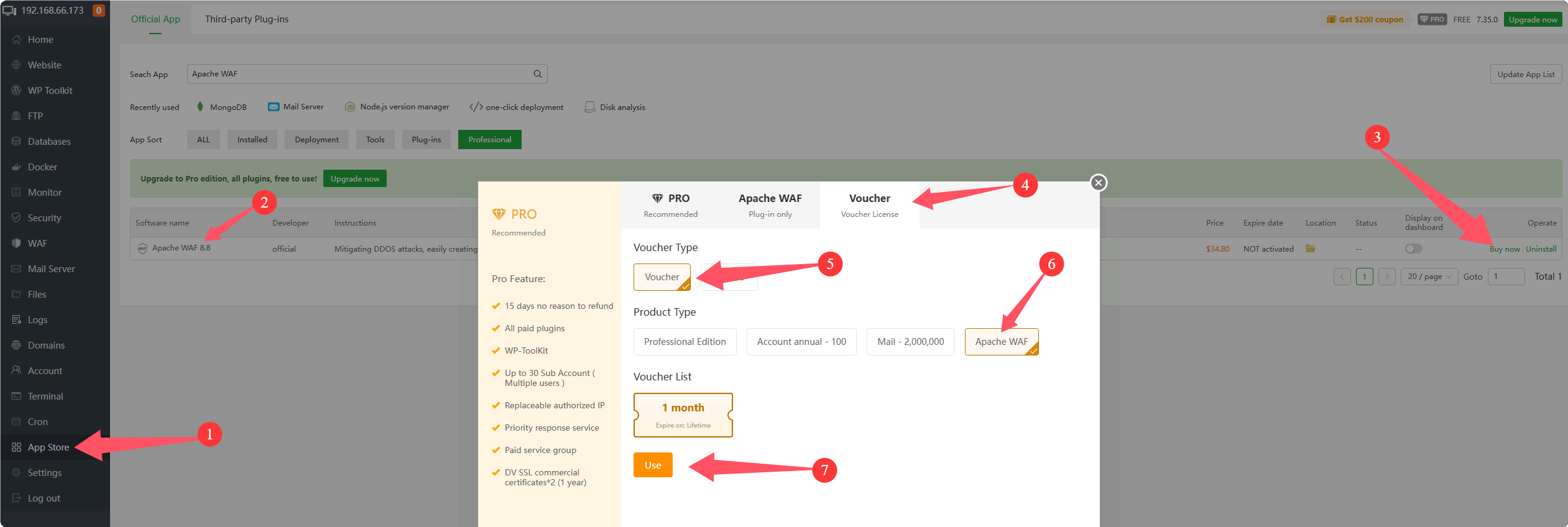
- Open the
App Storein the panel. - Search for the plug-in, for example Apache WAF, and click
Buy now. - In the purchase window, open the
Vouchertab, chooseVoucheras theVoucher Typeand the matchingProduct Type, select the voucher, then clickUse.
How to unbind license
- Log in to your account on the official website.
- Open
Authorization list(all your licenses) from the left menu. - Find the corresponding license and click
Unbindin theOPTcolumn.
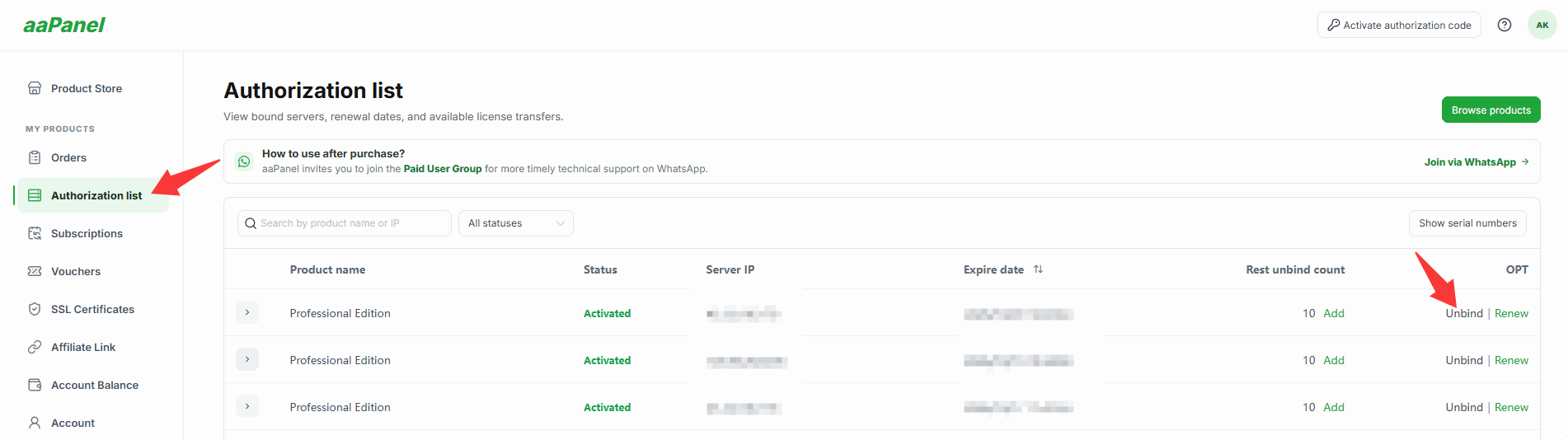
A license is generated only after the product is used and then unbound.
After unbinding, the license can be bound to another server — see How to use license.
How to use license
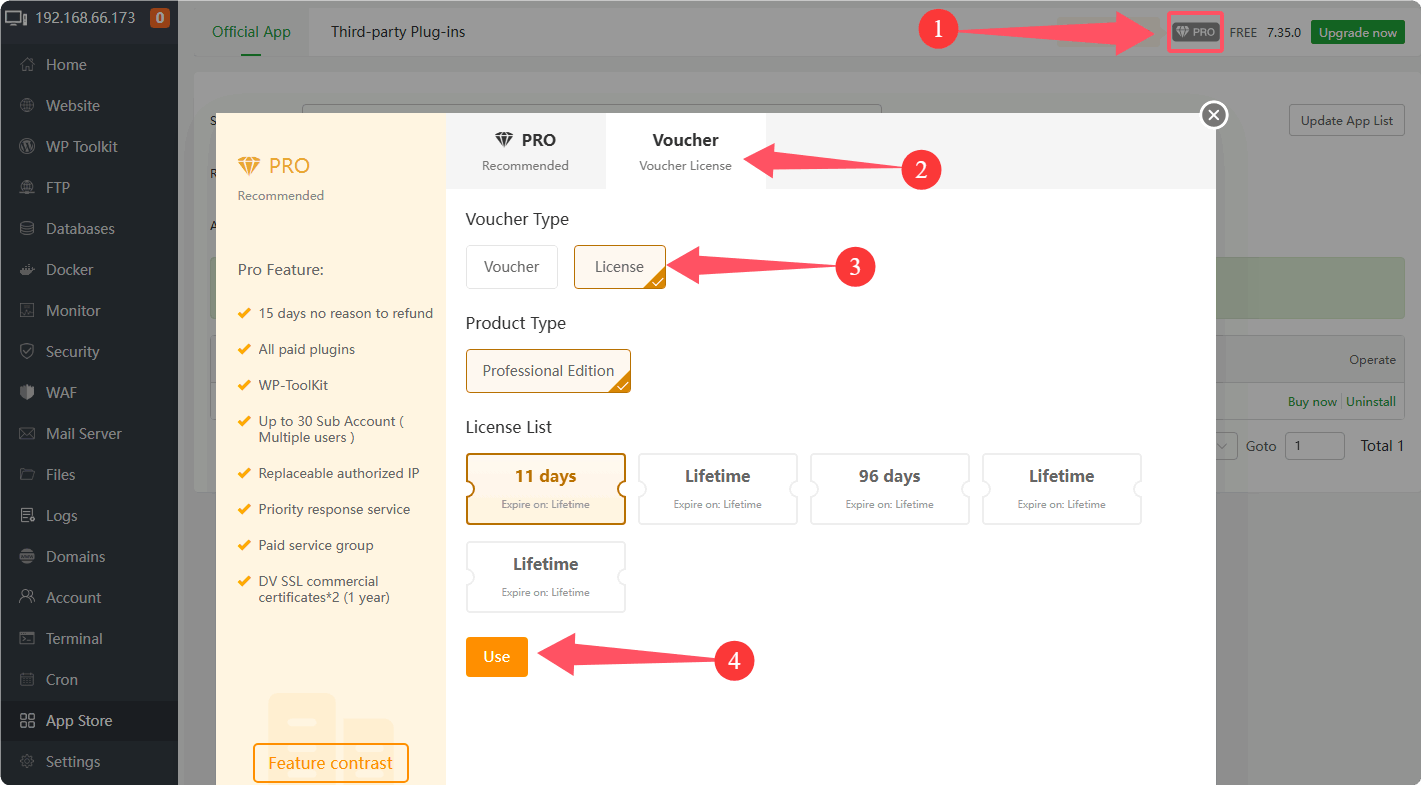
Click PRO in the upper-right corner and log in with your aaPanel account — the account you registered on aapanel.com, not your panel password.
- Switch to the
Vouchertab and chooseLicenseas theVoucher Type. - Select the
Product Typeand the target license in theLicense List, then clickUse.
License not taking effect?
If the status does not change after activation, click Refresh License State or App Store --> Update App List(top-right) to refresh it.
Feedback or Suggestions
If you encounter problems or suggestions during use, please contact us through the following methods:
- (Please describe in
detailor providescreenshots)
Email: [email protected]
Discord: https://discord.gg/Tya5yceBpd
Telegram: https://aapanel.com/tg
GitHub: https://github.com/aapanel/aapanel
If you like aaPanel, please give it a Star