
AI
The AI module integrates an intelligent assistant into aaPanel, enabling you to manage your server, websites, databases, and other resources through natural language conversations. It also provides diagnostic tools, skill packs, model management, and ChatOps integration.
Chat
Interact with the AI Assistant through natural language to perform various server management tasks.
Chat History
The left panel displays your conversation history.
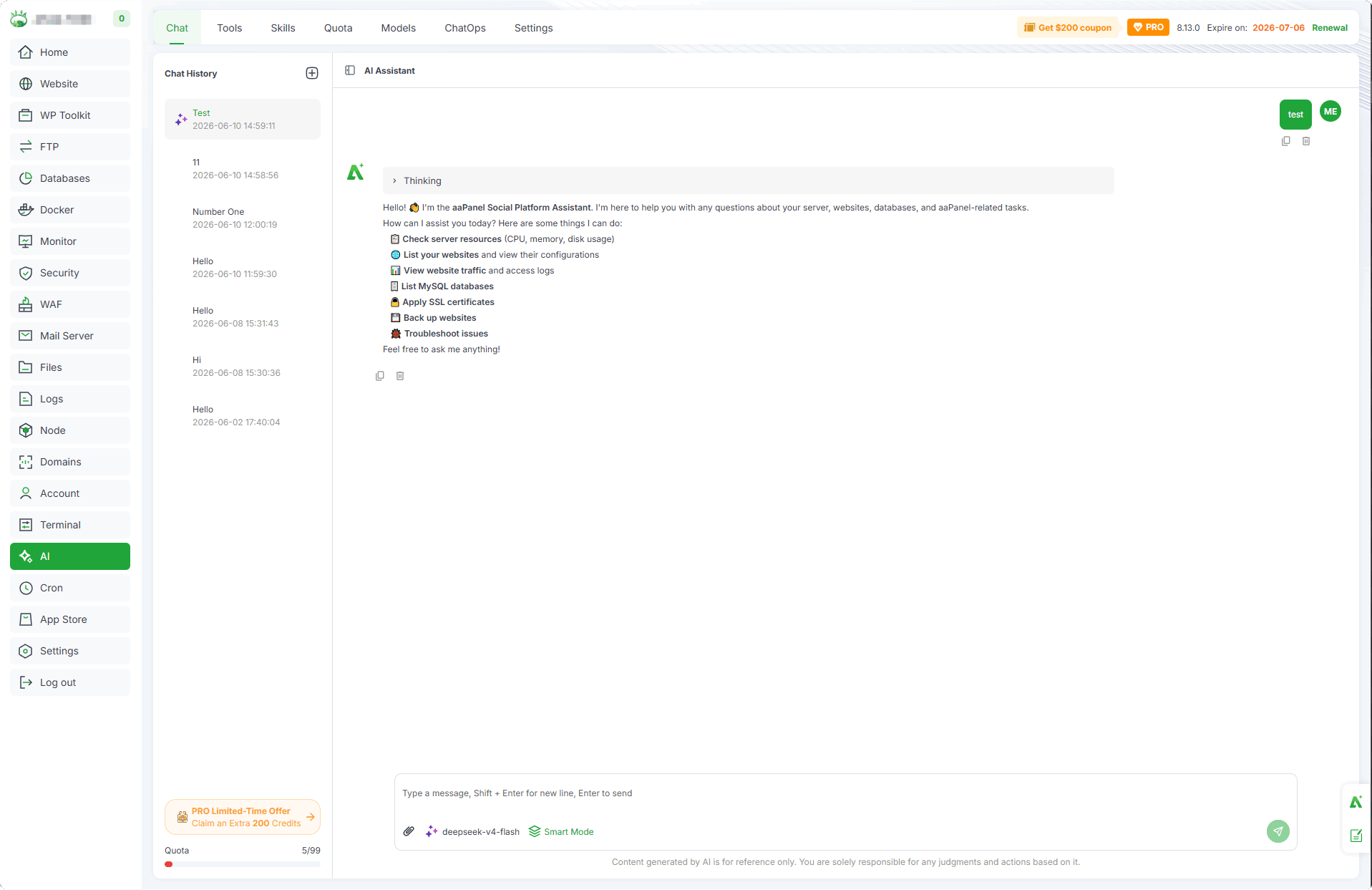
- New Chat : Click to start a new conversation
- Chat list : View and select previous conversations
AI Assistant
The main area where you interact with the AI Assistant.
The AI Assistant can help you with various server management tasks, including:
Check server resources (CPU, memory, disk usage)
List your websites and view their configurations
View website traffic and access logs
List MySQL databases
Apply SSL certificates
Back up websites
Troubleshoot issues
Chat Input
The bottom area for entering messages and configuring chat options.
Message input : Type your question or command. Press
Shift + Enterfor a new line,Enterto send.Model selection : Choose the AI model to use for the conversation.
Smart Mode : Automatically select tools and search the web
Upload File : Upload files to the server for analysis
Tools
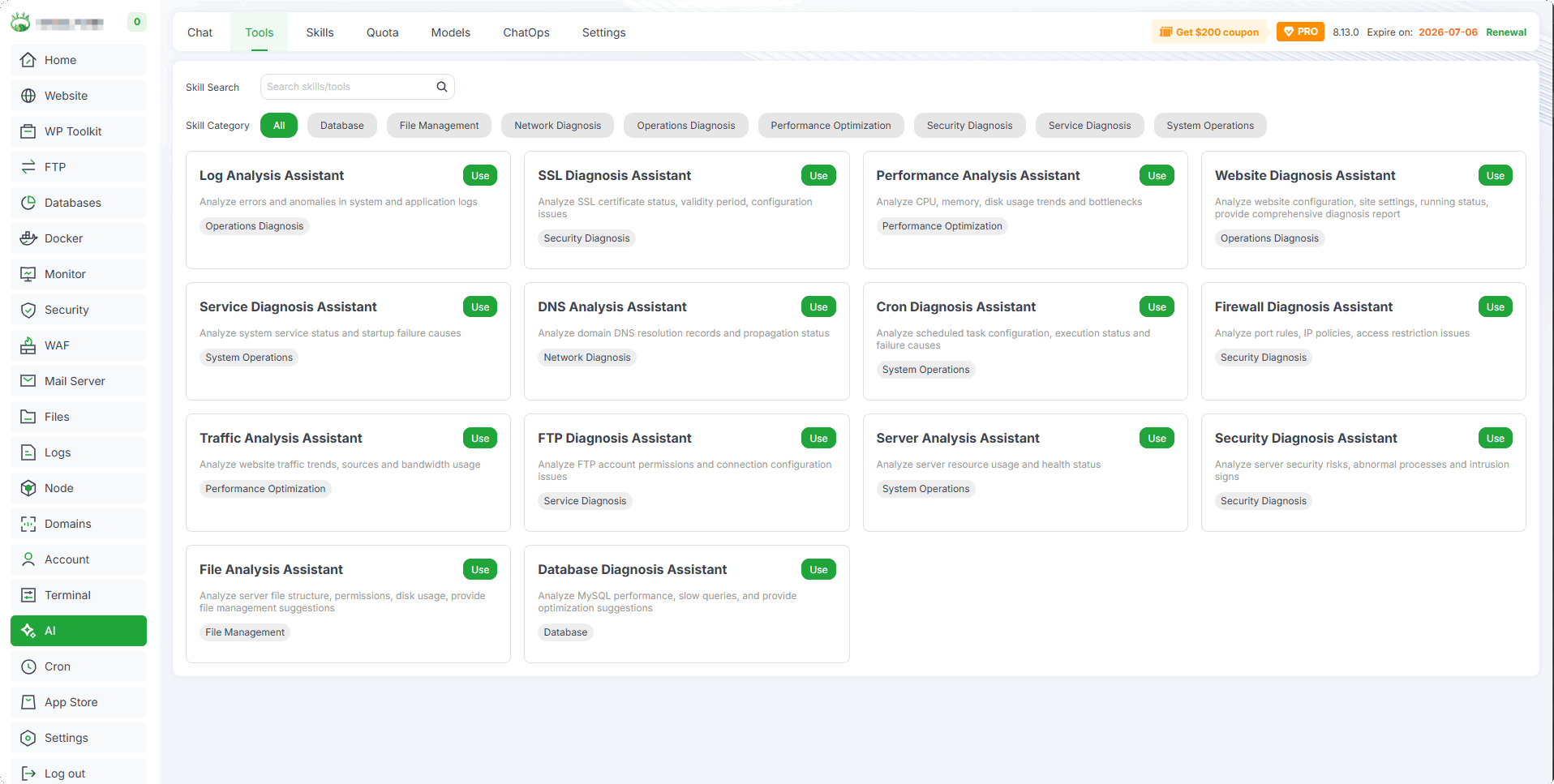
The Tools page provides a collection of diagnostic assistants to help you analyze and troubleshoot various aspects of your server.
Tool Categories
| Category | Description |
|---|---|
| Log Analysis | Analyze server and application logs |
| File Management | File-related diagnostic tools |
| Network Diagnose | Network connectivity and configuration diagnostics |
| Database Diagnose | Database performance and issue diagnostics |
| Performance Diagnose | Server performance analysis tools |
| Security Diagnose | Security-related diagnostics |
| Service Diagnose | System service status diagnostics |
| Website Diagnose | Website-specific diagnostic tools |
Available Tools
All available diagnostic tools are displayed as cards, grouped by category.
| Tool | Description |
|---|---|
| Log Analysis Assistant | Analyze system and application logs to identify issues |
| SSL Diagnosis Assistant | Check SSL certificate status and configuration |
| Performance Analysis Assistant | Analyze server performance bottlenecks |
| Website Diagnosis Assistant | Diagnose website accessibility and configuration issues |
| Service Diagnosis Assistant | Check the status of system services |
| DNS Analysis Assistant | Analyze DNS configuration and resolution issues |
| Cron Diagnosis Assistant | Diagnose scheduled task (Cron) issues |
| Firewall Diagnosis Assistant | Analyze firewall rules and connectivity |
| Traffic Analysis Assistant | Analyze website traffic patterns |
| FTP Diagnosis Assistant | Diagnose FTP service issues |
| Server Diagnosis Assistant | General server health diagnostics |
| Security Diagnosis Assistant | Scan for security vulnerabilities |
| File Analysis Assistant | Analyze file permissions and configurations |
| Database Diagnosis Assistant | Diagnose database connectivity and performance |
Skills
Skill packs extend the AI Assistant's capabilities with specialized knowledge for specific tasks.
Import Skill Pack
- Import Skill Pack : Import a new skill pack to extend AI capabilities
Skill Management
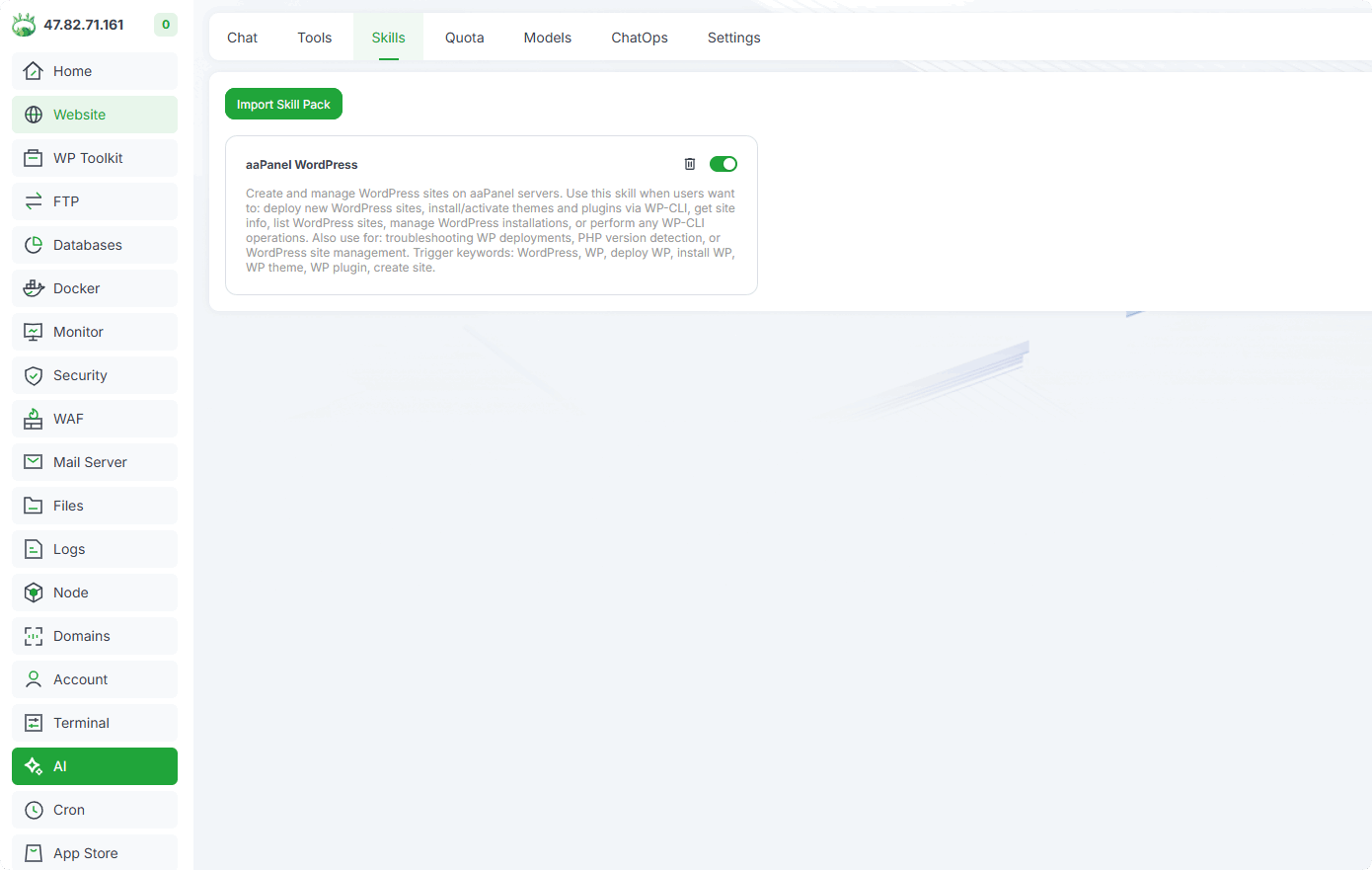
View and manage installed skill packs.
| Function | Description |
|---|---|
| Skill name | Name of the skill pack |
| Description | Detailed description of what the skill does |
| Status | Enable or disable the skill pack |
| Delete | Remove the skill pack |
- More skills are under development, stay tuned.
Quota
Monitor your AI usage quota and view detailed consumption records.
Quota Overview
View your current quota status at a glance.
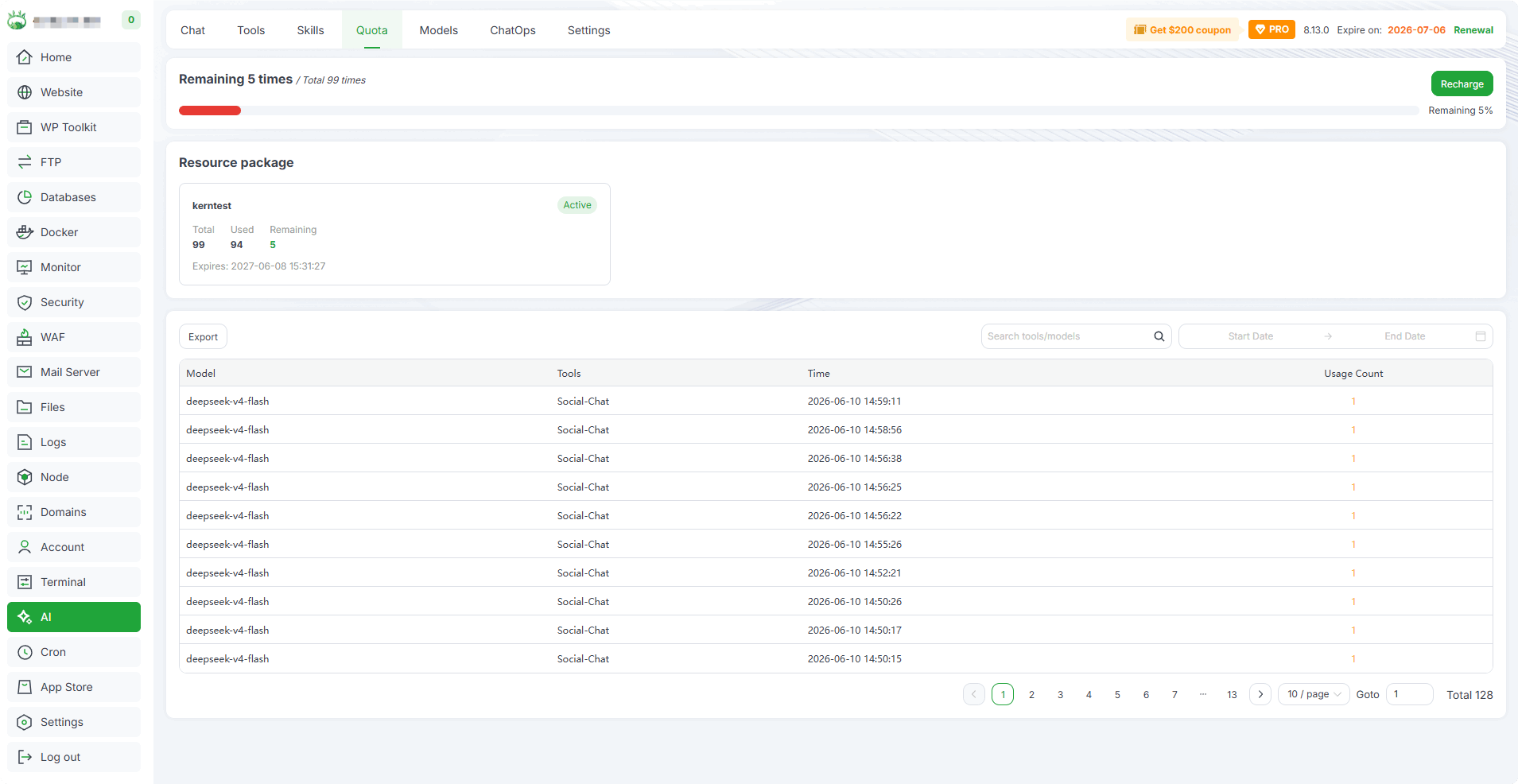
Remaining : Shows the remaining number of AI interactions available
Total : Total quota allocated to your account
Recharge : Purchase additional quota
Resource Package
| Field | Description |
|---|---|
| Name | Resource package name |
| Total | Total quota in the package |
| Used | Already consumed quota |
| Remaining | Remaining quota |
| Expires | Expiration date of the resource package |
| Status | Active or expired |
Usage Records
| Field | Description |
|---|---|
| Model | AI model used |
| Tools | Tools invoked during the conversation |
| Time | Usage timestamp |
| Usage Count | Number of times used |
Export : Export usage records
Search : Search by tool or model name
Date Filter : Filter records by date range
Models
Manage AI models available for use in the AI Assistant.
Model Categories
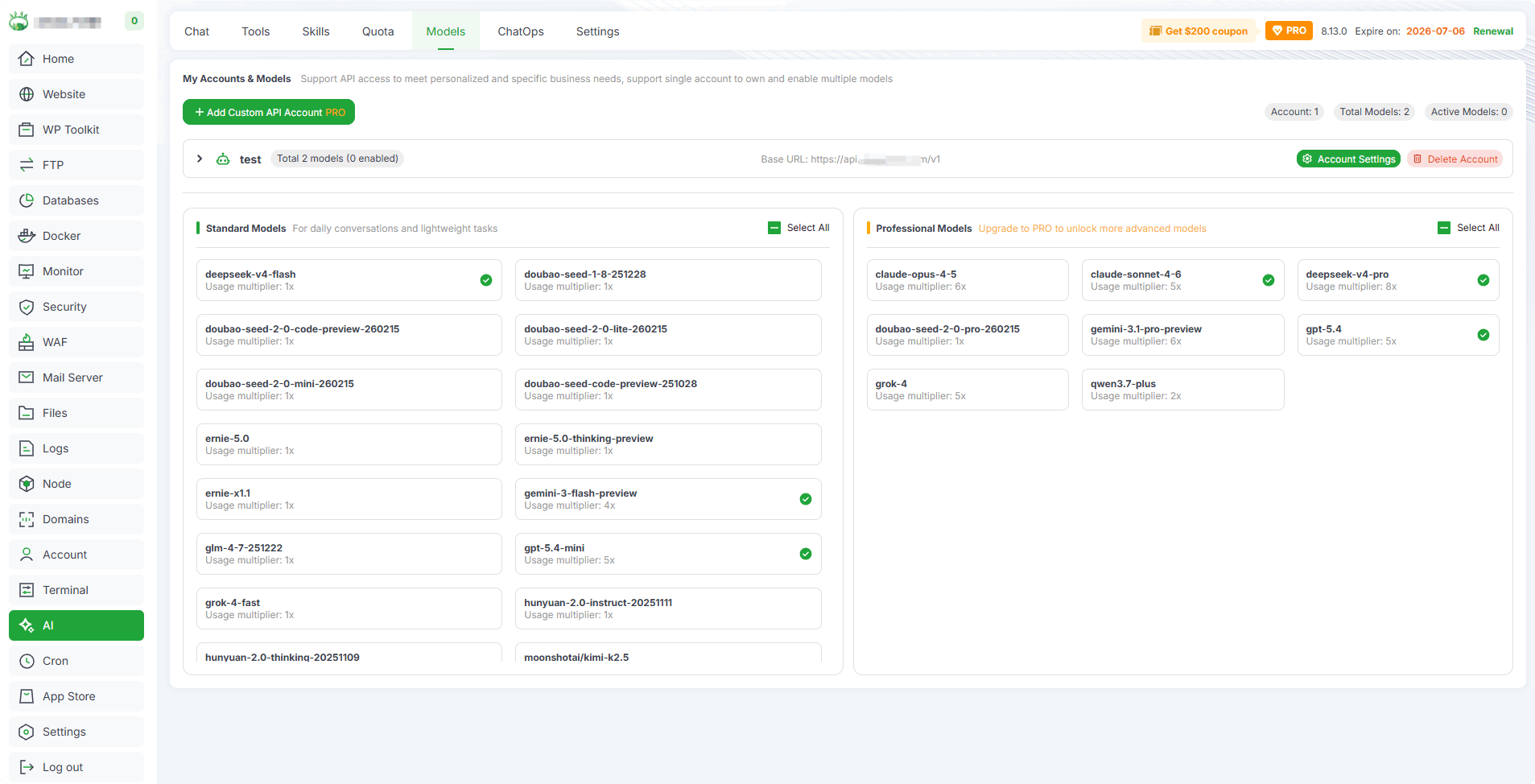
- Standard Models
Free models available for basic
- Professional Models
Advanced models with enhanced capabilities
Model Management
| Function | Description |
|---|---|
| Add Custom Model | Add a custom AI model endpoint |
| Model Settings | Configure model parameters |
| Delete | Remove a custom model |
ChatOps
Configure messaging channels to interact with the AI Assistant through external platforms like Telegram and Discord.
Message Channels
Configure Discord Bot and Telegram Bot.
Discord: Click to view: How to add Discord Bot
Telegram: Click to view: How to add Telegram Bot
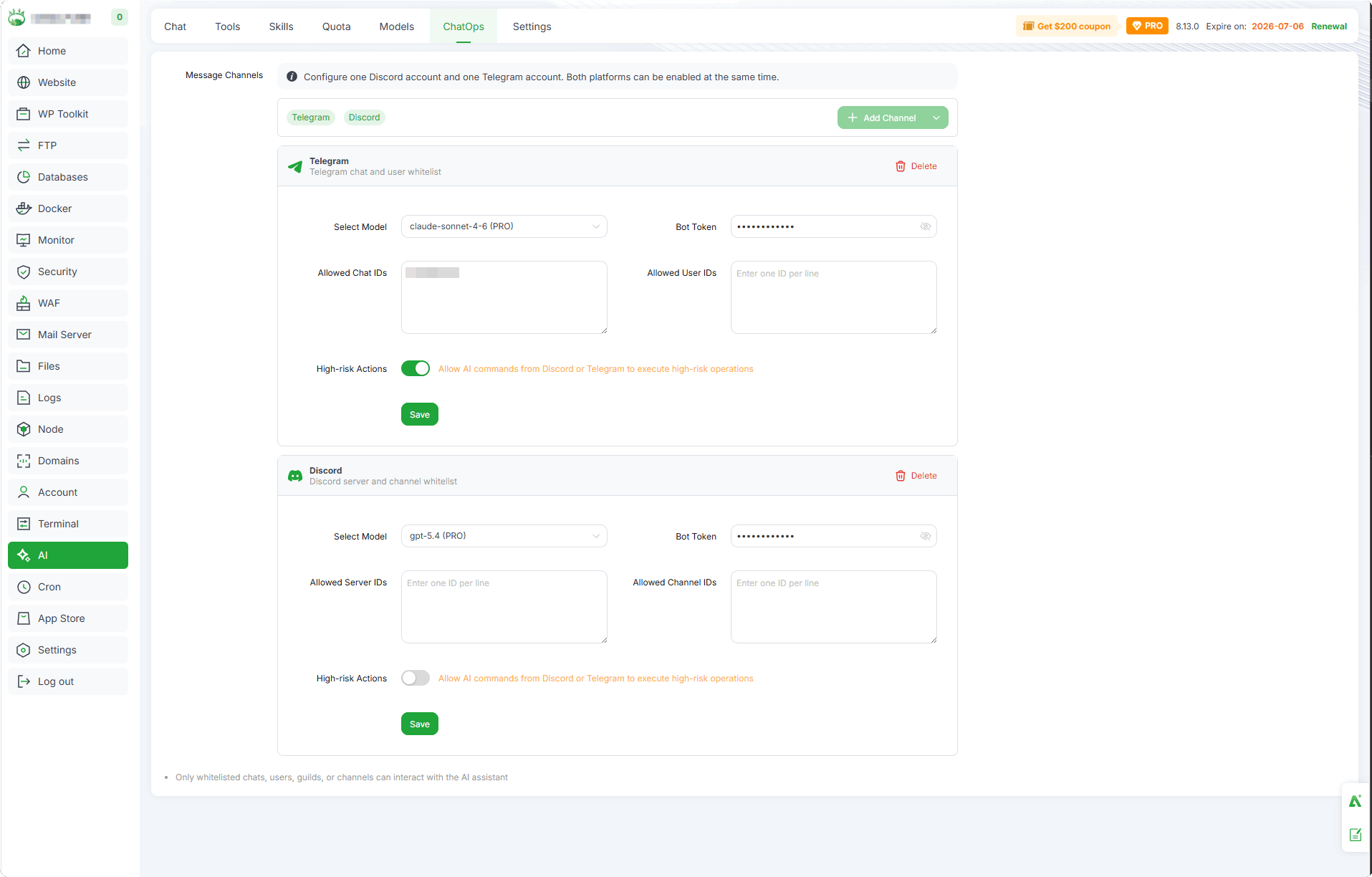
Channel Configuration
| Field | Description |
|---|---|
| Select Model | Choose the AI model for channel interactions |
| Bot Token | Enter the Bot Token for the platform (Telegram Bot Token or Discord Bot Token) |
| Whitelist | Telegram: Allowed Chat IDs / Allowed User IDs Discord: Allowed Server IDs / Allowed Channel IDs |
| High-risk Actions | Allow AI commands from the channel to execute high-risk operations |
Channel Management
Add Channel : Add a new messaging channel
Delete : Remove a configured channel
Only whitelisted chats, users, guilds, or channels can interact with the AI assistant.
Settings
Configure AI tools and system-level settings.
Available Tools
Enable or disable specific tools available to the AI Assistant. Use the toggle switches to control access according to your security and operational requirements.
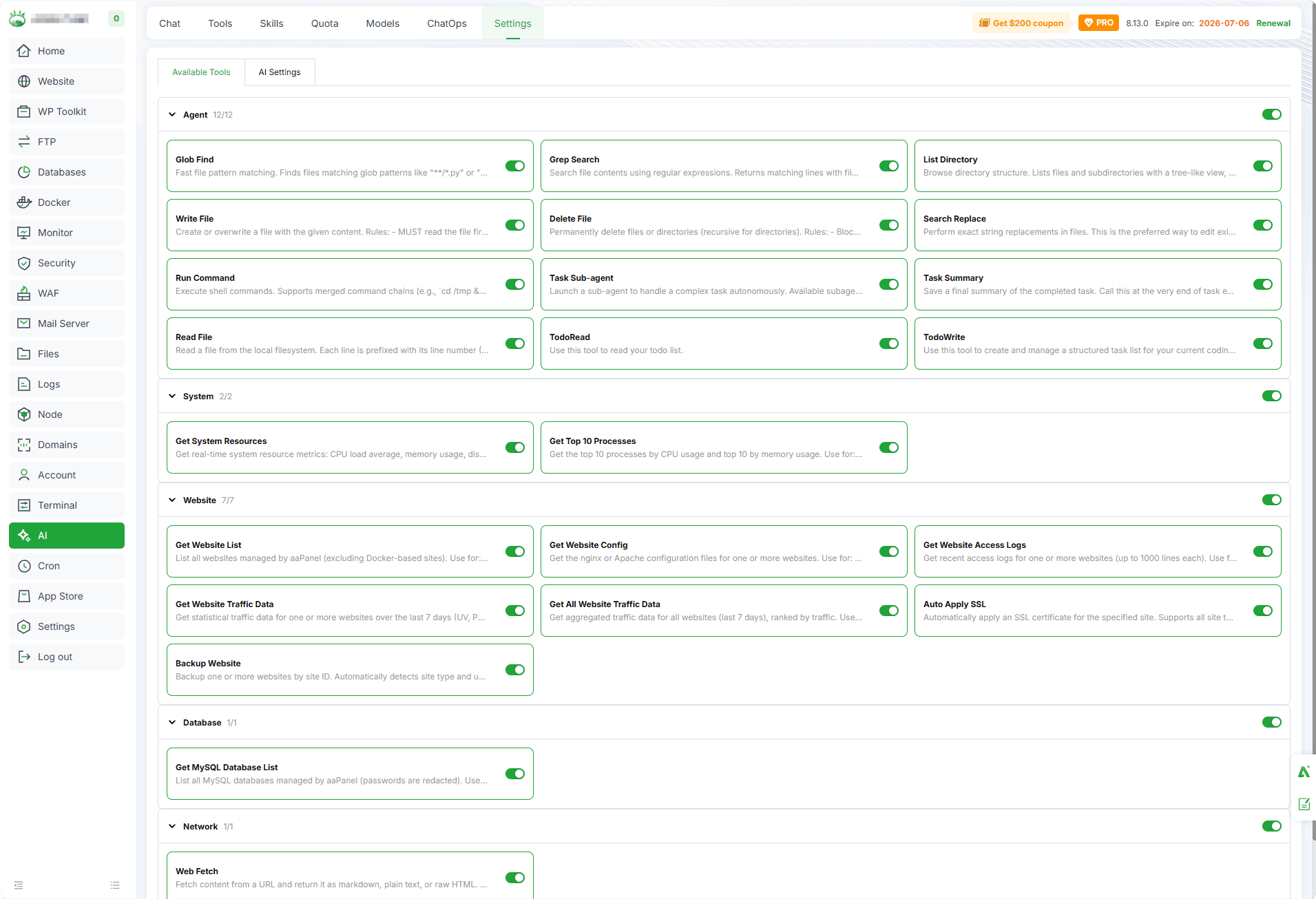
Agent : File operations, command execution, web search, and task delegation tools
System : Server resource monitoring and process management tools
Website : Website information retrieval and service control tools
Database : MySQL database command execution tools
Network : Network-related tools
Feedback or Suggestions
If you encounter problems or suggestions during use, please contact us through the following methods:
- (Please describe in
detailor providescreenshots)
Email: [email protected]
Discord: https://discord.gg/Tya5yceBpd
Telegram: https://aapanel.com/tg
GitHub: https://github.com/aapanel/aapanel
If you like aaPanel, please give it a Star