How to use Anti-intrusion
What can it achieve?
- Realize the command record of all users
- Protect the security of the website. Prevent web users from executing commands
- Defense against mining caused by redis opening external ports
- Achieving real-time response and troubleshooting
How to install and use:
Click App Store and then go to Professional to install Anti-intrusion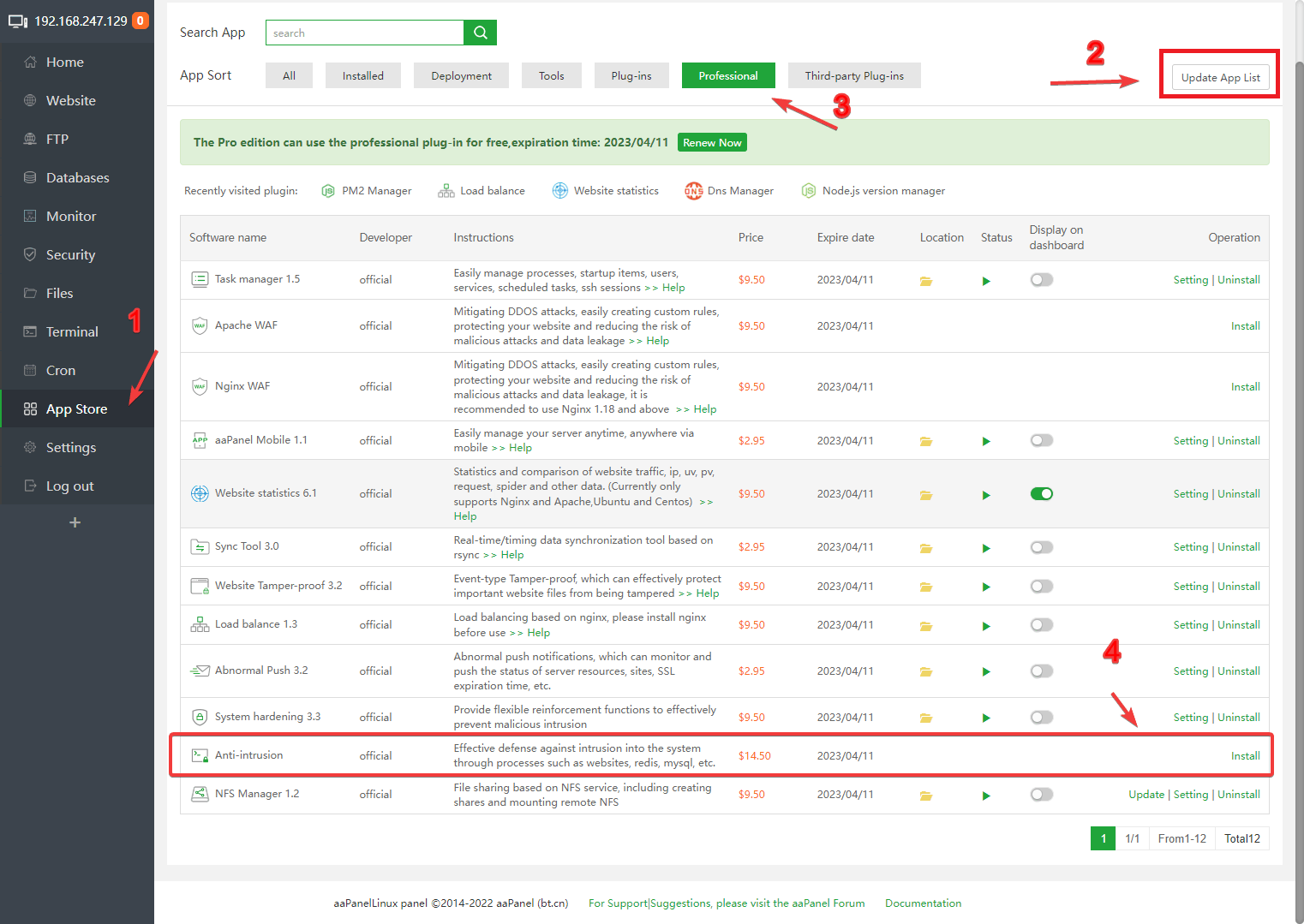
Anti-intrusion preview
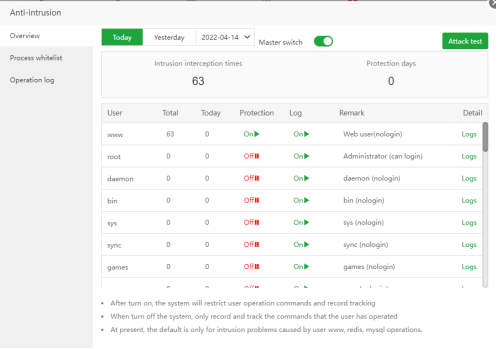
Attack test
The Attack test here is to execute the su www command on the command line (it will not cause any impact on your system or website) 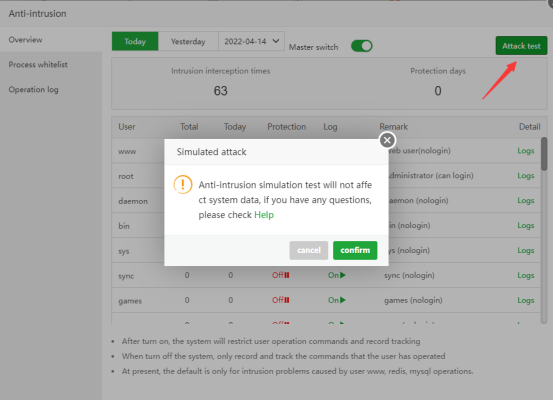
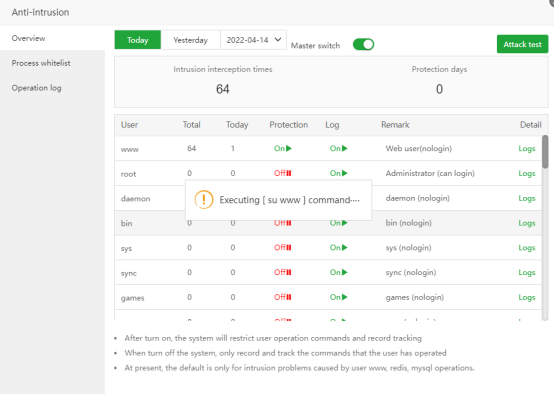
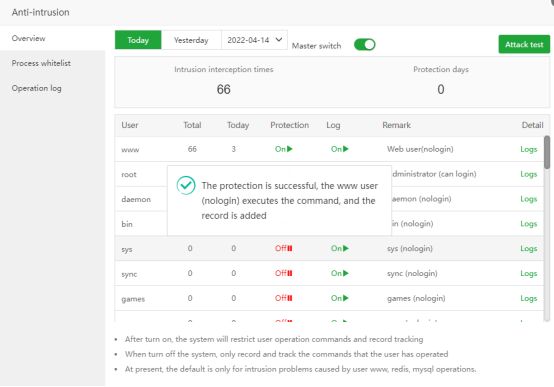
Defense testing for websites First delete php
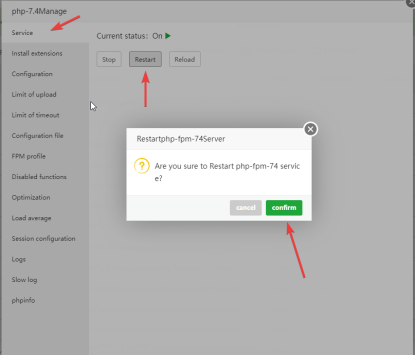
systemfunction fromDisabled functions, thenrestart php(After the test is complete, be sure to add the "system" function back to "Disabled functions" and restart php)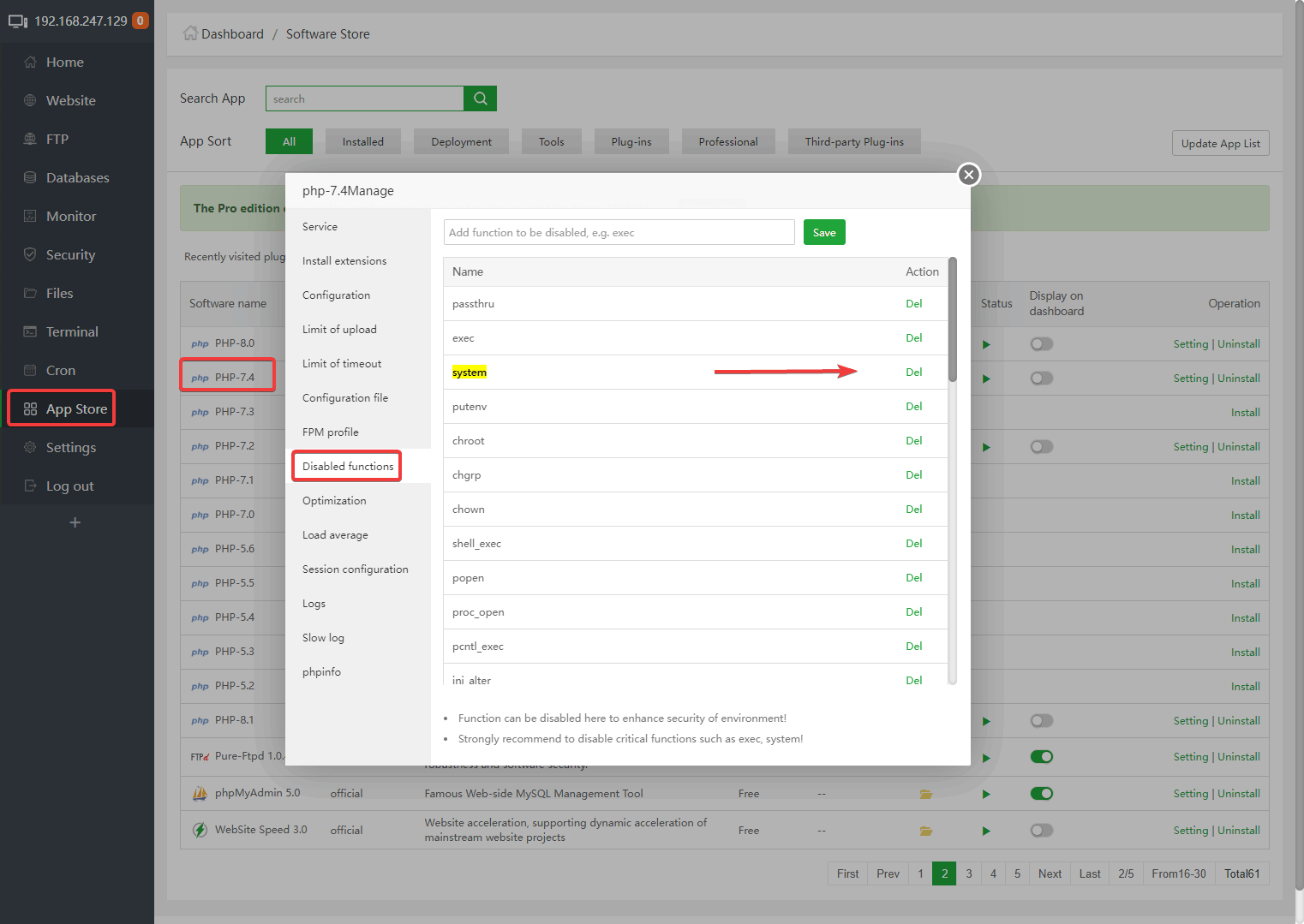
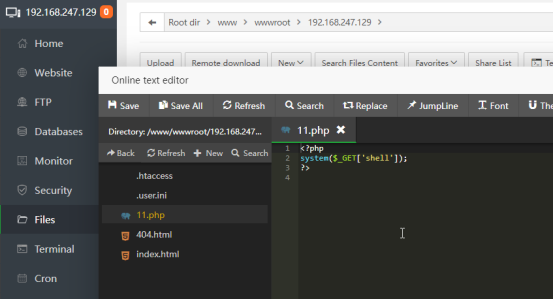
Add a php file to the tested website The content is shown in the figure:
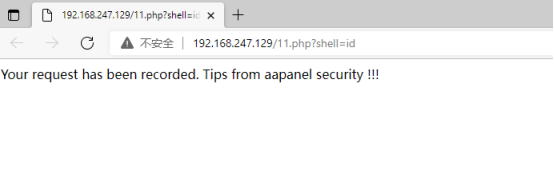
Visit the test URL, remember to add ?shell=id such as mine:
http://192.168.247.129/11.php?shell=idThis is the effect of turning on "Anti-intrusion":
This is without or OFF "Anti-intrusion" effect, you can directly get the
user's ID: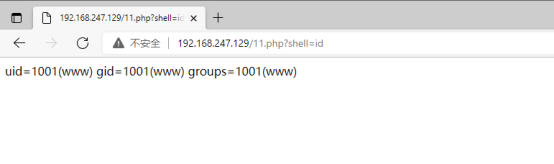
View the log of intrusion interception: You can see what operations have been done: User, Run path, Command executed, Time.
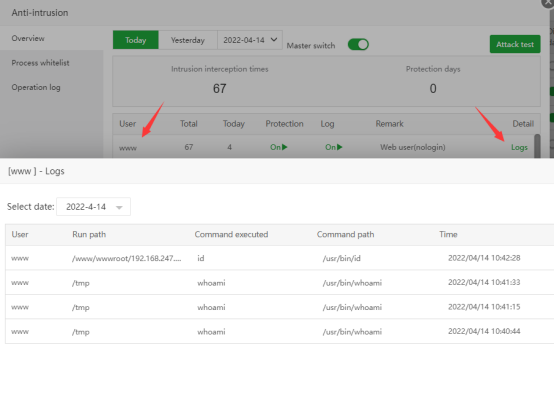
The website test is complete,
add the systemfunction back to "Disabled functions", andrestart php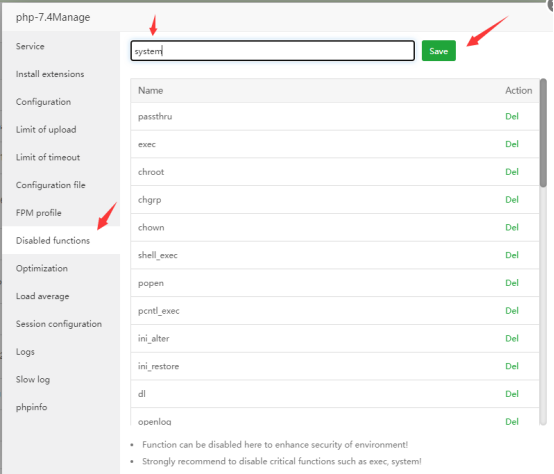
Defense effect of redis:
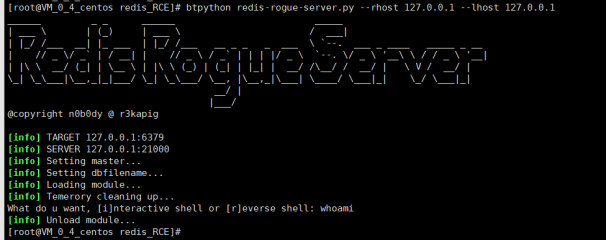
Defense effect of Mysql:
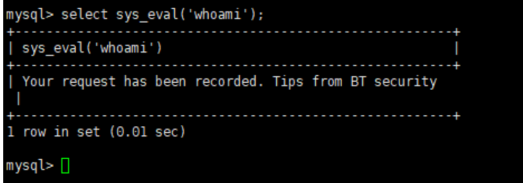
After Mysql invades, functions such as sys_eval will be added. Here, sys_eval is used to escalate privileges to execute commands. If "Anti-intrusion" is not enabled, the system command whoami can be executed directly, as shown in the figure: 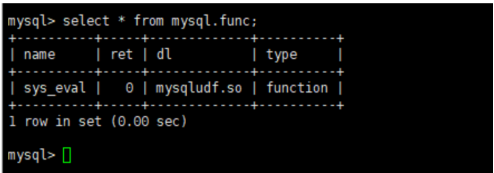
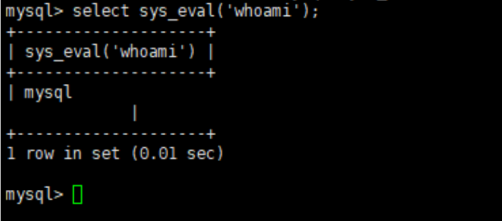
After enabling "Anti-intrusion", and Mysql is Protection enabled (default enabled), the effect is as shown in the figure: