
How to use aaPanel Mobile
Apple devices
Due to the security restrictions of
Apple devices, self-signed certificates cannot be used. You need to first bind a domain and then use a trusted SSL certificate.
1. Add domain resolution
Add an A record in your domain registrar. The IP address of the
A recordshould point to yourserver's IP address, as shown below: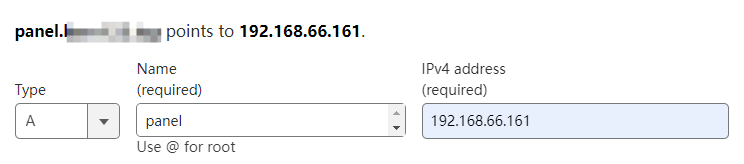
2. Bind the domain
Settings --> Security --> Domain
For example: panel.example.com. Please use your own domain for binding.
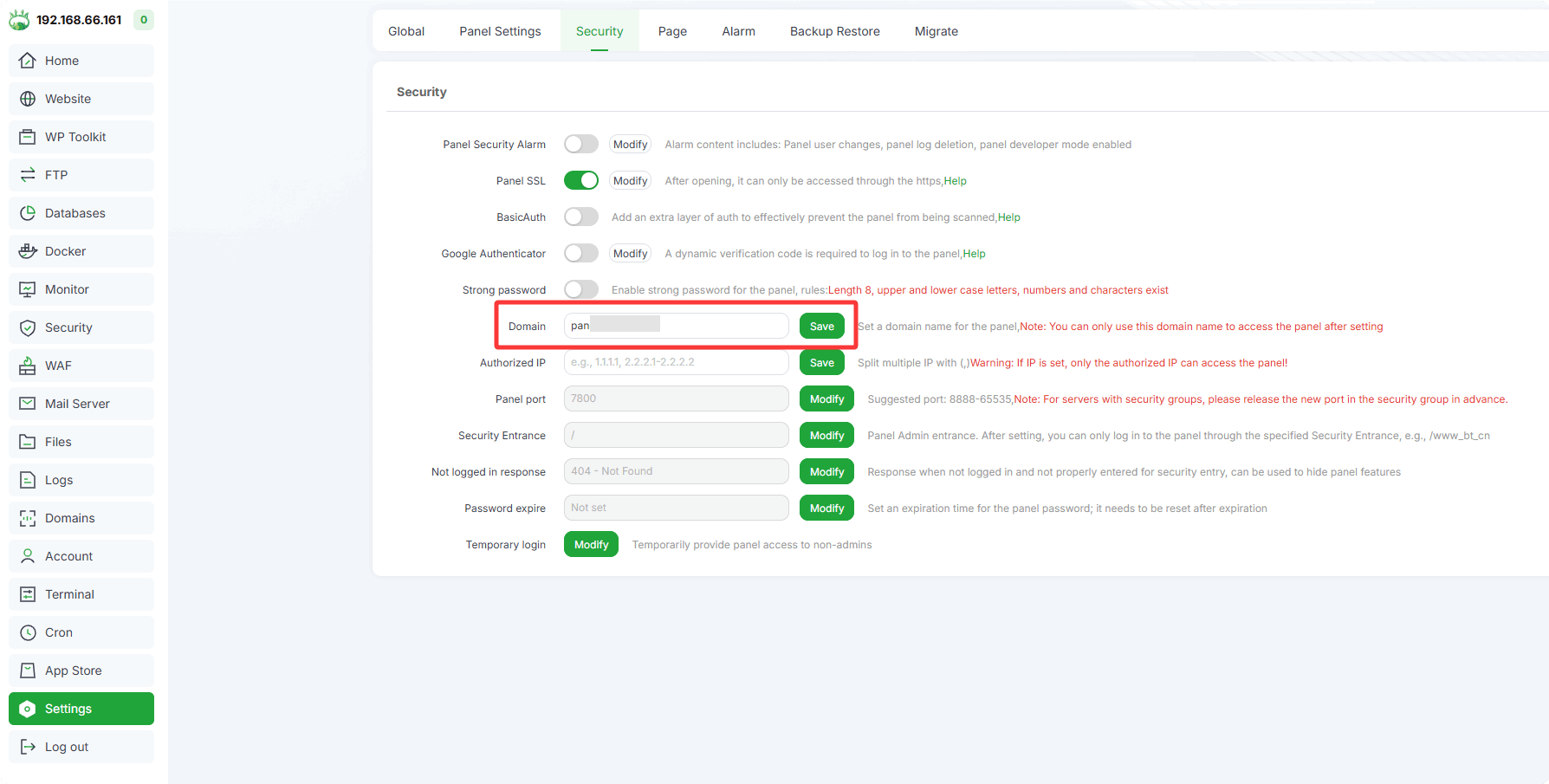
CAUTION
After binding the domain, you can only access the panel through the bound domain. Access via IP will be prohibited.
- If you need to unbind the domain, clear the entered content and click "Save". Alternatively, use an SSH tool to execute the command to unbind:
bt 12.
3. Set up Panel SSL
IMPORTANT
The deployed SSL certificate must match the bound domain: panel.example.com or *.example.com
You can choose any of the following methods to set up the Panel SSL:
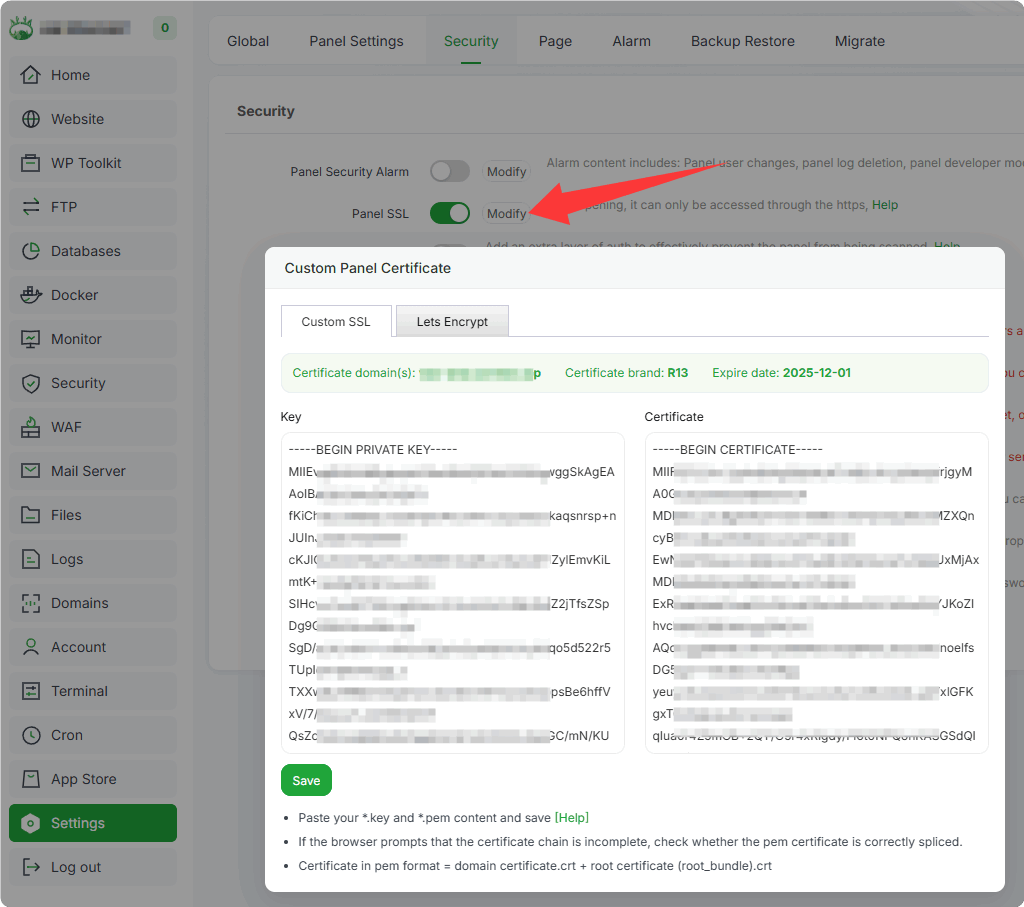
Method 1. Deploy by Directly Pasting Certificate Content
Settings -> Panel SSL --> Modify
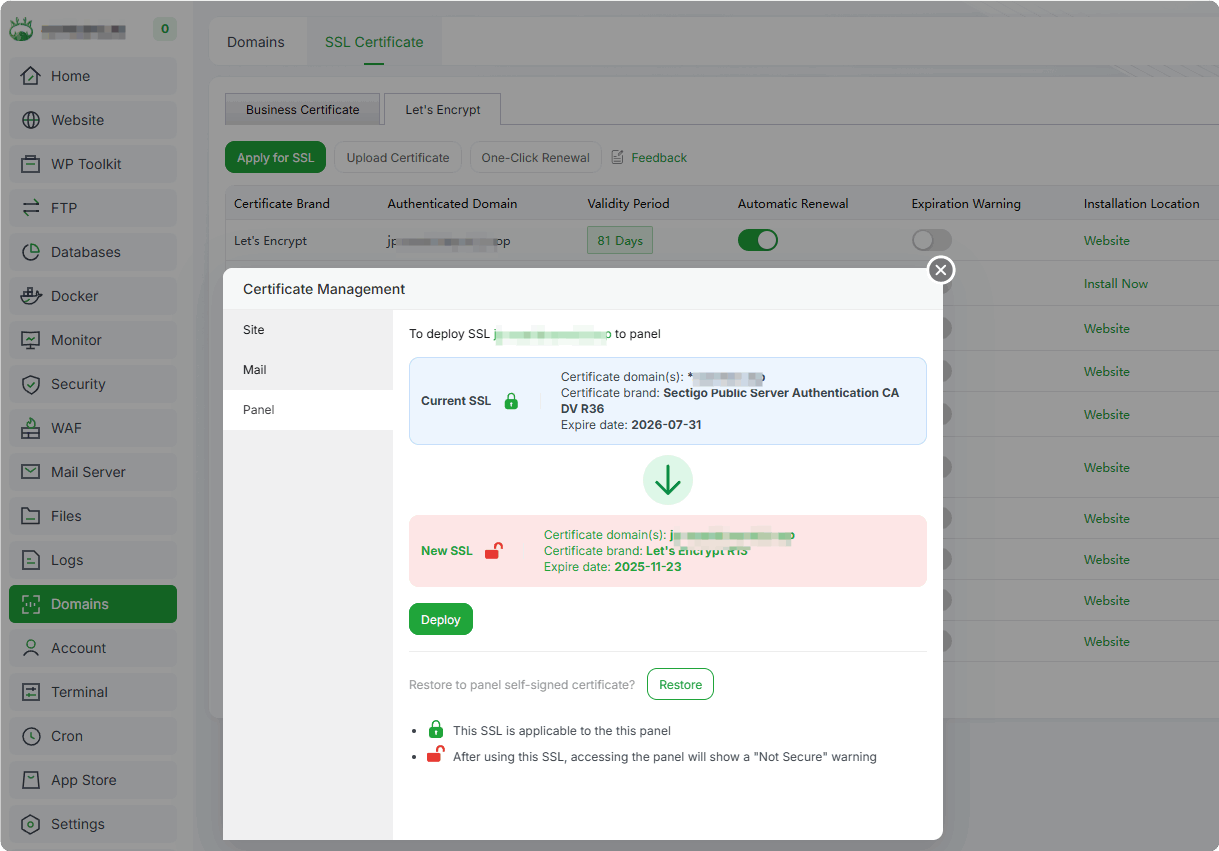
Method 2. Deploy in the Domains Module
Domains --> SSL Certificate --> Manage --> panel
Method 3. Apply for an SSL Certificate Directly in Panel SSL
Settings -> Panel SSL --> Modify
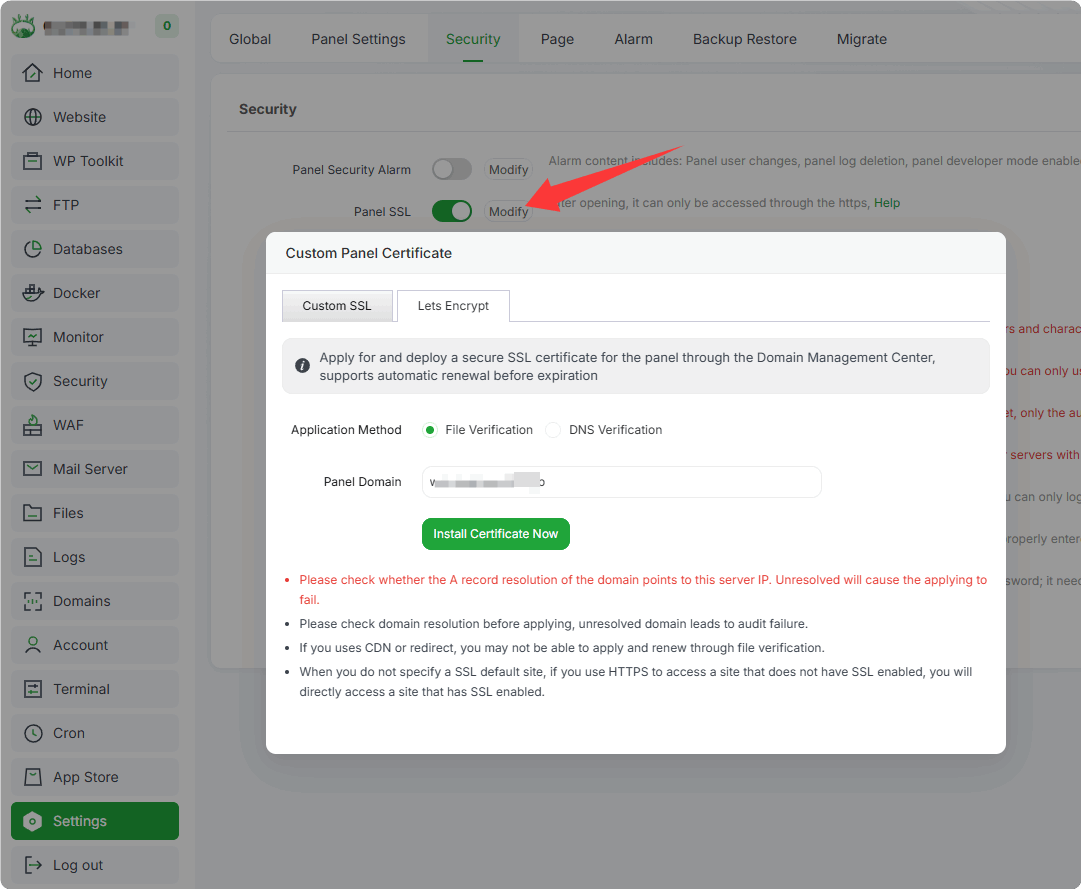
File Verification: You need to first add an
A recordin your domain registrar. Wait for it totake effectbefore proceeding with the verification. If the domain is managed in the Domains module, the A record will be added automatically.DNS Verification: Follow the prompts to add a
TXT record. Wait for it totake effectbefore proceeding with the verification. If the domain is managed in the Domains module, the TXT record will be added automatically.
4. Use aaPanel Mobile
Download and install the aaPanel mobile app on your phone. You can search for aaPanel in the App Store on your Apple device.
Enable the Panel API in aaPanel
Settings --> API
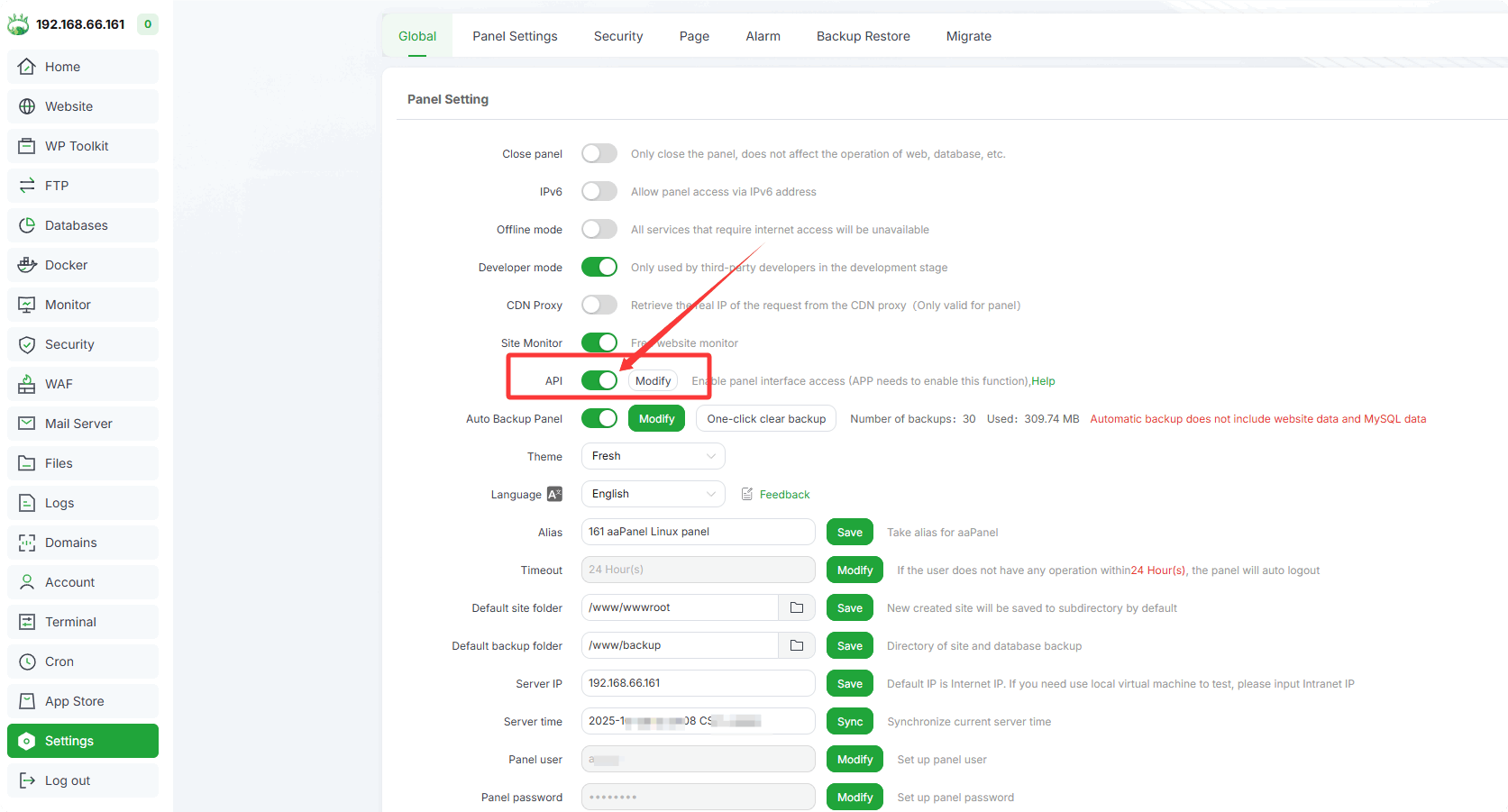
- Install and open aaPanel Mobile in aaPanel
App Store --> aaPanel Mobile
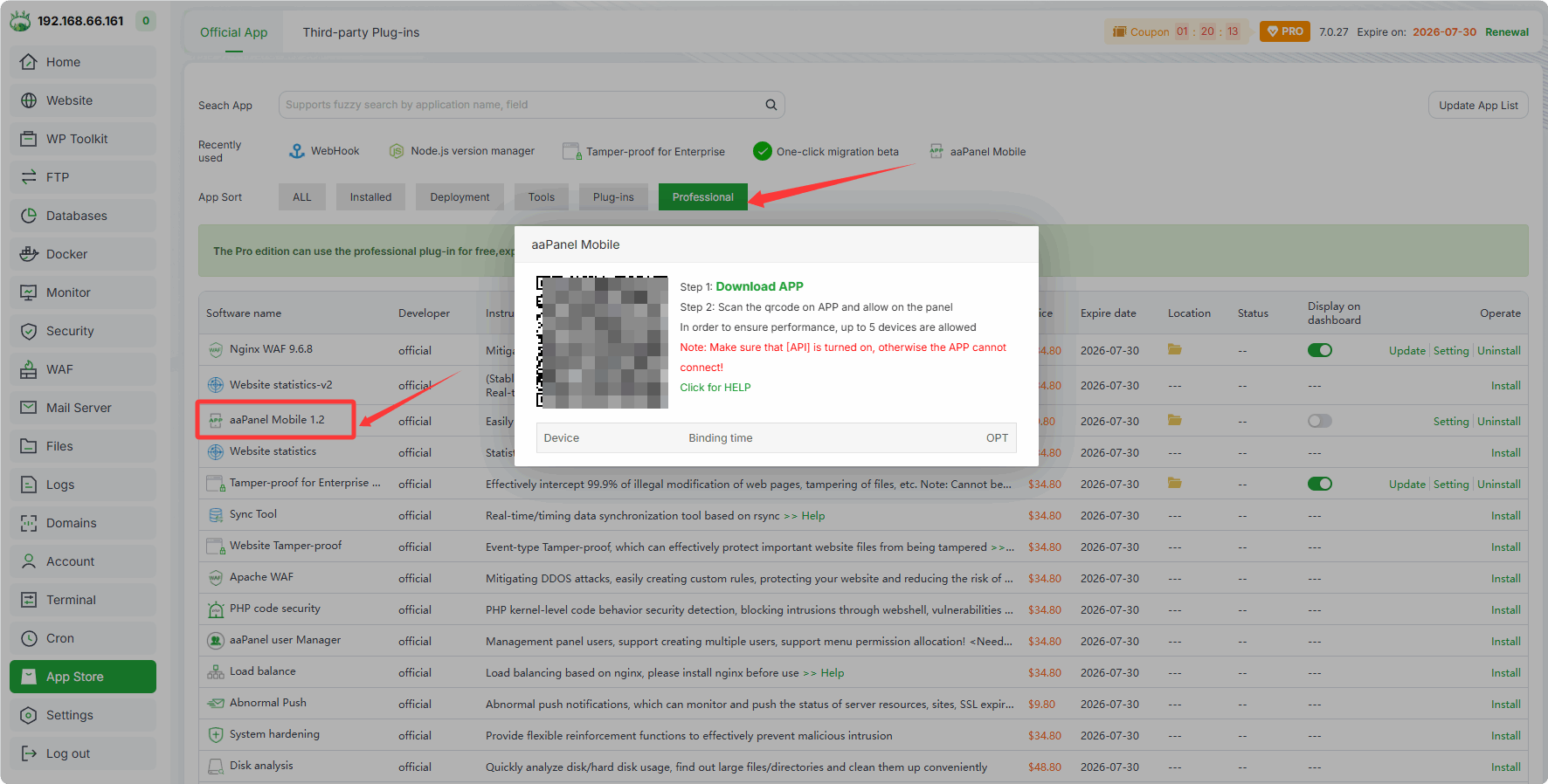
Open the aaPanel mobile app on your phone and scan the QR code to add server.
After scanning the QR code, confirm the addition of the server in the aaPanel Mobile section of aaPanel.
Android devices
Enable the
Panel APIin aaPanel.Install and open
aaPanel Mobilein aaPanel.Download and install the aaPanel mobile app on your Android phone: Android download

Open the aaPanel mobile app on your Android phone and scan the QR code to add server.
After scanning the QR code, confirm the addition of the server in the aaPanel Mobile section of aaPanel.