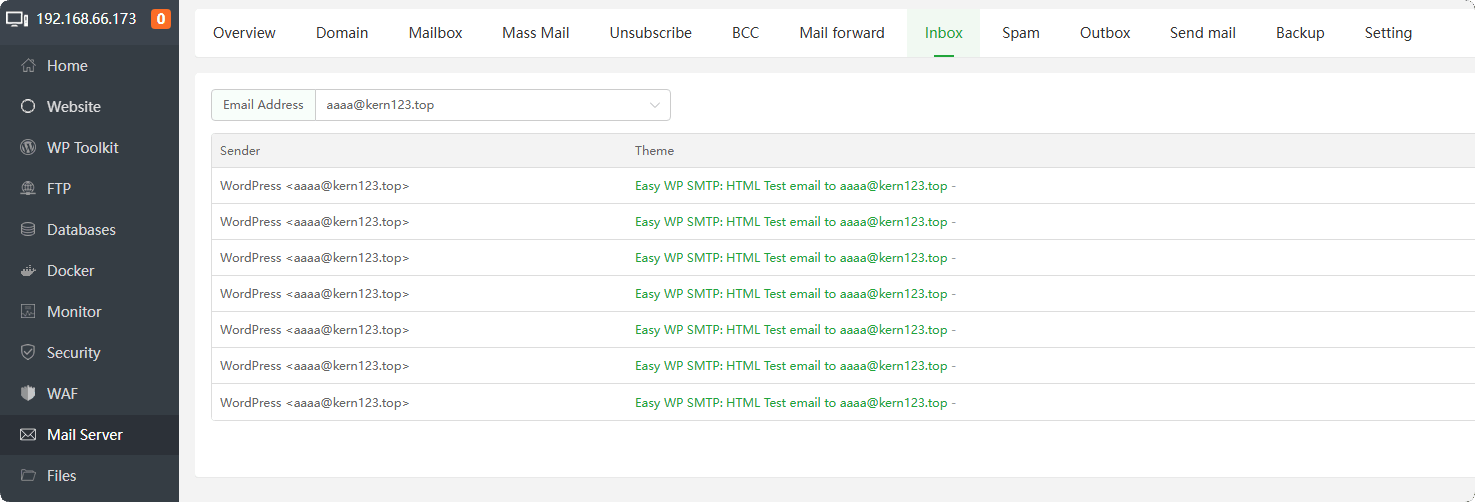
How to use Mail Client
Mail SMTP configuration
Here we take WordPress as an example, and the plug-in used is Easy WP SMTP
Note:
Type of Encryption choose SSL or TLS, the SSL certificate you configure on your mail server must match or contain SMTP Host The domain name entered in , otherwise the email cannot be sent after configuration.
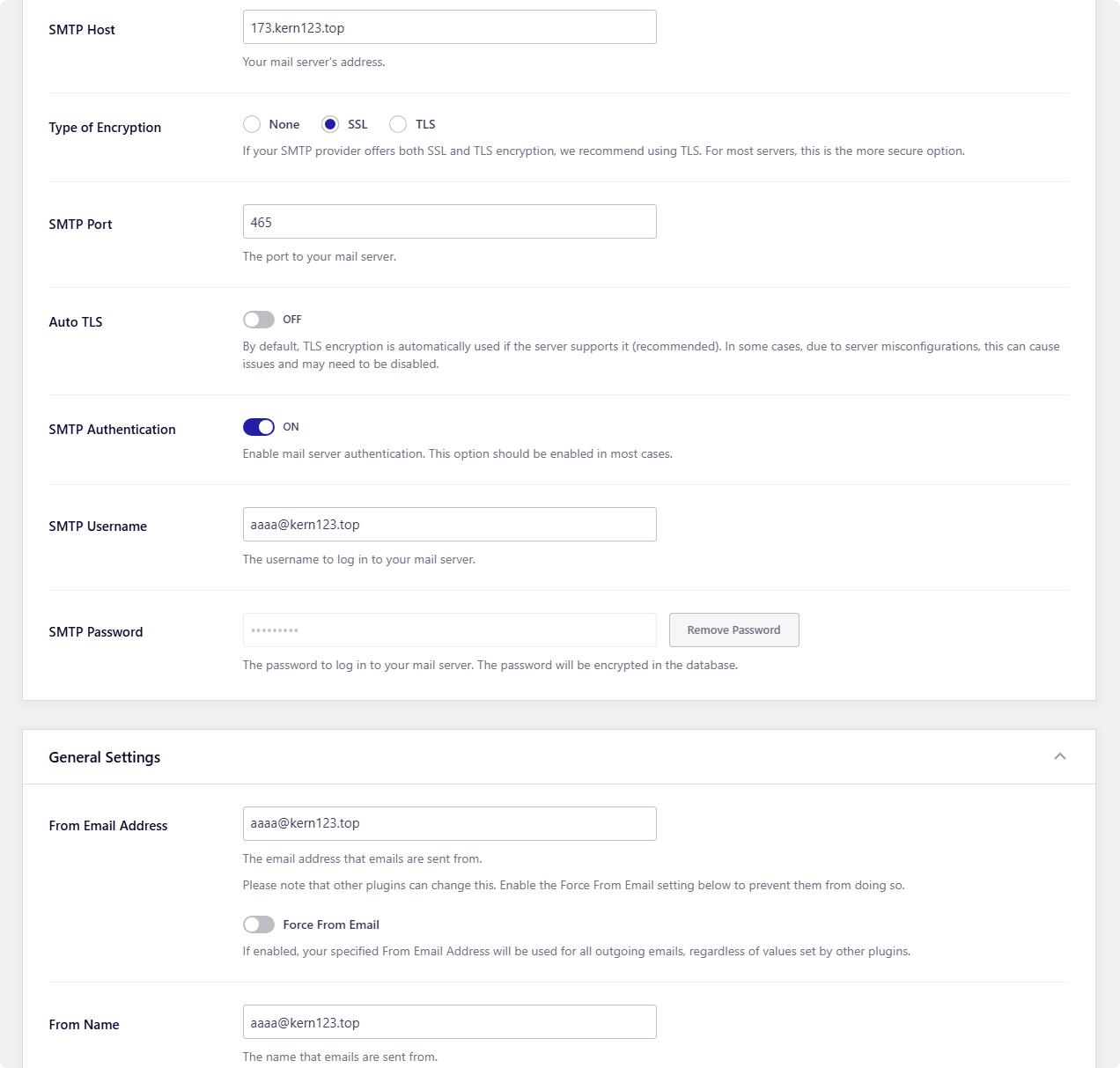
As shown in the figure *.kern123.top is a pan-domain name certificate, which contains the domain name 173.kern123.top, so SSL is selected. 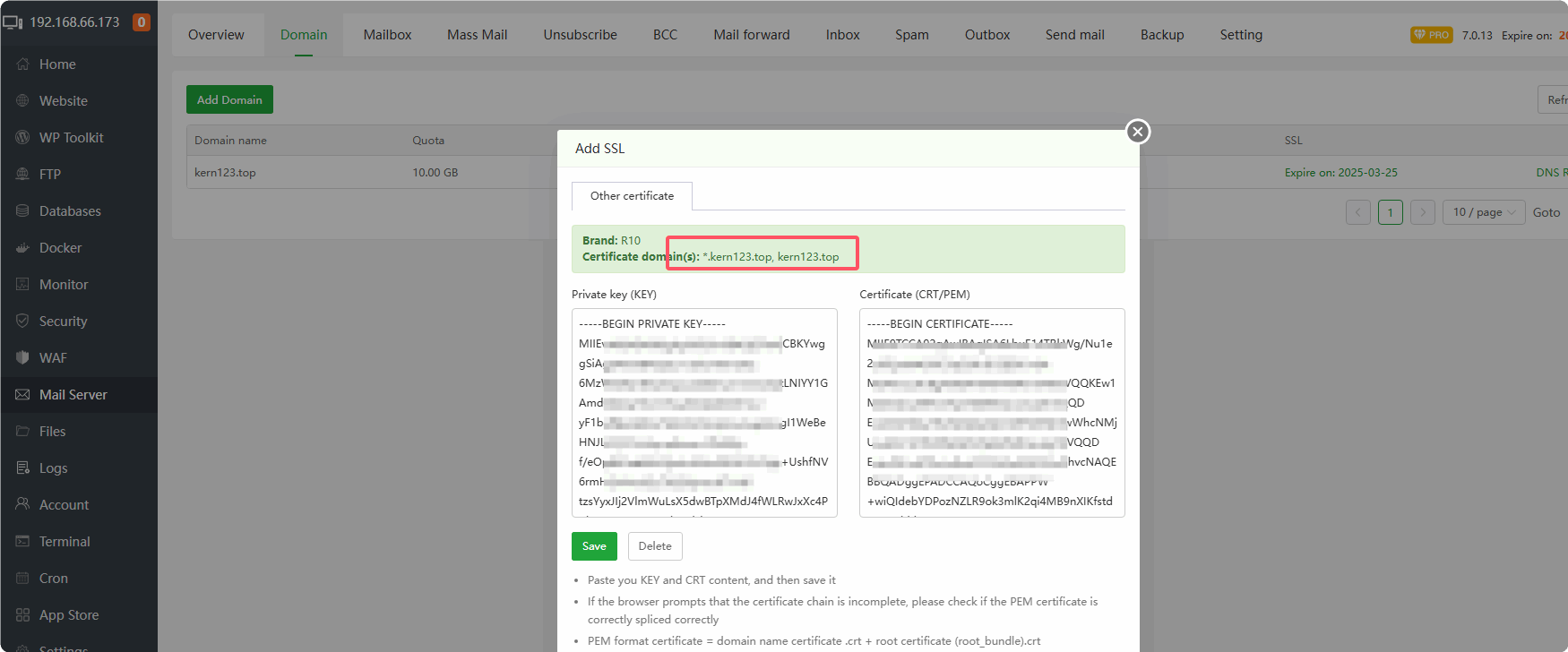
How to apply for a pan-domain name certificate
- Use Let's Encrypt in the
Websiteinterface to apply for a domain name certificate or useBusiness Certificate
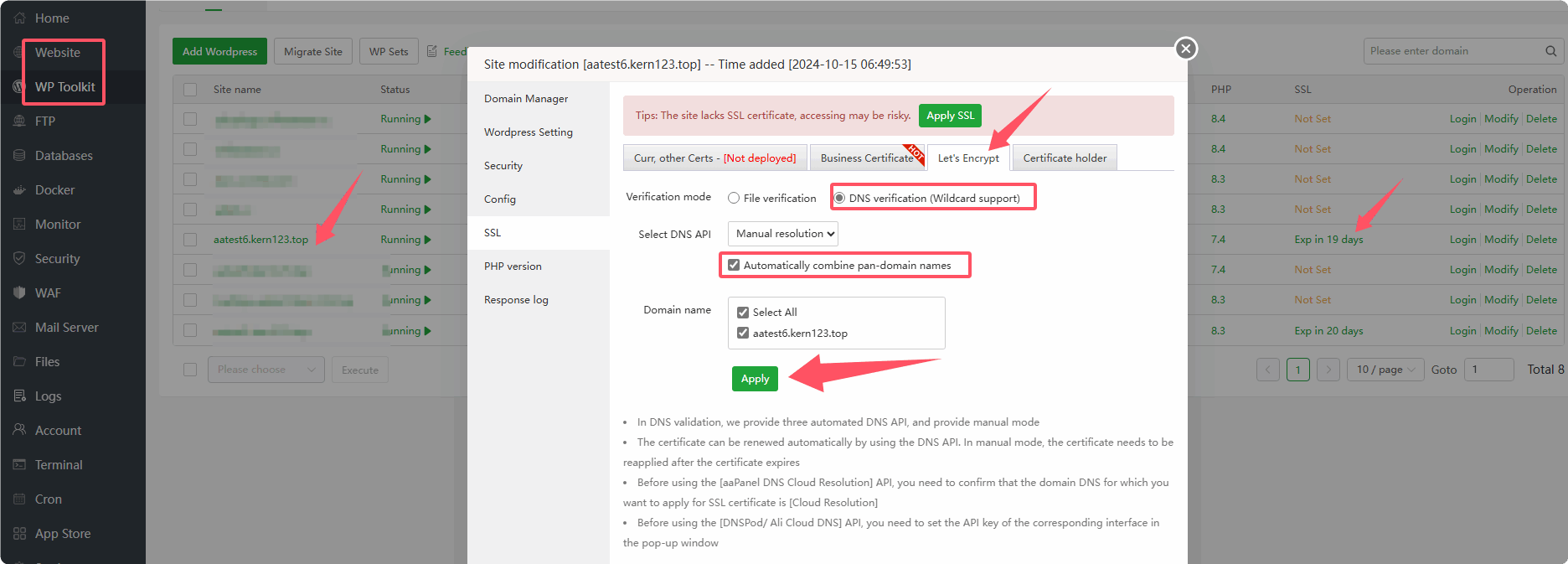
- After clicking Apply, please note that this prompt window
does not close, do not close, do not close
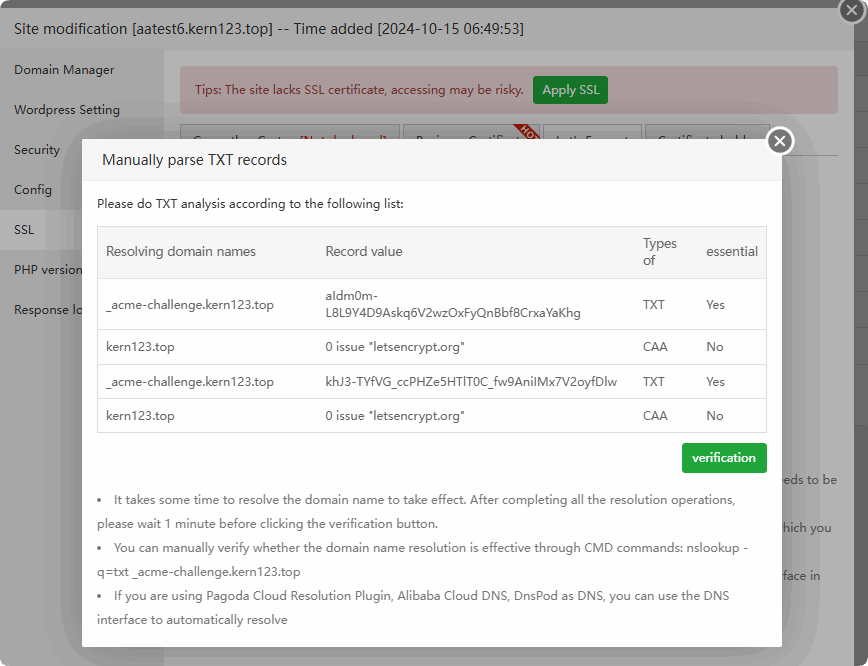
Add TXT recordson thedomain name provider websiteordomain management office
Double-click to copy TXT records
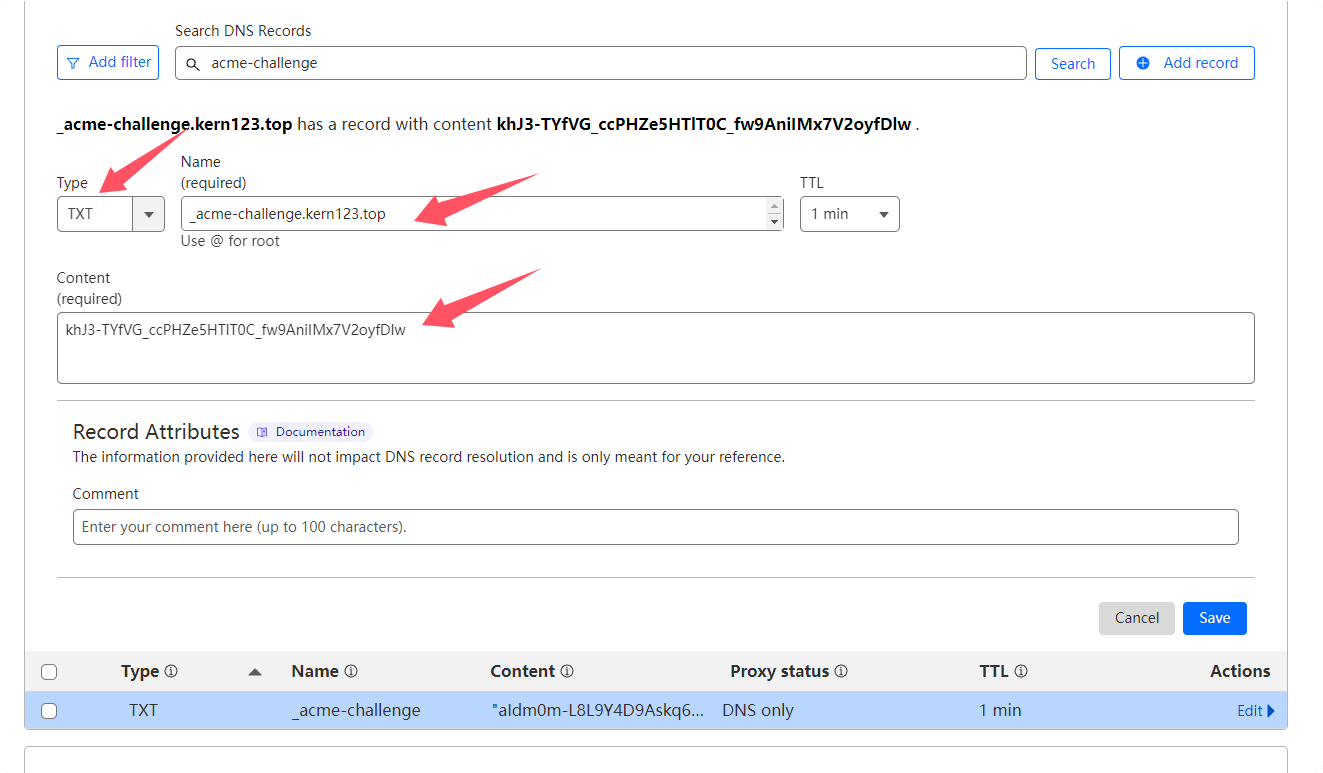
- After successfully adding the TXT record,
wait 2-10 minutesforverification. If the verification is successful, an SSL certificate will be issued.
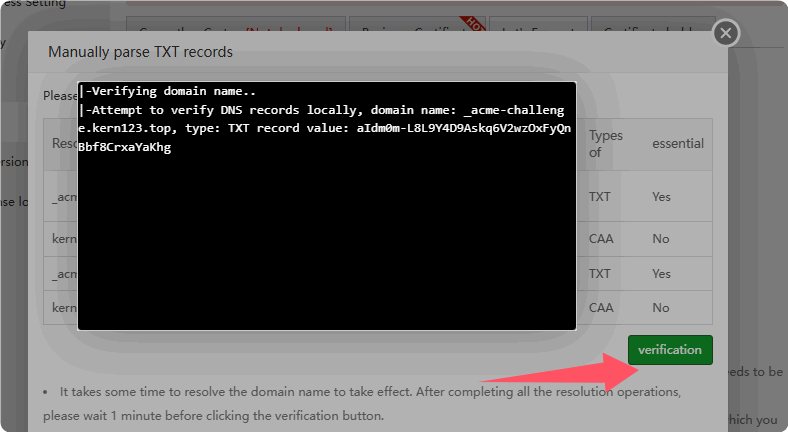
- Complete application for pan-domain name certificate
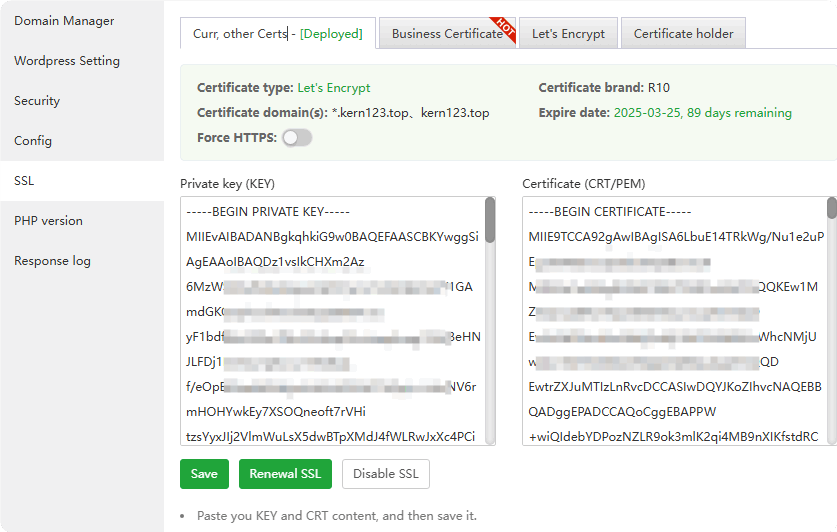
At this point, the pan-domain name certificate application process has ended.
Copythecertificate contentsto the mail server's SSL
Configure Easy WP SMTP
Install and configure Easy WP SMTP
Select
Other SMTP
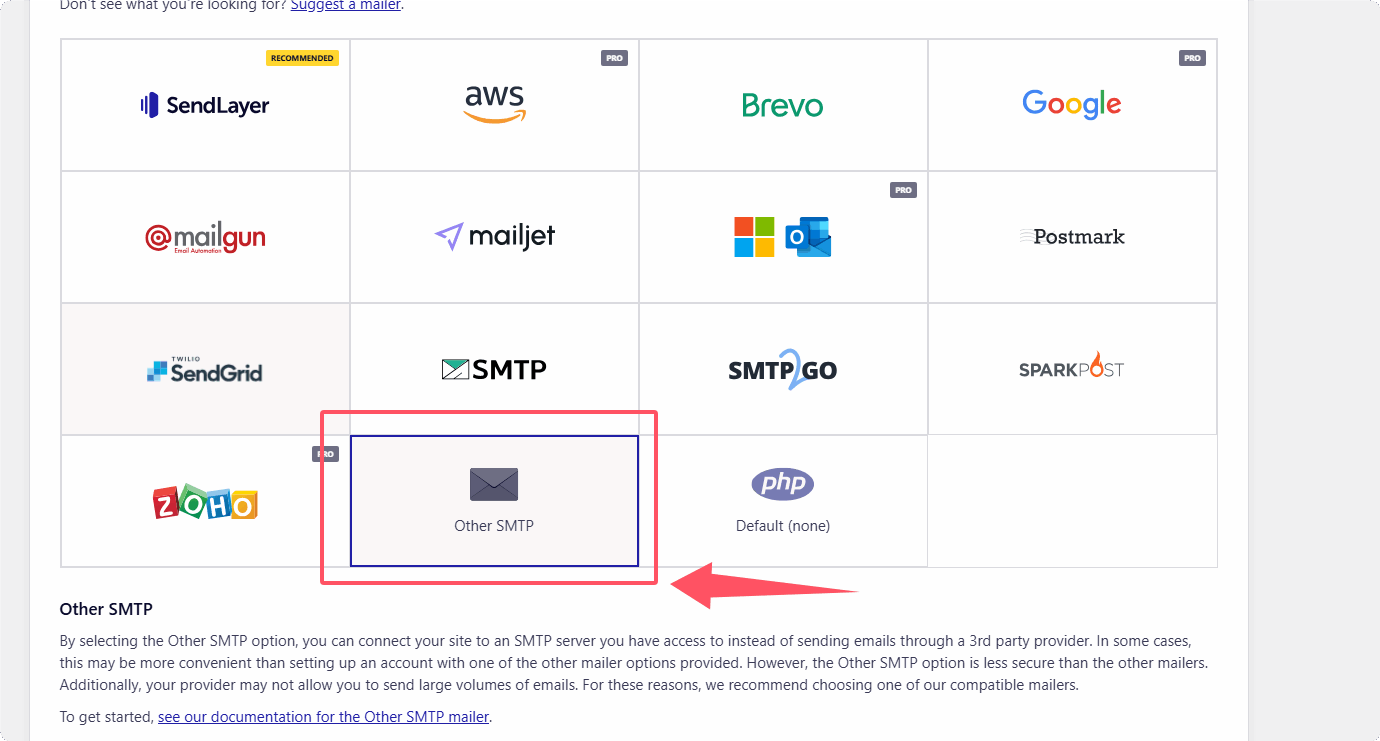 .
.
Enter
your SMTP server address and other information, and then saveNote:
Type of EncryptionchooseSSLorTLS, the SSL certificate you configure on your mail server must match or containSMTP HostThe domain name entered in , otherwise the email cannot be sent after configuration.can also use port
25, selectNonefor Type of Encryption, andturn off Auto TLS.Configuration diagram:
Test whether you can receive it if you send it to yourself. If you encounter an error, you can check the
error message.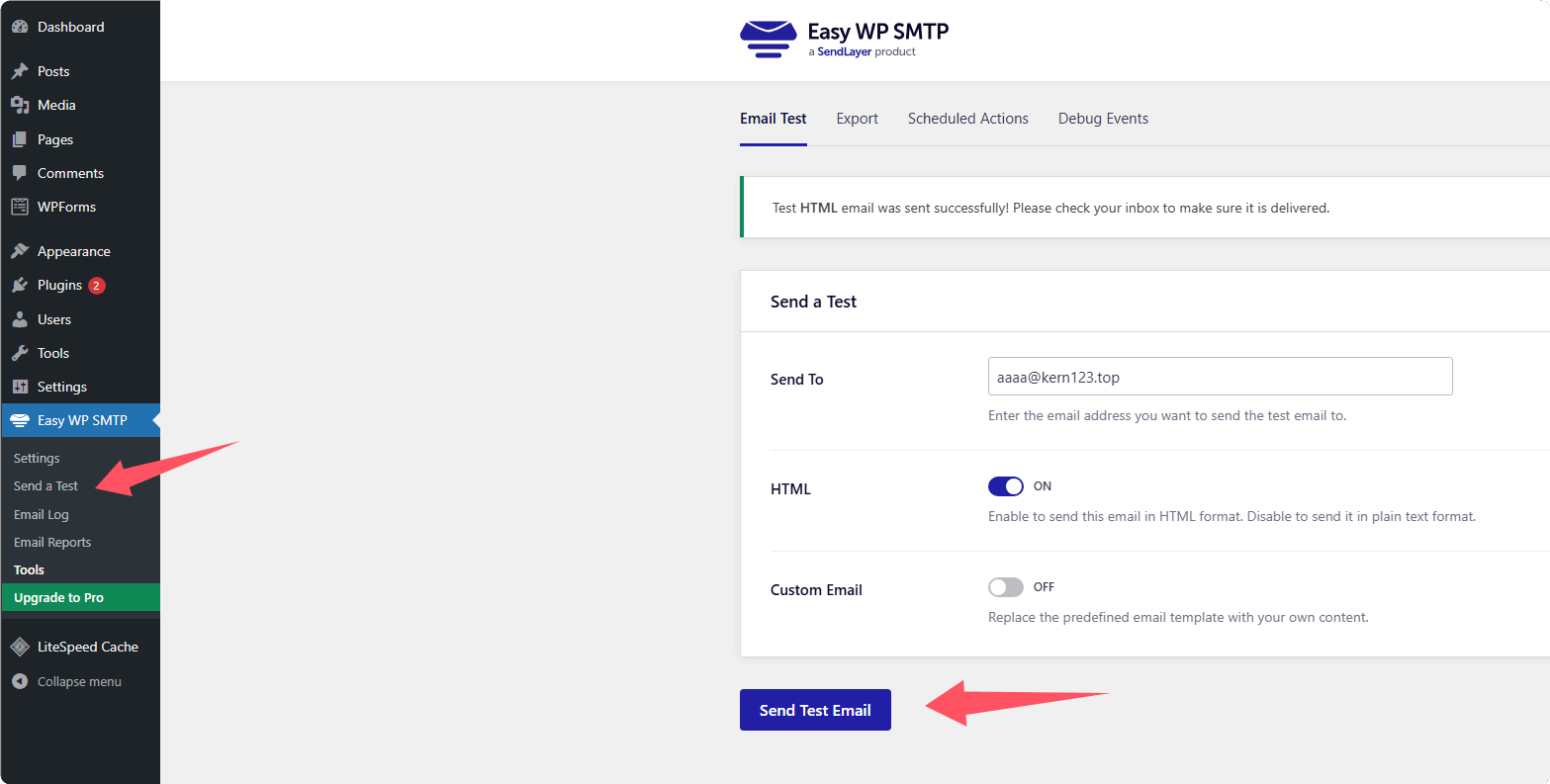
Can be viewed in the
Inboxand received successfully