
Defend Against Website CPU 100% Attacks: Long-Term Protection
Emergency Response: 2-Step Quick CPU Load Reduction
1. Locate the Source of High CPU Usage
1.1 Check which processes are consuming CPU:
Recommended: View via command line:
Real-time display of process CPU usage
top -i
View via panel (operations may be slow under high load, please wait patiently):
Task Manager in the App Store
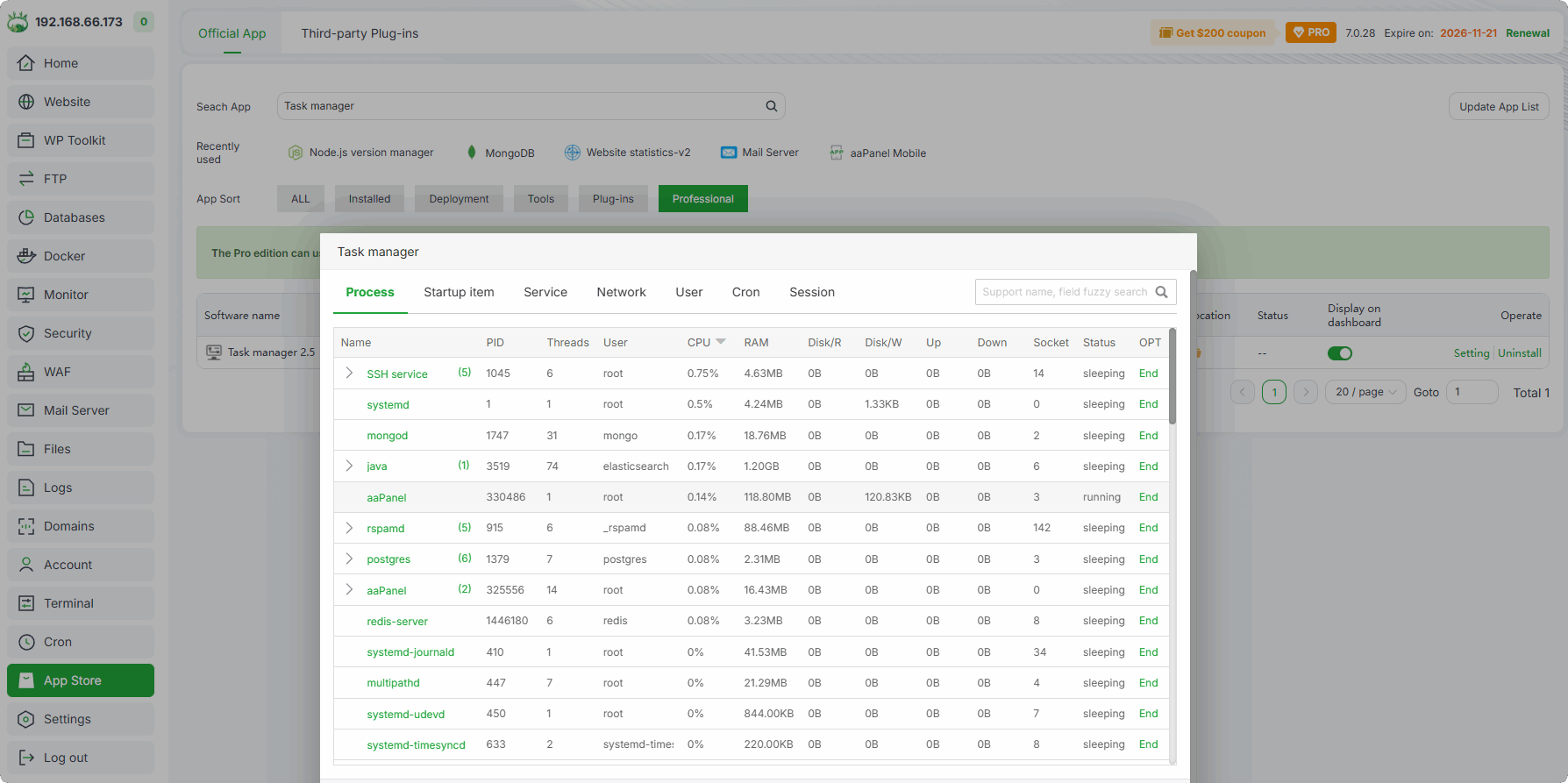
Monitor interface (in the left menu)
Hover the cursor over the chart to display process information

1.2 Sort by the
%CPUcolumn and focus on two types of processes:Website service processes: Such as
php-fpm,mysql,nginx,httpd. If the CPU usage of any process exceeds 80%, the website may be under attack.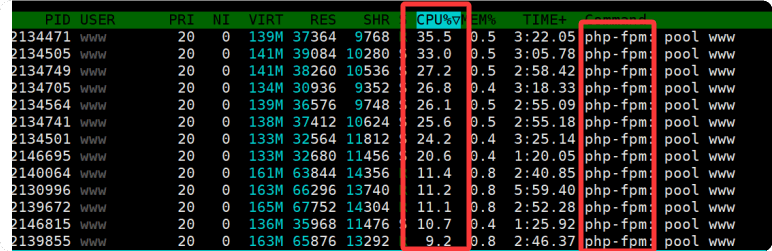
Unknown abnormal processes: Such as minerd, kworker, xxx.sh, etc. These are mostly mining programs or malicious scripts and need to be terminated immediately.
2. Temporarily Block Malicious Requests to Reduce CPU Load
After confirming a website attack (e.g., CC attack, malicious crawler), refer to the following for temporary handling:
Precisely locate and block high-frequency abnormal IPs
Use
Website Statistics-v2to identify and block high-frequency abnormal access IPs:App Store -> Website Statistics-v2
Identify websites with high traffic based on PV, UV, IP, Traffic, and requests
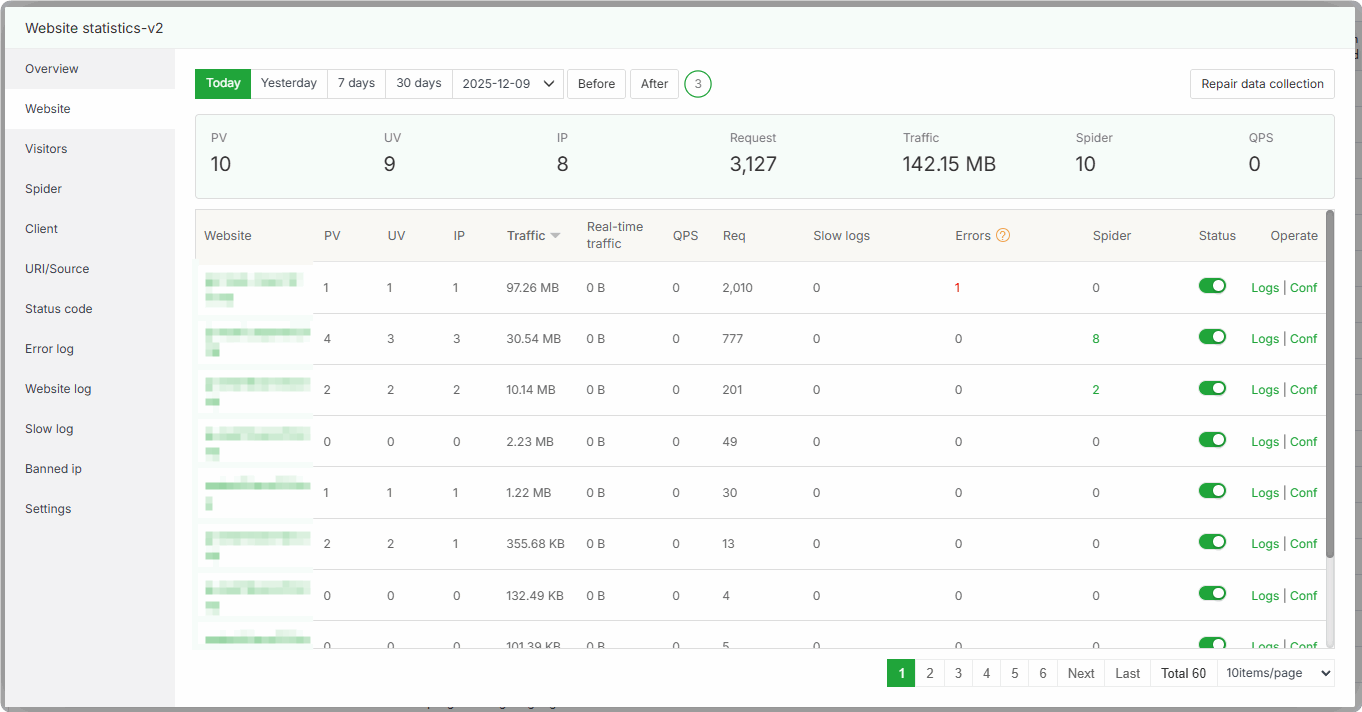
Further identify and block high-frequency abnormal access IPs through
Visitors,URI/Source,Website Log, etc.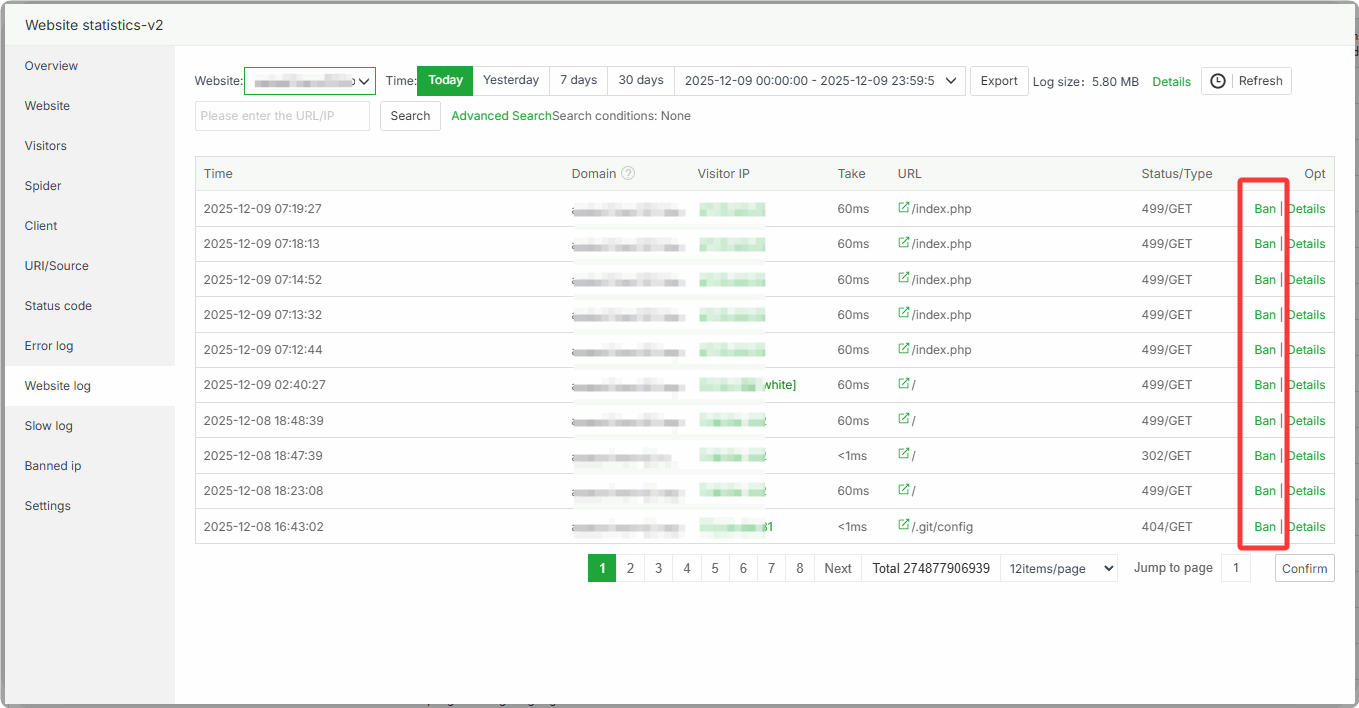
Block malicious request patterns via WAF to reduce invalid CPU consumption:
Use
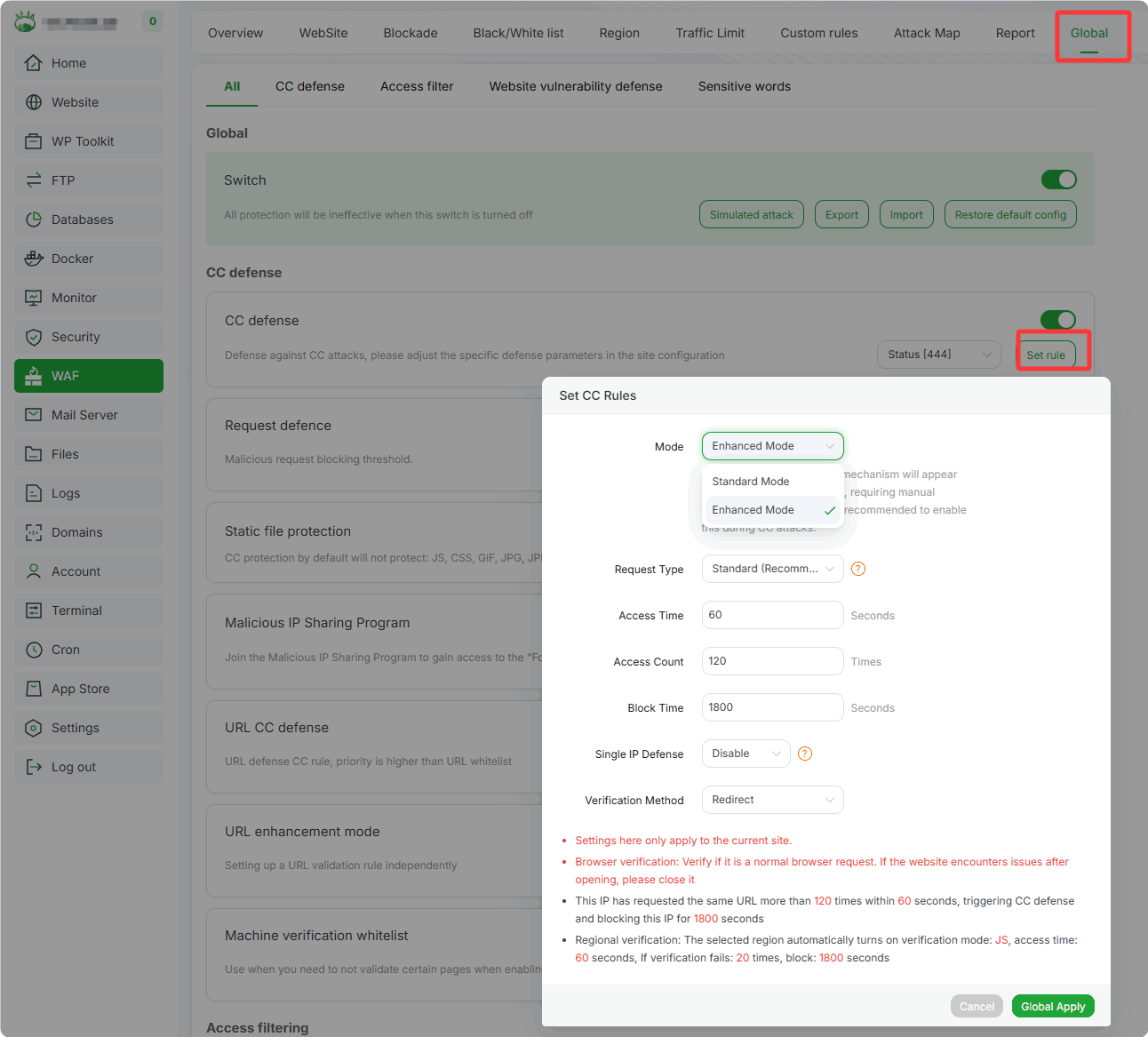
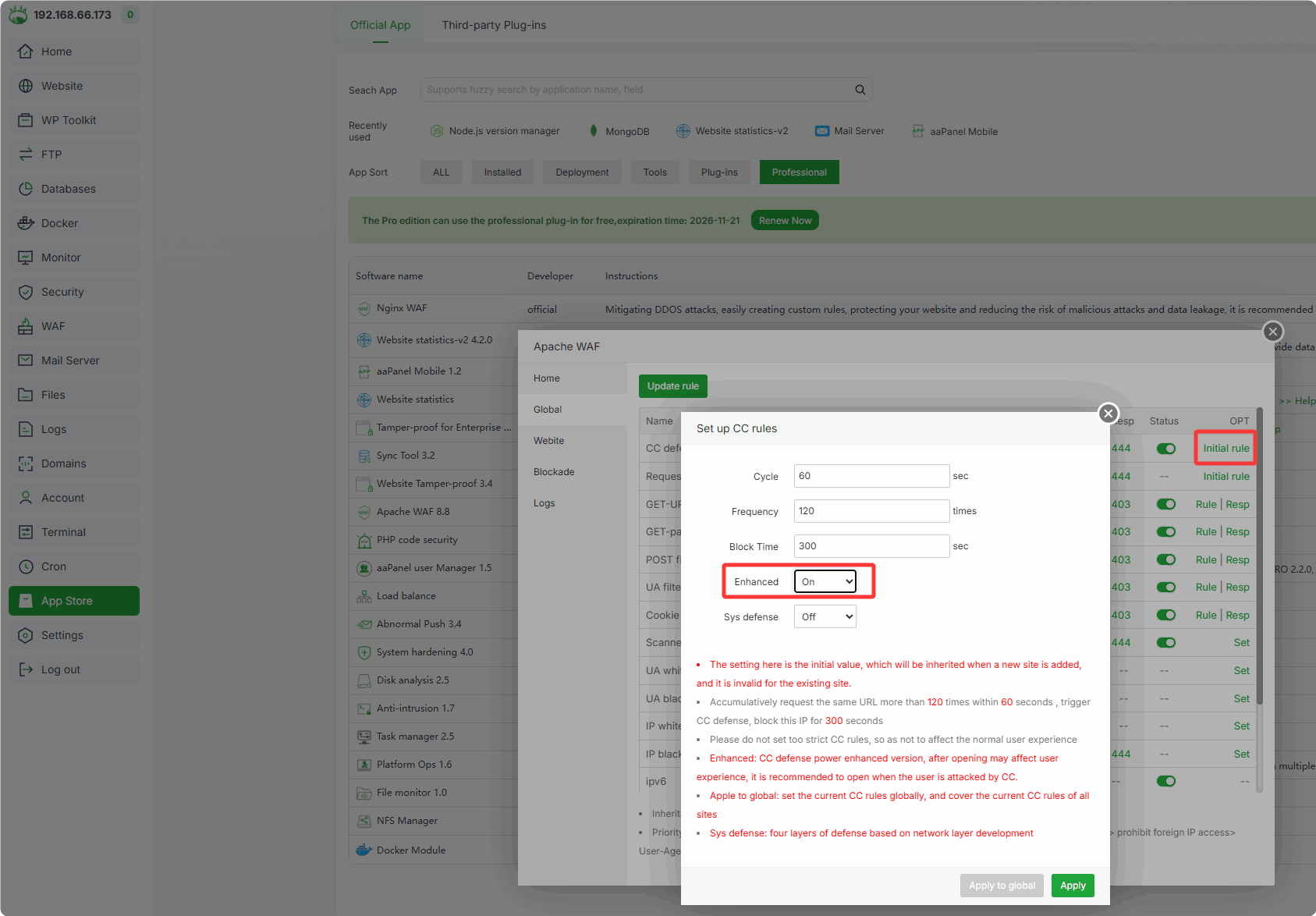
WAFEnhanced Mode for enhanced protection:Enable WAF Enhanced Mode
Nginx WAF: WAF -> Global -> CC Defense -> Set Rule -> Mode -> Enhanced Mode
Apache WAF: App Store -> Apache WAF -> Global -> CC Defense -> Initial Rule -> Enhanced
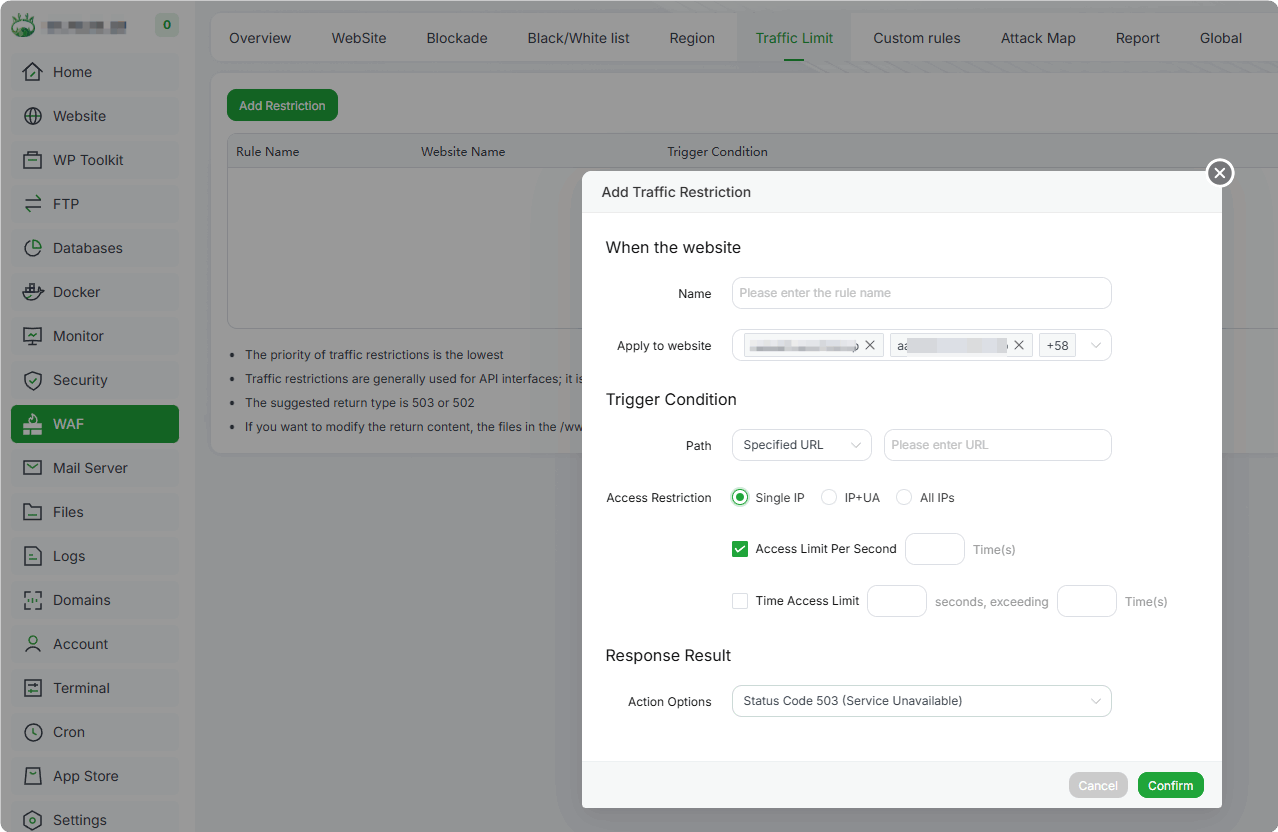
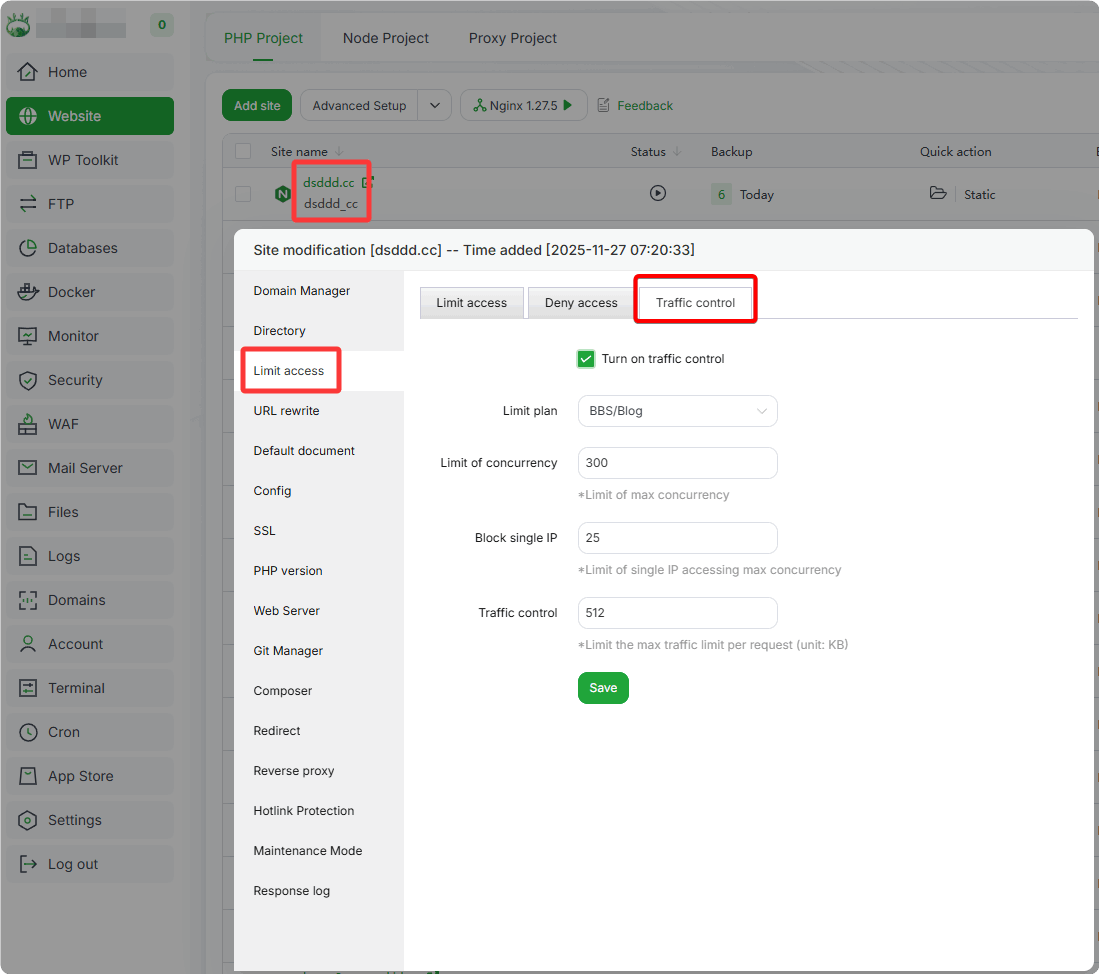
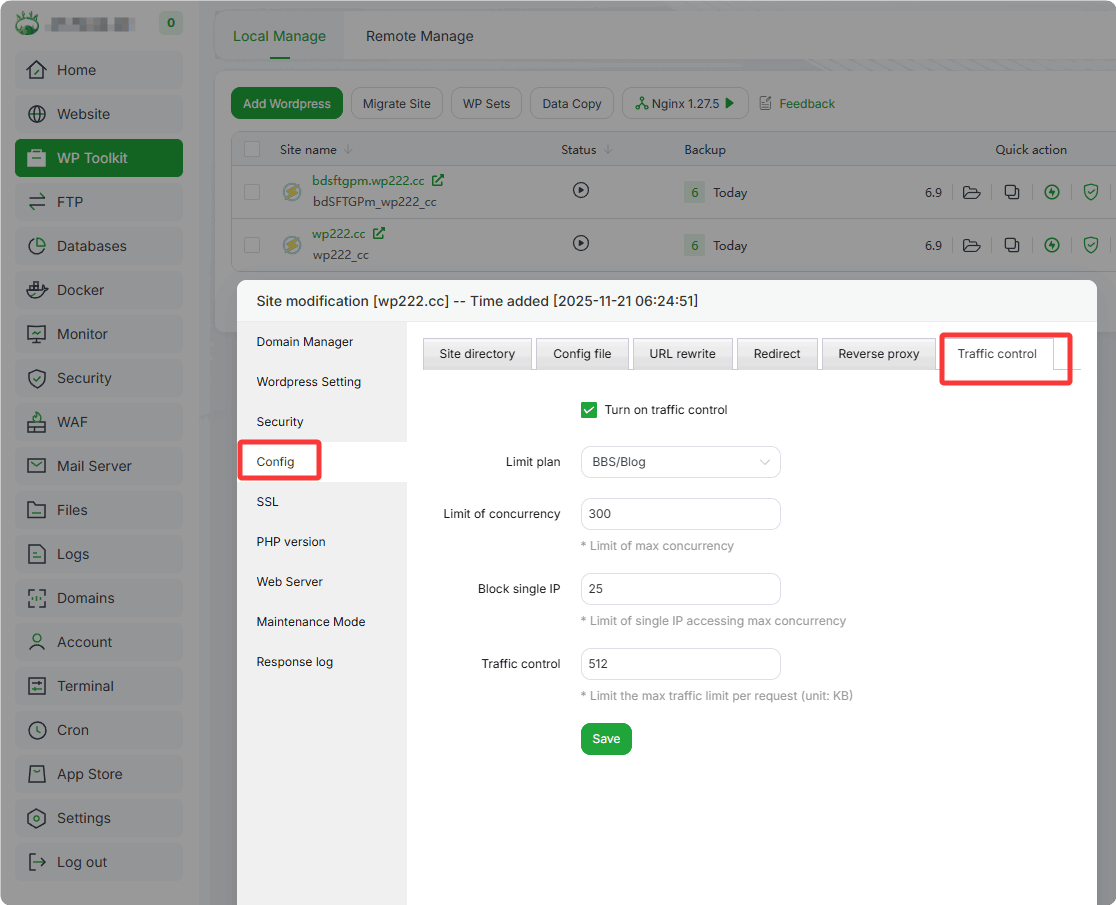
(Optional) Set Site Traffic Limits
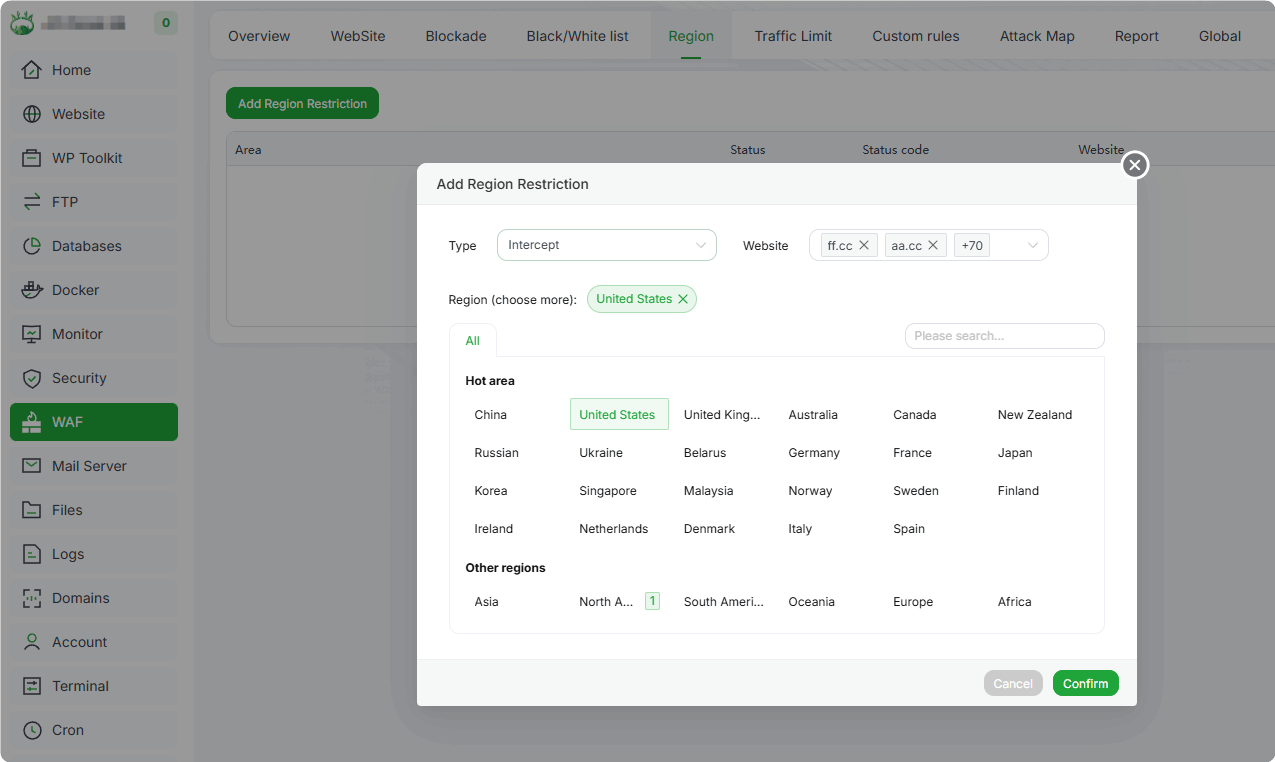
(Optional) Add Regional Access Rules to restrict access to specific regions only
Configure site traffic limits to restrict access speed for all requests:
Only supported for Nginx
If using Nginx WAF, add Traffic Limits in the WAF interface and ignore site configuration
PHP Project: Site Name -> Limit Access -> Traffic Control
WP Toolkit: Site Name -> Config -> Traffic Control
Identify and block high-frequency abnormal access IPs via site logs:
Add high-frequency abnormal access IPs to the firewall:
Identify high-frequency abnormal access IPs via commands or log tools
Add these IPs to the system firewall/server provider's security group
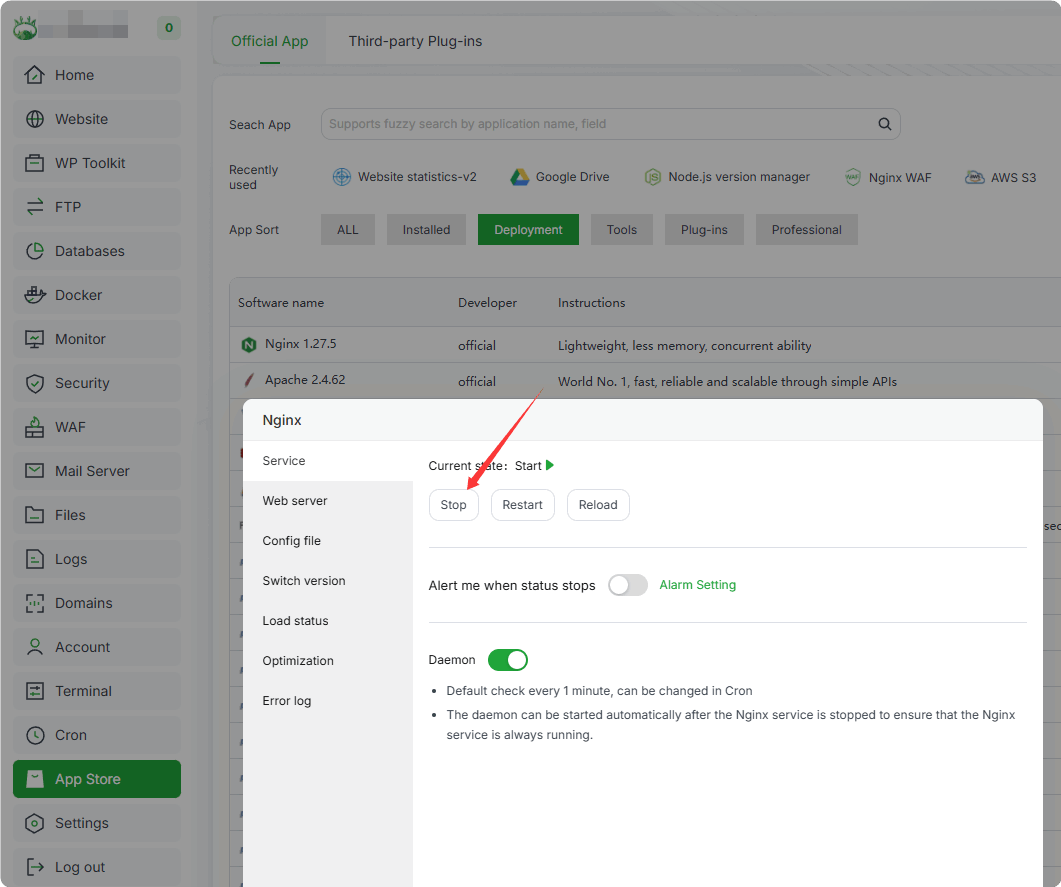
Ultimate Solution: If CPU load remains high after 5 minutes, temporarily stop website access by shutting down the web server (Nginx, Apache, OpenLiteSpeed)
Stop via panel (operations may be slow under high load, please wait patiently)
Stop via SSH with root privileges (panel runs as daemon, so stop it first):
Select the appropriate commands based on your server type:
Nginx:
bt stop
/etc/init.d/nginx stop
Apache:
bt stop
/etc/init.d/httpd stop
OpenLiteSpeed:
bt stop
/usr/local/lsws/bin/lswsctrl stop
systemctl stop lsws.service
After stopping via commands, restart the panel and web server once load normalizes:
bt start
Long-Term Protection: Prevention First to Eliminate Website CPU 100% Attack Risks at the Source
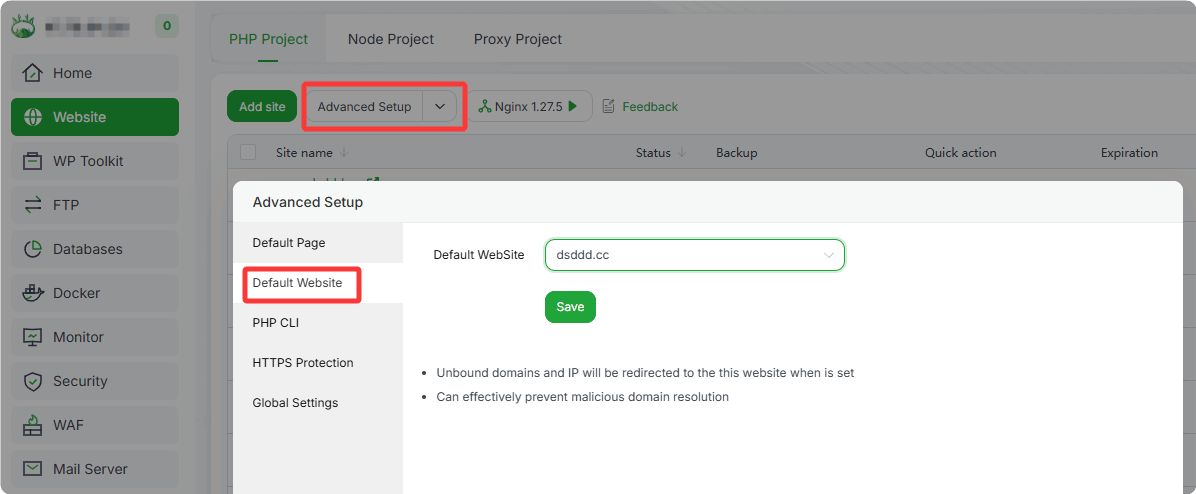
1. Set Default Site:
All requests to unbound domains and bare IPs will be directed to the default site, effectively preventing malicious reconnaissance.
It is recommended to set the default site as a static site.
2. Install and Use WAF to Protect Against Website Attacks
Search for WAF in the App Store and install Nginx/Apache WAF 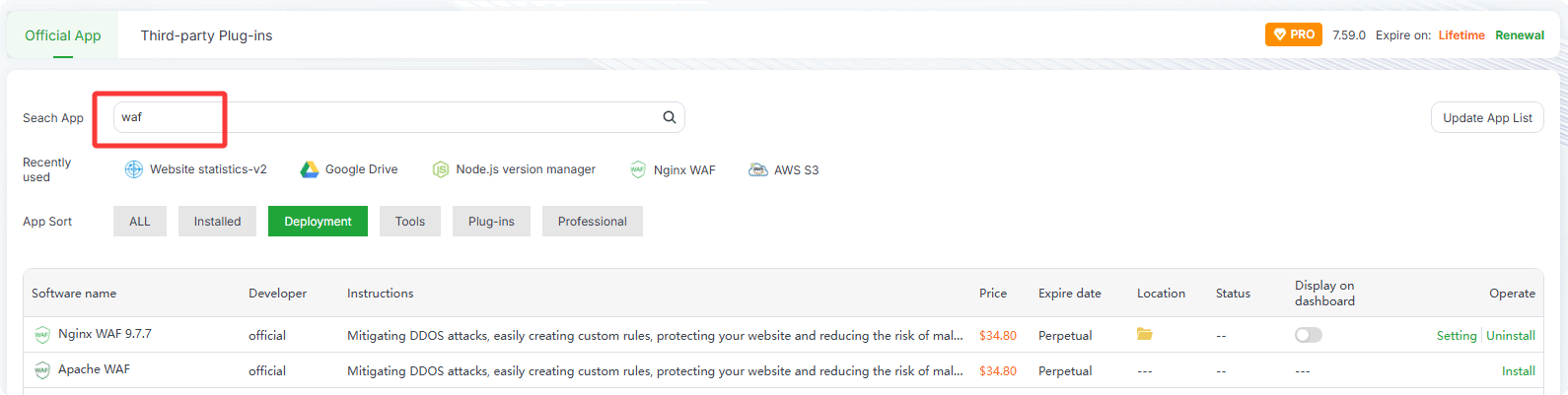
If the website uses CloudFlare, CDN, reverse proxy, etc., as the entry point, enable the
CDNoption
Test WAF protection effectiveness by simulating an attack:
http://your-domain.com/?id=1%27union%20select%20user(),1,3--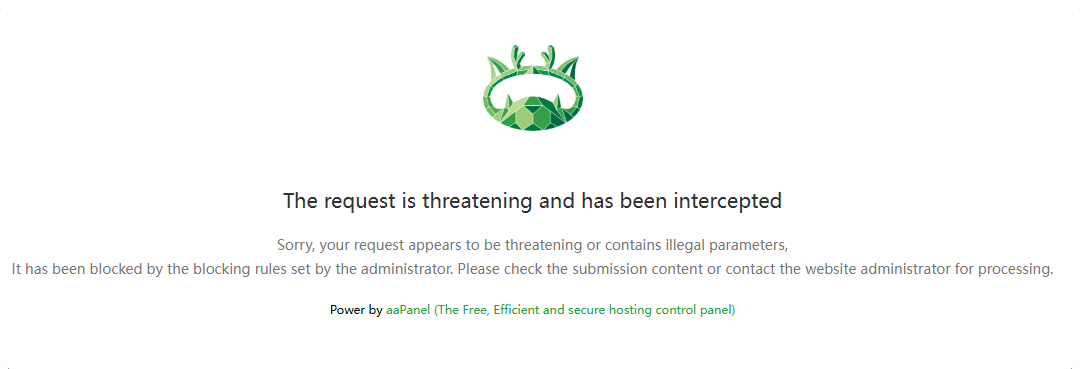
Check for false positives that may block legitimate user access: Blockade
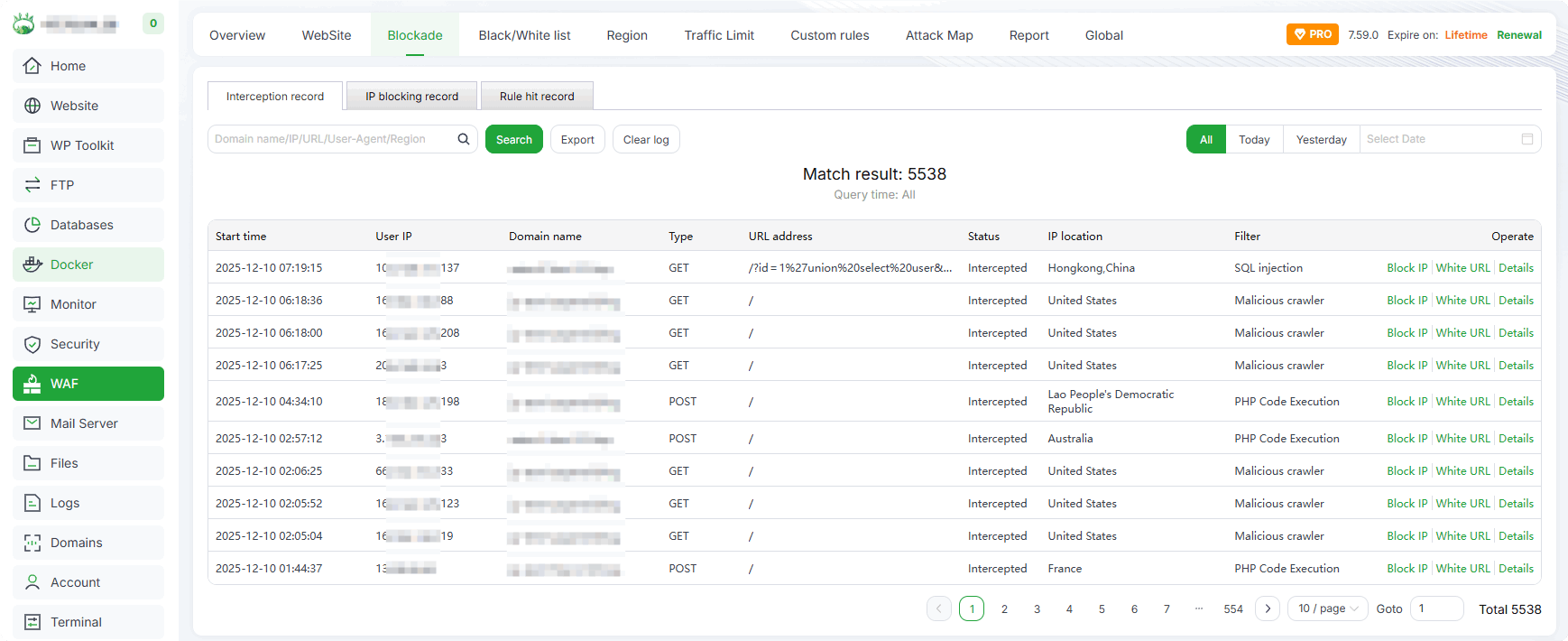
- Determine false positives based on access status, blocked URLs, and IPs in the WAF Blockade interface
3. Install and Use Website Statistics-v2 to Analyze User Access Patterns
Search for Website Statistics-v2 in the App Store and install it 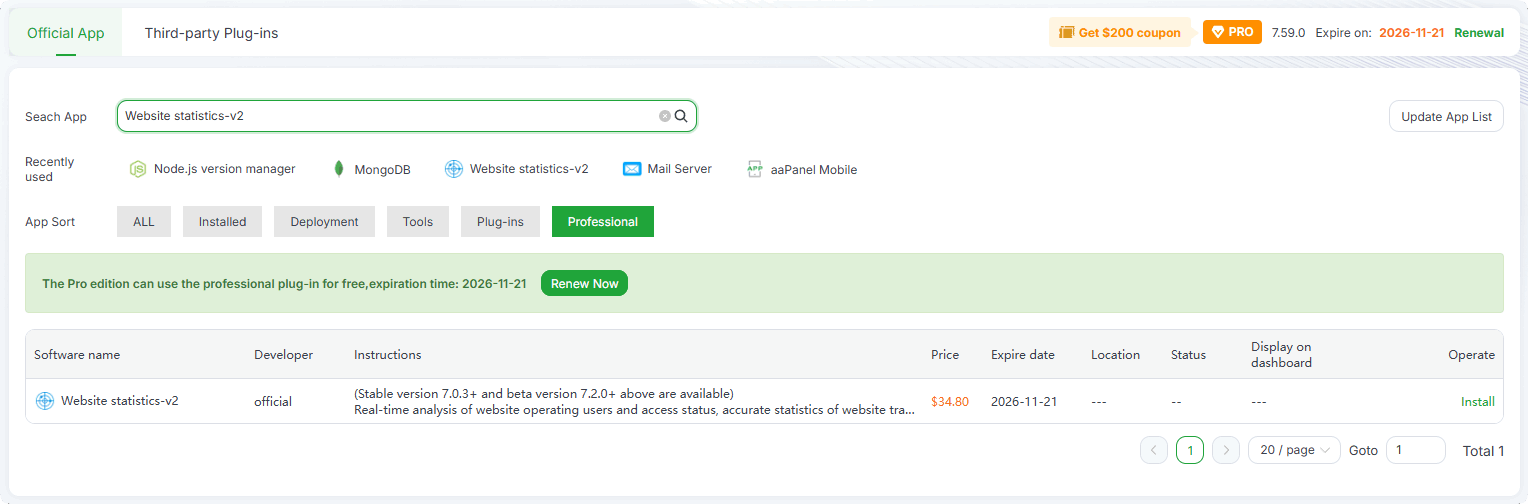
- Monitor and compare website access metrics (PV, UV, IP, Requests, Traffic) over time to optimize website performance
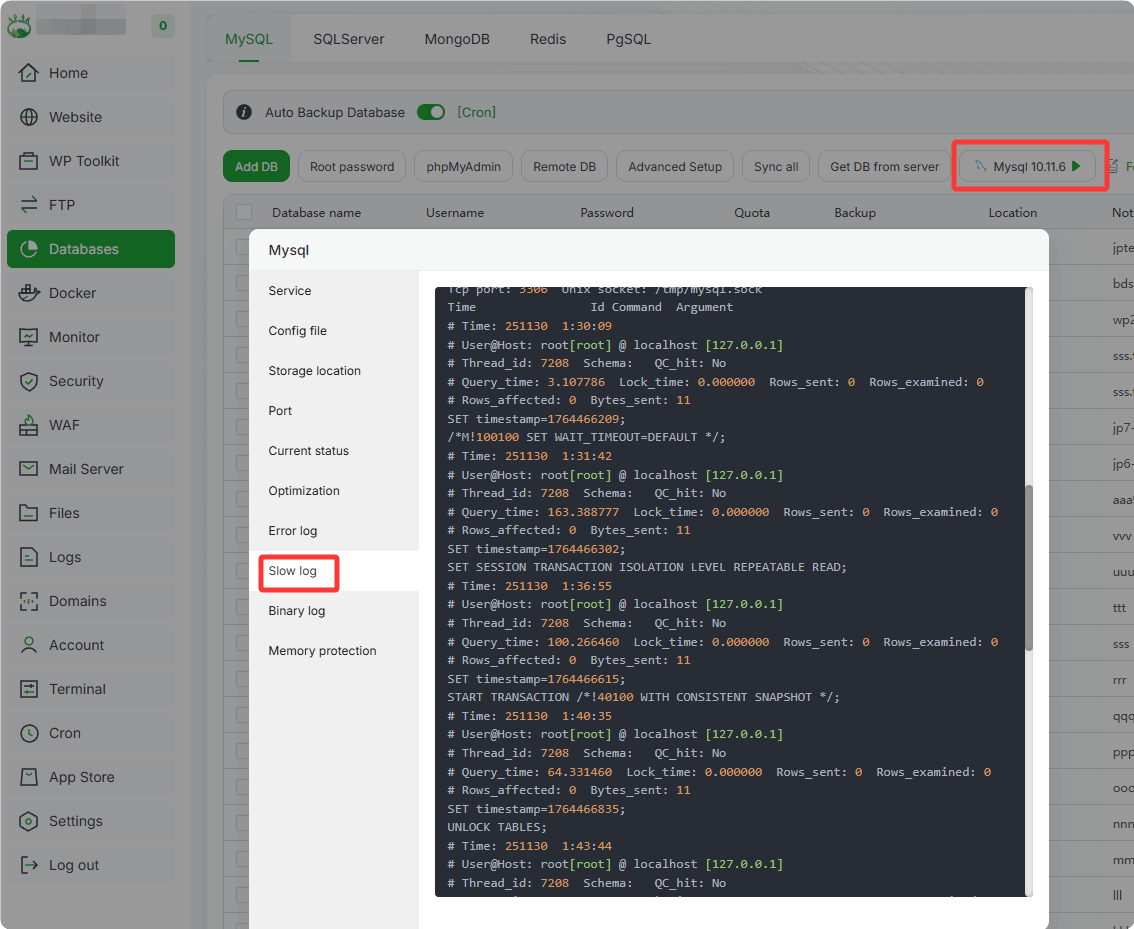
4. Optimize MySQL: Check for Missing Indexes via Slow Logs and Add Indexes to Related Fields
View MySQL Slow Logs:
Database -> MySQL -> Slow Log
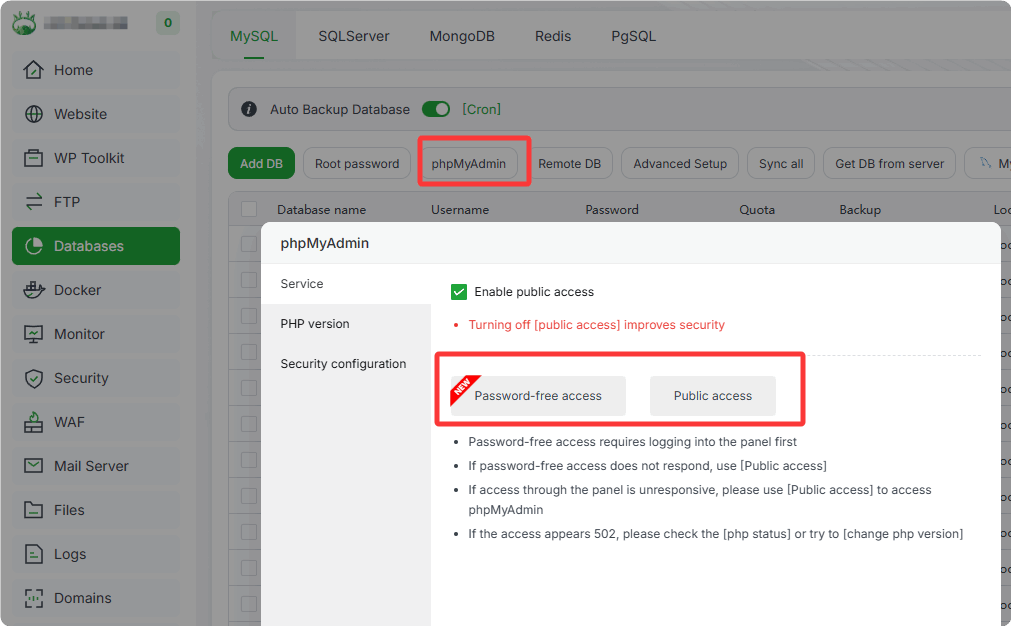
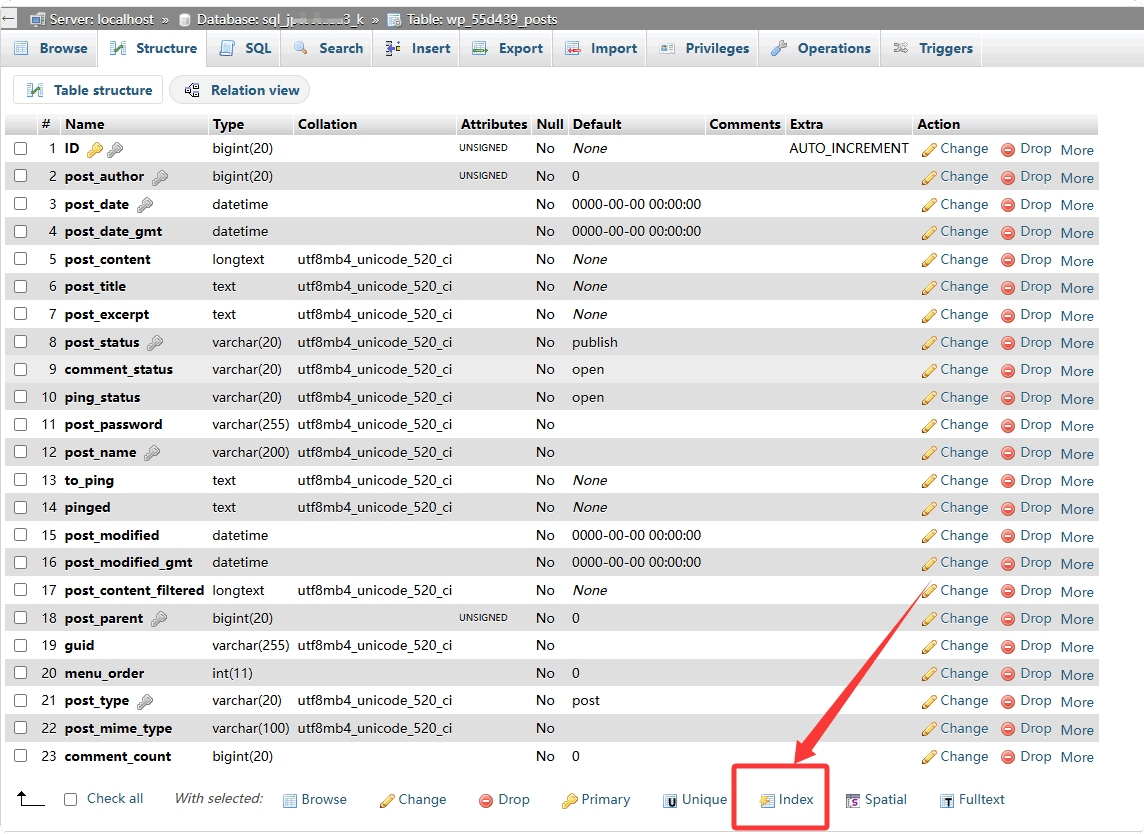
Add Indexes: Use phpMyAdmin to access the corresponding database table and add indexes
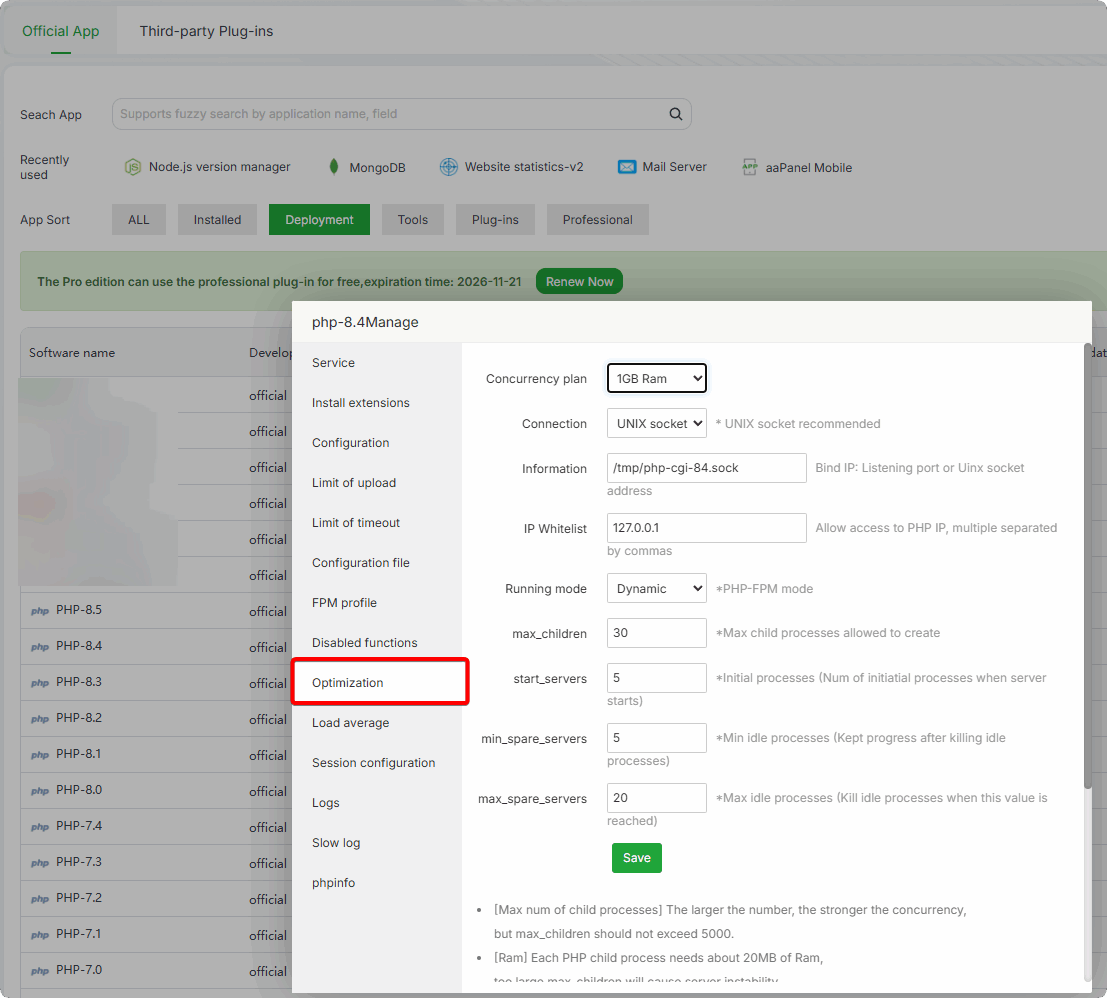
5. Adjust PHP and MySQL Configurations Based on Website Performance Requirements (Total Software Memory Usage Should Not Exceed 80% of Physical Memory)
Adjust PHP configurations based on server hardware:
App Store -> PHP-version -> Optimization
Adjust MySQL configurations based on server hardware:
App Store -> MySQL -> Optimization
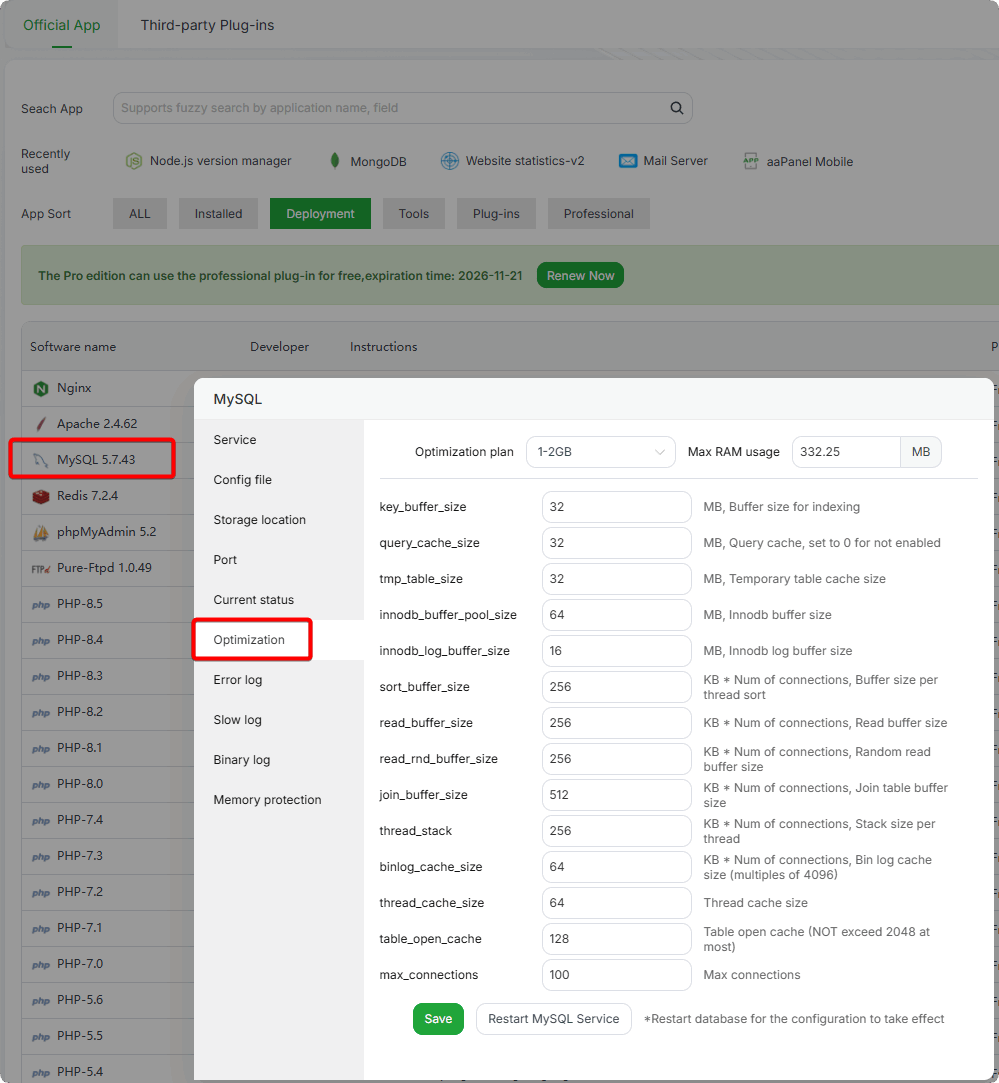
6. If Using CloudFlare for Domain Management, Set Proxy Status to "Proxied" to Hide the Server IP

After enabling, ensure website logs display real user IPs and enable the
CDNoption in WAF.
7. Install and Use Tamper-Proof for Enterprise or Website Tamper-Proof to Protect Website Files from Modification
- Tamper-Proof for Enterprise and Website Tamper-Proof are mutually exclusive (cannot be installed simultaneously)
Search for Tamper-proof in the App Store and install 
- Add/enable websites to be protected
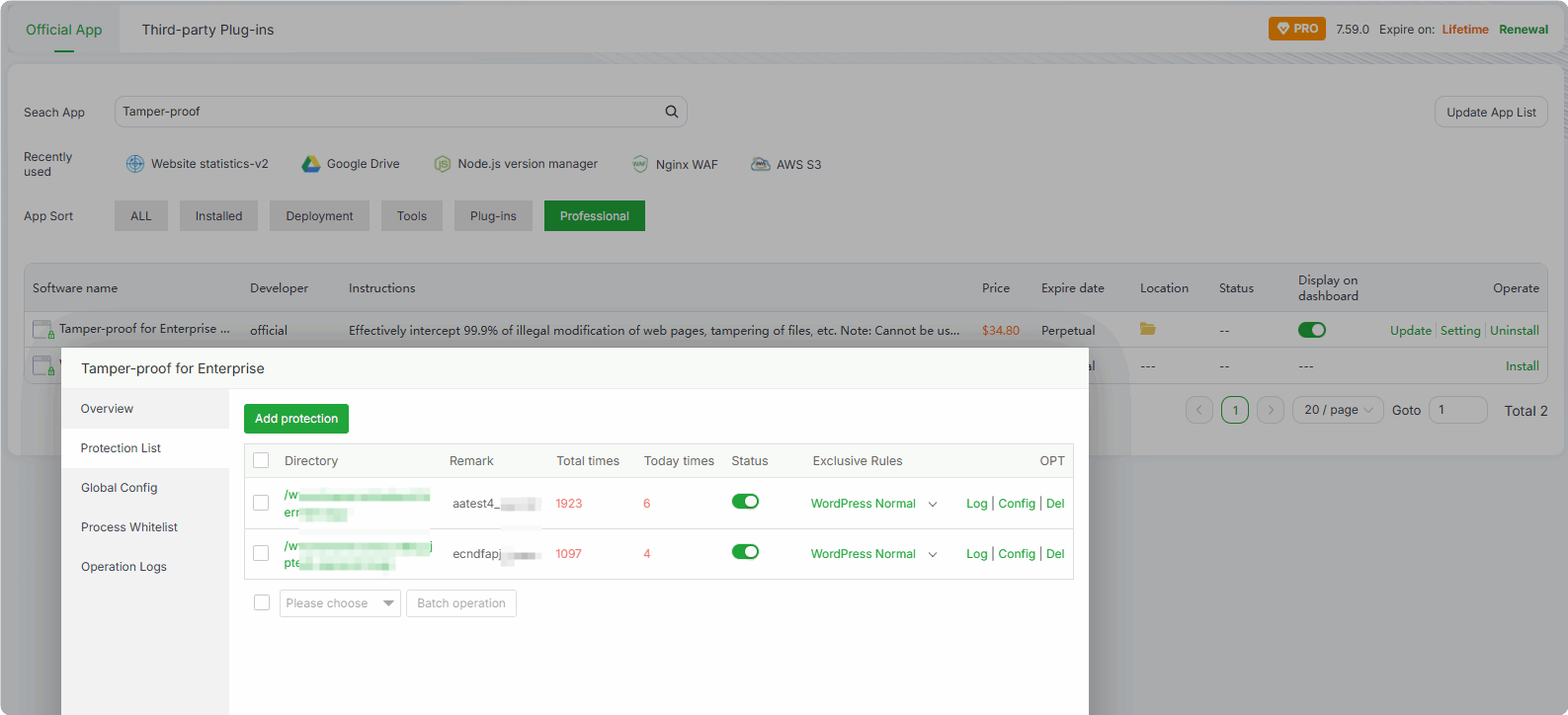
- Add or remove file extensions to be protected based on website requirements
8. Install and Use System Hardening to Enhance System Security and Prevent Malicious Intrusions
Search for System hardening in the App Store and install 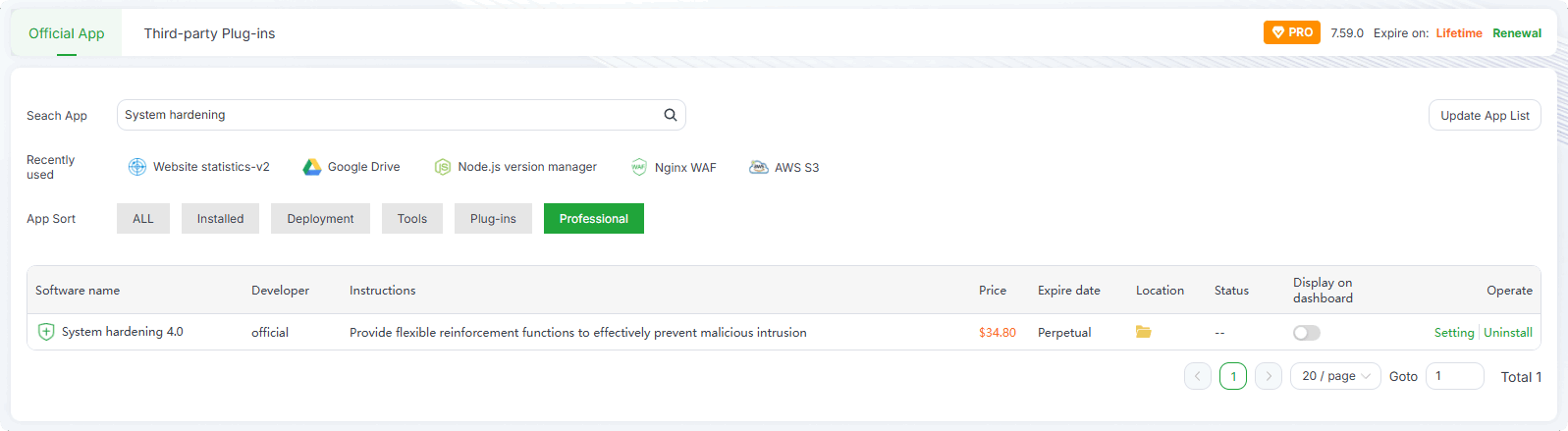
Disable System Hardening before using package managers (apt/yum)
Disable System Hardening before installing plugins or software via the panel