
Using the Tencent EdgeOne Plugin
Tencent EdgeOne is an edge cloud service platform that integrates edge acceleration, security protection, and traffic scheduling. With the EdgeOne plugin for the aaPanel control panel, you can quickly connect to the Tencent Edge network, providing global acceleration and security protection for your website.
Install aaPanel
- If you do not have aaPanel installed, please install it first.
Log in to your server using an SSH tool, and execute the following command with root privileges to install aaPanel:
URL=https://www.aapanel.com/script/install_panel_en.sh && if [ -f /usr/bin/curl ];then curl -ksSO "$URL" ;else wget --no-check-certificate -O install_panel_en.sh "$URL";fi;bash install_panel_en.sh forum- If aaPanel is already installed, skip this step. Go to the
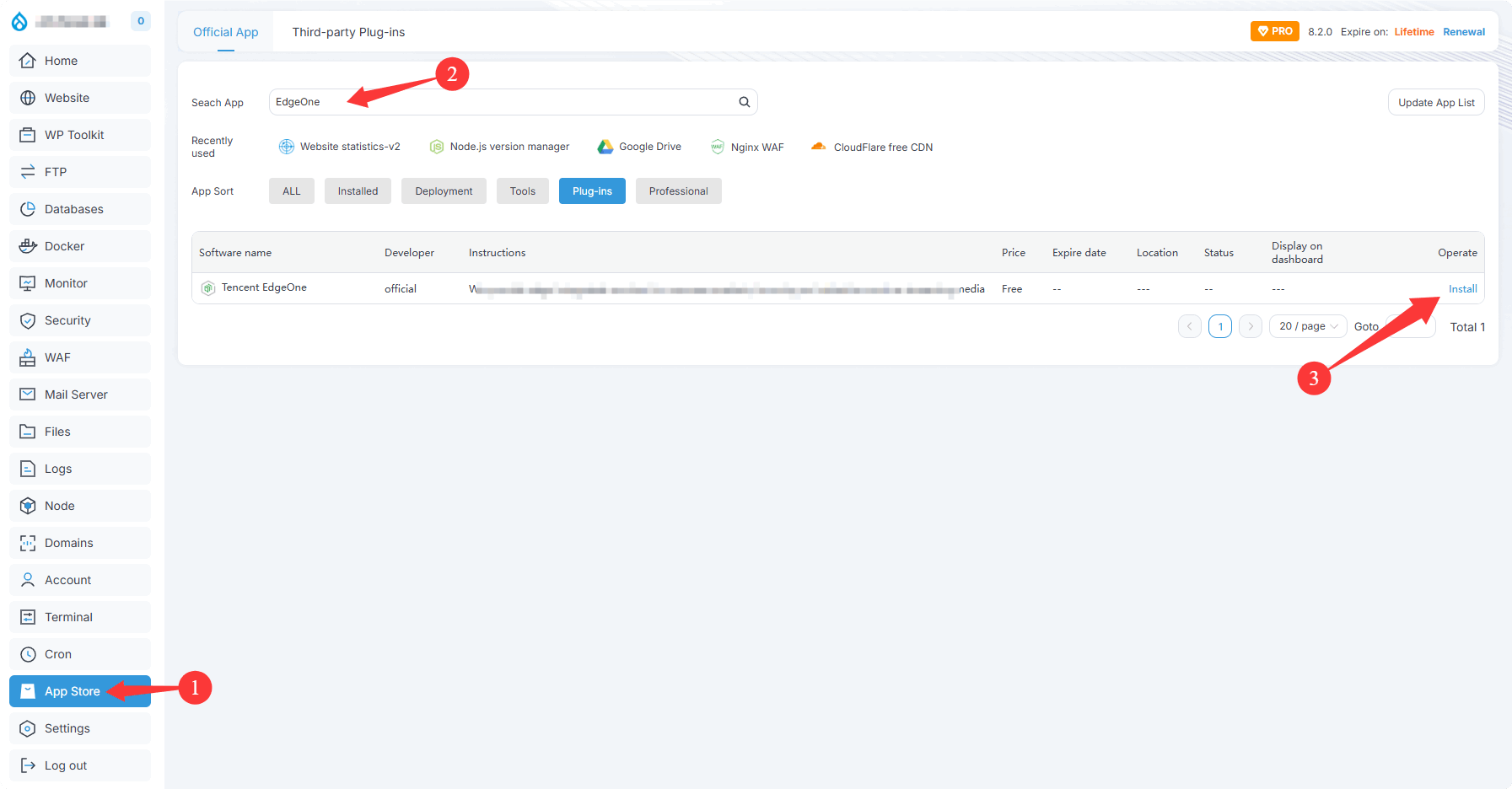
App Store, search for theEdgeOneplugin, and click Install.
Install the Tencent EdgeOne Plugin
- Log in to aaPanel, go to the
App Store, search for theEdgeOneplugin, and click Install.
Obtain API Keys
Log in to Tencent Cloud Console - Access Keys: https://console.tencentcloud.com/cam/capi
Create a new key or view existing key information
Obtain your
APPID,SecretId, andSecretKey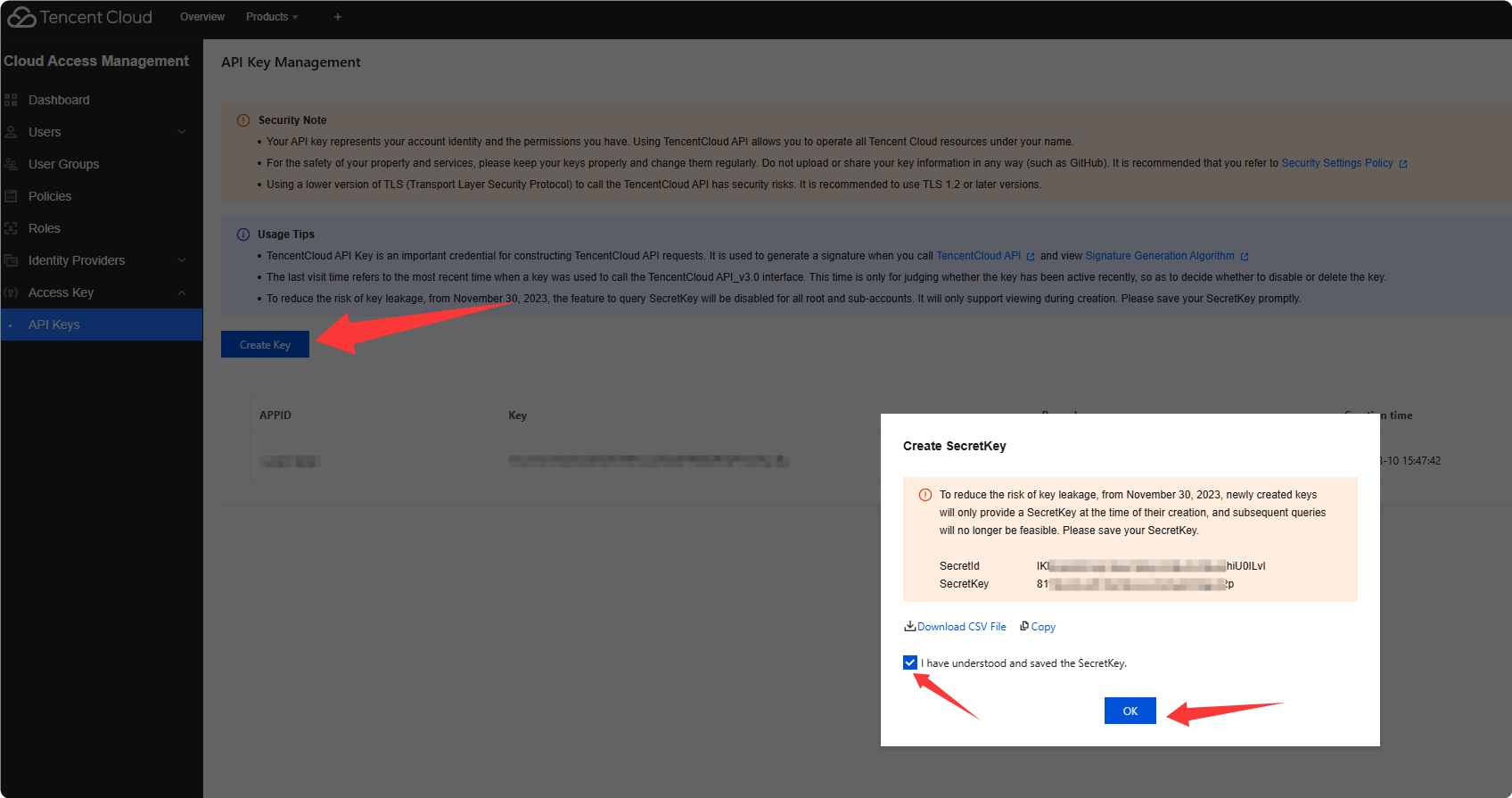
CAUTION
Security Note: Keep your key information secure to avoid disclosure. Keys are only displayed once at creation, so please store them safely.
APPIDcan be viewed on the Access Key Management page after key creation.
Configure Keys in the Tencent EdgeOne Plugin
Add API Key
Data Overview->API Key Management->Add API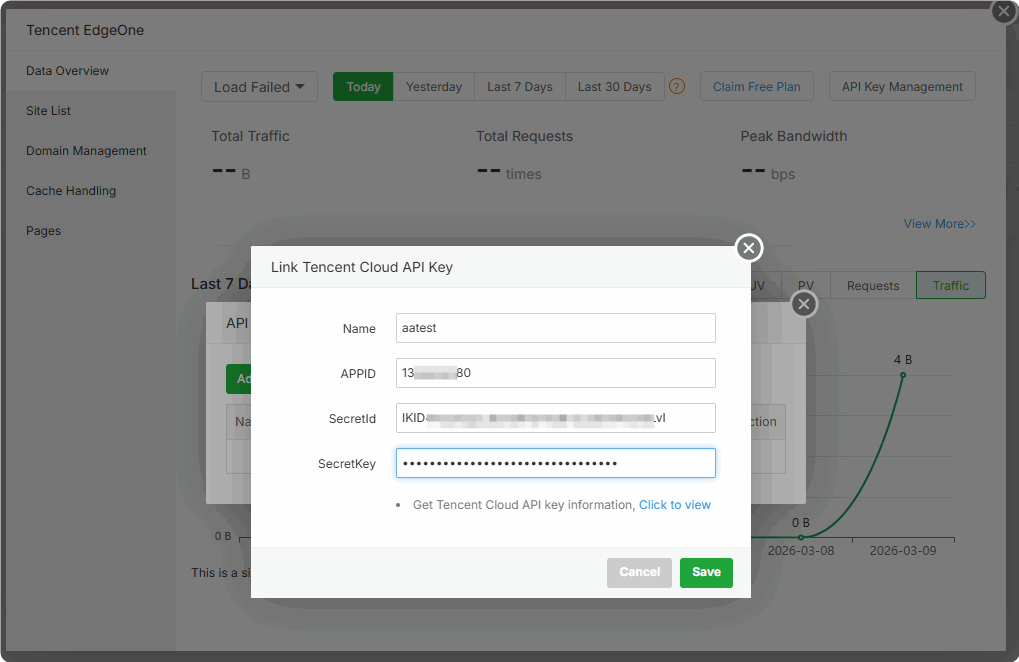
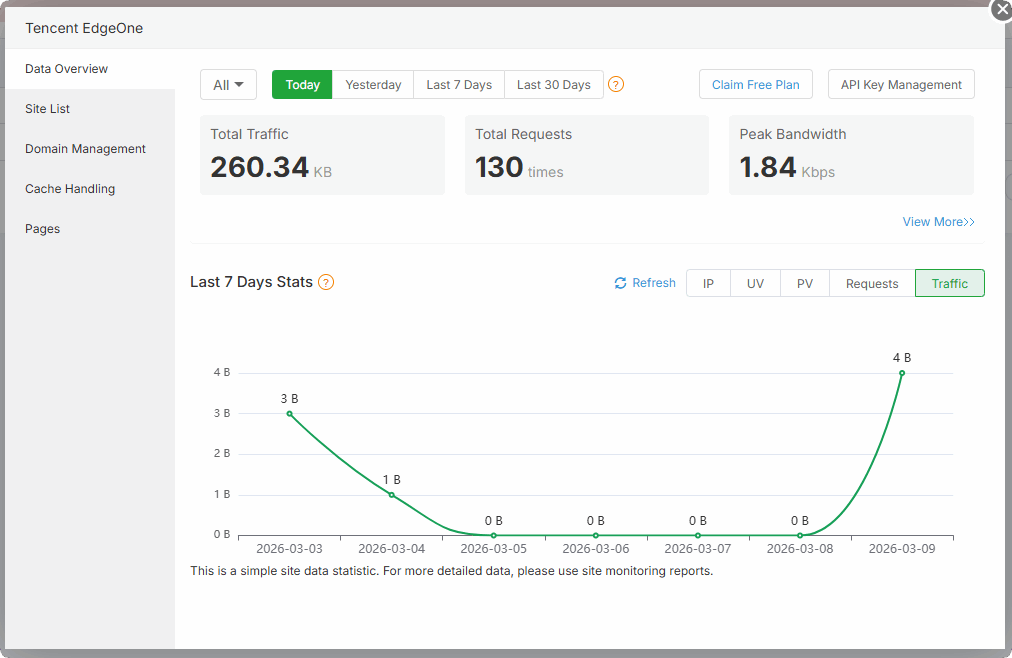
Finish adding the API
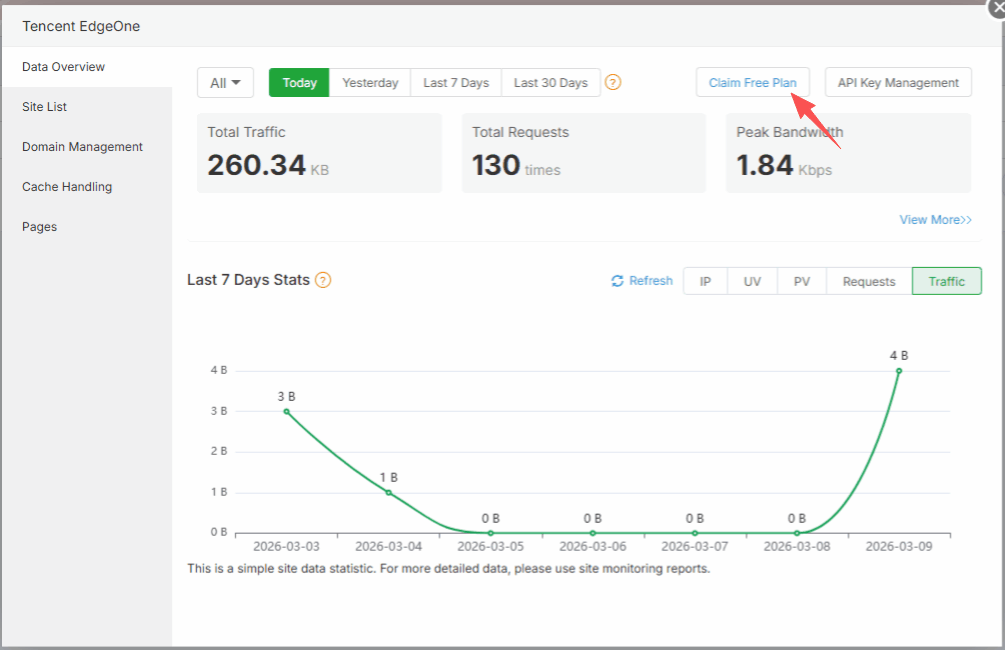
Get the EdgeOne Free Plan
Get the free plan: aaPanel × EdgeOne: https://edgeone.ai/eofreeplan-aaPanel
Activity time: until December 31, 2026
Bind Domain and Add Site
- Bind Domain and Add Site. Refer to the official documentation: https://edgeone.ai/document/54208
Common Features
Data Overview
On the EdgeOne plugin homepage, you can view site traffic statistics, total requests, peak bandwidth, and other overview data to help you monitor site performance.
Site List
On the Site List page, you can view sites connected to EdgeOne, and configure or delete sites as needed.
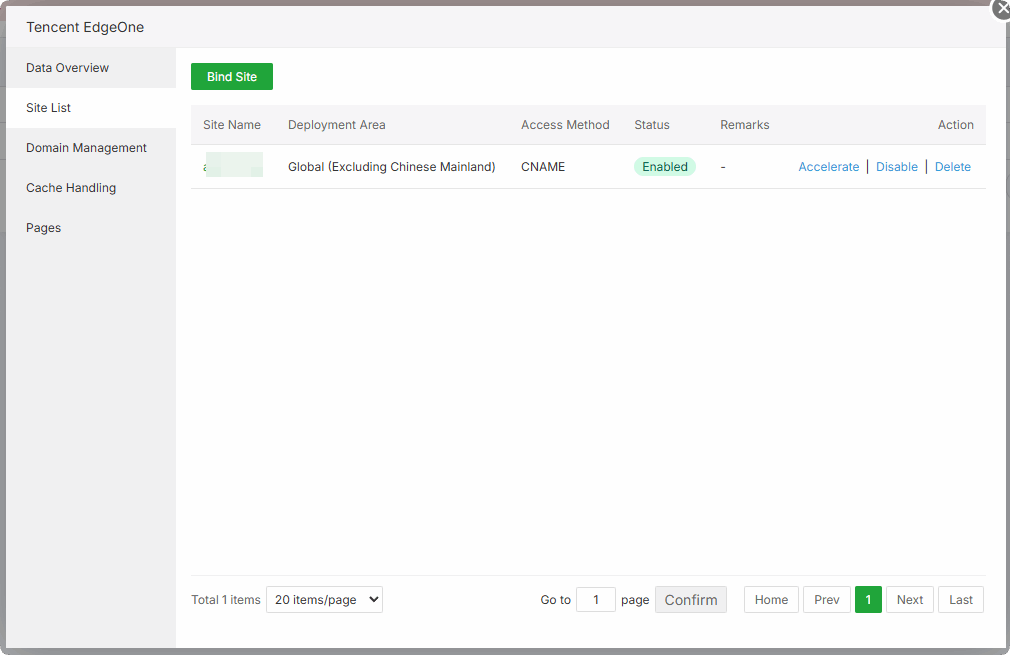
Click the
Acceleratebutton to configure global site settings.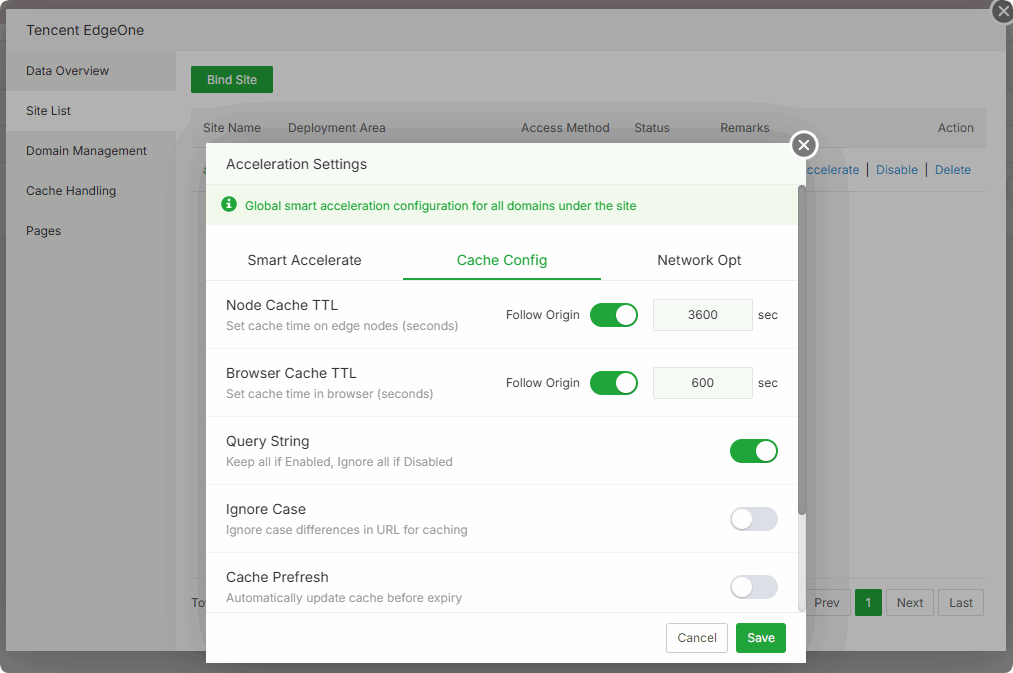
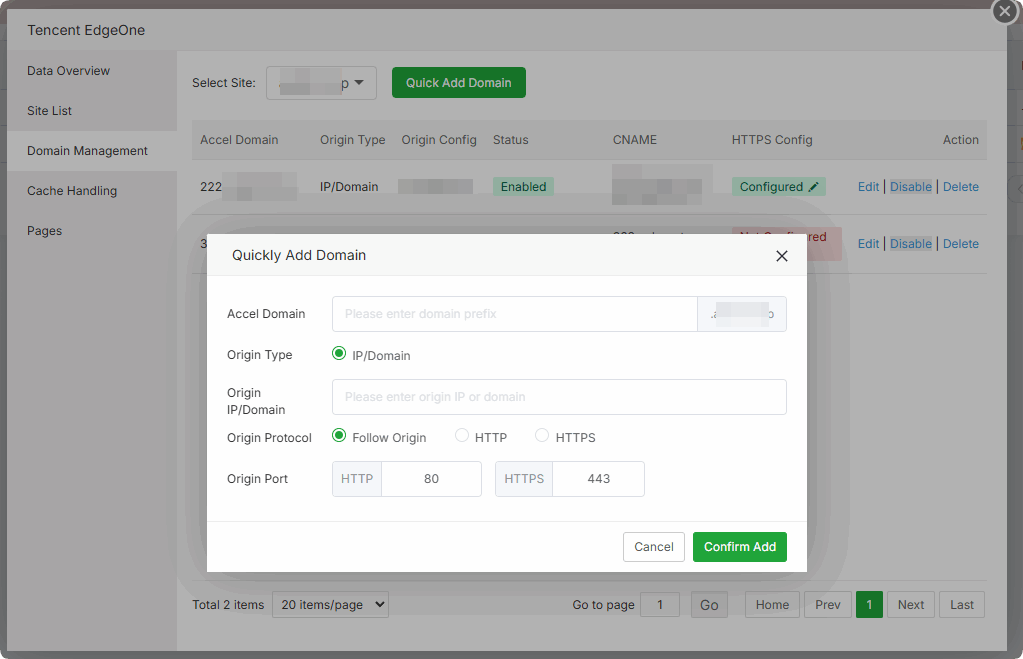
Domain Management
On the Domain Management page, you can add and manage specific domains connected to EdgeOne, including HTTPS and origin server configurations.
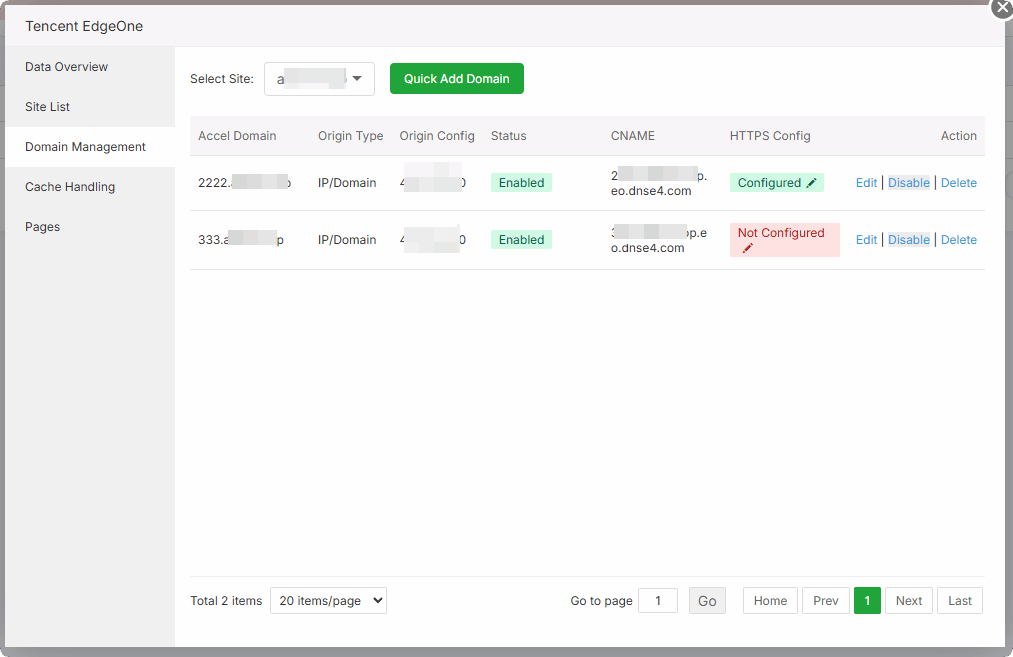
Click the Add Domain button to quickly add and save an accelerated domain.
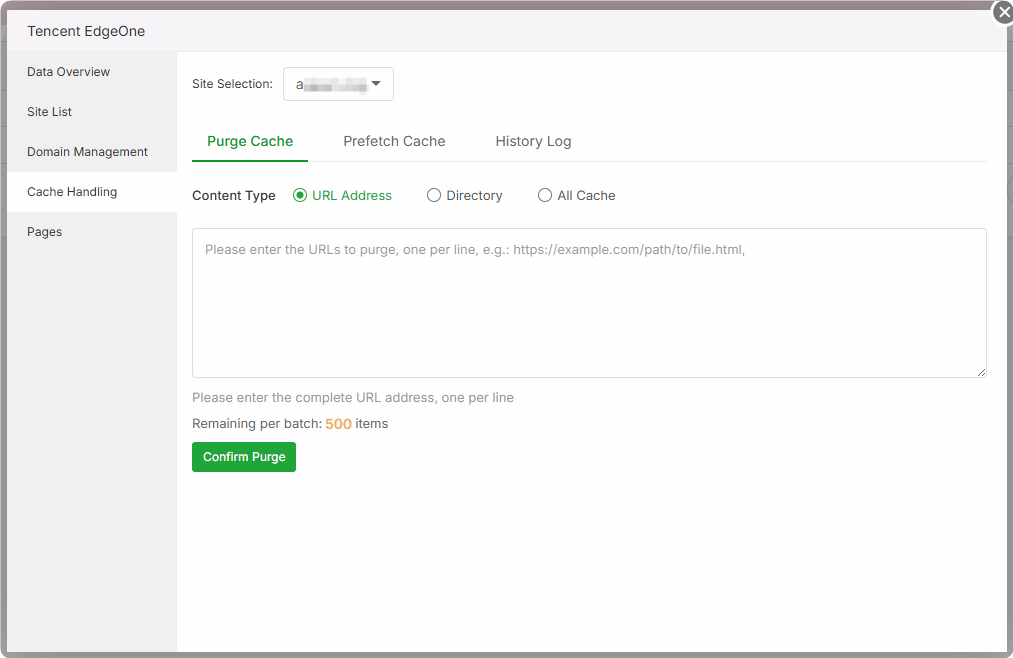
Cache Handling On the Cache Handling page, you can configure cache rules, purge cache, and improve site access speed.
Pages Redirect to the Tencent EdgeOne management console: https://console.tencentcloud.com/edgeone/pages