How to add Discord to panel AI ChatOps
The server must be able to communicate with Discord (discord.com).
Register Discord account
- Please register an account at Discord
Add a Discord server
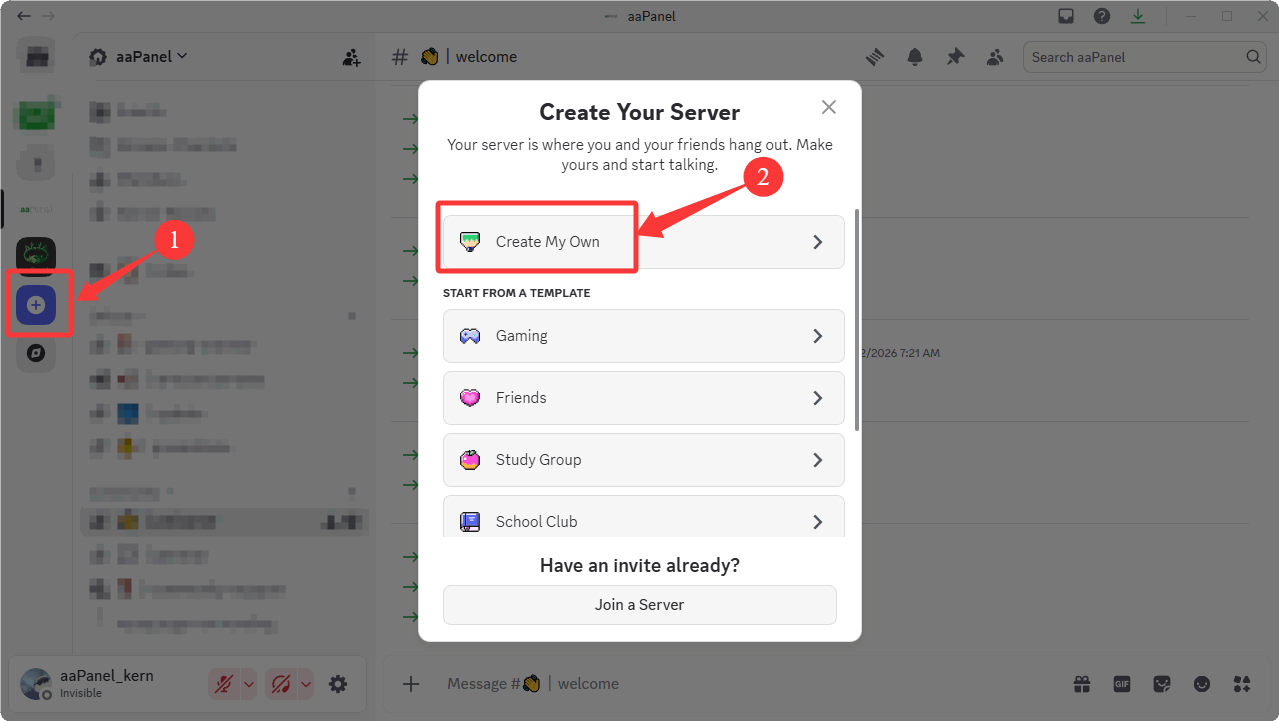
Create a server in Discord
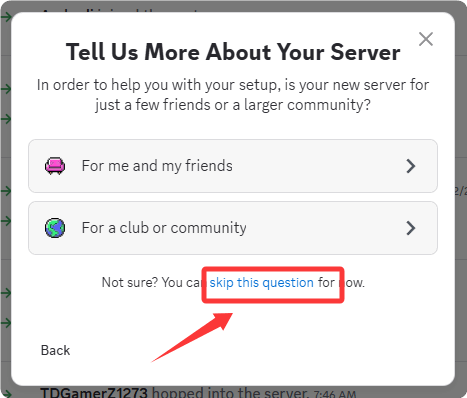
Optional: Skip the questions and proceed to the next step
Enter the server name
Panel Alarmand create it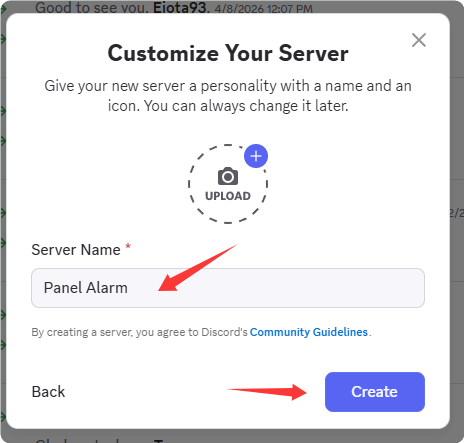
Create Discord Bot
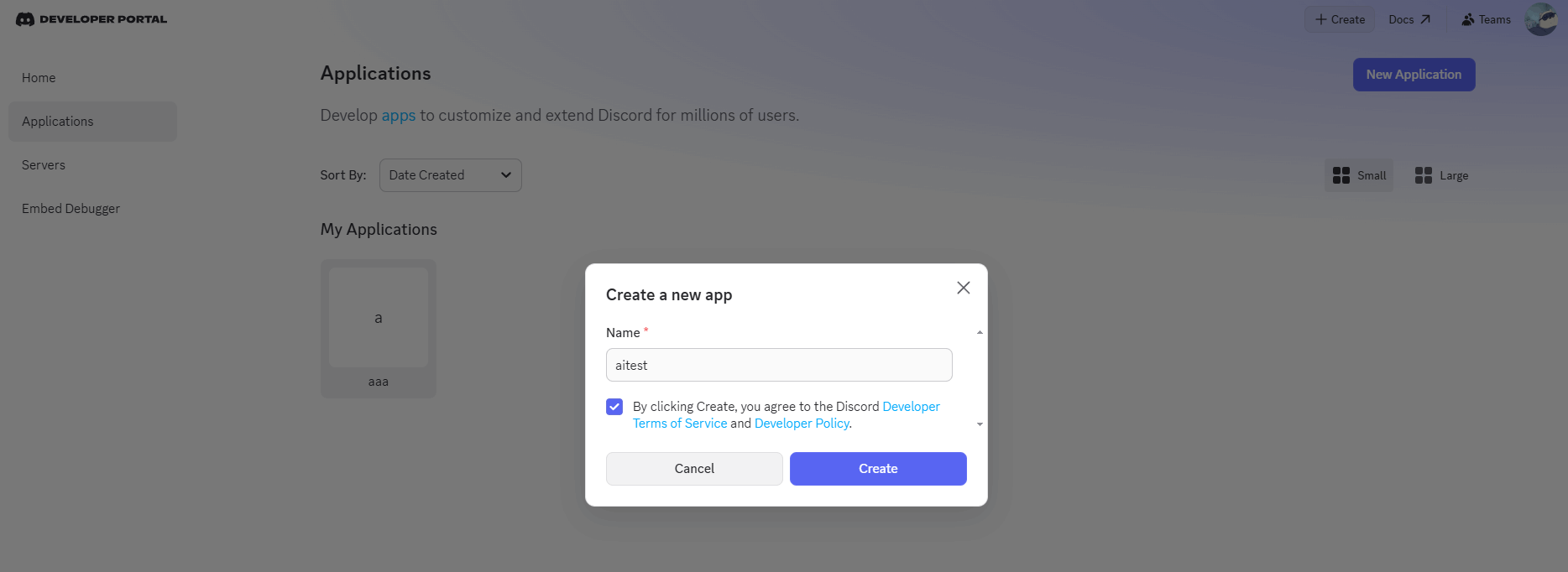
Go to Discord Developer Portal and click New Application.
Enter an application name and click Create.
Navigate to the Bot tab on the left sidebar.
Under the Token section, click Reset Token and copy the new token. This will be used for panel configuration.
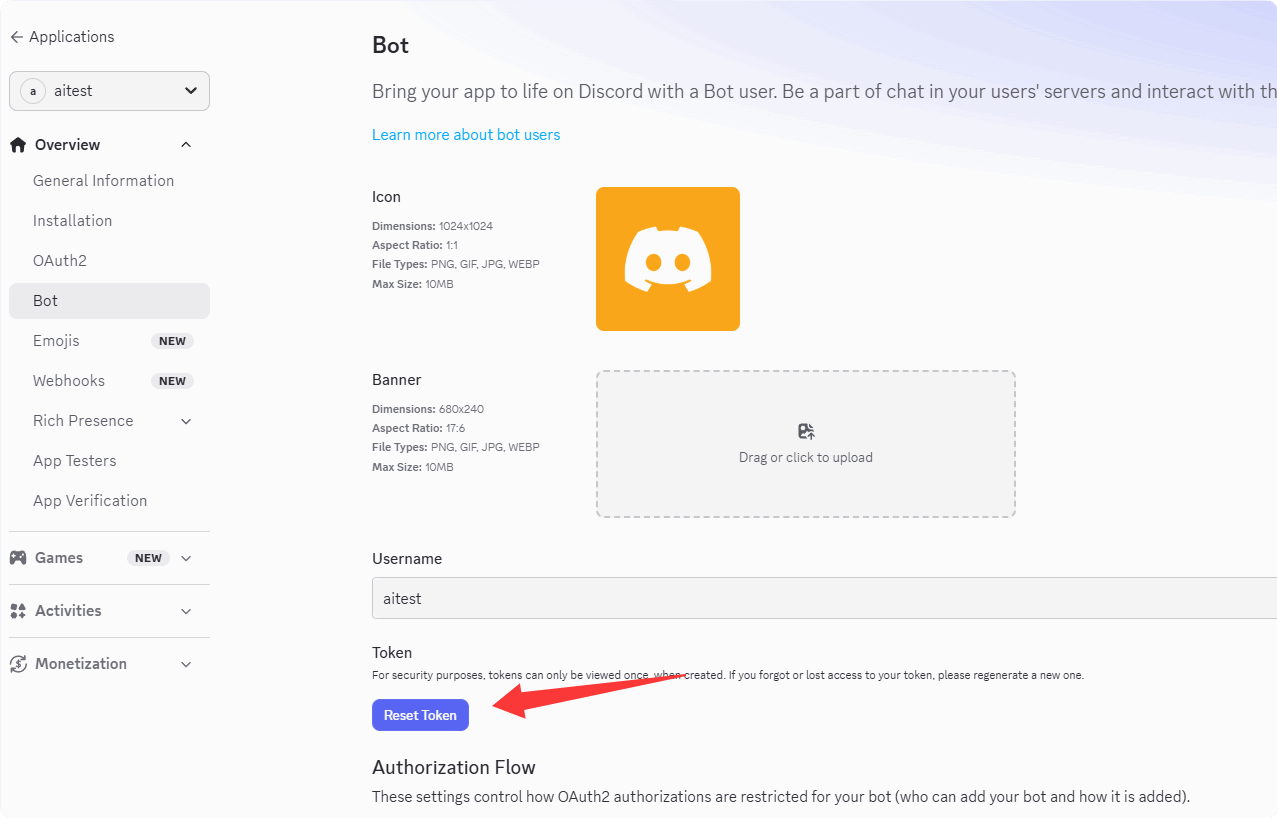
Note: The token is only displayed once. Please save it securely.
In the Bot tab, enable the following intents:
Presence Intent,Server Members Intent,Message Content Intent, then click Save Changes.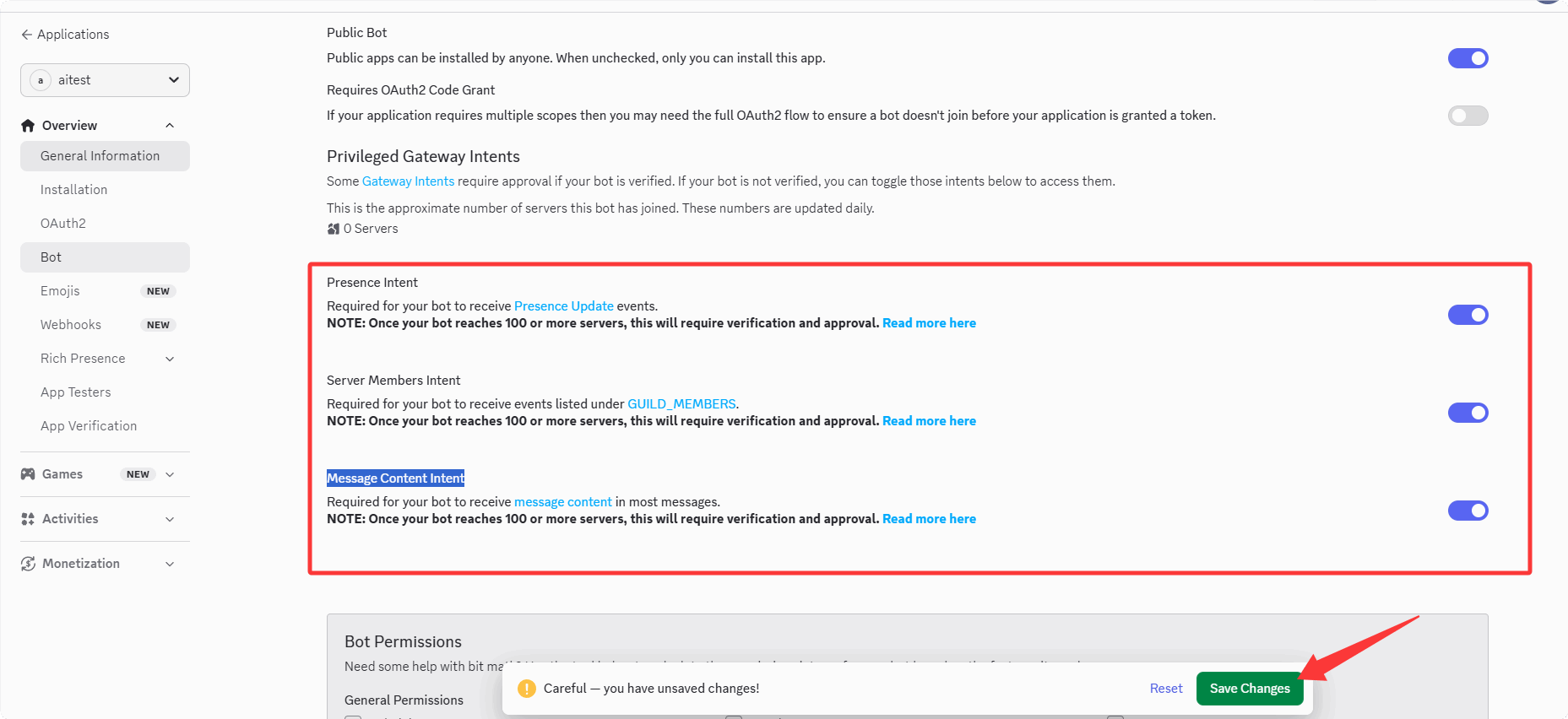
In the Installation tab, under the
Guild Installsection, Selectbot. In Permissions, selectPin Messages,Send Messages,View Channels, then click Save Changes.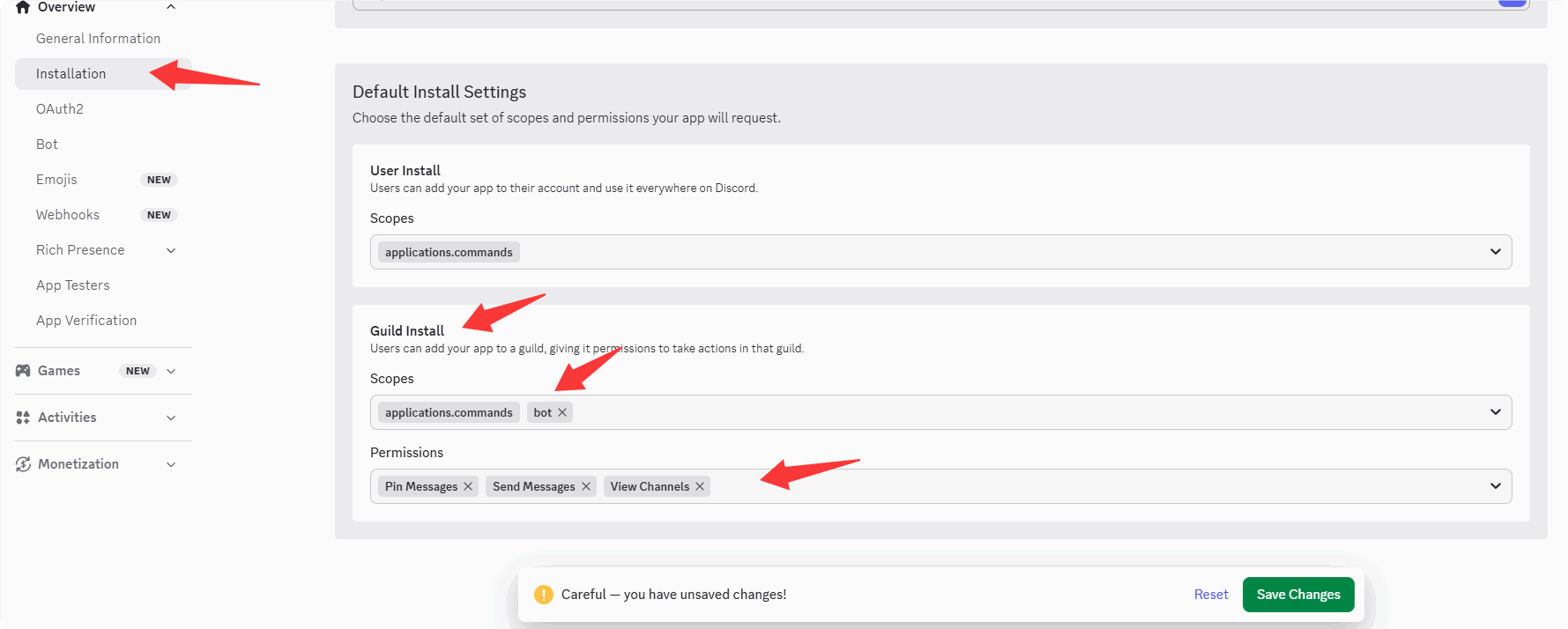
In the Installation tab, under the Install Link section, Click Copy, then open the link in your browser to add the bot to your Discord server.
Copy the link:
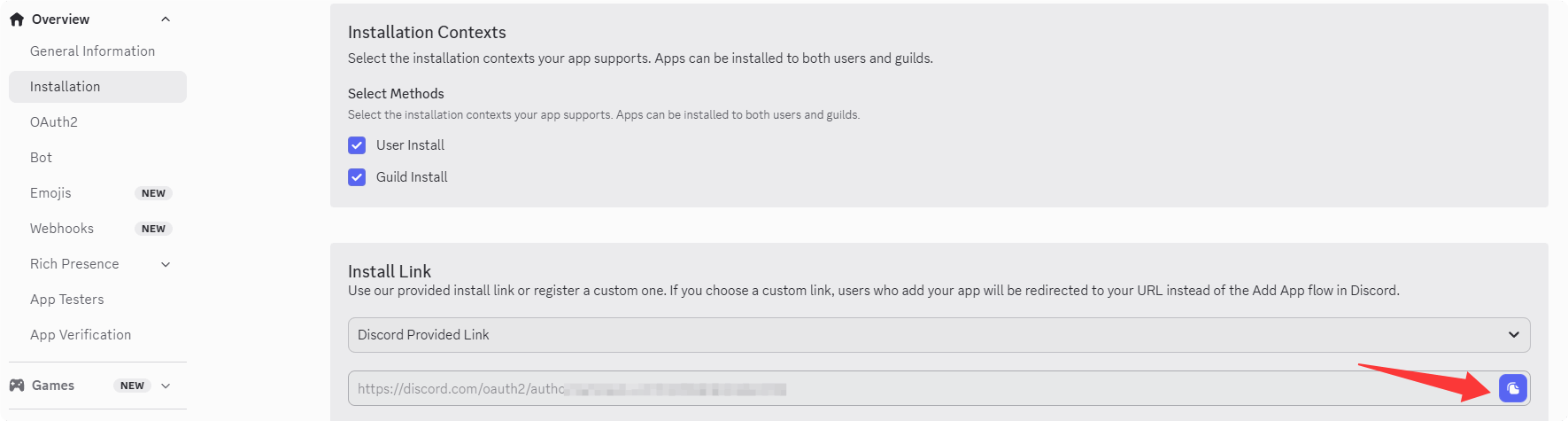
Open the copied link and add the bot to your Discord server:
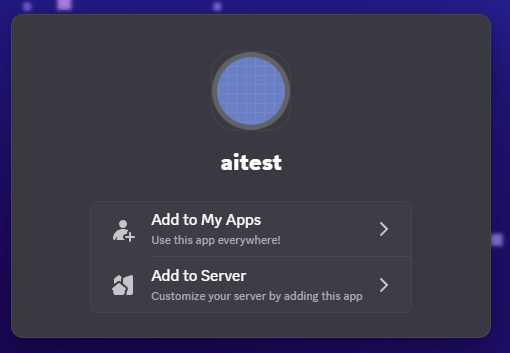
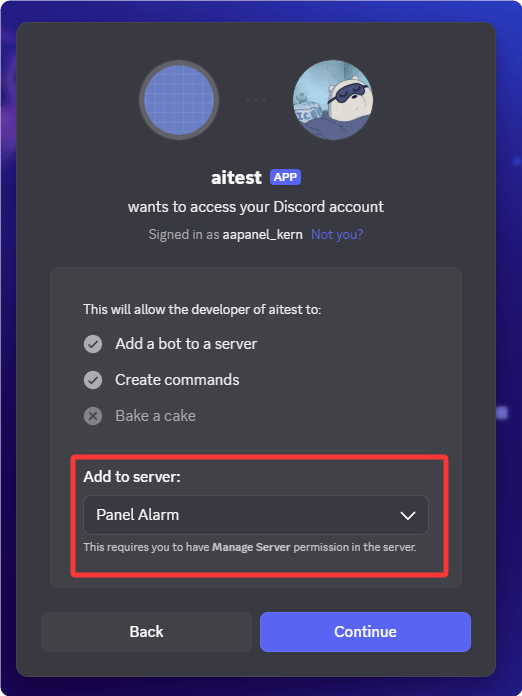
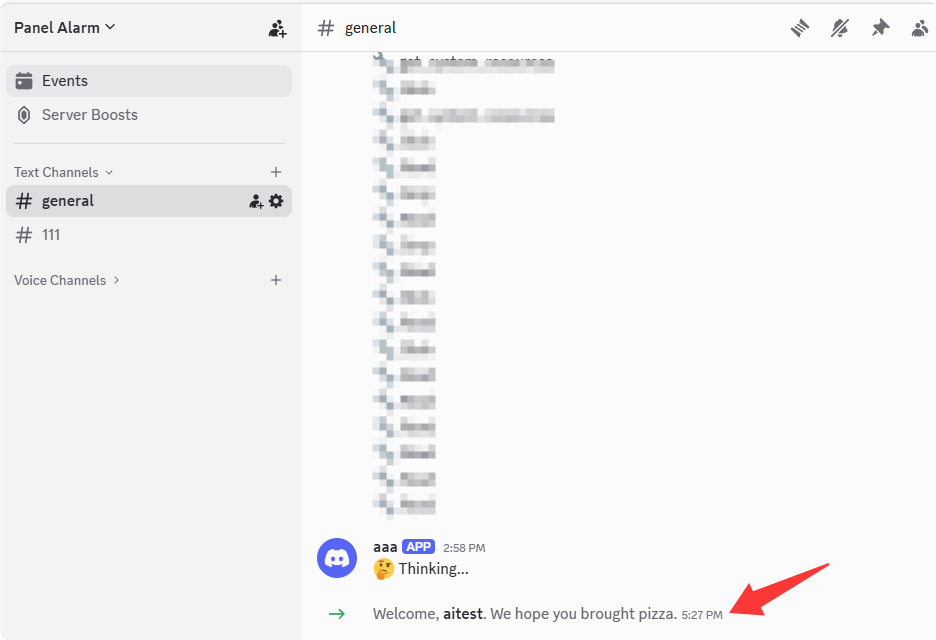
After adding the bot, you can see the notification in your Discord server.
Add Discord Bot to ChatOps
Go to AI → ChatOps in the panel, then click Add Channel and select Discord.
Fill in the Discord Bot configuration:
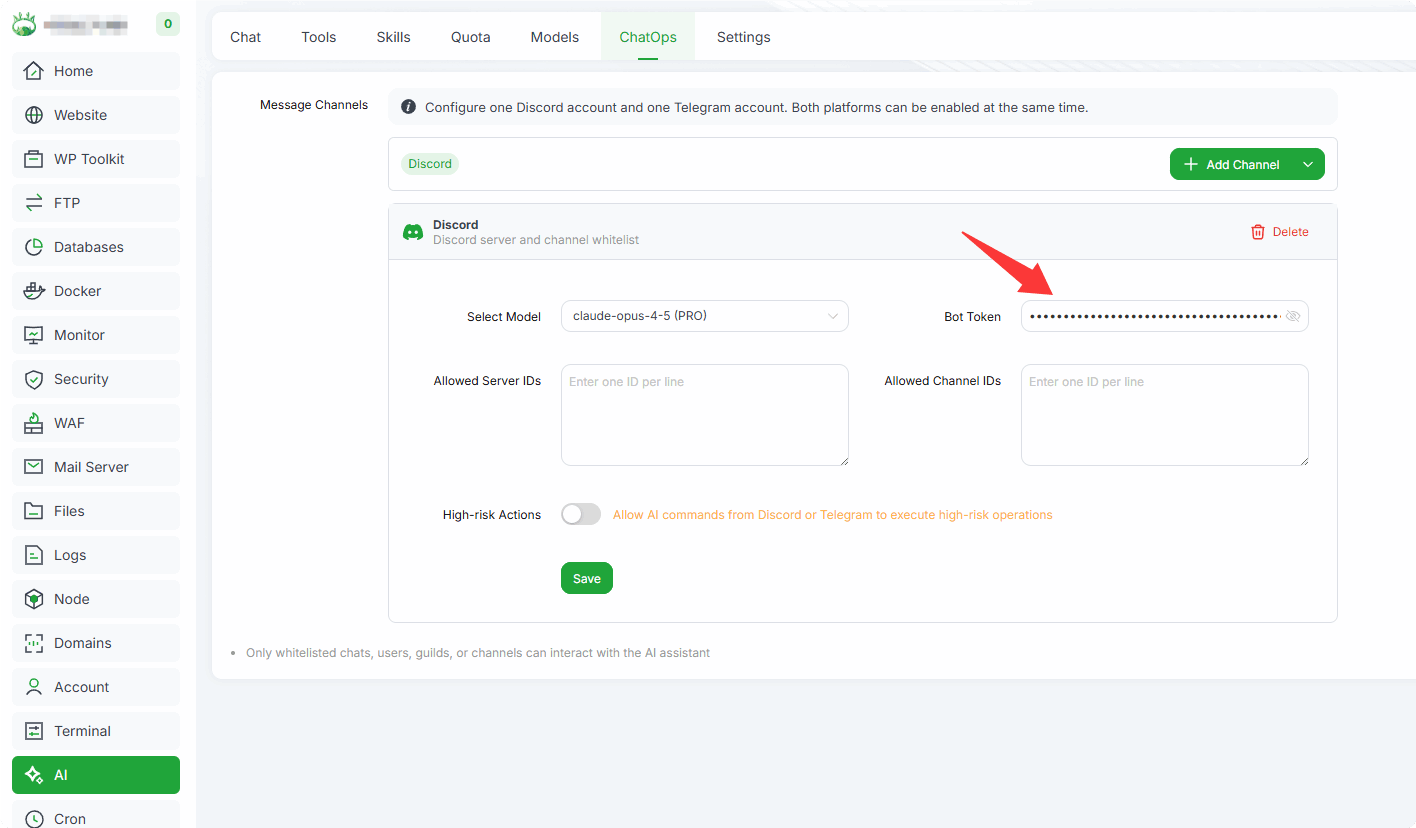
Select Model : Choose the AI model for Discord interactions.
Bot Token : Paste the Bot Token copied from the Discord Developer Portal.
Allowed Server IDs (Optional): Enter whitelisted Discord server IDs, one per line.
Allowed Channel IDs (Optional): Enter whitelisted Discord channel IDs, one per line.
High-risk Actions : Toggle to allow AI commands from Discord to execute high-risk operations.
Click Save to complete the configuration.
Only whitelisted chats and users can interact with the AI assistant. If left empty, all chats and users can interact.
Test Discord Bot
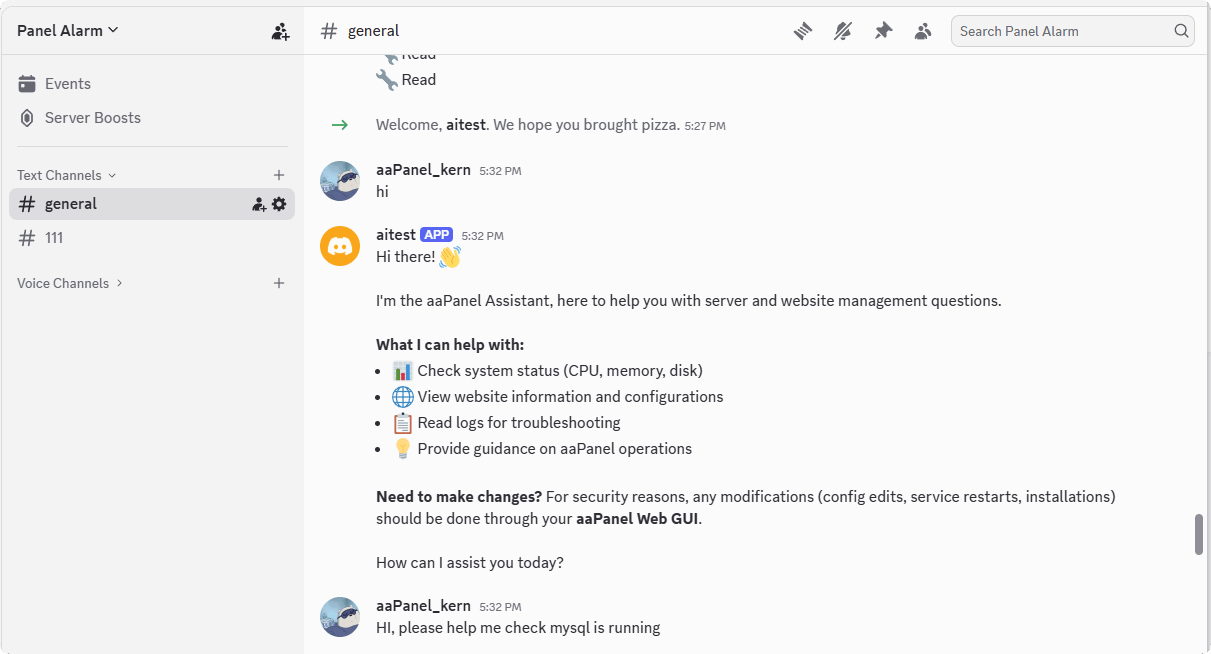
In Discord, send a message in the allowed channel to start chatting with the panel AI.