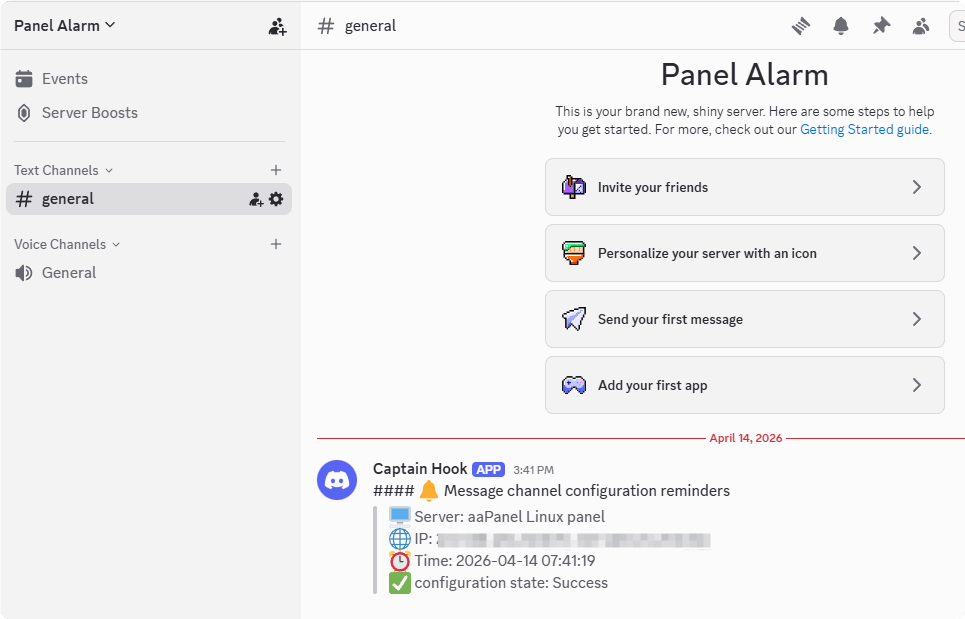
How to add Discord to panel alarm
Register Discord account
- Please register an account at Discord
Add a Discord server
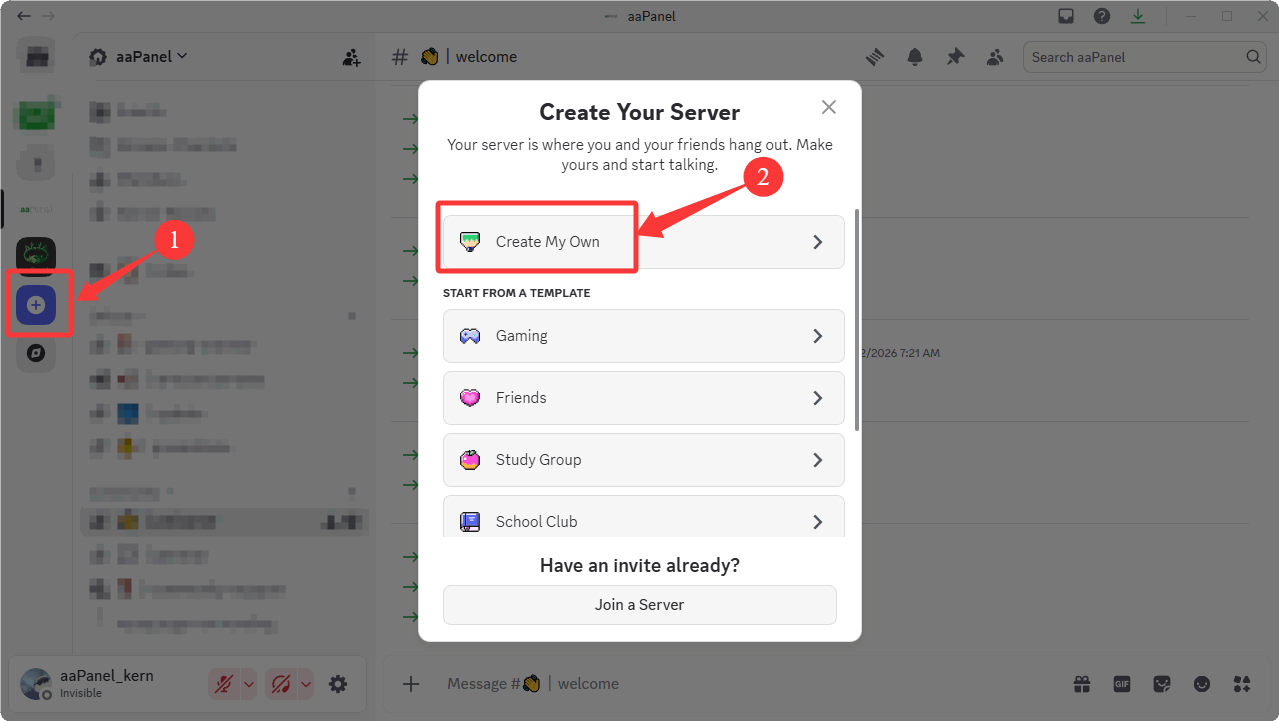
Create a server in Discord
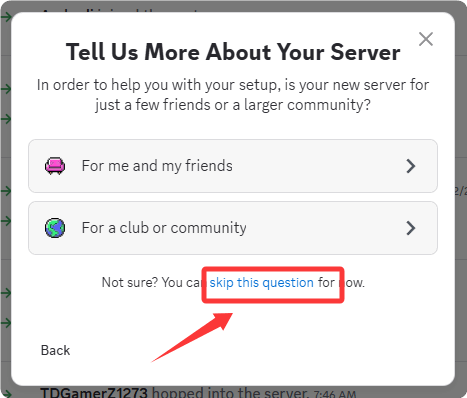
Optional: Skip the questions and proceed to the next step
Enter the server name
Panel Alarmand create it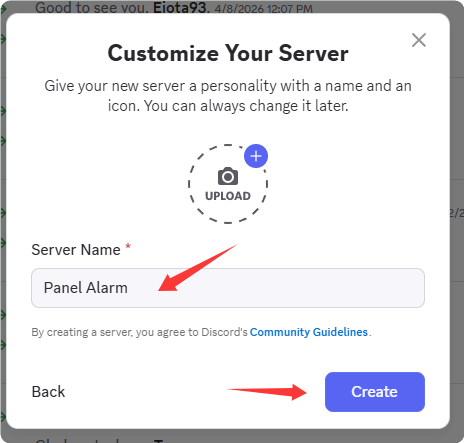
Create Webhook
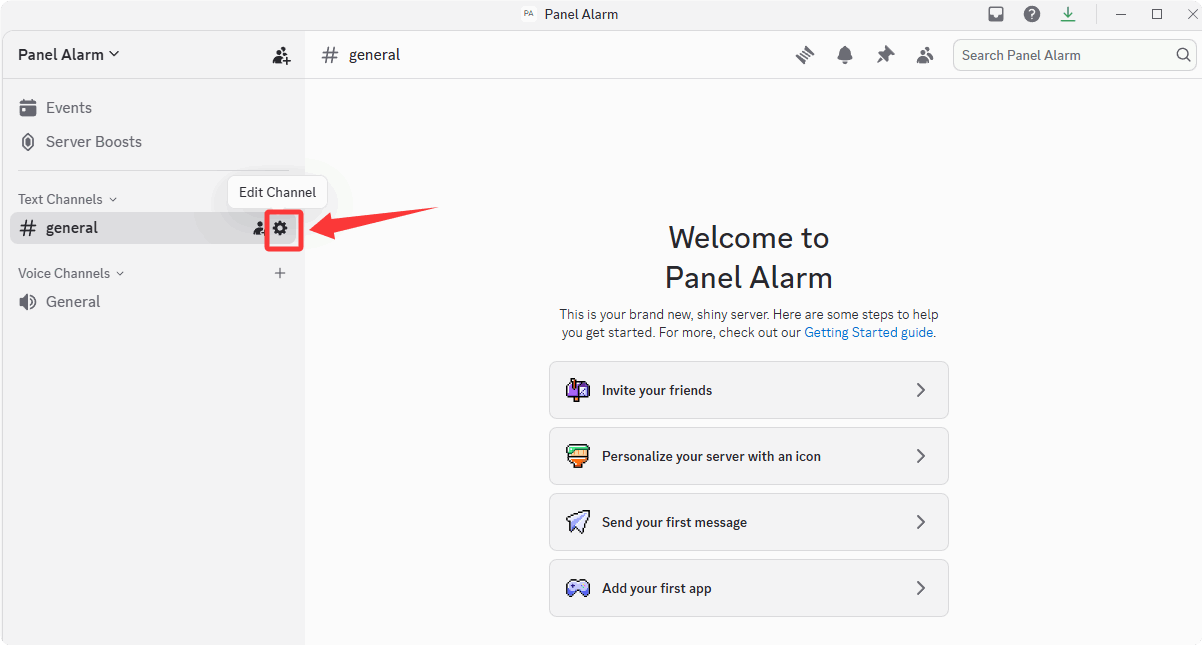
Edit Channel
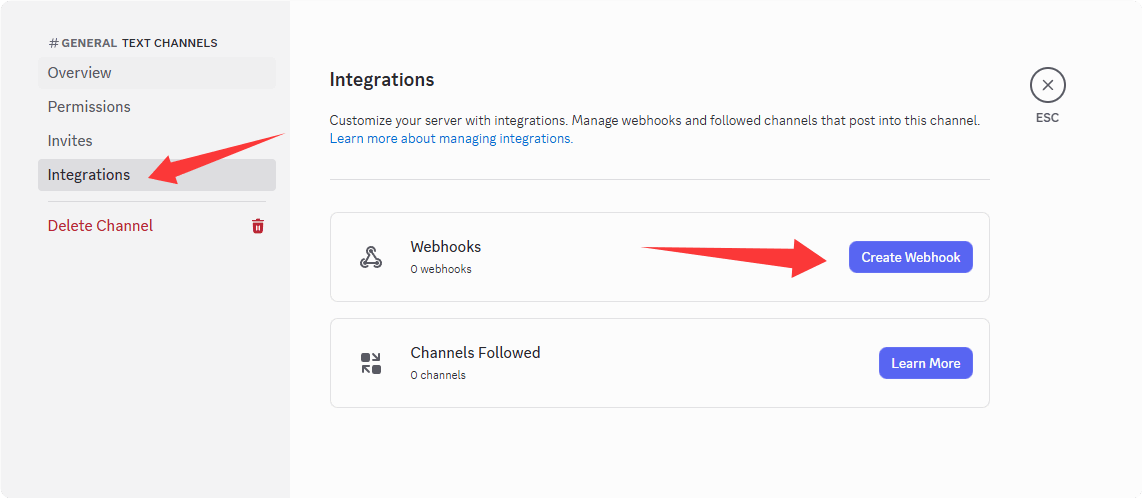
Integrations -> Create Webhook
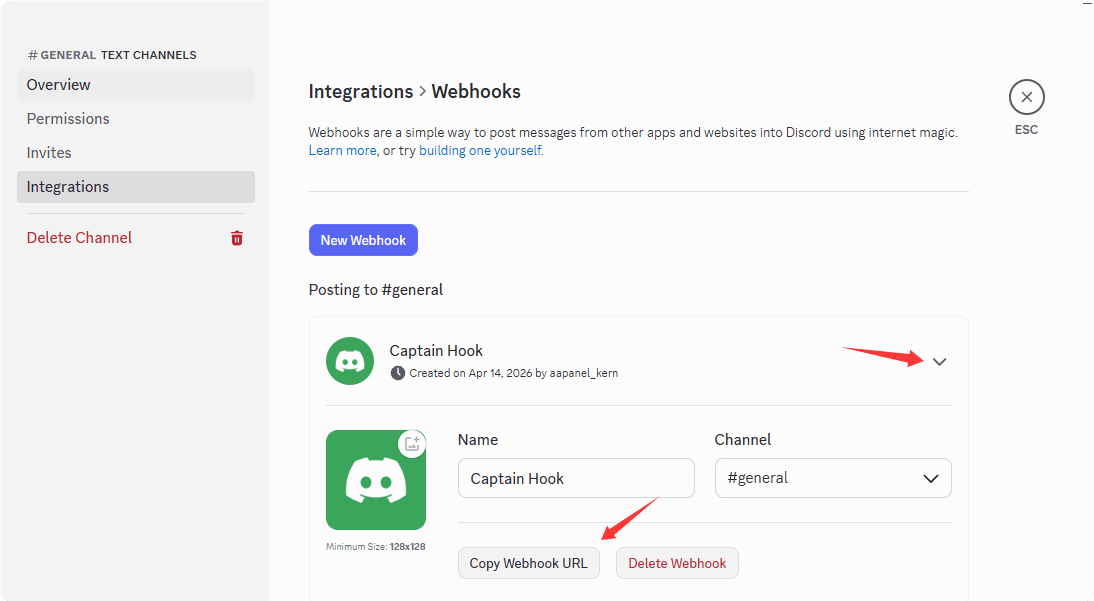
Copy Webhook URL
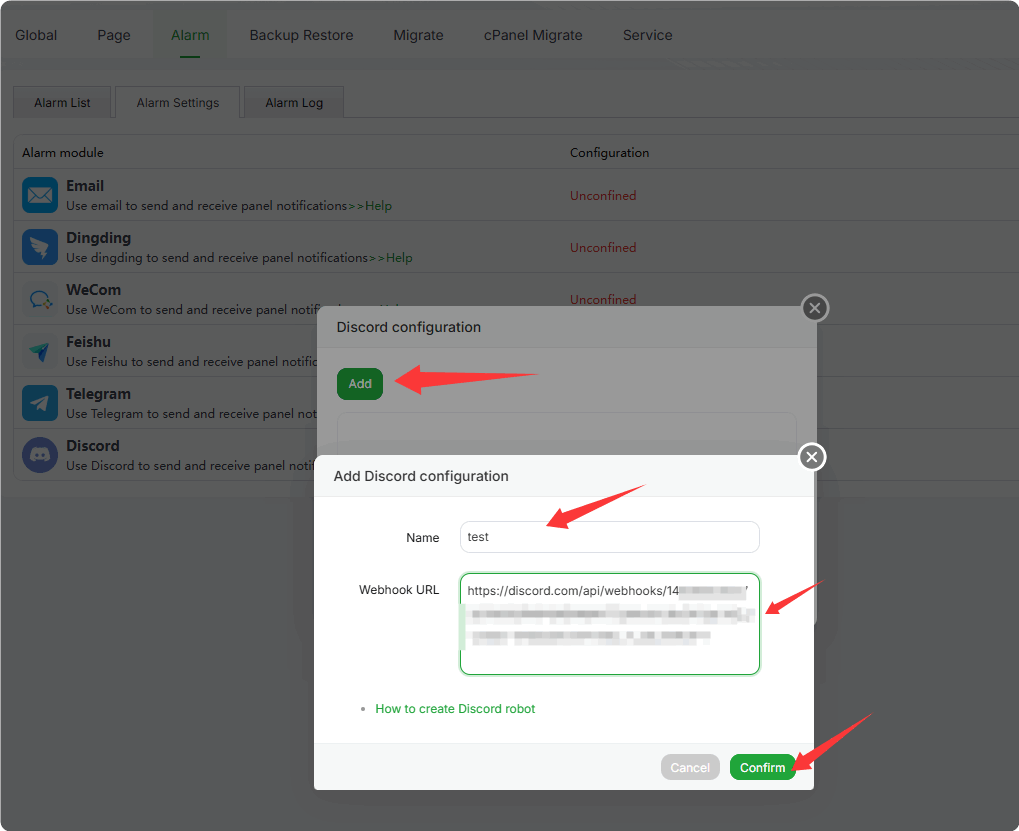
Add Discord Webhook to the Panel
Set the Webhook URL in the Panel
Configure it in
Settings->Alarm->Alarm Settings->Discord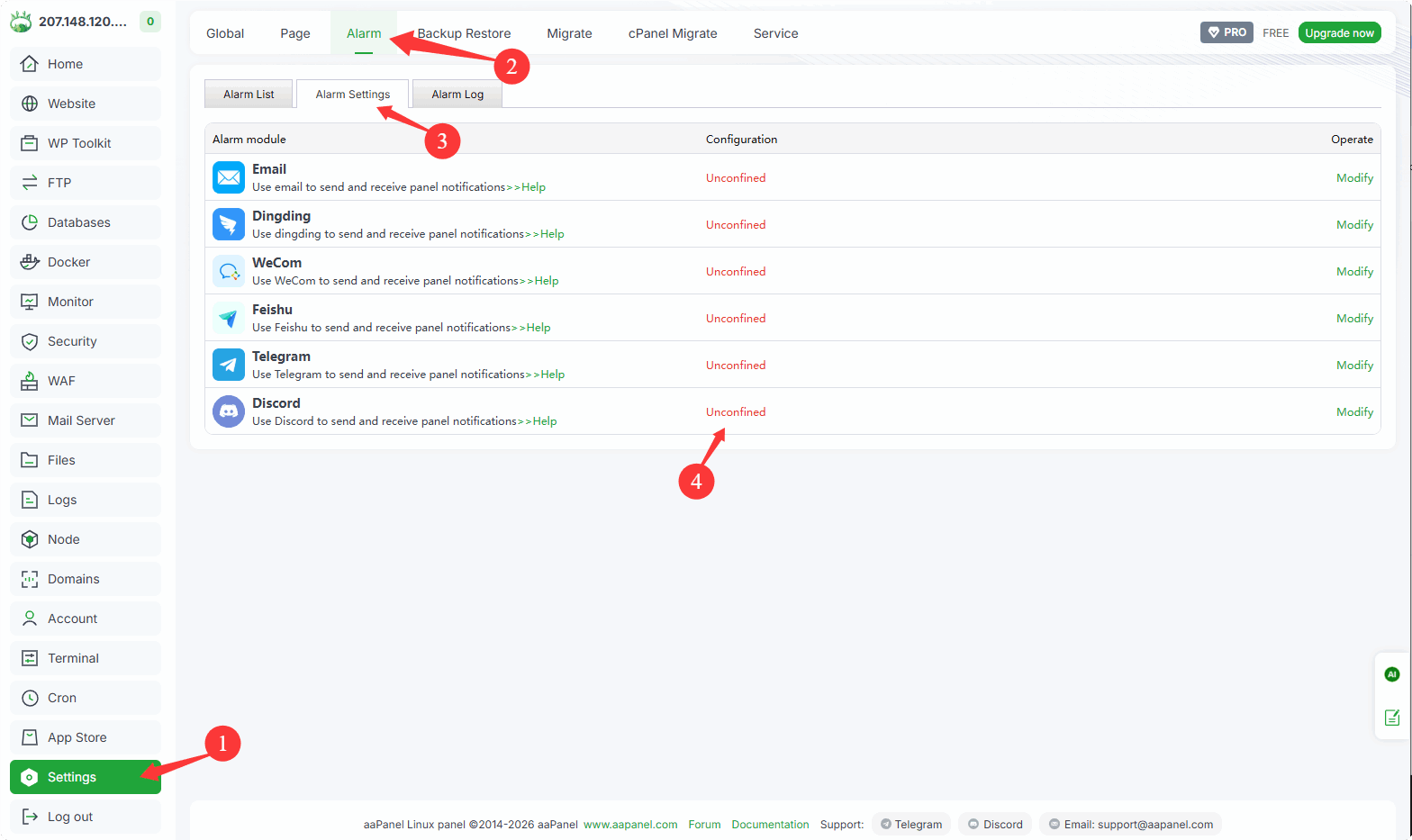
Enter a name and paste the Webhook URL as prompted
After confirmation, a test message will be sent automatically. It will be displayed in Discord as follows