How to add Telegram to panel alarm
Register a Telegram account
Create a bot via Botfather
- Go to [Botfather: https://t.me/BotFather] to create a bot
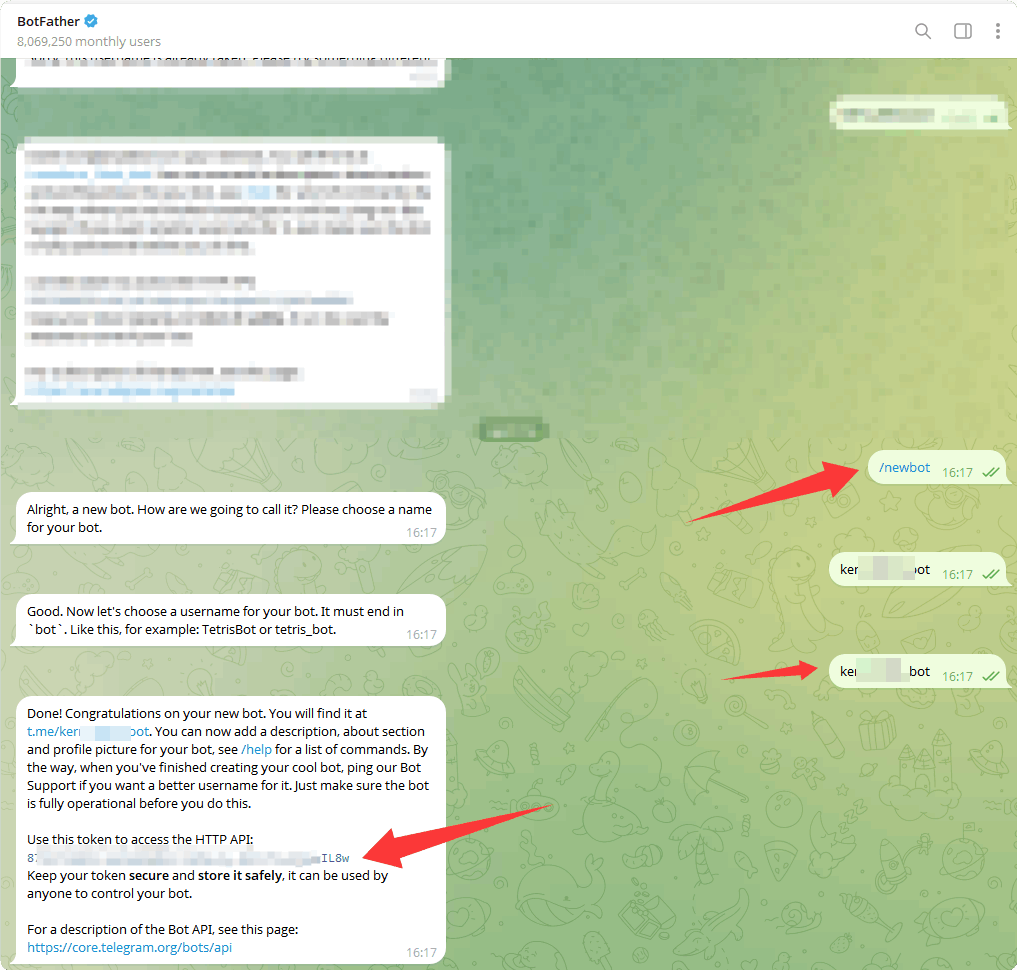
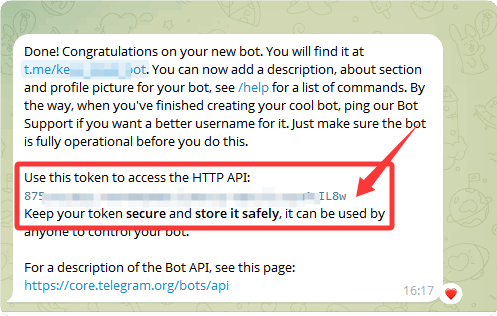
- Click to copy the
token, which will be used for later panel configuration
Enable the Telegram bot
Select your bot in
BotFatherand enable it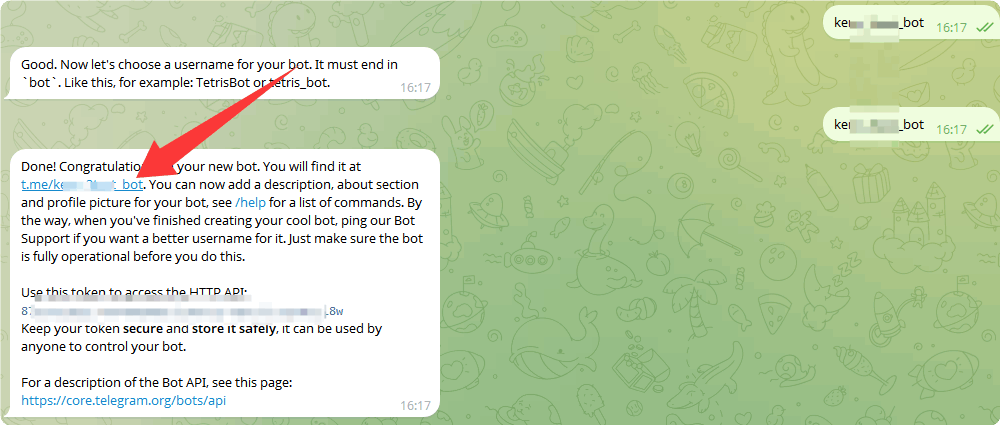
Click
STARTin your bot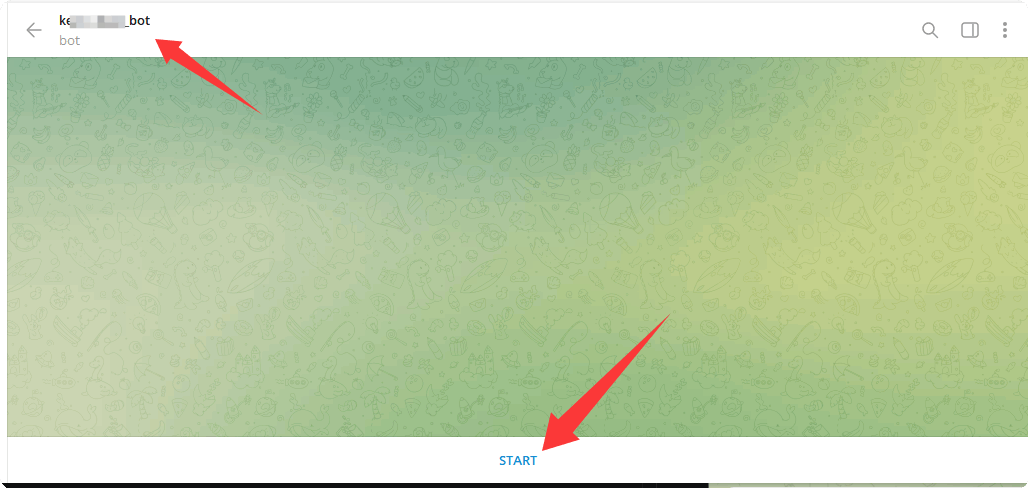
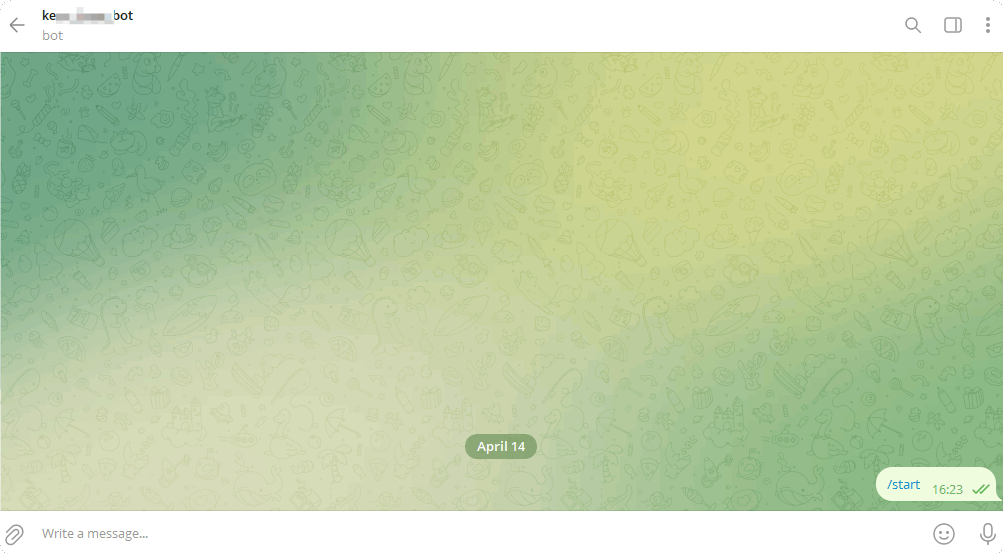
After enabling:
Get Telegram User ID
- Go to Get My ID: https://t.me/getmyid_bot to get your user ID
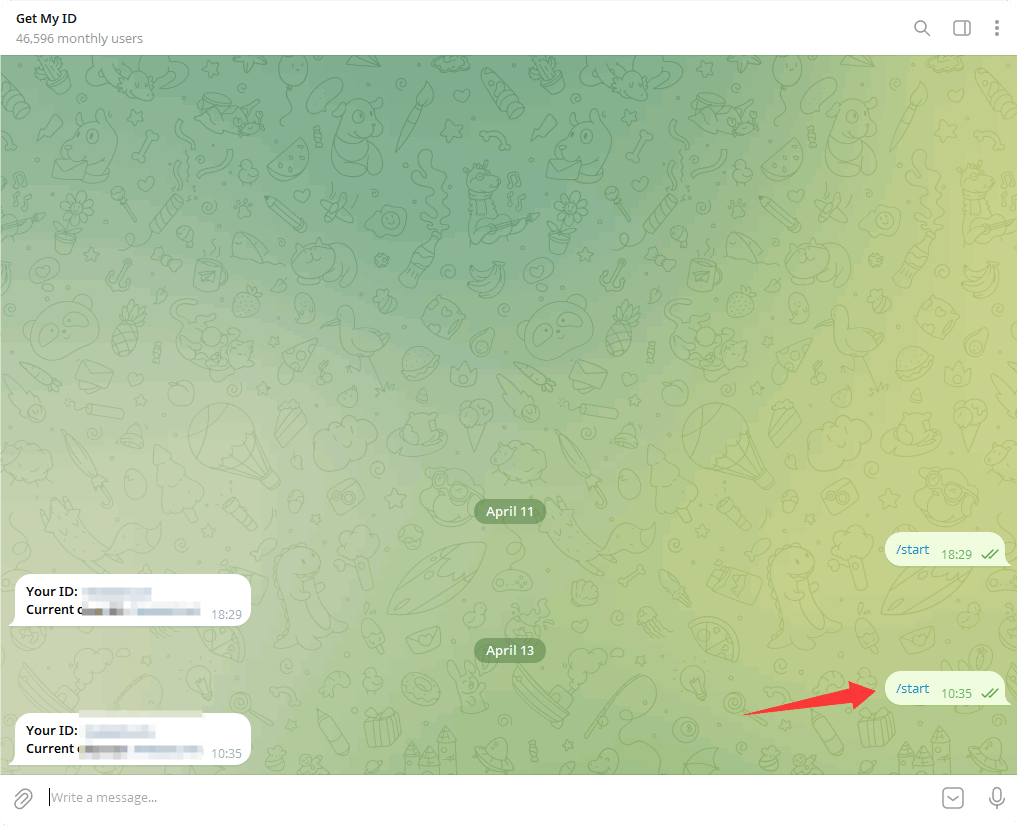
- Click to copy
Your ID, which will be used for later panel configuration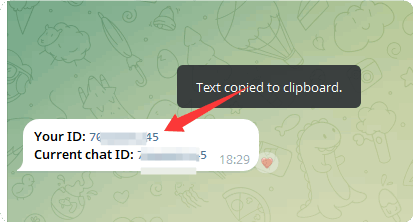
Add Telegram bot to the Panel
Configure it in
Settings->Alarm->Alarm Settings->Telegram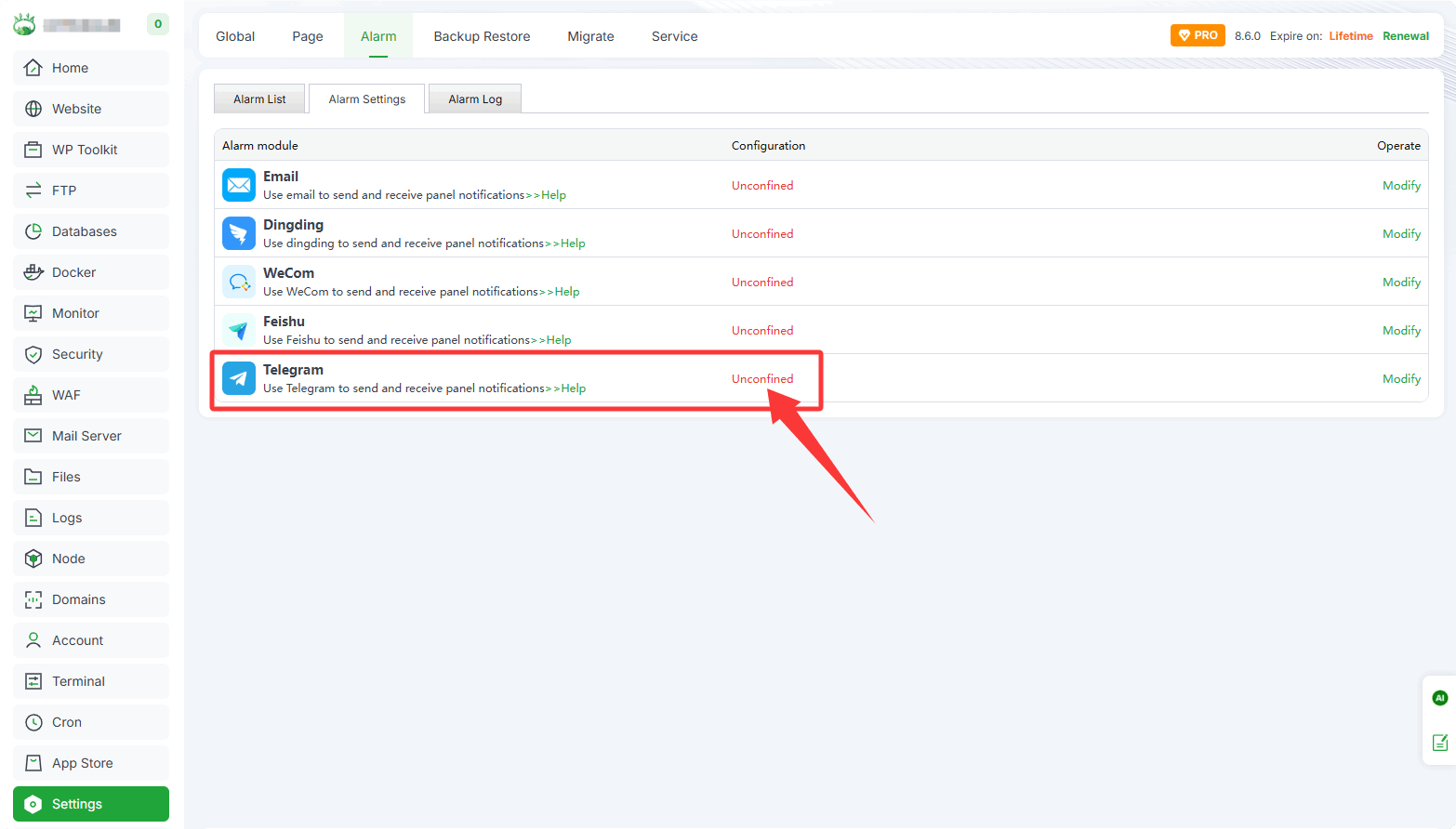
Fill in your Telegram bot information as prompted
- ID: Enter the copied
Your ID, e.g.: 7123456789 - TOKEN: Enter the copied
token, e.g.: 8123456789:xxxxxxxxx-xxxxxxxxw
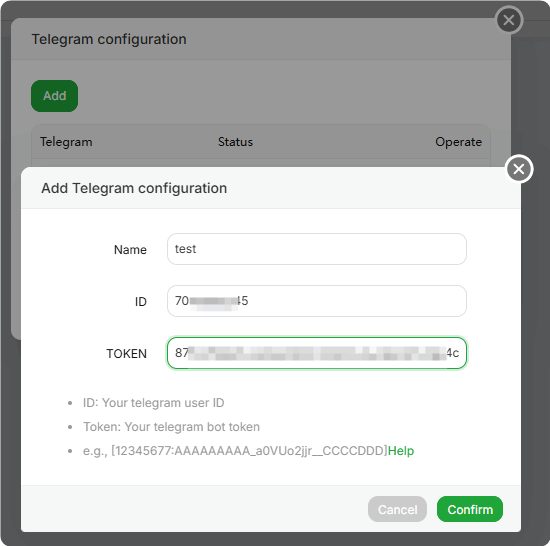
- ID: Enter the copied
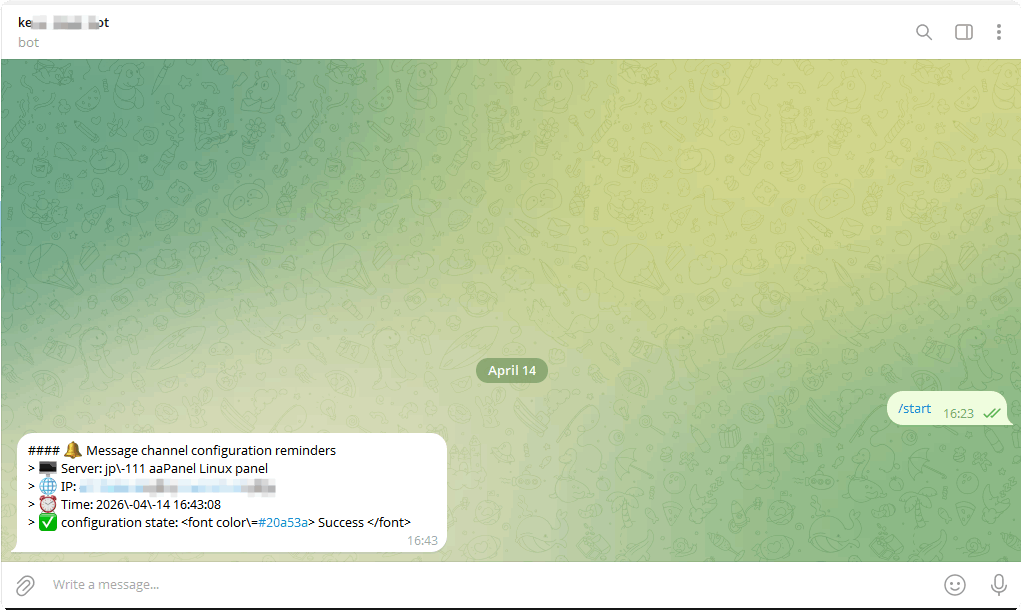
After confirmation, a test message will be sent automatically. It will be displayed in Telegram as follows